Federico Viticci

10804 posts on MacStories since April 2009

Federico is the founder and Editor-in-Chief of MacStories, where he writes about Apple with a focus on apps, developers, iPad, and iOS productivity. He founded MacStories in April 2009 and has been writing about Apple since. Federico is also the co-host of AppStories, a weekly podcast exploring the world of apps, Unwind, a fun exploration of media and more, and NPC: Next Portable Console, a show about portable gaming and the handheld revolution.

MKBHD on Apple’s Processing Techniques for iPhone Photos

In his latest video, MKBHD eloquently summarized and explained something that I’ve personally felt for the past few years: pictures taken on modern iPhones often look sort-of washed out and samey, like much of the contrast and highlights from real life were lost somewhere along the way during HDR processing, Deep Fusion, or whatever Apple is calling their photography engine these days. From the video (which I’m embedding below), in the part where Marques notes how the iPhone completely ignored a light source that was pointing at one side of his face:

Look at how they completely removed the shadow from half of my face. I am clearly being lit from a source that’s to the side of me, and that’s part of reality. But in the iPhone’s reality you cannot tell, at least from my face, where the light is coming from. Every once in a while you get weird stuff like this, and it all comes back to the fact that it’s software making choices.

That’s precisely the issue here. The iPhone’s camera hardware is outstanding, but how iOS interprets and remixes the data it gets fed from the camera often leads to results that I find…boring and uninspired unless I manually touch them up with edits and effects. I like how Brendon Bigley put it:

Over time though, it’s become more and more evident that the software side of iOS has been mangling what should be great images taken with a great sensor and superbly crafted lenses. To be clear: The RAW files produced by this system in apps like Halide are stunning. But there’s something lost in translation when it comes to the stock Camera app and the ways in which it handles images from every day use.

Don’t miss the comparison shots between the Pixel 7 Pro and iPhone 14 Pro in MKBHD’s video. As an experiment for the next few weeks, I’m going to try what Brendon suggested and use the Rich Contrast photographic style on my iPhone 14 Pro Max.

Permalink


The 2022 MacStories Selects Awards

AppStories+ Deeper into the world of apps

AppStories Episode 310 - The 2022 MacStories Selects Awards

0:00
01:06:13

AppStories+ Deeper into the world of apps

This week, Federico, John, and Alex introduce the fifth annual MacStories Selects award winners and interview the MacStories Selects Lifetime Achievement award winner, Greg Pierce, the creator of Drafts.

Read more


iPadOS 16.2 and Stage Manager for External Displays: Work in Progress, But Worth the Wait

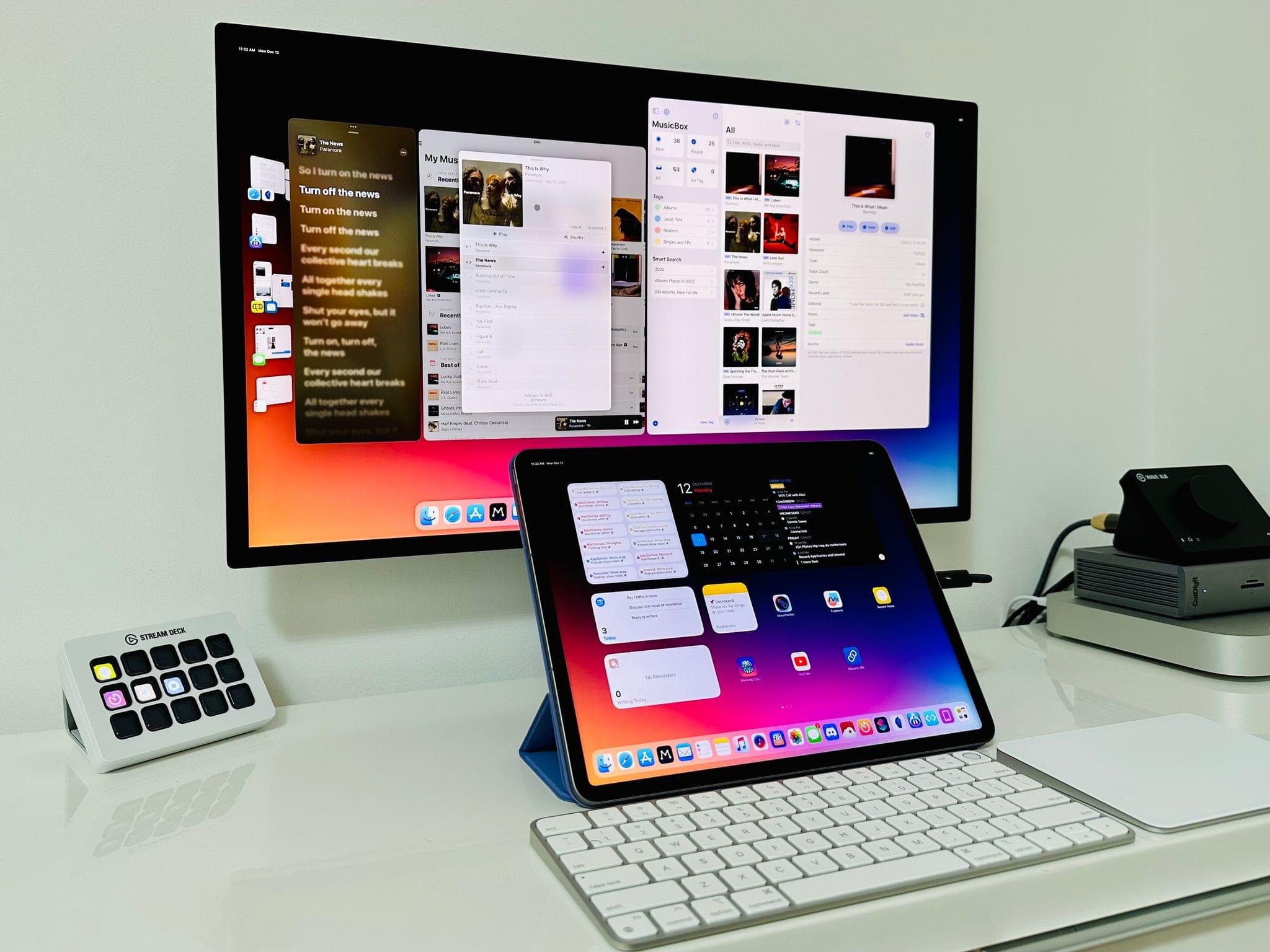
Stage Manager in iPadOS 16.2.

Stage Manager in iPadOS 16.2.

Ever since I last wrote about iPadOS 16, I have continued using Stage Manager on my iPad Pro. As I wrote in October, I like the idea behind Stage Manager more than its implementation. Despite the flawed design of its multitasking concepts and bugs I still encounter on a daily basis, it’s undeniable that Stage Manager lets me get more things done on my iPad by virtue of its concurrent app windows.

With today’s release of iPadOS 16.2, the idea behind Stage Manager achieves the full vision first presented in June, while its design and technical implementation remain stuck in an unpolished, half-baked state. Which is to say: conceptually, I love that Stage Manager in iPadOS 16.2 allows me to extend my iPad to an external display and put four additional windows on it; I’ve waited years for this feature, and it’s finally here. Technically speaking, however, the performance of this mode leaves a lot to be desired, with frequent crashes on my iPad Pro and an oft-confusing design that, I will reiterate, needs a rethinking.

Over the past couple of months, I’ve learned to live with Stage Manager, accept its quirks, and use what’s good about it to my advantage. As I recently wrote for Club MacStories members, I’ve put my money where my mouth is: I’ve gone all-in with Stage Manager on my iPad Pro and completely rebuilt my work setup around the M2 iPad Pro and Apple Studio Display, using Universal Control to seamlessly control iPadOS from a nearby Mac mini. (You can read the full story here.) After all, no other device in Apple’s ecosystem can effortlessly turn from a tablet into a laptop and into a desktop workstation like the iPad Pro can.

I’ve been working toward this vision for iPad modularity and contextual computing for the past several years. So now that Stage Manager has unlocked the final piece of the puzzle with external display integration, how good is it in practice?

And more importantly: was it worth the wait?

Read more


Gone but Not Forgotten: The Third-Party Apps (Part 1)

AppStories+ Deeper into the world of apps

AppStories Episode 309 - Gone but Not Forgotten: The Third-Party Apps (Part 1)

0:00
39:13

AppStories+ Deeper into the world of apps

This week, Federico and John extend last week’s ‘Gone but Not Forgotten’ theme to third-party apps, including Dropbox text editors, Twitter apps, email clients, and more.

Read more


Gone but Not Forgotten

AppStories+ Deeper into the world of apps

AppStories Episode 308 - Gone but Not Forgotten

0:00
47:13

AppStories+ Deeper into the world of apps

This week, Federico and John explore the Apple apps and features that have disappeared from its platforms in recent years.

Read more


Last.fm Turns 20 – and People Are Still Scrobbling

I enjoyed this story about Last.fm’s 20th (!) anniversary by Jacob Kastrenakes, writing for The Verge:

I was a little surprised to see that Last.fm was still around when I first started writing this story, let alone that it had new communities flourishing around its data. (The company didn’t respond to a request for an interview.) But I suppose in a world where most services close off and hide your data, there’ll always be people looking for a way to track it and analyze it themselves. And in exchange, they get the joy of arguing about music stats every day — and not just once a year when Wrapped comes out.

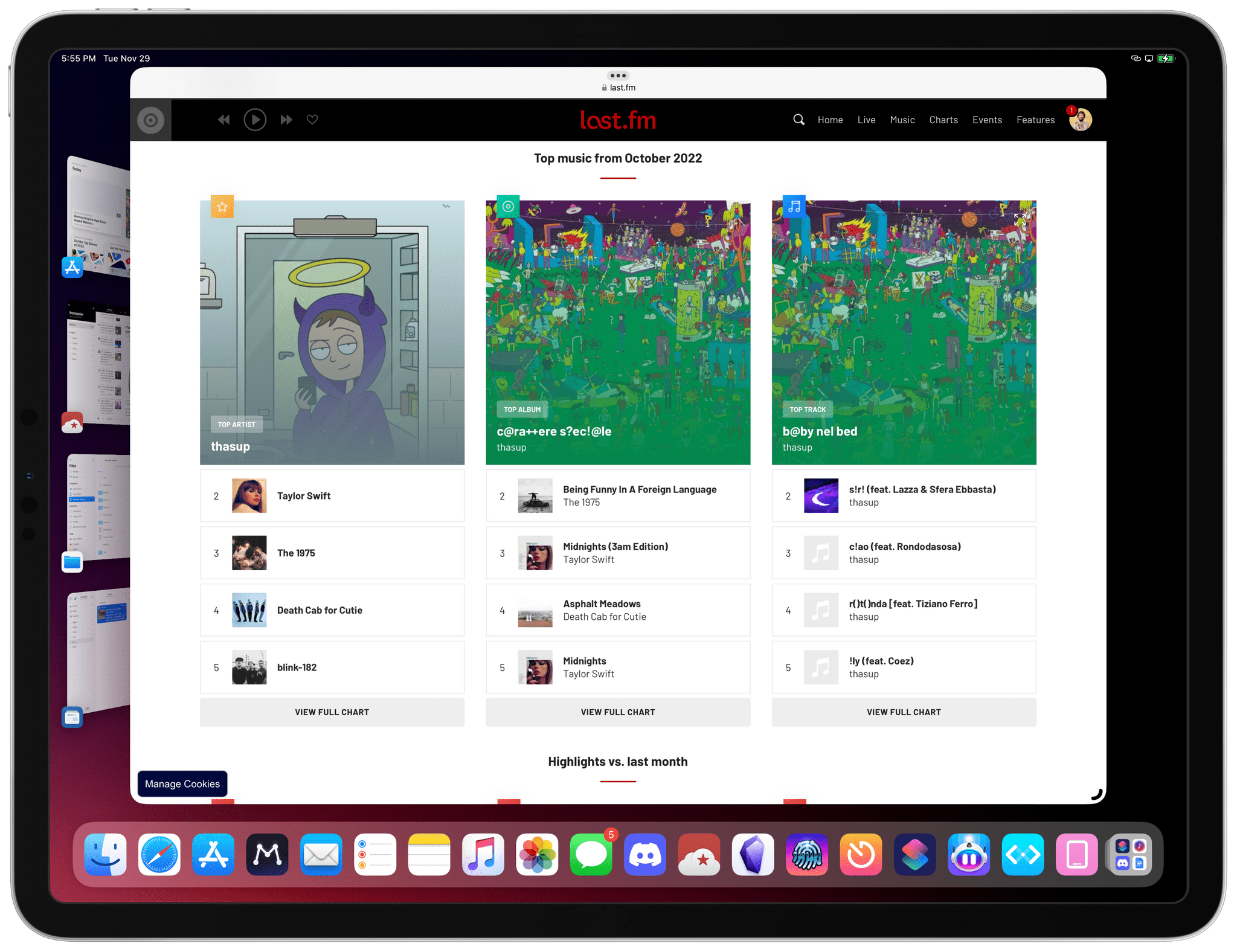
My co-hosts on Connected like to make fun of me for being One of Those People Who Still Scrobbles, but I can honestly say it’s one of the best things I’ve done for my music consumption in the past few years. (That, plus having an offline library with albums I own that I can enjoy with my favorite headphones and amp – which I also scrobble via Roon.) Ever since I started scrobbling again last year thanks to Marvis Pro on iPhone and iPad (and NepTunes on the Mac), I’ve been able to enjoy some fascinating monthly and annual breakdowns of my music listening habits that go much more in depth than Apple Music or Spotify would ever want to.

An example of a monthly Last.fm report.

An example of a monthly Last.fm report.

In Internet years, it’s pretty wild for anything to turn 20 – let alone a service that faces competition from the likes of Apple and Spotify. And yet Last.fm has been able to carve a niche for itself by appealing to people like me, who want to know more about the music they listen to. Maybe it’s a weird thing to say in 2022, but if you listen to a lot of music every day, I can’t recommend dusting off your old Last.fm account enough.

Permalink