Federico Viticci

10804 posts on MacStories since April 2009

Federico is the founder and Editor-in-Chief of MacStories, where he writes about Apple with a focus on apps, developers, iPad, and iOS productivity. He founded MacStories in April 2009 and has been writing about Apple since. Federico is also the co-host of AppStories, a weekly podcast exploring the world of apps, Unwind, a fun exploration of media and more, and NPC: Next Portable Console, a show about portable gaming and the handheld revolution.

UDIDs To Become App-Specific After iOS 5

A subtle change noted by TechCrunch in the developer documentation for iOS 5 details how Apple, sometimes in the future and not necessarily starting with iOS 5.0, will start assigning unique device identifiers, or UDIDs, to apps rather than the device itself. TechCrunch reports that according to the documentation, “uniqueIdentifier” has been deprecated in iOS 5, suggesting developers to start using identifiers assigned to each app. For those not familiar with the concept of UDID, it is a alphanumeric string unique to each device (such as iPhone or iPad) that is widely used by advertisers to target ads at users without knowing personal information (just the UDID of a device, and some data associated with it), or by developers to test betas with a specific pool of users, making sure the beta doesn’t get installed on other devices (thus the UDID requirement).

In the past months, however, UDID usage has caused a number of privacy and security concerns because of certain advertisers and developers collecting more information associated to the UDID (such as email addresses or list of names) than they were allowed to, leading to a discussion as to whether UDIDs were really necessary. Basing on TechCrunch’s report, it’s unclear if Apple is going to remove UDIDs as we know them from the first version of iOS 5:

I guarantee Apple will not stop using UDID,” predicts one mobile industry CEO. If Apple does continue to use UDID for itself but denies it to developers that would be an “extremely lopsided change.” It would give Game Center and iAds yet one more advantage over competing third-party services.

Furthermore, when Apple announces that they’re “deprecating” a technology, it doesn’t mean it’s going away in a few weeks or months. Usually, a “deprecated” API or specific technology in, say, OS X is more of a warning to developers, a way to inform them that, going forward, there will be changes. This seems to be what Apple’s doing now with app-specific identifiers, with several iOS and Mac developers already wondering on Twitter how could Apple make the transition from device-based to app-specific UDIDs as seamless as possible for the developers themselves, and users.
Apple Releases iOS 5 Beta 6

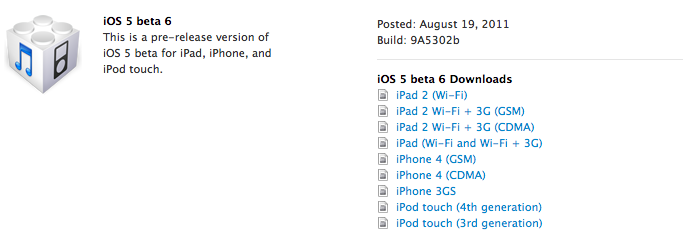
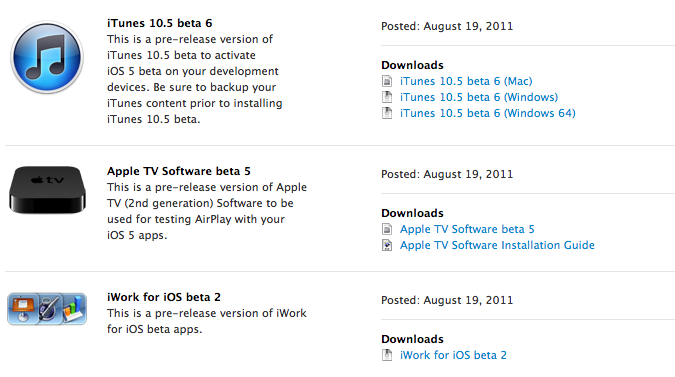
Apple has just released iOS 5 beta 6 in the Dev Center, with build number 9A5302b. Additionally, Apple has also released a new iTunes beta, Xcode 4.2 Developer Preview, Apple TV software and the second beta of iWork for iOS with iCloud functionalities. The release comes two weeks after iOS 5 beta 5, seeded to developers on a Saturday. iOS 5 is expected to be the operating system the next-generation iPhone will ship with out of the box, with recent rumors suggesting an early October release for the device.

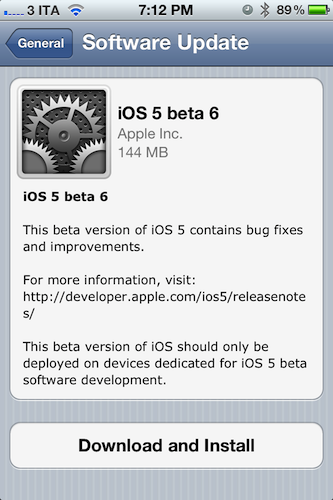
iOS 5 beta 6 can also be installed over-the-air on devices running iOS 5 beta 4 or later – beta 6 for the GSM iPhone 4 is a 144 MB download as pictured below. Apple recommends a backup either through iTunes or iCloud prior to installing iOS 5 beta 6.

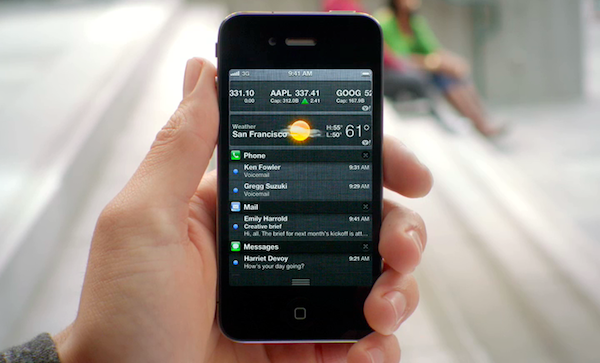
iOS 5 is the next major release of Apple’s mobile operating system for iPhone, iPad, and iPod touch, bringing new features like direct Twitter integration, PC-Free setup, iCloud, and completely revamped notifications to iOS devices this Fall. We will update this post with more information on the latest beta as it becomes available.

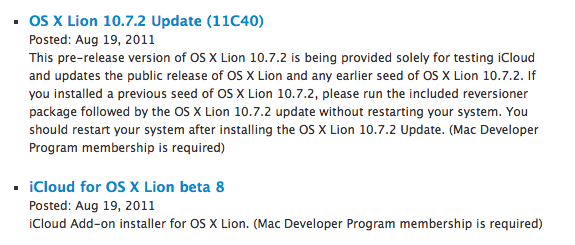
Update: Apple also seeded a new beta of the iCloud desktop control panel for Lion, Safari 5.1.1 for developers, as well as a new version of OS X 10.7.2. OS X 10.7.1 was released earlier this week, and 10.7.2 is being provided to developers to test iCloud integration on the Mac.


WSJ: iPad 3 In Early 2012 with High Resolution Display

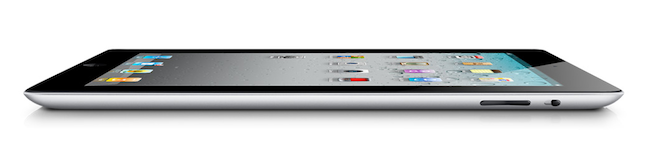
According to a new report by The Wall Street Journal, Apple will begin trial production of the next-generation iPad with key component suppliers in October, with the device set to debut in “early 2012” featuring a “high resolution display”. Whilst speculation in the past months had claimed Apple would release two iPads in 2011, with a possible “iPad 3” likely set for a Fall release alongside the iPhone 5, recent rumors have indicated Apple would either stick with its annual release cycle, or launch a minor refresh of the iPad 2 – dubbed iPad 2 HD – this year, focusing on improving screen resolution and processor speed.

The Wall Street Journal seems to believe the former theory, claiming that “[the] next generation iPad is expected to feature a high resolution display - 2048 by 1536 compared with 1024 by 768 in the iPad 2” with a launch in early 2012.

One component supplier to Apple said the company has already placed orders for parts for about 1.5 million iPad 3s in the fourth quarter.

“Suppliers will ramp up production and try to improve the yield rate for the new iPad in the fourth quarter before its official launch in early 2012,” said a person at the supplier.

Rumors surrounding a second iPad to be released in the fall started when both TechCrunch and Daring Fireball’s John Gruber hinted at an iPad 3 coming out this year for a “fall surprise”. Since then, speculation has been running wild as to whether Apple could really release the iPad 3 in 2011 whilst they were still struggling to meet demand for the iPad 2, which Apple COO Tim Cook later described as the “mother of all backlogs” due to a combination of high customer demand, and component shortages. However, at the Q3 earnings call in July Apple reported 9.25 million iPads sold in the quarter, mentioning that iPad 2 supply improved “dramatically” in the previous months.

Whereas several websites are still backing up the claims of a second iPad to be released in 2011, a report from Digitimes in June detailed how Apple had just began component certification for the iPad 3 set to come out next year. Technical details of the new device are unclear, although a number of reports in the past months – as well as graphical elements found in the iOS operating system – suggested Apple wants to build a “Retina Display” in the iPad 3 by doubling the existing resolution of the device, bringing it to 2048 x 1536 pixels up from 1024 x 768.


Notes From An iOS User On Vacation

I came back from what I’d like to think of as a well-deserved vacation earlier this week and, unlike previous vacations at the camping I’ve been spending most of my summers in for the past 15 years, this time I went there with my friends and a specific goal in mind: I didn’t have to write anything, but I should have been able to do so and check on MacStories if my attention was needed. Last year, I went on vacation knowing that I would have ended up writing for the site anyway. Not this year. Yet, I told myself, if something happens – or really, just to make sure I could at least read the news – the devices I work with every day should be capable of letting me get things done quickly, and efficiently.

I went on vacation for roughly ten days, bringing an iPad, an iPhone, my new MacBook Air and a slew of other iOS accessories and cables with me. My girlfriend brought her iPhone, too, as well as her MacBook Pro and iPad. All my iOS devices managed to fit in the Tom Bihn Ristretto bag I’ve been using for the past months, whilst the MacBook Air snugly fit into a new sleeve I bought two weeks ago. I did not bring a digital camera because the iPhone 4 is the best camera I’ve ever owned, nor did I choose to unplug those external drives from my desktop iMac and AirPort Extreme. If we ever decided to watch a movie, we’d buy it from iTunes and stream it over 3G. The MacBook Air wouldn’t have been capable of backing itself up to SuperDuper!, but I had a feeling I wouldn’t use the Air much.

As I set out to drive to the camping and think about how I would keep up with MacStories news and updates without actually working on them, I had a feeling iOS and the great apps I had installed on my devices would help me go through the task without much effort.

They absolutely did. Read more


Evernote Acquires Skitch, Will Remain A Separate App

At the Evernote Trunk Conference that’s currently going on in San Francisco, Evernote CEO Phil Libin announced the company has acquired popular image sharing service Skitch. Skitch is a drawing tool for OS X that allows users to make quick edits and leave annotations on screenshots to share online with their friends and colleagues. The Mac app has got direct Twitter integration, it supports drag & drop and it can instantly send screenshots on to the web that anyone will be able to see with a browser. We had a review of Skitch for Mac last year, although the app has been improved a lot since then and given a new price point on the Mac App Store.

Following this acquisition, the price is the first thing that will change for Skitch. As part of Evernote, Skitch will be available for free on the Mac App Store, with no ads and no trials; existing Skitch users will be able to keep using the service with their accounts, though new users will get the possibility of signing up using their Evernote credentials. Evernote is promising “tighter integration between Evernote and Skitch” to “easily draw, ink, grab screenshots, annotate and share your favorite memories” – admittedly, as a long-time Evernote user, being able to edit and annotate images in a notebook has always been something I wished Evernote would do besides rich text editing and tagging. All Things Digital is also reporting an Android app will be launched soon, with Skitch for iOS and Windows to follow.

We were drawn to Skitch (har har) for one simple reason: we love and use their product with Evernote. For years, one of our most requested feature areas has been related to improved handling of images and annotation capabilities. Our users take and share millions of photos and screenshots already, but the experience isn’t as good as it could be. We debated about whether to add the improved functionality into Evernote or build a separate app to handle it. Finally, we decided to do both. Thanks to Skitch, we will.

According to Evernote, the engineers at the two companies will be working closely in the coming months to deeply integrate Skitch and Evernote with each other, as right now the only way to let the apps communicate on a Mac is by annotating an image in Skitch, and manually drag it into Evernote. It wouldn’t be a surprise if the app gained a feature to push annotations to Evernote’s cloud to avoid drag & drop – considering the app is coming to mobile devices, this has been certainly considered by the Evernote team. At the moment of writing this Skitch is still a paid app on the Mac App Store, so check back for changes soon to download it for free. We’re looking forward to whatever the Evernote team has in store for Skitch integration in their products – in the meantime, you can read the full announcement here.

Update: Skitch is now free on the Mac App Store.


Noteshelf Gets New Features & UI Changes, We’re Giving Away 10 Codes

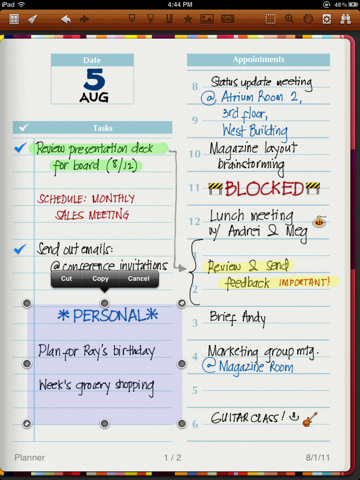
Back in October 2010 I reviewed Noteshelf, a handwriting app for the iPad I said “I could actually use” because of its clever feature set that included things like smooth virtual ink, wrist protection and templates which made using a stylus on the iPad almost a real pleasure. The app went through a series of updates, first bringing support for Evernote and Dropbox in November, finer ink and new notebooks, then AirPrint integration, photo albums and multitasking by the end of 2010. Of all the handwriting apps I’ve tried, Noteshelf is without a doubt one of the most powerful ones – it goes right up with Penultimate when it comes to selecting the best note-taking apps for the iPad with handwriting recognition and notebook template options.

Since December 2010, Noteshelf has gone through other major changes, with version 4.0 released late last month quickly climbing the charts of the App Store thanks to new functionalities introduced by the developers, such as vastly improved zoom mode, single-page paper styles, new icon and updated interface, and even smoother writing. Two weeks ago, FluidTouch released Noteshelf 4.1, further refining the interface design and adding more options like the possibility of grouping notebooks into folders, a full-screen finder, passcode protection, highlighters and VGA support. Noteshelf has gained a lot more features since I first reviewed it, but it’s still the same intuitive and fun-to-use app I installed on my device ten months ago. There’s a lot to play with in the new Noteshelf, including an in-app store to purchase and download new paper and notebook themes, or support for cut/copy/paste to get information out of a specific notebook and onto a new one. The app has been overhauled since version 1.0 – and no doubt the learning curve has slightly increased with all these new options – but functionalities like adjustable wrist protection and zoom mode on handwritten notes still make Noteshelf one of my favorite picks for the iPad.

Noteshelf is available at $4.99 on the App Store with a sweet new icon, and I highly recommend you give this app a try if you’ve been looking for a solid handwriting solution on your iPad. However, we also have 10 promo codes to give away, so jump after the break to check out the rules and find out how you can enter to win a copy of Noteshelf. Read more


Stay On Top Of Movie Releases with Trailrs

With the iTunes Store and Apple’s Trailers website, there’s no denying Apple has come up with a sweet combination to check out upcoming movies, and purchase or rent with one click those made available by movie studios after they’ve hit the box office. However, if you’ve been looking for a way to stay on top of new films and DVD releases directly from your iPhone or iPad, Trailrs is a new app developed by Andy Smart (the same guy behind Sociable for iPhone) that tightly integrates movie information and YouTube videos inside an app capable of sending you push notifications for your favorite movies, and more.

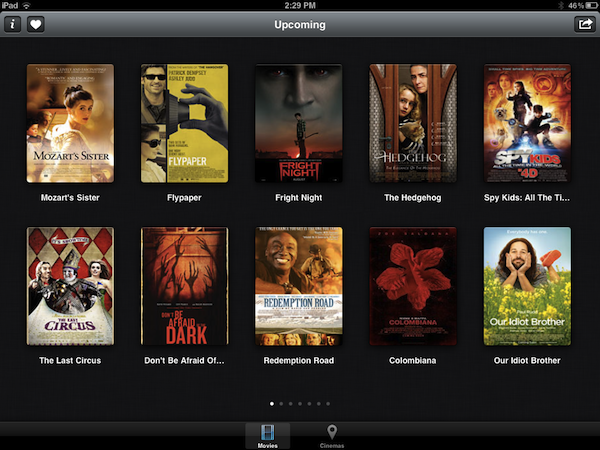
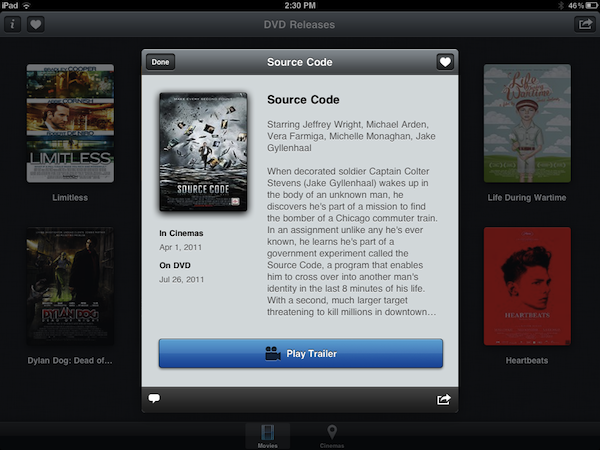
Trailrs is available as a universal app both on the iPhone and iPad, and it’s powered by a clean user interface design based on thumbnails for movie posters laid out on a classic linen background that’s everywhere on iOS devices nowadays. Trailrs allows you to check out trailers for “now showing” movies, upcoming releases (example: The Dark Knight Rises, coming out in 2012) and films now available on DVD. A button in the upper right corner lets you switch between these three different categories, whilst a “heart” icon on the left aggregates the movies you’ve marked as favorite – items you’re interested in, and that the app will save in its library to send you a push notification the day before they’re released in theaters. Furthermore, an Info button next to Favorites contains options to activate Facebook login (if you want to share a movie on your Wall), turn off notifications, and change your country from USA to UK, Spain, Japan, France, or Germany. The app will attempt to collect movie releases from these countries, replacing them with US data if not available.

As for the quality and availability of the trailers, the app doesn’t have the same huge catalog of Apple Trailers and there’s no way to switch between standard and high definition, as the app simply tries to fetch the most relevant video from YouTube, which when displayed natively on iOS doesn’t have controls to switch between 360p, 480p, 720p, and 1080p. Quality is fine in most cases, but I wish there were some options to enlarge the movie posters, and have multiple trailers like on Apple’s website (which, by the way, works well on iOS devices). I like the fact that you can look up each movie on IMDB and forward trailers to the iOS YouTube app – this is a workaround to see related videos, and thus additional trailers. Scrolling between pages in the main screen is smooth, and a second tab in the bottom toolbar allows you to geo-locate nearby cinemas to open in Maps and get directions.

At $1.99 on the App Store, Trailrs is a great-looking alternative to Apple’s Movie Trailers, perhaps with less content but with the possibility of getting push notifications for the movies you’re looking forward to and an intriguing UI. Go download the app here.


Archiving Thoughts with Day One

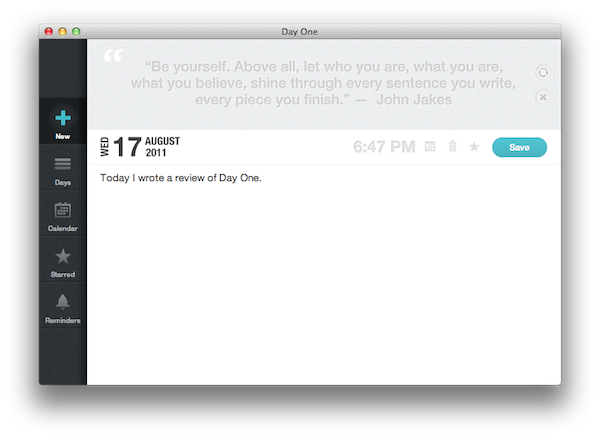
For me, the best way to remember things has always been to write them down somewhere. When I was in high school, I was that kind of student always taking notes on his notebook - furiously jotting down stuff fearing I might forget some important detail. With MacStories today, I try to keep my to-do list neatly organized in OmniFocus by quickly entering anything I have to do at any given time of the day or the week – OmniFocus makes it incredibly easy to enter tasks with a few keystrokes, and I “trust” the system to remember, collect and sort tasks for me so my brain can focus on getting those tasks done or something else entirely. I try to keep my memory in good shape, but when information becomes too much to handle I know I can rely on OmniFocus, Evernote and Dropbox to store all my tasks, notes and documents – the great thing about apps nowadays is that I’m not forced to exercise my brain for this kind of activity.

There’s one thing I never really considered storing in a digital archiving app – memories. I’m talking about things like “what did I enjoy doing today” or “I decided to take a walk with my girlfriend” – specific moments that matter in life, that are important, but which our brains often blur and forget after some time to make room for new data to process and maintain. Let’s be honest: do you remember the exact day and context when you ate that fantastic Italian pizza seven months ago? You probably have a vague recollection of what it tasted like and maybe you even remember the restaurant owner’s Italian accent, but you can’t quite get your mind around every single detail that made that moment so special. Either that, or you were busy tweeting a photo of your pizza while you were eating it.

I try to enjoy every moment, but there’s so much the human brain can remember and it’s perfectly normal something will get lost in the process of assimilating thoughts and processing them to turn them into memories and experiences. Read more


Luminance Is An Elegant Photo Editor for iOS

On the Mac, there’s no shortage of photo editors: from Aperture and Lightroom for those users who want more control over how their photos are processed and organized to more lightweight and user-friendly solutions like FX Photo Studio or The Iconfactory’s Flare, one can stay assured photos imported on a Mac will always find a proper companion app to be edited, sorted in collections, and shared online on Facebook or Flickr. On iOS, the situation is quite different: because the iPhone is a portable camera itself, there’s been a surge of apps like Instagram or Camera+, which allow users to shoot, edit, and upload photos using a single interface to do it all. Whereas the insanely successful Instagram has managed to gain millions of users because of its simple approach to lightweight photo editing and one-tap uploading, others apps like the aforementioned Camera+ or Camera Genius give users more options and functionalities such as advanced image filter adjustments, effects, and presets. And with iOS 5 on the horizon, it looks like developers of photo taking/editing apps for the iPhone and iPad will have even more tools and APIs to play with in order to natively integrate their software with new built-in image editing functions offered by iOS.

Being able to shoot a photo, quickly edit it and upload it in seconds from your iPhone is fine, but sometimes you want to sit down, check out all the photos you’ve taken, and take your time to process them, adjust them to your liking, and file them away onto a collection or social network of choice. That’s what desktop image editing tools are for – they give you the peace of mind to go through hundreds of photos without needing to quickly fire them off to your Instagram followers. You could argue that image editors are meant for a desktop computer (you sit down with your laptop, connect your camera, and start editing), but why avoid the fact that iPhones and iPads are powerful devices capable of doing just about anything nowadays? PhotoForge 2, an image editor I’ve reviewed before here on MacStories, proved that it’s possible to work with a full-featured image editing environment on iOS without feeling constrained by real screen estate and lack of mouse cursor.

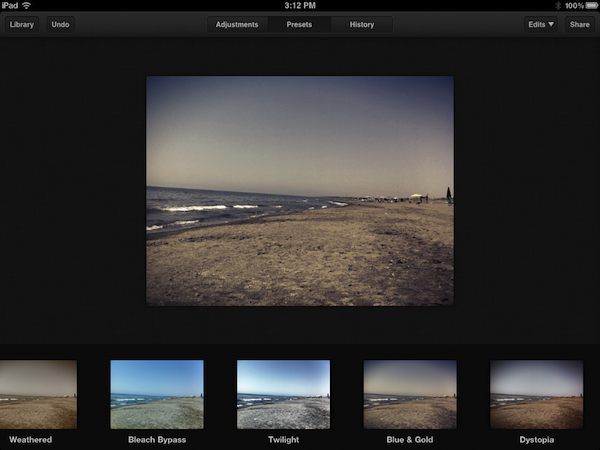
Luminance, a new image editing app for the iPhone and iPad available at $0.99 on the App Store, provides a more streamlined alternative to PhotoForge and other image editors I’ve tried on iOS, offering an interesting set of effects, presets and basic versioning system that makes it easy to import photos from a device’s camera roll, and start editing in a focused space right away. Read more