Federico Viticci

10804 posts on MacStories since April 2009

Federico is the founder and Editor-in-Chief of MacStories, where he writes about Apple with a focus on apps, developers, iPad, and iOS productivity. He founded MacStories in April 2009 and has been writing about Apple since. Federico is also the co-host of AppStories, a weekly podcast exploring the world of apps, Unwind, a fun exploration of media and more, and NPC: Next Portable Console, a show about portable gaming and the handheld revolution.

Automating Podcast Sessions in Audio Hijack 4 with Shortcuts and Timery

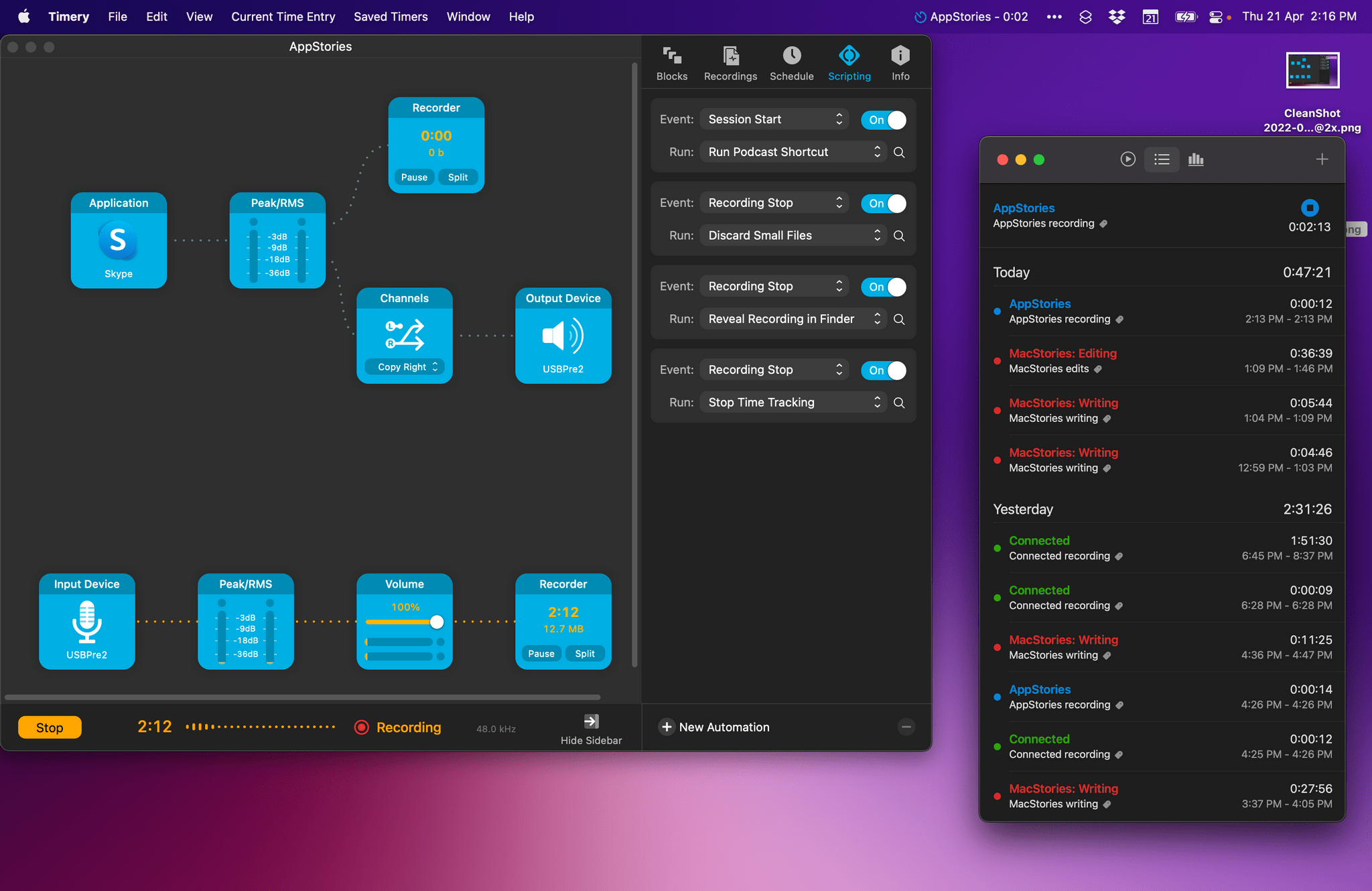
Audio Hijack 4 and Timery.

Audio Hijack 4 and Timery.

For the past week, I’ve been rethinking my approach to time tracking with the Timery app with a focus on simplicity and automation. I appreciate the insights into my habits and patterns afforded by time tracking and Timery’s excellent Reports view, but lately I’ve felt like my setup with projects, tags, and sub-tasks was too convoluted since it was based on a structure I designed years ago.

My daily routine is different now – and it’ll continue to change in 2022 – and I wanted to get rid of the overhead caused by a time tracking system that was too granular. For time tracking to be effective, you need to remember to start a timer whenever you’re working on something; too much friction in the process – such as having to carefully pick from a list of similar projects – defeats the whole purpose of it. There’s also the opposite problem – forgetting to stop a long-running timer – which John explained and fixed in a separate story for Automation April.

So I went back to the drawing board of my Timery projects and reorganized everything with simplicity and ease of activation in mind. I cleaned up my saved timers and shortcut that activates those timers, which I can now trigger system-wide via Raycast on the Mac and the Shortcuts widgets on iPad. I split my work projects into three main areas – MacStories, Club, and podcasts – removed redundant sub-tasks, and grouped related activities under the same tags for more reliable filtering.
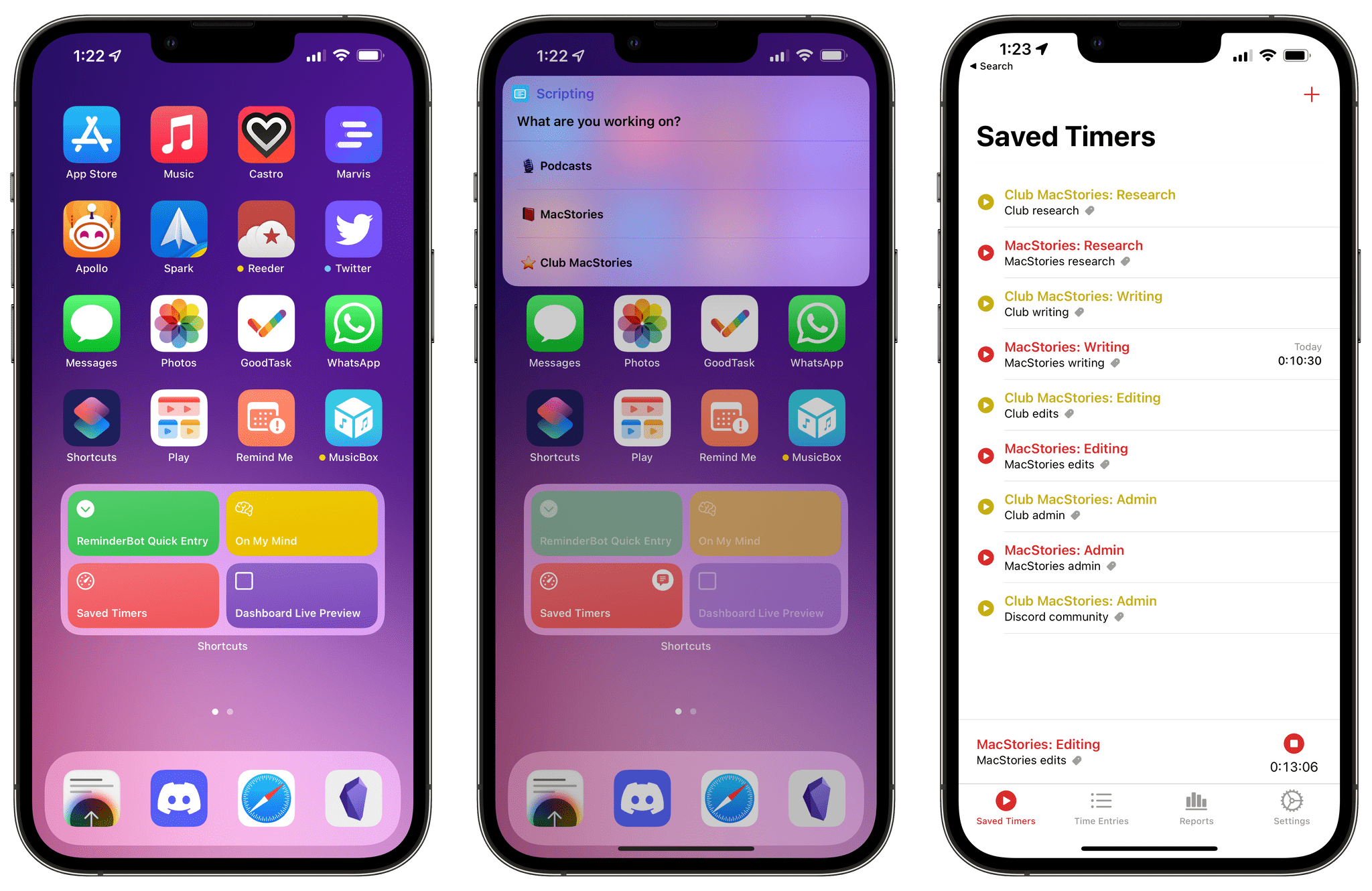
How I access my saved timers from the Home Screen.

How I access my saved timers from the Home Screen.

The approach worked well for MacStories and the Club, but podcast timers turned out to be a different beast. You see, when I sit down to record a show like Connected or AppStories, I need to take care of key tasks such as making sure my audio inputs are correct, checking out notes for the show’s outline and intro, and keeping an eye on the Connected audience in Relay’s Discord server. These tasks distract me from time tracking and, as a result, I often forget to start a timer for when I begin recording and, conversely, stop the timer when I’m done. I could automatically start a timer when a calendar event for a show is due in my calendar, but that also doesn’t work for me since it doesn’t account for the time before we actually record the show when I may be chatting privately with Myke and Stephen. Wouldn’t it be great if there was One True Way to automatically start tracking my real recording time when I start talking into the microphone for a show?

As it turns out, thanks to the latest update to Audio Hijack – the new version 4.0 that recently launched on macOS – there is. So for this week’s Automation April story, I’m sharing the custom system I created to trigger a single shortcut that starts time tracking in Timery based on the show I’m recording in that specific moment. Let’s take a look.

Read more


Our Latest Automation April Shortcuts

AppStories+ Deeper into the world of apps

AppStories Episode 270 - Our Latest Automation April Shortcuts

0:00
44:37

AppStories+ Deeper into the world of apps

This week, Federico and John dig into the collection of shortcuts that they’ve released during Automation April so far, including Federico’s Split View Presets and Cleanup Twitter Link and John’s Timestamped Notes and myTunes shortcuts.

Read more


Automation April: 10 Shortcuts for Mac Multitasking, Markdown, Reminders, Music Lyrics, Twitter, and More

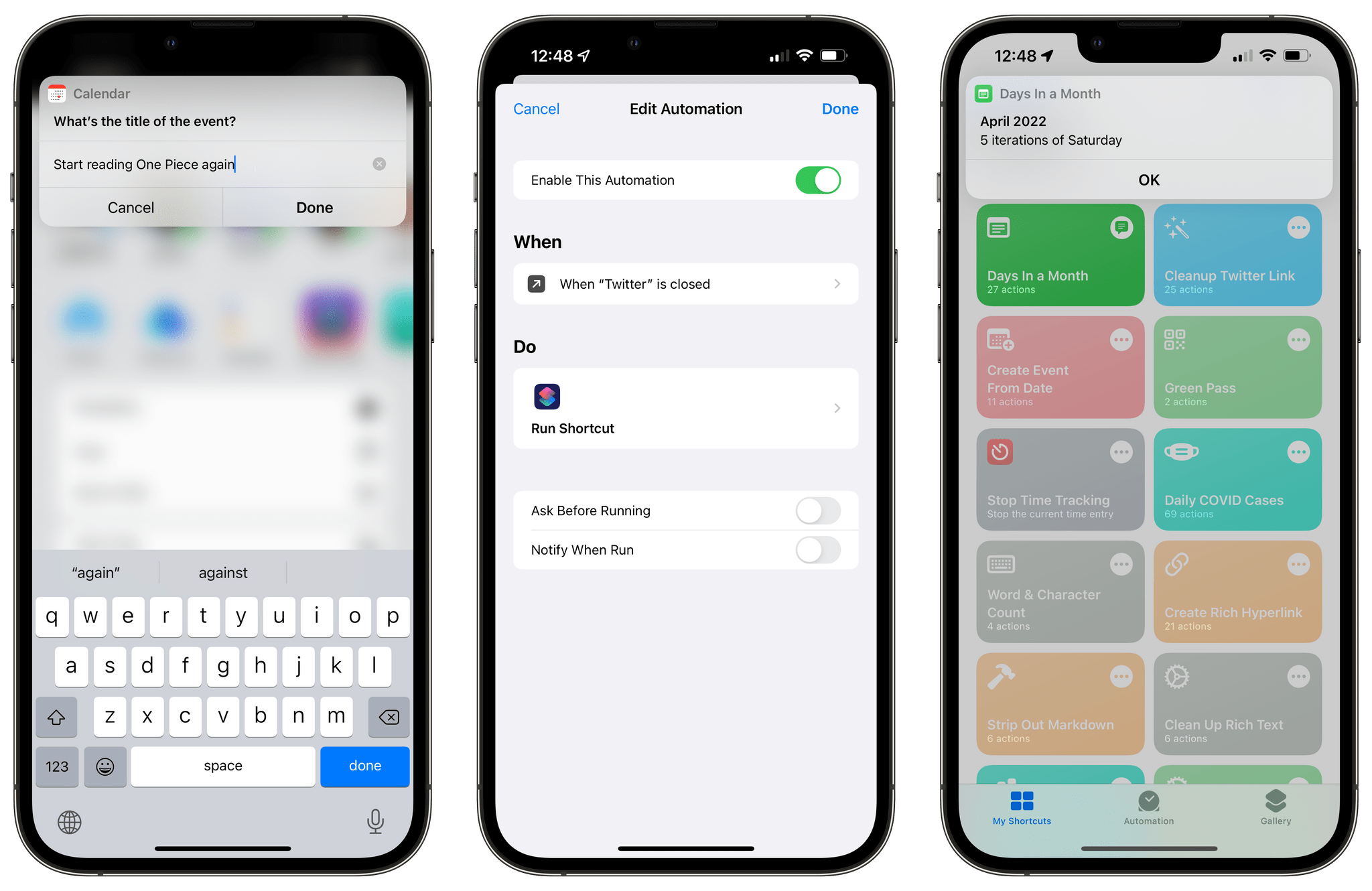
10 shortcuts for Automation April.

10 shortcuts for Automation April.

Automation April is well underway: we’ve entered the second week of our month-long special event about automation on Apple platforms, and – in case you haven’t noticed – things are happening everywhere. We’ve published Shortcuts-focused articles on MacStories; interviewed developers of Shortcuts-compatible apps on AppStories; we’ve hosted a Town Hall Workshop on our Discord along with giveaways. And, of course, our panel of judges is now busy testing and evaluating shortcuts submitted by people for the Automation April Shortcuts Contest. If you haven’t yet, now would be a great time to start following @AutomationApril on Twitter to keep up with everything we’re doing.

Last week, I shared an initial batch of 10 shortcuts I prepared for Automation April here on MacStories. I’m back this week with another set of 10 shortcuts that encompass a variety of platforms, app integrations, and functionalities. In this week’s collection, you’ll find even more shortcuts to speed up macOS multitasking; a shortcut that makes it easy to create a calendar event starting from a date; there will be a couple of shortcuts for Markdown and Obsidian users too.

I’m having a lot of fun sharing these sets of shortcuts for Automation April. So once again, let’s dive in.

Read more


Automation April: Interviews with the Developers Behind Pushcut and Working Copy

AppStories+ Deeper into the world of apps

AppStories Episode 269 - Automation April: Interviews with the Developers Behind Pushcut and Working Copy

0:00
45:49

AppStories+ Deeper into the world of apps

This week, Federico and John interview Rodrigo and Victor Araújo, about the many-layered ways that Pushcut extends the utility of Shortcuts and Anders Borum, the creator of the iOS and iPadOS Git client Working Copy, about the app’s use of Shortcuts.

Read more