Federico Viticci

10804 posts on MacStories since April 2009

Federico is the founder and Editor-in-Chief of MacStories, where he writes about Apple with a focus on apps, developers, iPad, and iOS productivity. He founded MacStories in April 2009 and has been writing about Apple since. Federico is also the co-host of AppStories, a weekly podcast exploring the world of apps, Unwind, a fun exploration of media and more, and NPC: Next Portable Console, a show about portable gaming and the handheld revolution.

iOS 5 Already Jailbroken

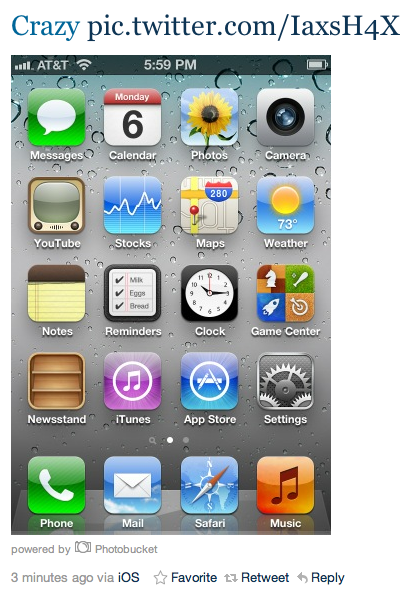
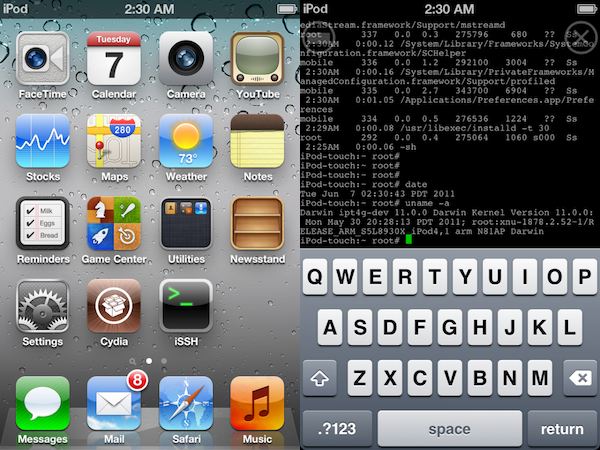
As tweeted by MuscleNerd an hour ago, the screenshots above show an iPod touch 4th generation running the iOS 5 beta seeded to developers last night and already jailbroken to install Cydia. According to MuscleNerd, there aren’t “many surprises” here, as the device was jailbroken using the existing limera1n code and a tethered boot from a computer.

What this means for jailbreakers is still unclear. There have been jailbreaks for early iOS betas in the past, though in most cases the Dev Team preferred to wait for a public release before unleashing the necessary code to install Cydia on iOS devices. Furthermore, the exploit that allowed MuscleNerd to jailbreak his iPod touch is likely based on bootroom holes found in the past months on the iPhone and iPod touch – meaning, there’s no confirmation whatsoever iPad 2 users will get a proper jailbreak once iOS 5 comes out this fall / more betas are releases throughout the summer. Still, the images above show the new iOS 5 with Newsstand and Reminders running alongside Cydia – that’s a good start.

Safari 5.1 Developer Preview Released

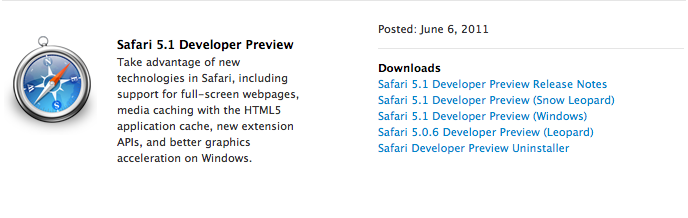
As a last update to the various Dev Centers that a few hours ago received new betas of iOS, OS X Lion and iCloud for developers, Apple has also posted the Safari 5.1 Developer Preview that, as seen on Lion (running 5.1 out of the box), will bring some of the browser’s latest advancements to Snow Leopard. According to Apple:

You can now download Safari 5.1 Developer Preview and take advantage of new technologies, including support for full-screen webpages, media caching with the HTML5 application cache, and better graphics acceleration on Windows.

With Safari 5.1 Developer Preview, you can tap into new extension APIs, including support for popovers, menus, new event classes, and interaction with Reader.

The Developer Preview can be downloaded now from the Safari Dev Center.


iBookstore Finally Comes To iTunes

With an update to the iTunes Store, Apple is now finally allowing iPhone and iPad users to download iBooks on their Macs, and send them to their iOS devices. Announced with a banner that just went live in the iTunes Store homepage, the new Books section is available here and, as you would expect from the feature iOS users have been asking for almost a year now, it’s simply the iBookstore available on the desktop.

You can browse Staff Favorites, add items to your Wish List, check out the “Best of the month” and “popular pre-orders”. Everything seen on the iBookstore for iOS has been ported to a new section in the iTunes Store for desktop computers, which doesn’t require an iTunes update. With the new “Automatic Downloads” functionality that went live earlier today, you’ll be able to buy a book on your computer and instantly see it available on your iPhone or iPad with a download happening in the background.

At the moment of writing this, there doesn’t seem to be a desktop iBooks app, which was rumored in the past months to be in the works as an alternative for the iOS ebook reader. Check out more screenshots below. Read more


iCloud Beta for Developers Goes Live

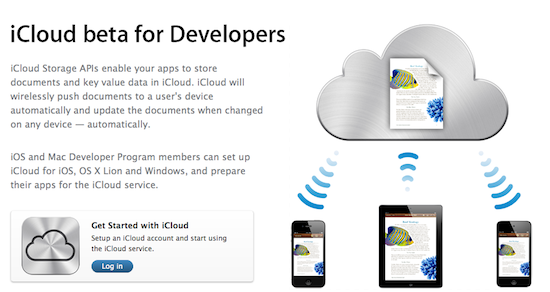
Right on time after iOS 5 and OS X Lion developer seeds, Apple has updated the Dev Center to include the new iCloud beta for Developer pages, which lists all the instructions to get iCloud going on iOS devices, Macs and iPhoto. Indeed, Apple is including a download link to iPhoto 9.2 to test the new Photo Stream features in a separate development environment (your existing library won’t be ported over). Obviously, many of these features are exclusive to Lion and Apple clearly tells developers to go download the latest OS X Developer Preview if they want to test iCloud’s functionalities.

The iPhoto update will replace your current version of iPhoto. Your existing iPhoto Library will NOT open with this version of iPhoto. For this reason it is recommended that you work on a test/development system ONLY when using this release. You will not be able to revert the system to an earlier version of iPhoto without doing a clean install of Mac OS X and reinstalling iPhoto either from your original installation DVD or by downloading from the Mac App Store.

An iCloud Control Panel for Windows is also available to enable “Photo Stream, Contacts, and Calendar” on a PC through iCloud. A new iCloud account can be set up in the iOS 5 setup assistant or Settings app; in Lion, iCloud can be enabled from the Internet Accounts section in System Preferences – Developer Preview 4 is likely required for this action. Once installed an enabled on all devices, Apple is asking developers to test the new features and take advantage of the new APIs in Lion and iOS 5 – it will be interesting to see how devs will implement the iCloud storage API unveiled this morning.


Mac OS X Lion Developer Preview 4 Now Available

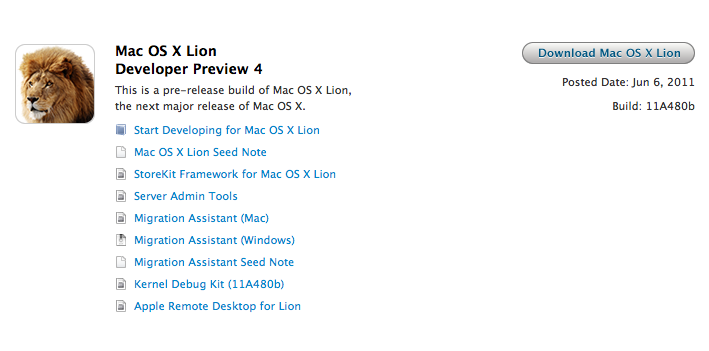
Following iOS 5 beta and iTunes 10.5 beta for Mac, Apple also flipped the switch on Mac OS X Lion Developer Preview 4 – available now for download in the Mac Dev Center. Build number is 11A480b, and it should contain all the new features demoed at the WWDC keynote today, including iCloud integration.

We’ll update this story with more details as they become available.


iTunes 10.5 Beta for Mac Released

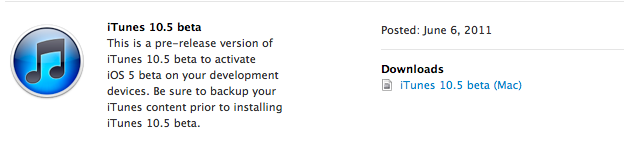
Alongside the first beta of iOS 5, Apple also released iTunes 10.5 beta for Mac – which is required to sync iOS 5 devices and enable more iCloud-related features than iTunes 10.3, also waiting for release.

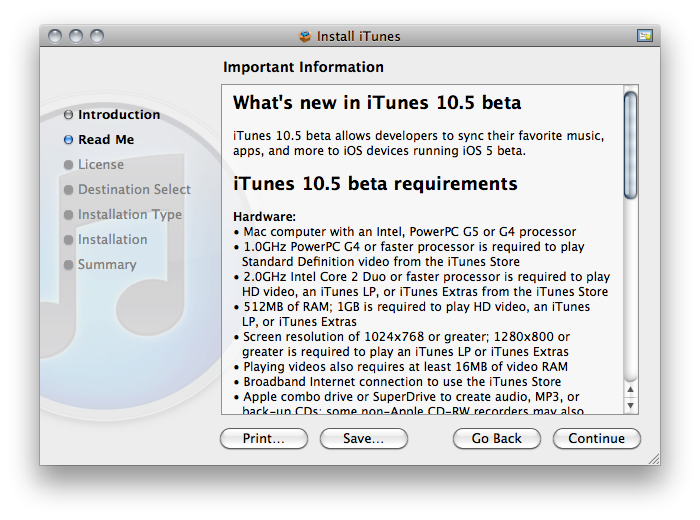
As the changelog confirms, the new iTunes enables compatibility with devices running iOS 5 – we’ll update this story with more details as they come in.

Read more


Apple Releases iOS 5 Beta 1: Details, Screenshots, And More

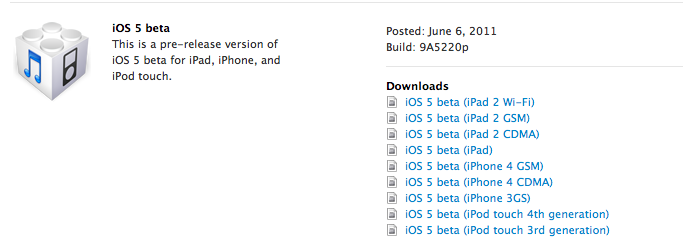
Apple just updated the iOS Dev Center with the first beta of iOS 5 – registered developers can start the download now. However, as the Dev Center is coming back online as we speak, there might still be errors when trying to download the DMG files.

Update: the Dev Center has come back online for (almost) everyone, and the first news about iOS beta 1 are starting to come in. Notably, some users are already tweeting from iOS 5 as you can see from the screenshots below. Twitter reports “via iOS” as the client that sent the tweet, but redirects to twitter.com when clicking on it. Photos are hosted on Photobucket as part of Twitter’s recently announced photo service.

Read more


“Automatic Downloads” Lets You Push Purchases Over The Air

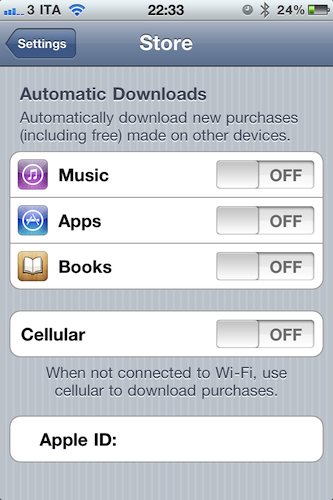
Revealed last week with a leaked screenshot from iTunes and officially announced earlier today at the WWDC keynote, the “Automatic Downloads” feature for iOS device is now live and accessible from the Store menu inside the Settings app on an iPhone, iPod touch or iPad running iOS 4.3. Here’s how it works: once enabled in the Store menu, the new functionality will allow you to beam apps, books and songs across devices – Macs, iPhones and iPads. For a first test, I enabled the menu on my iPhone, and started downloading a free app on my Mac. Within the seconds, the download started on my iPhone, which wasn’t connected via USB – it was an OTA download based on the fact that I hit “download” on my MacBook Pro.

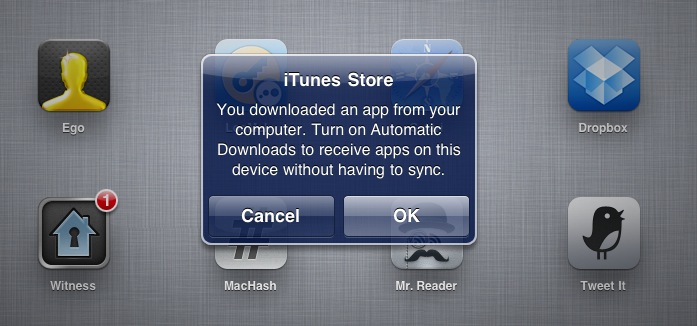
The iPad, which was not enabled to have Automatic Downloads, alerted me to say I had to activate the feature if I wanted to see purchases becoming available on it.

Once activated on the iPad too, I downloaded an app on my iPhone and it started downloading both on the iPhone and iPad, automatically. But what about updates, not new purchases or free downloads? The system seems to be a bit unstable now: I had three app updates on my Mac, and I downloaded them. Those updates were showing up on the iPad App Store app with a red badge, but the download didn’t start automatically as with a new purchase / download. However, as soon as I opened the App Store on my iPad, those updates were gone – as if the device downloaded them in the background without me seeing a loading indicator. Maybe Apple simply needs a better UI for app updates (again, not new purchases) or better integration with iTunes 10.2.2 on the desktop (the announced iTunes 10.3 is not available yet).

To test the new Automatic Downloads for iOS and Macs, go to the Store menu on your iPhone and iPad and turn the switches to “on”. You can also decide to use cellular data when not on WiFi.


Find My iPhone 1.2 Released, Supports Notifications for Offline Devices

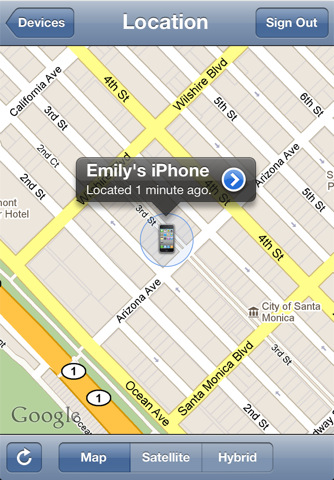
A new version of Find My iPhone was released a few minutes ago in the App Store. The new app, reaching version 1.2, adds the ability to remove offline devices from the list of iPhones and iPads you configured, or be notified with an email when an offline device comes online and is located again.

  • When you are unable to locate a device because it is is offline, you will receive an email if the device comes online and is located.
  • Ability to remove an offline device from the list using the app.

It’s unclear how the new Find My iPhone takes advantage of iCloud, but we’re pretty sure Apple has already moved everything to the new system from MobileMe. You can find the updated app here.