

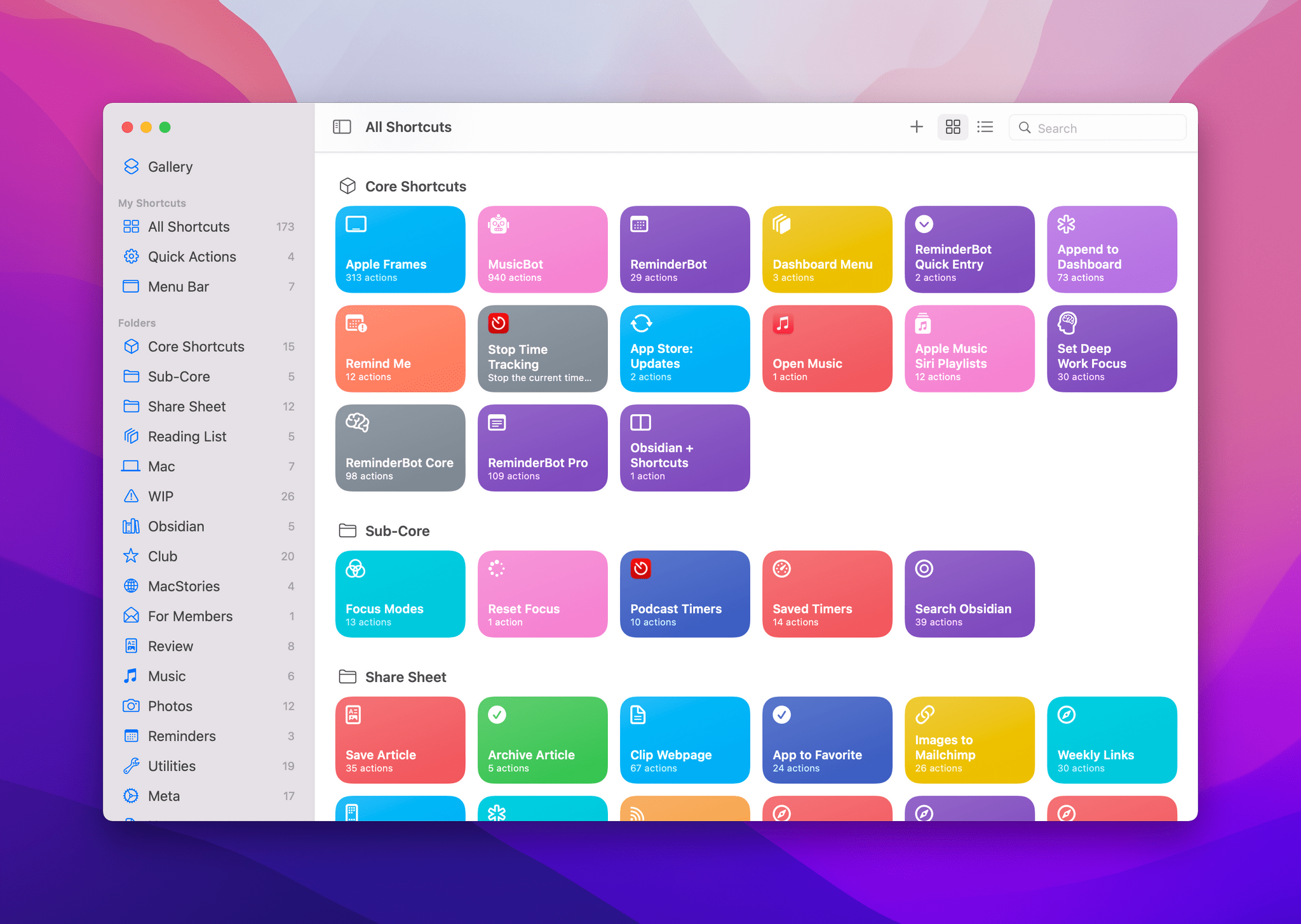
In researching topics for the Automation Academy over the past few months, I’ve been digging into all the details of Apple’s built-in actions and comparing them against older versions of the Shortcuts app as well as third-party options offered by developers. In doing this, I’ve realized something that has been bothering me for a while: there is a clear inconsistency between modern features in Apple apps and their associated Shortcuts actions. The gap between functionalities in apps and matching Shortcuts actions has expanded over the years, and I think it’s time Apple takes a serious look at its app actions to reverse this trend.
 Shortcuts for Mac Deep Dive
 John
John
AppStories Episode 250 - Shortcuts for Mac Deep Dive
0:00
48:09
48:09
This week, Federico and John explain how Shortcuts for Mac differs from other automation tools, cover some of the roadblocks they’ve hit, and discuss how they’re adapting existing shortcuts to the Mac and building all-new ones.
 My Obsidian Setup, Part 5: Appending Text and Webpage Links to Specific Sections of My ‘Dashboard’ Note
In Part 4 of my Obsidian setup series, I described how I’ve been using a single ‘Dashboard’ note to quickly capture all kinds of links, ideas, and bits of text to process at a later stage – sort of like an inbox for my thoughts. In the story, I also detailed how I configured the...
Rethinking iPad Home Screens and Interesting Details About Twitter Blue
It was another busy week on the Club MacStories+ Discord, and here are the highlights from our amazing community of Plus and Premier members. One of our moderators, Burim, shared several examples of how he rethought his iPad Pro Home Screens with widgets, new apps, and shortcuts. David has been looking into how ad-free articles...
Tweetbot 6.6 Gets Support for Creating Polls, Limiting Who Can Reply to Tweets
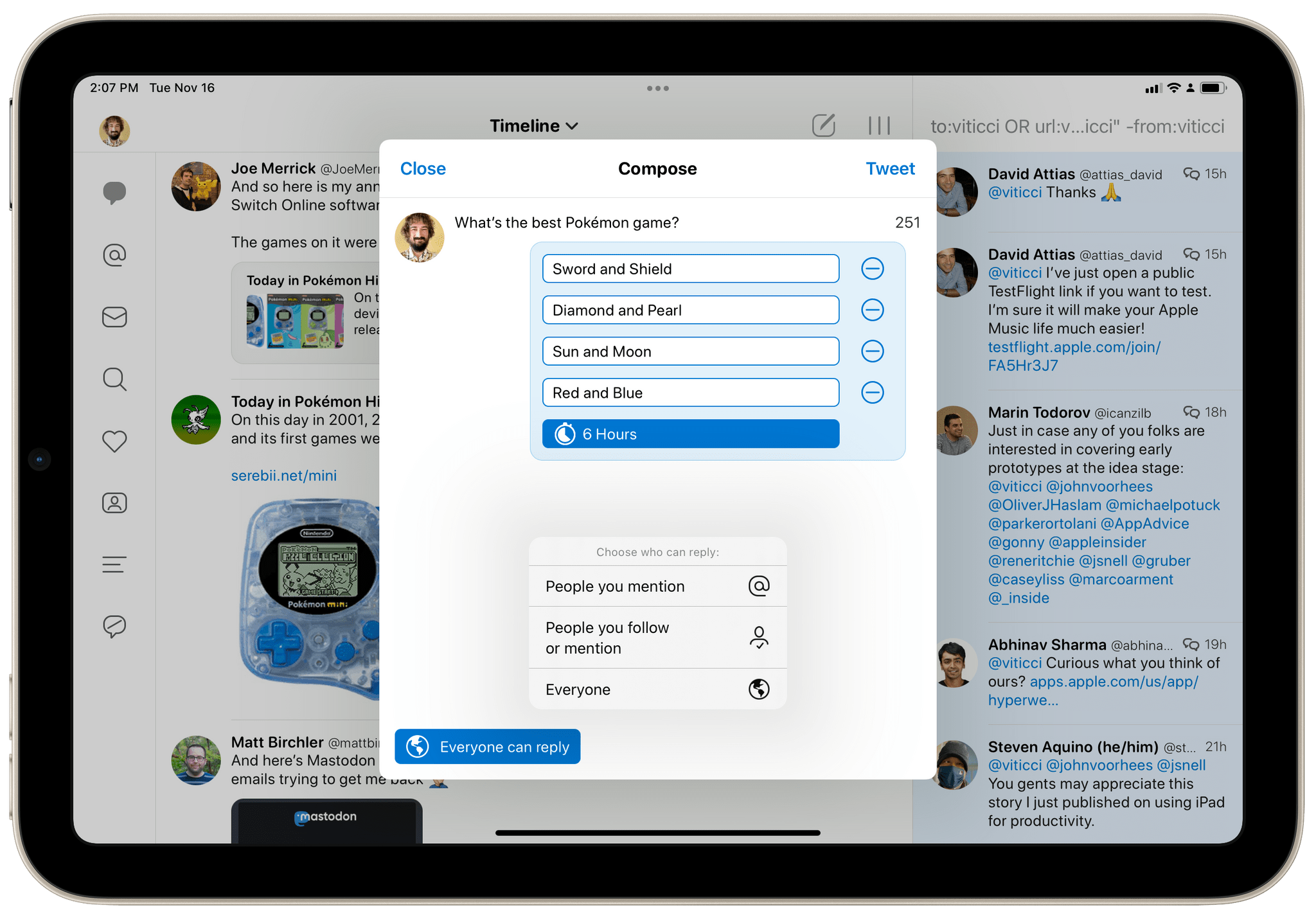
For the past two months, I’ve been using Tweetbot as my primary Twitter client again. This started off as an experiment to see whether switching to a third-party client with timeline sync would improve my daily use of Twitter, allowing me to miss fewer tweets and catch up on my timeline (I’ve always been a completionist) at my own pace. The experiment has been successful, but, curiously enough, it also made me appreciate the design and power-user features of Tweetbot all over again.
More iPhone, iPad, and Mac Tips
Reminders Shortcuts for Automation Academy
It’s been a busy couple of weeks on the Club MacStories+ Discord: although we took last week off from publishing MacStories Weekly, the week was made extra special by shortcuts shared by members for the Automation Academy as well as John’s visit to Italy, which resulted in a live Town Hall we recorded in person...
Tracking Current and Upcoming Videogames with GameTrack
A few days ago after John left Italy to return home, I realized I needed to take a small break from work since we had just spent five days constantly discussing the future of MacStories, the Club, our podcasts, and much more. (Spoiler: we’re already back to work building the future of MacStories, we have...
Our iPad mini Home Screen Setups
AppStories Episode 248 - Our iPad mini Home Screen Setups
0:00
38:14
38:14
This week, Federico and John go into detail on their iPad mini Home Screen setups, including how they differ from other devices and their use of widgets, Focus modes, and Shortcuts to manage the setups.