John
John
AppStories Episode 246 - macOS Monterey: The MacStories Review
0:00
44:21
44:21
This week, Federico and John dive into John’s review of macOS Monterey and what it means for users and the future of the platform.


 macOS Monterey: The MacStories Review
 Alongside macOS Monterey, Apple today released iOS and iPadOS 15.1 – the first major updates to the operating systems introduced last month. Don’t expect a large collection of changes from this release, though: 15.1 mostly focuses on enabling SharePlay (which was announced at WWDC, then postponed to a later release a few months ago), rolling Safari back to a reasonable design, and bringing a few tweaks for the Camera app and spatial audio. Let’s take a look.
 Raindrop’s Safari Extension, Daily Notes in Obsidian, a MagSafe Wallet Tip, Isaac Asimov’s Foundation Series
 It was a busy week on the Club MacStories+ Discord, and I’ve tried my best to collect highlights from the community below. There isn’t a Discord URL scheme to reopen these links in the Discord app directly; my preferred approach for these is to view them as separate tabs in Safari for iPad or Mac....
My Obsidian Setup, Part 4: Templates for Weekly Posts and Custom Mobile Toolbar In the last installment of My Obsidian Setup series from August, I described my Dashboard note that served as a centralized hub for saving ideas and quick links, navigating to different projects, and embedding Todoist tasks. That article predated the launch of Club MacStories+ and my annual iOS review; I was in the middle of...
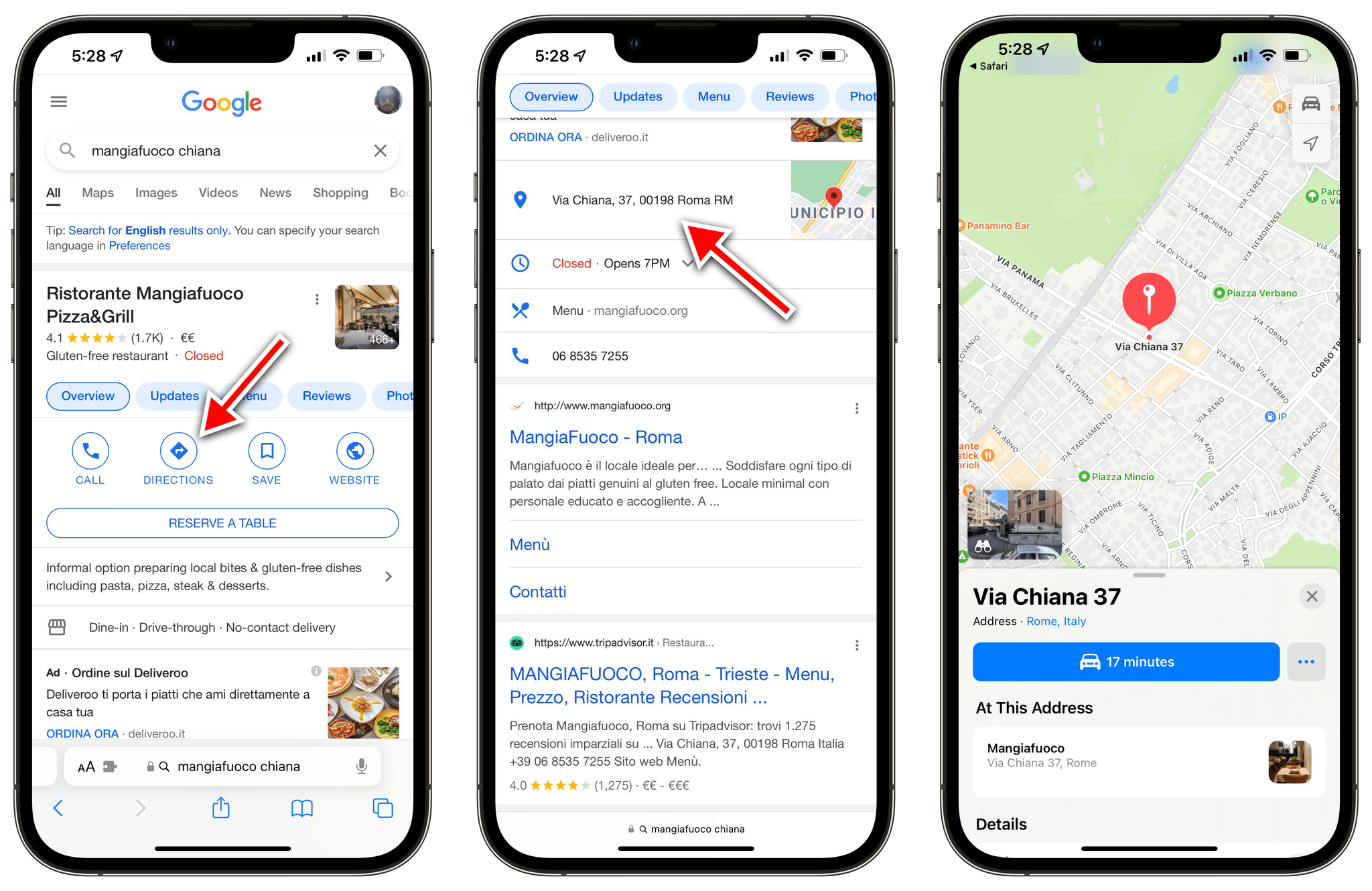
Ever since Apple rolled out the redesigned and improved Apple Maps in Italy last month, I’ve been increasingly switching my usage of maps for exploration and turn-by-turn directions from Google to Apple Maps. I prefer Apple’s overall design sensibilities, I find Look Around drastically superior to Google Street View, and the integration with Apple Maps and the Lock Screen for turn-by-turn navigation is excellent.
However, I still have to keep Google Maps installed on my iPhone for all those times when a particular point of interest (usually a shop or restaurant) isn’t showing up in Apple Maps’ search results. And because the Google Maps app is still installed on my iPhone, every time I tap a search result with an address from Google search, it automatically redirects to Google Maps. I’ve always found this annoying, but now even more so since I consider Apple Maps my primary navigation app here in Rome.1 Now, thanks to a Safari extension, that Google Maps redirect nightmare is finally over.
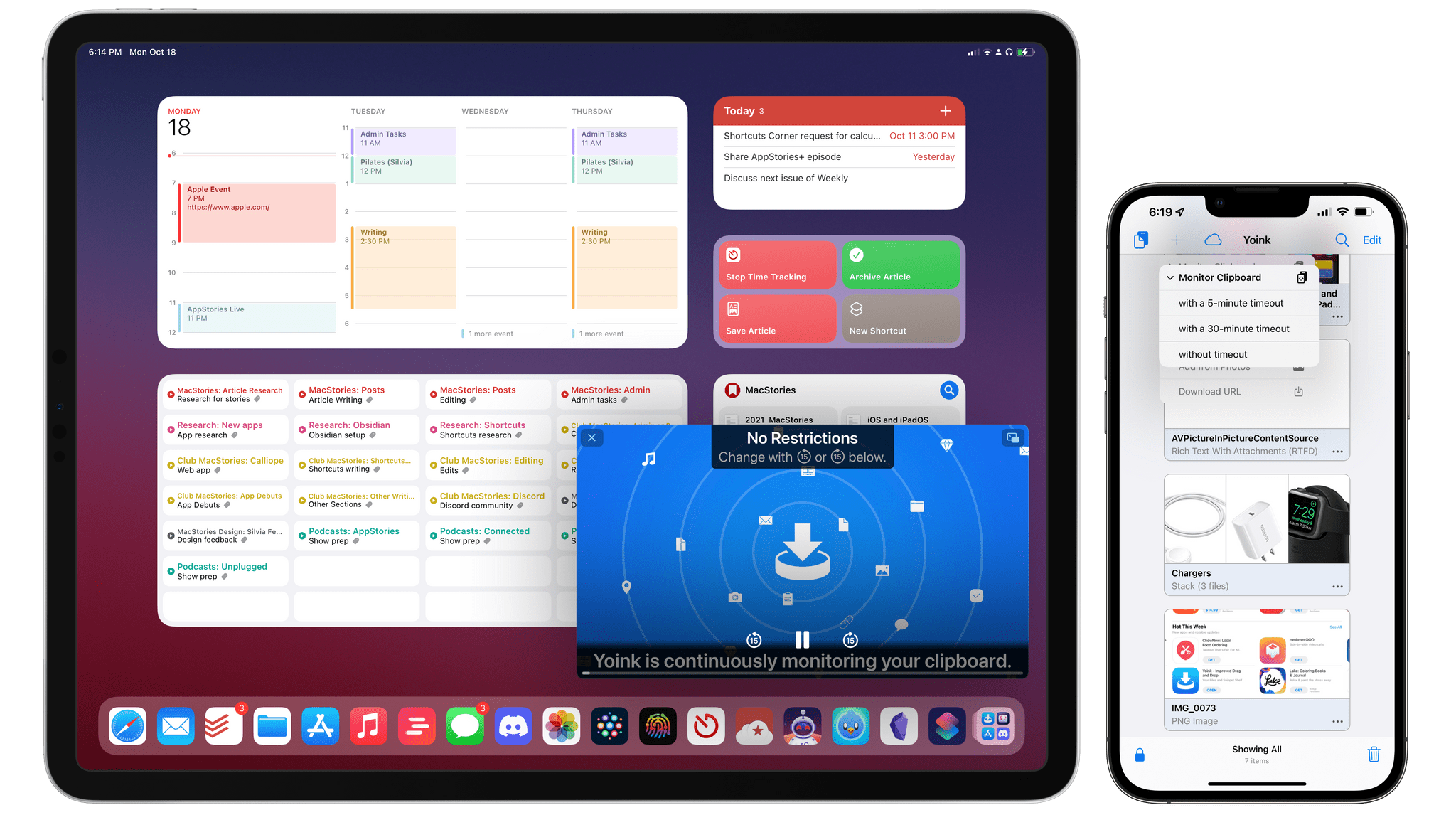
In the years I’ve spent working on iPad as my primary computer, I’ve learned to appreciate the platform’s advantages over the Mac (a richer app ecosystem and superior modularity, for instance), and I’ve accepted its limitations. Despite the advances in the past 18 months with iPadOS 14, the Magic Keyboard, and iPadOS 15, there are still several areas where iPadOS falls short: I can’t record podcasts on it with the setup I like (unless I deal with some ridiculous cable shenanigans); the Files app still lacks Finder features such as smart folders or the ability to navigate into hidden folders; and, due to Apple’s restrictions, iPad utilities like clipboard managers can’t run persistently in the background like they can on a Mac.
While I continue to believe Apple will have to address these issues in the next iterations of iPadOS, Matthias Gansrigler didn’t want to wait for Apple to let his clipboard manager Yoink run continuously in the background and automatically capture anything the user copies to the system clipboard. So, using a clever workaround made by possible by new APIs introduced in iOS and iPadOS 15, he figured out how to turn Yoink – already a capable and modern clipboard manager and shelf app – into a “true” clipboard manager that, like those you may have seen on macOS, can monitor everything you copy and automatically save it for you. The result is unlike anything else I’ve seen on iOS and iPadOS, and it unlocks the kind of flexibility and peace of mind I’ve long missed from macOS. It’s almost too good to be true, and I hope I won’t cause any trouble by writing about it.
Apple’s October Music and MacBook Pro Event
This week, Federico and John are joined by Alex Guyot live in the Club MacStories+ Discord community for a special episode recapping and breaking down everything announced by Apple at its latest online event, including the Apple Music, HomePod, and AirPods 3 announcements and the all-new MacBook Pros.
Tagging Reminders with Siri…Sort Of As we covered on MacStories last month, one of the major additions to the Reminders app this year is the ability to create custom Smart Lists that filter your reminders based on various criteria. While Reminders doesn’t grant the same versatility seen in apps such as Todoist or OmniFocus for these custom views, there is...
Due for Self-Care, Focus Modes, and Historical Stats from Federico’s iOS Reviews It was a busy week on the Club MacStories+ Discord, and I’ve tried my best to collect highlights from the community below. There isn’t a Discord URL scheme to reopen these links in the Discord app directly; my preferred approach for these is to view them as separate tabs in Safari for iPad or Mac....