Federico is the founder and Editor-in-Chief of MacStories, where he writes about Apple with a focus on apps, developers, iPad, and iOS productivity. He founded MacStories in April 2009 and has been writing about Apple since. Federico is also the co-host of AppStories, a weekly podcast exploring the world of apps, Unwind, a fun exploration of media and more, and NPC: Next Portable Console, a show about portable gaming and the handheld revolution.
This week, Federico and John examine the growing trend of app customization in the context of Apple’s system apps focusing on Reminders’ Tag Browser and Smart Lists and Notes’ Tag Browser and Smart Folders.
This week, Federico and John explore the many ways Mac apps can be made today and how the frameworks, along with design choices and other factors are redefining the landscape of apps on the Mac and what constitutes a great Mac app.
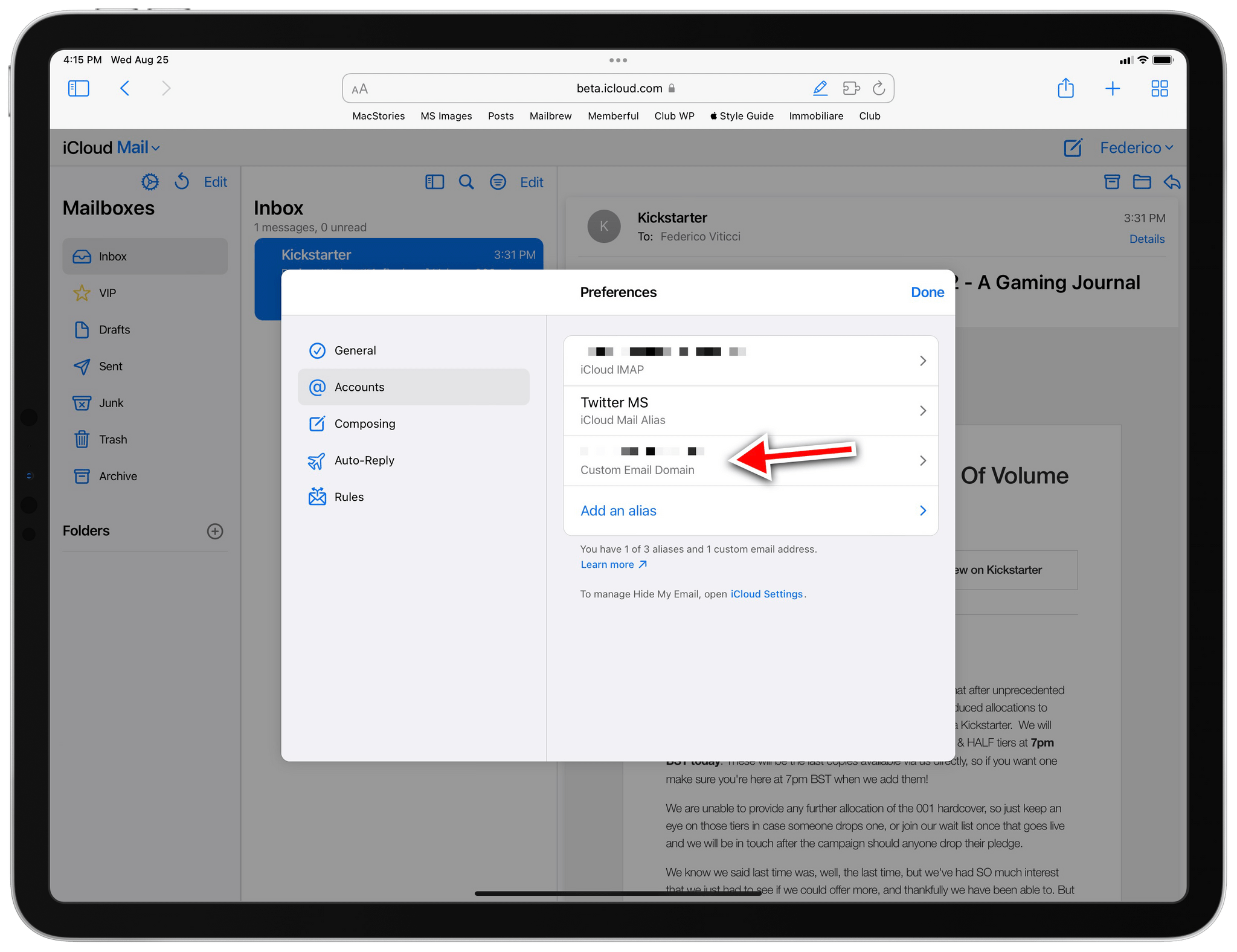
Following a tip by one of our members in the Club MacStories+ Discord server last night (if you haven’t joined yet, now’s a great time to do so), I came across the settings page on the beta.icloud.com website to configure a custom domain and email address with iCloud Mail. This is the direct link to the settings page; it was working last night, but it seems to be having some issues today.
Custom domains in iCloud Mail is a feature Apple announced for the “rebranded” iCloud+ service at WWDC, which I’ve been curious to try for two reasons: I have a personal domain laying around I can use to test this, and iCloud Mail – unlike Gmail – supports proper push notifications on iOS. Given the beta nature of this feature, I am not recommending you try this with your primary email address right now; I set it up with a secondary email address I barely used before.
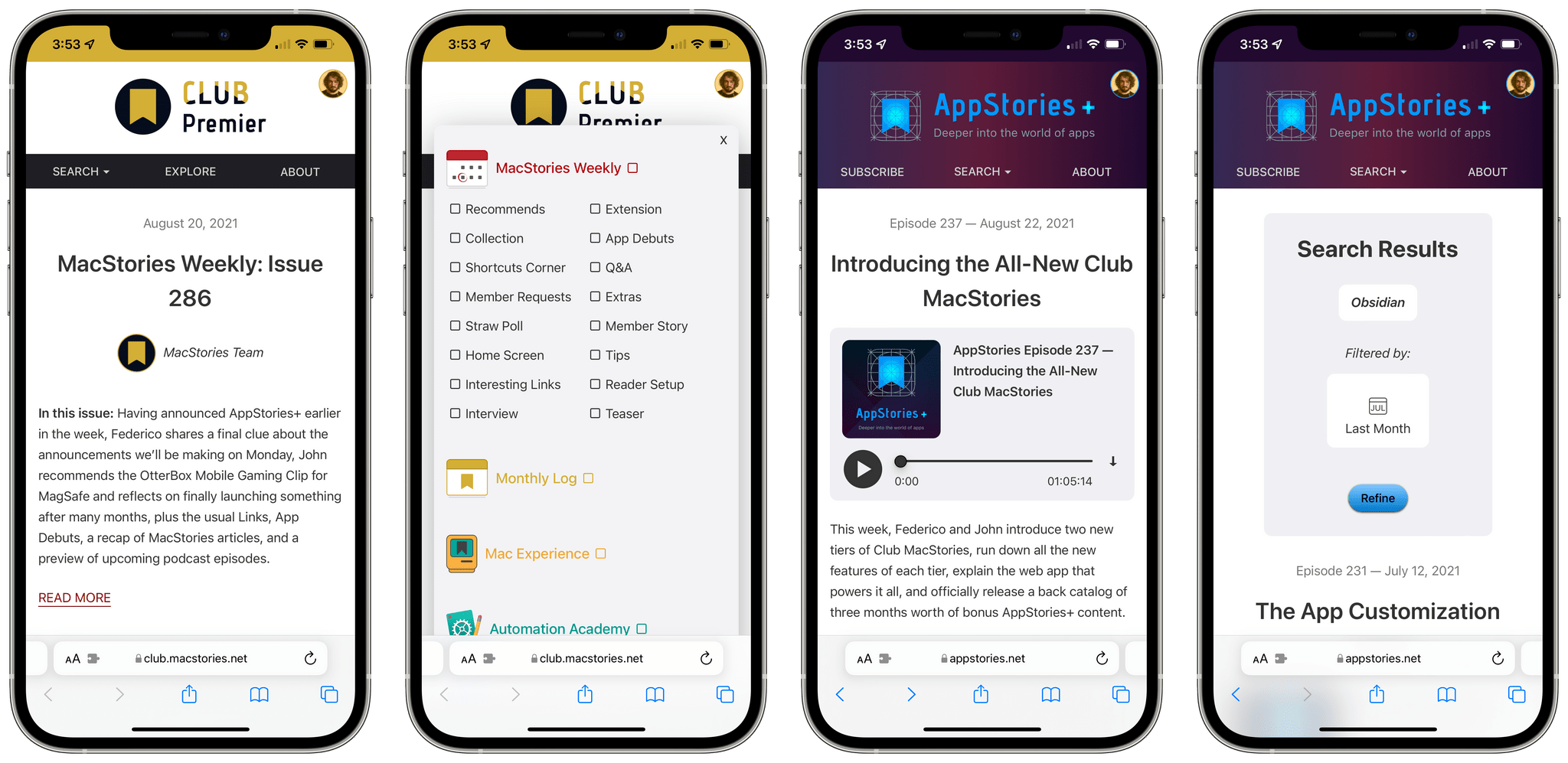
Our new web app for Club MacStories and AppStories, Calliope.
Yesterday, we unveiled the all-new Club MacStories, featuring the new Club MacStories+ and Club Premier tiers, a new web app, a Discord community, new original content for members, and more. You can read my announcement here, and sign up for (or upgrade to) the new Club MacStories plans here. We believe the best option is Club Premier, which bundles Club MacStories+ and AppStories+ in a single package at $12/month.
Today, I want to dive deeper into Calliope, our brand new web app that, for the first time, allows all Club members to read our content, including MacStories Weekly, on the web. As I highlighted in my article from yesterday, there’s a lot more Calliope can do, especially if you subscribe to Club MacStories+ or Club Premier; I want to take a closer look at its advanced features so members can properly take advantage of everything we built over the past year.
TL;DR: Today, we’re announcing the all-new Club MacStories featuring two additional tiers: Club MacStories+ and Club Premier. The new plans offer extra content, a brand new, powerful web app to read Club articles on the web with advanced search and RSS features, exclusive discounts, and a new Discord community.
Club Premier is the ultimate plan that includes all of Club MacStories, Club MacStories+, and the new extended, ad-free AppStories+ podcast in a single, $12/month package. It is the best value and the easiest way to get access to everything we do. It is, effectively, the MacStories all-access pass.
You can find out more on our new Plans page and sign up or upgrade there. Nothing is changing for the regular Club MacStories tier; in fact, we’re giving existing members access to our new web app at //staging.macstories.net/club as well. Existing Club members can choose to upgrade their existing accounts to the new tiers.
Today, we’re launching the future of Club MacStories and MacStories itself. Read on for the full announcement below.




 John
John