Posts in Linked

Connected, Episode 218: My Thumb Is Now Useless

Federico and Myke thoroughly review the iPad Pro and its accessories – while eschewing the typical podcast format.

On last week’s Connected, Myke and I shared more thoughts on the new iPad Pro after a week of usage. You can listen here and treat this episode as a complement to my ongoing iPad Diaries column about the new devices.

Sponsored by:

  • Linode: High performance SSD Linux servers for all of your infrastructure needs. Get a $20 credit with promo code ‘connected2018’
  • Luna Display: The only hardware solution that turns your iPad into a wireless display for your Mac. Use promo code CONNECTED at checkout for 10% off.
  • Casper: The Internet’s favourite mattress. Get $50 off select mattresses with the code ‘CONNECTED’.
Permalink

Penny Arcade’s Mike Krahulik on Drawing on the New iPad Pro

Mike Krahulik, writing on the Penny Arcade blog:

The previous Apple Pencil had a little lightning adapter where its eraser would be. This was covered by a tiny plastic cap about the size of a child’s tooth. In order to charge the pencil you removed this cap and plugged the pencil into the lightning port on the bottom of your iPad. This was dumb for a lot of reasons.

For one thing, it meant you could not charge your iPad while the pencil was charging. You also had to try not to lose this tiny little pencil cap. It also was an incredibly fragile connection that always felt like it was about to break. It also looked incredibly stupid. But now! The new Apple Pencil attaches to the side of your iPad thanks to the magic of magnets! This is also how it syncs and charges. I will be honest with you and admit that after using my old iPad for eight solid months every single day, I had no idea how to check the battery level of the pencil. I never knew it was low until it was time to charge the damn thing. Now when you snap your pencil onto the side of the iPad, a little bubble shows you the battery life. Brilliant! The Pencil itself also feels better in my hand and has a touch sensor on it. You can now double tap the pencil with your finger and this functionality can be customized.

The machine feels lightning fast now as well. I can’t believe some of the multitasking I’ve been able to pull off. I sent this pic to Kiko the other night because I was drawing in Clip Studio while I had a show running in a floating window off to the side.

Great reminder that professional work on iPads doesn’t necessarily mean typing or coding. I also discovered Clip Studio through his post, which looks like a powerful, desktop-class manga drawing app that’s already been updated for the 2018 iPad Pros. Make sure to check out Krahulik’s work on Instagram too.

Permalink

Front-End Web Development on an iPad Pro in 2018

Fascinating deep dive by Craig Morey on whether it’s possible for a front-end web developer to get their work on an iPad Pro in 2018.

It’s a highly technical read, and ultimately Morey doesn’t believe an iPad Pro is ready for this task yet, but it’s worth pointing out that many of the issues outlined by Morey are applicable to anyone who uses an iPad as their primary computer today. For instance, the problem with Files APIs, introduced in iOS 11 and still not widely adopted by third-party document-based apps:

I’ve already posted about the messy landscape of options for moving and accessing files in iOS. The only way apps should be doing it currently is with iOS 11 style file APIs, but many apps have either legacy file solutions, bespoke (ie, confusingly different — and differently-abled) file pickers or would rather pull you into their own cloud platform.
[…]
Apple need to evangelise the right way to do this before basic file management turns off the potential users before they get to the inspiring parts of iPad usage. But to really make it work, app developers need assistance to update older apps to the latest APIs. Many app devs spent huge amounts of time building custom solutions before any good options existed, only to see little in terms of revenue to encourage them to rewrite their app as new APIs came along. The iPad Pro marketplace needs to be turning a corner in terms of viability to bring these apps back into the modern iOS world.

Make sure to watch the videos in Morey’s piece – I love how he detailed every single step of the workflows he tried to build on his iPad Pro.

Permalink

Connected #217: A Brief Moment in 1995

Federico looks back on his PowerBook 165, Myke sends a tweet and Stephen goes for a drive with Siri. The three also have a conversation about working on the iPad Pro, and how people respond to it.

On last week’s episode of Connected, we shared our first impressions of the new iPad Pros. We’re going to go more in depth on the new devices this week, but in the meantime you can catch up here.

Sponsored by:

  • Squarespace: Make your next move. Enter offer code CONNECTED at checkout to get 10% off your first purchase.
  • Simple Contacts: Contact lens prescriptions from home: Use offer code CONNECTED20 for $20 off your first order of contact lenses
  • Luna Display: The only hardware solution that turns your iPad into a wireless display for your Mac. Use promo code CONNECTED at checkout for 10% off.
Permalink

AppStories, Episode 87 – Pick 2: Grocery and HomeRun

On this week’s episode of AppStories, we go in-depth on two apps we’ve been using a lot recently: Grocery, a grocery shopping list app, and HomeRun, an Apple Watch app for triggering HomeKit scenes.

Sponsored by:

  • Luna Display - The only hardware solution that turns your iPad into a wireless display for your Mac. Use promo code APPSTORIES at checkout for 10% off.
  • Vectornator - Graphic design for the iPad and iPhone reimagined! Visit vectornator.io to learn more.

https://staging.macstories.net/podcasts/appstories/episodes/87/embed/

Permalink

Broadway Ditches Age-Old Processes To Run Shows with iPads

On last week’s episode of Connected, I mentioned having heard from a couple of MacStories readers who work at different Broadway production companies, who told me they’re increasingly switching their workflows to be portable and iPad-only. Here’s Samantha Murphy Kelly, writing for CNN (via David L. Jones):

Several shows, including Kinky Boots and Pretty Woman: The Musical, are shifting to a paperless system that packs the script, lyrics, videos, and costume and prop notes, into one spot for the director, crew and cast members.

The productions are leaning on an app from startup ProductionPro, which is already used at companies such as Walt Disney Studios to help produce film and TV shows.

During a recent rehearsal of Pretty Woman: The Musical attended by a handful of reporters, production stage manager Thomas Recktenwald ran lines with three cast members subbing in for an evening performance. Swiping through the ProductionPro app on an iPad Pro, Recktenwald showed off recent changes made to the script. It had notes scribbled into the margins via an Apple Pencil, and he tapped his way through videos that highlight blocking, broken down scene by scene.

Also interesting: ProductionPro can be tried for free, but unlocking the complete feature set (which includes collaboration and bigger file sizes) requires a $19.99/month subscription.

Permalink

Getting the iPad to Pro

Thoughtful essay by Craig Mod on the limitations and virtues of working from an iPad Pro. This point about breaking the flow of getting work done while moving across apps is extremely relatable:

Switching contexts is also cumbersome. If you’re researching in a browser and frequently jumping back and forth between, say, (the actually quite wonderful) Notes.app and Safari, you’ll sometimes find your cursor position lost. The Notes.app document you were just editing fully occasionally resetting to the top of itself. For a long document, this is infuriating and makes every CMD-Tab feel dangerous. It doesn’t always happen, the behavior is unpredictable, making things worse. This interface “brittleness” makes you feel like you’re using an OS in the wrong way.

In other writing apps, the page position might remain after a CMD-Tab, but cursor position is lost. Leading to a frustrating circus of: CMD-Tab, start typing, realize nothing is happening, tap on screen, cursor inserts to wrong position, long-press on screen to get more precise input, move cursor to where it needs to be, start typing. This murders flow. It creates a cost to switching contexts that simply doesn’t exist on the macOS, and shouldn’t exist on any modern computing device.

This stuff has been broken on iPad for years (essentially since 2015, when Split View was introduced in iOS 9). Don’t even get me started on figuring out which app in a Split View pair is the “active” one receiving keyboard input (and therefore listening for keyboard shortcuts). These small interaction annoyances might have been okay three years ago as we all sort of imagined Apple was just getting started with bringing serious multitasking to iPad; now that we’ve reached this generation of iPad Pros, they’re just downright inexcusable.

Permalink

Austin Mann: A Photographer’s Review of the iPad Pro

Source: austinmann.com

Source: austinmann.com

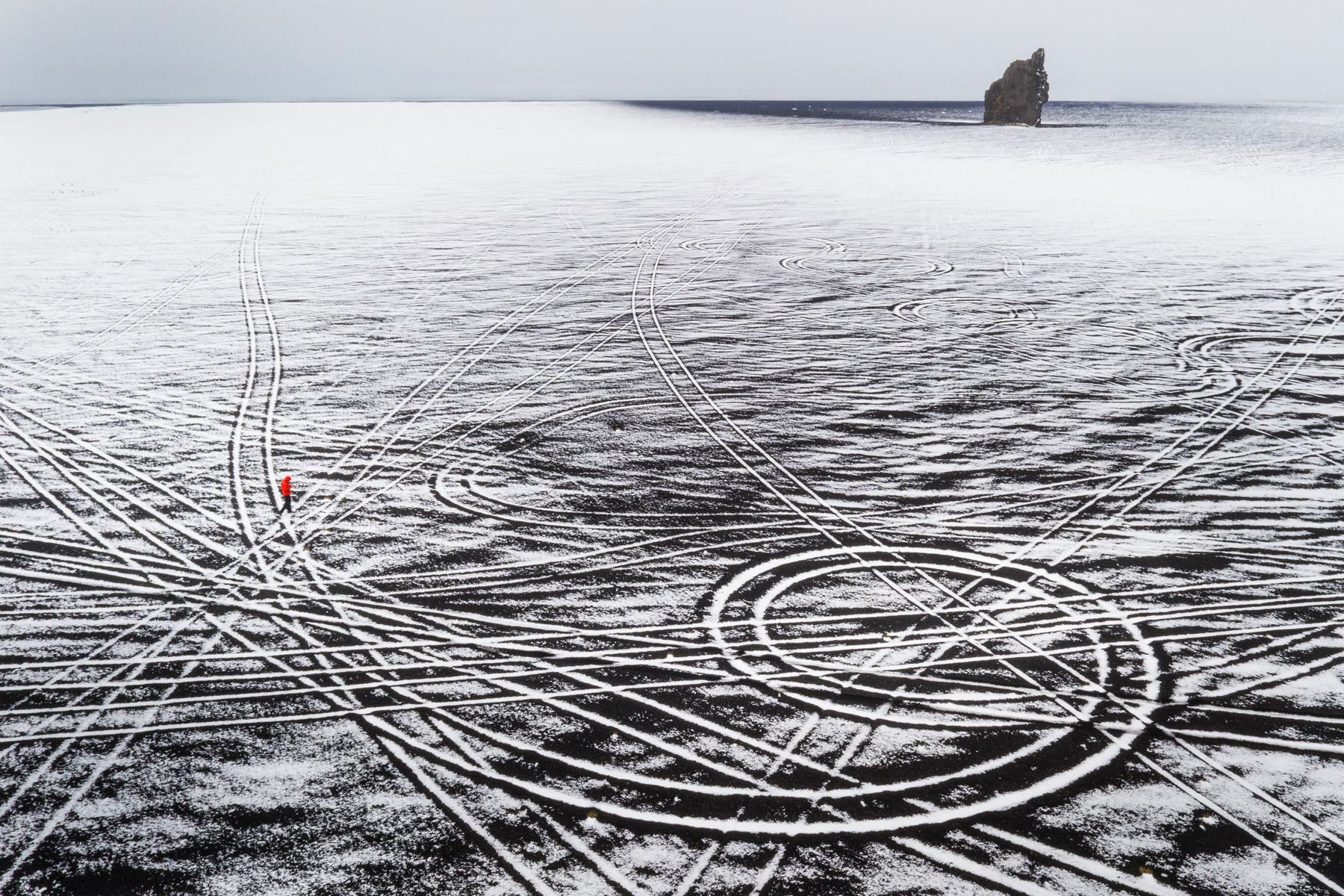
Austin Mann has published a review of the new iPad Pro for photographers. Mann, a professional photographer, is in Iceland shooting 100-megapixel images with a Hasselblad H6D-100c that generates 216MB RAW files that are a great test of Apple’s new hardware. Mann demonstrates how well the iPad Pro handles those images by zooming in and out and panning around with little lag in a video demo of Adobe Lightroom CC.

Beyond the sheer performance of the hardware though, Mann has been impressed with the versatility and portability of the device. As he explains:

I was working with Mavic Pro 2 in the black volcanic deserts of south Iceland. While sitting in the car (in the middle of the desert, in the middle of nowhere), I decided to offload my images and review them.

I pulled out the iPad Pro and a card reader, and within only a few moments I was reviewing them on screen. Next thing I knew I was editing them with the Pencil in Lightroom CC and then I shared one with my wife—all within just a few moments.

It’s really easy to sit just about anywhere (even with a steering wheel in your face) and not just use it, but use it to its full extent. Another cool feature in this scenario is eSIM. Because the iPad Pro is connected to cellular, even in the middle of nowhere Iceland, I could quickly share the images without even thinking about my connection, WiFi, hotspots, etc. Time wasn’t mission critical on this shoot, but in a scenario where time is of the essence, this kind of workflow could be a game-changer.

That’s a sort of power the iPad Pro brings to bear that can’t be measured in chip speeds or other specs. It’s a flexibility that allows photographers and other creative professionals to work in more contexts and with greater efficiency. It’s hard to quantify but just as important.

Be sure to check out Mann’s review for more on his iPad Pro photography workflow and his beautiful photos of Iceland.

Permalink

Phil Schiller and Anand Shimpi Discuss the iPad Pro’s A12X Chip

Ars Technica interviewed Phil Schiller, Senior Vice President of Worldwide Marketing, and Anand Shimpi, from Apple’s Hardware Technologies group, about the new iPad Pro’s A12X system on a chip. The article also benchmarks the iPad Pro against other iOS devices, Macs, and competing products. The results of Ars Technica’s tests are impressive. The iPad is not only the fastest iOS device available, but it also compares favorably with Apple’s pro Mac lineup.

In the interview, Samuel Axon of Ars leads off by asking about the iPad’s CPU. Shimpi explains how the chip outperforms the A10X:

“We’ve got our own custom-designed performance controller that lets you use all eight at the same time,” Shimpi told Ars. “And so when you’re running these heavily-threaded workloads, things that you might find in pro workflows and pro applications, that’s where you see the up to 90 percent improvement over A10X.”

Regarding the GPU, Shimpi says:

“It’s our first 7-core implementation of our own custom-designed GPU,” he said. “Each one of these cores is both faster and more efficient than what we had in the A10X and the result is, that’s how you get to the 2x improved graphics performance. It’s unheard of in this form factor, this is really an Xbox One S class GPU. And again, it’s in a completely fanless design.”

Apple is predictably tight-lipped about the Neural Engine, which powers machine learning tasks. In response to why the company keeps pushing its chip technology forward so rapidly despite its lead, Schiller pointed to Apple’s culture:

We don’t care if they’re doing something that isn’t interesting to us. We don’t care if we’re lapping them. Good. We’ll lap them ten times. It doesn’t matter because it’s in service to the user, not the competition.

It’s not surprising that Apple was unwilling to share much detail about how and why it’s pushing so aggressively with its custom silicon solutions. What’s clear, however, is that the company is well aware of the advantage its custom solution provides and is moving forward as fast as ever to improve it even further.

Permalink