This Week's Sponsor:

Turbulence Forecast

Know before you go. Get detailed turbulence forecasts for your exact route, now available 5 days in advance.


Posts in Linked

iOS 11’s Lower Adoption Rate

Rene Ritchie shared a comparison of iOS adoption rates over the years (starting with iOS 7 in January 2014) and, so far, iOS 11 has the lowest adoption of all major updates, four months after their public release.

https://twitter.com/reneritchie/status/954442064539869184

Looking at the numbers, you can see a decline in the transition from iOS 7 to 8 (iOS 7’s troubled rollout affected millions of users for months), a stabilization with iOS 9 and iOS 10, and another decrease with iOS 11 this year.

I see two potential reasons for this. With iOS 11’s 32-bit cut-off, it’s very likely that a good percentage of users who would have updated simply couldn’t because they were on older hardware not supported by iOS 11. More importantly though, the widespread perception that software updates make Apple devices slower isn’t helping adoption rates. This time, Apple itself had to confirm that iOS 11 did, in fact, throttle iPhone performance to compensate for aging batteries (a perfectly fine motivation, terribly communicated to customers from a software design and PR perspective).

A couple of weeks ago in our 2018 Apple predictions episode on Connected, I mentioned that I believe iOS 12 will have a focus on speed and performance as a tentpole feature, specifically called out at WWDC as an important effort by Apple’s engineering teams. This is just my personal theory, but I don’t think new emoji and Animoji will be enough to convince reluctant users to update their iPhones later this year. If Apple wants to counter the narrative surrounding iOS 11 and see these adoption rates pick up again, I think they’ll have to demonstrate – not merely promise – that their next software update will have practical, tangible benefits on the everyday usage of an iOS device.

Permalink

Voice Control is Coming to the Alexa App Soon

Amazon is adding voice control support to its Alexa app on Android and iOS. According to TechCrunch:

The addition of voice commands means users can speak directly to their handset the way they would an Echo — to play music, trigger Alexa skills and the like. The update is being rolled out over the course of the coming days through Google Play and Amazon’s own Appstore. A similar update is also on the way for the iOS App Store, but its timing is still up in the air, likely due to Apple’s stricter vetting process.

Unlike Google and Apple, Amazon doesn’t have a smartphone platform for its smart assistant. That puts Amazon at a disadvantage because it precludes users from activating Alexa with a trigger word on Android phones and iOS devices. Still, the move feels like a natural extension of the services surrounding Alexa and Amazon’s Echo products.

There’s precedent for this sort of app on iOS too. Astra is a simple iOS utility that acts like an Echo device. It’s registered in the Alexa app alongside any Echo products you own. Pressing the microphone button lets you issue the same commands you can to an Echo. It remains to be seen what Amazon’s update to the Alexa app will mean for Astra, but in any event, it will be interesting to see where Amazon’s push into mobile leads.

Permalink

It’s Time for Apple to Build a Less Addictive iPhone

Farhad Manjoo, writing for The New York Times on the topic of tech addiction, interviewed Tristan Harris, who runs the Time Well Spent organization:

Mr. Harris suggested several ideas for Apple to make a less-addictive smartphone. For starters, Apple could give people a lot more feedback about how they’re using their devices.

Imagine if, once a week, your phone gave you a report on how you spent your time, similar to how your activity tracker tells you how sedentary you were last week. It could also needle you: “Farhad, you spent half your week scrolling through Twitter. Do you really feel proud of that?” It could offer to help: “If I notice you spending too much time on Snapchat next week, would you like me to remind you?”

Another idea is to let you impose more fine-grained controls over notifications. Today, when you let an app send you mobile alerts, it’s usually an all-or-nothing proposition — you say yes to letting it buzz you, and suddenly it’s buzzing you all the time.

Mr. Harris suggested that Apple could require apps to assign a kind of priority level to their notifications. “Let’s say you had three notification levels — heavy users, regular users and lite, or Zen,” Mr. Harris said.

The first idea sounded terrible until I remembered that, for a while, I also used Moment on the iPhone to understand my app habits and curb my Facebook addiction (it worked). I wouldn’t want a tracking feature that shames users and makes them feel guilty (“Are you proud of that?” is precisely what should not happen), but something akin to RescueTime, discreetly integrated with iOS and built by Apple would be a welcome feature.

Deeper control over notifications is something iOS desperately needs at this point. I would be disappointed if a major overhaul of the notification framework and UI isn’t in the cards for iOS 12. Android has offered notification channels for a while now; Apple should borrow the feature and a) allow developers to set different tiers for their apps’ notifications and b) let users override them if a developer tries to be too clever about them. Notification levels on iOS would also be perfect for the Apple Watch: imagine if, without having to fiddle with Do Not Disturb, you could set some types of notifications to be displayed on the iPhone and only the most important ones on the Watch, with fine-grained controls in a unified, intuitive interface. I hope we see something similar this year.

Permalink

Tim Cook Says iOS Beta Due Next Month Will Include Setting to Disable Battery Performance Throttling

In an interview with ABC News’ Rebecca Jarvis about Apple’s investments in the U.S. economy, CEO Tim Cook confirmed that an upcoming iOS developer beta, due to be released in February, will include, in addition to a previously announced battery health screen, a setting to disable iPhone performance throttling. Cook explained that, while Apple will recommend to keep throttling enabled to prevent unexpected shutdowns in emergency situations, iOS will also include an option to turn it off for users who don’t want their iPhone’s performance reduced by software.

As noted by Benjamin Mayo at 9to5Mac:

You can listen to Cook talk about this in the interview embedded below. Skip to around 4:30 to hear him talk about the iPhone slowdown debacle. His wording is not ambiguous, he states plainly that Apple will release the developer beta (presumably iOS 11.3) next month and that it will include the ability for users to disable performance throttling if they want to.

Given Cook’s comments, it sounds likely that iOS 11.2.5 (currently in beta) will be released by the end of the month, with iOS 11.3 beta following in February and a possible launch in March, as with other .3 releases in previous years.

Permalink

Connected, Episode 176: A Kernel Panic at the Disco

What does the death of Transmit mean for pro apps on the iPad? Should Apple make a laptop that runs iOS? Does Myke understand how hypothetical questions work?

I liked our discussion about pro apps on iPad and the idea of a laptop that runs iOS on this week’s episode of Connected. You can listen here.

Sponsored by:

  • Sanebox: Clean up your inbox in minutes. Sign up for a two-week free trial and a $25 credit.
  • Anchor: Radio, reinvented.
  • Ting: A smarter way to do mobile. Save $25 on selected devices or keep it as Ting credit.
Permalink

Evolving the Apple Watch in watchOS 5

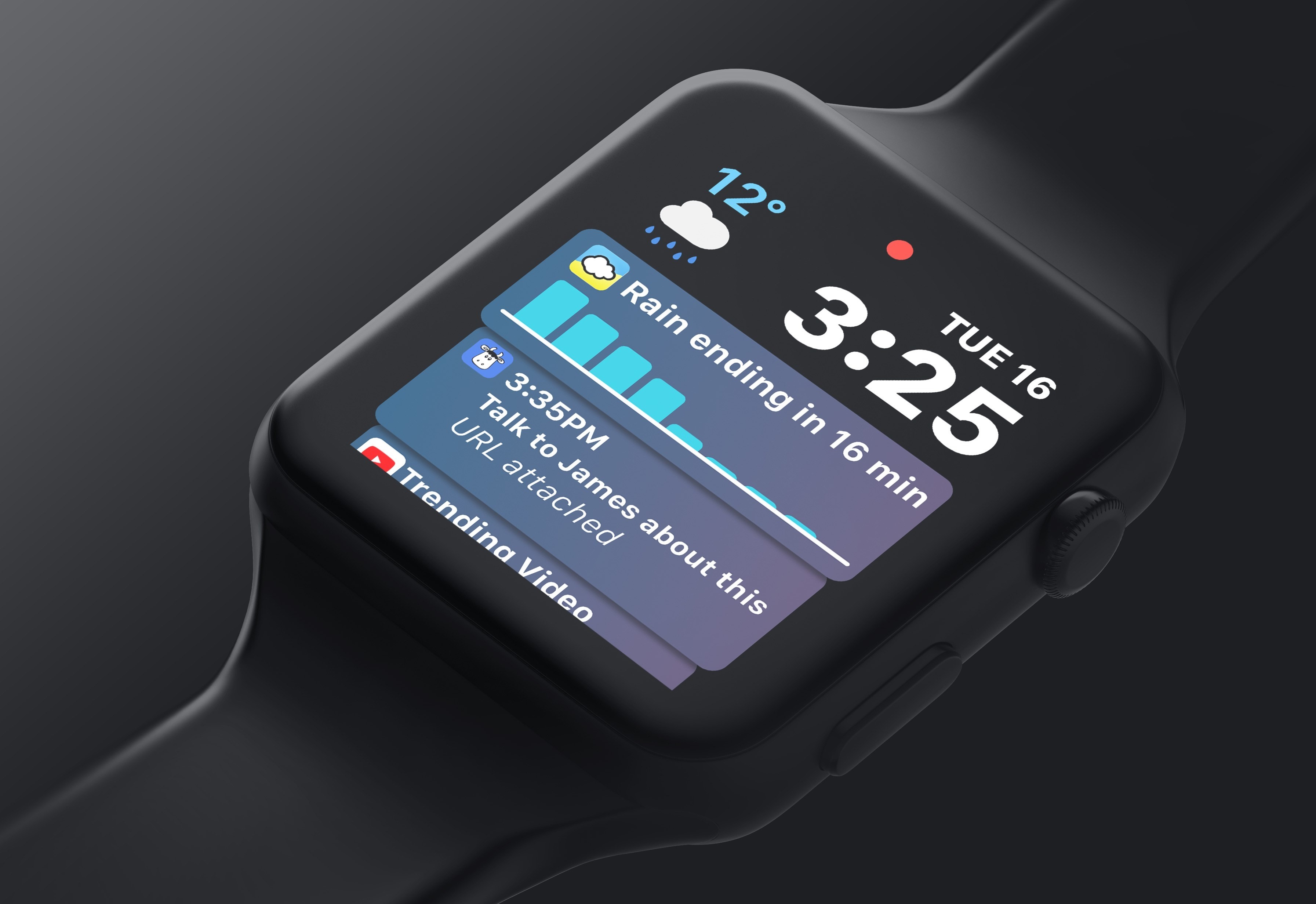
Matt Birchler has published his list of requests for watchOS 5, and I wholeheartedly agree with all of his major feature ideas. His top request is identical to my own: letting third-party apps populate the Siri Watch face introduced last year.

Essentially, Apple should be making the Siri watch face the smartest, most useful watch face someone can choose. It already is the smartest, but to be useful to everyone, they need to make the apps people are actually using work with it.

I’ve been using the Siri face nearly non-stop since installing the watchOS 4 beta. Because I use a lot of first-party apps, it still offers me enough value to be the best Watch face for me. Once third-party apps can tap in though, it could end up becoming the best face for everyone.

Pair Siri face improvements with Birchler’s other major requests – always-on Watch faces, an Apple Podcasts app, and further updates to Activity and Workout – and watchOS 5 would stack up to address all my outstanding issues with the platform.

Permalink

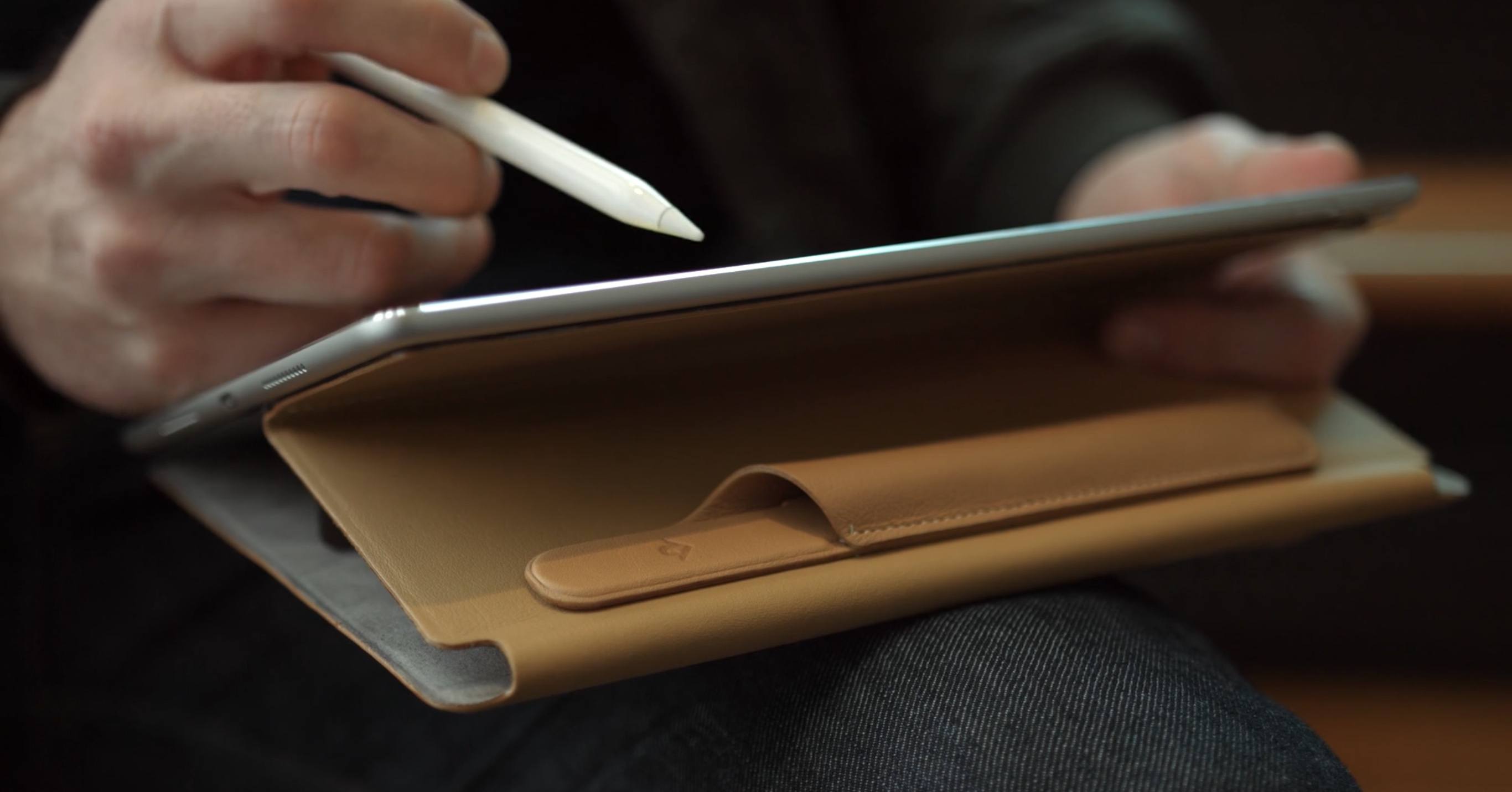
Twelve South’s PencilSnap Upgrades Your Smart Keyboard with a Pencil Holder

One of the longstanding frustrations with the iPad Pro’s Smart Keyboard is that it contains no place for holding the Apple Pencil. Last year Apple released separate accessories – the Leather Sleeve and Pencil Case – that could house the Pencil, but many iPad users still wanted something simpler: a Smart Keyboard with Pencil holder.

Twelve South, with its new PencilSnap accessory, appears to have made that possible.

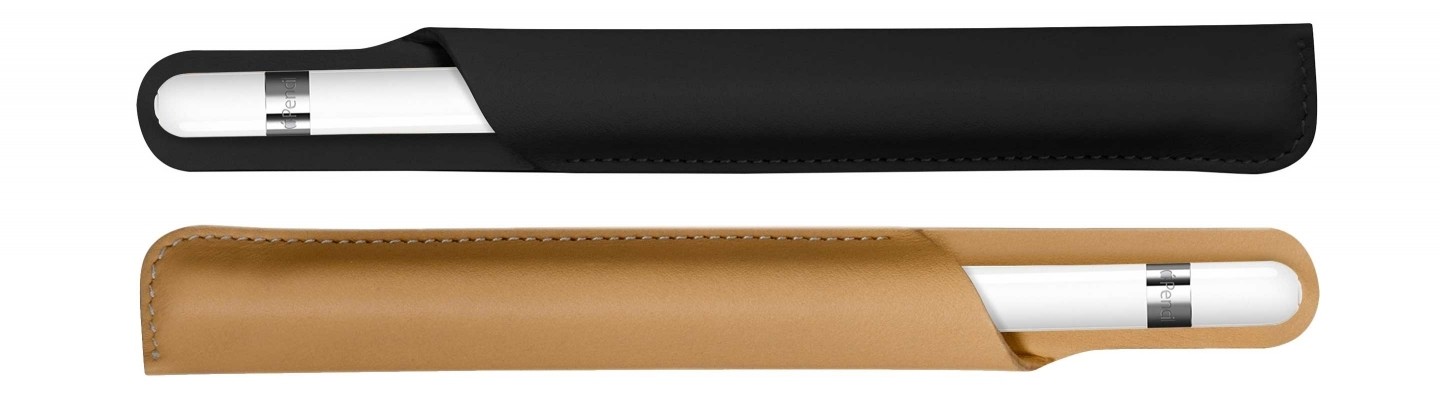
The PencilSnap is a small leather holster, very similar to Apple’s own Pencil Case, but with one significant difference: it includes magnets for attaching to other accessories, including Apple’s Smart Keyboard and Smart Cover, and Twelve South’s own SurfacePad. While we haven’t been able to test the product yet, Twelve South stresses the strength of the magnets and tight grip of the Pencil holder – in other words, they’re confident the PencilSnap won’t get easily disconnected from its attachment point, nor will the Pencil come loose when you don’t want it to.

PencilSnap is available for $29.99 in two colors: Black and Camel. If it works as advertised, it may well become the new go-to Pencil storage solution for iPad Pro users.

Permalink

Smart Audio Report on Smart Speaker Adoption in the U.S.

Thuy Ong, reporting for The Verge on new research about smart speaker adoption in the United States:

One in six US adults (or around 39 million people) now own a voice-activated smart speaker, according to research from NPR and Edison Research. The Smart Audio Report claims that uptake of these devices over the last three years is “outpacing the adoption rates of smartphones and tablets.” Users spent time using speakers to find restaurants and businesses, playing games, setting timers and alarms, controlling smart home devices, sending messages, ordering food, and listening to music and books. Over half of respondents keep their smart speaker in the living room, followed by the kitchen (21 percent), and master bedroom (19 percent).

The survey of just under 2,000 individuals found that the time people spend using their smart speaker replaces time spent with other devices including the radio, smart phone, TV, tablet, computer, and publications like magazines. Over half of respondents also said they use smart speakers even more after the first month of owning one. Around 66 percent of users said they use their speaker to entertain friends and family, mostly to play music but also to ask general questions and check the weather.

I’m a bit skeptical about adoption of smart speakers outpacing “smartphones and tablets” (it sounds like a vague statement), but this is what the numbers seem to show.

What stands out to me is the fact that, after cars, people who participated in this research study would like to have smart speaker functionality on their phones. However, a similar study conducted by Creative Strategies in 2017 showed that the most common actions owners of smart speakers invoke on a weekly basis include setting timers, checking the weather, playing music, and controlling lights; all these tasks can also be performed by the digital assistants on our smartphones. To me, this suggests that either owners of smart speakers aren’t familiar with smartphone assistants (I doubt it) or that there is indeed something useful about stationary speakers that smartphones can’t fully replicate.

Permalink

Apple’s Updated Security Guide for iOS 11.1 and iOS 11.2

Apple’s iOS Security guide is one of the most fascinating technical documents I’ve read in recent years. While the topics are intricate, they’re presented clearly in readable English. Earlier this week, the document was updated with new information on the latest additions to the iOS ecosystem – including Face ID, Apple Pay Cash, and Password AutoFill. There are some interesting details I didn’t know in each section.

On Face ID:

Facial matching is performed within the Secure Enclave using neural networks trained specifically for that purpose. We developed the facial matching neural networks using over a billion images, including IR and depth images collected in studies conducted with the participants’ informed consent. Apple worked with participants from around the world to include a representative group of people accounting for gender, age, ethnicity, and other factors. The studies were augmented as needed to provide a high degree of accuracy for a diverse range of users. Face ID is designed to work with hats, scarves, glasses, contact lenses, and many sunglasses. Furthermore, it’s designed to work indoors, outdoors, and even in total darkness. An additional neural network that’s trained to spot and resist spoofing defends against attempts to unlock your iPhone X with photos or masks.

On Apple Pay Cash, which details the new ‘Apple Payments Inc.’ subsidiary:

When you set up Apple Pay Cash, the same information as when you add a credit or debit card may be shared with our partner bank Green Dot Bank and with Apple Payments Inc., a wholly owned subsidiary created to protect your privacy by storing and processing information separately from the rest of Apple and in a way that the rest of Apple doesn’t know. This information is only used for troubleshooting, fraud prevention, and regulatory purposes.

[…]

Apple Payments Inc. will store and may use your transaction data for troubleshooting, fraud prevention, and regulatory purposes once a transaction is completed. The rest of Apple doesn’t know who you sent money to, received money from, or where you made a purchase with your Apple Pay Cash card.

To read more, get the full PDF here and check out the document revision history for January 2018.

Permalink