Posts in Linked

Apple Retail Chief Angela Ahrendts Profiled

BuzzFeed News profiles Apple Senior Vice President of Retail Angela Ahrendts in an in-depth feature today. Ahrendts, who took over Apple’s online and physical retail operations in 2014 and manages over half of Apple’s workforce, is portrayed in each of her roles within the company starting with the launch of iPhone 8 pre-orders online:

At midnight, the war room’s server activity chart ticks abruptly from green to red under a flood of incoming iPhone orders. On the wall, blinking red lights begin flashing across a digital world map with a concentrated flurry of activity in China and South Asia.

As author Nicole Nguyen explains, Ahrendts’ first order of business when she took over retail operations was to update Apple’s online experience. Those efforts included better integration between Apple’s online and physical stores, which reports say are now second only to Amazon in sales revenue.

However, the majority of Nguyen’s story is focused on Apple’s physical stores, which have been the focus of Ahrendts’ attention most recently. BuzzFeed News was on hand for the opening of Apple’s new Michigan Avenue store in Chicago last week. That store, like ones coming to Paris and Milan, represents Apple’s strategy to target cities worldwide:

…the core of the strategy is doubling down on metropolitan areas. Ahrendts’s team conducted an extensive study of cities, looking at factors such as tourism, technology usage, and demographics, an approach taken from her roots in high-end fashion. “One of the things I took from luxury is you look at the top cities in the world; you don’t just look at the countries. We did a lot of analysis, really studying the top 100 cities in the world, and not just now, but by 2020 and by 2025. Because you really need to target your investment,” she said.

In addition, Ahrendts is overseeing the renovation of 400 existing stores and expanding the benefits of employees who work at them.

The feature ends with Ahrendts overseeing the distribution of iPhone 8s and other pre-ordered items from a UPS facility in Kentucky. Like many things with Apple, the scale of the operations that Ahrendts manages is almost too vast to comprehend, but Nguyen does an excellent job of capturing both the scope of those operations and the personality that Ahrendts brings to her role.
Permalink

Connected, Episode 165: Super Easy to Do a Top Case

Back in their respective countries, the boys gather around Skype to discuss an Italian mystery, another failing keyboard, the Pixel 2 XL and iPhone X pre-orders.

Some fun surprises on this week’s episode of Connected, including a few questions for next week. You can listen here.

Sponsored by:

  • PDFpen Family, from Smile: Everything you need for more powerful PDF editing
  • Pingdom: Start monitoring your websites and servers today. Use offer code CONNECTED to get 30% off.
  • Ting: A smarter way to do mobile. Save $25 on selected devices or keep it as Ting credit.
Permalink

Remaster, Episode 46: A Farm and an Odyssey

Stardew Valley review, Mario Odyssey preperations, and details on the new Nintedo Switch console update.

On this week’s episode of Remaster, we go over the changes in the latest Switch software update and Myke explains why he’s been enjoying Stardew Valley so much. You can listen here.

Sponsored by:

  • Squarespace: Make your next move. Enter offer code INSERTCOIN at checkout to get 10% off your first purchase.
Permalink

Workshelf 1.1

As we’ve seen with the release of iOS 11, the emerging market of shelf apps for iPad has proven to be a fun playground for developers to figure out how to enhance the system’s drag and drop experience. We’ve published two stories on our favorite shelf apps released so far (here and here), and I’m keeping an eye on new developments every week. One of the most recent updates is Workshelf 1.1, which has gained a new icon and refreshed interface (thankfully, the original blue background is gone) as well as welcome tweaks to in-app previews and shelf management.

Workshelf, developed by Ross Kimes, is one of the more power user-oriented shelf apps thanks to its support for multiple shelves and raw file representations. In version 1.1, Workshelf can import documents from the Files app, it comes with new sorting options, and it lets you open URLs from an item’s detail page. This feature remains one of my favorite touches of Workshelf: in addition to viewing all the “flavors” of an item dropped in the app (such as a link and an image for a JPEG dragged from Safari), you can also tap & hold a specific file representation to drag it out of Workshelf.

I’ve been using Gladys on my iPad for the past few weeks (another shelf app that offers a variety of advanced features, plus a Files provider extension), but I’m going to give Workshelf another try.

Permalink

Connected, Episode 164: My Mother Has a Bunch of Keyboards

Live in Chicago, the boys discuss the Google Home Mini’s rough launch, the future of AR at Apple and Federico’s baker.

We had so much fun recording this episode of Connected live in Chicago last night. We rarely get to record Connected in person, so this episode is extremely special to me. You can listen here.

Sponsored by:

  • Squarespace: Make your next move. Enter offer code WORLD at checkout to get 10% off your first purchase.
  • Timing: The automatic time tracking app for macOS. Use this link to get 10% off your purchase of Timing.
  • Incapsula: Secure and accelerate your website. Connected listeners get one month free.
Permalink

Microsoft Outlook for Mac Undergoing Major Redesign

Tom Warren of The Verge reports on Outlook for Mac details shared at the Microsoft Ignite conference last month:

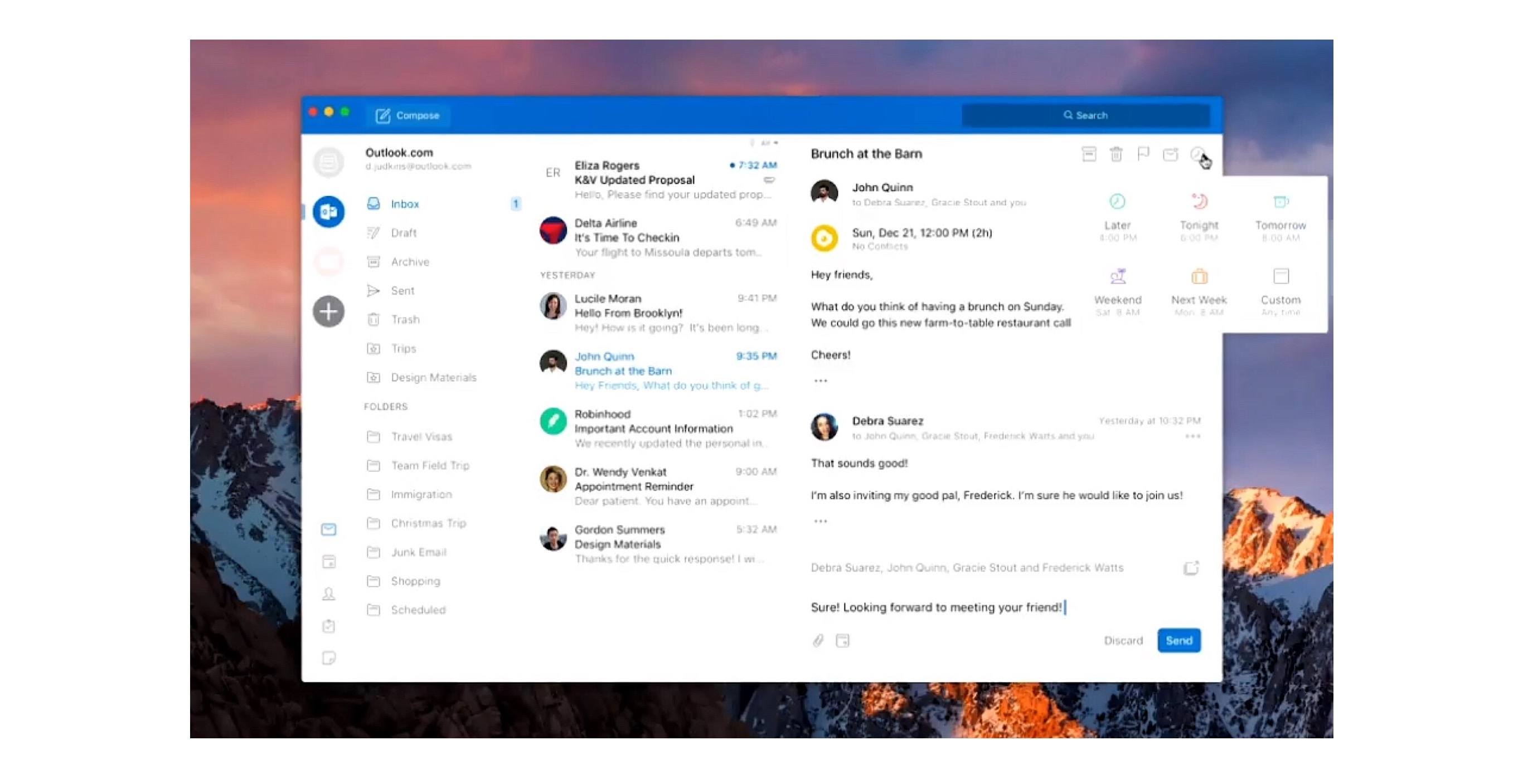
A lot of the changes look very similar to the Outlook for iOS app, with a single-line ribbon and a smaller set of default commands. Reducing complexity is one of the key aims of the redesign, to make it easier for new and existing Outlook users to navigate the email app.

A new customizable ribbon will let Outlook for Mac and Windows users control which buttons are available, so you can tailor the email interface to your own common tasks. The left navigation panel will include quicker access to folders across multiple accounts, and looks like the switcher in Outlook for iOS.

Outlook for iOS has long been among the top email clients on the mobile platform. It pairs a clean, beautiful interface reminiscent of iOS’ Mail.app with the power user features Apple appears content to ignore. Moving Outlook for Mac away from its traditional desktop roots and further into the modern era looks to be a clear win.

The full Ignite session detailing future Outlook changes is available on YouTube.

Permalink

Canvas, Episode 46: Versions

Making, accessing and using versions of files is something that has been built into some iOS apps for a while now but few know how to access the feature.

On this week’s Canvas, Fraser and I take a look at our favorite options for dealing with file revisions on iOS, including my workflow for collaborating with the MacStories team. You can listen here.

Sponsored by:

  • SaneBox: Clean up your inbox in minutes. Sign up for a two-week free trial and a $20 credit.
Permalink

Movie Studios Launch Movies Anywhere Service

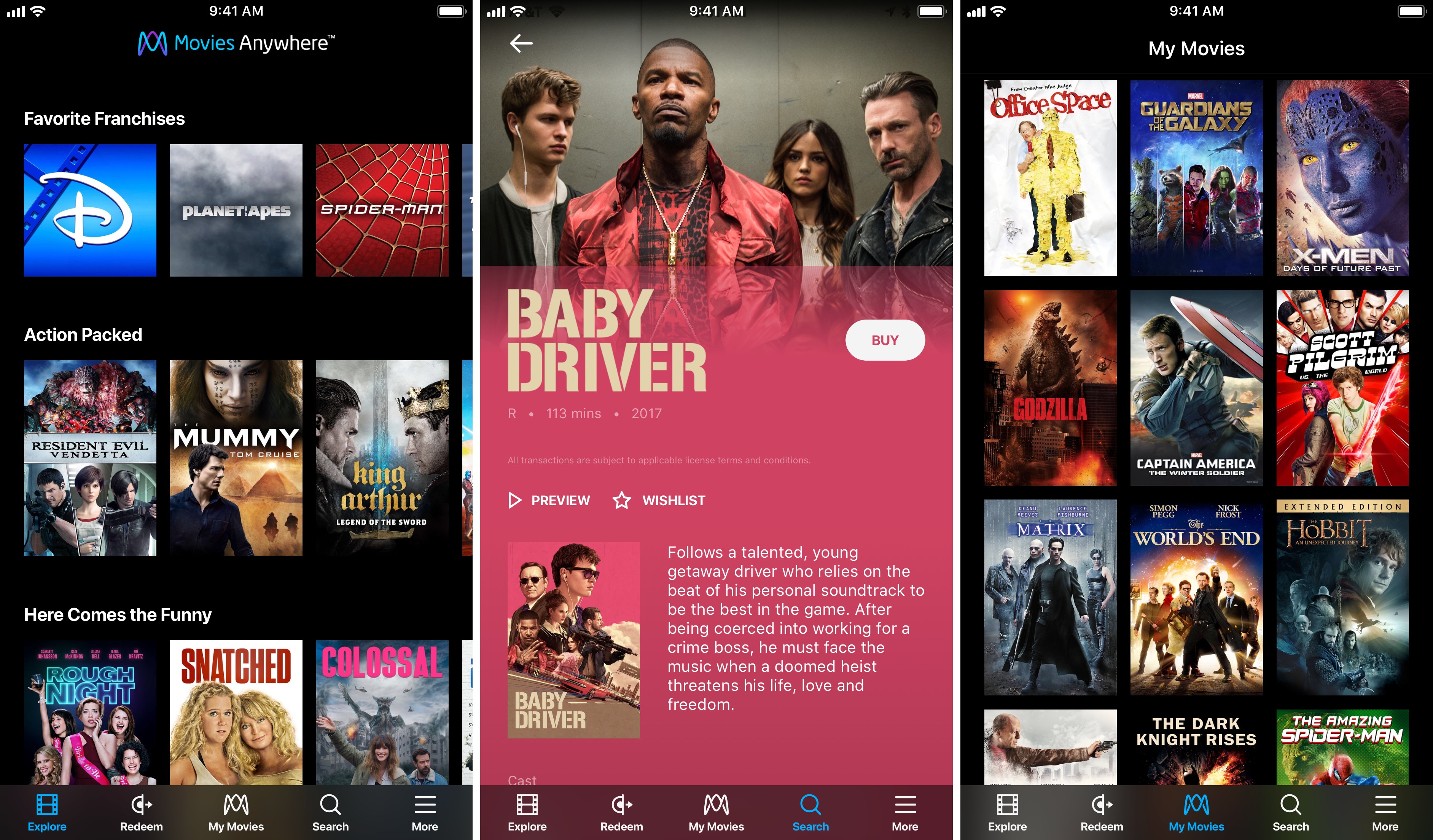
Services that promise to consolidate your digital movie collection in one place have come and gone over the years, so I was initially skeptical when I heard about Movies Anywhere, a new US-only service launched by Disney and other movie studios. However, after some preliminary testing of the service, I’m optimistic that Movies Anywhere stands a chance to become the first such service to catch on.

As reported by The Verge:

The big difference here is selection. Warner Bros., Universal, Sony Pictures, and Twentieth Century Fox have all signed on to Movies Anywhere. Along with Disney’s films, that gives the service a launch library of more than 7,300 titles.

Another differentiator with Movies Anywhere is platform support:

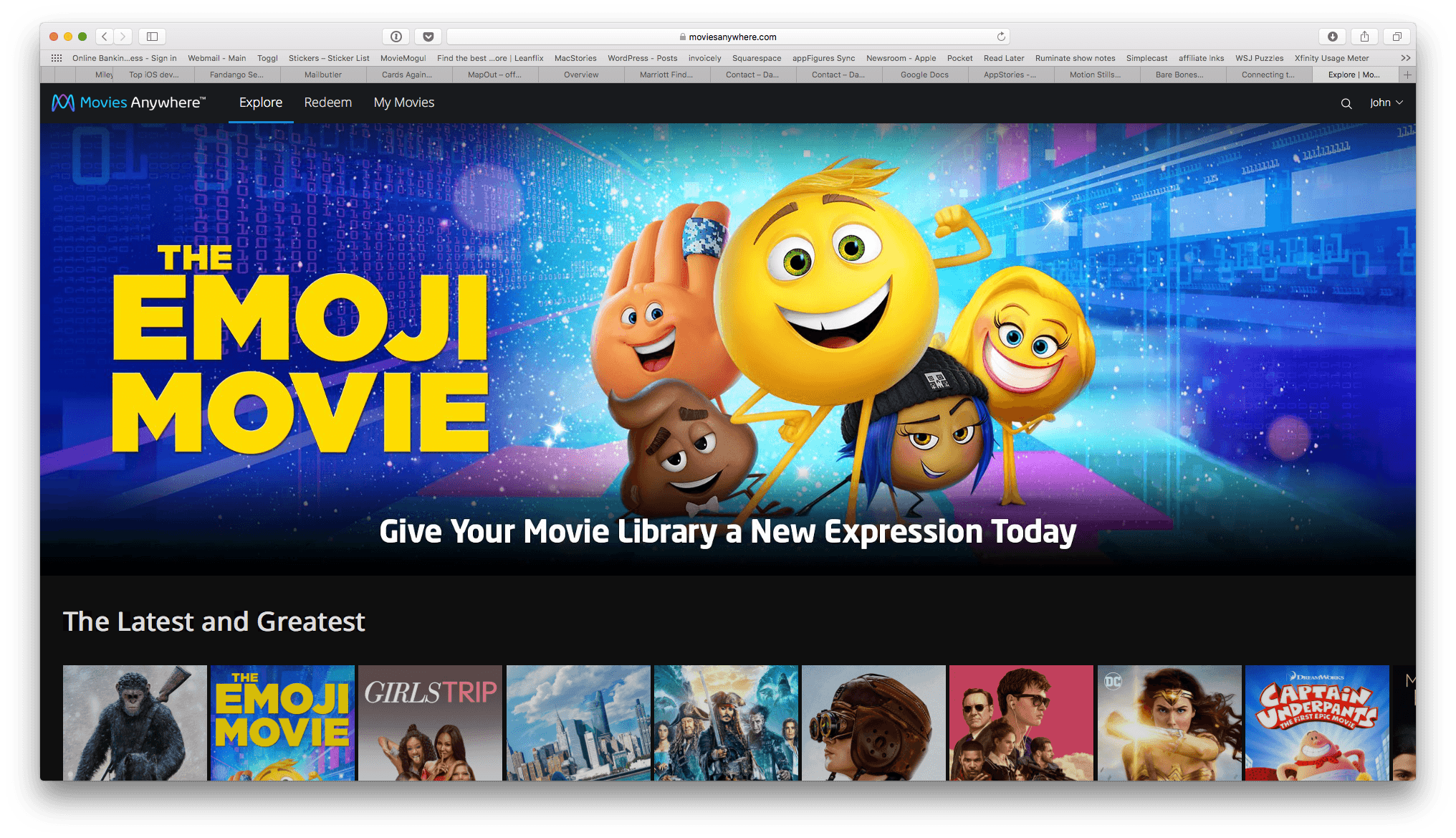
The promise of “buy once, watch anywhere” only works if a customer’s preferred device supports the service in question. The Movies Anywhere app will be available for iOS, Apple TV, Android, Android TV, Amazon Fire devices, and as part of Roku’s offerings. It will also support Chromecast, and titles will also [be] watchable through the service’s standalone website. And while apps for competing services have usually been clunky or awkward, the brief demo we saw of the Movies Anywhere app looked sleek and well-designed.

Movies Anywhere also gives customers the choice of where to buy their movies, though not without caveats on iOS.

Movies Anywhere will let customers browse for titles they’re interested in within the app itself, then allowing them to complete the purchase with their retailer of choice at the very end. (Android users will have the ability to purchase from Google Play, Amazon, or Vudu; those with Apple devices will only be able to purchase from iTunes, unless they head to a browser to purchase from a competitor directly.)

I tried to purchase a movie from the Movies Anywhere iOS app and sure enough, the only option was to buy it from iTunes. The workaround is to log into the Movies Anywhere service in Safari or another web browser, which will present you with the full menu of purchasing options. One other limitation that affects all platforms is that Movies Anywhere does not tell you how much a movie costs on each service. If you’re looking for a bargain, you’ll have to follow the link to each service to see how much they charge.

In the limited time I’ve had to try Movies Anywhere, I’ve been impressed. Logging into iTunes and Amazon Prime Video was quick and easy, and the movies I own on both providers showed up almost instantly in the iOS app and on the Movies Anywhere website. Playback happens in the Movies Anywhere app in a player that supports subtitles, closed-captioning, AirPlay, chapters, 15-second skipping ahead and back, and the option to pick up where you left off or start over if you exit the player. If Movies Anywhere can continue to grow its library of titles, the promise of all your movies anywhere you want them may finally become a reality.

Movies Anywhere is available on the App Store (US only).

Permalink

Connected, Episode 163: U2 Red

Stephen’s keyboard is disintegrating as Federico explains AirPlay 2, and Sonos and Google have new products out for the holiday season.

On this week’s Connected, we also consider some of the potential problems for Sonos’ third-party integrations and take a look at the Pixel 2. You can listen here.

Sponsored by:

  • Blue Apron: A better way to cook. Get 3 meals free with your first purchase, and free shipping!
  • Bombfell: Find the right clothes for you. Get $25 off your first purchase.
  • Mack Weldon: Smart underwear for smart guys. Get 20% off with the code CONNECTED.
Permalink