This Week's Sponsor:

Turbulence Forecast

Know before you go. Get detailed turbulence forecasts for your exact route, now available 5 days in advance.


Posts in Linked

Canvas, Episode 23: Workflow - Variables and Built-in Actions

This week Fraser and Federico continue the Workflow series with a look at how to use Variables and Workflow’s built-in actions.

On the second episode of Canvas’ Workflow series, we cover one of the key features of the app, variables, which are key to building workflows. In the second half of the show, we talk about Workflow’s built-in actions and some of its system integrations.

If you haven’t listened to the first episode of the series yet, you’ll want to go back and start from there.

  1. Workflow - The Basics
  2. Workflow - Variables and Built-in Actions

Sponsored by:

  • Sanebox: Clean up your inbox in minutes. Sign up for a two-week free trial and a $20 credit.
Permalink

Apple Releases iBooks StoryTime for Apple TV

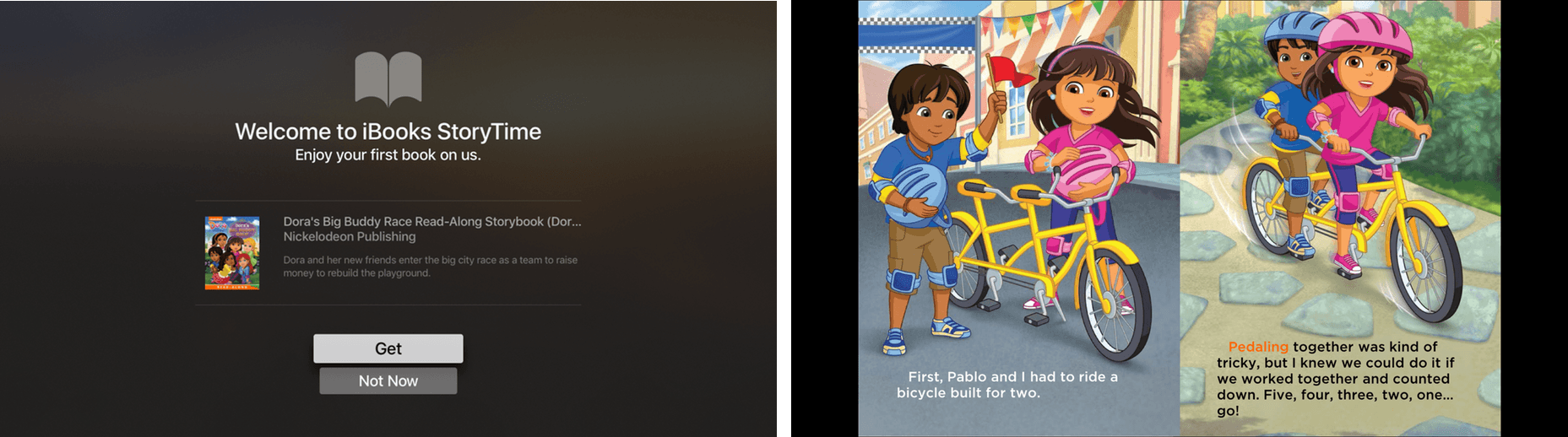
iBooks StoryTime, an Apple TV-only app, was released with no announcement by Apple today. Apple explains in the release notes that:

With Read-Aloud narration and beautiful illustrations, every handpicked title in the app transforms Apple TV into an engaging place for young readers to enjoy the stories they love.

iBooks StoryTime comes with a free Dora the Explorer book.

iBooks StoryTime comes with a free Dora the Explorer book.

The app, which comes with a free Dora the Explorer book, is designed for young children. Additional books can be purchased from the Featured Books section of the app. The number of books available is modest, but high-quality with a nice mix of classic children’s books and familiar modern characters.

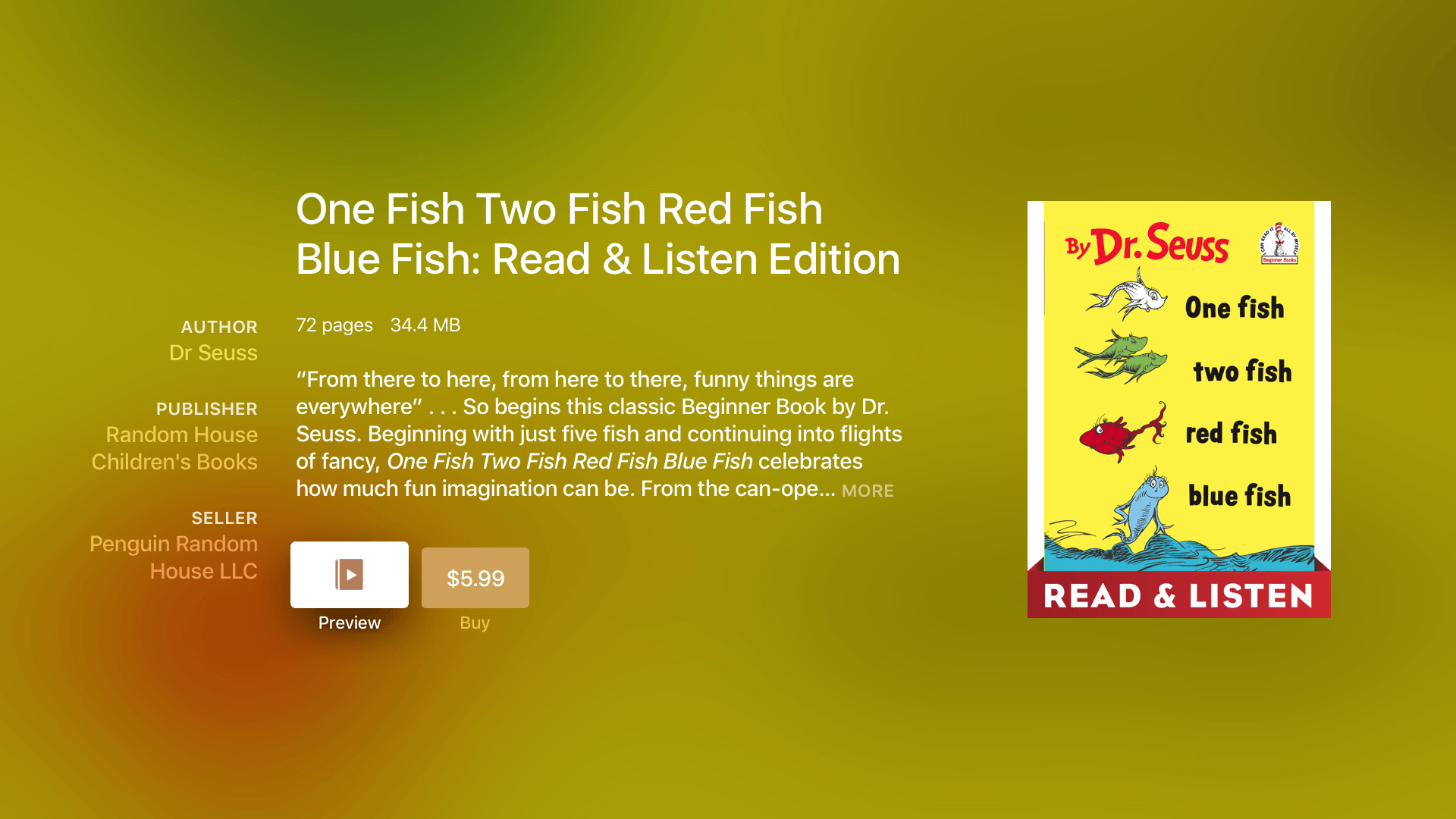
iBooks StoryTime offers several classics, including Dr. Seuss favorites.

iBooks StoryTime offers several classics, including Dr. Seuss favorites.

The read-aloud feature can be turned on or off. When the feature is on, the book is read by a narrator while the words in the book are highlighted in sync with the narrator’s voice. In read-aloud mode the pages are turned automatically. Pages can also be turned by swiping on the Siri Remote when the read-aloud feature is turned off.

iBooks StoryTime (currently US-only) is a free download on the Apple TV App Store.

Permalink

51 New Emojis Proposed for 2017

The Unicode Consortium proposed 51 new emojis for inclusion in Unicode 10. According to Emojipedia.org:

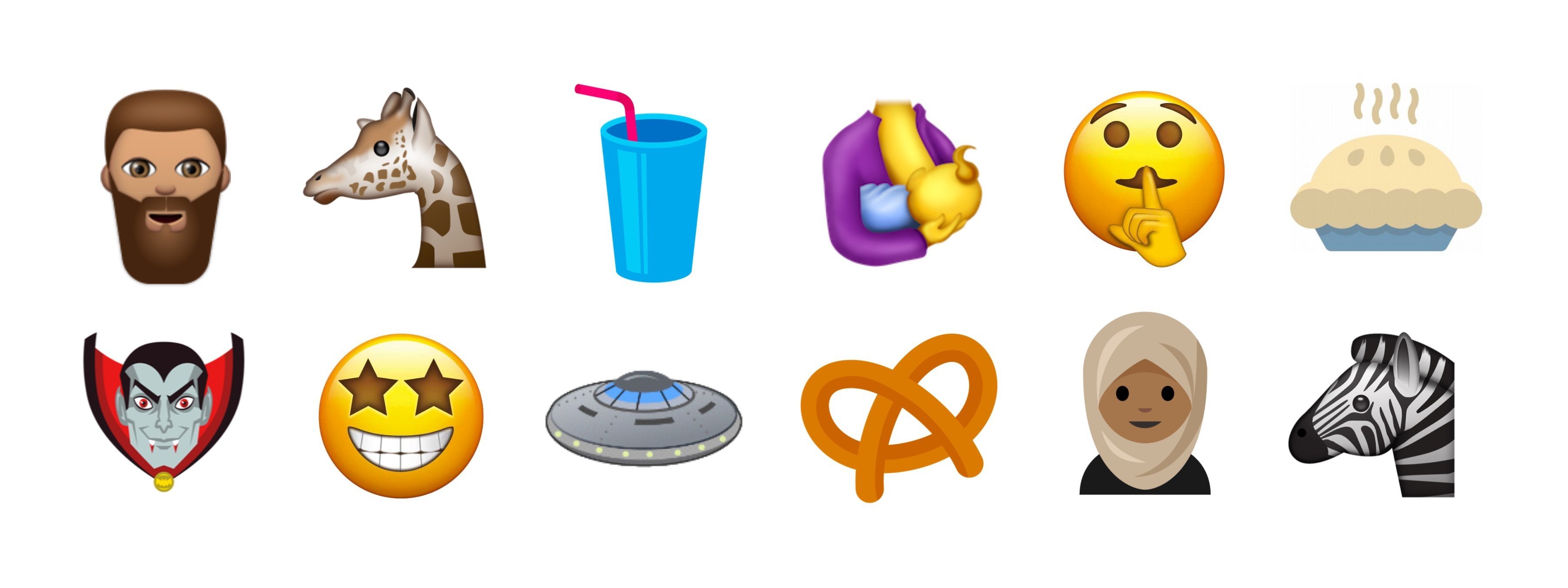
New emojis include a giraffe, pretzel, vampire, bearded man, soda/milkshake, breastfeeding, a “shhh” face, pie, starry-eyed face, woman in hijab and zebra.

Image courtesy of emojipedia.org.

Image courtesy of emojipedia.org.

The proposal also includes broccoli, a coconut, a sandwich, two kinds of dinosaurs, yoga, rock climbing, socks, and an orange heart. The final decision on which emojis will be included in Unicode 10 will be made in mid-2017.

For the complete list of proposed emojis and more images, check out Jeremy Burge’s post on Emojipedia.

Permalink

Instagram Adds Boomerang Mode, Mentions, and ‘See More’ Links to Stories

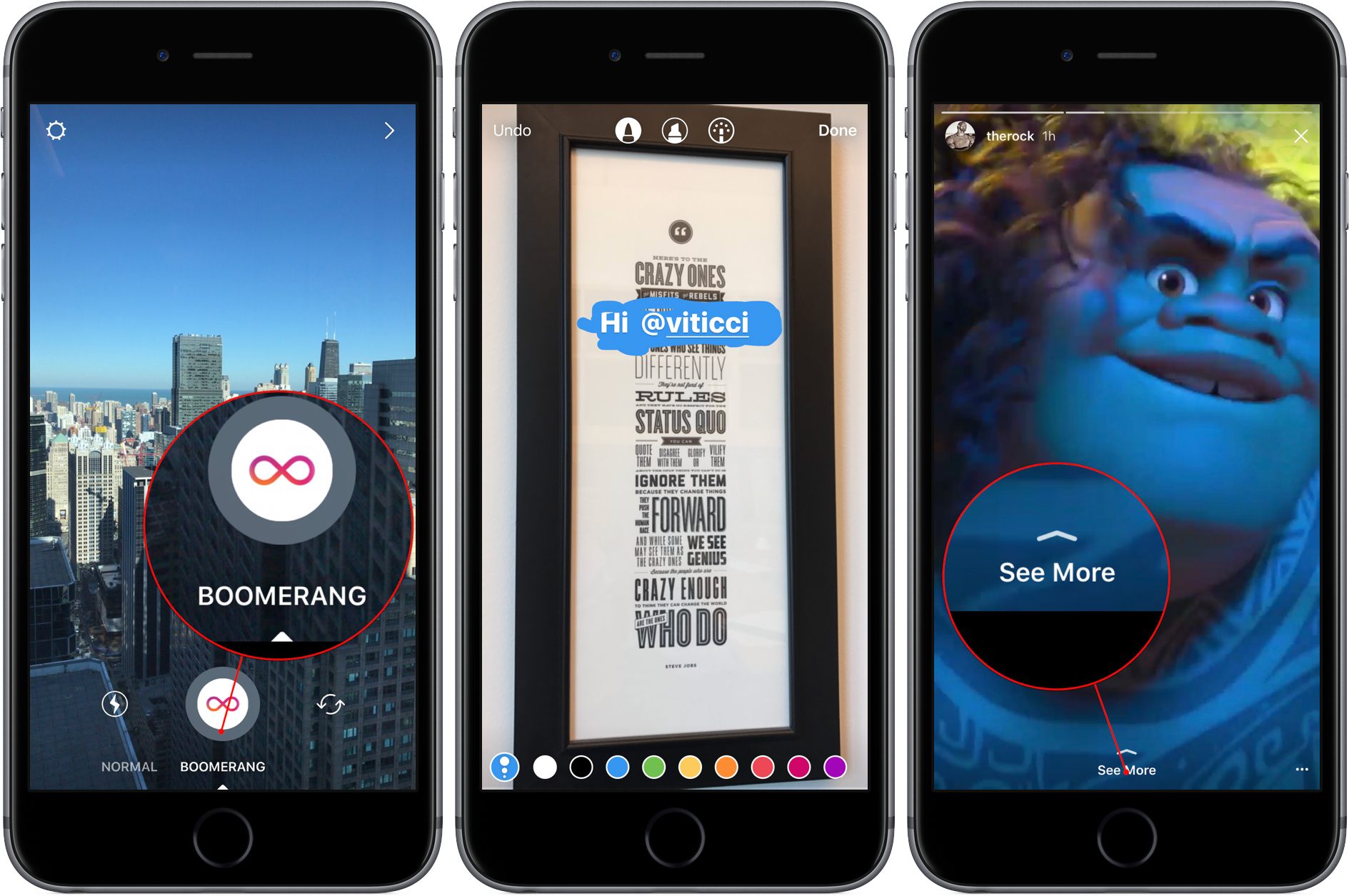
Instagram Stories continue to evolve with three new features introduced today. The first is called Boomerang. Swiping below the shutter button in the Stories UI switches between ‘Normal’ and ‘Boomerang’ mode. Tapping the shutter button in Boomerang mode takes a burst of photos that is turned into a short video that is played continuously forward and backward.

Instagram also added Mentions to Stories that work just like they already do in captions and comments. Add ‘@‘ followed by a username to an Instagram Story and the username becomes a link that will take you to the person’s profile. The person mentioned also receives a notification that they were mentioned in a Story.

Finally, verified Instagram users can add a ‘See More’ link to Stories that opens an external web page inside the Story. ‘See More’ links are described by Instagram as a test feature. To try them, Instagram suggest checking out the accounts of Duane Johnson (@therock), Chance the Rapper (@chancetherapper), and Bustle (@bustle).

Permalink

Amazon Prime Reading Comes to the US Kindle App

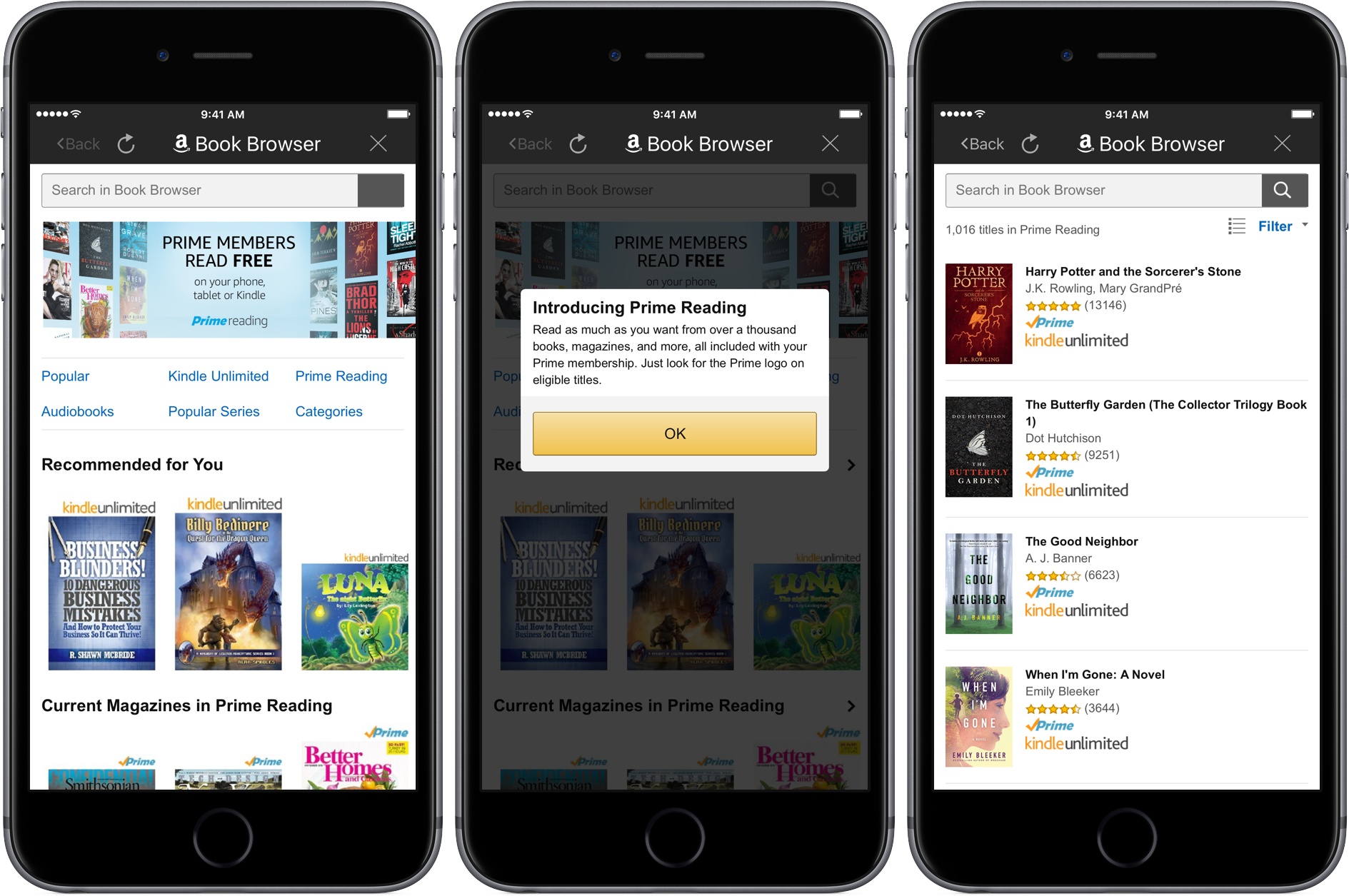
Last month, Amazon announced a new perk for Prime members in the US called Prime Reading, a collection of approximately one thousand books and magazines that Prime members can read for free. Today, Amazon added Prime Reading to its Kindle app for iOS.

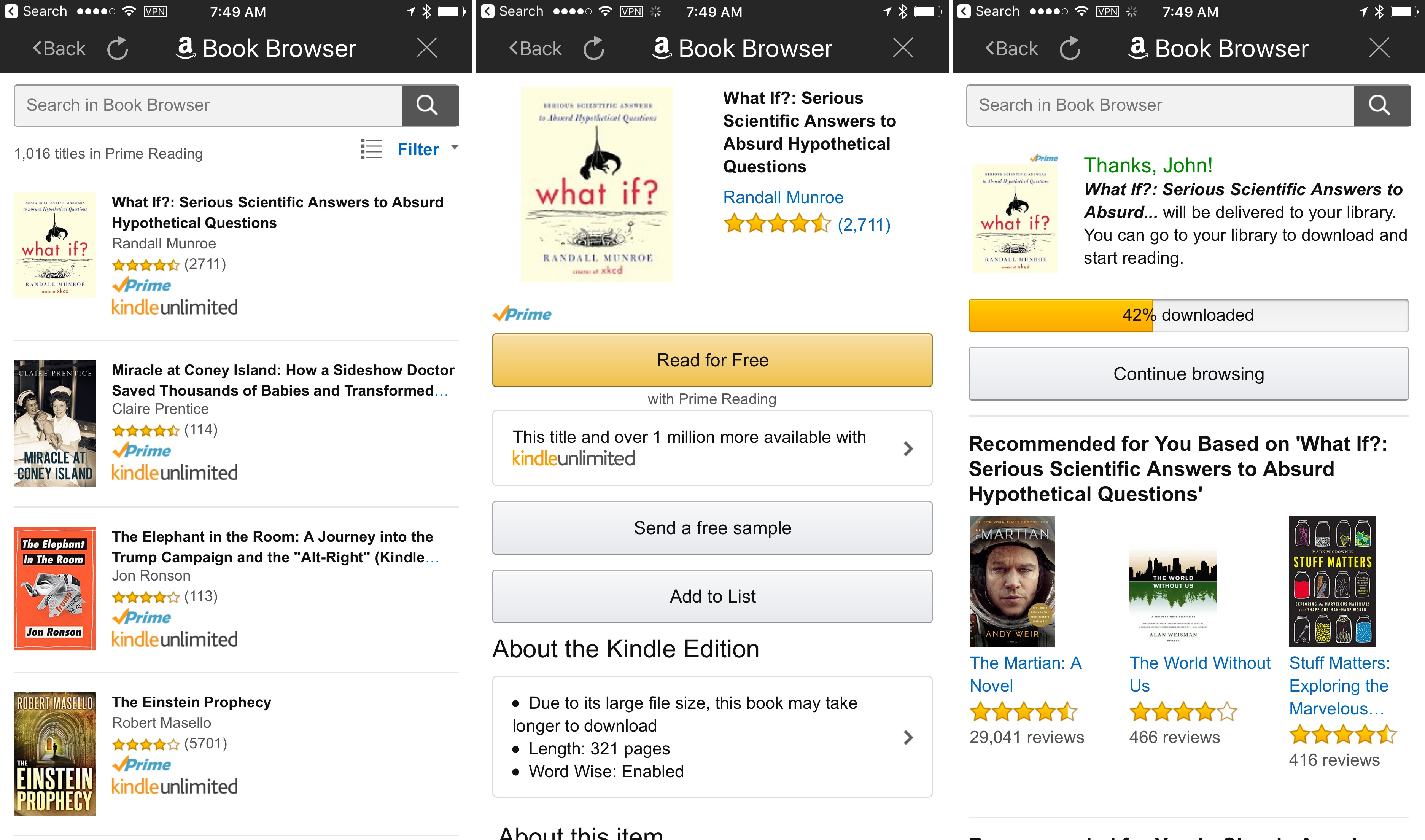
From the Kindle app’s Library view tapping the Prime Reading link opens a searchable list of 1,016 books that are available as part of the program. The selection of books and magazines is a small fraction of what is available to purchase from Amazon or download with its Kindle Unlimited program, but it includes several classics like The Hobbit and Harry Potter and the Sorcerer’s Stone, as well as newer selections like What If?: Serious Scientific Answers to Absurd Hypothetical Questions and the first volume of the Scott Pilgrim’s Precious Little Life graphic novel series. Also, unlike paid Kindle books, which you can only purchase from Amazon’s website, Prime Reading books can be downloaded directly within the Kindle app, a reminder of how I wished the app worked for all books.

Adding a Prime Reading book.

Adding a Prime Reading book.

Permalink

Connected, Episode 116: Undead Zombie Echo Fish

Myke is back to talk about dongles. Stephen has opinions about the Mac Pro. Federico is trying a new notes app.

More than you ever wanted to know about dongles and terrifying Alexa experiments on this week’s Connected. Also, we talk about Bear and the business of indie apps towards the end of the show. You can listen here.

Sponsored by:

  • Gemini 2, from Macpaw: The smart duplicate cleaner for Mac. Get 20% off with the coupon code CONNECTED.
  • Mailroute: a secure, hosted email service for protection from viruses and spam. Get a free trial and 10% off, for the lifetime of your account.
Permalink


GIPHY Updates with Saving and Syncing of GIF Favorites

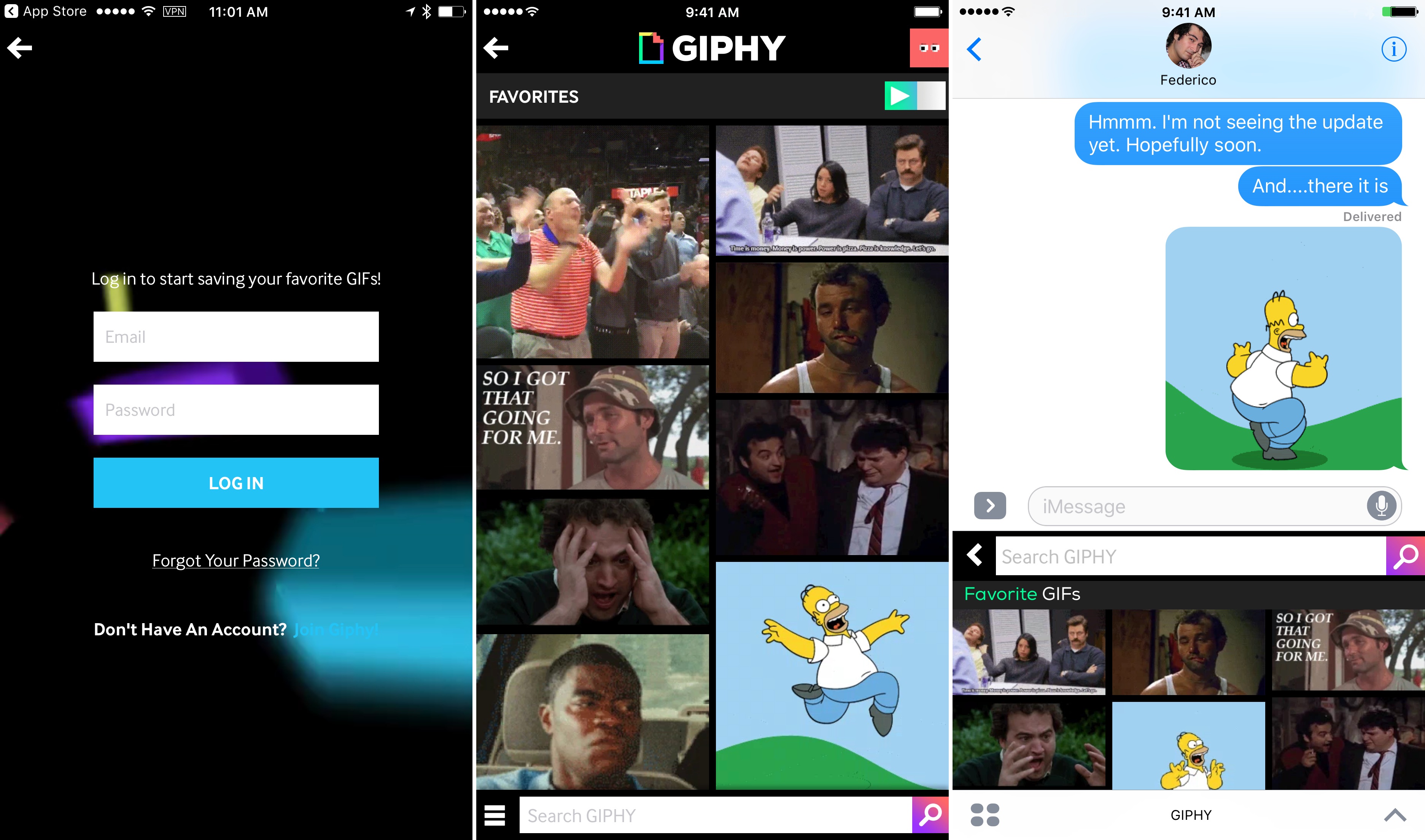
GIPHY’s iPhone app was updated today with the ability to save favorite GIFs. What’s more, you can sign up for, and into, a GIPHY.com account from the iOS app so those favorites sync across GIPHY’s website, the iPhone app, and its companion Messages app. It’s a relatively simple change, but one that makes a big difference in the utility of the app. If you have a go-to reaction GIF, now you only need to save it as a favorite once to access it from the web, the iPhone app, or the Messages app.

In my limited testing, syncing was seamless and immediate. The update does not include GIPHY Keys, GIPHY’s custom iOS keyboard. Favorites saved in the keyboard app do not sync to your GIPHY account. In addition, the lack of an iPad app is curious; I find myself wanting a GIF at least as often on my iPad as on my iPhone. That said, this is a welcome update that should make GIPHY much more useful to diehard GIF fans.

GIPHY is a free download on the App Store.

Permalink

Apple News Quietly Takes Off

Apple News got a major overhaul with iOS 10. Part of that was a change in its design, but there were other significant changes like human curation of news stories that have greatly improved the app. According to an article published by The Nieman Journalism Lab, those changes have had a big effect for some news organizations:

CNN… says its Apple News content got 36.5 million unique readers in September, a major increase from August’s 5 million. Its pageviews also increased significantly to 274 million, up from 43 million a month before.

“It’s really quite a remarkable story,” said Alex Wellen, CNN’s chief product officer. While CNN had seen “steady traffic growth” for most of the year,” said Wellen, Apple’s tweaks to its news app have changed the traffic picture significantly.

Bloomberg has seen a similarly significant spike in readership via Apple News. The difference appears to be at least in part a consequence of large news organizations’ regular inclusion in the Top Stories and human-curated Featured Stories sections. Other sites, like Slate, told The Nieman Journalism Lab that their pageviews have been flat.

Notwithstanding the eye-opening increases in traffic for some sites, the jury is still out on whether Apple News can generate significant revenue for news organizations:

Monetization is “still a work in progress,” noted [Bloomberg’s] Havens. Slate, in a similar position, is “not monetizing Apple News very well at the moment,” said Schieffer. Wellen said CNN “has monetized its stories,” though he wouldn’t give specific details. Ads still feel like a rare occurrence for its Apple News content; publishers are still eager for integration with comScore, a major hurdle to getting advertisers interested in the platform.

Permalink