


Leander Kahney, who has previously published books about Steve Jobs and Jony Ive, takes on the ascent of Apple’s current CEO in a new book titled Tim Cook: The Genius Who Took Apple to the Next Level. When Steve Jobs passed away in 2011, many people doubted that Tim Cook, an operations expert, was up to the job of CEO. As Kahney summarizes in his book’s introduction titled ‘Killing It,’ the numbers have proven the doubters wrong. By exploring Cook’s early influences and how they have affected his leadership of Apple, Kahney sheds light on the values and other qualities that have led to Cook’s success. The result is an interesting look at Cook’s background growing up in Alabama and his career before joining Apple, about which little has been previously written, but the book’s recounting of Cook’s Apple years may be less informative to close observers of the company.
Posts in reviews
‘Tim Cook: The Genius Who Took Apple to the Next Level’ Is an Insightful Look at the Values that Guide the Company’s CEO
Calory Review: Simple, Convenient Calorie Tracking

In my estimation, there are two types of nutrition-tracking apps on the App Store: those for users who want full control of all nitty-gritty details regarding what they consume, and those for people like me who just want to do simple calorie-tracking. Calory, a new iOS app from the makers of WaterMinder, HealthView, and HabitMinder, falls strictly in the latter category. While you can optionally track certain statistics like fat, carbs, and protein, the primary purpose of Calory is convenient calorie tracking – and the app excels at that.
Pixelmator Photo: The MacStories Review
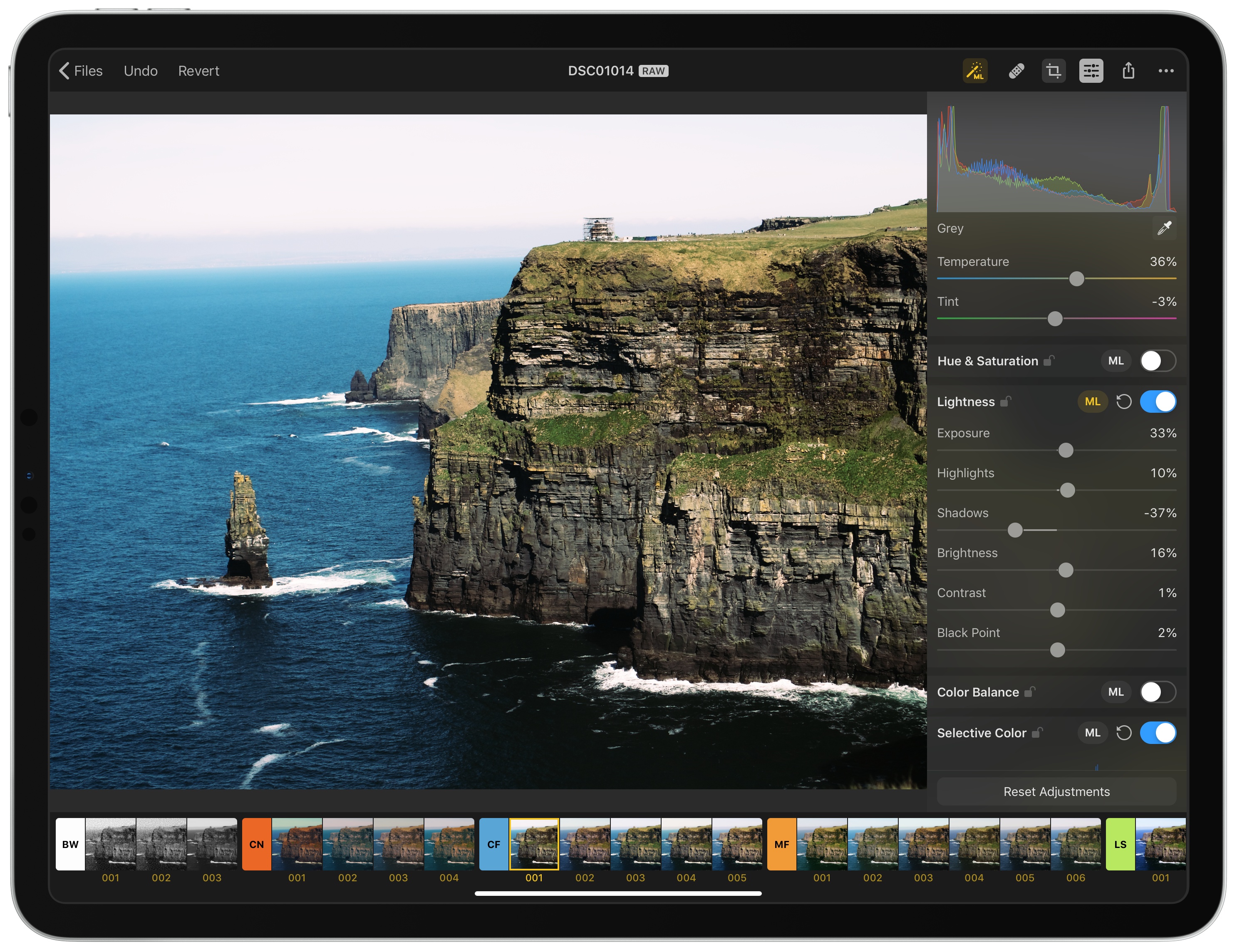
The Pixelmator team has released Pixelmator Photo, a pro-level photo editing tool that couples the core functionality of Pixelmator Pro for the Mac with the strengths of the iPad. The result, though not without a few caveats, is a sophisticated set of image editing tools wrapped in a straightforward UI that, with its support for RAW and other image formats, makes Pixelmator Photo my new favorite photo editor.
Game Day: Rolando Rolls Back Onto the App Store

Today, HandCircus, the creator of Rolando, has released an excellent remastered version of the classic iOS game called Rolando: Royal Edition.
If you were playing iOS games in the early days of the App Store, you are probably familiar with Rolando. The game wasn’t on the Store day one but came a few months later at the end of 2008.
Rolando was one of the early break-out hits on the App Store. The game was downloaded by millions of fans worldwide who loved its colorful, round characters. Rolando was also one of the first games to incorporate the iPhone’s accelerometer into its gameplay in a way that was tightly integrated with the game instead of feeling gimmicky.
However, the original game was a victim of Apple’s 2017 transition to a 64-bit architecture. Although many cherished classics were updated in time, a large number of games fell by the wayside. Until today, one of the most beloved of those titles was Rolando.
Cardhop for iOS Review: A Powerful New Alternative to Apple’s Contacts

Any time a new app launches in the same category as a first-party, pre-installed app, there’s always a lot to prove. It’s one thing to find new customers in a market limited to third-party options, where prospective users have to pay one way or another to access an app in that category. But when there’s a free, built-in option, third-party apps not only have to prove that they’re good apps, they also have to offer enough extra benefit above and beyond what the Apple-designed default provides. The bar for such apps is raised higher in many ways.
Facing that challenge today is a new app from Flexibits, Cardhop for iOS, which serves as the iPhone and iPad companion to the contacts app launched for Mac in late 2017. Powered by a convenient natural language input system, Cardhop includes a host of features that differentiate it from Apple’s Contacts app and pose a strong threat to the iOS default.
Drafts for Mac: The MacStories Review
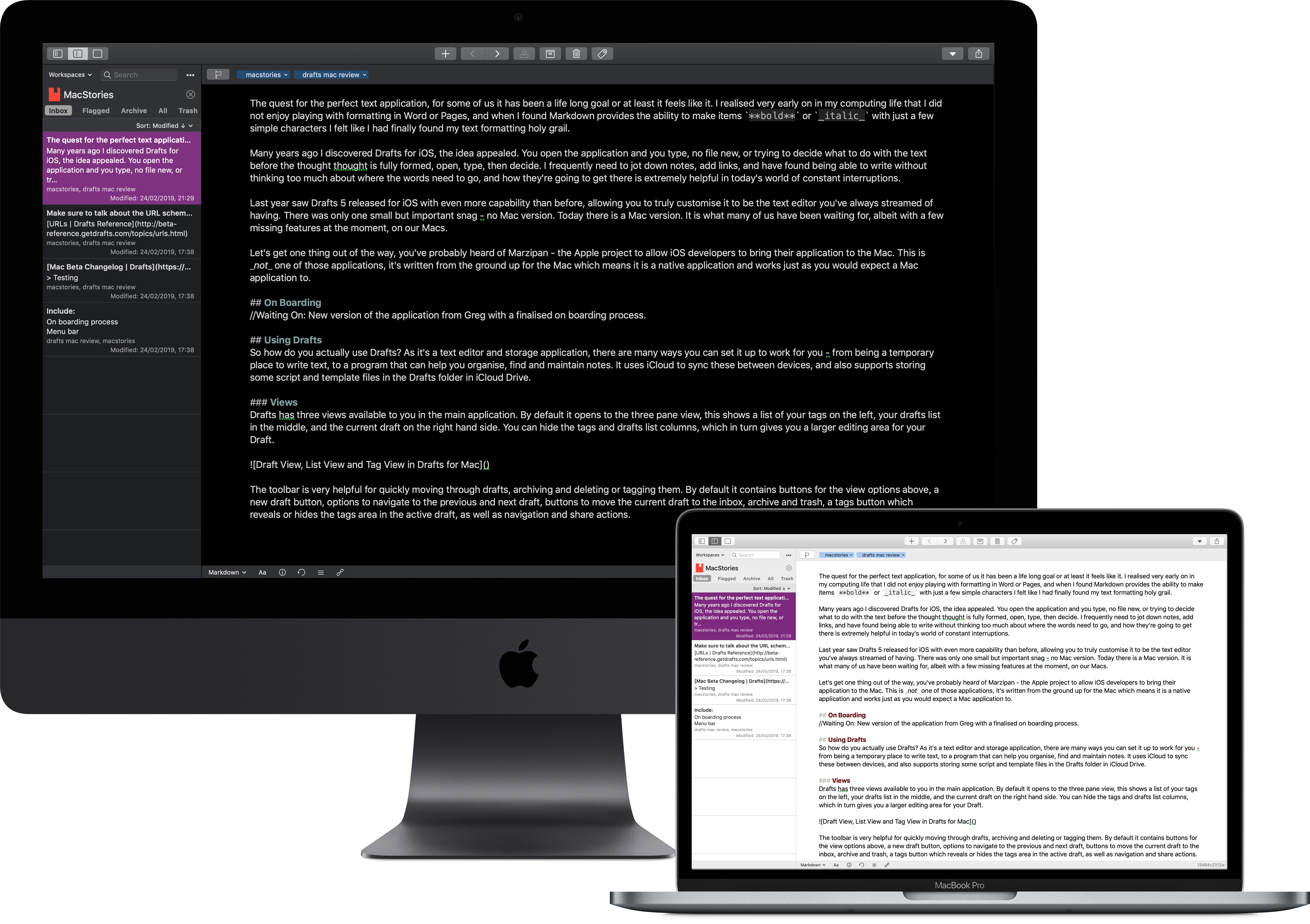
The quest for the perfect text application – for some of us it has been a lifelong goal, or at least it feels like it. I realised very early on in my computing life that I did not enjoy playing with formatting in Word or Pages, and when I discovered that Markdown provides the ability to make items **bold** or _italic_ with just a few simple characters, I felt like I had finally found my text formatting holy grail.
Many years ago I discovered Drafts for iOS, and the idea appealed: you open the application and type. No creating a new file, or trying to decide what to do with the text before the thought is fully formed, just open, type, then decide. I frequently need to jot down notes, save links, and have found being able to write without thinking too much about where the words need to go, and how they’re going to get there, is extremely helpful in today’s world of constant interruptions.
Last year saw Drafts 5 released for iOS with even more capability than before, allowing you to truly customise it to be the text editor you’ve always dreamed of having. There was only one small but important snag – no Mac version.
Today there is a Mac app. It is what many of us have been waiting for, albeit with a few missing features at the moment. Drafts for Mac has landed.
Let’s get one thing out of the way: you’ve probably heard of Marzipan, the Apple project to enable iOS developers to bring their applications to the Mac. This is not one of those apps. It is an app written from the ground up for macOS, which works as expected with the system features.
Moleskine Flow Review: An Elegant, Accessible Digital Notebook for iPad and iPhone
One strength of an analog notebook is its simplicity. The times in my life when I’ve used a notebook regularly, I would always keep a pen attached to the notebook so that the process of writing involved just two simple steps: open the cover, and press pen to paper. Many digital notebook apps forfeit this simplicity due to overly complex interfaces and toolsets.
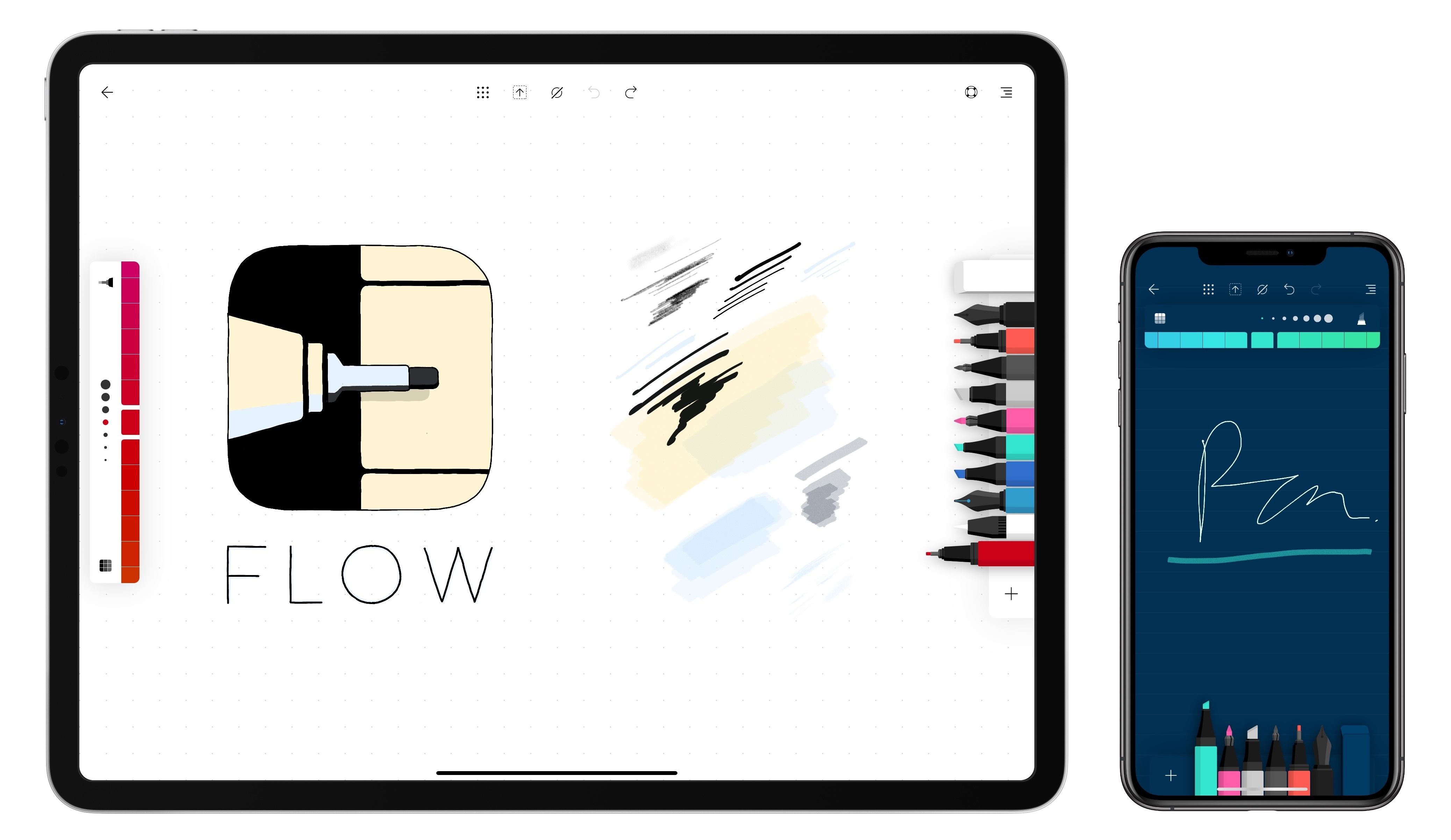
Moleskine’s new app, Flow, is a digital notebook that understands what it takes to succeed as a notebook replacement – giving you the tools to customize your experience to your own preferences. It’s available on both iPad and iPhone, and offers an elegant balance of convenience and flexibility that make it my favorite digital notebook to date.
Ulysses 15 Review: Split View on the Mac, Remote Images, Improved iPad Multitasking, and More
When a productivity app feels like it’s reached maturity, it’s in a dangerous position: if active development is neglected, the app will start to stagnate amidst a changing world, but on the other hand, if change is pursued for its own sake, the app can easily become bloated and an inferior product overall.
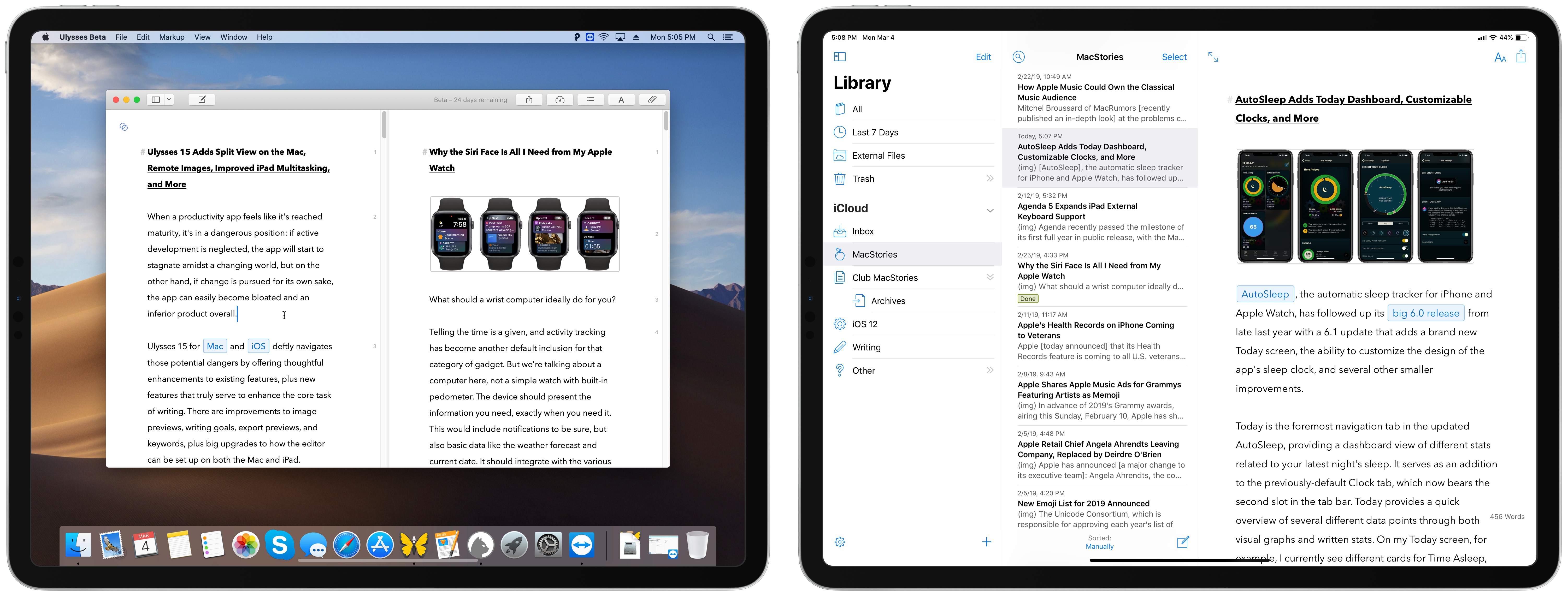
Ulysses 15 for Mac and iOS deftly navigates those potential dangers by offering thoughtful enhancements to existing features, plus new features that truly serve to enhance the core task of writing. There are improvements to image previews, writing goals, export previews, and keywords, plus big upgrades to how the editor can be set up on both the Mac and iPad.
The core app remains largely the same, but it’s now more compelling than ever before.
Spectre: A Computational Approach to Long-Exposure iPhone Photography

Spectre is a new specialized camera app from the team that created Halide, one of our favorite camera apps on iOS. The Halide team describes Spectre as a computational shutter for the iPhone, which allows the app to do things like remove people from a crowded scene, create artistic images of rushing water, and produce light trails at night. The same sort of images can be created using traditional cameras, but getting the exposure right, holding the camera absolutely still, and accounting for other factors make them difficult to get right. With Spectre, artificial intelligence is used to simplify the process and make long-exposure photography accessible to anyone with an iPhone.