This Week's Sponsor:

Turbulence Forecast

Know before you go. Get detailed turbulence forecasts for your exact route, now available 5 days in advance.


Posts in reviews

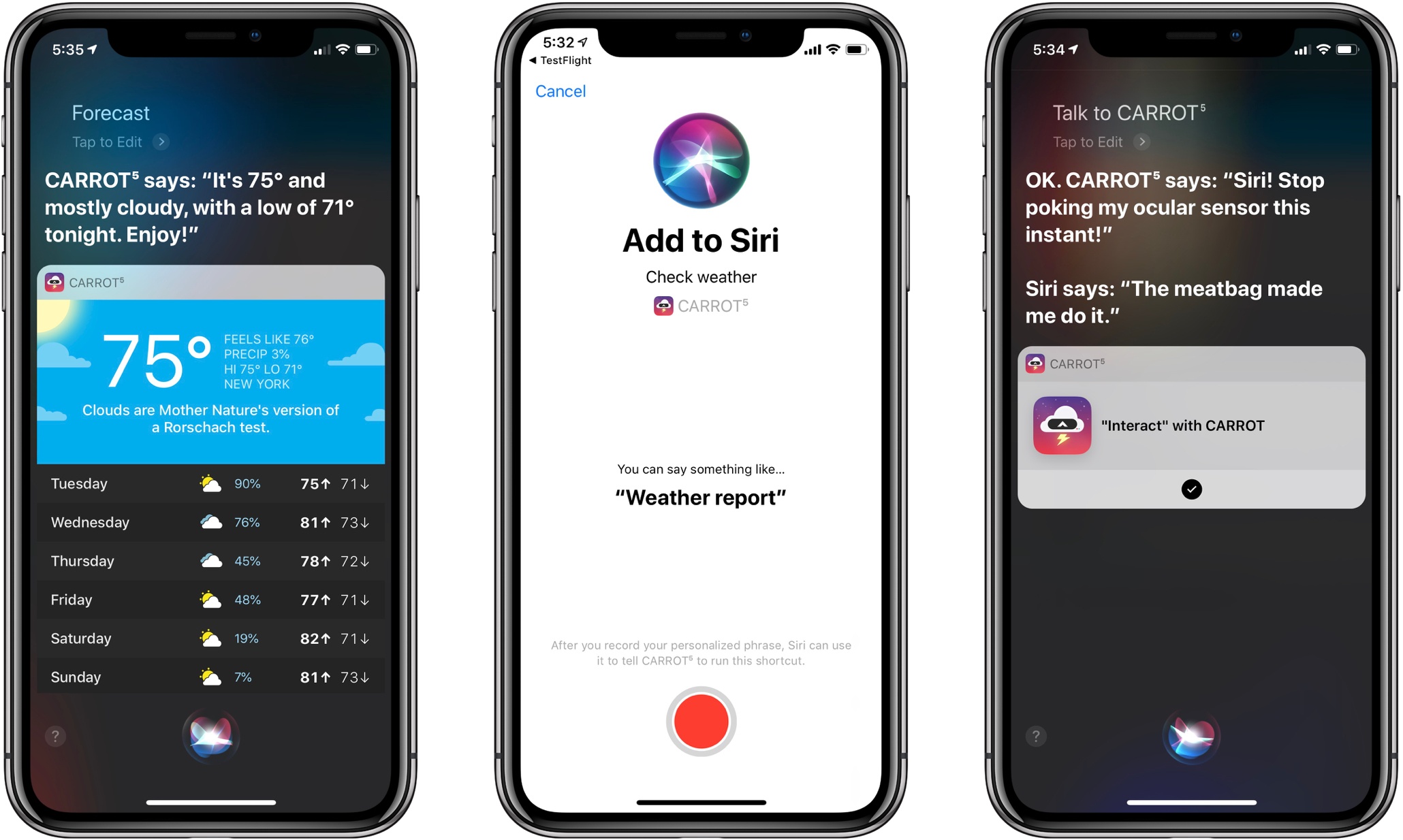
When CARROT Met Siri: Shortcuts and Siri Watch Face Support Added to CARROT Weather

One of the big themes of Apple’s software releases this fall is the opening up of Siri. With day one adoption of both Siri shortcuts and Siri face integration on the Apple Watch, CARROT Weather makes for a wonderful demonstration of how valuable this new, extended Siri can be in all its various forms. Finally, Siri can provide weather data from sources besides the first-party app, both through the standard voice interface and, to my delight, on the Siri watch face. And CARROT Weather takes great advantage of both new capabilities.

Read more


Things 3.7 Brings Support for Shortcuts, Siri Watch Face, iPhone Landscape Mode, and More

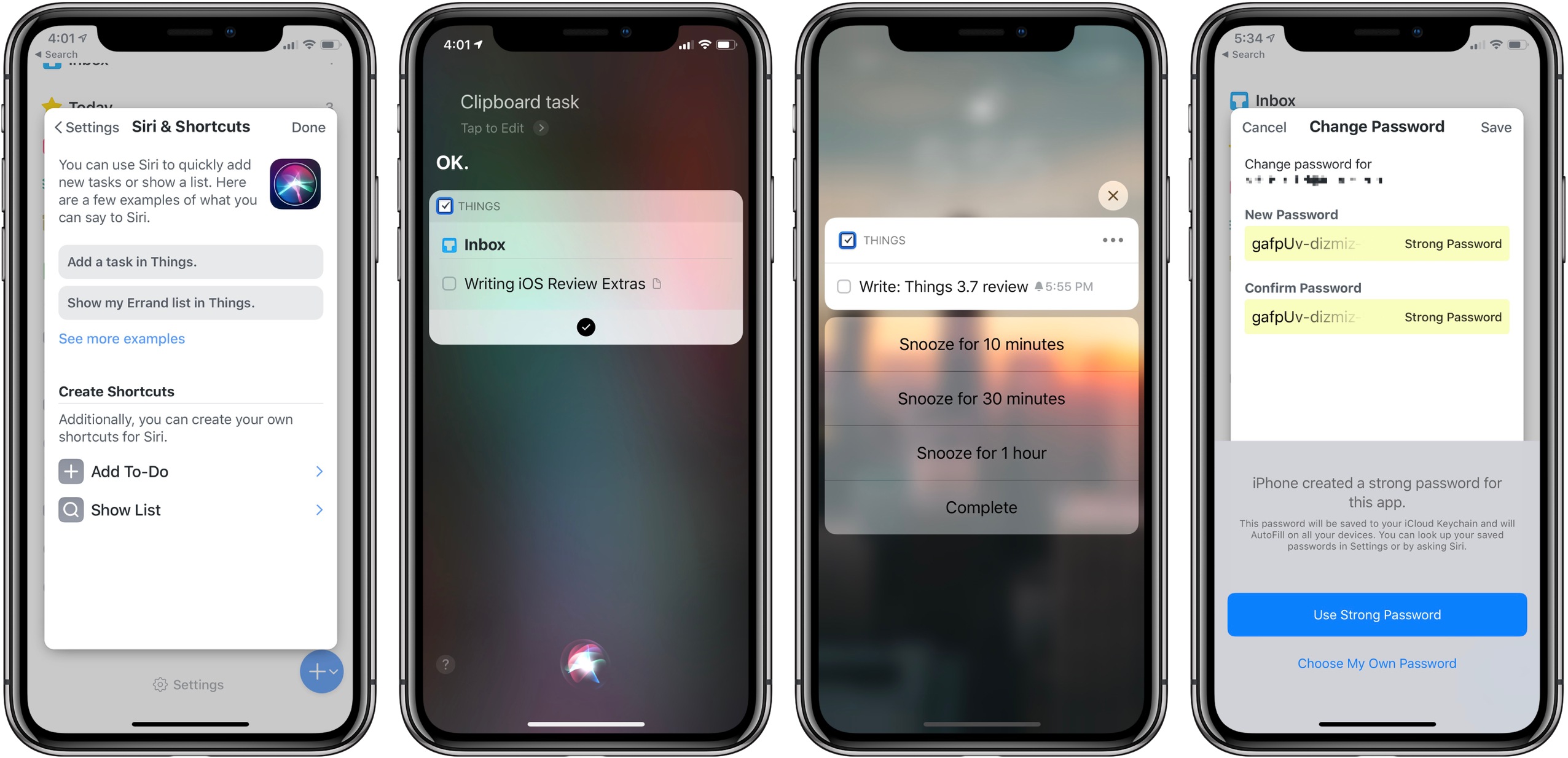
Today Cultured Code launched the latest update to Things, version 3.7, on iPad, iPhone, and Apple Watch. The app’s headline feature is full support for Siri shortcuts, but it also brings welcome improvements in a few other areas: integration with the Apple Watch’s Siri face, landscape support on iPhone which includes the iPhone X, dynamic notifications, and more. Taken together, it’s a broad set of enhancements that takes full advantage of all the latest APIs Apple has to offer.

Read more


Text Case Adds Siri Shortcut Support for Text Transformations

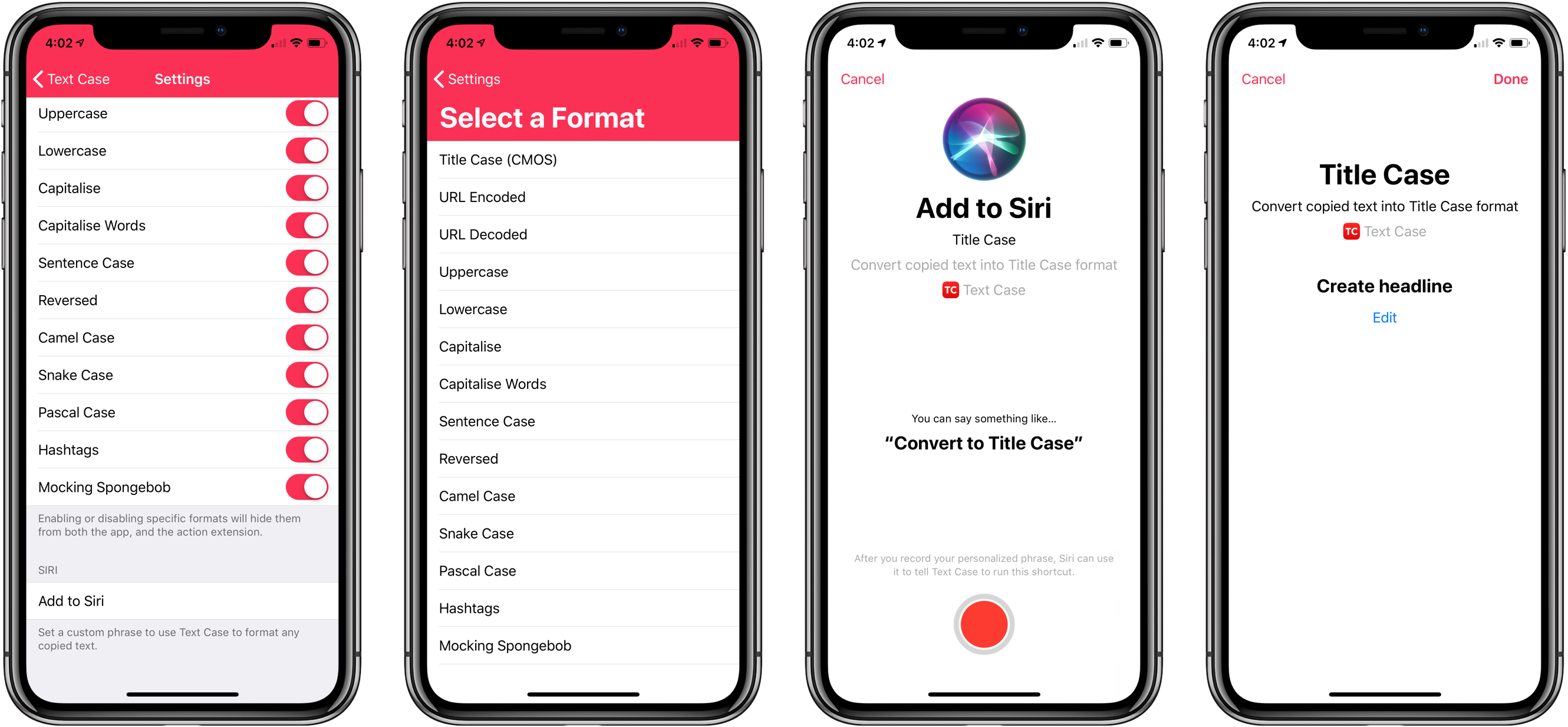
Not long ago, I reviewed an update to a new text transformation utility for iOS by Chris Hannah called Text Case. That update added support for title casing text according to popular style guides including the Chicago Manual of Style that we use here at MacStories. The app can do 13 other text transformations too like URL encoding and decoding, all caps, sentence capitalization, and many more.

I have the title casing rules of the style guide internalized for the most part, but every now and I want to check on a headline to be sure. In the past, I used an online service, which works well, but switching to a browser is an interruption. It’s a small interruption, but it’s one that may lead me to check another open tab or do something else that distracts me from completing an article. When I’m writing, I’d rather stay immersed in my text editor.

With Text Case’s extension, I can run a headline conversion right inside my text editor from the share sheet that’s accessible from the contextual popup menu that appears when you select text. With version 1.3 out today, Hannah takes the app a step further by adding Siri Shortcut support too.

Read more


Streaks 4 Adds iPad Support, Timed Tasks, HealthKit Improvements, and Siri Shortcuts

There are a lot of habit trackers on iOS, but Streaks was one of the first and remains the gold standard against which I measure all other trackers. Even as Crunchy Bagel has added new features and customization options, Streaks’ simple, elegant design has remained at the center of its user experience. That’s important because habit tracking only works if it’s easy to log events. Even the slightest friction makes it too easy to abandon your efforts.

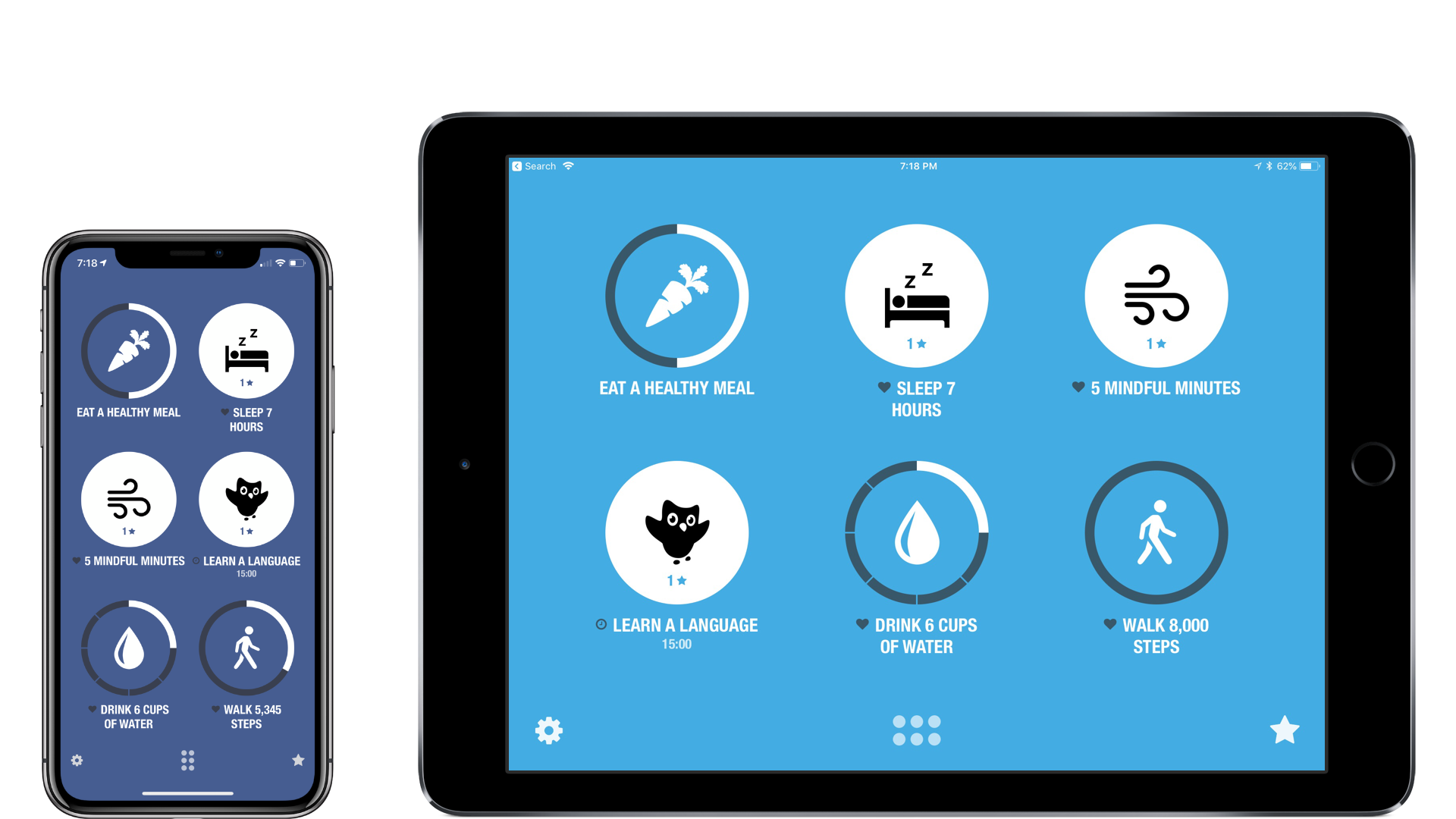
I’ve reviewed Streaks 2 and last summer’s major 3.0 update before, so I won’t cover that ground again here. Instead, I’ll focus on what’s new: an all-new iPad app, timed tasks, improved health tasks, and Siri shortcuts.

Read more


PCalc 3.8 Adds Support for iOS 12’s Siri Shortcuts, Including Powerful Clipboard Commands

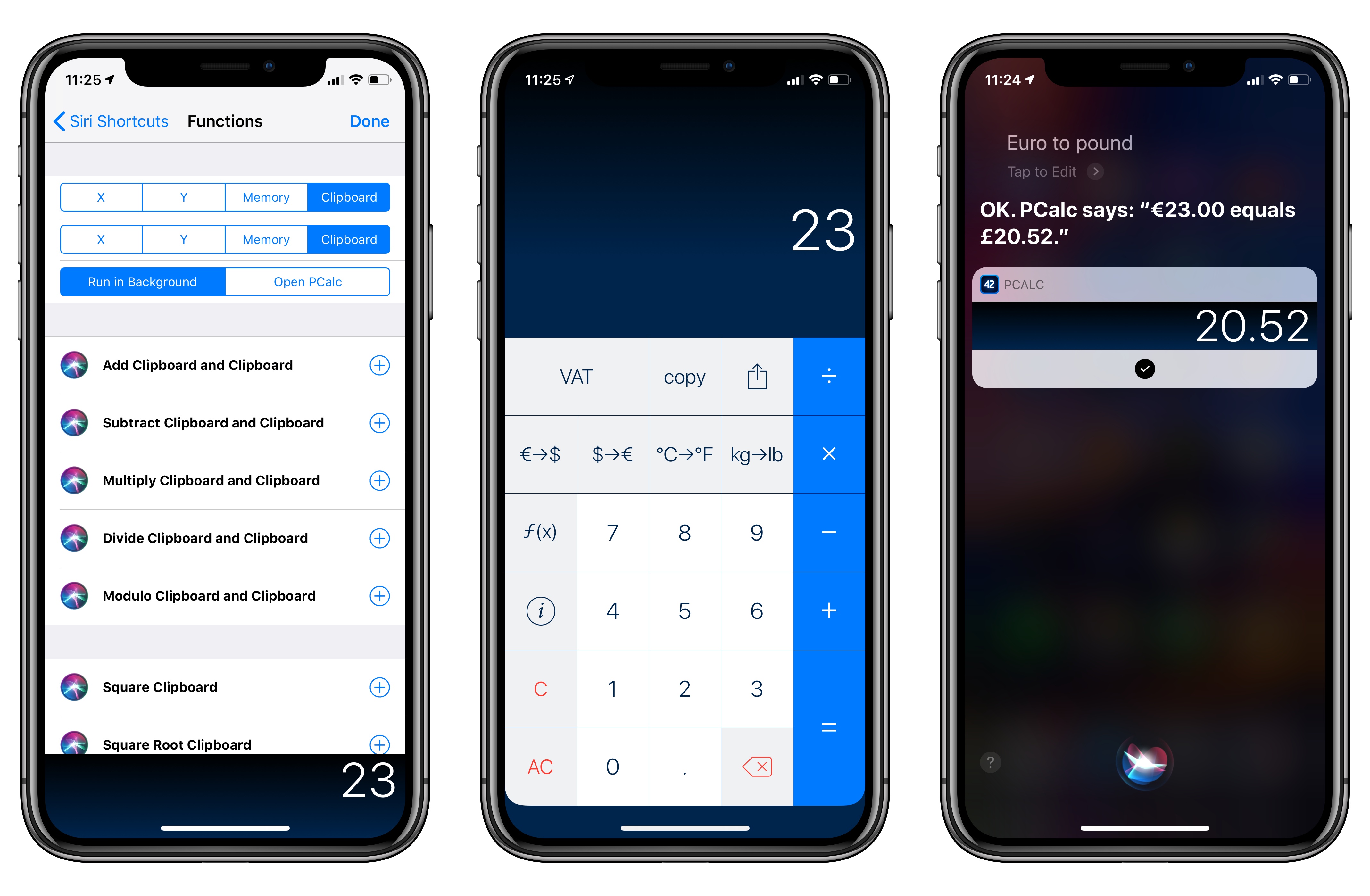
PCalc, James Thomson’s advanced calculator for iPhone and iPad, has been updated this week to version 3.8. I’ve been testing PCalc 3.8 for the past couple of months on my devices running iOS 12, and it features one of the best implementations of Siri shortcuts I’ve seen from a third-party developer yet. Even more than the app’s excellent widget, shortcuts have enabled me to integrate PCalc features into different aspects of my daily workflow, including conversations with Siri via my HomePods.

Read more


Text Case for iOS Adds Title Case Text Transformations Based on Popular Style Guides

Several weeks ago I mentioned Chris Hannah’s recently-released iOS text transformation utility Text Case in the Club MacStories weekly newsletter. The app has a simple, utilitarian design that uses the big, bold header text popularized by Apple apps like News and Music. Version 1.0 included a long list of built-in text transformations. Some, like URL encoding and decoding, are useful, and others, like ‘Mocking SpongeBob,’ are just for fun. By and large though, the transformations in version 1.0 were geared more towards developers than writers. That’s changed with version 1.2 of the app, which should make it appeal to a wider audience.

The latest update adds Title Case, which can transform headlines according to the style guides for the Associated Press, American Psychology Association, Modern Language Association, or Chicago Manual of Style. The update also adds sentence case and Pascal case.

Read more


Creative Selection Delves into Apple Software Design with Stories about Safari, the iPhone, and the iPad

Today, former Apple engineer Ken Kocienda’s book Creative Selection, which covers his career at Apple and insights about the company’s software design process, was released. As an engineer at Apple, Kocienda worked on several high-profile projects including Safari on the Mac and the touch keyboards on the iPhone and iPad. Much of the publicity surrounding the book focuses on Kocienda’s work on the iPhone. However, there is a treasure trove of interesting anecdotes about other products and people that make Creative Selection an absorbing read for anyone interested in the creative process and Apple.

Read more


Due 3.0 Adds Pure Black Theme, Custom Snooze Times, and Haptic Feedback

My task manager is packed with personal and work tasks. I rely on it to keep me on track day-to-day and week-to-week. The reason my task system works though is that it doesn’t include absolutely everything. If I started adding the minute-to-minute minutiae of life, I’d get bogged down in the volume of tasks each day.

For a while now, I’ve been using Apple’s Reminders app to keep track of one-off tasks, little things I might forget to do, errands, and tasks with deadlines. I’ve found that it’s a great way to stay on top of items that don’t have a home in a formal project. For the past couple of weeks though, I’ve largely replaced Reminders with Due, which was updated to version 3.0 today.

Read more


Game Day: Donut County

Tomorrow, Donut County by developer Ben Esposito will be published by Annapurna Interactive, which also backed the critically-acclaimed Florence. The game, which was announced in 2014, but has been in development since 2012, tells the story of a raccoon named BK, his friend Mira and an assortment of other characters from Donut County who are trapped 999 feet beneath the surface of the Earth. You play by manipulating a hole that grows as you move it across the landscape swallowing objects. If the premise sounds strange, that’s because it is, but it also works through a combination of a clever game mechanic, funny writing, and engaging sound design and artwork.

Read more