

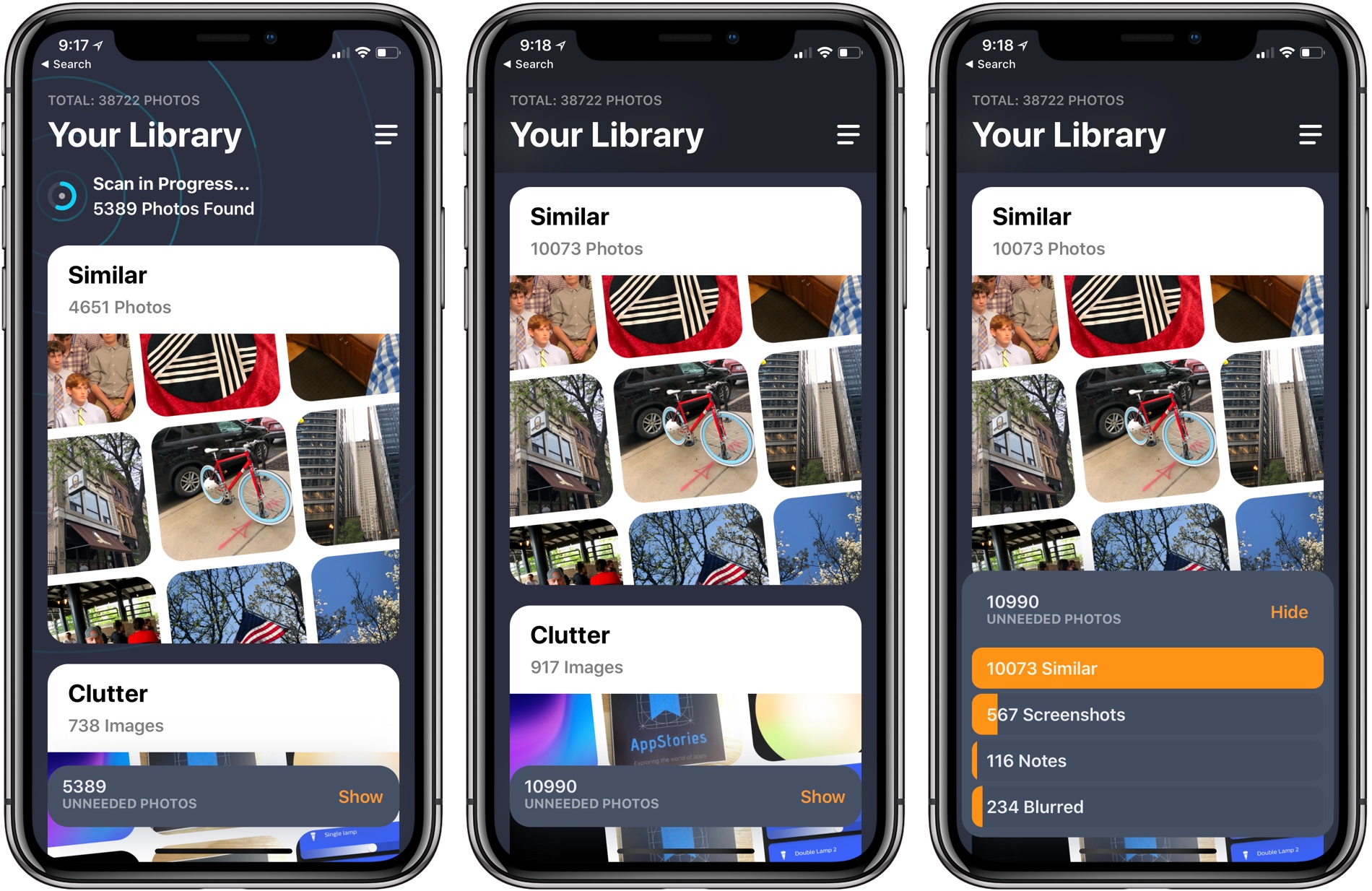
MacPaw has released a brand new iPhone app that takes the ideas from Gemini 2, the company’s duplicate file finder on the Mac, and applies them to your iOS photo library. Gemini Photos uses an algorithm to analyze your photos that suggests the ones you should consider deleting. With photo files getting bigger with each improvement of the iPhone’s camera and features like Live Photos and burst mode, a utility like Gemini Photos can save significant amounts of space on your iPhone.
Posts in reviews
Gemini Photos Declutters Your Photo Library
Castro 3 Review: The Castro You’ve Always Wanted
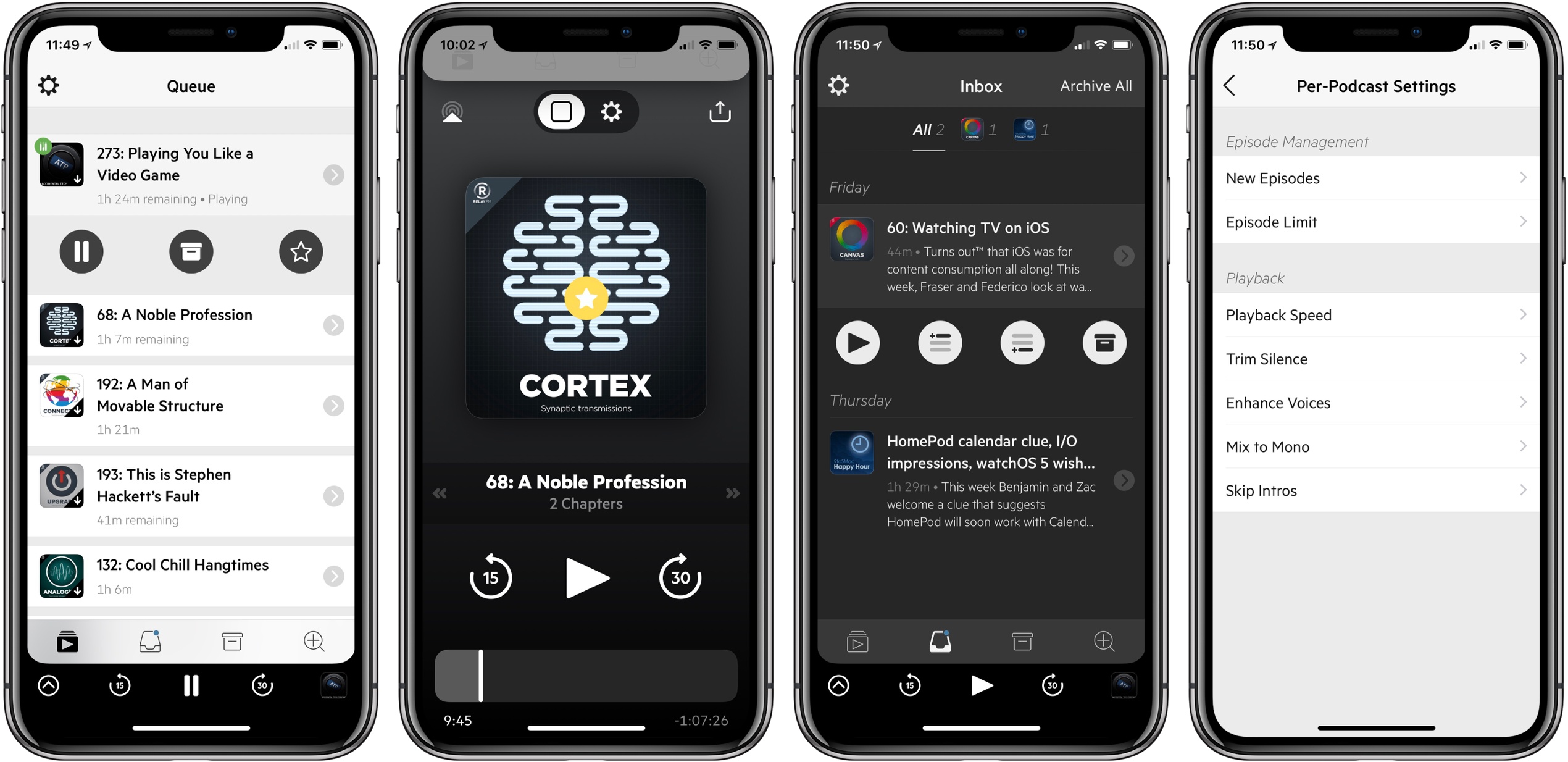
Castro has long been one of the premier podcast clients on iOS, and its excellent version 2 – with an innovative triage system and delight-inducing design touches – helped solidify it as such. Those strengths in 2.0, however, were mitigated in part by the absence of a few key features that competing podcast apps tout. That changes with Castro 3.
If you’re unfamiliar with the app, Castro’s centerpiece feature is a triage system involving an inbox and queue. The premise is that, with the rising popularity of podcasting, there are more great podcasts available than ever before. If you subscribe to lots of shows, the standard episode management tools found in competing apps likely aren’t sufficient. With Castro, by default new episodes of shows land in your inbox, and can then be sorted to the top or bottom of your queue and downloaded, or archived if they’re not of interest to you. It’s an elegant solution to the problem of podcast overload, and, thanks to customization options that allow you to make certain shows populate the top or bottom of the queue automatically, it’s a system that works for you, tailored to your listening preferences.
Castro’s triage system clicked with me the first time I tried it, and I used the app daily for nearly a year. Eventually though, I became more selective about the portions of podcasts I listened to, and Castro’s lack of chapter support sent me elsewhere. I’ve seen comments from other prospective Castro users who were similarly turned off from the app due to one missing feature – and often, this feature was different for different people.
If an absent feature ever kept you from sticking with Castro 2, that almost certainly won’t be a problem anymore. Castro 3 addresses nearly all of those “one missing feature” requests in a single release. Trim Silence is Castro’s take on Overcast’s Smart Speed; full chapter support is now present, as is a new Apple Watch app; the player screen has been fully redesigned; Mix to Mono improves stereo mixes that are hard to hear; and finally, there are excellent new per-podcast controls in a variety of areas. Perhaps the only thing still missing is an iPad app.
Castro 3 is everything Castro already was, but better. It’s the app that Castro fans have always wanted.
Tweetbot 3 for Mac Review
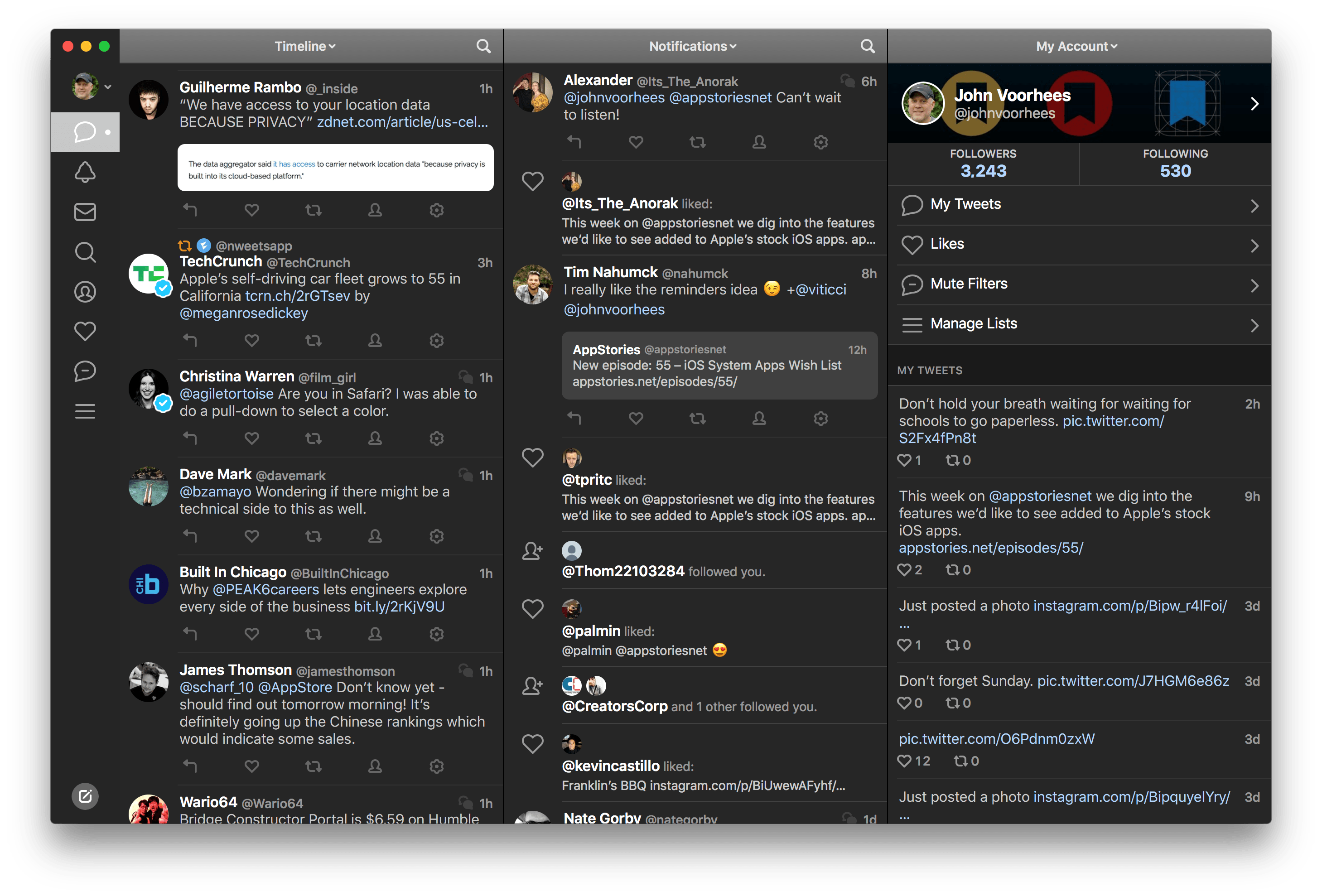
Tapbots has released Tweetbot 3 for Mac, which overhauls the app’s design, provides greater flexibility to manage multiple columns and navigate different parts of Twitter, and includes a dark mode. For the first time since it was introduced in 2012, Tapbots has also made version 3.0 a separate paid app, which means that existing and new users alike will have to pay $9.99 for the update.
Streets 4 Adds Drag and Drop, Live Panorama Mode, and iPhone X Support
Last week my wife and I ventured to New York City for a vacation, and in the time leading up to that we planned out our agenda with the help of Google Street View. Unfortunately, our planning took place just a couple weeks too early to benefit from the newly released Streets 4 by FutureTap.
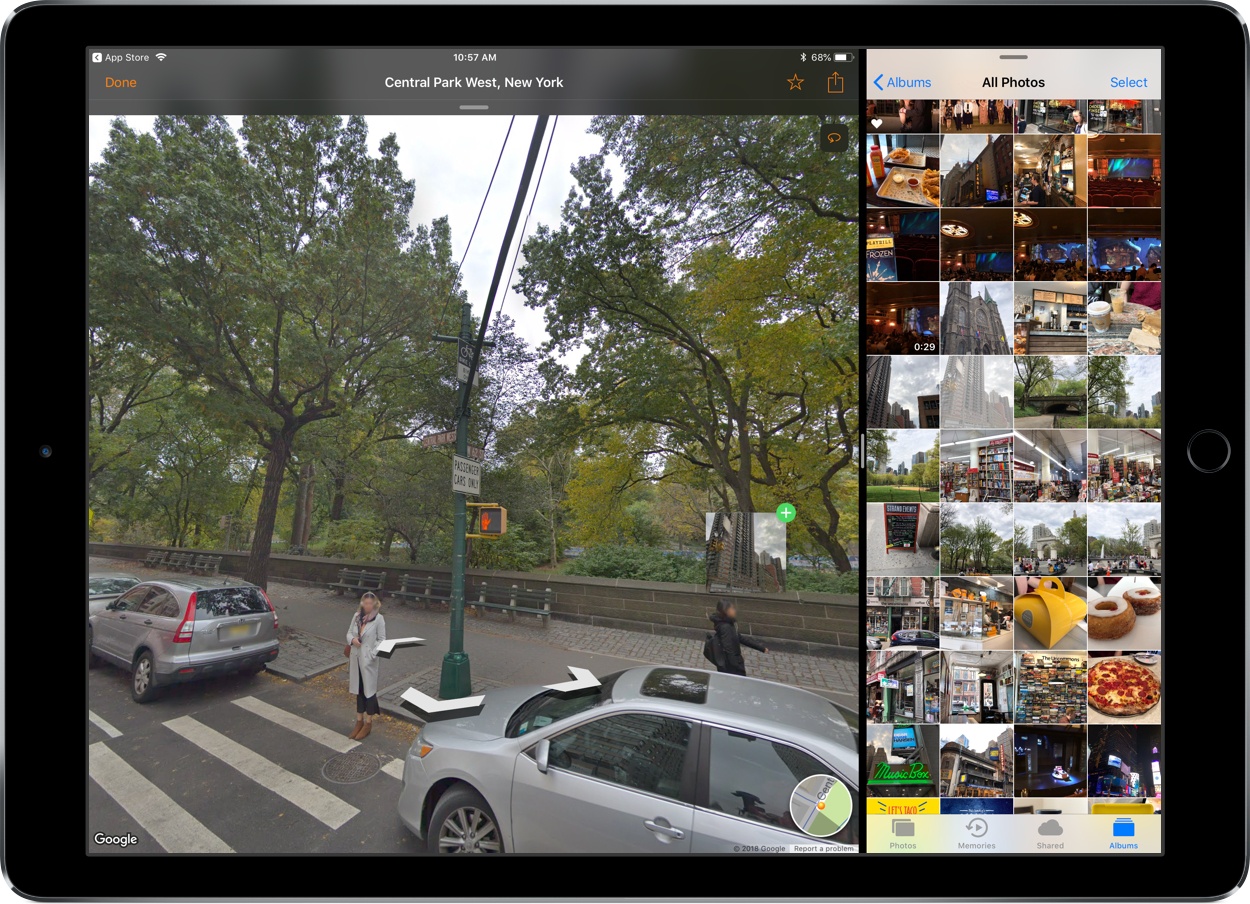
Streets is an iOS and watchOS app John reviewed upon version 3’s release. It provides an immersive, touch-friendly way to navigate Google’s Street View data. And in version 4, that experience has been upgraded with drag and drop support on iPad, a new Live Panorama mode, and optimization for the iPhone X’s display.
Drag and drop enables you to drop in a location from Apple Maps, a contact that includes an address, or any other linked address to load up nearby panoramas in Streets. My favorite feature enables dropping in any geotagged photo, which Streets will identify the location of so it can show you existing 360º images of the same or a nearby area – an easy way to discover great captures from other photographers.
Live Panorama mode can be toggled on by tapping the rotating circle icon in the top-right corner. Once activated, it offers a new interaction method for exploring street views. Rather than swiping around on the screen, simply move your device in the space around you and the visible street view area will change with your motion.
Whether you’re planning some time away, or simply want to explore the world from the comfort of your couch, Streets is the best way to do so on iOS.
Streets 4 is available on the App Store.
Cardhop 1.1 Adds Smart Groups, Printing, and More

Cardhop from Flexibits got an update to version 1.1 today, and it packs in some pretty great improvements for an incremental update.
If you missed it before, Cardhop is the app from the makers of Fantastical that does for contacts what Fantastical did for calendars. All your contacts are managed from your menu bar, and you’re never more than a few keystrokes away from sending an email, making a call, sending a text, or anything else contact-related. Type “email elle” and it will find Elle’s card, pick the first email address, and hitting enter will fire up a new email in Mail (or your favorite mail app). Type “call mom home” and handoff a call to Mom’s home phone number. It’s far more powerful than that, but I’ll refer you to John Voorhees’ great writeup back in October for the overview.
Cardhop 1.1 comes with some fixes and improvements, not least of them being parsing and formatting support for French, German, Italian, Spanish, English, and Japanese. But the two updates that I personally find the most useful are Smart Groups and printing support.
Smart Groups are what you probably imagine – a group of contacts based on a set of criterion that automatically updates as contacts change to match (or fail to match) those criteria. It opens up a few interesting organization and productivity schemes, but my first interest is in pseudo-tagging. I can now add @tags in contact’s notes field and have them sorted into one or more smart folders, reducing my need for a large number of “actual” contact groups. And if I stop using Cardhop and need to access those groups in another app such as Apple’s Contacts, I can always just do a search for the @tag and drag them into a regular group.
The printing features are elegant. Much like those in Apple Contacts, but with a few extra touches in the print dialog, as well as the convenience of printing right from Cardhop. Being able to pull up a contact or an entire contact group and print envelopes with return addresses, or spit out address labels for the whole bunch with just a few keystrokes is a wonderful convenience. All you have to do is type “print [name]” or “print [group]” (or use a Quick Action).
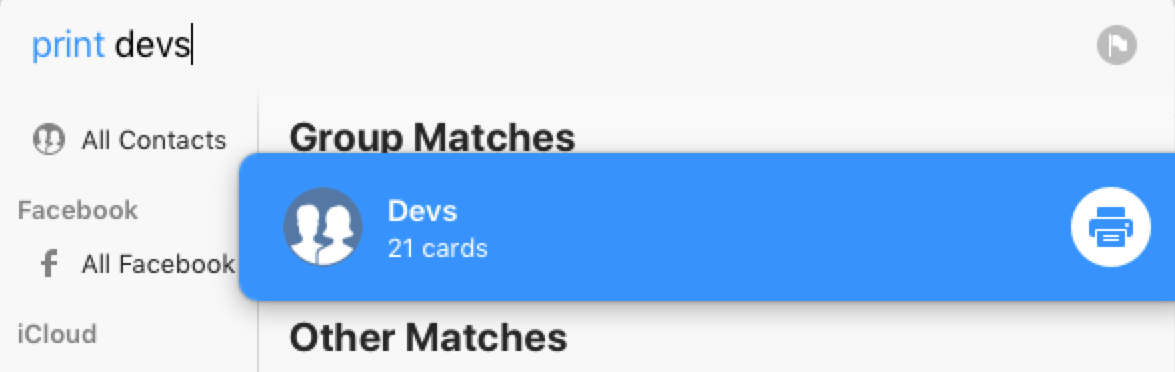
When the print dialog comes up, make sure that you’ve clicked “Show Details.”
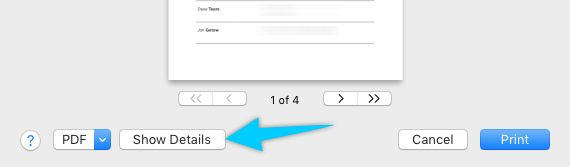
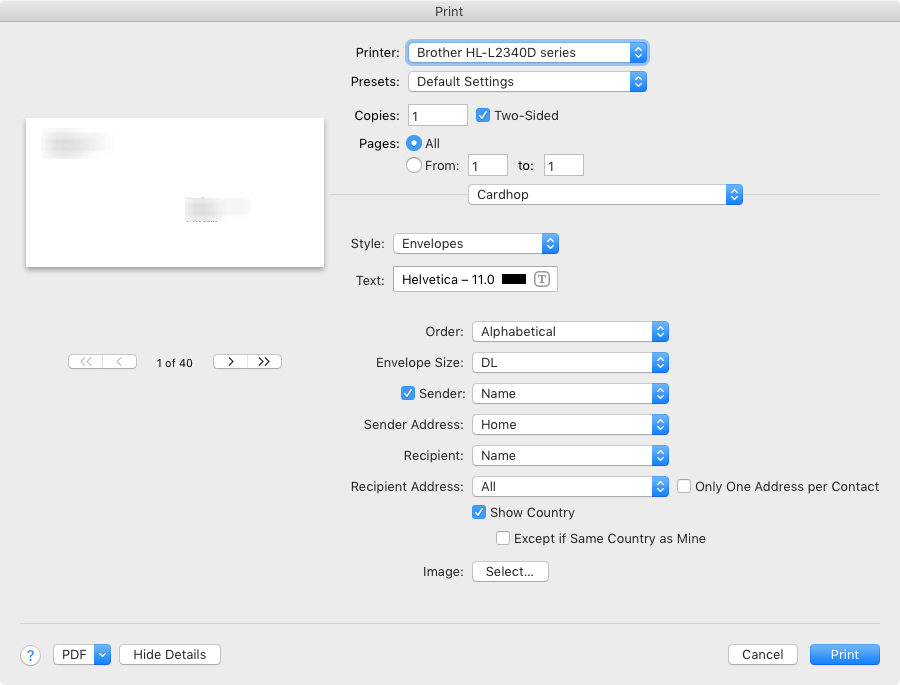
From there you can choose a list, envelopes, or labels, and define which fields to use and other particulars for each type. (You can also switch type with ⌘1-3.)
Other new features include template preferences to control which fields are shown when entering new contacts, an “Add Notes with Timestamp” option to add dated notes to a contact, and typing in the “related contact” field now autosuggests other names from your contacts.
I’ve been loving Cardhop, and I think it’s worth anyone’s time to grab the free trial and give it a go. Cardhop costs $19.99 US and is available on the App Store and direct from Flexibits.
Bear 1.5: New Tag Icons, Note Archiving, an Additional Export Option, and More
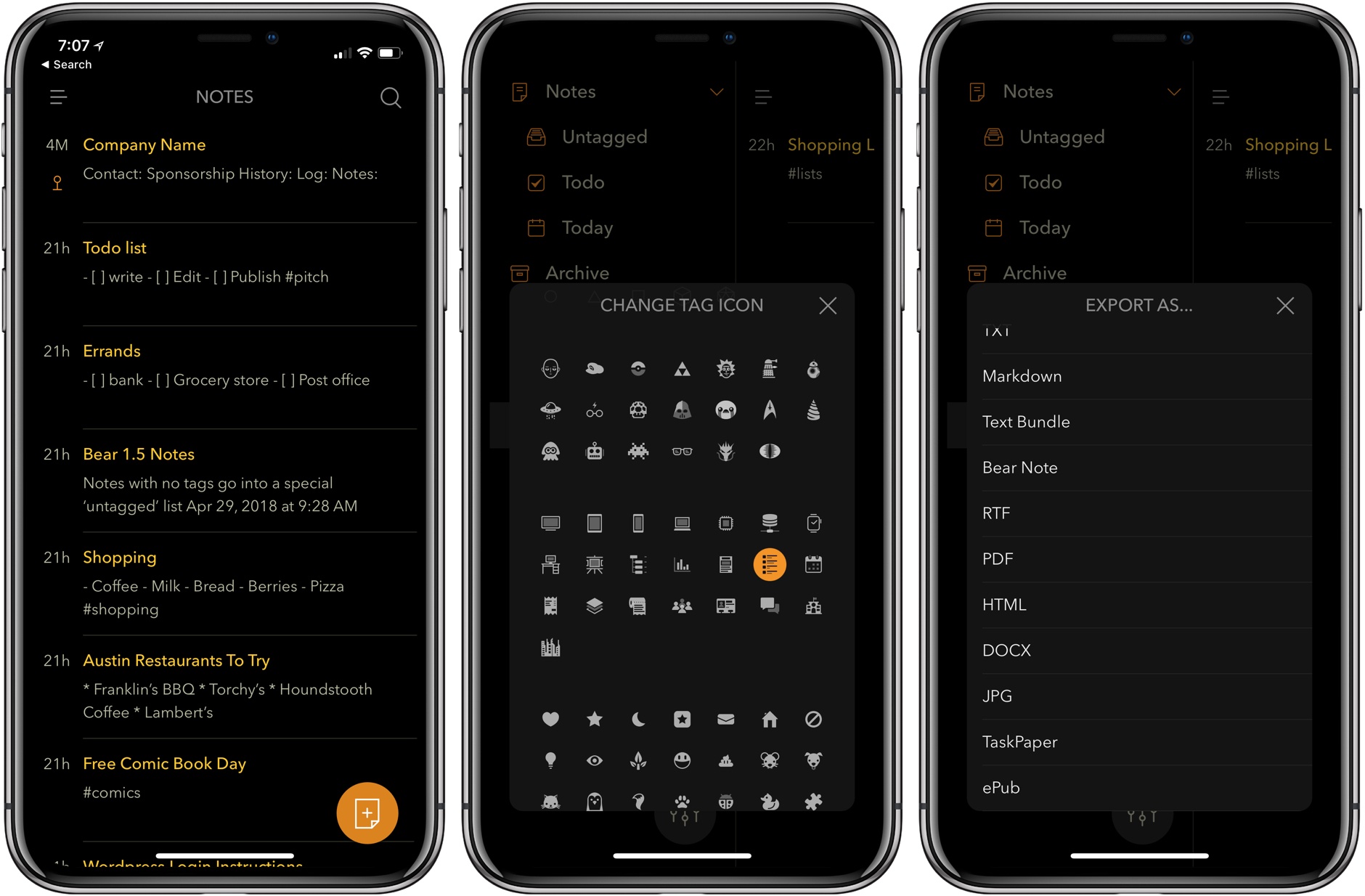
Bear debuted in 2016. That’s given users plenty of time to accumulate large collections of notes, which has made managing them more difficult. With Bear 1.5, Shiny Frog takes note management head-on with an update that significantly improves the way users interact with their note libraries.
1Blocker X for iOS Review
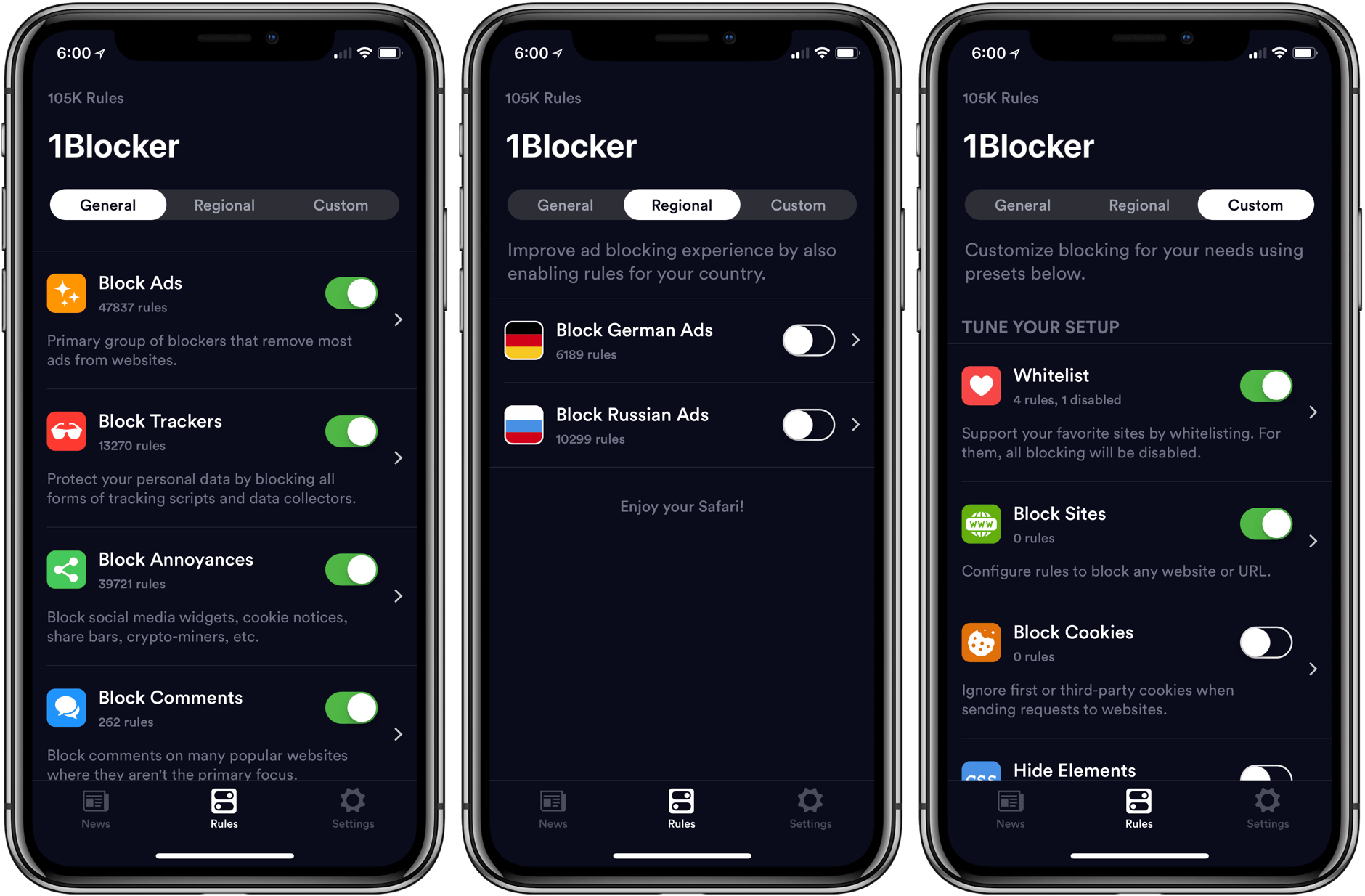
The first thing you will notice when you set up 1Blocker X on an iOS device is its 7 toggles in Safari’s Content Blocker section of the Settings app. It’s a bit of a head-scratcher at first until you realize that this is what allows 1Blocker X to expand beyond the confines of its predecessor.
You see, iOS limits the number of blocking rules that can be implemented by an app to 50,000. That’s a lot of rules, but sadly not enough given the amount of junk on the Internet these days. As a result, it’s a limit that 1Blocker began to run into not long after it launched in 2015.
Finding a way around that hard limit required a rewrite of 1Blocker from the ground up. The result is 1Blocker X, an app with around three times as many blocking rules, room to grow, and enhanced flexibility for applying those rules.
Pretext: Files-Rooted Simple Markdown for iOS
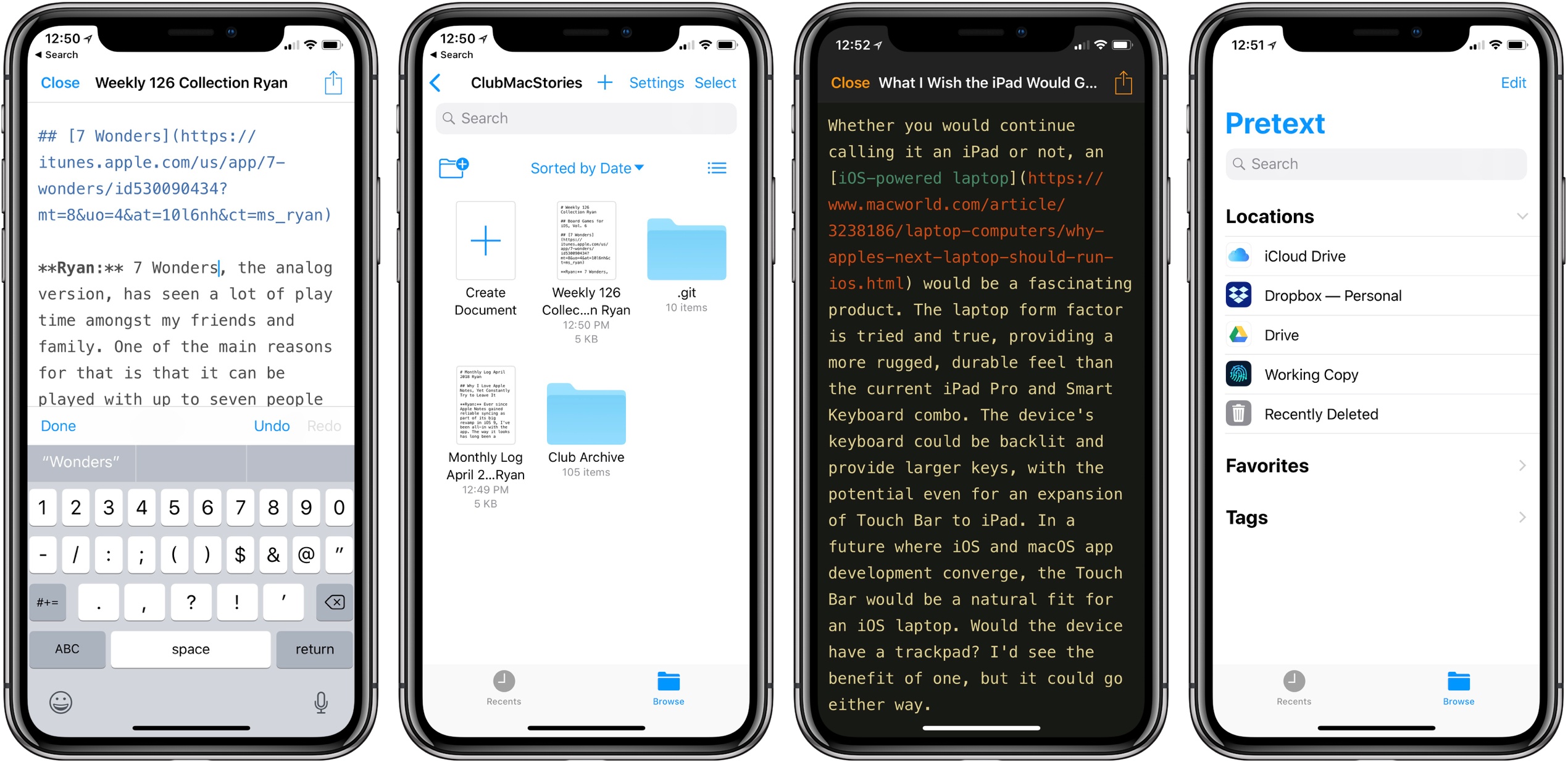
Last month I was delighted to discover a new plain text editor for iOS, Textor, that focused simply on the basics of text editing. Though I valued Textor’s minimalism, one feature I did miss was support for Markdown styling. This hasn’t been added to the app since then, but fortunately, I no longer have to wait for it; a new app just launched that’s essentially Textor with Markdown, and its name is Pretext.
Pretext integrates directly with iOS 11’s Files app, making it easy to create or edit Markdown and plain text files stored across any of your file providers. Open the app and you’ll see a document browser for choosing a file to edit; alternately, you can create a new file by hitting the plus button in the top-right. If you’re creating a new file, Pretext asks you to set a file name, with the option of automatically prepending the date to it, and you can choose to make it either a .md or .txt file.
While the simplicity of Pretext’s “just you and the text” environment is its greatest strength, the app does offer a few specific features that are of benefit to Markdown writers especially. First is the great keyboard shortcut support: all the basics of Markdown syntax can be done with a quick shortcut, including tasks like link insertion; because of this, Pretext offers one of the most efficient means of adding links to an article. The remaining few features of the app are found by hitting the share icon during editing, which offers access to the share sheet, the app’s settings screen, and previewing your Markdown file as HTML – the latter is especially useful for anyone who publishes their work online. Options in settings include tweaking the text size, switching themes from light to dark, and a couple alternate app icons.
I’ve been using Pretext in beta for the last few weeks to edit Markdown files shared by other MacStories collaborators in Working Copy, and the app has been exactly what I need. I can open Pretext, make my edits aided by visual Markdown styling and keyboard shortcuts, and preview the finished product as HTML. All changes are then saved directly in the file’s source.
Pretext is a simple utility, and isn’t going to replace Ulysses for me as a daily driver, but for some people it legitimately could. Too often writing apps are overly complicated, and Pretext focuses on offering just what a writer needs: space, and a few key tools to aid the writing process.
Pretext is available as a free download, with a $0.99 In-App Purchase unlocking the app’s dark theme and alternate icons.
Microcasting on Micro.blog with Wavelength
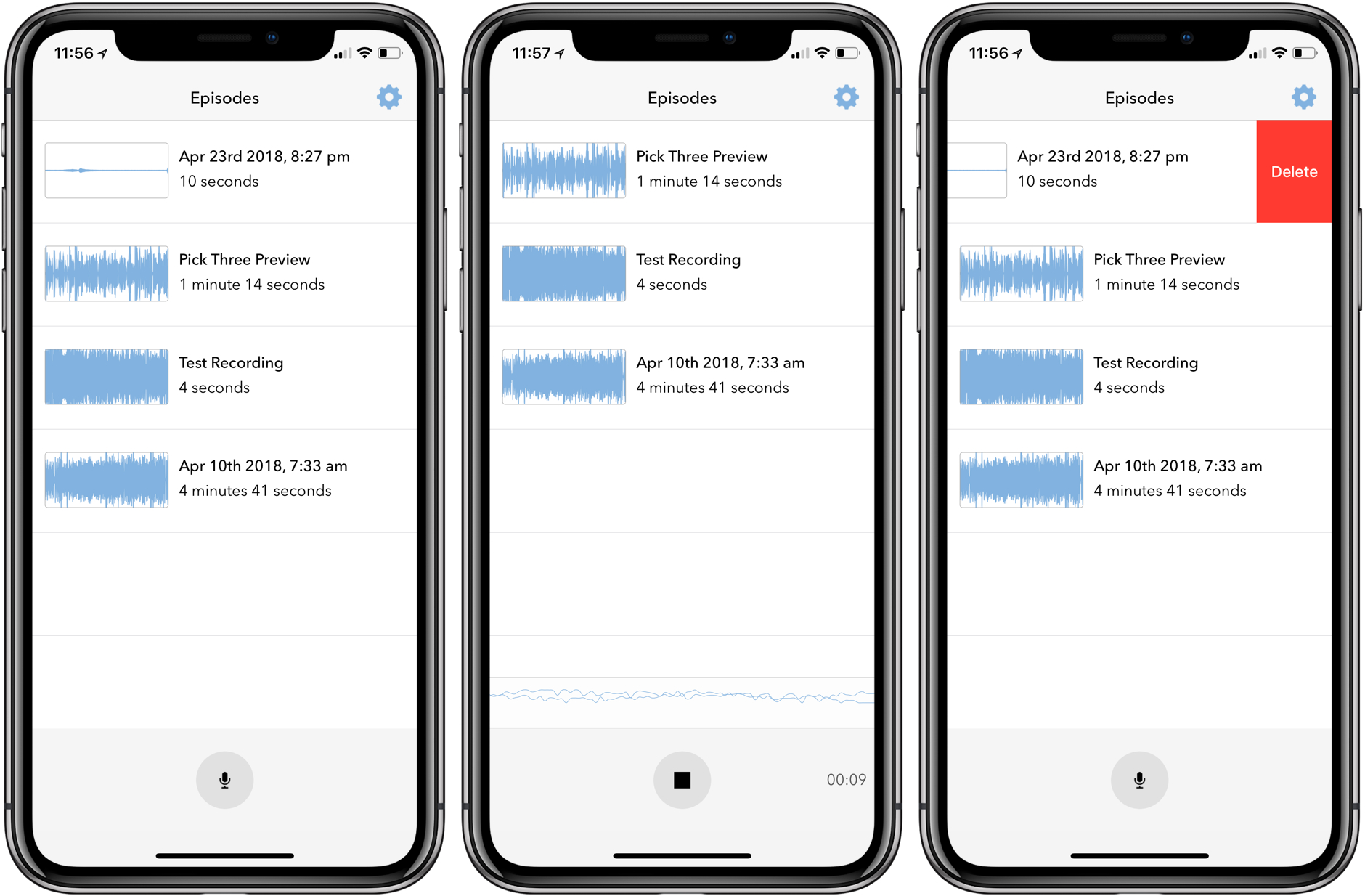
Last month I covered the return of Sunlit, the iOS photo blogging app from Manton Reece that works with Micro.blog and blogging platforms like WordPress. Reece is back with another iOS app that’s aimed at bringing microcasting, which is short-form podcasting, to Micro.blog. Wavelength is an end-to-end solution for recording, editing, and publishing audio using nothing but an iPhone. It’s an interesting approach to podcasting designed to lower the barriers to entry by simplifying the workflow, while also creating new uses for Micro.blog.