


Earlier this year, I reviewed RAW Power for macOS and was impressed by its power and flexibility. Yesterday, Gentlemen Coders released a no-compromises version of RAW Power for iOS that matches the macOS version’s features and adds the ability to manage your photo library and make Depth Effect edits to Portrait mode photographs. There are a few rough edges here and there, but by and large, the app delivers on its promise of desktop-class, non-destructive photo editing on iOS devices.
Posts in reviews
RAW Power for iOS Review
Playground AR: A Physics Sandbox for Freeform Play
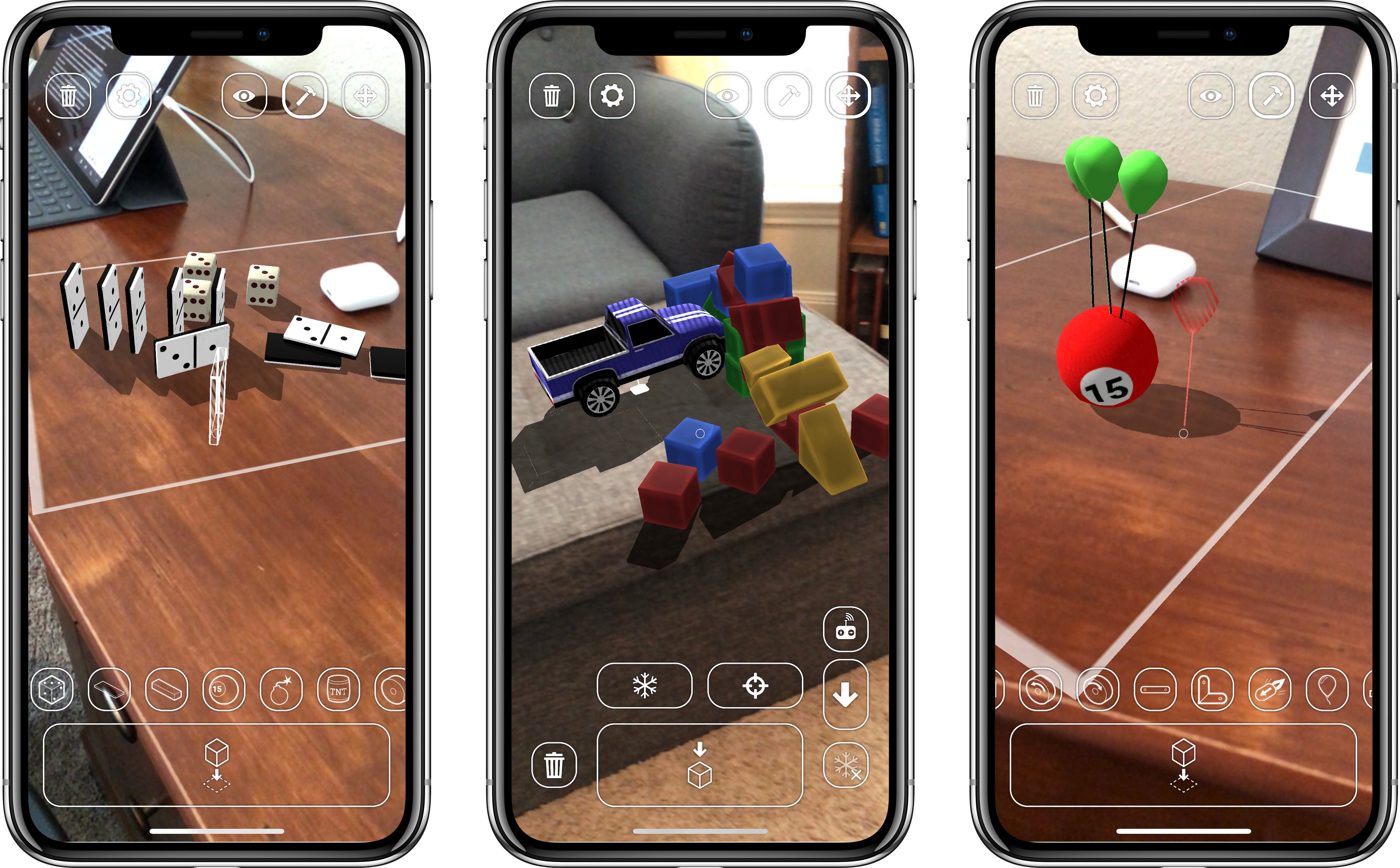
One of childhood’s simple joys for many of us was getting our creative juices flowing by playing with building blocks. It’s one of those tactile, imaginative outlets that adulthood features far less of. Blocks also brought the added benefit of getting to destroy the work you’d built – a task similarly delightful to the actual building.
Recently my wife and I were babysitting twin 1-year-old boys, owners of a big bucket full of colorful, cardboard bricks. All throughout the night I enjoyed building small towers with the bricks, and the boys would have a blast knocking those towers down. Even when they were on the other side of the room distracted by something else, if they saw me stack three or more bricks together, they’d quickly come running to play demolition crew.
Playground AR is a new app from developer Marc Sureda that uses ARKit to bring the joys of childhood play to all ages – and with no mess to clean up either. The app provides a variety of toys that let you both build and destroy, with a physics system backing it all up to make the experience a delight.
There are three main modes in Playground AR: one is for placing objects in your playground, another lets you better survey and capture photos of what you’ve built, and the last is for picking up and moving existing objects. Objects you can place of course include blocks of varying shapes and sizes, but there are also lots of other fun, interesting toys to experiment with – trucks, helicopters, dice, spinning widgets, and more.
The physics engine is what makes Playground truly shine. Stacking blocks too high, for example, will cause your creation to topple over if the stack isn’t well-balanced. Dominos can be strung together in an elaborate setup then knocked down by a rolling ball. Magnetized blocks will stick together even if gravity or another object forces them to fall. Balloons can be attached to objects, and depending on an object’s weight and the number of balloons, the object will eventually be sent flying into the stratosphere. But I would be remiss if I didn’t mention my favorite physics demonstration: placing bombs and TNT containers in your playground to blow everything up. It’s brilliant.
If you want to spend some time goofing around in an AR sandbox, building and destroying in all kinds of creative ways, you can pickup Playground AR on the App Store for $1.99.
SongShift 3.0 and Switching Between Apple Music and Spotify
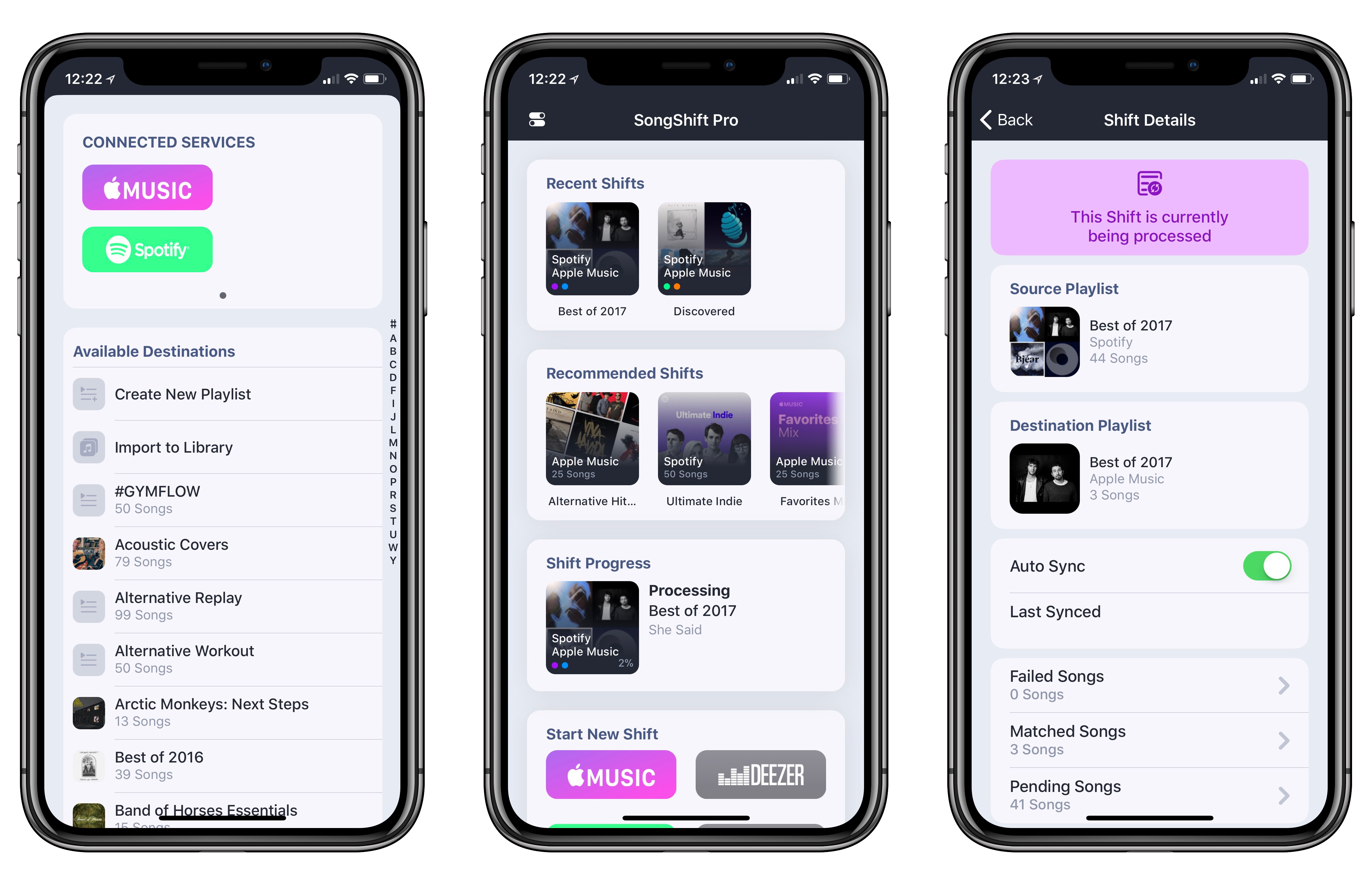
For the better part of this year, I’ve been using both Spotify and Apple Music. In my opinion, each service does a few things exceptionally well, but, unfortunately, I can’t have all of them in a single music app.
Spotify’s discovery tools for both old and new songs are simply unparalleled in the industry: Discover Weekly continues to surprise me on a weekly basis just like mixtapes used to do. Spotify is everywhere (including my Amazon Echo); I like how it organizes releases on artist pages; and, it’s got a richer selection of user-generated playlists. Apple Music, on the other hand, looks much better than Spotify (I love Apple’s focus on album artworks and large photography), features built-in lyrics, is deeply integrated with the Apple ecosystem, and I’m a fan of the social feed launched with iOS 11. In short: Spotify is superior when it comes to discovery for music aficionados and integration with third-party hardware, but Apple Music is nicer and easier to use for iOS users. I can’t choose because I happen to have a foot in both camps.
Game Day: Flipflop Solitaire
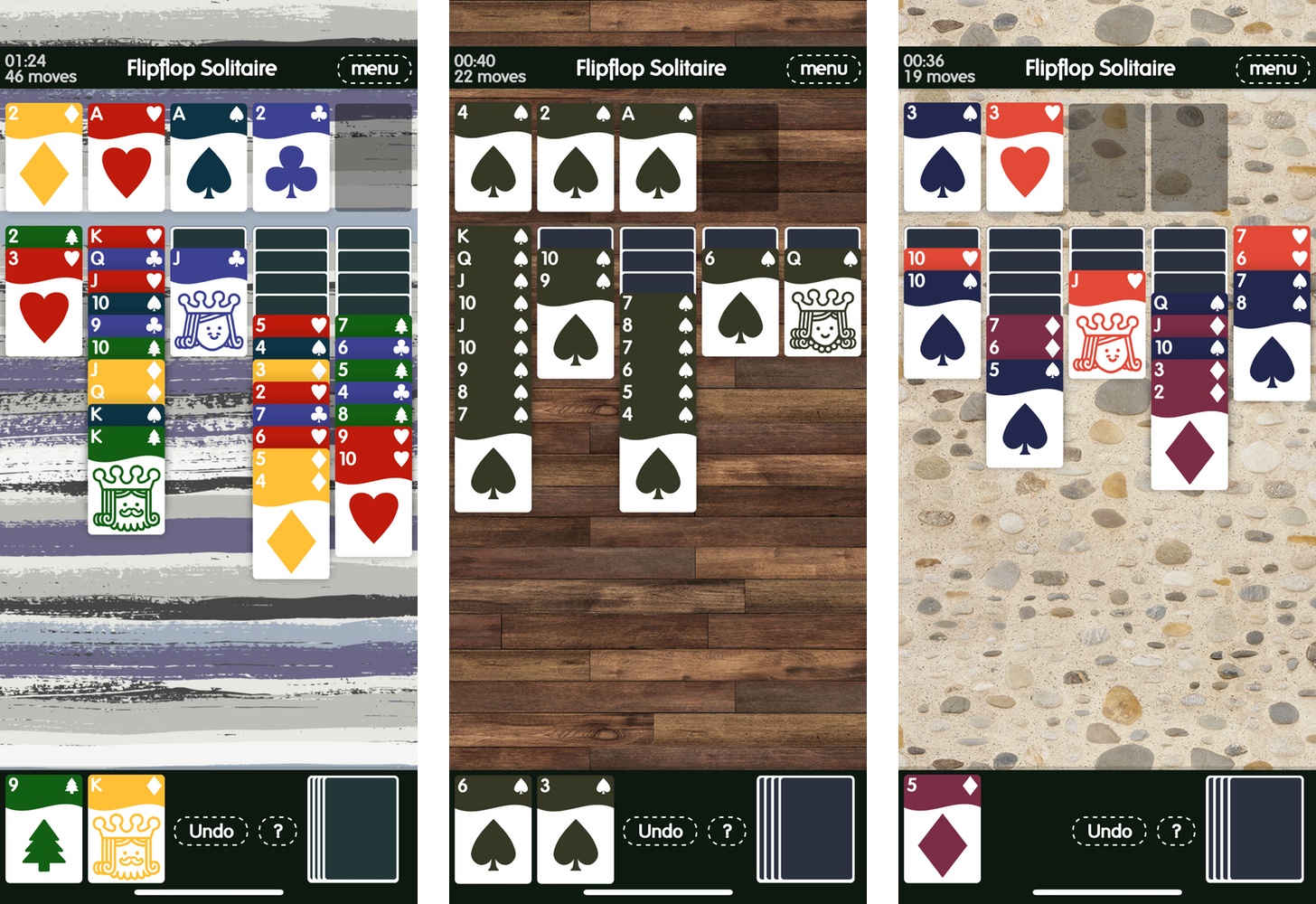
Zach Gage has a reputation for messing with the rules of classic games with releases like Bad Chess and Sage Solitaire. With Flipflop Solitaire, Gage is back with another take on solitaire that’s simultaneously familiar and disorienting. The result is a fun, addictive game that breathes new life into the traditional card game.
iPhone Reborn: Initial Thoughts on the iPhone X
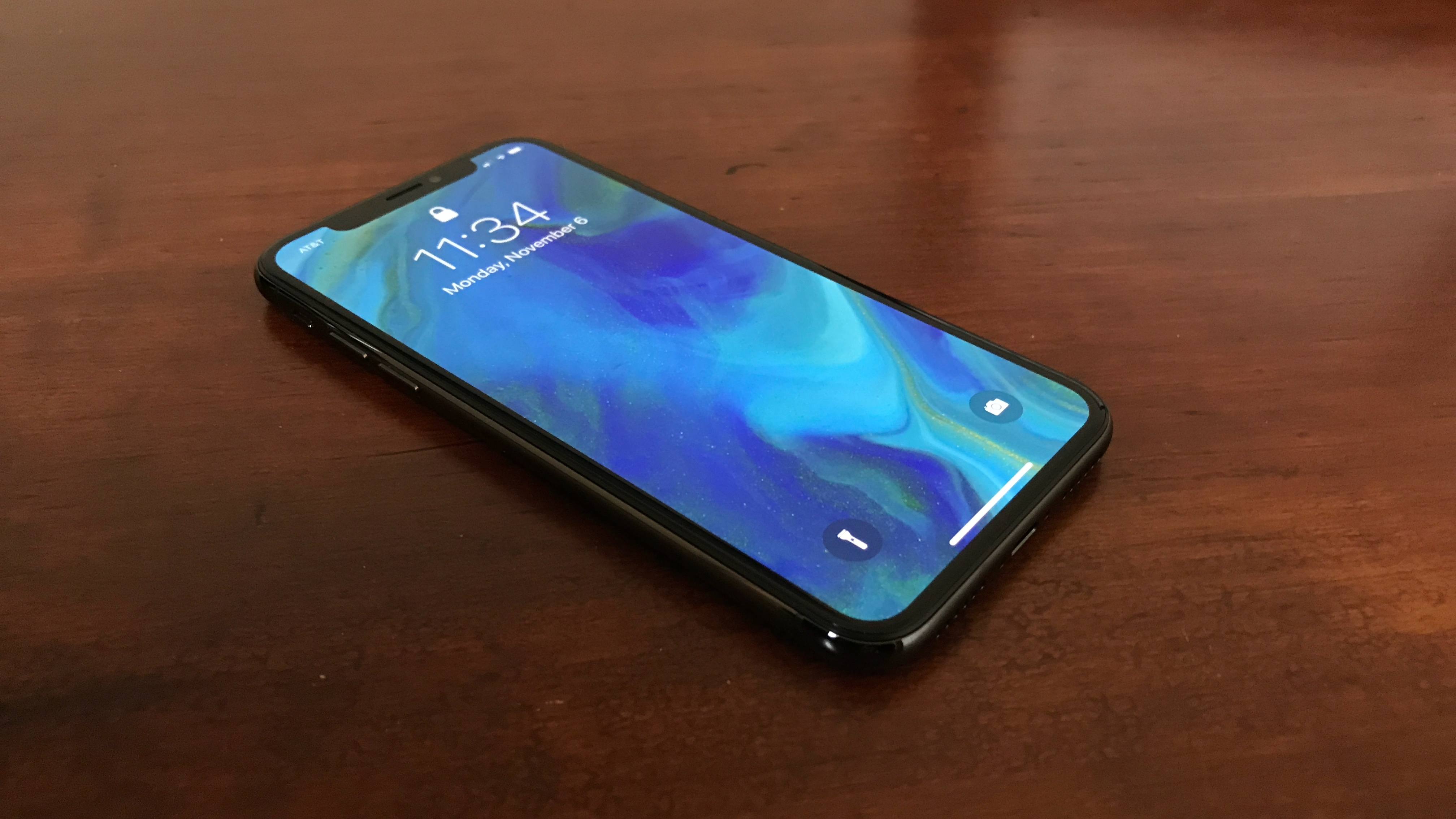
This is not just another iPhone.
Spend enough time with an iPhone X, and every prior iPhone will feel surprisingly foreign. The radically new display and Face ID are not mere features of this new device – they are foundational pieces of a new iPhone experience that, once lived with, you’ll never want to go back from.
While Federico is hard at work on his full review of the iPhone X, I wanted to share my early impressions of the device after a few days of use.
Overcast 4.0 Brings UI Optimizations for iOS 11 and iPhone X, Drag and Drop, and New Advanced Settings
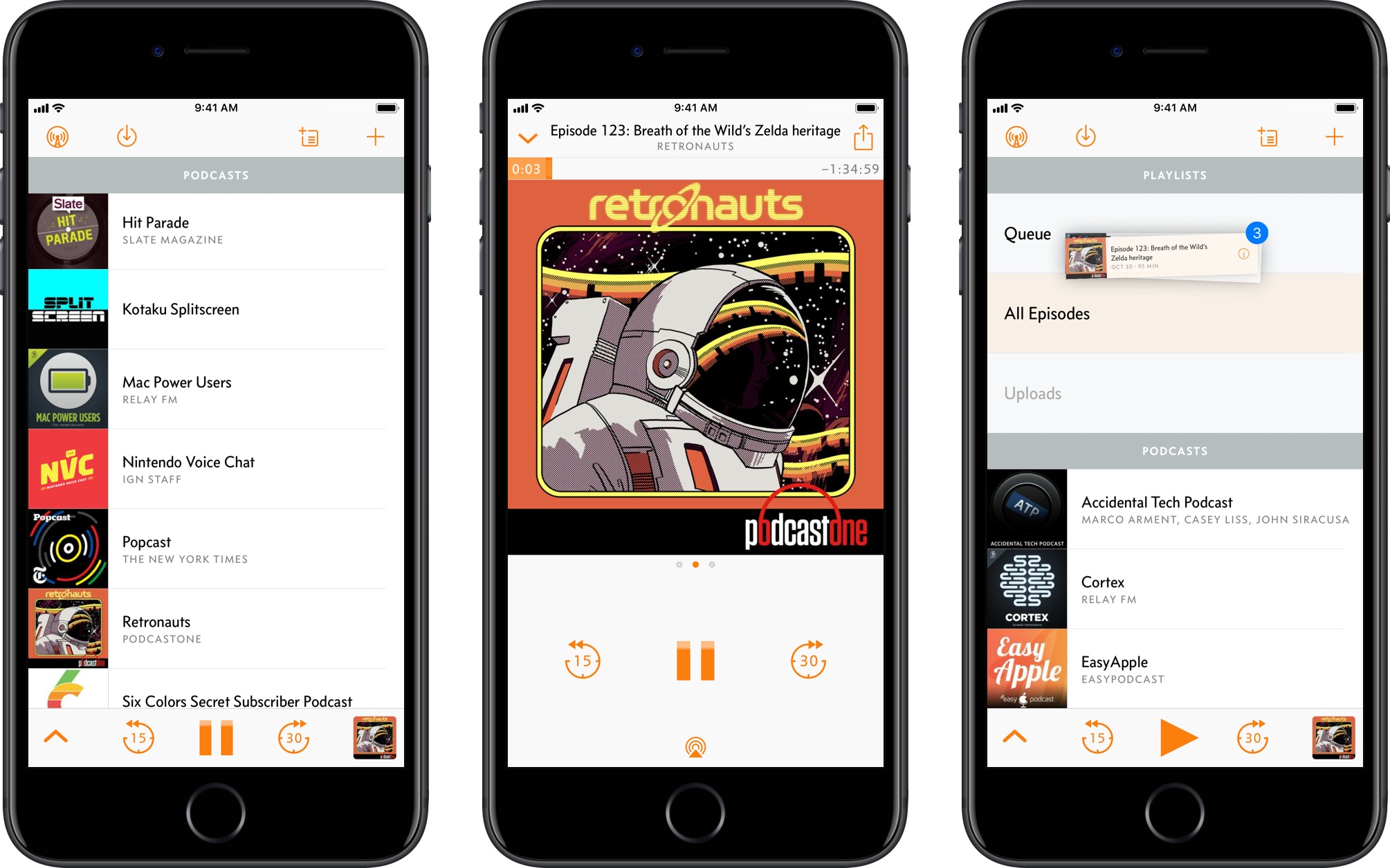
The combination of iOS 11 and iPhone X is pushing developers to reconsider many of their interaction paradigms and interface affordances that predated the Super Retina display and drag and drop. In a span of two months, iOS 11 made custom implementations of multiple item selection and reordering effectively obsolete, while the iPhone X now requires apps to embrace its display and novel status bar design.
Overcast 4.0 is a good example of how Apple’s biggest releases of the year impacted apps that needed a lot of work to be updated for the iPhone X and iOS 11. Released today on the App Store, Overcast 4.0 bears no groundbreaking additions to the experience; instead, developer Marco Arment focused on design refinements and simplifying the app’s navigation, modernizing Overcast’s appearance and flow while bringing smaller enhancements to the listening and browsing experience.
There are some notable changes in this version – drag and drop is present, albeit in a limited fashion – but Overcast 4.0 is primarily aimed at foundational improvements and laying the groundwork for the future. Despite this “Snow Leopard approach”, however, heavy Overcast users should still find the many optimizations as well as the “by popular demand” tweaks more than welcome.
Apollo: A Powerful, Modern Reddit Client for iOS
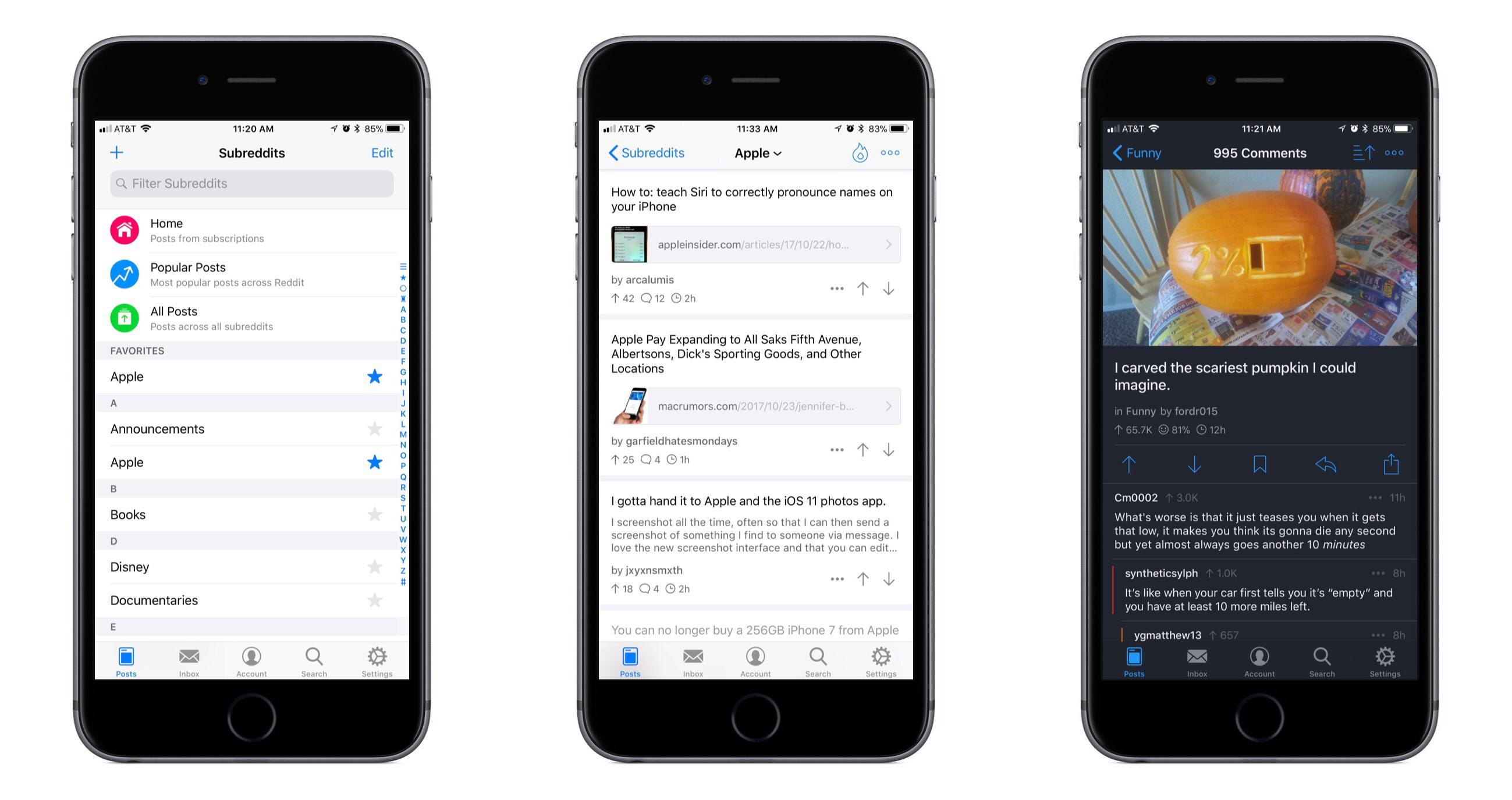
Reddit is one of those spaces on the Internet that I’ve historically stayed mostly away from. Due to my role at MacStories, however, and a thriving Apple subreddit, I’ve been there more in the past year than all prior years combined. During that time I’ve tried all the best iOS Reddit clients in an attempt to find one that’s right for me. For one reason or another, none have stuck; today, however, that changes, with the release of Apollo.
Ulysses 12: Writing on iOS Has Never Been Better
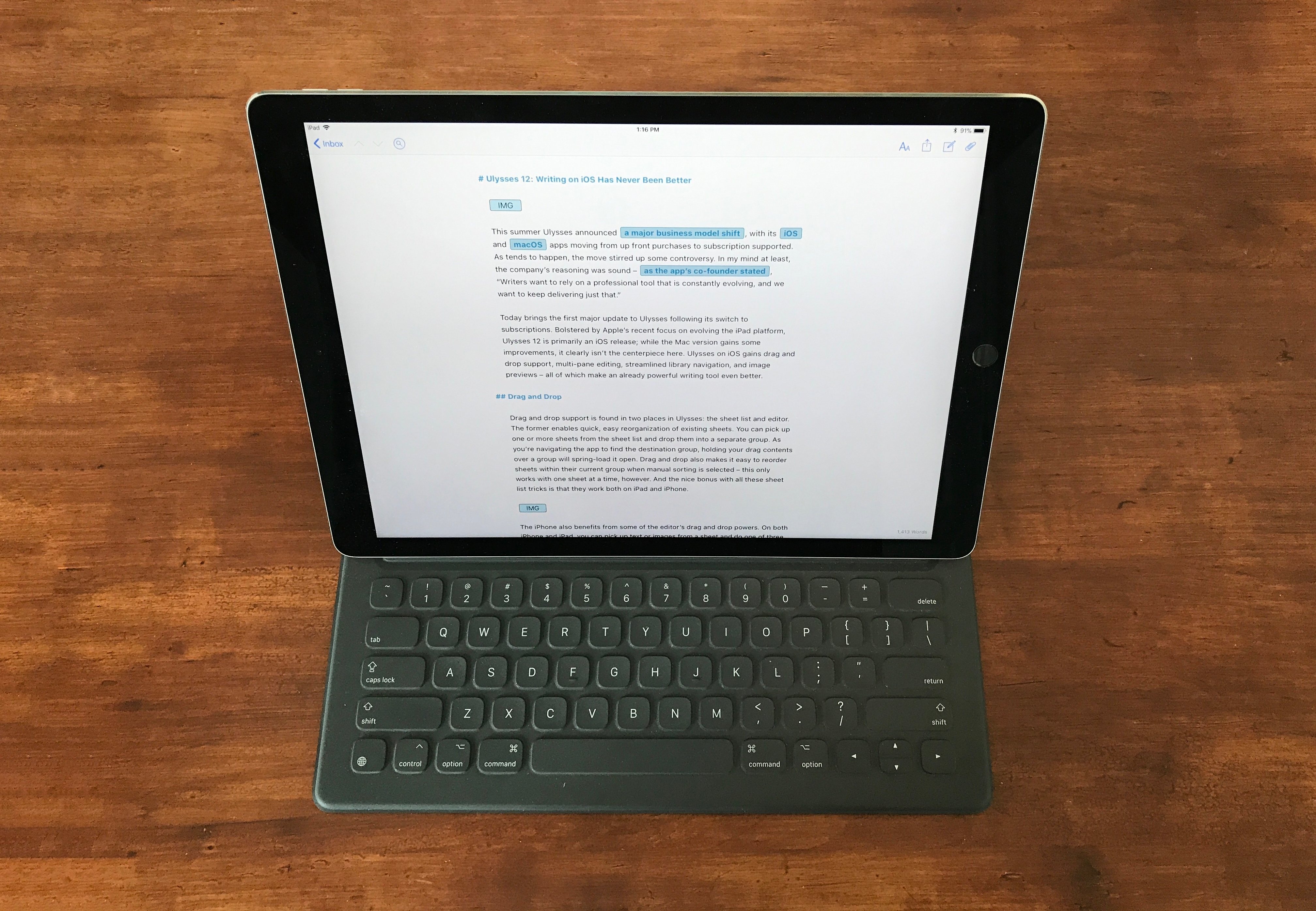
This summer Ulysses announced a major business model shift, with its iOS and macOS apps moving from up front purchases to subscription supported. As tends to happen, the move stirred up some controversy. In my mind at least, the company’s reasoning was sound – as the app’s co-founder stated, “Writers want to rely on a professional tool that is constantly evolving, and we want to keep delivering just that.”
Today brings the first major update to Ulysses following its switch to subscriptions. Bolstered by Apple’s recent focus on evolving the iPad platform, Ulysses 12 is primarily an iOS release; while the Mac version gains some improvements, it clearly isn’t the centerpiece here. Ulysses on iOS gains drag and drop support, multi-pane editing, streamlined library navigation, and image previews – all of which make an already powerful writing tool even better.
Cardhop by Flexibits Takes on Contacts
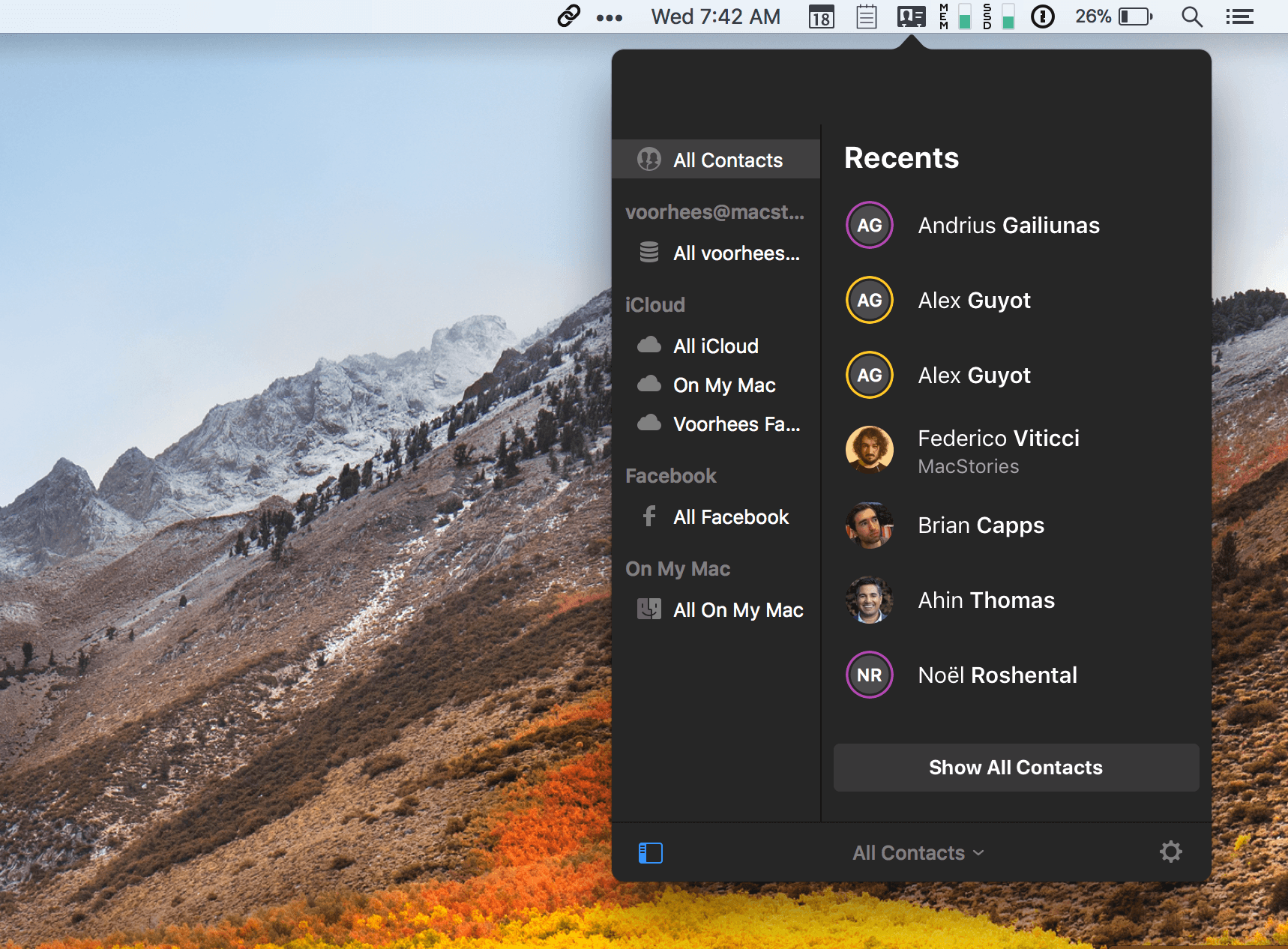
Flexibits took much of the frustration out of calendars when it introduced Fantastical for macOS in 2011 by leveraging natural language input of events. It followed up with iPhone and iPad versions. Now, Flexibits wants to do the same for contacts with a brand new app called Cardhop by integrating contact creation, management, and interaction into a single text field of a macOS menu bar app. The app is beautifully-designed and powerful but solves a problem that I’m not sure many people have today.
Many contacts apps are notoriously clunky, hard to get information into, and prone to creating duplicates, which limits their utility. However, contacts apps are less necessary today than ever before. Email clients and messaging apps automatically fill in contact information based on past messages you’ve sent. Other apps and services make it easy to bypass contacts apps altogether with favorites and recent contacts lists. In a communications app-centric world, I expect Cardhop will be a tough sell.