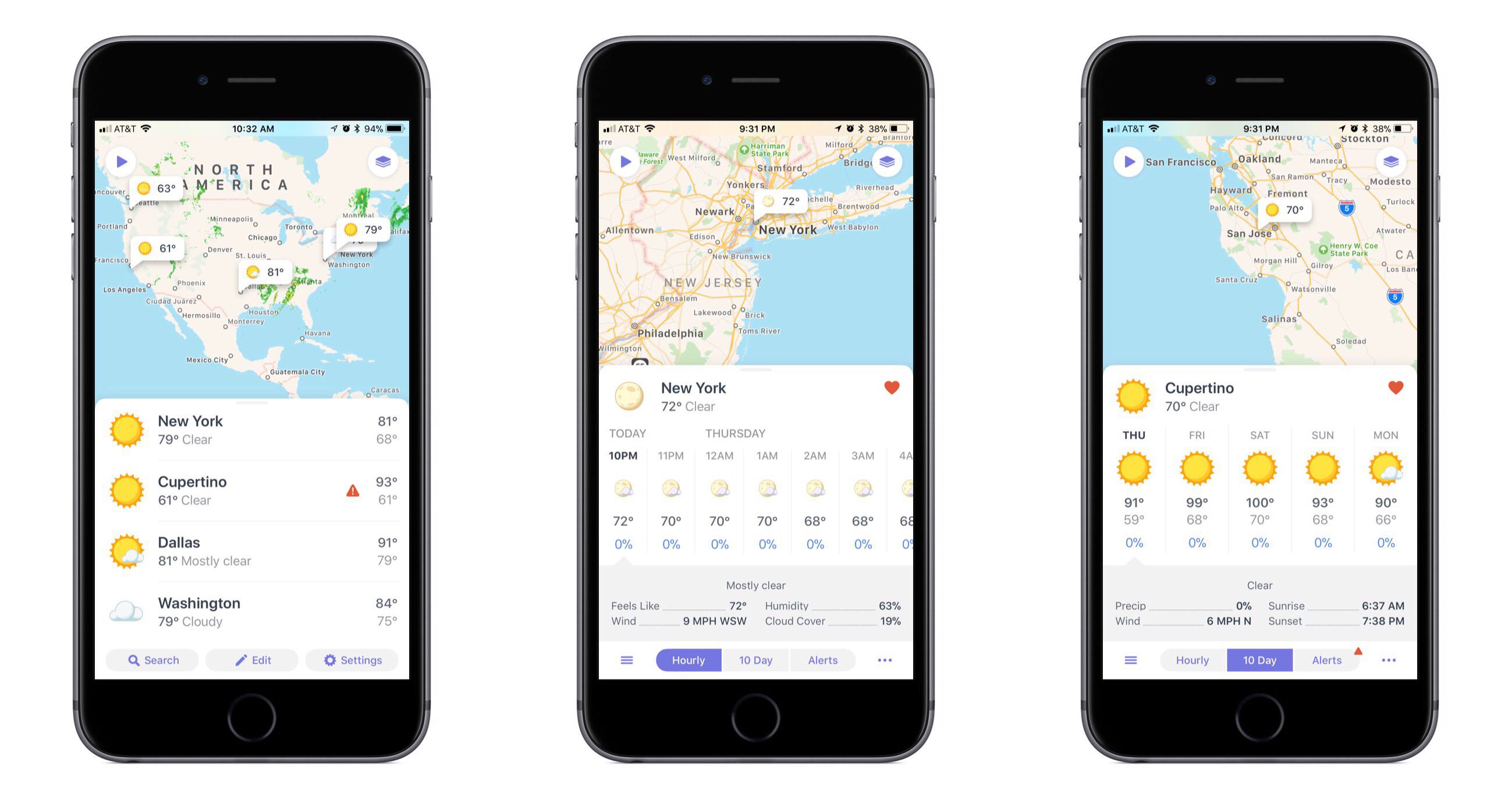
One of the app categories that’s always receiving new entries – and that I’m always pleased to try a new take on – is weather. Often weather apps share the same data sources, but their design and customization options make them stand out. The developers at Contrast are no strangers to the crowded weather app market, as creators of the now-retired Perfect Weather. But with the help of developer Greg Pierce, Contrast is introducing a fresh take on the modern weather app with Weather Atlas.
Posts in reviews
Weather Atlas: Weather Mapping for a Modern Day
ETA Update Automatically Calculates Calendar Event Travel Times
In the past, I rarely added locations to my calendar events unless I was going someplace I’d never been, but that’s changed since I started testing the update to ETA that was released today. The reason for the switch is a powerful new feature available as an In-App Purchase in ETA, which uses locations associated with events in your calendar to tell you when to leave for an appointment and how long it will take to get there.
Pedometer++ Updated With Achievements and a Redesigned Widget
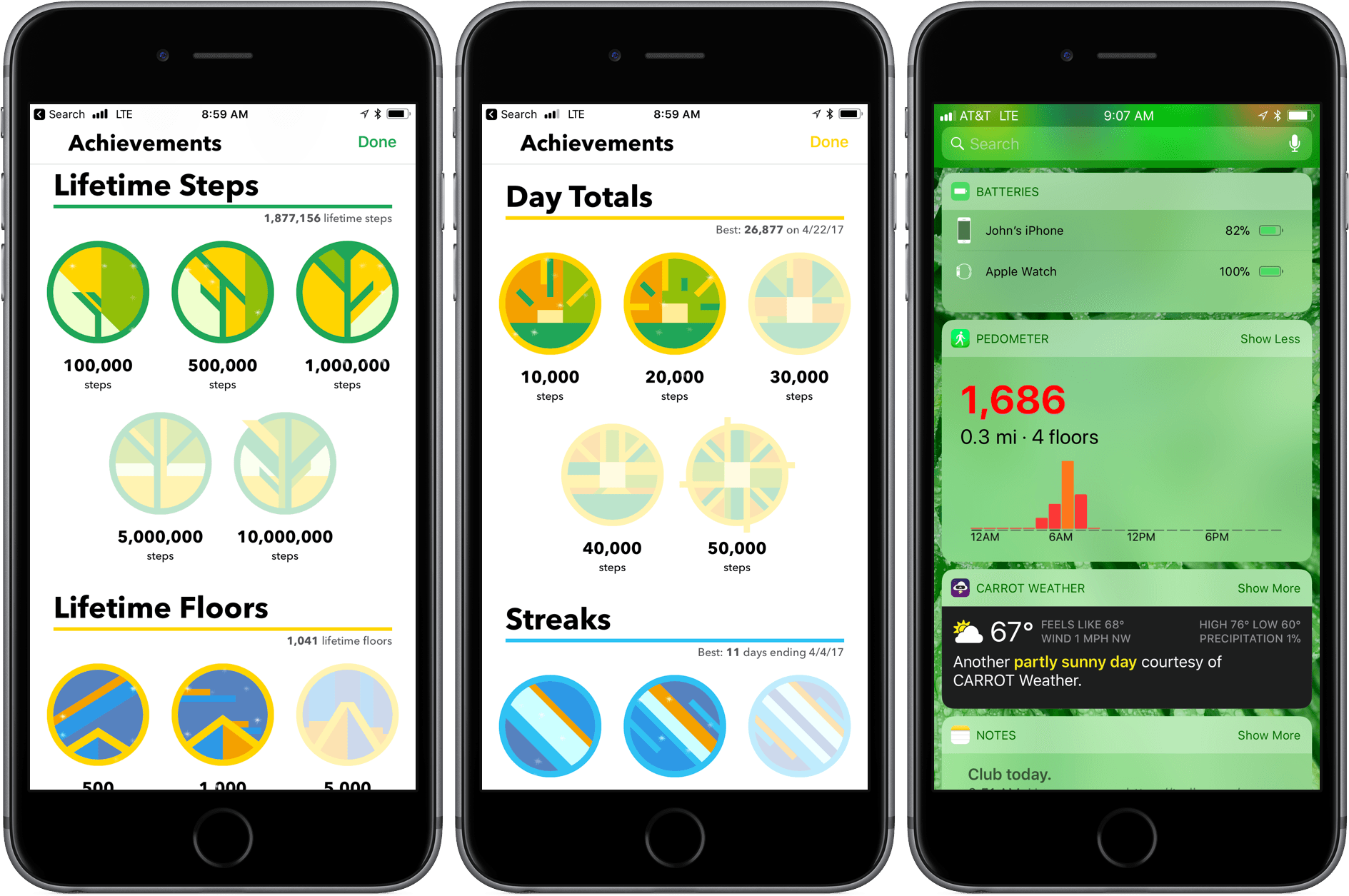
Pedometer++ 3.0 is here with new ways to motivate you to get moving and view your step counts. David Smith’s step counting app has been on the App Store since the introduction in 2013 of the iPhone’s M7 chip that collects motion data. Since then, Smith has continuously refined the app by enhancing visualizations of your step counts, adopting new technologies like the Apple Watch, and adding ways to motivate users like the delightful confetti that’s launched when you reach your step goal.
Run Jump Die Review: A Better One-Handed Platformer
When platformers make their way to the App Store, they have a big question to answer: how will the user control the character? Some titles, like Nintendo’s Super Mario Run, offer tap-and-hold controls that assign a single task to the user; others, including the popular port Downwell, elect for software buttons simulating a console-type experience. The vast majority of platformers fall into one of these two categories, either limiting the control of the user or giving up simplicity in favor of pressing the screen in just the right place.
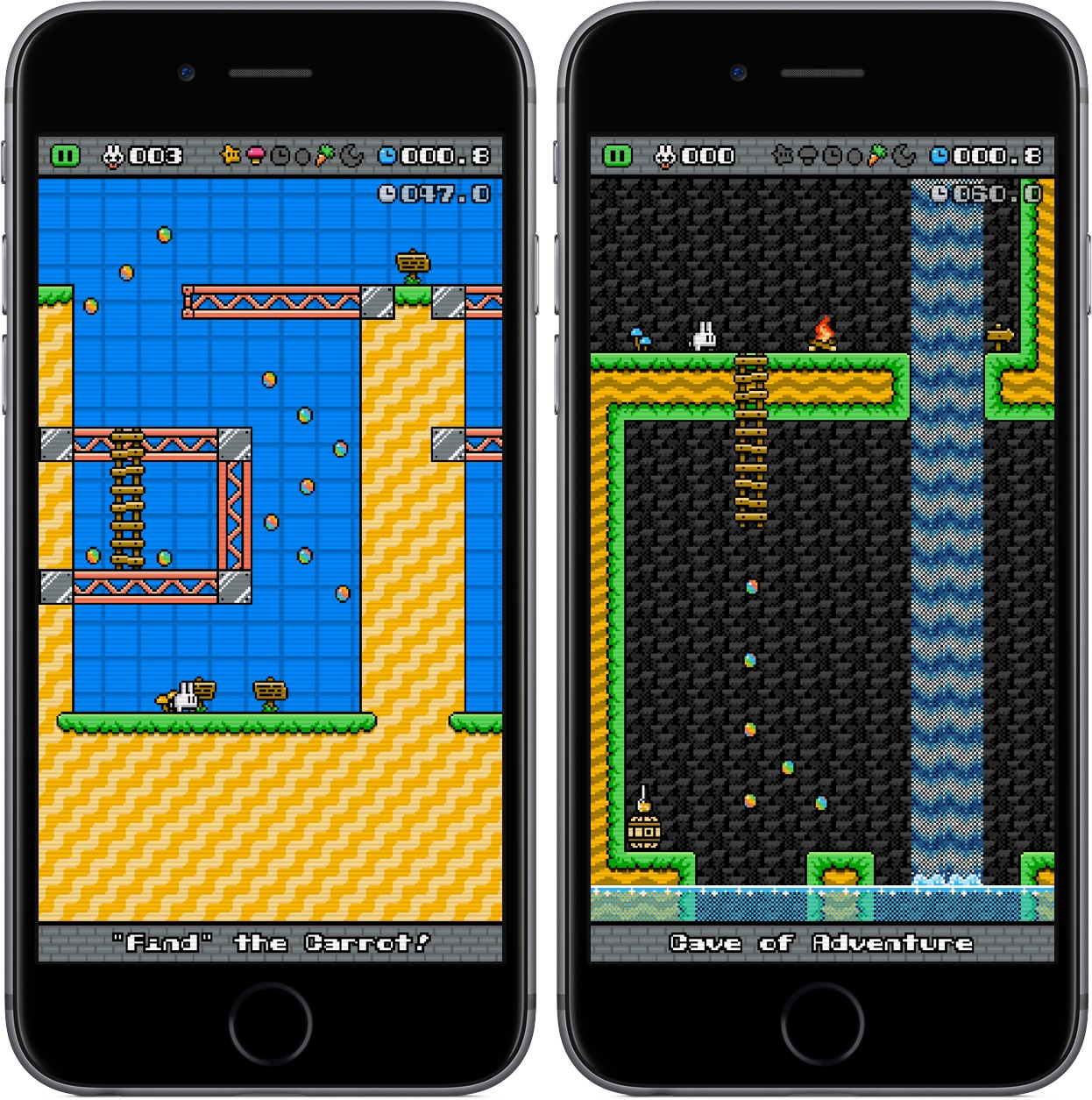
Run Jump Die is the best of both worlds, featuring one-touch controls that are intuitive and smart. It’s a platformer in the vein of retro classics, but with mobile and modern updates that make it feel like it belongs in 2017. The overall game, anchored by the unique control scheme, is a joy to play, showcasing just the right combination of challenge, exploration, and satisfaction.
Metapho 3.0 Adds Video Support and More
Metapho is a powerful utility for accessing, editing, and removing metadata from photos and videos. When I reviewed Metapho 2.0, I was impressed with how easy it was to access and edit image metadata. With version 3, Metapho has been extended into new areas without sacrificing the ease of use of prior versions.
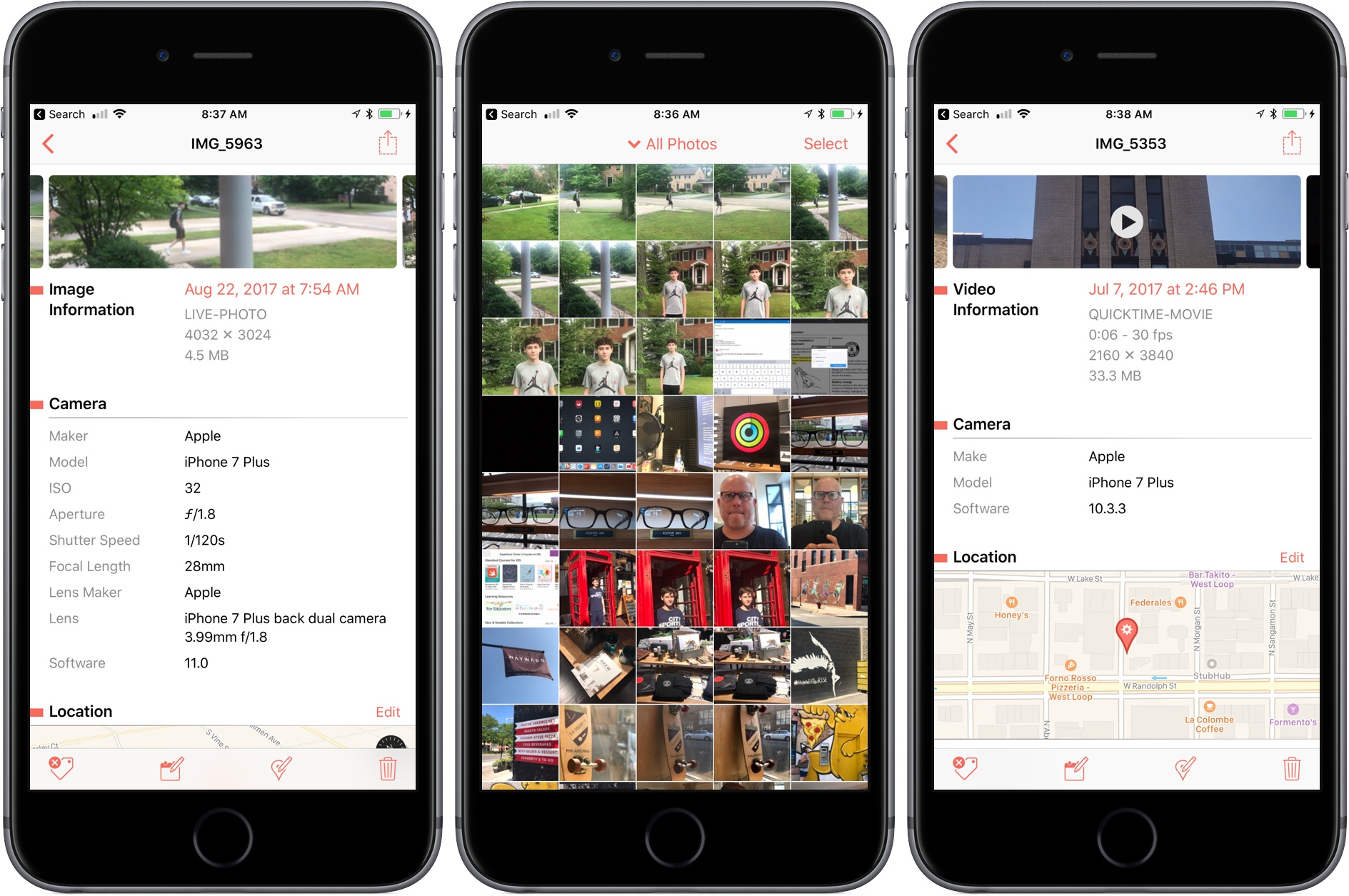
Perhaps the biggest change is that Metapho now supports video. Earlier versions of the app could only handle still photos, so it’s nice to see video added to the mix. The process works the same way as with photos. Access a video using Metapho’s action extension from the Photos app or from within the Metapho app itself. Metapho displays the video’s metadata, which can be edited or stripped.
One of Metapho’s strengths is its design. Whether you start in the app itself or its extension Metapho displays the metadata for images in a clear and concise manner. Today’s update changes the layout by adding cropped versions of the photos or videos you are working on at the top of the page, so you know which image you are working on without it taking up an unnecessary amount of vertical space on your iPhone.
Metapho’s extension also got a refresh with version 3. For the first time, you can select multiple photos to edit. It’s a small change, but one that should speed up the editing process for anyone working with several images or videos.
Metapho is not a utility that I use often, but I keep it tucked away in a folder because when I need it, there’s no better way to edit photo and video metadata. It’s a great example of a thoughtfully designed app, so I’m glad to see its functionality expanded without compromising its utility.
Metapho is available on the App Store.
Readdle Extends Spark Functionality With App Integrations
Spark has been on a roll. Just a few weeks ago, Readdle significantly improved search in its popular macOS email client. Today, Spark 1.4 for macOS takes another step further into professional app territory with the addition of several useful integrations with third-party apps, while Spark 1.9 for iOS adds deep PDF Expert support and other functionality.
Game Day: Pigeon Wings
Pigeon Wings is a hyper-fast, racing game with shoot ‘em up elements and a lot of personality. You play as Pigeon, a pigeon-pilot tasked with saving Megalopolis from the evil Duke Dexter. The backstory immediately sets a light-hearted, humorous tone for the game that doesn’t get bogged down in long cut scenes explaining what’s happening. What sets Pigeon Wings apart though, is its tilt control steering system. The controls work flawlessly becoming second nature so quickly that they fade into the background making it easy to get lost in the game’s short races.
Transmit 5 Review
If you’ve used a Mac for a while, you’ve likely come across Panic’s file transfer app Transmit. Not long ago, I would have probably still described it as an FTP app even though it’s handled things like Amazon S3 file transfers for a while. However, with the recent release of version 5, Transmit for macOS has become much more than an FTP client adding support for ten cloud services. Moreover, Panic has taken the opportunity to rewrite its file transfer engine so that it’s faster, tweak virtually every feature, and update and streamline the app’s design. The result is an all-new Transmit that is both familiar and more capable than ever before.
Neo Angle Review: No Turning Back
You might be tempted to feel confident after the first few levels of Neo Angle, the follow-up game from Blyss developer Dropout Games. After all, you just have to move your triangle to a certain spot on the grid, occasionally picking up small fuel cells along the way. Early on, the most challenging part may be refraining from bobbing your head to the music.