This Week's Sponsor:

Turbulence Forecast

Know before you go. Get detailed turbulence forecasts for your exact route, now available 5 days in advance.


Posts in reviews

Super Arc Light Review: A Classic Arcade Shooter

Developer No Code Studio knows how to make a game, as evidenced by their offerings across a variety of subgenres. But if you need proof of No Code Studio’s prowess, look no further than the addicting shooter Super Arc Light.

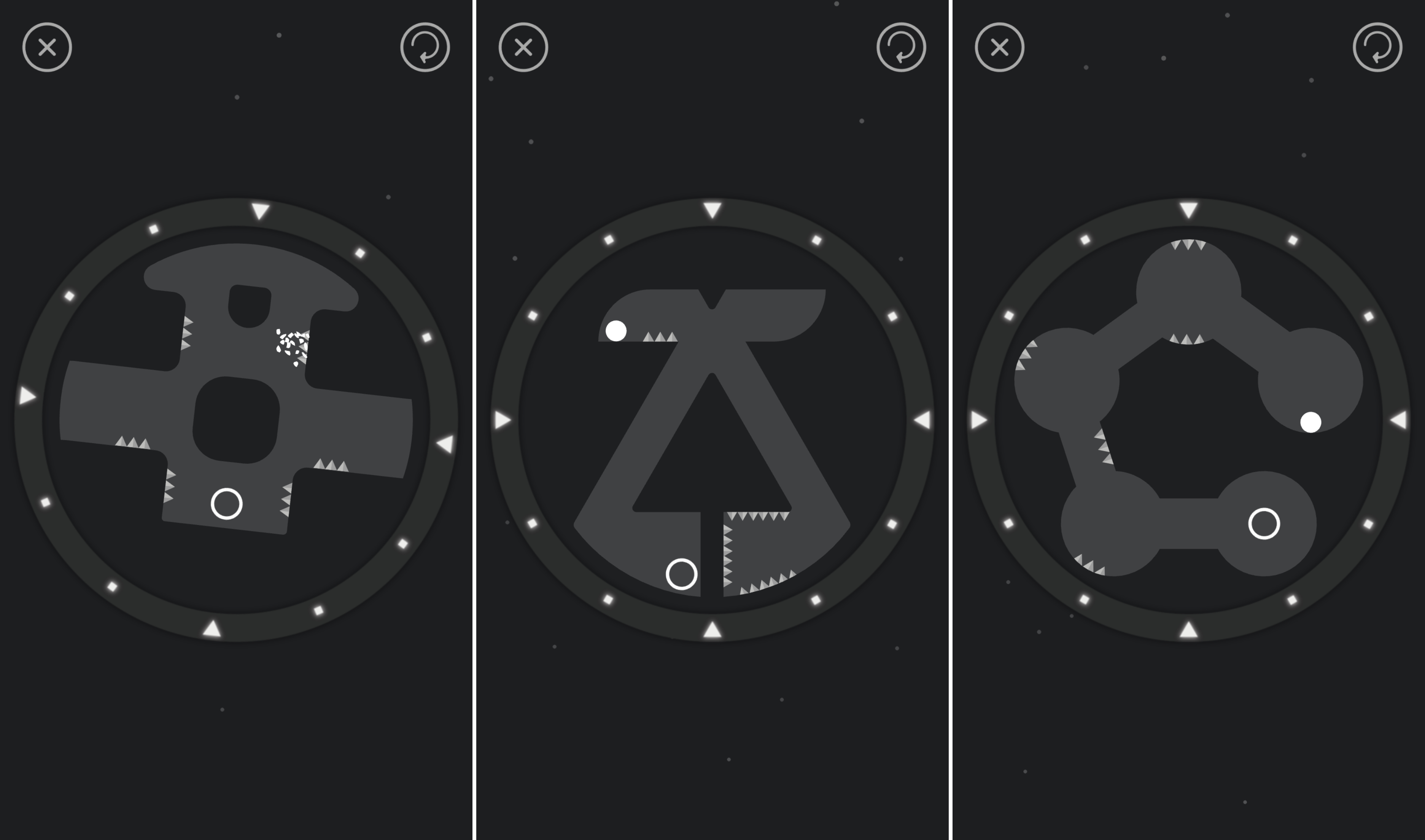
In a modern-day take on the style of gameplay made popular by titles like Space Invaders, Super Arc Light assigns you one task: ward off enemies creeping ever closer to you. As a barrage of shapes appears, you’ll fire shots their way, hoping to hit them as soon as you can, both to continue the game and to score higher points. If an enemy stays for too long, it’ll move in faster and, if not dealt with, end your game.

A seemingly easy premise becomes far more difficult with Super Arc Light’s movement mechanisms, which ditches a linear movement for a more circular approach. Since enemies can approach you from any side, you’ll rotate around a circle, changing direction by shooting. This takes a while to get used to, but it provides a unique challenge that adds difficulty to the game.

Throughout your play-throughs, you’ll unlock new weapons that make taking down enemies much easier. Each has its benefits and drawbacks, but discovering and utilizing the tools you find in-game will be imperative to raising your overall score.

Overall, Super Arc Light isn’t a story-driven game that you’ll sink dozens of hours into – but that’s okay. It’s a stellar arcade experience, one that will challenge you at a blistering pace from start to finish of each run. For a quick, intense gaming fix, Super Arc Light is a perfect choice.

If you’d like to give Super Arc Light a try, you can pick it up in the App Store for $1.99 (Universal).


Game Day: Missile Cards

Missile Cards, which originally debuted on Steam, combines so many of my favorite game elements - a strategy-based mashup of genres, retro graphics, and a fun chiptune soundtrack - that I knew I had to try it. My only hesitation was that it’s a mashup of a Missile Command-style arcade shooter with a card game, which isn’t one of my favorite genres. My reluctance disappeared the minute I began playing though. Missile Cards is a fantastically fun game that’s incredibly hard to put down.

Read more


iPhone 1.0: The 10th Anniversary MacStories Review

Author’s Note: When the iPhone was introduced in January 2007 at Macworld Expo, it was billed as a 3-in-1 device by Steve Jobs – a widescreen iPod with touch controls, a revolutionary mobile phone, and a breakthrough Internet communications device. The first two points were met with loud applause. Jobs was promising a better iPod and mobile phone – two things everyone understood and could get behind.

The third selling point - a breakthrough Internet communications device – was met with confused reactions. What did he mean? The answer was more broad and profound than the obvious candidates like email, SMS, or web browsing. The iPhone was a full-blown Internet-connected computer that you could put in your pocket and take with you wherever you went.

I don’t know of any product that’s had a bigger impact on so many people’s lives. Whether at work or play, the iPhone created opportunities big and small that were not possible before its launch. With a groundbreaking touch interface and intuitive design, the iPhone democratized technology and empowered people on a far greater scale than the desktop PC has managed by connecting people across the globe in a new and powerful way.

It’s hard to believe it’s been 10 years since the iPhone launched. I wasn’t there to review the iPhone when it debuted, and neither was anyone else at MacStories. Ten years ago, the founding of MacStories was still almost two years away, and I was in Adelaide, Australia visiting family.

I vividly remember staying up late in Australia to read the early reviews of the iPhone on the nearly useless WAP browser of my work-issued BlackBerry. I didn’t write about the iPhone then, so to mark the occasion of the 10th anniversary of its launch, I brushed off those old memories and wrote what I would have written in 2007.

Let’s go back in time.


The long wait is finally over. Just over six months ago, Steve Jobs took the stage at Macworld Expo to announce three products:

  • a widescreen iPod with touch controls;
  • a revolutionary mobile phone, and;
  • a breakthrough Internet communications device.

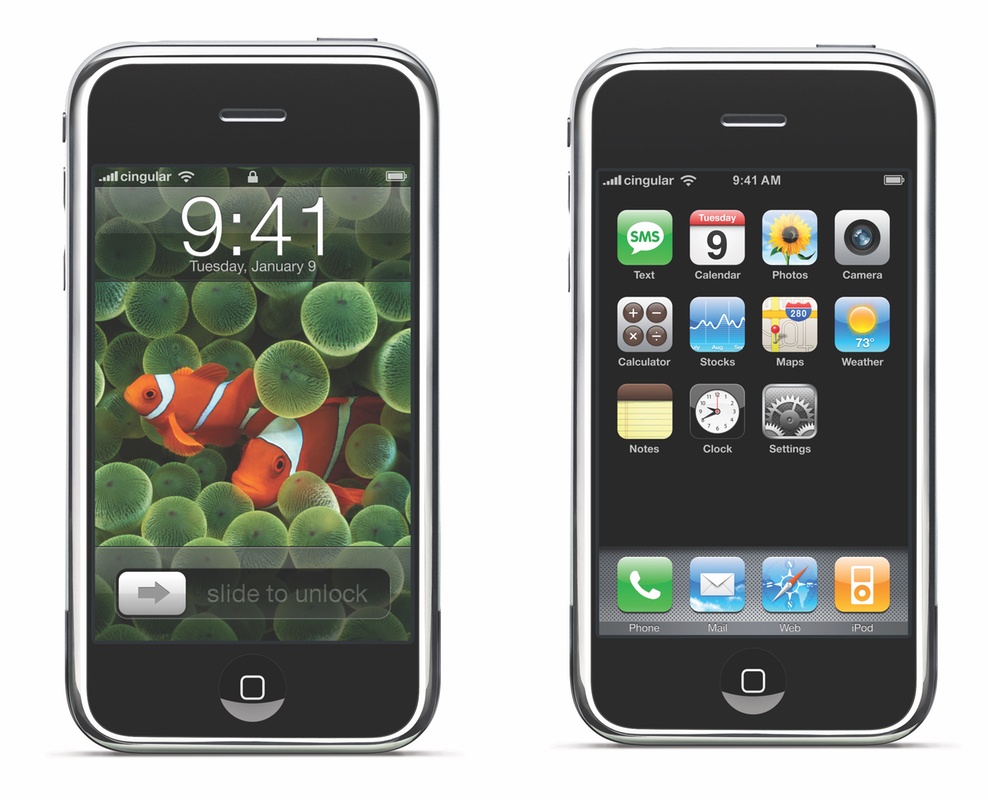
What? Three new products in one keynote? No, not three devices – one. On January 9, 2007, after years of rumors and speculation, Steve Jobs introduced the world to the iPhone.

Jobs took the iPhone through its paces at Macworld, thrilling the crowd with feature after feature. It seemed impossible. How could OS X fit into a phone? Was Safari on the iPhone as full-featured as on OS X? Macworld raised as many questions as it answered.

It didn’t help that the iPhone wouldn’t launch until June. There were no more demos, no hands-on time for the press, just the iPhone encased in a transparent tube on the show floor for visitors to gawk at.

In the past few months, some of the press took to calling the iPhone the ‘Jesus Phone’ for its promise of salvation from WAP browsers and the broken UIs of self-proclaimed smartphones. With the launch of the iPhone today at 6:00 pm Eastern, just one day before the end of the promised June delivery deadline, we can finally judge whether the iPhone is five years ahead of any other mobile phone as Jobs proclaimed in January.

Of course, it’s impossible to judge where the smartphone market will be in five years. However, measured against the hype at Macworld, the answer seems to be yes, the iPhone does deliver, though not without some caveats and many risks that could limit its adoption by consumers. For early adopters willing to pay the price and live with some rough edges, though, the iPhone is far ahead of every other available option.

Read more


Sputnik Eyes Review: Puzzles in Space

I’m going to let you in on a couple prevailing facts about Sputnik Eyes, a “homemade” game by Shelly Alon.

The first is that the story, at least in my eyes, makes little sense. It includes – but is not limited to – robots, space, planets, constellations, exploration, Earth, scorpions, hearts, and a rocket ship. It’s a hodgepodge of an idea, one that I immediately misunderstood and hardly plays any role in the overall game.

But the second fact is that Sputnik Eyes is one of the most enjoyable puzzle games I’ve played in a while, and one I can’t seem to stop playing. Equal parts charming and challenging, Sputnik Eyes feels exactly like what a puzzler should in 2017: clean, fun, and to the point.

Move Along, Robot Friend

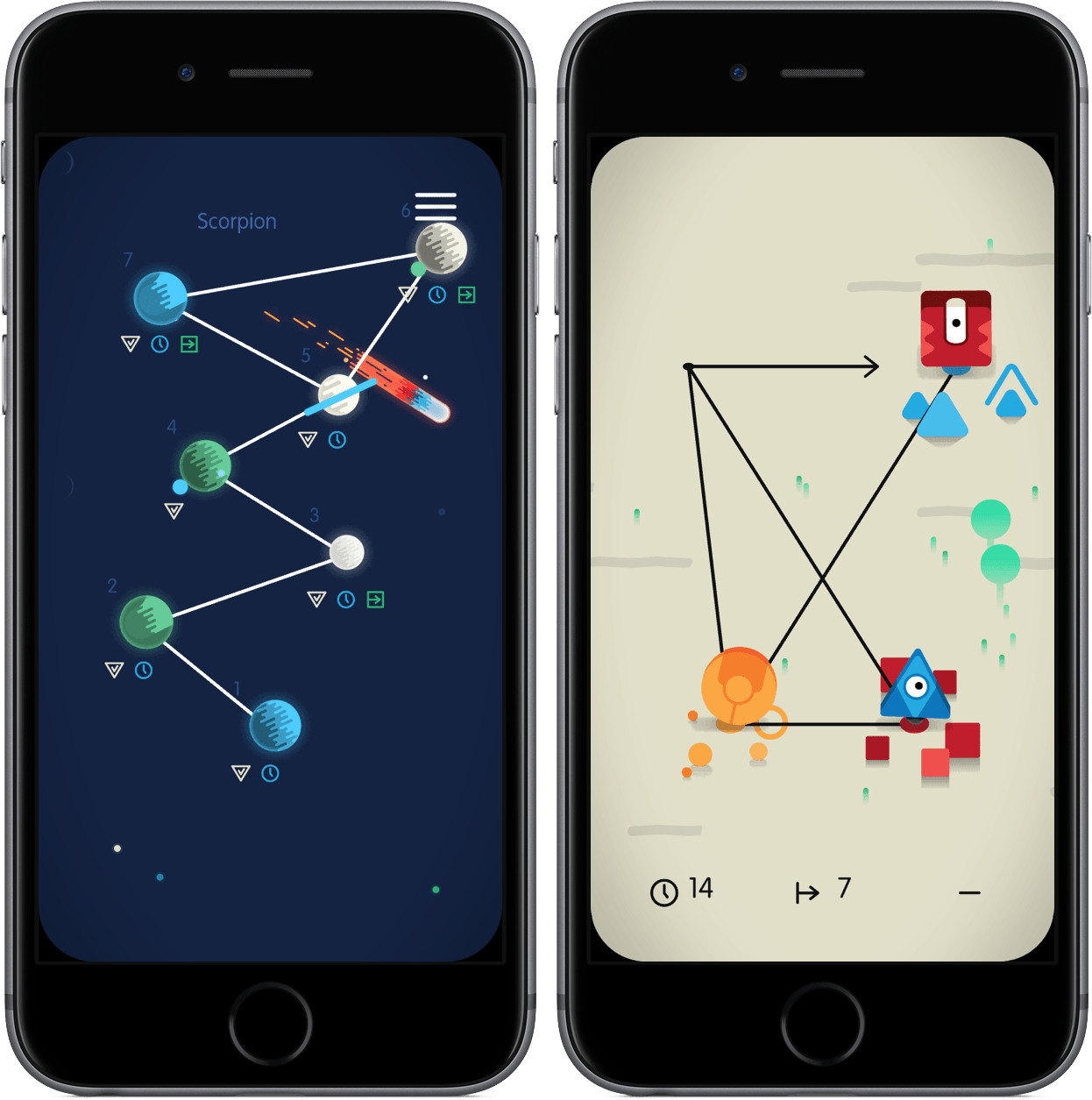
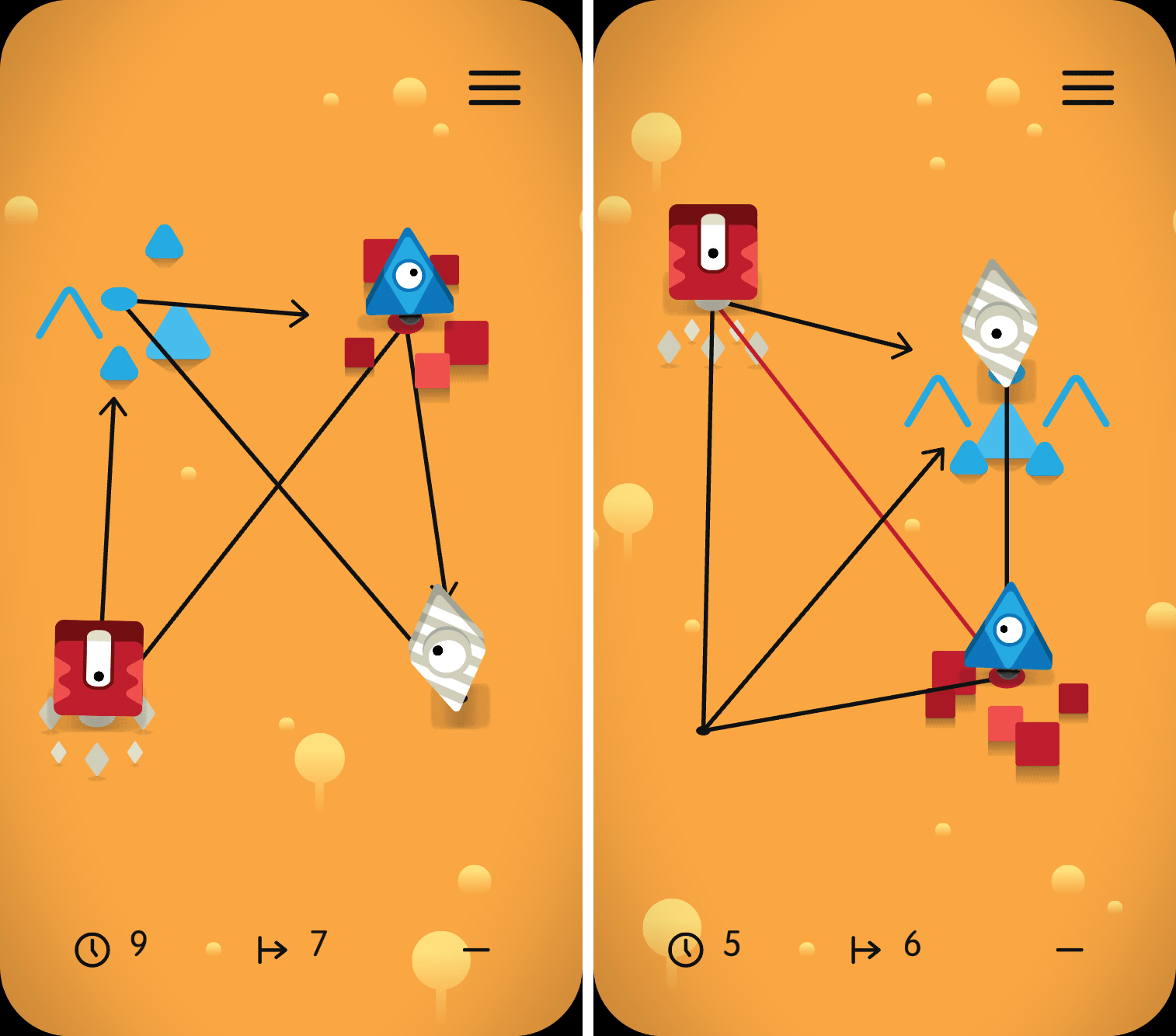
When you start a level of Sputnik Eyes, you’ll find yourself accompanied by a grid and your robot pals. Each stage has a unique pattern, a series of connected lines that form points, sat on by the bots of varying colors. Take a look at the examples below:

Effectively, Sputnik Eyes is a matching game, one that requires you to pair the robot to its respective colored spot on the map. While it sounds easy in theory, the game throws interesting obstacles in your way, like one-way lines and paths that can only be traveled by a certain color. The more you play, the more complex Sputnik Eyes becomes; eventually, each puzzle seems more crowded than the one before it.

From there, the game can be played in a variety of ways. At the most basic level, you only need to complete the level to move on. However, finish the level in a limited set of moves or within the time period and you’ll receive badges signifying your accomplishments. Although badges have no in-game value, they’re a completionist’s symbol of pride.

Carefully Crafted, Wonderfully Executed

I normally like to weave in comments about a game’s design into a review, but much of what makes Sputnik Eyes so endearing is some of its aesthetic choices. One of the best examples is the game’s framing – instead of the game taking up the full screen, it rounds off its corners to give it a distinct look.

Throughout the gameplay and menu navigation, you’ll see carefully crafted animations, character models, and level designs. Motion is utilized exceptionally in Sputnik Eyes, adding touches that make the atmosphere more alive and vivid. And behind it all lies a soundtrack that shifts between ambient and thought-provoking, unafraid to take your attention but simple enough to fade into the background when you’re thinking hard about a puzzle.

All of this is to say that Sputnik Eyes feels created in a way that makes you, the player, feel cared for. When playing, I felt like each piece of the game was built for me to notice, appreciate, and consider as part of the overall experience.

Conclusion

$1.99 and many levels later, I’m thrilled by Sputnik Eyes. Had it been in the earlier days of the App Store, I think it’d be considered a touchstone of the puzzle genre; now, despite the App Store’s continuous growth in its biggest category, Sputnik Eyes still stands out as a must-have for puzzle fans.

If you’d like to pick up Sputnik Eyes, you can do so for $1.99 in the App Store (Universal).


Game Day: Newton

Casual puzzle games that you can pick up and play for a few minutes are a great way to kill time when you’re bored. Since the earliest days of the App Store,1 games have taken advantage of the iPhone’s sensors to create puzzles with realistic physics. Newton, by Binary Games, is a fun and challenging addition to the genre with unique mechanics and gameplay that I’ve enjoyed playing this week.

Read more


Shutter Remote Review: Photography with Alexa

It was the day of my sister’s high school graduation and my mom, being the opportunist she is, wanted to make sure we got a family photo before taking off for the ceremony. One problem was quickly apparent, though – there was no one around to take the photo of my entire family. In a public location, a couple minutes of a stranger’s time eliminates the problem; at my house, however, it was impossible to get someone to hold the phone, pose my family, and snap the shot.

Shutter Remote provides one of the most unique solutions to this issue: asking Alexa to take a photo using your iPhone’s camera.

To start, download the app on the App Store, launch it, and follow the on-screen instructions. Throughout the process, you’ll tell your Echo to add the Shutter Remote skill, provide it a PIN, and get the two devices synced up. Once these steps are complete, Shutter Remote on the iPhone will let you know the exact phrase to shout at Alexa and you’re on your way to taking photos by voice.

When I put it to the test, Shutter Remote did exactly what it advertised – and quickly. Almost immediately after I told Alexa to take a photo using Shutter Remote, it snapped the picture and dropped it into Photos. It felt like magic, especially considering the setup was painless.

Shutter Remote’s uses are limited, but the times you’ll invoke it will make picking it up for $0.99 worth it. If you having a family gathering coming up or want to take a daily selfie, give Shutter Remote a try.


Game Day: Framed 2

In 2014, Melbourne-based Loveshack released Framed, a comic book-style puzzle game that requires manipulation of panels to guide the main character through a noir spy story. The game struck a chord for its novel combination of puzzles, narrative, and hip, silhouetted spy style. This week, Loveshack released Framed 2, an excellent prequel to Framed that delivers more of what made the original version a hit, but as part of a deeper and more refined experience.

Read more


Koogeek HomeKit-Enabled Smart Plug and Light Socket Review

Koogeek may not be a name brand that jumps to mind when you think about home automation, but the company has built a substantial lineup of HomeKit-enabled devices. I’ve had a Koogeek smart plug for about a year and recently received a Koogeek lightbulb socket for review. I’m fairly new to home automation and have found both products to be a good way to dip your toe into home automation despite some limitations.

Read more


NotePlan Calendar + Markdown + Notes Comes to iOS

When I first heard about NotePlan, I was intrigued. It was a Mac app that used a text format (Markdown) as a calendar-based system, a note for each day, allowing you to easily create tasks and take notes, then see it all in an organized calendar. NotePlan for iOS was released today, and it’s enough to sell me on the idea.

I have a lot of side projects (I suppose my whole life is side projects these days), and organizing todo lists is vital. I love using the TaskPaper format, with TaskPaper on Mac and Taskmator on iOS, to track action items for individual projects. I also have a calendar, and a bucket of notes. Combining all of this in one place is appealing to me, and being able to use it on both Mac and iOS makes it truly useful.

In NotePlan, tasks are created as Markdown lists. You can have it recognize any list item as a task, or tell it that only lines with a checkbox (- [ ] Thing to do) are action items. There’s an extra keyboard row available when editing that makes it easy to create items, complete or cancel them, or even schedule them for a future date.

Tasks can sync to Reminders lists as well, so it can incorporate into other workflows (and even shared lists). In the calendar view you can tap a day to see the note and associated task lists for that date.

Each day on the calendar gets a note, and you can add freeform notes in the All Notes area. A note can be bits of information, its own action list, or both. You can use #tags anywhere in the notes to organize, and wiki style links ([[title]] or [[YYYY-MM-DD]]) to reference other notes. Tasks added to freeform notes can be scheduled to the calendar with a tap, so you can use notes as a central project repository and schedule out the day’s (or week’s) tasks as you’re ready to tackle them.

NotePlan on iPhone

NotePlan on iPhone

On the new iOS version, you can drag and drop tasks around by pressing a text block until it turns blue and sliding it into place. You can also press and hold until it turns blue, then release and press another one to expand the selection between them, at which point NotePlan will offer you a toolbar to allow batch completion, rescheduling, etc.

I’d label NotePlan as a day planner, not a task manager like OmniFocus or Things. It’s ideal for planning out your day, Bullet Journal style. You won’t find extensive project management features or perspective overviews, but the combination of scheduling, tagging, and (plain text, portable) notes in one place makes it a true productivity tool.

If words like productivity, GTD, Markdown, TaskPaper and Bullet Journal cause a stirring within you, you’re probably the right audience for this one. Check out NotePlan for iOS, and then try out the Mac version for fully-synced productivity. Today and tomorrow, NotePlan for iOS is $11.99. After that, the price will be $14.99. NotePlan for Mac is $16.99.