This Week's Sponsor:

Turbulence Forecast

Know before you go. Get detailed turbulence forecasts for your exact route, now available 5 days in advance.


Posts in reviews

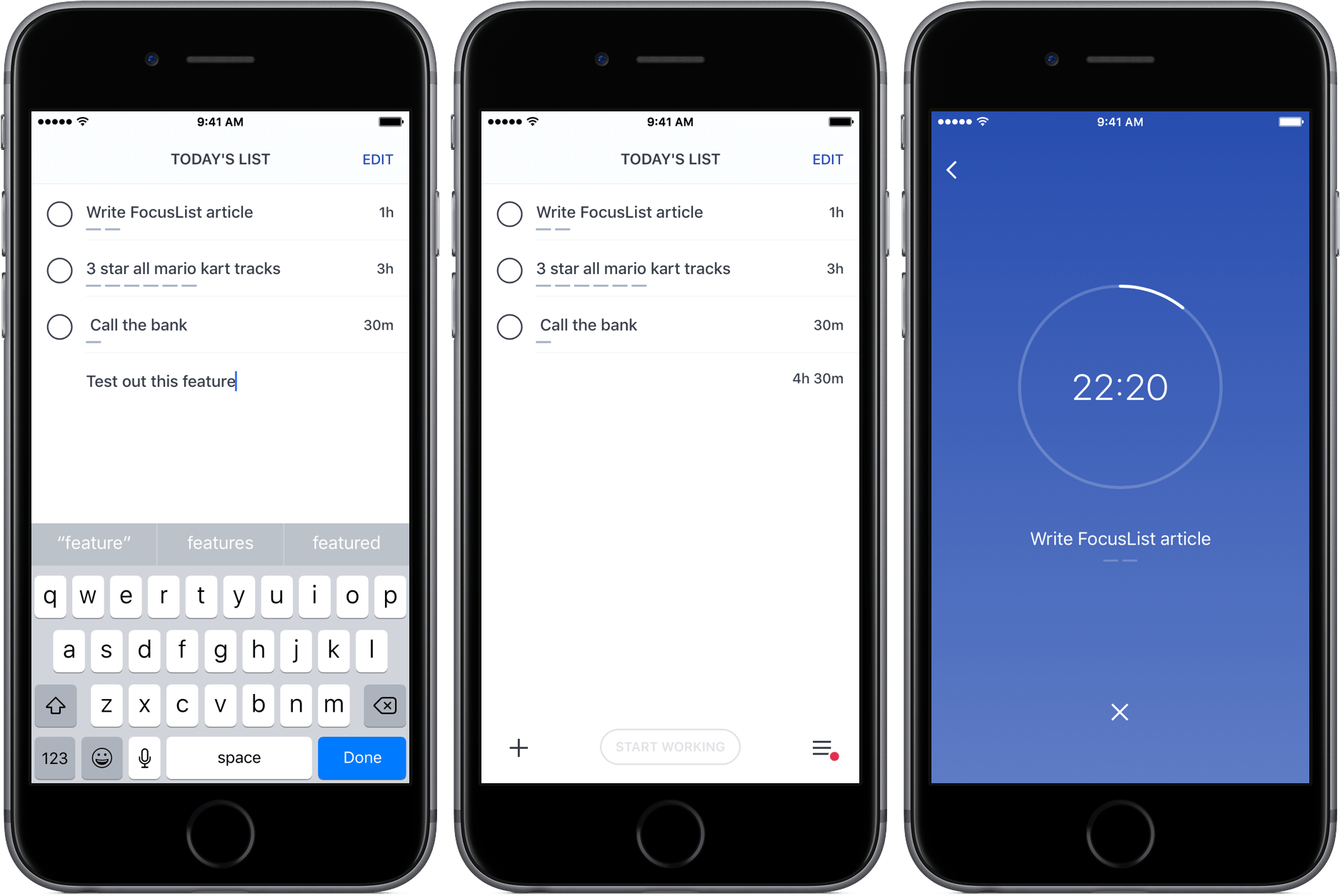
FocusList Review: A Minimalist, Pomodoro To-Do App

Through testing productivity apps like Doo and Time, my to-do preferences have changed; while I was once a fan of feature-rich task managers, I’ve learned to appreciate the simplicity of apps that just focus on helping me get stuff done.

FocusList is a great example of that sort of minimalism in action, an unadorned display of your tasks, their estimated completion time, and, on occasion, a timer. Its content is driven by your list of tasks, but no more – its one goal is to focus you on your work.

Read more


Oilist Review: A Painter in Your Phone

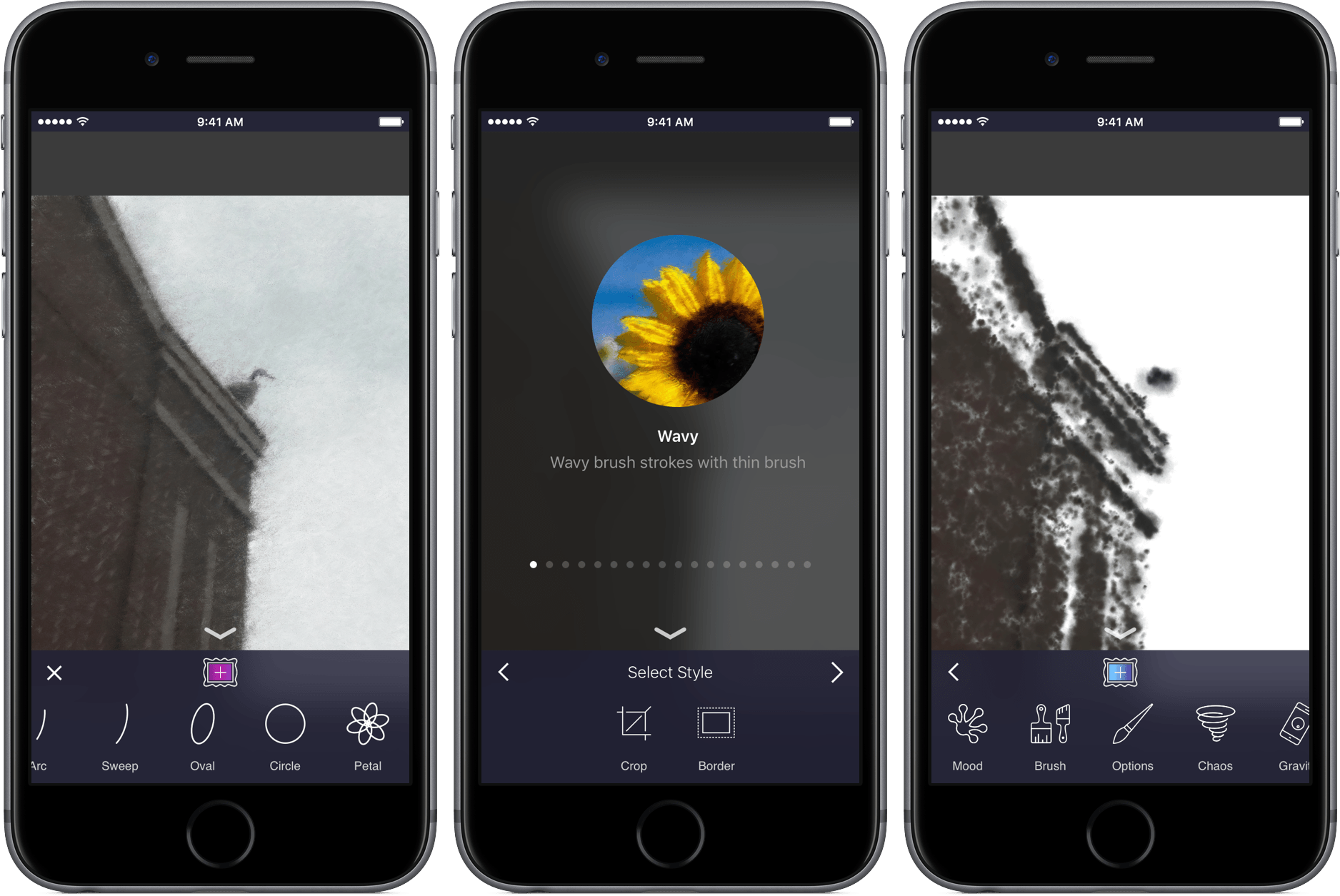
If you’ve ever been to a fair or amusement park, you’ve likely stood and watched as a caricature artist drew a goofy picture while the subject sat completely still. As the artist’s hand glides across the page, you begin to see the bigger picture, and watch the artist’s style come to life in the form of a cartoonized version of a stranger. When the drawing is finished, the final product is not only a representation of the subject itself, but also one of the creator’s personality.

Oilist is an artist in your phone, one that you watch sketch, paint, and craft a unique version of a photo you’ve shot. The app uses AI – and your creativity – to turn pictures into works of art. Through creating with its own personality, you’ll get a new take on your old images in a fun and original way.

Read more


Game Day: A.S.I.

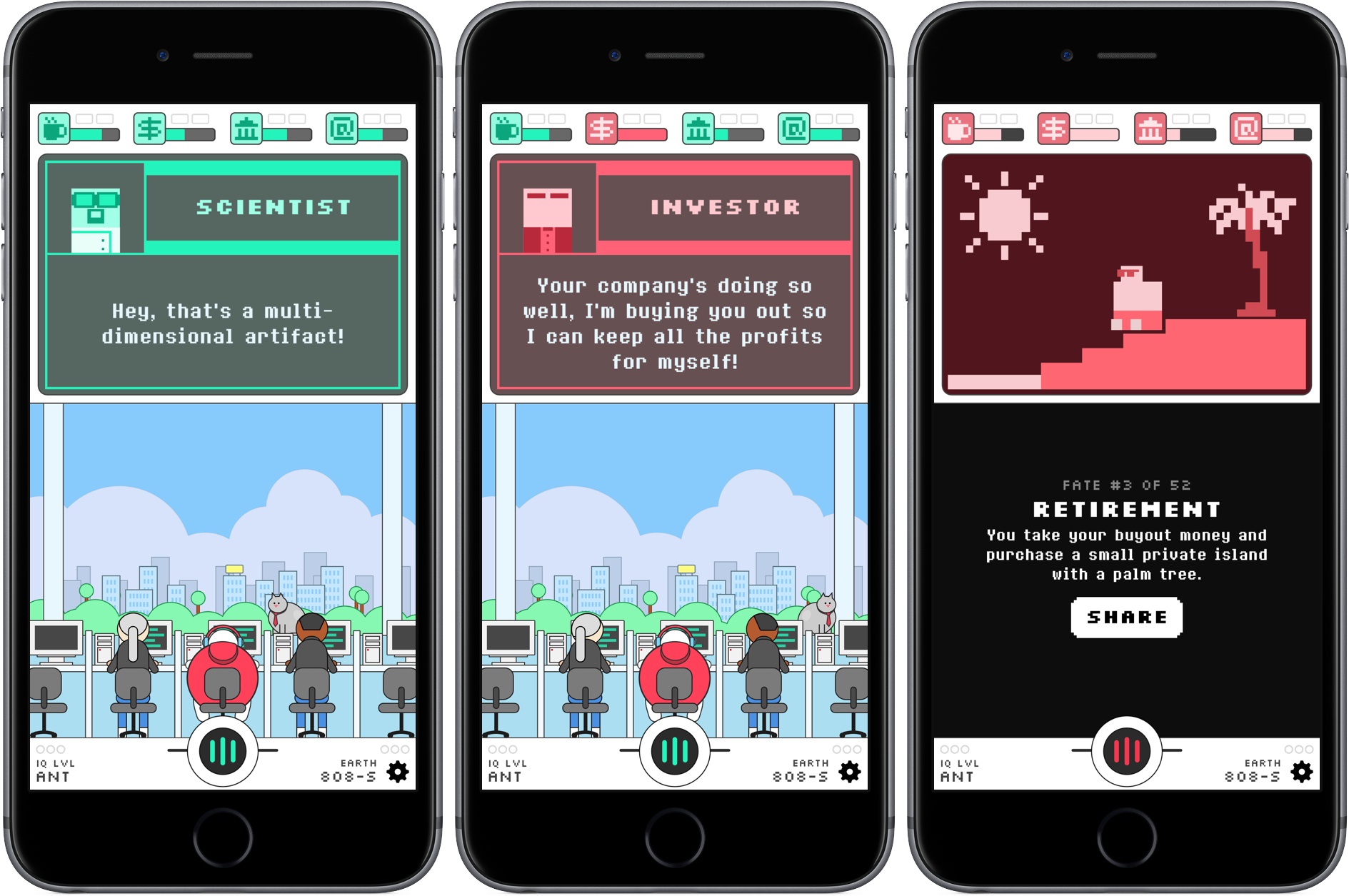
Brian Mueller’s CARROT series of apps serve up healthy doses of snark along with the weather, fitness, tasks, and alarms. It’s a style that is immediately recognizable and adds an element of humor and fun that give his apps personality. That unexpected game-like quality, combined with utility and productivity apps, is what makes Mueller’s apps stand out from the crowd. Watching the family of CARROT apps grow over the years, it’s not surprising at all that Mueller has taken what feels like the next logical step and made an iOS game. A.S.I. brings CARROT, the star in his apps, to life in a sprawling and fun sci-fi sendup of artificial intelligence and tech culture.

Read more


PDF Expert 6 Adds Powerful Editing Tools and More

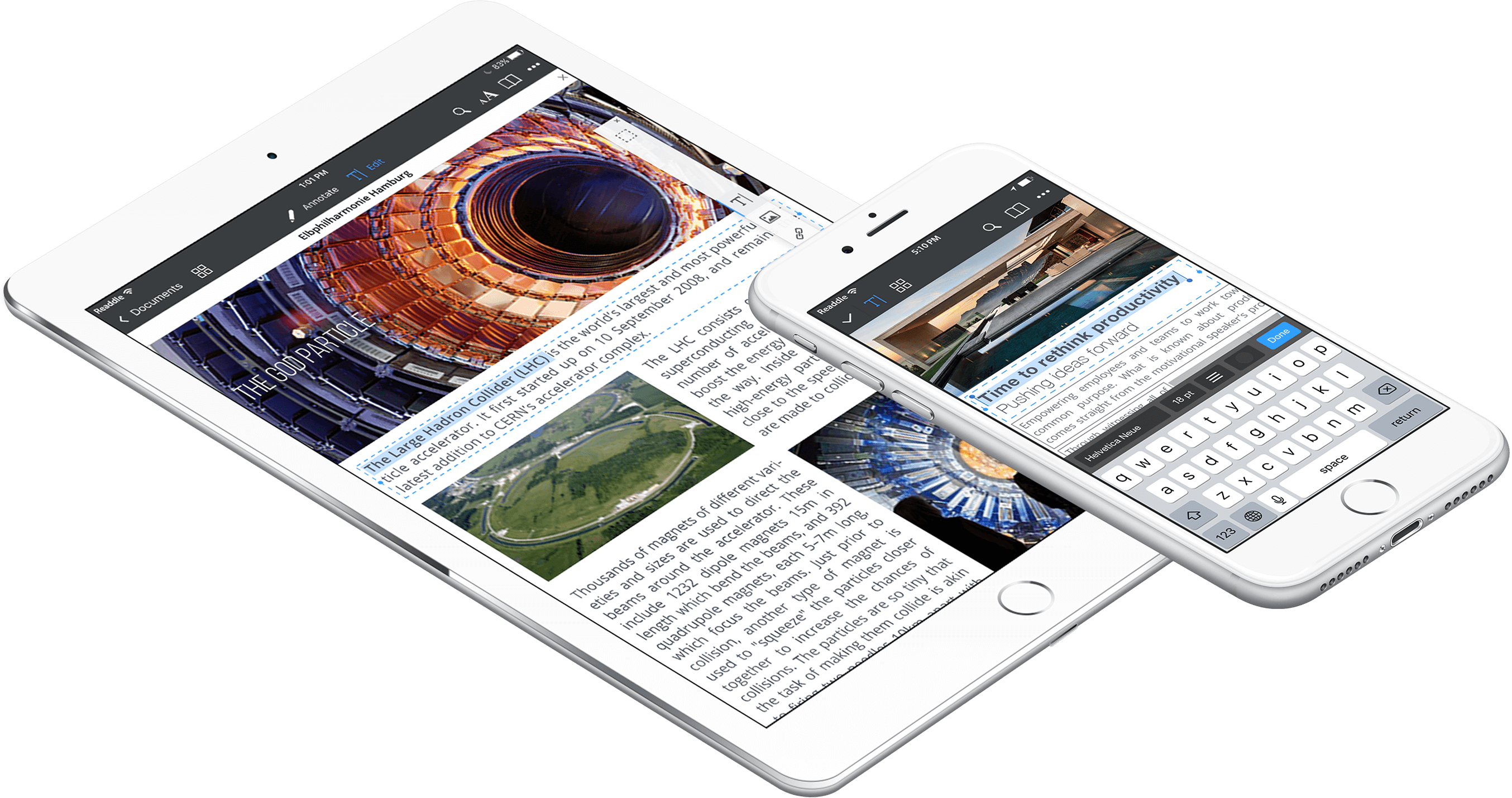
Readdle released a major update to PDF Expert today. Version 6 incorporates powerful PDF editing tools, in-place cloud-based editing and annotation, document-level assignment of passwords, and more. PDF Expert was already one of the premier PDF apps on iOS, but free alternatives have given it a run for its money recently. The new features in PDF Expert 6 should help maintain its status as a favorite for many PDF power users.

Read more


Timing 2 Makes Time Tracking on Your Mac a Pleasure

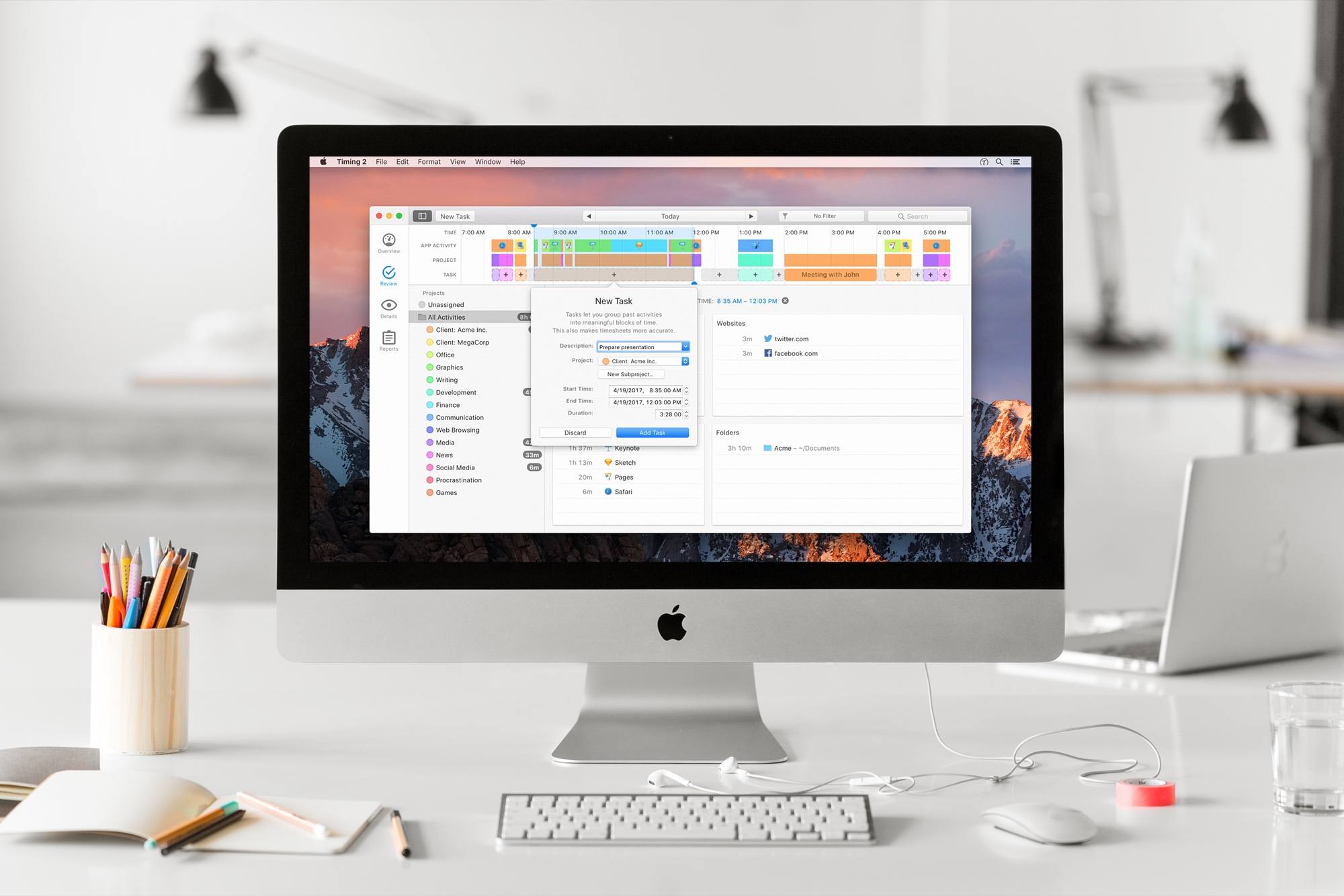
Timing 2 for Mac is out today. I’ve been a long-time user of Timing, and have had the pleasure of beta testing the new version for a while now. It’s an excellent update to a great tool.

Timing is an app that runs on your Mac and tracks everything you do. Sounds creepy at first, but the data is completely safe, and the tracking is only for your own productivity purposes (never uploaded anywhere). By helping you see how you’re spending your time, you can start to change behaviors. Plus – because it can intelligently associate activities with actual projects – it serves as a detailed work timer for your paid projects.

Timing 2 comes in three versions: Productivity ($29), Professional ($49), and Expert ($79). No recurring payments needed, you own the app and you own your data. Some of the features I’ll be talking about are from the Expert version, so be sure to check the feature list before you purchase one of the other versions.

Timing tracks more than just what app you’re using. It will record what websites you visit, what documents you open, what folders you work in, and every way you spend time on your Mac. You can even add in notes about what you did while you were away from your Mac.

Timing 2 does a brilliant job of grouping tasks together and automatically assigning “keywords” to add new tasks to groups. You can also assign tracked tasks to projects, and do fine-grained editing on the criteria Timing uses to determine the purpose of the time it tracked.

Keywords and manual assignment of activities can be grouped into categories such as “Research” or “Podcasting.” As a result, you can easily see what activities you spent the most time on – and possibly realize that you’re not focusing on what you thought you were.

Timing also provides automatic suggestions for blocks of time that might belong together. It makes it easy to group activities and reap the benefits of manual time tracking with the ease of automation.

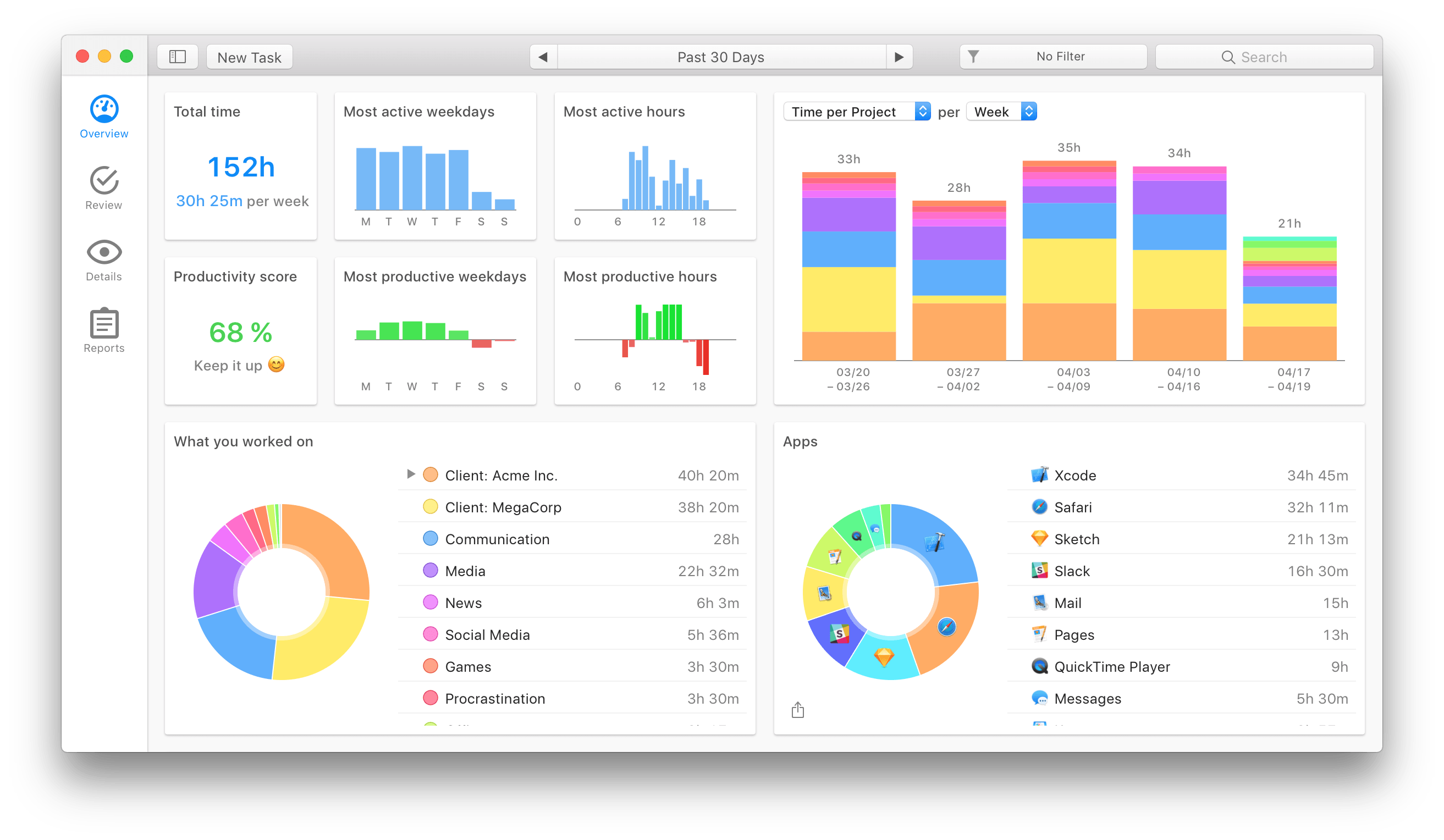
Timing 2 reports

Timing 2 reports

Then you get the reports. Timing 2 has truly upped its game in the data visualization section. Beautiful and useful graphs showing your most active times, most productive times, the type of work you spent your time on, and a pie chart of your most-used apps. Keep in mind that all of this is gathered automatically – you don’t have to configure anything to start getting detailed overviews.

When you edit a task, you can even assign a productivity rating to it. For me, an app like VLC gets a 25% productivity rating. A quarter of the time it’s active I’m watching something educational, but 75% of the time is probably less than productive. Now when I get reports, time tracked in VLC can automatically contribute to my overall productivity rating without unduly distorting it, and without me having to go in and manually mark each video as “productive” or “not.”

Timing 2 is the result of a solid year of development by Daniel Alm, who left his job at Google to work full time on it. In the process he’s turned a useful tool into an indispensable one for freelancers and productivity nerds. If that sounds interesting, go check it out!


Game Day: Antitype

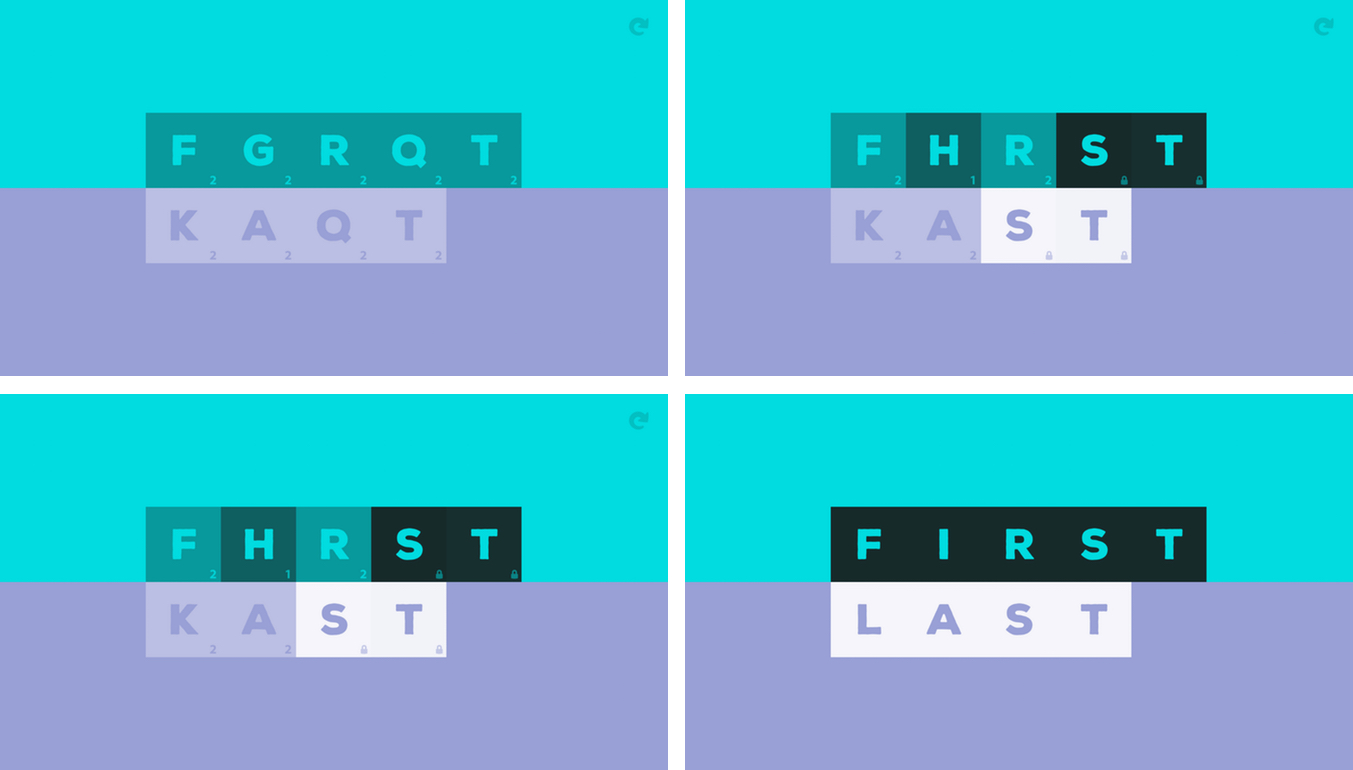
The clean, elegant design of Antitype caught my eye immediately. It’s a scrambled word game from BorderLeap that’s all about opposites. From its design to its gameplay, what makes Antitype unlike other word games is its unique approach that requires you to think about its puzzles differently than you would other word games. That makes the rules a little hard to grasp when you first try Antitype, but once you have the system down, it’s addicting.

Read more


Fast Time Zone Conversions with Zones

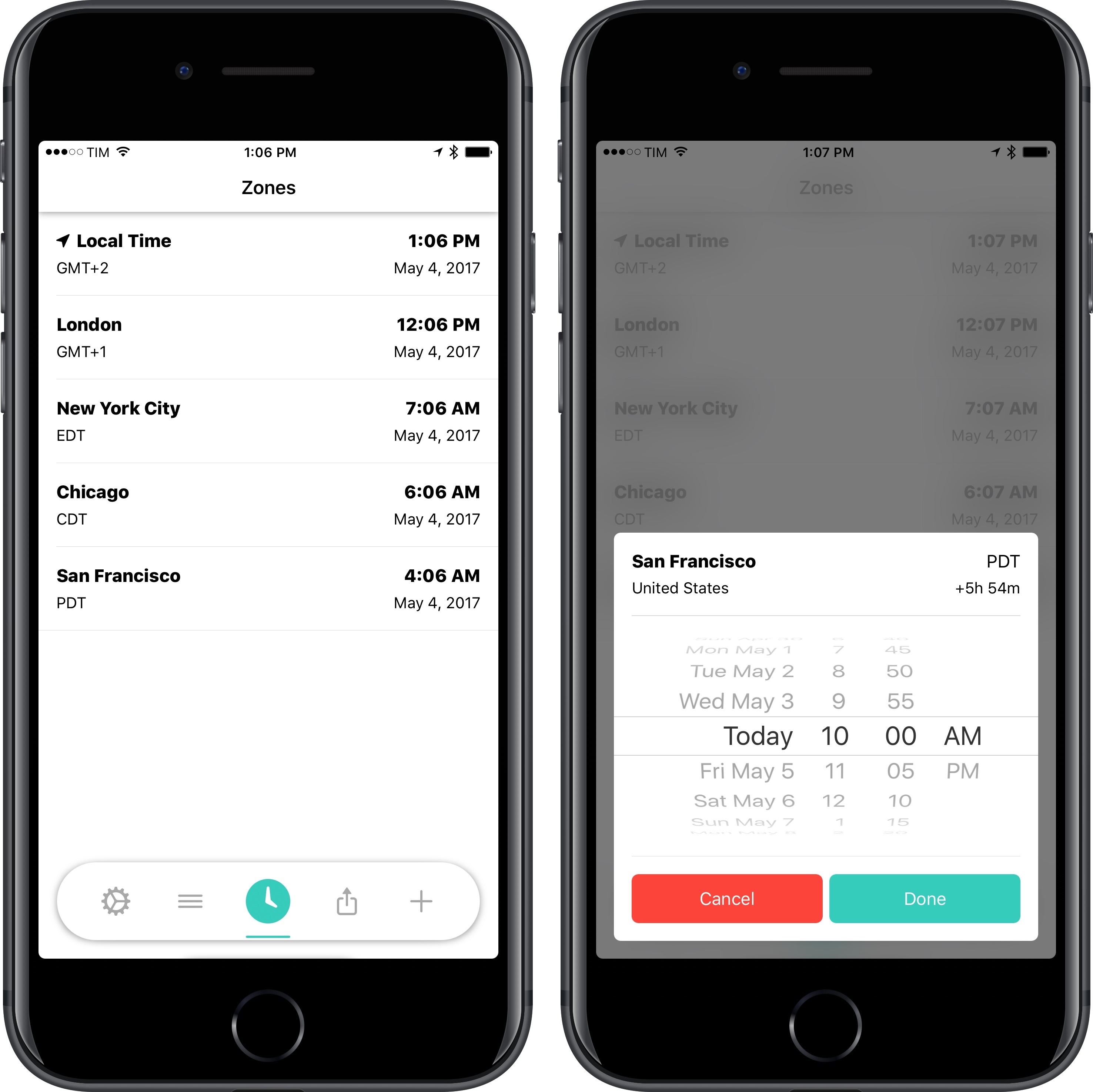
I find myself dealing with time zone conversions more often these days. The MacStories team has grown and we’re all in different time zones; with AppStories, we’ve begun interviewing guests, and it can be tricky to coordinate times that work for everyone. While I’ve mostly learned to perform time zone calculations in my head, it can still be difficult when I’m dealing with cities I don’t know, or when countries change to DST in different periods of the year. I still appreciate a good utility that converts time zones for me.

Read more


Game Day: Invert

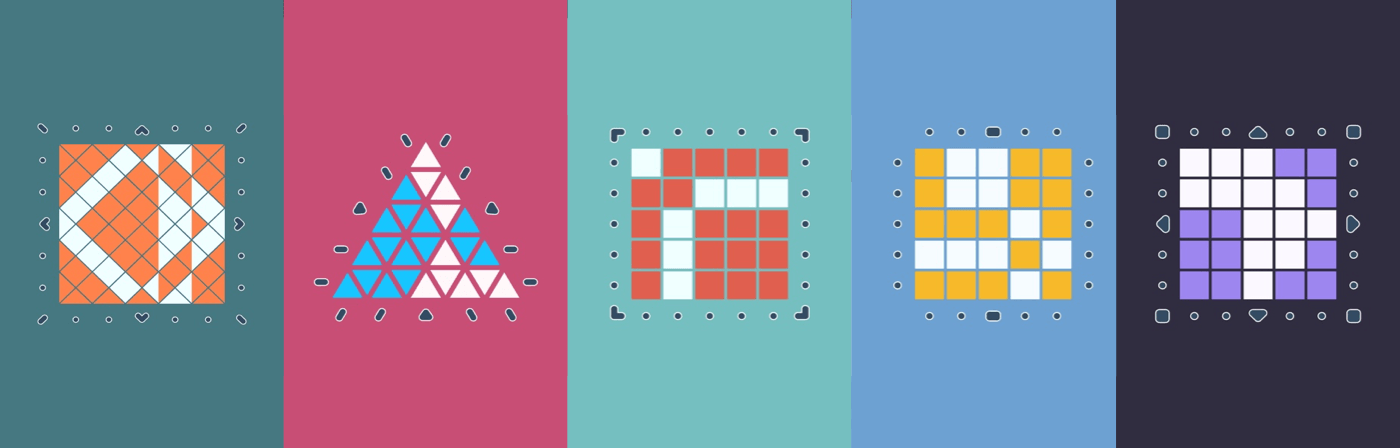
Invert from Copenhagen-based Glitchnap stretches the concept of tile flipping games in new directions. The only constants in the game are that each flippable tile has two different colored sides, and the goal is to flip them, so the board is one, uniform color. Glitchnap describes Invert as a 2D Rubik’s cube-like puzzle game, which is apt on many levels.

Invert starts with fairly simple puzzles laid out in a grid with only a few flipped tiles. The challenge is that you can only flip whole rows of tiles at once requiring you to consider the impact on other tiles in the row. As the game progresses, Invert introduces the ability to flip tiles in patterns other than rows. The buttons at the end of each row of tiles indicate the shape of the flip pattern. It’s a small difference that adds complexity because it forces you to consider how each pattern interacts with the others adjacent to it.

Read more


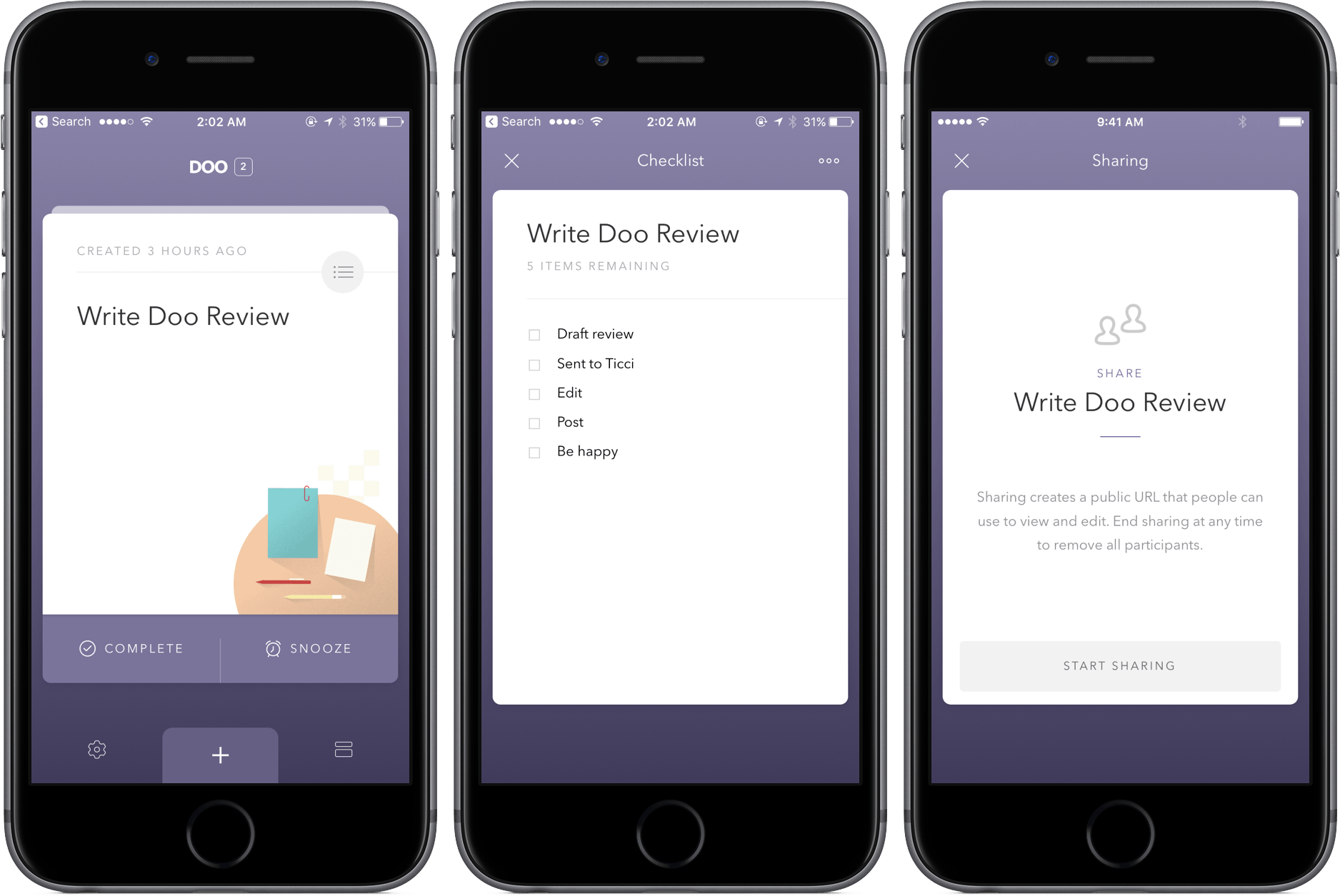
Doo Adds Task Collaboration, Checklists in Version 2.0

When I wrote about Doo over a year ago, I called its methodology “daring and bold,” a sentiment expressed primarily due to its sparse interface and few features. Although I found its straightforwardness endearing, those looking for a more robust task manager were likely sent packing.

In version 2.0, though, Doo maintains its simplicity while growing into a more powerful productivity tool. The inclusion of task collaboration and checklists specifically makes the update a win, and the additions continue to be hits down the line: location reminders, morning and evening hours, and interface customization with font sizes.

The changes in Doo are well-integrated, too – while some apps might tack them on and make them seem out of place, Doo integrates them directly into the existing UI elements. Basically, you won’t have any problems finding or ignoring the new features, depending on what you’re looking to do.

Practically, using Doo’s new tools can make a big difference in your workflow. For example, a task in Doo can now be broader, with more intricate steps listed in the checklists. With Task collaboration, store trips or packing for vacation can now be a shared breeze.

Both Doo for iPhone and Mac received the update, so owners of each should make sure to update to see the latest the Ciarlo Software team has to offer. And if you haven’t picked up Doo yet, check out my review posted above and download the app for iPhone here ($3.99) and Mac here ($9.99).