

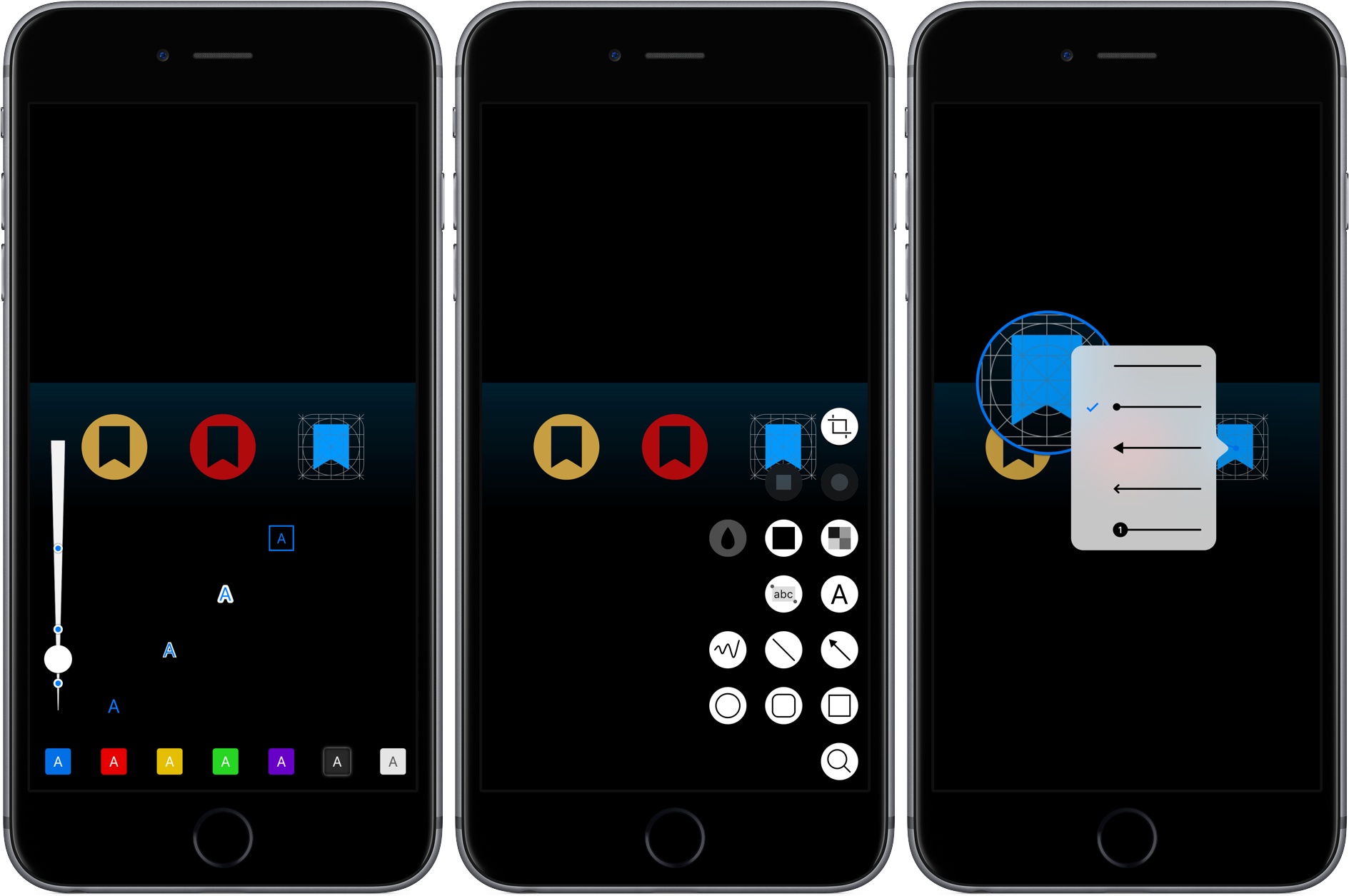
Annotable, an image annotation app from developer Ling Wang, received a major update yesterday. Version 2.0 of the app is all about customization. From the tools that appear when you open the app, to the formatting of text added to an image, Annotable gives you precise control over how you use the app and the look of marked up images, making it my hands-down favorite app for image annotations.
Posts in reviews
Annotable 2.0 Adds Deep Customization Features
Prizmo Go Review: Smarter OCR with the iPhone’s Camera
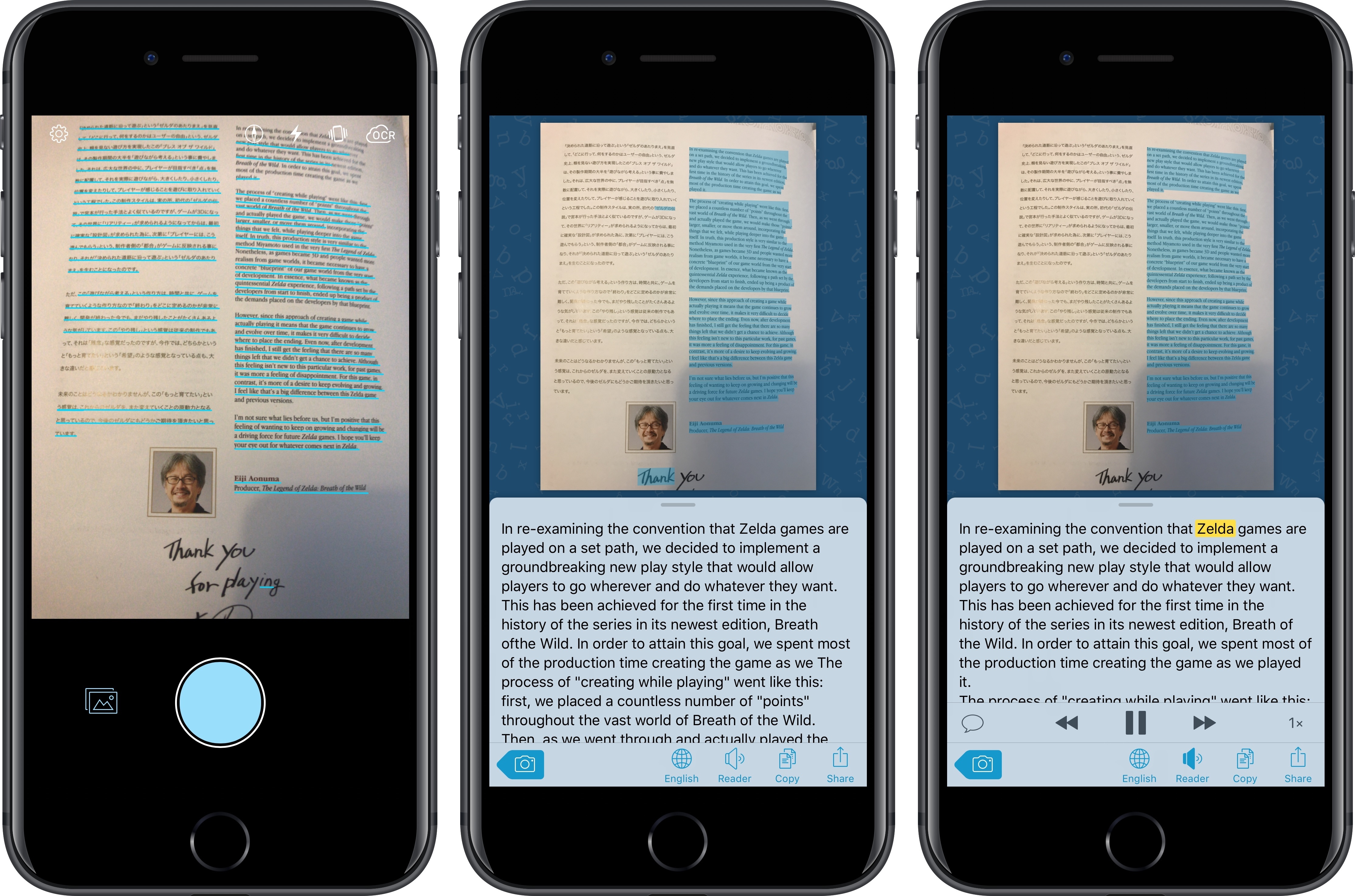
I’ve long been using Prizmo to quickly extract text contained in photos using the iPhone’s camera. Developed by Creaceed, Prizmo has always stood out among iOS scanner apps thanks to its accurate and fast OCR. While most scanner apps focus on digitizing documents and exporting PDFs, Prizmo complemented that functionality with the ability to recognize and share text with just a couple of taps. Prizmo could be used as a scanner app for paperless workflows, but I preferred to keep it on my devices as a dedicated utility to effortlessly extract and share text.
With Prizmo Go, released today on the App Store, Creaceed is doubling down on Prizmo’s best feature with a separate app that’s been entirely designed with OCR and sharing text in mind. While OCR was a feature of Prizmo, it becomes the cornerstone of the experience in Prizmo Go, which takes advantage of impressive new OCR technologies to make character recognition smarter, faster, and better integrated with other iOS apps.
Rogue Amoeba Releases Airfoil Satellite TV for the Apple TV
Airfoil by Rogue Amoeba is a Mac app that lets you stream audio from a Mac to multiple connected devices using technologies like Bluetooth and AirPlay. I reviewed version 5 of Airfoil last year, and was impressed with its ability to stream audio to every device I could find in my home and keep them in perfect sync.
Rogue Amoeba has done some impressive reverse engineering of Apple’s OSes to make Airfoil work. The upside is Airfoil is a remarkable audio hub for anyone who wants to stream audio to virtually any connected device. The downside is that changes to Apple’s OSes can break Airfoil, which is what happened when Apple released tvOS 10.2. That update broke Airfoil streaming to Apple TVs that updated to the latest version of tvOS.
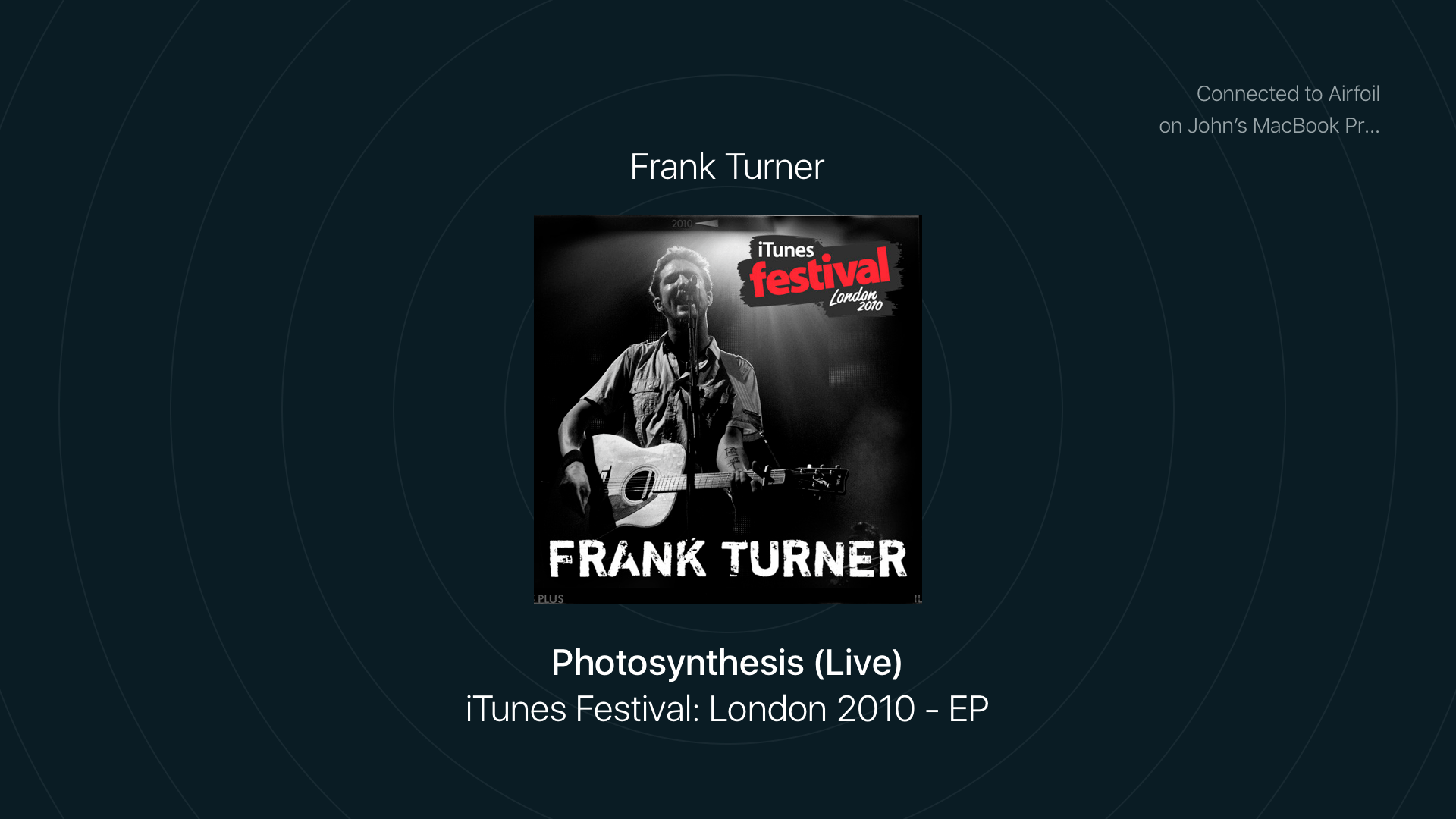
Since tvOS 10.2 was released about a month ago, Rogue Amoeba has been working on two solutions for customers. The first is Airfoil Satellite TV, a tvOS app that was released earlier this week. The app, which can receive an audio stream from Airfoil for macOS, is available as a free download on the Apple TV App Store. When you open Airfoil Satellite TV on your Apple TV, a new audio destination appears in Airfoil on your Mac named ‘Airfoil Satellite on [Your Apple TV Name].’ Pick that destination and music starts streaming from your Mac to your Apple TV.
Vignettes Review: I Need a Moment
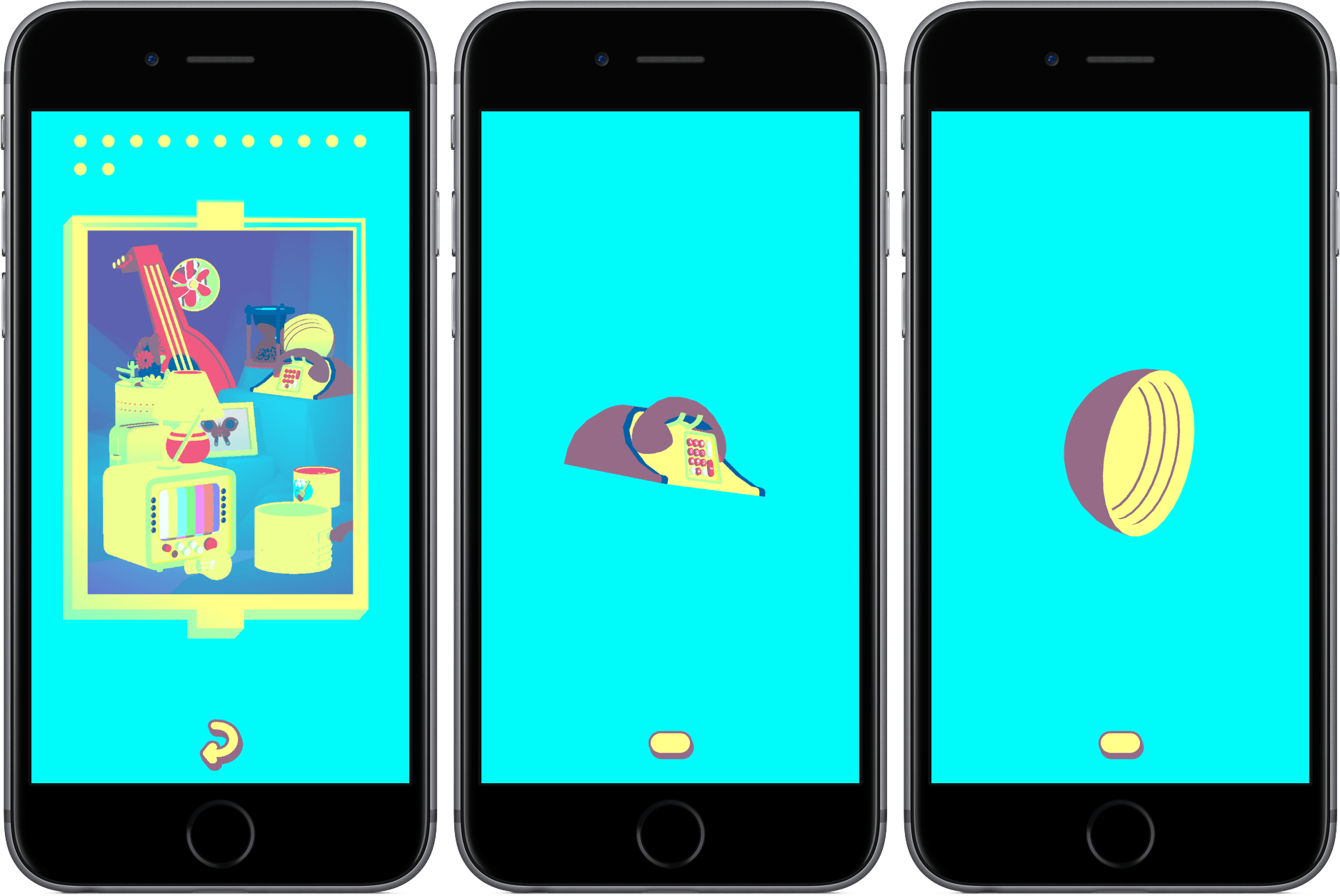
Vignettes is, without a doubt, the most bizarre game (and app) I’ve ever purchased in the App Store.
The goal of the game – I think? – is to turn one object into another by twisting, rotating, tapping, and shifting your perspective of the object. If done correctly, you’ll transform a phone into a bowl, a light bulb into a lamp, and your brain from a completely functioning organ to a steaming pile of gray mush.
That’s about all there is to Vignette. The more you discover new objects, the more objects you’ll want to find. As you proceed through the game, you’ll begin to unlock keys that will start you at different points in the game, reveal secrets, and let you interact with more objects.
That probably sounds incredibly generic, but that’s because it’s incredibly difficult to put the concept behind Vignettes into words. It’s an experience, one that feels halfway between a game and an art project where the end object is to trick you to spinning your real-world chapstick around, hoping it transforms into something else (and yes, I did this!). There are almost no in-game instructions, either, so you’re left to your own devices from the outset.
However, there’s something really intriguing about the whole experience; although Vignettes is one of the most frustrating games I’ve played this year, the reward of discovery keeps me coming back the app even when I don’t think I want to. I get lost in its worlds, unable to comprehend exactly what puzzles I’m solving, but solving them nevertheless. Each puzzle is its own super weird and fun journey. I haven’t been so entranced by a iOS game in a long time.
Vignettes is available on the App Store for $2.99.
Now if you’ll excuse me, I’m going to go lie down.
The Successor to Wunderlist Is Here: Microsoft To-Do
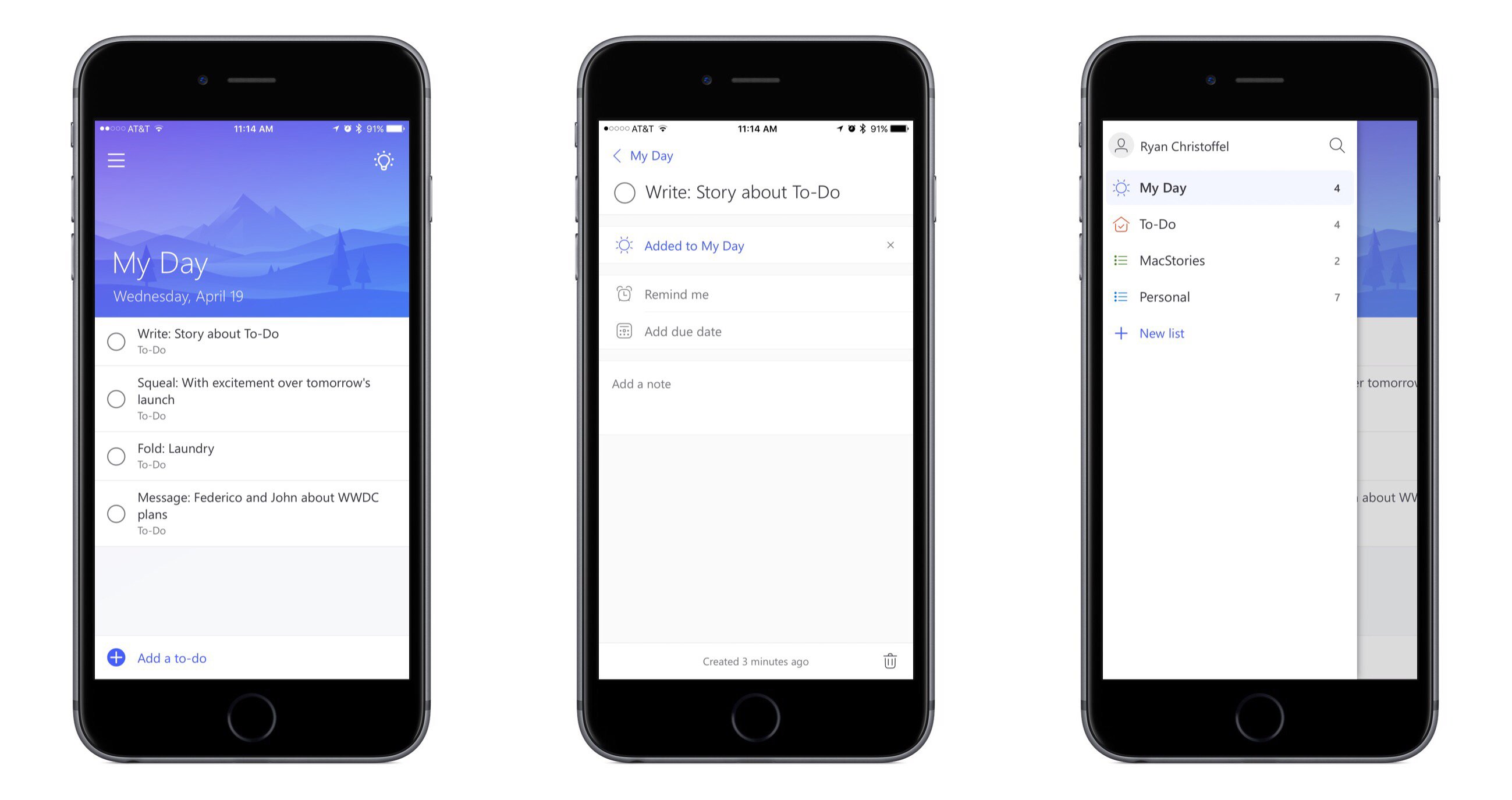
Microsoft To-Do is the official successor to Wunderlist, the popular task management app acquired by Microsoft in mid-2015. Microsoft unveiled To-Do today in Preview, which is essentially a public beta. The service is built on Office 365 technologies, but according to ZDNet it is available to anyone with a Microsoft account; Office 365 is not required.
To-Do launches today on several major platforms, including iPhone, Android, Windows, and the web. Unfortunately iPad and Mac versions are not available at this time, but Microsoft says those apps will be available in the coming months.
After spending some time with To-Do on iPhone, my initial impressions are that it’s a beautiful, simple task management tool that very much feels like a worthy successor to Wunderlist.
Fill in the Gaps with Polycolor
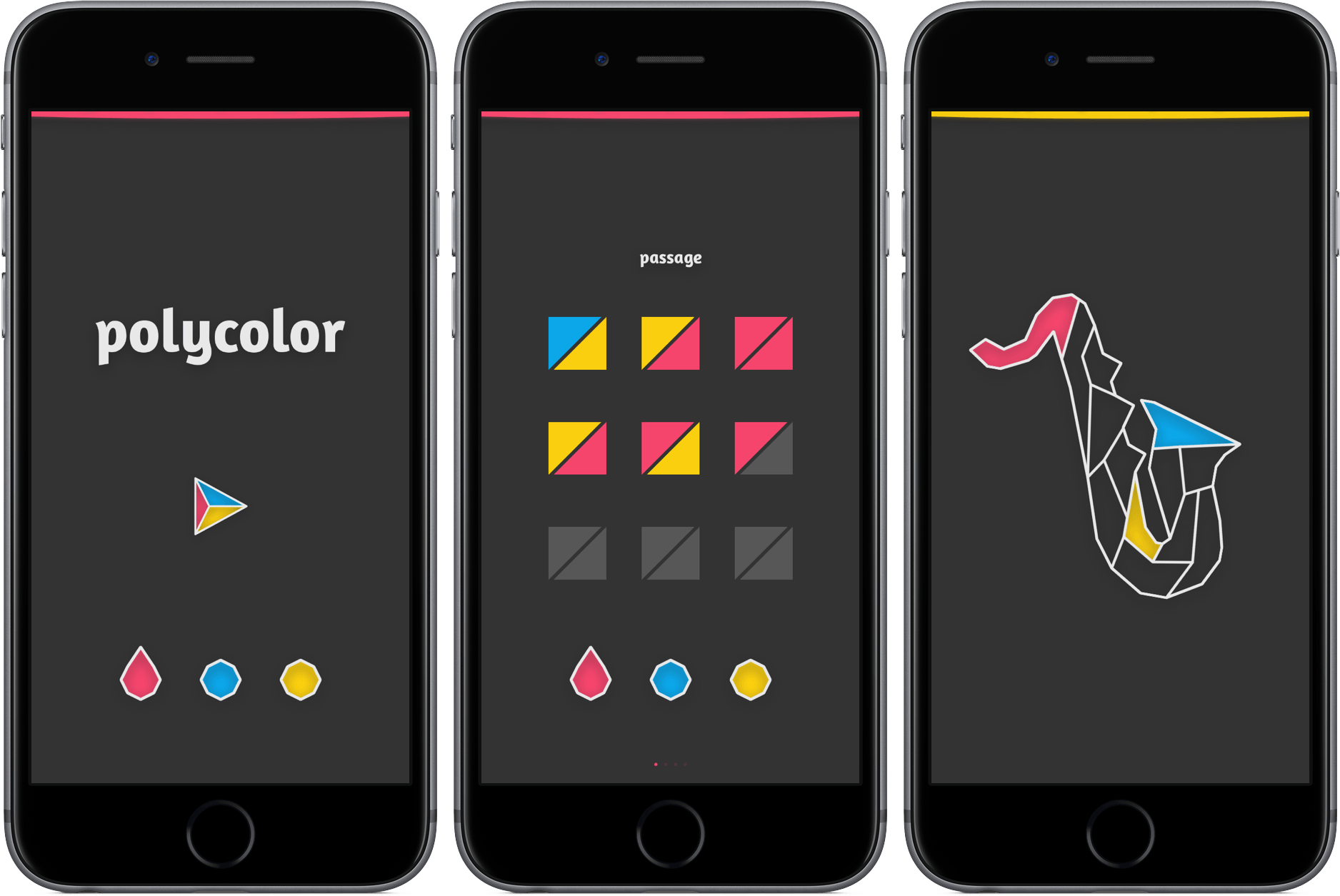
Some games don’t require a manual. They won’t bring out your inner rage, send you searching for answers online, or require you to ask your friend for help. Instead, they challenge you quietly, providing a gaming experience that’s equal parts difficult and soothing.
Polycolor is the epitome of the relaxed puzzle genre, a game so basic that it requires almost no explanation. Here’s why: all you have to do is fill in a pattern so that none of your three colors touch one another, yet the picture is fully colored. You select either red, blue, and yellow, assign it to a shape, and work your way toward a piece of art that signifies your accomplishment. As you continue in the game, you’ll be restricted to only a couple of moves to complete the task.
For an example, take a look below.
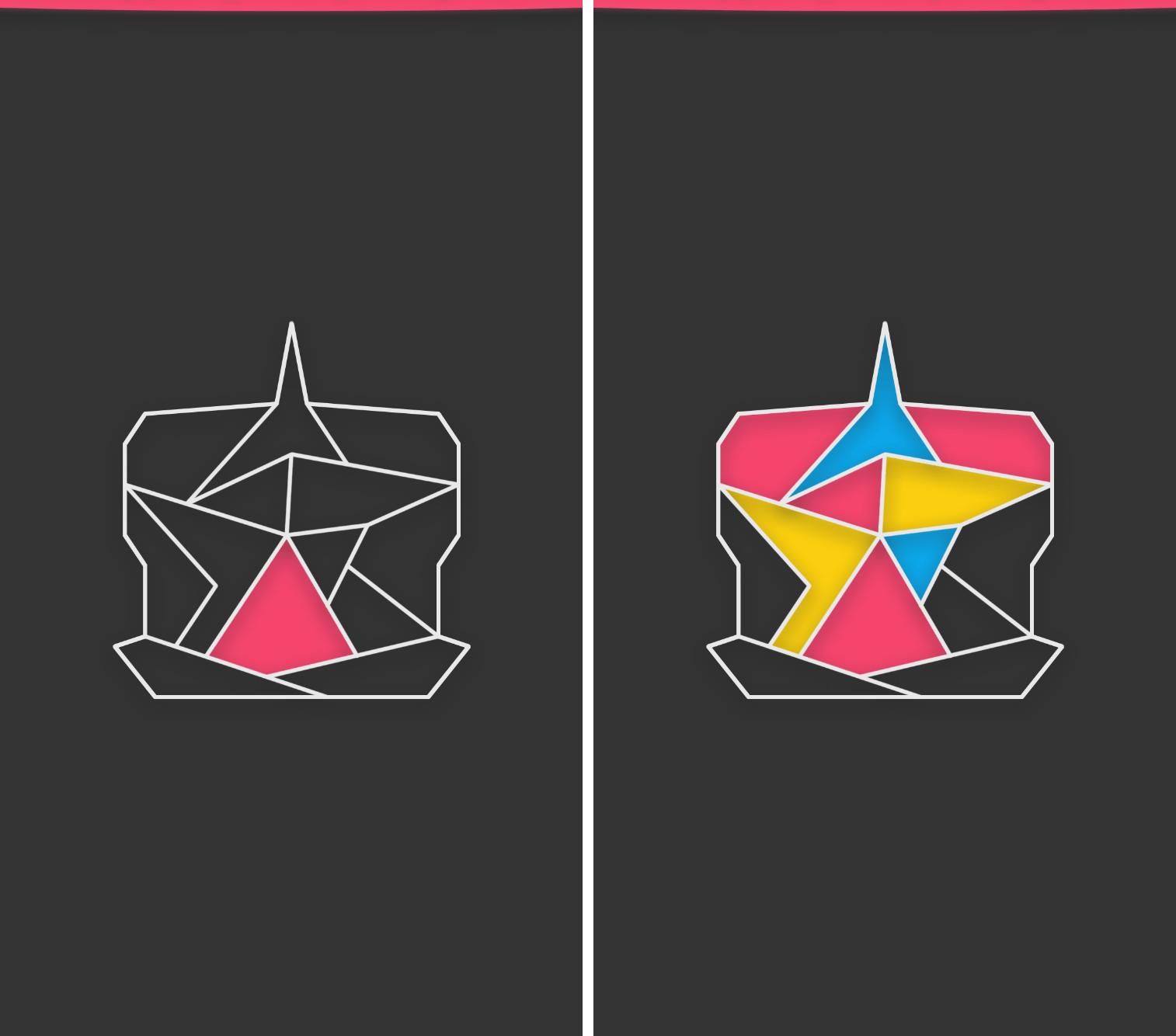
Although the premise is simple and early levels don’t pose much of a challenge, polycolor has grown on me as I continue to work through its 70+ levels. It’s a game that requires little physical effort, but increased mental exertion while progressing. Still, I’ve found that it’s perfect for tapping away during moments of boredom or peace.
If you’d like to give polycolor a try, you can download it in the App Store for $0.99 (universal).
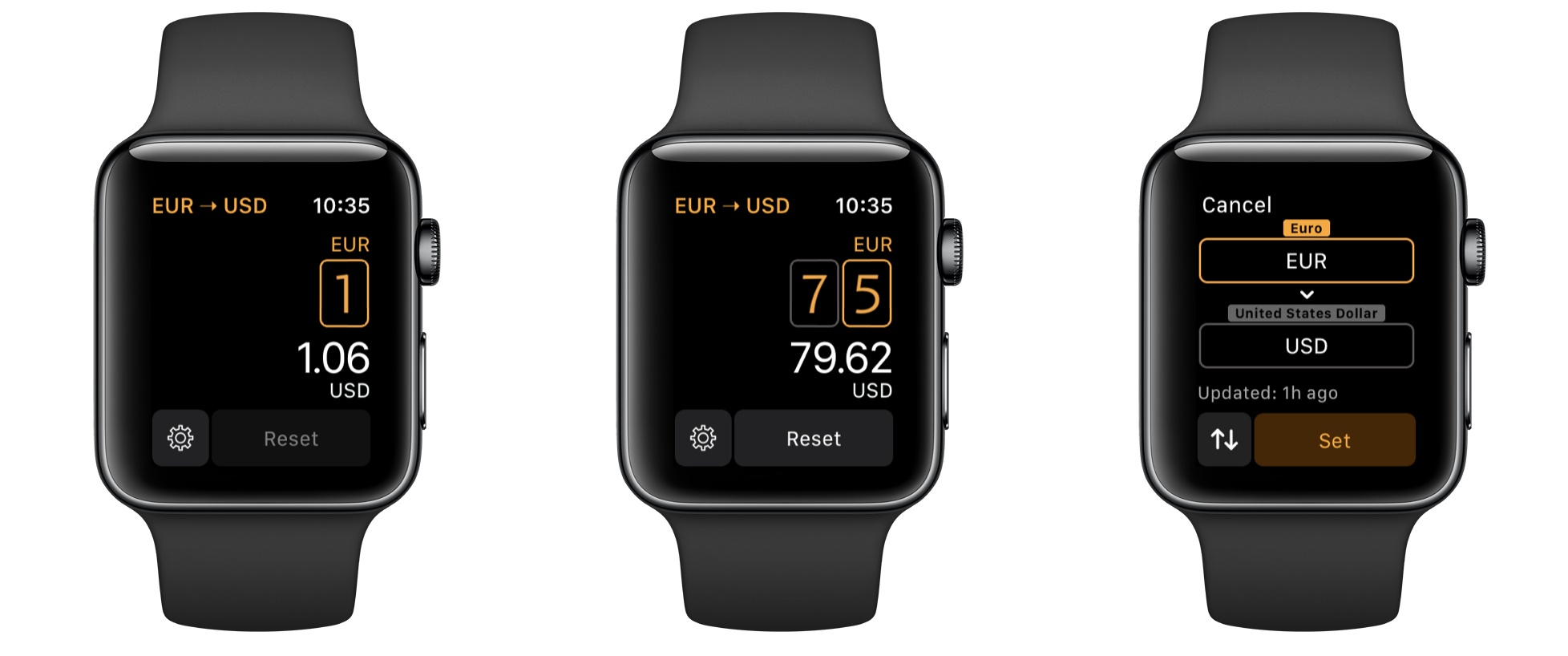
Elk: Currency Conversion on Your Wrist
Outflow Review: Simple Subscription Tracking
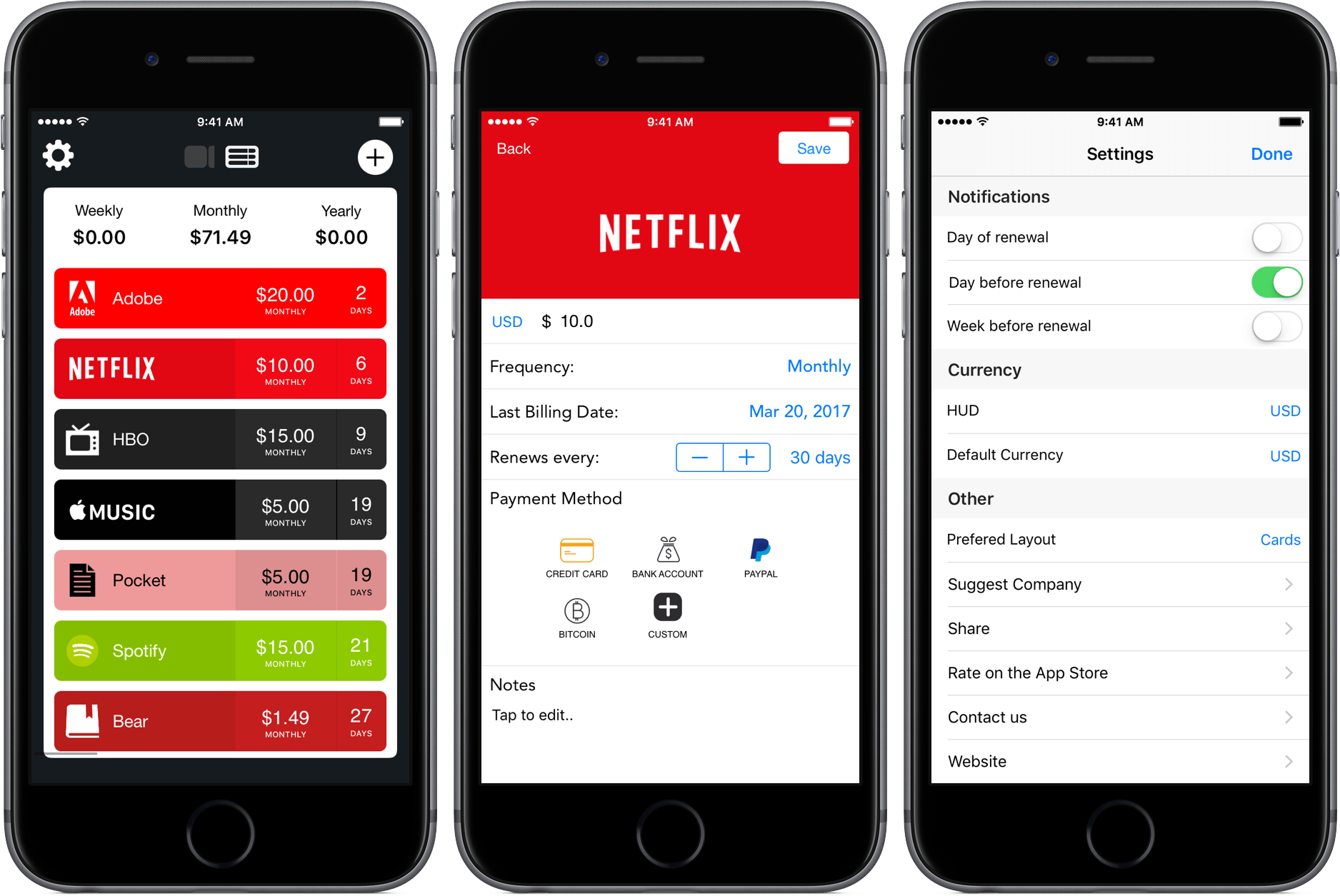
As I’ve mentioned in previous articles, I’m a huge fan of Bear, the minimalist note-taking app developed by Shiny Frog. To show my appreciation and grab an extra feature or two, I pay a monthly subscription fee of $1.49, a price so low that I forgot that I paid it at all.
It’s a similar story for other services, too – $5 each for Pocket Premium and Apple Music slip out of my bank account monthly without much thought. But that’s where the cheap stuff ends, and the expensive subscriptions begin: $15 for HBO Now, $15 for a Spotify family subscription, and $20 for the Adobe Creative Suite. After all of this, I’m at $71.49 a month for software, some of which I’m rarely putting hours into.
Because my subscriptions span different platforms and renew at different times, I’ve been looking for ways to track where all my money is going. With Outflow, I’ve found a new way to do that.
Game Day: Pocus

Pocus is the latest mind-bending puzzle game from Ankara-based developer Gamebra.in, a husband and wife duo that is known for their challenging puzzles. The game shares a common visual style with Gamebra.in’s earlier titles but has the most in common with the hit game Hocus as the names of the two games suggest.
Whereas Hocus is about navigating a cube around a variety of Escher-like geometric structures, Pocus is always played on three sides of one or more 3D cubes. Each side of a cube is composed of a 6x6 grid. Most of the squares in the grid are gray, but others are black or other colors. You play as a red with a black dot on it. The goal is to move your red square across the three sides of the cubes to collect green squares.