This Week's Sponsor:

Turbulence Forecast

Know before you go. Get detailed turbulence forecasts for your exact route, now available 5 days in advance.


Posts in reviews

TodayFlights: A Flight Status Widget for macOS

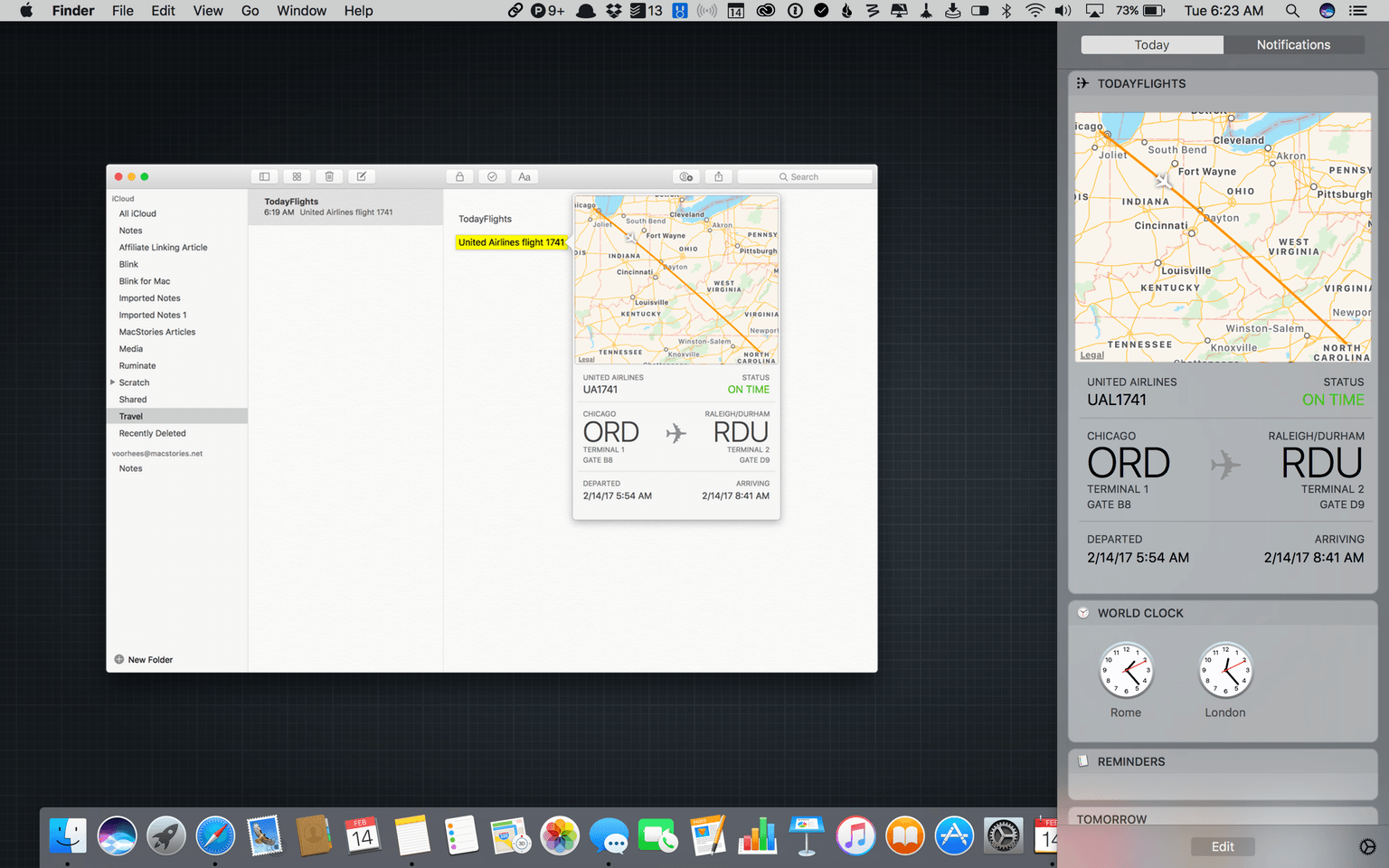
Data detectors are a feature of Apple’s OSes that recognize information like phone numbers, addresses, and airline flight information and make them interactive. For instance, clicking on a flight in Mail or Notes on a Mac opens a pop-up window with a map of the flight path, whether the flight is on time, departure and arrival times, and other information.

Developer Josh Parnham reverse-engineered the private APIs Apple uses for its flight status data detectors and built a macOS Today widget called TodayFlights. The widget displays the same interface and information as Apple’s data detector but in macOS’s Notification Center. To enter an airline name and flight number, all you do is click the info button at the top of the widget and enter both. Like Apple’s data detector, you can click on one of the cities to zoom in on that portion of the map. In addition, clicking on the bottom section of the widget cycles through departure and arrival times, remaining flight time, and flight duration.

It’s surprising that Apple hasn’t implemented flight tracking as a Today widget. As TodayFlights demonstrates, it’s the perfect sort of glanceable information for which Notification Center was created. Because TodayFlights is built on private APIs, the widget could break if Apple changes those APIs without notice, but until that happens, TodayFlights is a handy addition to Notification Center.

TodayFlights is a free download on Josh Parnham’s website.

LookUp Review: The Modern Dictionary

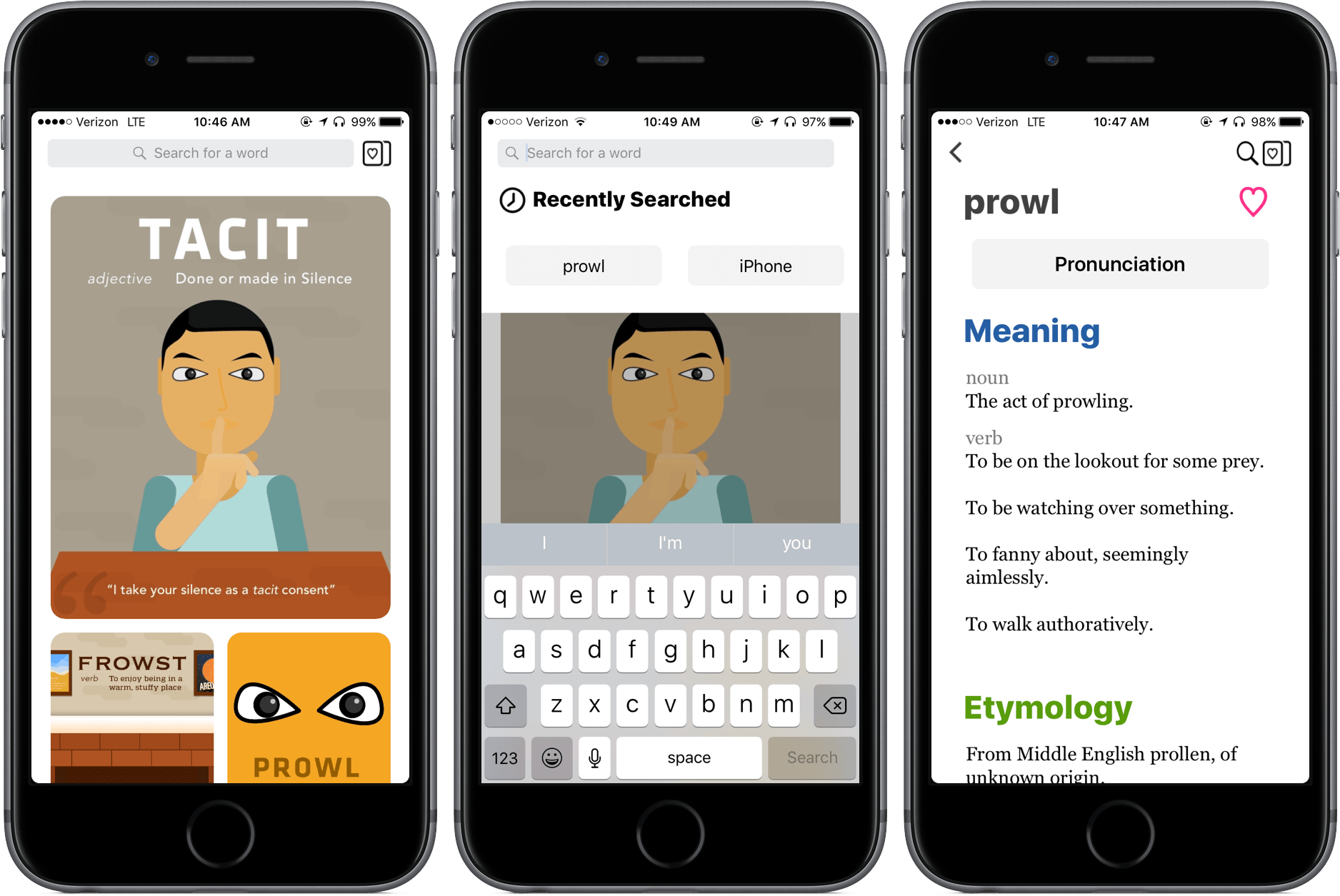
When considering a traditional dictionary, the words “fast” and “beautiful” don’t come to mind; even our digital dictionaries, sometimes coming in the form of iOS’ Look Up feature when highlighting a word, don’t do a great job of looking good, providing all the relevant information, and appearing in enough time to make it worth the process.

With LookUp, I’ve found things to be different – it’s a dictionary app built on convenience, design, and lots of information.

Read more


Picky: Music Rediscovery Through Powerful Filtering

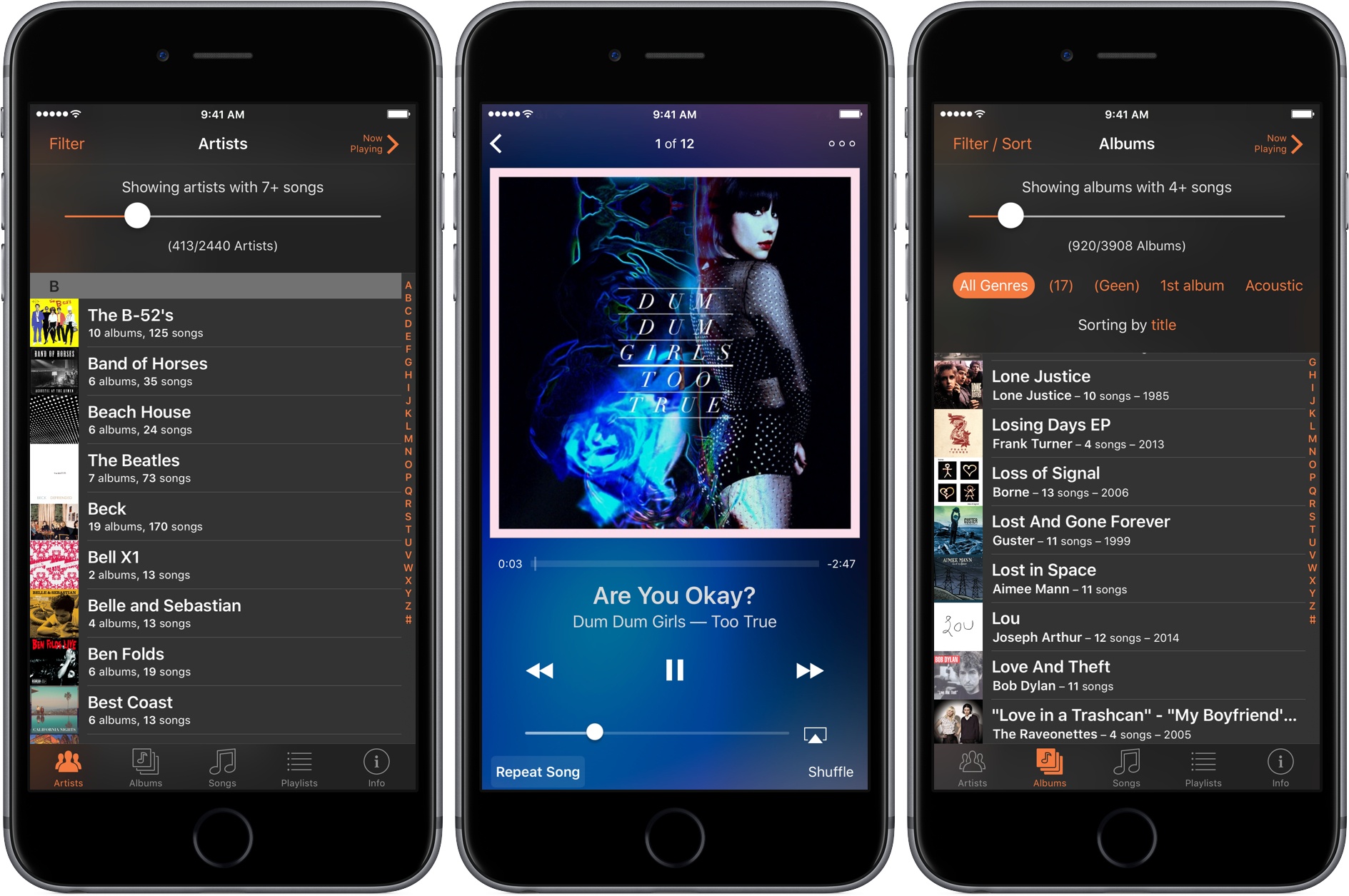
My music collection is too big to browse in Apple’s Music app. With over 15,000 songs, browsing by track is out of the question, and because I have only one or two songs by many artists, scrolling my entire artist list is impractical too. As a result, I typically use search to find songs in the Music app. The trouble is, search only works if you already know what you want to hear, and it hampers rediscovery of music you haven’t listened to for a while. Apple Music’s algorithmically-generated ‘My Favorites Mix’ helps with this, but sometimes I would rather discover old favorites on my own. For those times, I turn to Picky by Charles Joseph.

Picky lets you filter and sort music in more ways than you can probably imagine. Add to that the ability quickly queue up songs from anywhere in the app, and the result is a powerful music utility that is perfect for getting reacquainted with your favorite tunes.

Read more


Game Day: Glitchskier

I love puzzle games and have seen some great ones debut on the App Store recently, but now and then, I want to play something different. This week, different meant Glitchskier, an endless runner-style arcade shooter by Shelly Alon. It has an off-kilter video game glitch aesthetic and challenging gameplay that together, hooked me immediately.

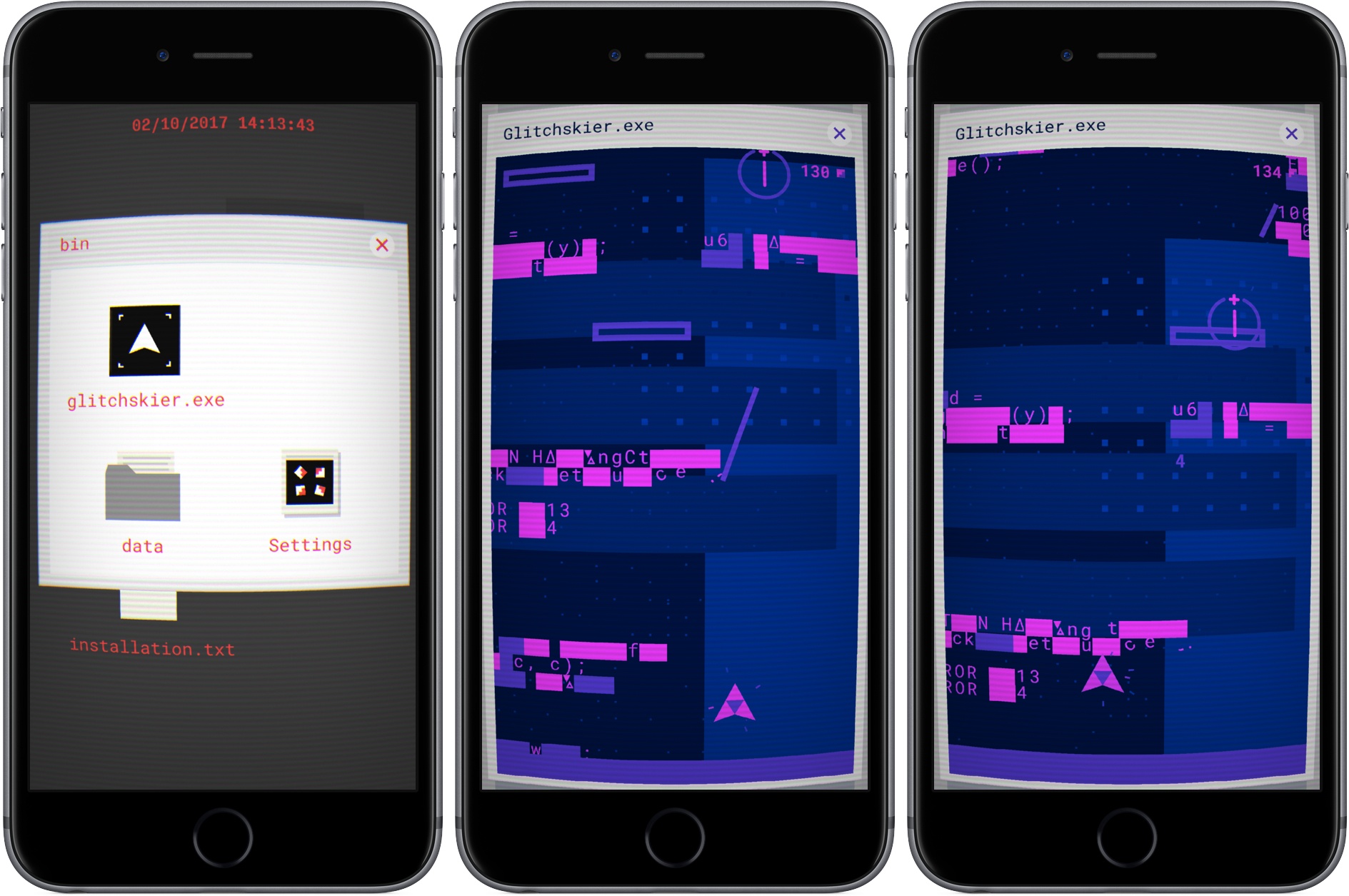
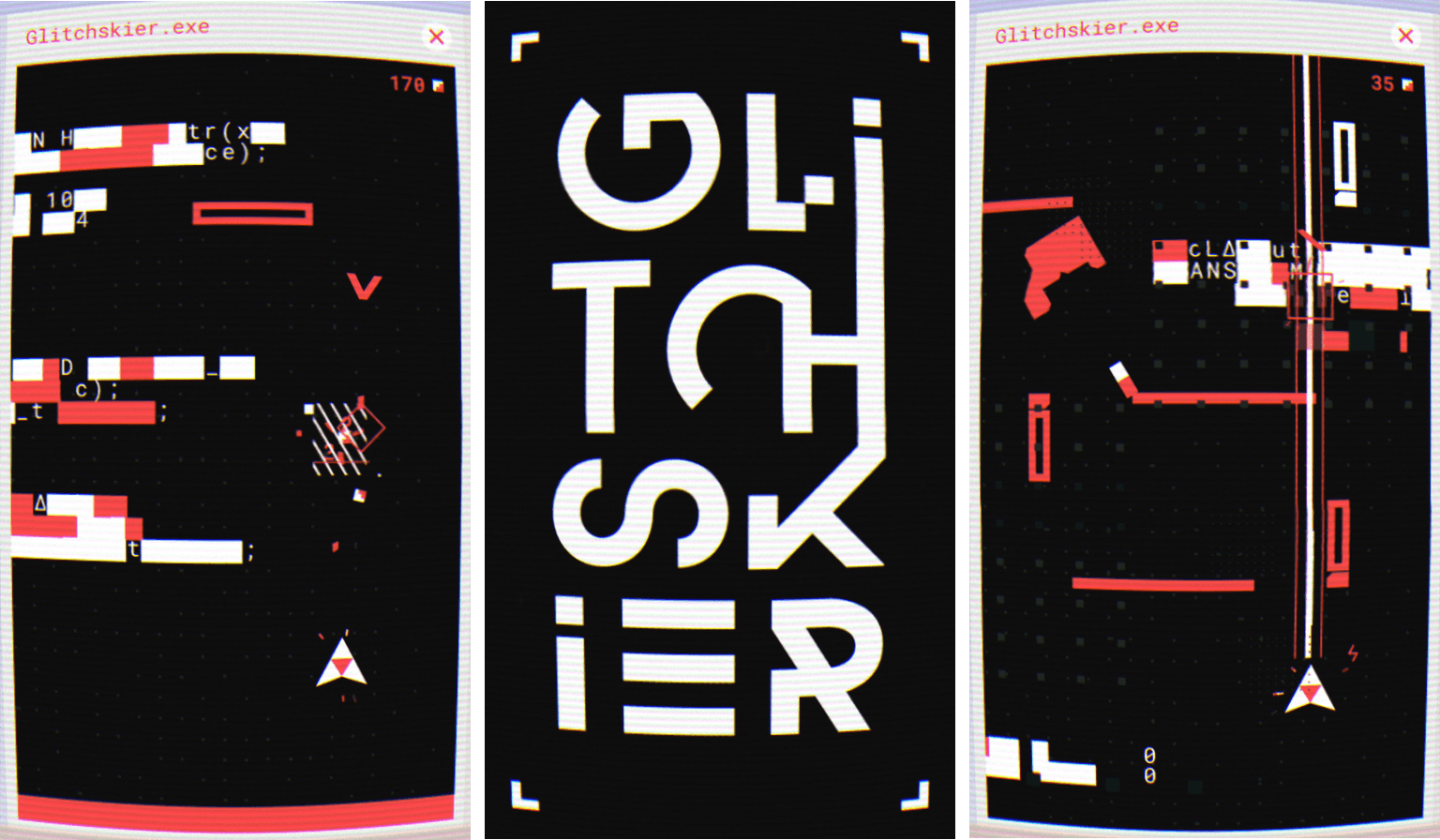
From the get-go, Glitchskier takes you back to early PC hardware. The screen is distorted to look like you’re playing on a curved, low-resolution CRT monitor. If the CRT look is too much for you, it can be turned off in settings. In the background, a dull hum and whir of electronics and fan blades add to the atmosphere. It’s an opinionated design that goes all-in with the retro PC look, which may turn off some people initially, but drew me in as soon as I started playing.

To start Glitchskier, you double tap a Windows-style folder and then glitchskier.exe. The gameplay is reminiscent of spaceship shooter games like Galaga. You maneuver your spaceship by dragging your finger around the screen. At the same time, the environment advances down the screen, endless runner-style. That, and the enemies that descend from the top of the screen, make avoiding your ship’s destruction difficult.

Your guns shoot automatically as long as your finger is on the screen. The more things you destroy, the higher your score climbs. As you move through the landscape, there are also weapons to collect that help you defeat enemies and bosses. Make it far enough, and you begin to unlock different colored themes too.

Part of the novelty of Glitchskier is the environment through which you fly your spaceship. The screen is littered with computer glitch obstacles like random characters that form barriers. The chaotic universe and enemies relentlessly descending on you is disorienting at first, but quickly becomes familiar and comfortable when you figure out what can be blasted to bits and what you need to avoid.

The unforgiving onslaught of enemies keeps you on your toes and requires split-second decisions. The sense of urgency is heightened by a synth soundtrack that fits perfectly with the game’s aesthetic and reminds me a little of the excellent Stranger Things soundtrack. But Glitchskier is more than just an homage to 80s arcade games. Beneath its carefully-crafted design is a fun game that’s easy to learn and extremely hard to master. The combination of the two sucks you into Glitchskier’s crazy world in a thoroughly entertaining way.

Glitchskier is available on the App Store for $1.99.


Vantage Review: A New Take on Calendars

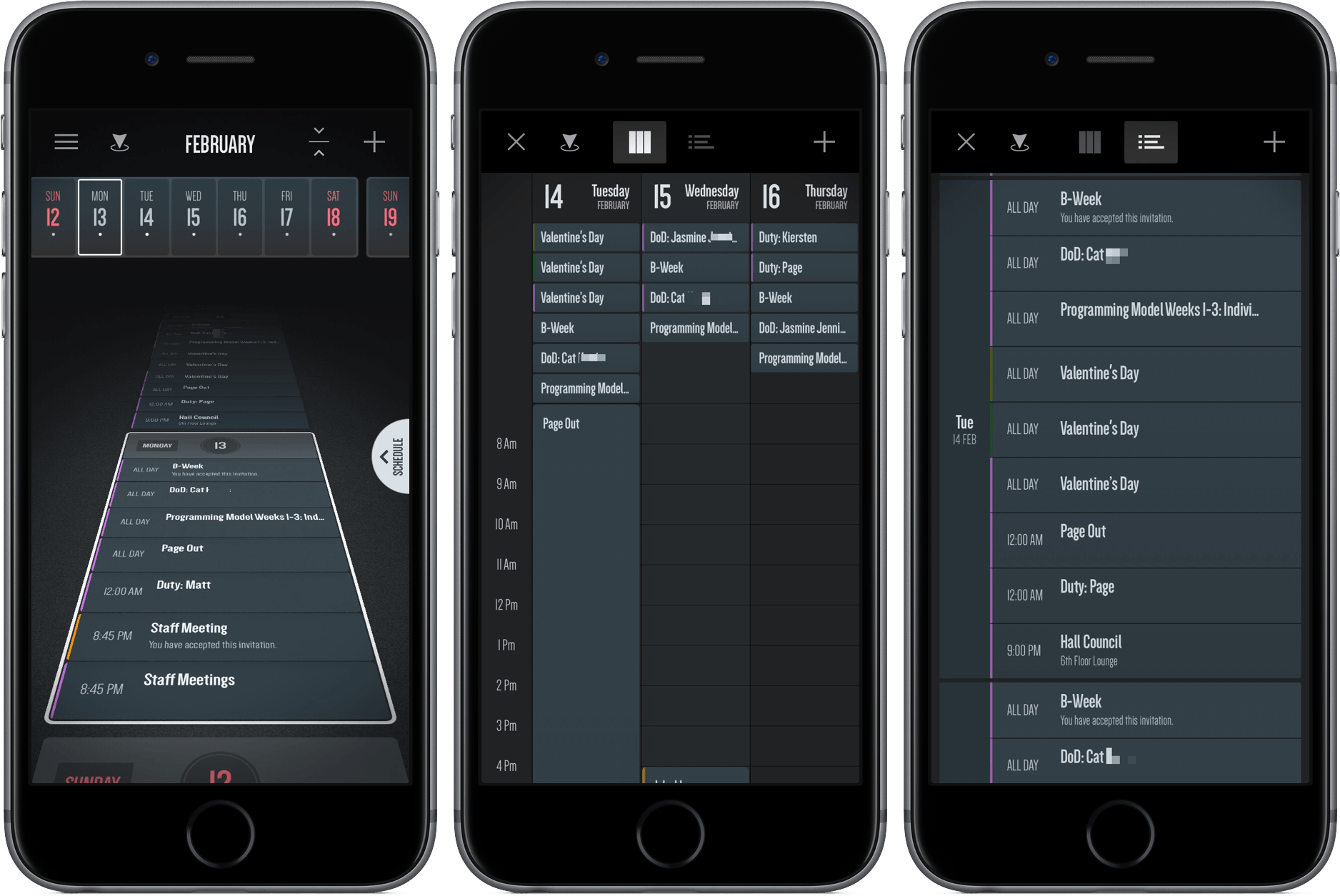
In middle school, a friend and I would hang out on the weekend and live out our rock-n-roll dreams with Guitar Hero. As the notes would come down the line, we’d press sequences of red, green, yellow, and orange, jamming to songs in the iconic and aesthetically innovative game.

I haven’t thought much about Guitar Hero recently, but an app I downloaded a couple of weeks ago reminded me of it. However, it’s not a rhythm-based guitar game, or even tied to music at all.

It’s a calendar app called Vantage.

Read more


Stagehand Review: Living Platforms

One of my first memories of a portable platform game takes place in the summer of 1996 and it involves Super Mario Land 2 for the original Game Boy. I was 8, and until that point, my only console experience had been with a Super Nintendo my parents bought me for Christmas. I could play with it a few hours each week, which didn’t satiate my infinite curiosity for videogames. When I saw Super Mario Land 2 on a friend’s Game Boy, I was taken aback by two distinct aspects: the contagious fun of a platformer (my only SNES game was Stunt Race FX – don’t ask) and its ubiquitous availability – provided you had enough daylight and 4 AA batteries.

Later that year, I convinced my mom to buy me a Game Boy. A couple of years later, I got a Game Boy Color. For the past 20 years, portable consoles and Nintendo’s Mario games have shaped my taste in videogames and defined my moments of quiet downtime. From Super Mario Advance 1 and 3 (both remakes of games I had never played) to New Super Mario Bros and, to an extent, the recent Super Mario Run for iOS, all my favorite 2D platform games agreed on a basic idea: you control a surprisingly athletic plumber who runs and jumps from left to right.

Conversely, Stagehand, the latest creation by Big Bucket (makers of The Incident and Space Age), upends decades of platformer conventions by turning the genre on its head. You don’t maneuver a character with meticulously timed jumps across retro-styled stages filled with floating platforms and spikes; rather, you sloppily modify the stage itself with touch, dragging platforms to accomodate the hero’s run and making sure he doesn’t run headfirst into cliffs, fall into pits, or get eaten by the inexorable advance of the left side of the stage.

Stagehand is an endless runner combined with a dynamic platform game, only you don’t control the character – you facilitate his run by reshaping the stage around him.

Read more


Game Day: Splitter Critters

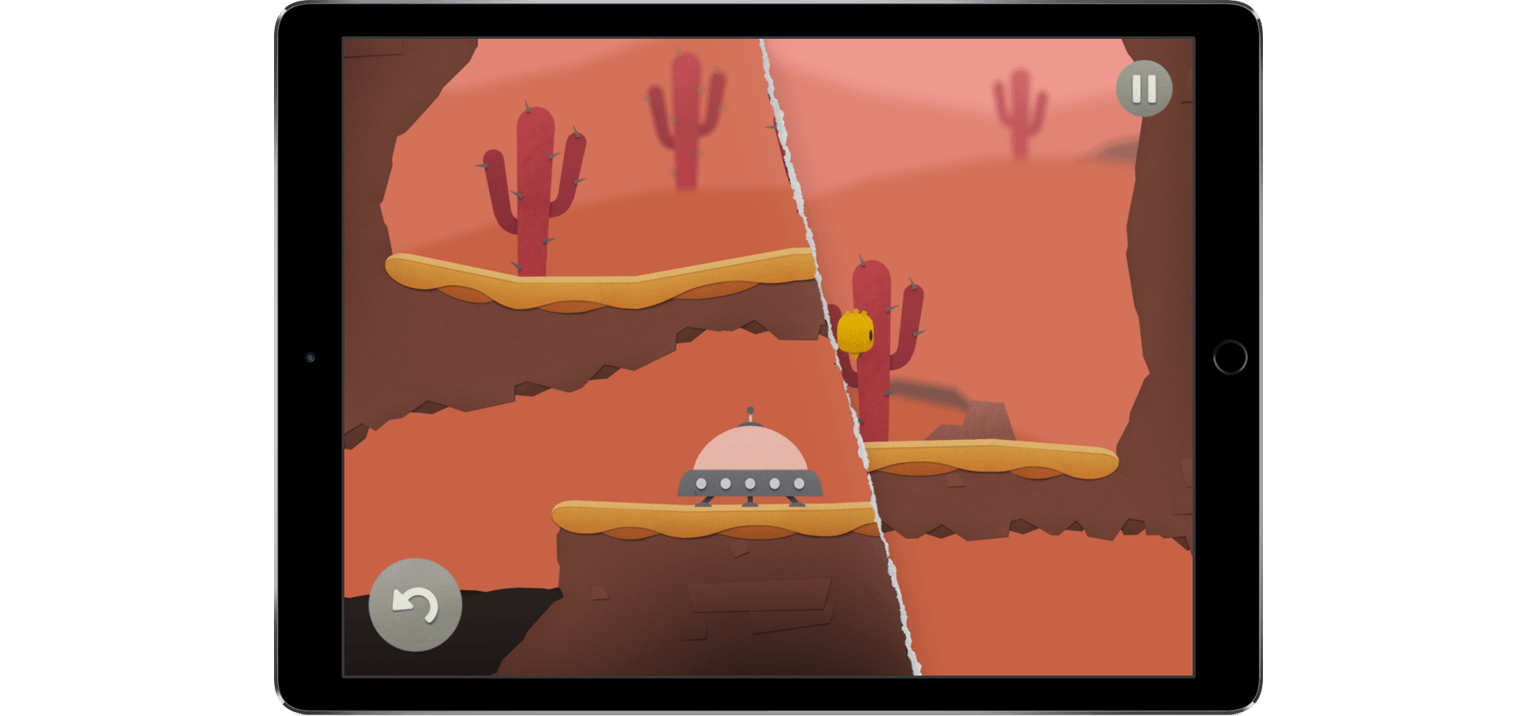
When Splitter Critters by Canadian game studio RAC7 caught my eye, I initially wrote it off as a game for young kids. I think it was the paper cut-out art style that made me jump to that conclusion. Digging a little deeper, I realized I was wrong. Splitter Critters is a game that anyone who likes puzzle games will enjoy. What’s more, its gameplay is truly innovative. I should have known better; this is the same team behind Dark Echo, a pioneering game from 2015 based on exploring a strange world through sound.

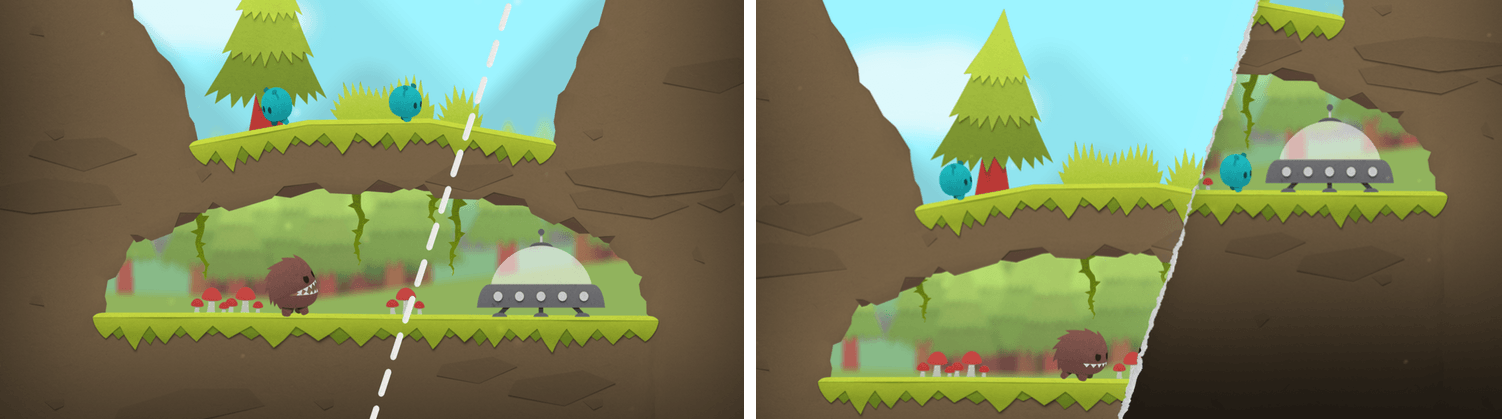
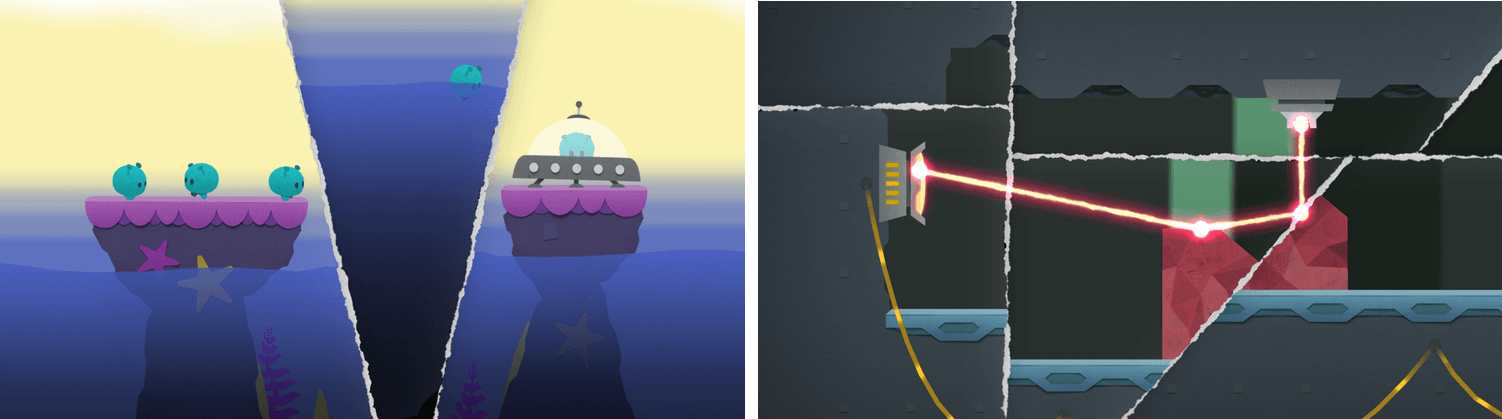
Shifting the environment to save the aliens.

Shifting the environment to save the aliens.

The object of Splitter Critters is to guide a group of aliens back to their spaceship. The aliens wander back and forth, trapped by the terrain. You need to create a path back to their ship, which is where the clever gameplay mechanics come in. Swiping your finger across the screen tears the environment in two. The world can be split at any angle, which opens up nearly endless possibilities. You can then shift the two pieces to alter the world around the aliens doing things like lowering a cliff on which they are trapped to a lower level where their spaceship sits. There is an element of the classic game Lemmings in Splitter Critters and the way you guide the aliens to a goal, but how you do that is so unique that the utility of the comparison is limited.

As you progress through the levels, new challenges arise. Pits of water, creatures that want to eat your aliens, lasers, and other obstacles need to be avoided. Levels are made even harder by the fact that the number of times you can adjust the background is limited, so you need to be thoughtful about your approach.

Splitter Critters’ artwork makes the creatures and their planets feel like paper cutouts, which fits perfectly with the game mechanics. I also like how the little aliens bleat as they wander around, and enjoyed the atmospheric soundtrack.

What I’ve found the most fun about Splitter Critters, though, is its deceptive simplicity. The puzzles are challenging, and the mechanics add a fresh, new approach. With millions of games on the App Store, many of which are casual puzzle games, that originality is rare, which makes Splitter Critters a must-try for anyone who enjoys this kind of game.

Splitter Critters is available on the App Store for $2.99.


Balance Brings Financial Accounts to the Mac’s Menu Bar

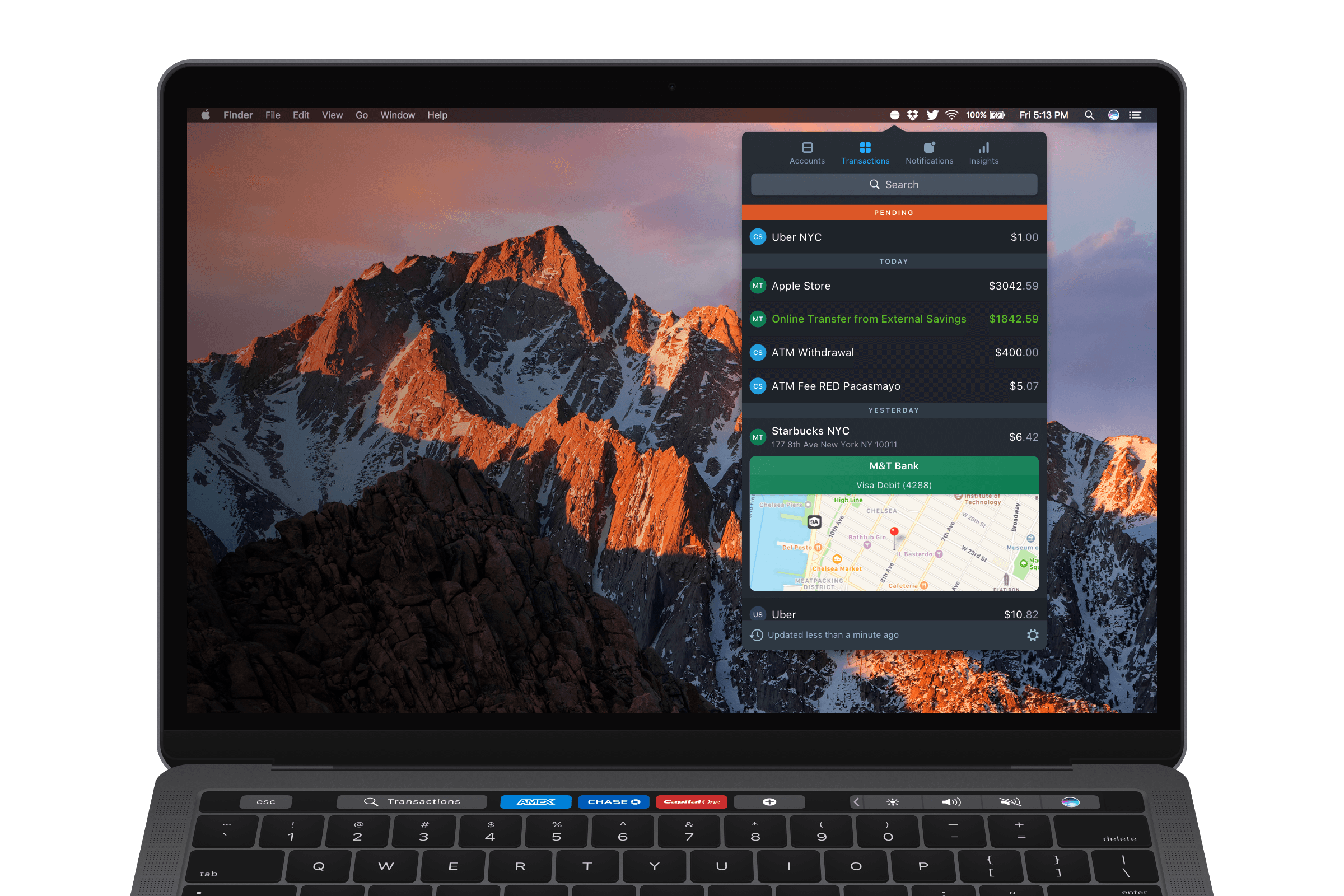
Balance is a macOS menu bar app that tracks the balances and transactions in your bank, investment, and online financial accounts. The app supports thousands of financial institutions and takes advantage of some of Apple’s latest innovations on the Mac like the Touch Bar and Touch ID. If you want immediate access to balance and transaction data across multiple accounts at your fingertips, Balance is worth a look.

Read more