This Week's Sponsor:

Turbulence Forecast

Know before you go. Get detailed turbulence forecasts for your exact route, now available 5 days in advance.


Posts in reviews

Game Day: klocki

After last weekend’s fast-paced, stress-inducing racing game, Neon Drive, I wanted to play something a little more laid back and mellow this week. I found the perfect game in klocki, a new iOS puzzle game that launched earlier this week.

klocki is from Maciej Targoni, the maker of Hook, a well-regarded puzzler that came out early last year. The tile-based puzzle game is singularly focused on revealing itself through its puzzle mechanics and designed to be relaxing. There are no tutorials, instructions, or text. You play klocki at your own pace, discovering the rules organically as you play.

The goal of klocki, at least in the early stages, is to complete lines by swapping pairs of tiles. When you complete a puzzle, you only advance to the next one after you tap the screen. You are completely in control of the pace of klocki, which is backed by a soothing soundtrack by Wojciech Wasiak.

As you progress through klocki, things get trickier. The 2D puzzles gain a third dimension, the puzzles become larger, and the mechanics become more complex, making it harder to work out the solutions. No worries though, there are no timers or score. It’s just you against each puzzle.

klocki, which was featured on the App Store this week, is the kind of distraction I look for more often than not in an iOS game. It’s challenging without being frustrating and as easy to pick up for short periods of time as it is for an hour.

klocki is available on the App Store for $0.99.

Recapture Time with Moment

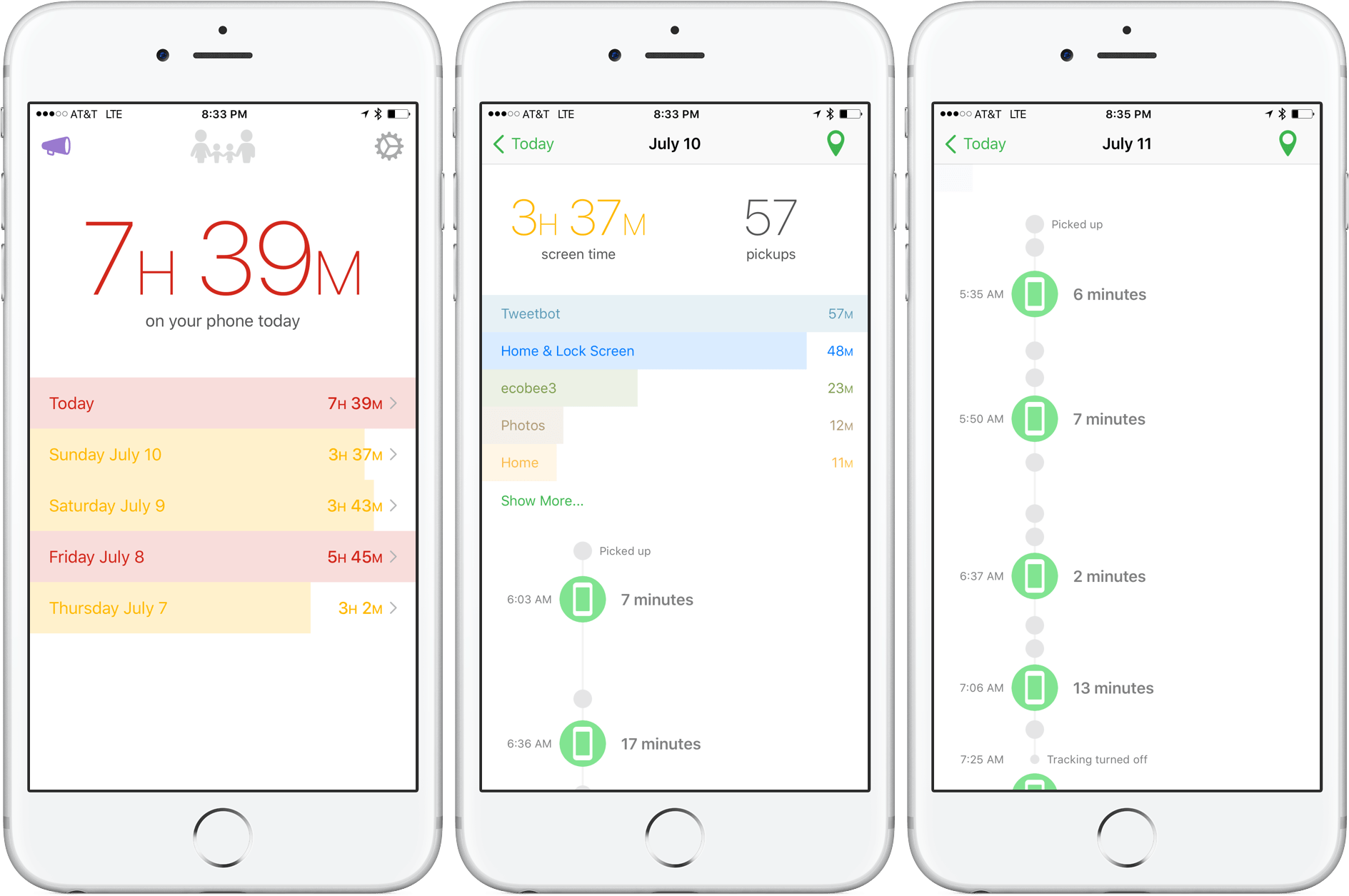
It’s easy to get lost in whatever you’re doing on your iPhone or iPad and become oblivious of your surroundings – just ask anyone who’s tried Pokémon GO. I don’t have a problem doing that occasionally to blow off steam, and the reality is that a lot of my work gets done on iOS, but there’s a time and a place for everything. What I don’t want is for my device use to take away from time I spend with friends and family.

If you feel the same way, but have a hard time putting your iPhone or iPad away, Kevin Holesh’s app Moment can help. By tracking your iPhone or iPad usage, you can get a handle on how much time you spend on each device, and even how much time you spend in individual apps. What’s more, if you purchase the Pro version of Moment, you can take advantage of its full Phone Bootcamp course and other tools that can help you find ways to reduce your device usage.

Read more


Game Day: Neon Drive

Neon Drive by Fraoula is a devilishly difficult 80s-themed driving game that immediately reminded me of the campy short film, Kung Fury. The unapologetic, over-the-top style of Neon Drive is a big part of its charm and adds to the fun of the game, which is available for OS X and iOS. The mechanics of Neon Drive are incredibly simple, but the mastering the game requires precise timing. Well-placed checkpoints provide just enough of a sense of progress though, to make Neon Drive more fun than frustrating.

Neon Drive is part endless runner, part rhythm game. The controls are about as basic as they could be – on iOS you steer your car across lanes by tapping the left side of the screen to move left and the right side to move right. On the Mac, you can accomplish the same thing with the left and right arrow keys or other preset key combinations. Each of Neon Drive’s levels is accompanied by an 80s synth soundtrack that adds to the game’s atmosphere as you dodge obstacles. The first time you hit an obstacle, your car is temporarily slowed down with the screeching sound effect of a needle scratching across a record that distorts the soundtrack. Hit a second obstacle and it’s game over. Fortunately, if you cross a checkpoint, you don’t have to restart from the beginning.

Neon Drive features seven very difficult levels. Getting past the first level felt like a major accomplishment even in normal mode. I’m not great at games that require perfect timing, so your mileage may vary, but despite the difficulty, I found Neon Drive fun and addicting in the same way a game like Canabalt is.

Neon Drive's look and soundtrack are a big part of its appeal.

Neon Drive’s look and soundtrack are a big part of its appeal.

I played Neon Drive on my iPhone 6s Plus, iPad Pro 12.9, and 2015 Retina MacBook Pro. The games are virtually identical on iOS and OS X, but I’d give the edge to the iOS version because there’s something about tapping the screen directly that makes Neon Drive a little more immediate and fun. On OS X, Neon Drive got my laptop’s fans roaring almost immediately, which detracts the game some. My one wish for Neon Drive is for Fraoula to bring it to the Apple TV, where I think its simple mechanics would work well with or without a controller.

Despite being frustratingly difficult to master, Neon Drive is a blast to play and does a fantastic job of making you feel like you are playing a real 80s arcade game.

Neon Drive is available for $3.99 on the App Store and $9.99 on the Mac App Store.


WeatherTunes Lets the Climate Choose Your Music

To provide you with the right music, services like Apple Music and Spotify aim to provide playlists based on certain moods or activities. A lot of the time, these collections offer a variety of curated selections that, while good, don’t consider other contextual factors such as location or time.

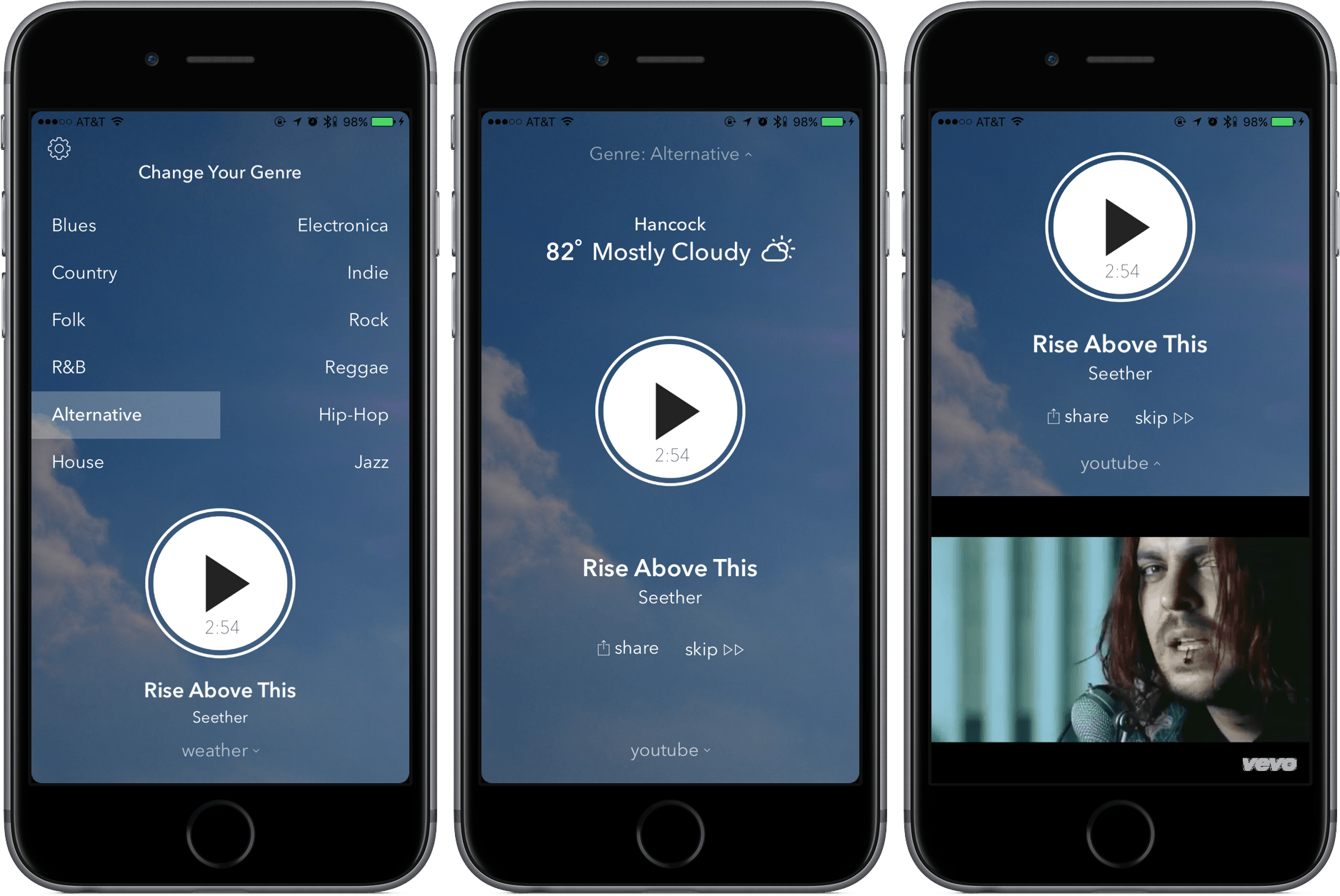
weatherTunes is a divergence from the normal discovery music service, offering suggestions that are based on the weather in your current location. By pulling weather data like temperature, humitidy, and cloudiness, the app can provide a selection of songs that it believes fits the conditions.

To guarantee that it plays the best songs for you, weatherTunes will ask for a genre of music – and that’s it. After you hit play, the app will play you a continuous stream of music from YouTube, the videos showing if you swipe up. If you’re concerned that streaming YouTube videos may eat up your data, here are your numbers to note: developer Ari Amanatidis told me that he estimates that each song takes up around 3-5 MBs, with an hourly rate between 60-80 MBs.

From my testing, weatherTunes does exactly what it claims; with the weather nice today, I was able to get upbeat songs that fit the environmental mood. Other than the occasional back-to-back song, I haven’t had any issues using weatherTunes for listening to music.

Coupled with a well-designed interface, weatherTunes’s functionality makes this tool a winner. You can pick it up in the App Store for $0.99 (iPhone only).


Roadblock for OS X Review

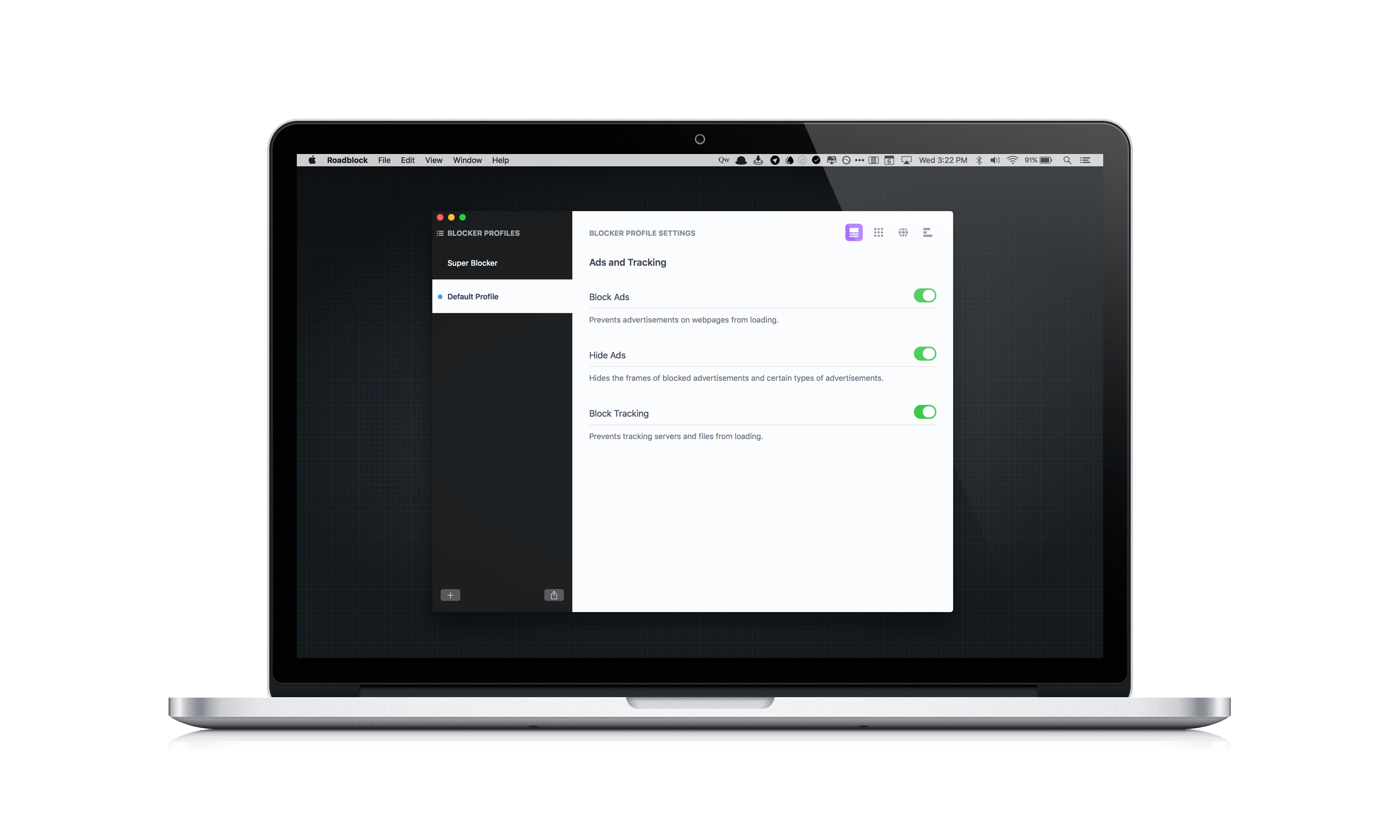
Content blockers arrived with a splash on iOS last Fall when iOS 9 was released, but have only recently begun showing up on the Mac App Store. Last month I reviewed 1Blocker, a Safari content blocker that replicated its successful iOS app on the Mac. Today, Obied Corner released Roadblock for Mac, which takes its iOS content blocker and adds some compelling new features. What makes Roadblock unique, is its focus on profiles, allow you to set up different sets of content blocking rules for different use cases, and its simplified approach to creating complex custom rules. Despite a few limitations that I discuss below, these two features make Roadblock extremely powerful and an excellent choice if you are looking for a content blocker for your Mac.

Read more


Take Your Writing Further with Hemingboard

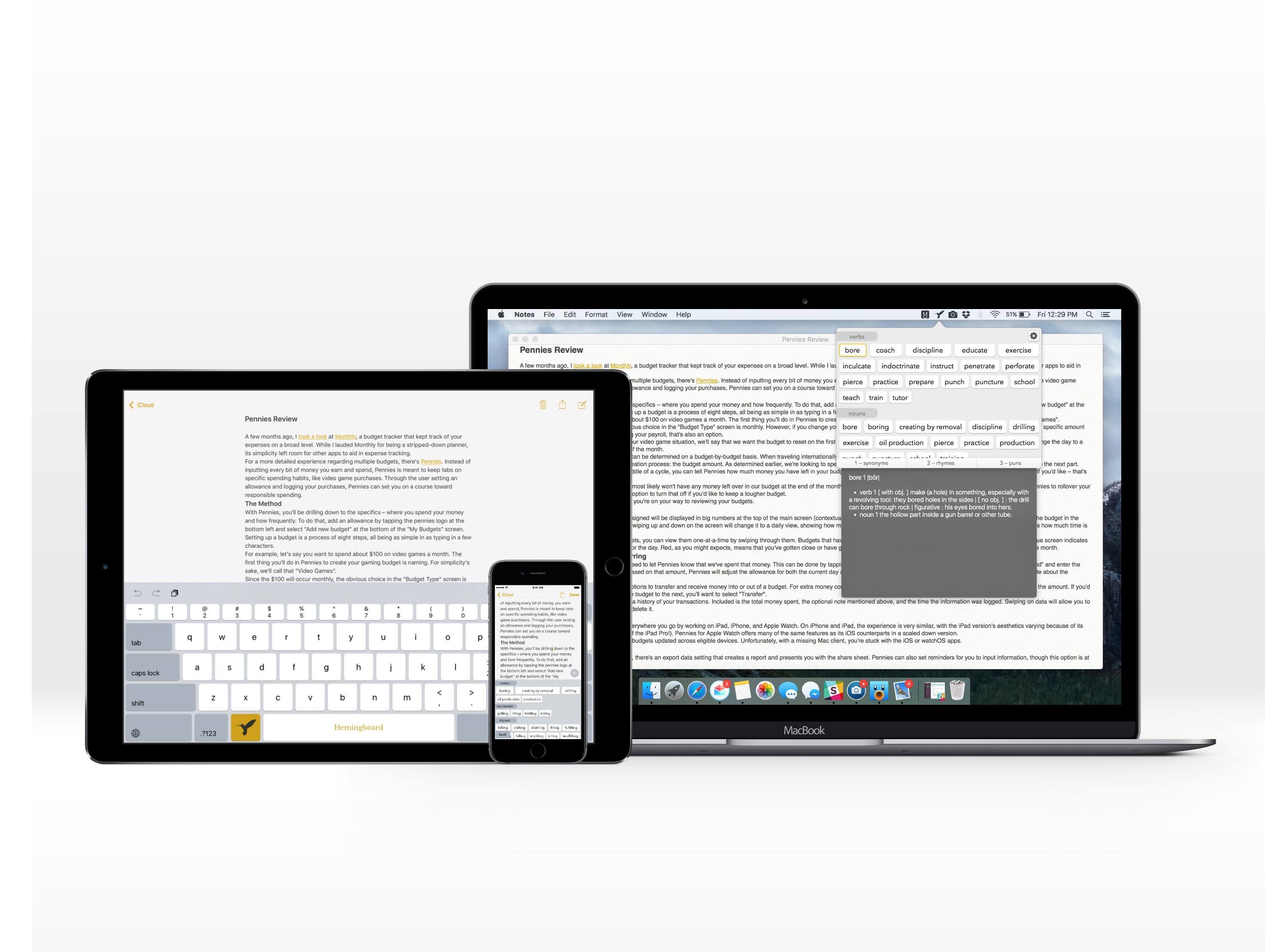
Hemingboard is the kind of app that will inevitably invoke a “Back in my day…” response. Created by the adorably-named Puppy Ventures, Hemingboard is an in-line digital thesaurus in the form of an add-on to the iOS stock keyboard or a keyboard shortcut on the Mac.

But the app is more than that – it’s actually a resource for improving your writing. In addition to providing synonyms to spice up your copy, it also gives suggestions for rhymes and puns. By providing an experience that doesn’t require you to stop what your writing, Hemingboard is able to make its impact directly – and do a phenomenal job at it.

Read more


Game Day: Perchang

Perchang is a physics-based puzzle game from a new indie development shop that goes by the same name. Perchang describes its game as Lemmings mixed with Marble Madness, which is apt if you’re old enough to remember those games, but that description doesn’t do Perchang justice.

The challenge of Perchang lies in its puzzles, not its controls, which makes it easy to get started, but hard to master. Each of the 60 levels require you to guide tiny balls into a goal using fans, magnets, flippers, portals, and other contraptions. To further complicate things, you’re racing against the clock to get enough of the relentless stream of balls into the goal before time runs out.

The gizmos you use to guide the balls in Perchang are controlled by two on-screen touch points – one red, the other blue. The colors correspond to the items you are controlling on the screen. Touching the colored contraptions on the screen toggles their color, which changes the touch point that controls them. It’s an interesting touch that adds extra depth and strategy to each level by giving you an additional way to approach the puzzles.

The visuals in Perchang are stunning. Each level features beautifully-rendered 3D contraptions. Only the interactive items are colored to correspond to the colors of the controls. The spare use of color is striking and adds atmosphere and personality to Perchang, while also helping players focus on each level’s goal. There are so many variables that affect each puzzle, it’s easy to get lost in the harder ones for long periods of time testing different strategies, which is precisely why Perchang is so much fun.

Perchang is Universal and available on the App Store for $1.99.


Qwiki and Wonder: No-Nonsense Wikipedia Research

There was a time, before Twitter implemented restrictive API limitations, when Twitter clients were a playground where app developers tried new ideas. It felt like there was a new Twitter client released every week. Today, that role seems to have been taken over by Wikipedia apps.

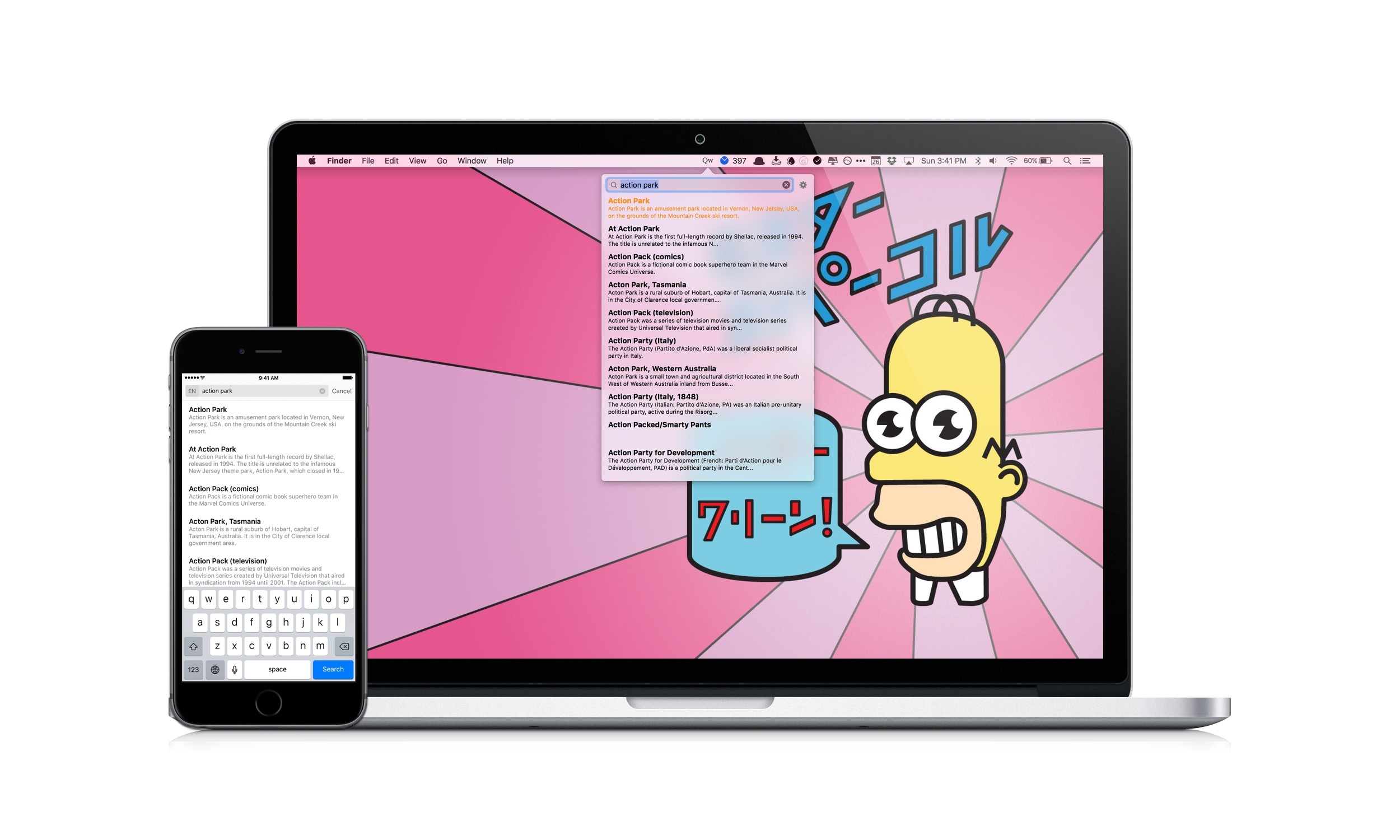
There are a lot of good Wikipedia apps. Some, like Wikipedia’s own client that I reviewed earlier this year, are designed to optimize the reading and browsing experience, while others, like Curiosity, focus on location-based discovery. Those are great approaches to Wikipedia, but often I use Wikipedia for quick research and just want to get in and out of Wikipedia quickly without being distracted from writing. For those times, I’ve found two apps I like – Qwiki, a menu bar app for the Mac, and Wonder, an iOS app. Both apps are fast, no-frills utilities that help you find and browse what you need, copy a link, and share it quickly.

Read more


Pennies Review: Spend Wisely

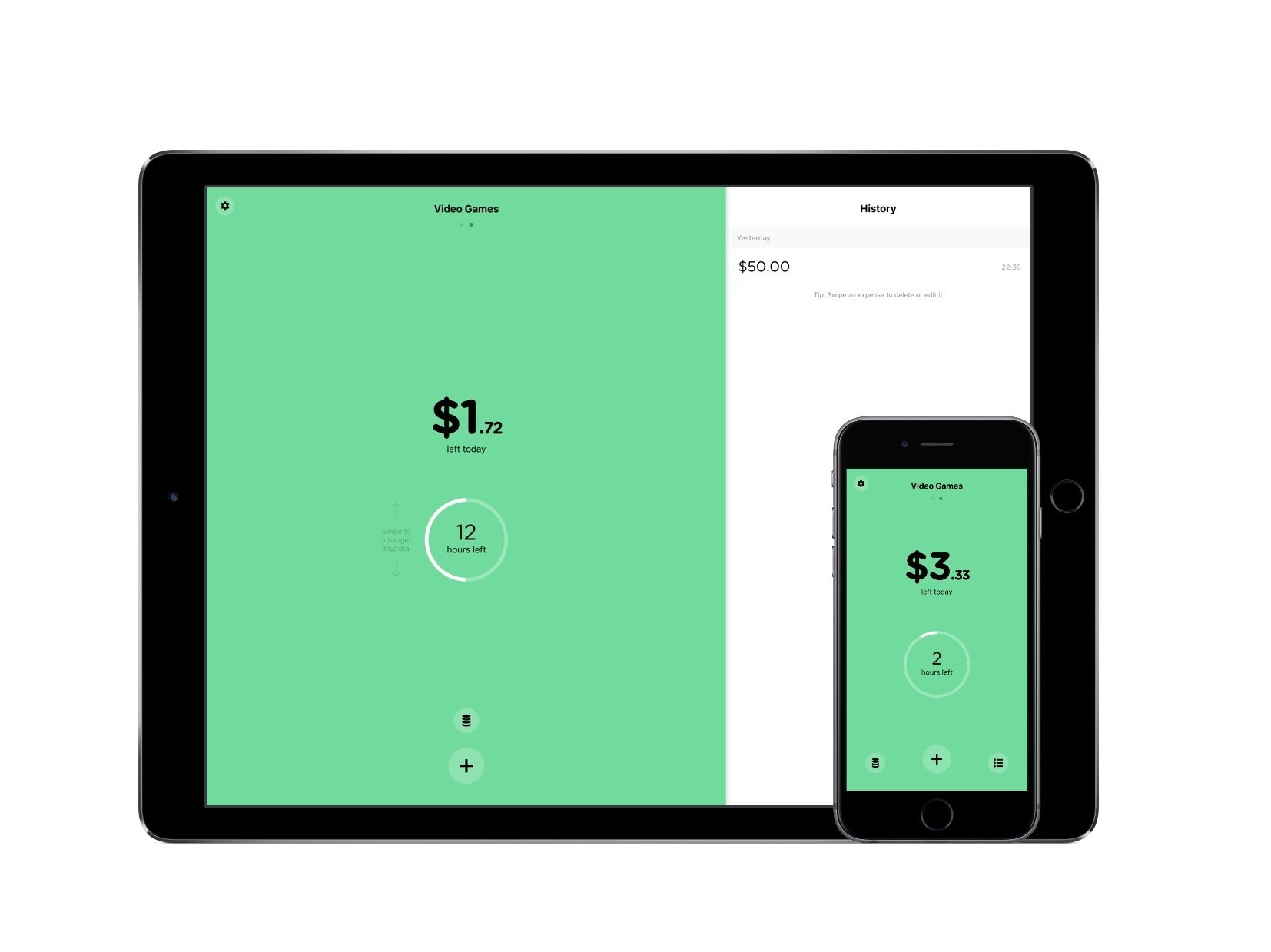
A few months ago, I took a look at Monthly, a budget tracker that kept track of your expenses on a broad level. While I lauded Monthly for being a stripped-down planner, its simplicity left room for other apps to aid in expense tracking.

For a more detailed experience regarding multiple budgets, there’s Pennies. Instead of inputting every bit of money you earn and spend, Pennies is meant to keep tabs on specific spending habits, like video game purchases. Through the user setting an allowance and logging your purchases, Pennies can set you on a course toward responsible spending.

Read more