This Week's Sponsor:

Turbulence Forecast

Know before you go. Get detailed turbulence forecasts for your exact route, now available 5 days in advance.


Posts in reviews

Homescreen.me: Upload and Share Your iPhone Home Screen


How different people arrange their iPhone Home screen is a natural curiosity for most of us with an interest in technology. We’ve featured Home screens in the vast majority of MacStories Weekly email newsletters, and it has easily been one of the most popular sections.

The iPhone has become an integral part of our lives, and seeing the apps that different people elevate to their Home screen provides insights into how they work and live their lives. But it also gives us the opportunity to discover new apps, find a new wallpaper, or re-think the layout and structure of how we organize the apps on our own Home screens.

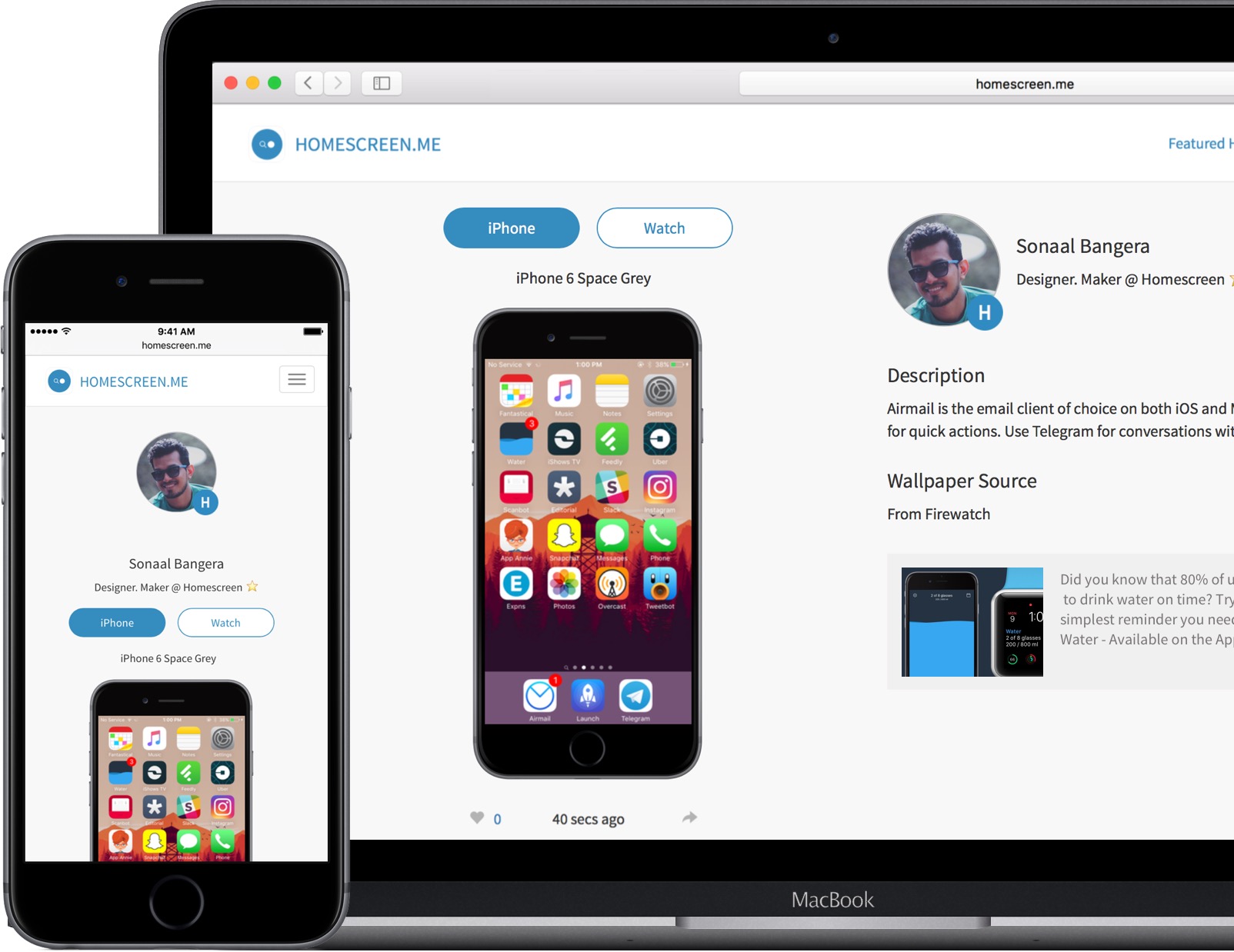
If you find yourself curious about the iPhone Home screens of others, the relaunch of the Homescreen.me website might interest you. The basic pitch is that it allows anyone to upload and share their iPhone Home screen and Apple Watch watch face. The team behind Homescreen.me is also featuring the Home screens of different users, giving you the opportunity to get inspired and discover new apps.

A particularly nice touch with Homescreen.me is that in your profile settings you can choose which iPhone (model and color) and Watch (model) you own. This selection has an impact because the screenshots you upload will be superimposed onto the correct device. When you upload your screenshot you’re also given the option to provide a description, and a wallpaper source.

Read more


Game Day: SEQ

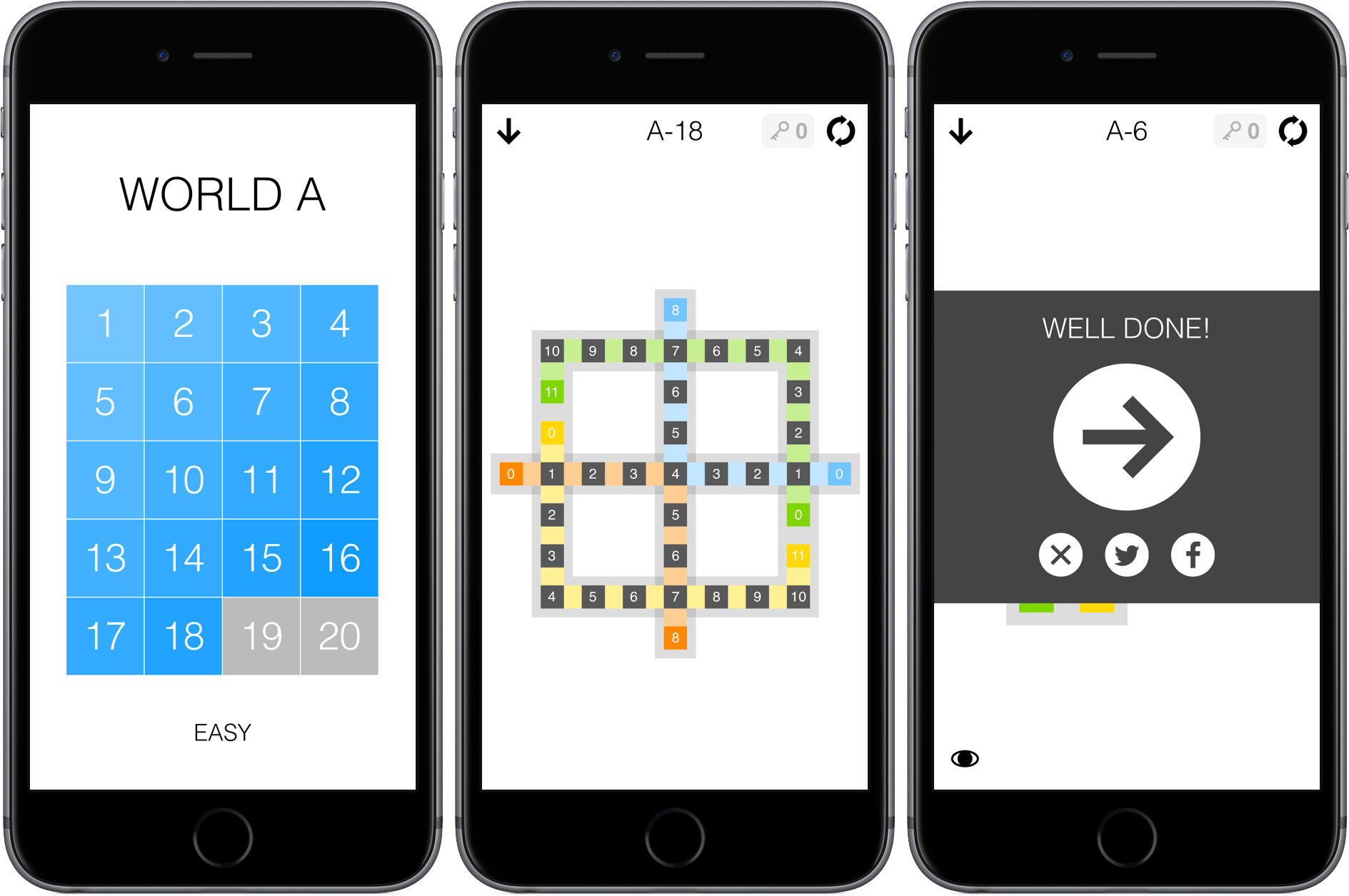
SEQ is a number sequencing puzzle game from 1Button with 280 levels. The premise is simple – each level is a series of squares laid out in a pattern. There are colored squares with numbers in them and grey squares with zeros in them. Your job is to trace a path from the colored squares to the grey squares. Each square along your path is given a number that is one less than the square before it. For example, if you start with a colored square with a ‘5’ in it, you need to fill squares with 4 - 3 - 2 - 1 before landing on a grey zero square. If you have multiple number sequences to complete in a single puzzle, things get trickier. One sequence cannot cross the path of another unless the number in the earlier sequence where the two cross matches what you need to advance the current sequence. It’s easiest to understand by watching 1Button’s video:

SEQ starts with very simple puzzles that gradually get more complex. You cannot skip around, except among the puzzles you have completed or ahead if you have purchased keys to bypass puzzles you cannot solve. SEQ works well on iOS with its simple path tracing and the ability to play for short periods of time. SEQ is also the sort of game that I like to play while I’m listening to a podcast or music, and fortunately the sound effects, which can be disruptive when you are simultaneously listening to something else, can be turned off by swiping to the view to the left of the puzzles.

SEQ is $1.99 on the App Store with a $0.99 in-app purchase to buy five keys that allow you to bypass puzzles you cannot complete.


Twitter Releases Tweet Analytics App Engage

It’s easy to make fun of Engage, the analytics app launched by Twitter today. Using terminology like engagement, influencers, and verified users, Twitter isn’t doing itself any favors. But here’s the thing, Twitter is different things to different people. For some it’s a public forum for chatting with friends. For others, Twitter is a broadcast medium. For still others, Twitter is all about marketing. Engage is designed to help you maximize the reach of your tweets through analytics. If that’s not your thing, you may view the app as useless, but that doesn’t mean it should be dismissed out of hand.

What Engage does, it does well. This is not a replacement for your Twitter client, including because it pops up an alert offering to track your tweet stats in real-time after every post. Engage is more akin to a tool like Google Analytics.

Read more


Game Day: Human Resource Machine

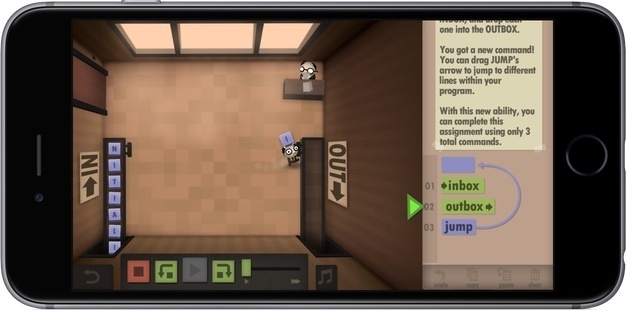
With WWDC just finished, I figured what better game to try than Human Resource Machine, a puzzle game with a development angle that has been available on the Mac and Windows since last Fall, but just debuted on iOS earlier this month. Human Resource starts out simply. You play Human Resource as a nameless worker tasked with moving boxes from an inbox conveyor belt to an outbox conveyor belt. The 41 levels become challenging quickly, but are a lot of fun and cleverly introduce programming concepts in a way that requires no prior knowledge of programming.

Read more


Game Day: Shadowmatic

[Editor’s Note: Game Day is a new weekly series on MacStories highlighting iOS games. Each Saturday, we will feature one classic or up-and-coming game just in time for a little weekend fun.]

Many of the best iOS games don’t fight against iOS device hardware. Instead, they embrace the constraints of the touch interface, focusing on fun games based on simple touch interaction models. Touch lends itself particularly well to puzzle games and one of my favorites is Shadowmatic by Triada Studio Games.

Read more


1Blocker Brings Content Blocking with iCloud Sync to the Mac

If you are familiar with 1Blocker for iOS, then you will have no trouble figuring out 1Blocker for Mac because the two are nearly identical. What Federico explained about 1Blocker for iOS in his iOS 9 review applies equally well to the Mac version:

1Blocker [is] an excellent all-in-one Content Blocker that can block ads, trackers, social widgets, Disqus comments, web fonts, adult sites, and that lets you create your own rules for URLs, cookies, and page elements to hide or block. 1Blocker is Universal and it comes with over 7000 built-in rules, which you can individually turn on and off.

Read more


Metapho 2.0 Add New Photo Metadata Editing Tools

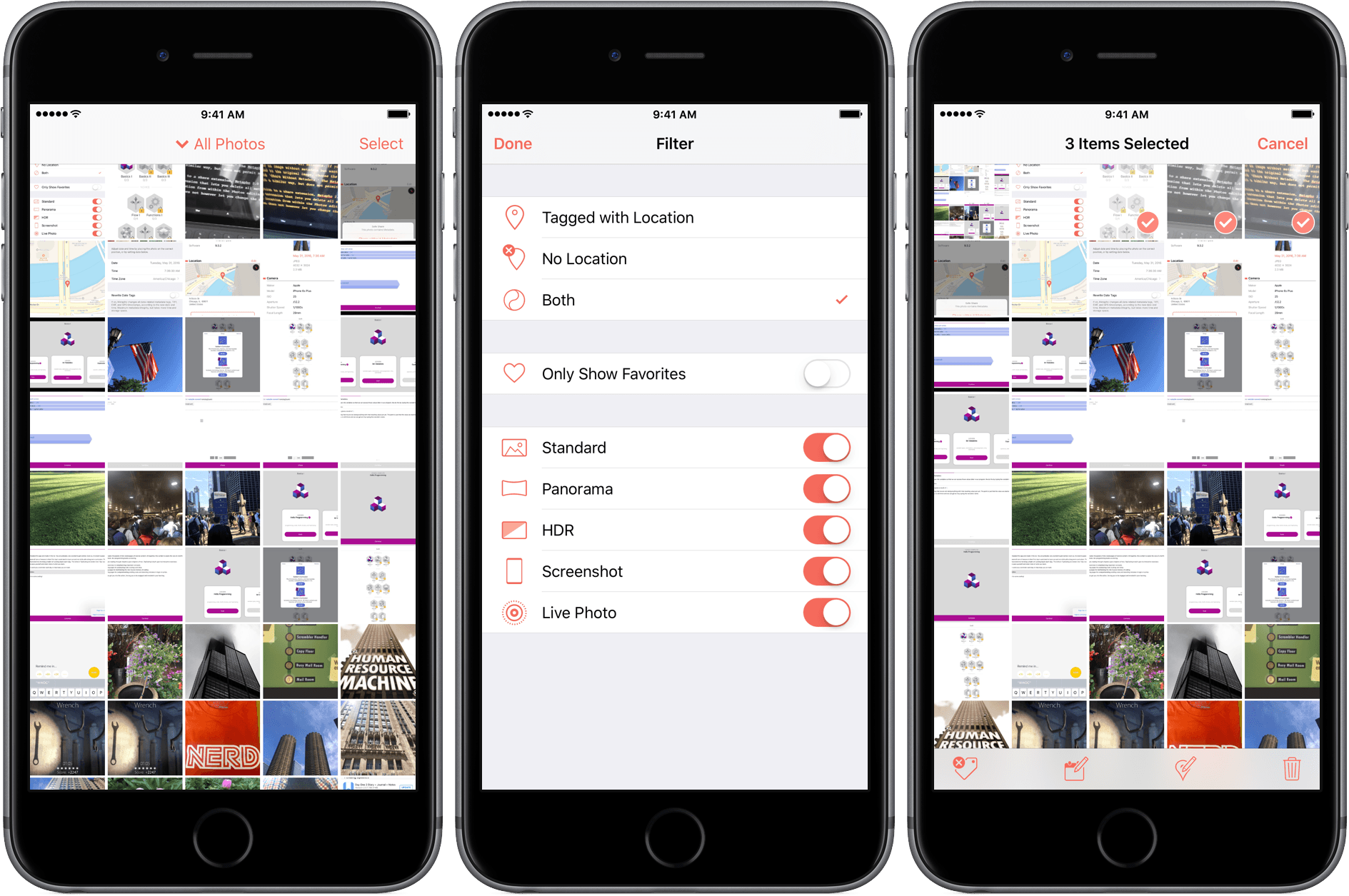
Metapho is an iOS photo utility for accessing, editing, and removing photo metadata. Whether you want to share a photo without the metadata associated with it for privacy reasons, make edits to that metadata, or add metadata such as a location to photos that have none, Metapho has you covered. With version 2.0, a free update to current customers, Metapho has added batch editing, date editing, a photo library filter, and file name display.

Read more


Avian: Global Tweets Mapped on the Apple TV

Most of my time on the new Apple TV (probably around 90%) revolves around watching video (a combination of Plex, Netflix, Stan, iTunes or ABC iView). The final 10% is games and novelty apps like the hilarious GIFtv. The latest novelty app to catch my eye is Avian – a Twitter client.

But Avian is not a Twitter client like Tweetbot – that would be impractical for the Apple TV. Instead, Avian displays one tweet at a time, and literally places it on a map of the earth. You might be reading a tweet from the heart of New York City, and then Avian will surface a tweet from a user in Brazil, China, or New Zealand. As you transition from tweet to tweet, Avian zooms in and out, and rotates the map to the location of the tweet.

Read more