

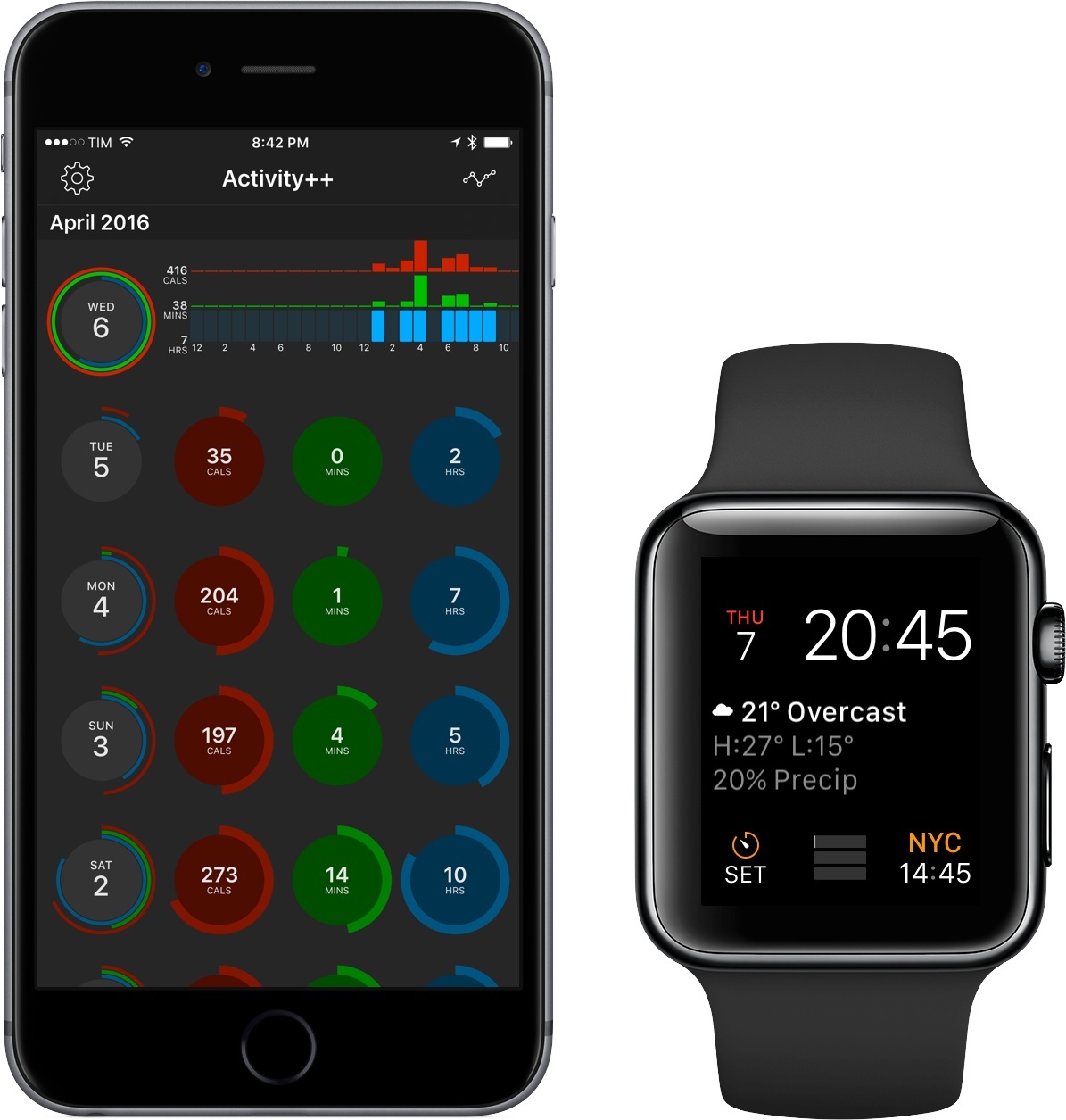
After creating the wildly useful Sleep++ and Pedometer++, iOS veteran David Smith has returned with Activity++. Smith’s newest venture is set on improving what’s already been done with activity tracking for the Apple Watch. Along with its $2.99 price tag, Activity++ is a bold move in the progression of solid apps from Smith and one that, rather unsurprisingly, looks to be a great step forward.
Posts in reviews
Activity++ Review
Record Your Mind with Thoughtful

Tim Cook, during his discussion of privacy at Apple’s latest media event, called the iPhone an “extension of ourselves.” As one might imagine, such a claim is based around the amount of our personal information we put into our phones: credit card information, personal thoughts, and other sensitive data we wouldn’t want others to have access to.
Thoughtful, a self-described “thought tracker,” is the epitome of that extension. It’s an app that, for the sake of self-improvement, you’ll put personal thoughts into – and, through some helpful features, will attempt to promote better habits.
See the World With Streets 3

I almost didn’t get this review finished. While I should have been writing, I found myself wandering the globe with the help of Streets 3, a browser for Google Street View from FutureTap. I started at a remote church on the coast of Iceland, stumbled into a pub in London, and then made stops in Kings Park in Perth, El Calafate, Argentina, and finally, Plaza Navona in Rome. From the remotest location to the biggest cities, Streets’ panoramas were gorgeously detailed and easy to navigate.
Filters 3 Is Universal, with a Powerful Photo Extension
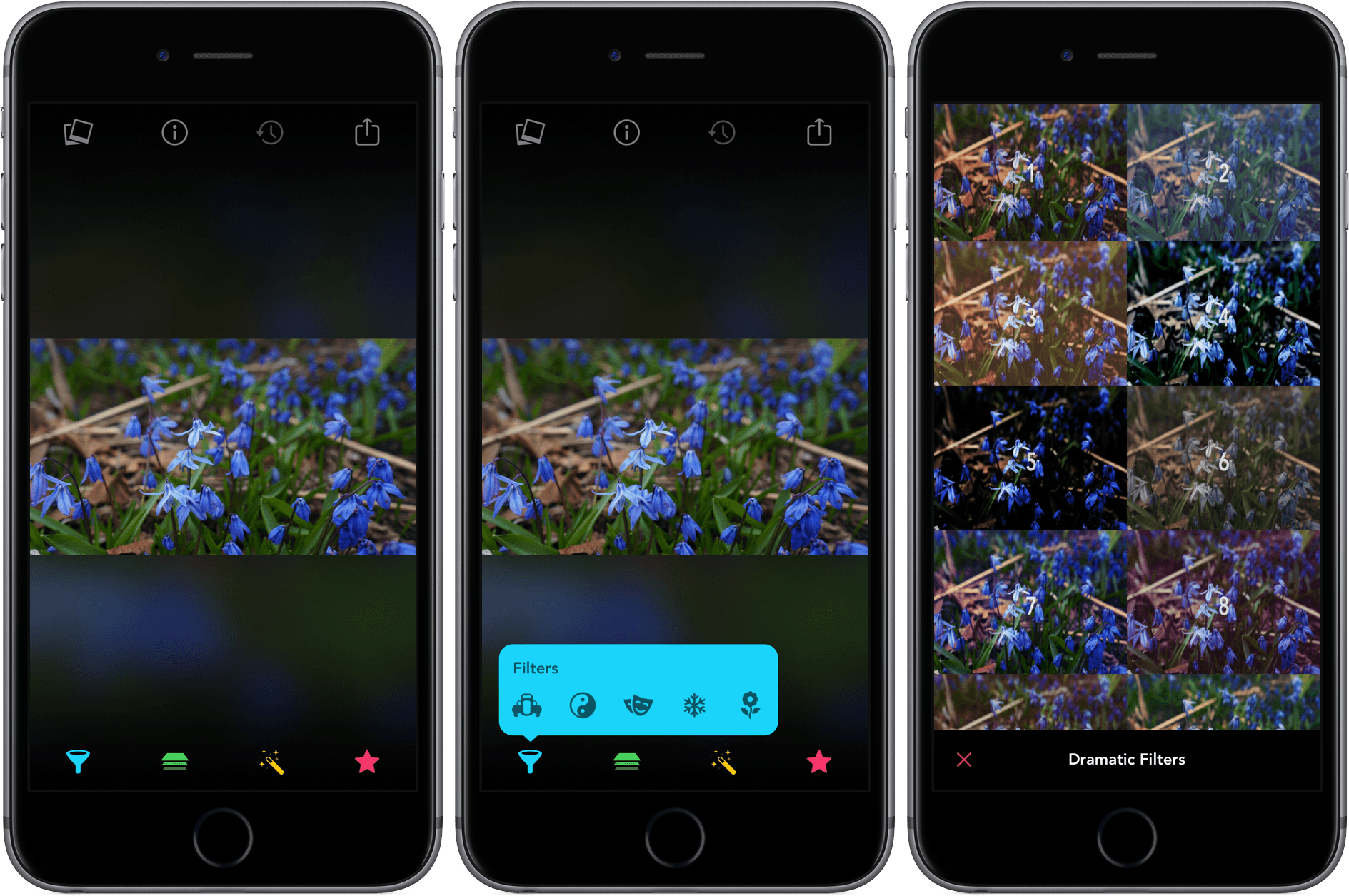
Filters, which was originally developed by Mike Rundle, an iOS designer and developer, was acquired by tap tap tap in July 2015. With over 800 filters, overlays, and effects that you can apply to your photos, Filters is a little overwhelming at first. But with well done favorites, undo features, and filter categories, Filters makes it easy to navigate its vast array of effects to find just the look you want.
TextExpander Updates Focus on New Service

TextExpander from Smile Software is one of those indie apps that feels like it’s been around forever. TextExpander has saved customers countless hours of typing by letting them define short abbreviations that it expands into longer snippets of text. Today, Smile released TextExpander 6 for Mac, TextExpander 4 for iOS, and even an all-new Windows beta. The apps include some interesting updates, but at the center of the updates is a new service, TextExpander.com, which provides snippet group syncing, sharing services, and team management. Smile is simultaneously moving TextExpander to a subscription pricing model, a development that I expect will not be popular with some long-time customers.
Run Better Meetings with Agenda Minder

Sometimes it feels as though meetings are designed purposefully to waste time. Research suggests that some simple steps can make meetings far more productive. Internodal has synthesized the research on planning better meetings into a new Mac app called Agenda Minder that tackles the problem by facilitating the setting of objectives, and the creation and sharing of agendas. If you care about your own time and respect others’ time, you’re already half way there, and an app like Agenda Minder may help you turn those good intentions to action.
Capture Ideas Quickly and Easily With Yeti

Yeti is all about quick capture and effortless export. Yeti’s main interface is dominated by four colorful buttons that allow you to capture your thoughts with a note, a photo or video, audio, or a sketch. What you create is stored on iCloud Drive in one of a handful of non-proprietary formats that can be easily opened in other apps. And while Yeti does an admirable job of making it fast and easy to record information on your iPhone, the lack of support for capturing data from other devices or apps, will limit Yeti’s utility for some people.
TaskPaper 3 Conceals Its Power Beneath a Simple Interface
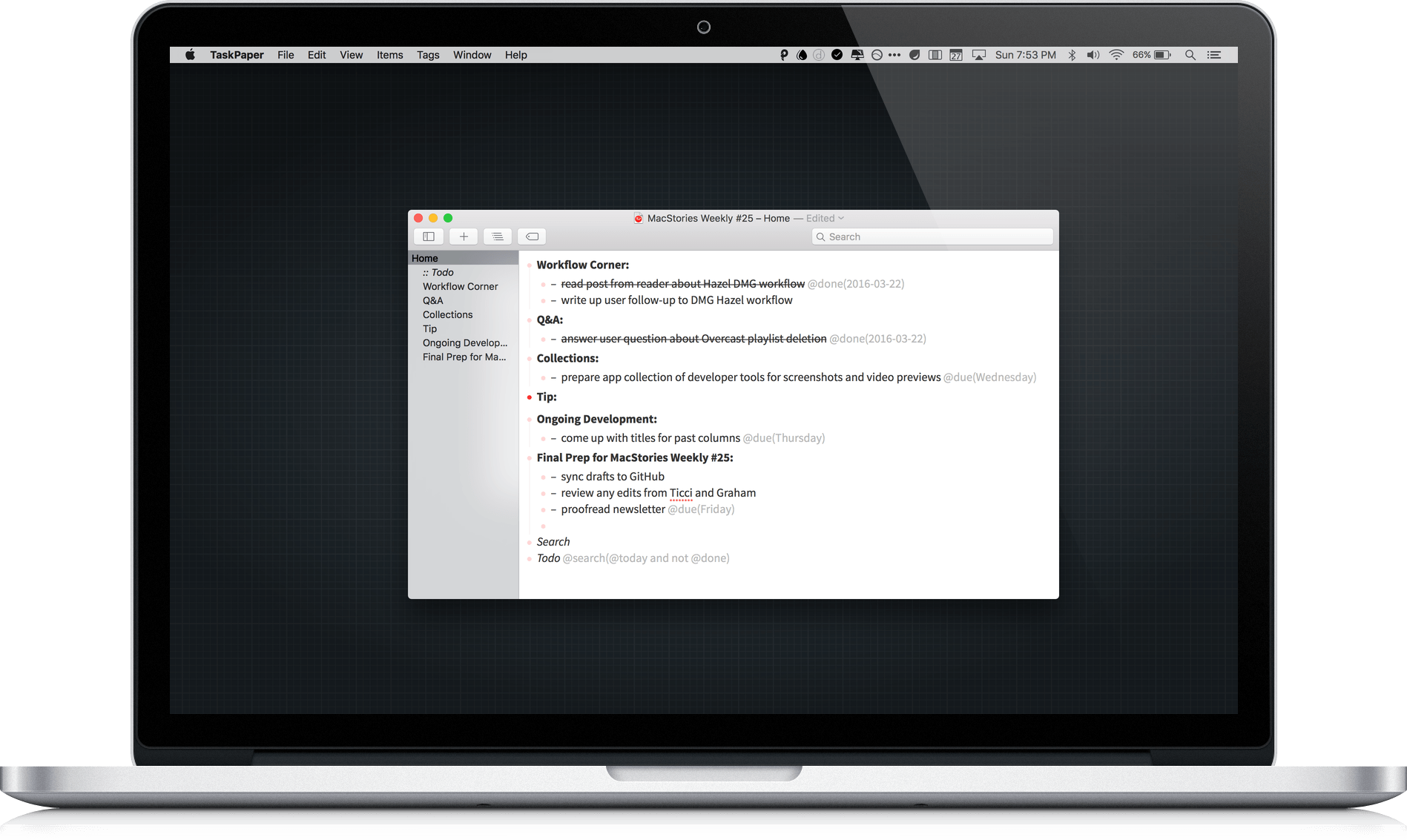
TaskPaper 3 by Hog Bay Software is a deceptively simple task manager. The cornerstone and greatest strength of TaskPaper is plain text, which is portable, adaptable, and as future proof as you can get. Using a simple syntax reminiscent of Markdown and an abundance of keyboard shortcuts, Taskpaper’s straightforward interface conceals considerable power under the hood.
DeskConnect Brings Fast File Transfers Between iOS and OS X
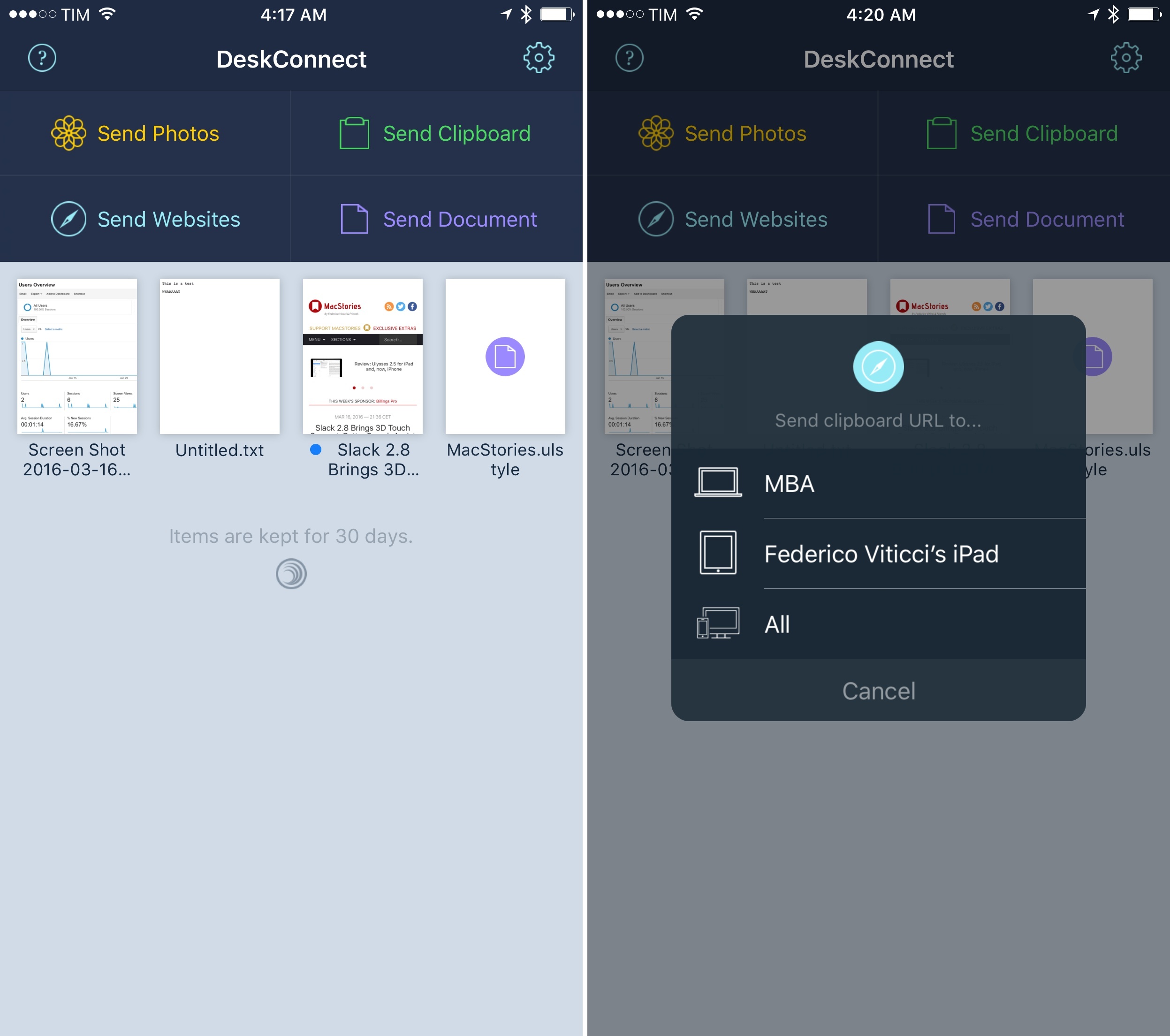
Before he co-founded Workflow, Ari Weinstein was the creator of DeskConnect. Originally born out of a hackathon, DeskConnect was a Mac and iOS utility to speed up the process of transferring bits of text and files between devices. Based on a cloud service and built with speed in mind, DeskConnect predated Apple’s Continuity efforts with AirDrop in iOS 8 and OS X Yosemite; when it launched in the summer of 2013, DeskConnect was featured by Apple on the Mac App Store and it ranked in the top charts for several consecutive days.
However, after Weinstein and Workflow co-founders Conrad Kramer and Nick Frey began working on the app that would later win an Apple Design Award, DeskConnect was put on the shelf so the team could focus on their powerful take on iOS automation. They never forgot about DeskConnect, though. With a major redesign and adoption of modern iOS technologies, DeskConnect’s comeback, launching today on the App Store, brings an even faster way to share documents, photos, and just about anything across multiple devices. After testing the new DeskConnect for the past couple of weeks, it’s impossible not to be impressed with its simplicity and speed.