

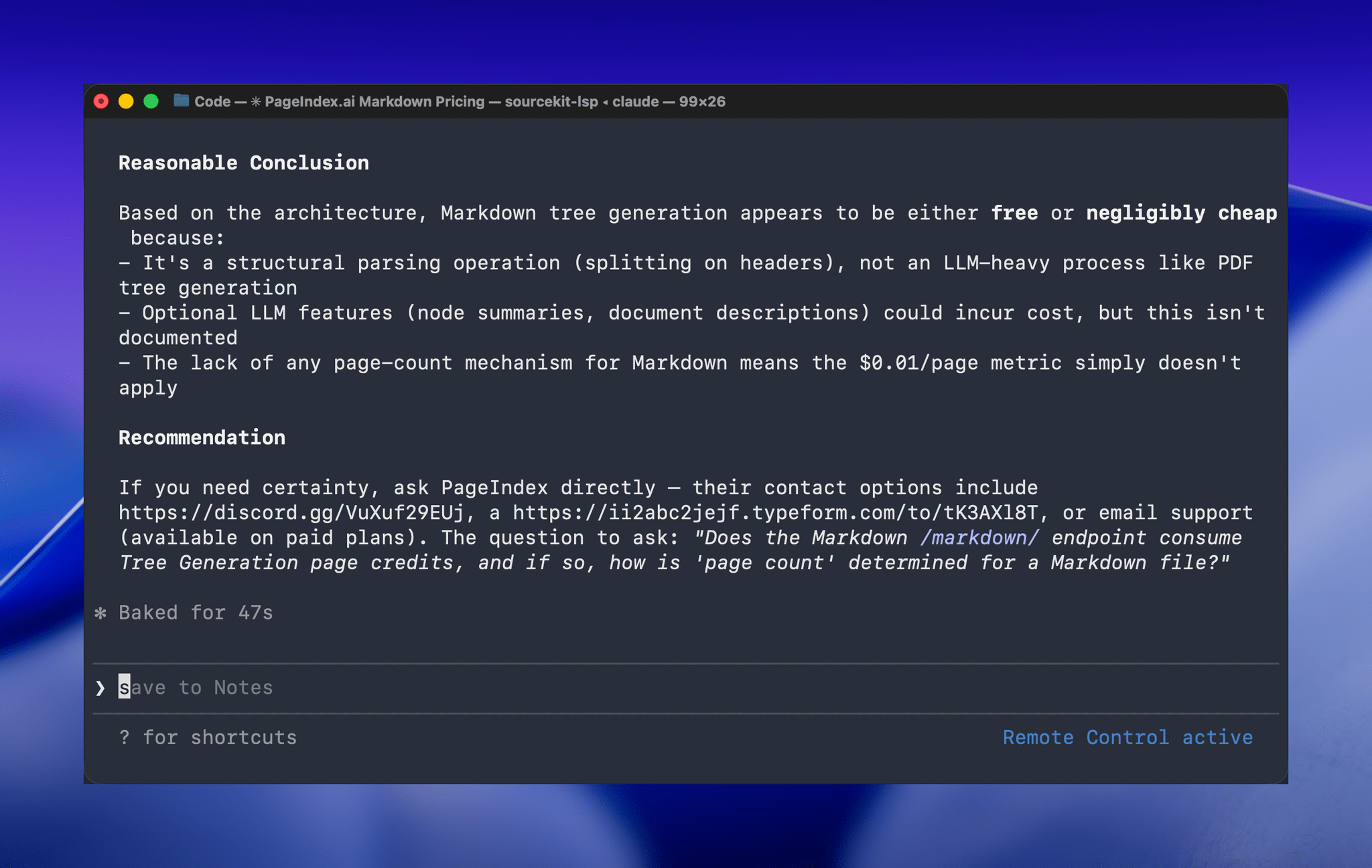
One of the greatest frustrations I’ve had with Claude Code is feeling tied to my desk or being stuck in a macOS Screen Sharing window. Claude Code’s new Remote Control feature, which was introduced late yesterday, promises to eliminate that frustration entirely. Here’s how it works.
Posts in stories
Hands-On with Claude Code Remote Control
Six Colors’ Apple in 2025 Report Card
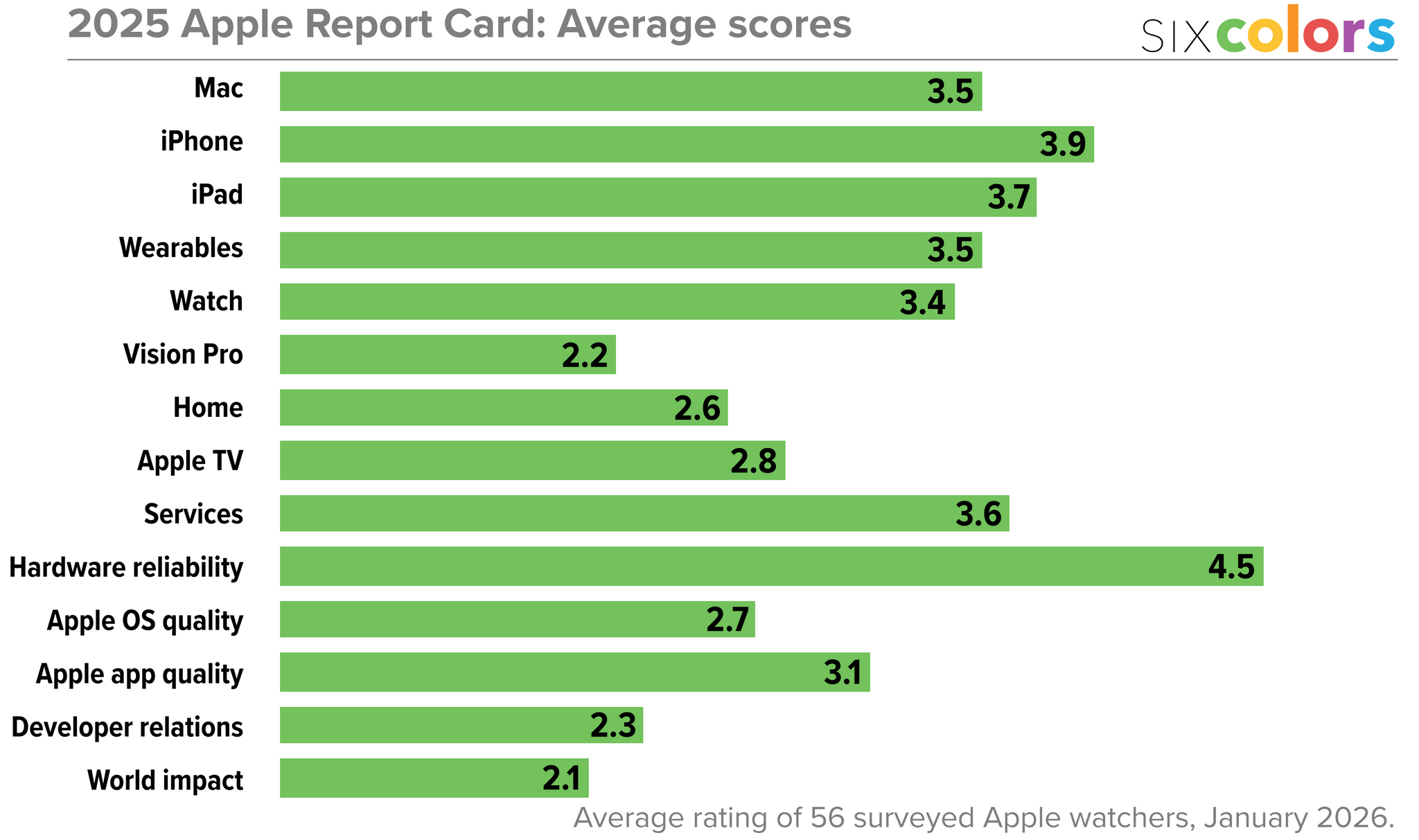
For the past 10 years, Six Colors’ Jason Snell has put together an “Apple report card” – a survey to assess the current state of Apple “as seen through the eyes of writers, editors, developers, podcasters, and other people who spend an awful lot of time thinking about Apple”.
The 2025 edition of the Six Colors Apple Report Card has been published, and you can find a summary of all the submitted comments along with charts featuring average scores for the different categories here.
I’m so grateful that Jason invited me, once again, to participate in the survey and share my thoughts on Apple’s 2025. As you’ll see from my comments – and as you know if you’ve been listening to AppStories or Connected lately – I’ve been focusing on AI agents, hybrid automation, and splitting my work between iPadOS and macOS for the past few months. The LLM takeoff in the productivity space is accelerating on a weekly basis, and modern AI tools are fundamentally changing the way I get work done. Case in point: this article was written before OpenClaw went viral, and the past month alone has seen so many of my habits and automations get upended by this incredible open-source tool. As I noted in my comments, however, one thing is not changing: iPadOS essentially gets no access to any of these modern AI tools, which are increasingly launching as Mac-only apps or features.
I’ve prepared the full text of my responses for the Six Colors report card, which you can find below.
The Sentence Returns with iOS 26.4, Sort of
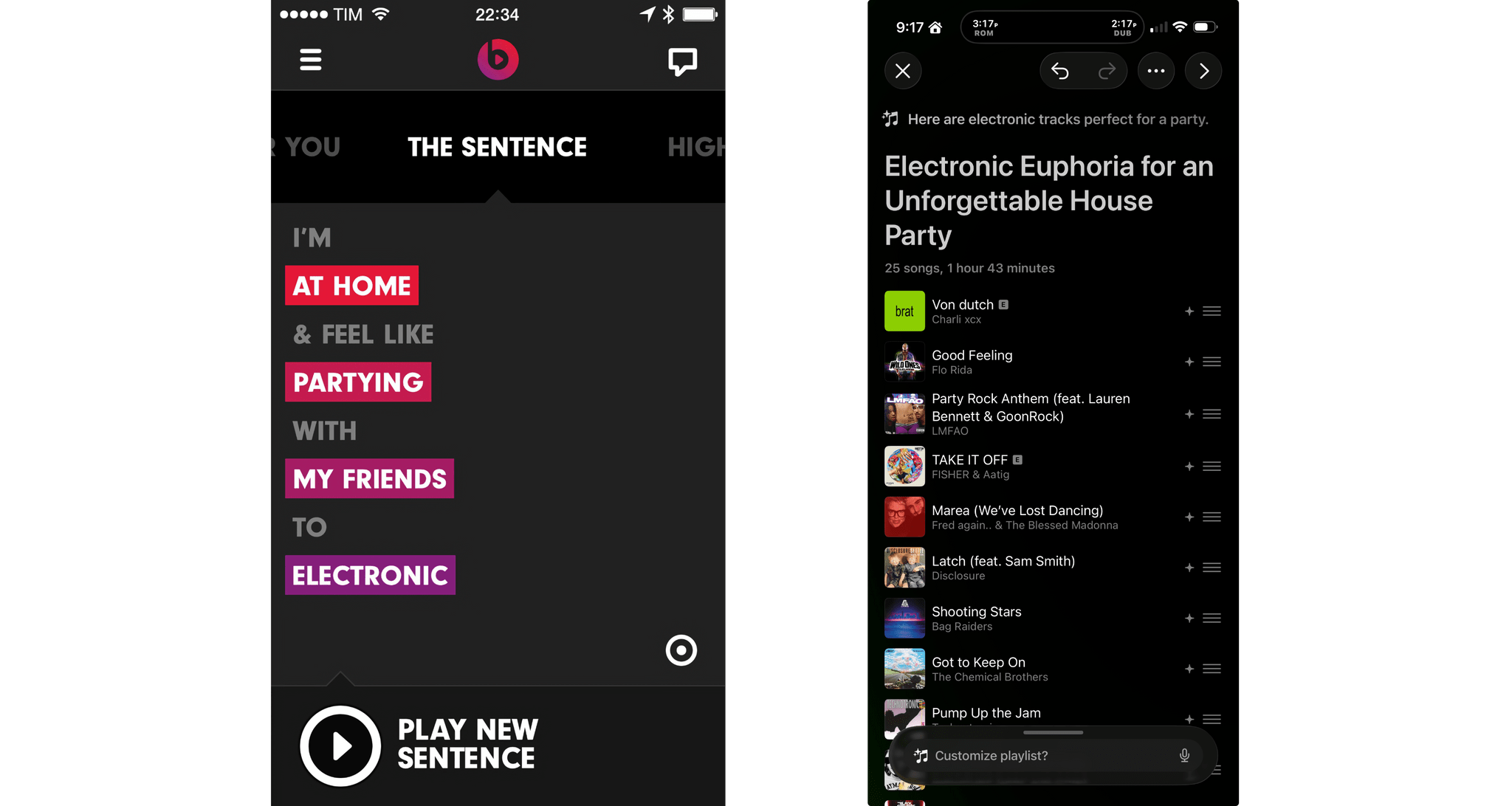
Yesterday, Apple released developer beta 1 of iOS 26.4, which among other things adds a feature to the Music app that uses Apple Intelligence to generate a playlist from a short description of what the user wants to hear. That immediately reminded Federico and me of The Sentence, a Beats Music feature that sadly didn’t survive the app’s acquisition by Apple.
The Sentence allowed subscribers to describe the music they wanted to hear based on a Mad Libs-style sentence construction. Every sentence was structured as “I’m [location] & feel like [mood] with [person/group] to [music genre].” The feature was a fantastic innovation that made playlist creation fun and easy. As Federico described it in 2014:
It’s The Sentence, though, that steals the spotlight in how it combines regular, Pandora-like song shuffling with a context/mood-based menu to tell Beats what you want to listen to. The Sentence, as the name implies, lets you construct a sentence using variable tokens for location, mood, user, and music genre. You can request things like “I’m at my computer and feel like dancing with myself to pop”, “I’m in the car and feel like driving with my friends to indie”, or more absurd contexts such as “I’m underpaid and I feel like shoveling snow with my lover to metal”. As reported by Re/code [Ed. note: This is a dead link], Beats explained that “the content, and the filters, are selected and tuned by humans, and an algorithm generates the playlist from your choices”.
The New Club MacStories: Re-Subscribing to Your RSS Feeds and What’s Coming Next
The new unified MacStories website is here, bringing Club MacStories content under the same roof as the rest of the site for the first time. While this transition delivers a more cohesive experience for members, a few things are different and others are still being implemented.
How to Re-Subscribe to Your RSS Feeds
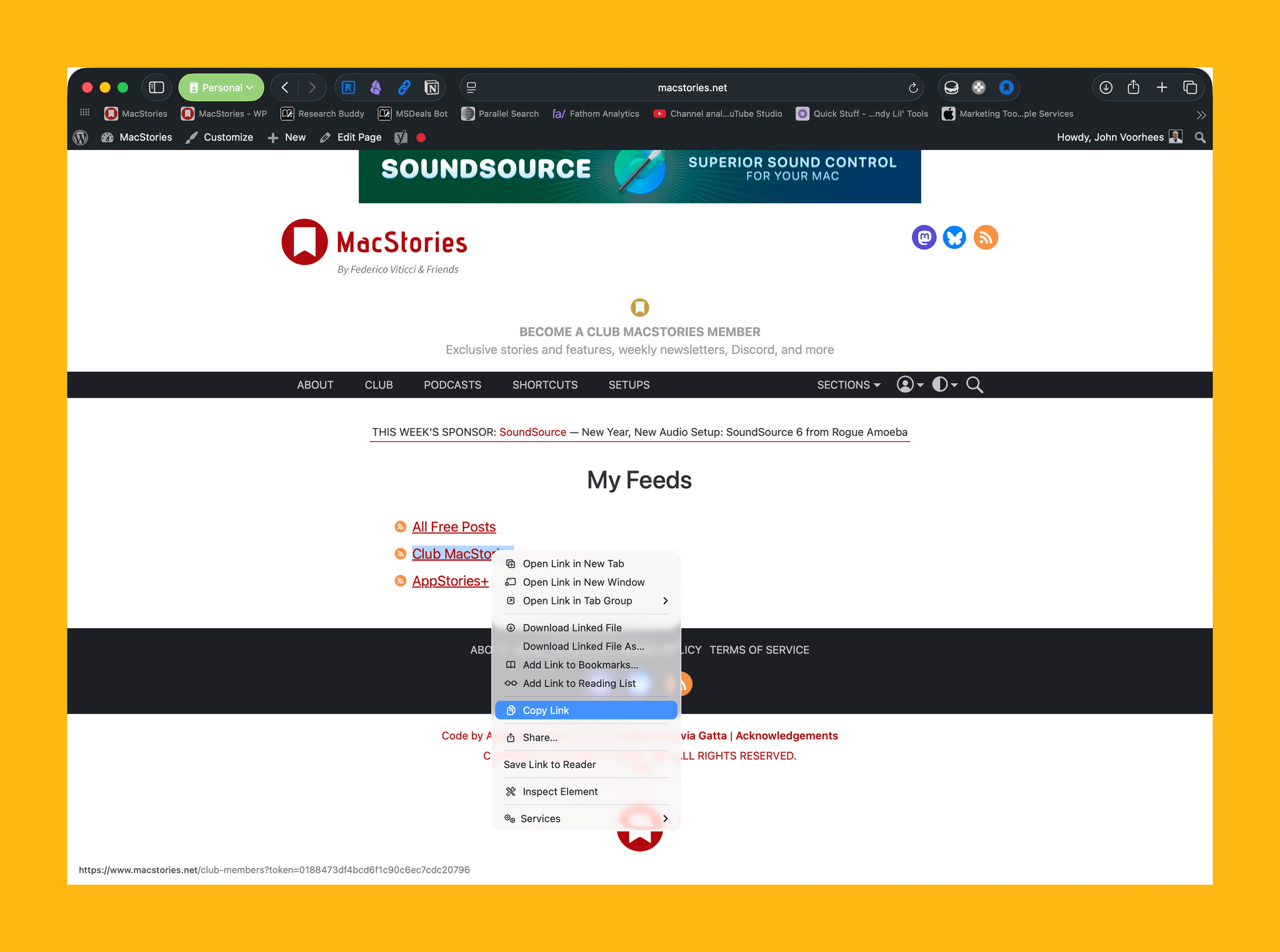
Club MacStories+ and Premier members have access to custom feeds as part of their subscriptions. With today’s update, you’ll need to resubscribe to those feeds. The old ones will no longer work. Here’s what to do.
- Visit My Feeds from the Account dropdown on macstories.net.
- Copy the feed URL.
- Paste it into your RSS reader to subscribe.
- Note: Club Premier members will also need to do this for AppStories+.
These new feeds are personal to you and will continue to work going forward as long as you maintain your Club membership. Since these feeds are uniquely tied to your paid Club account, please don’t share them publicly.
A Note on Discord Access
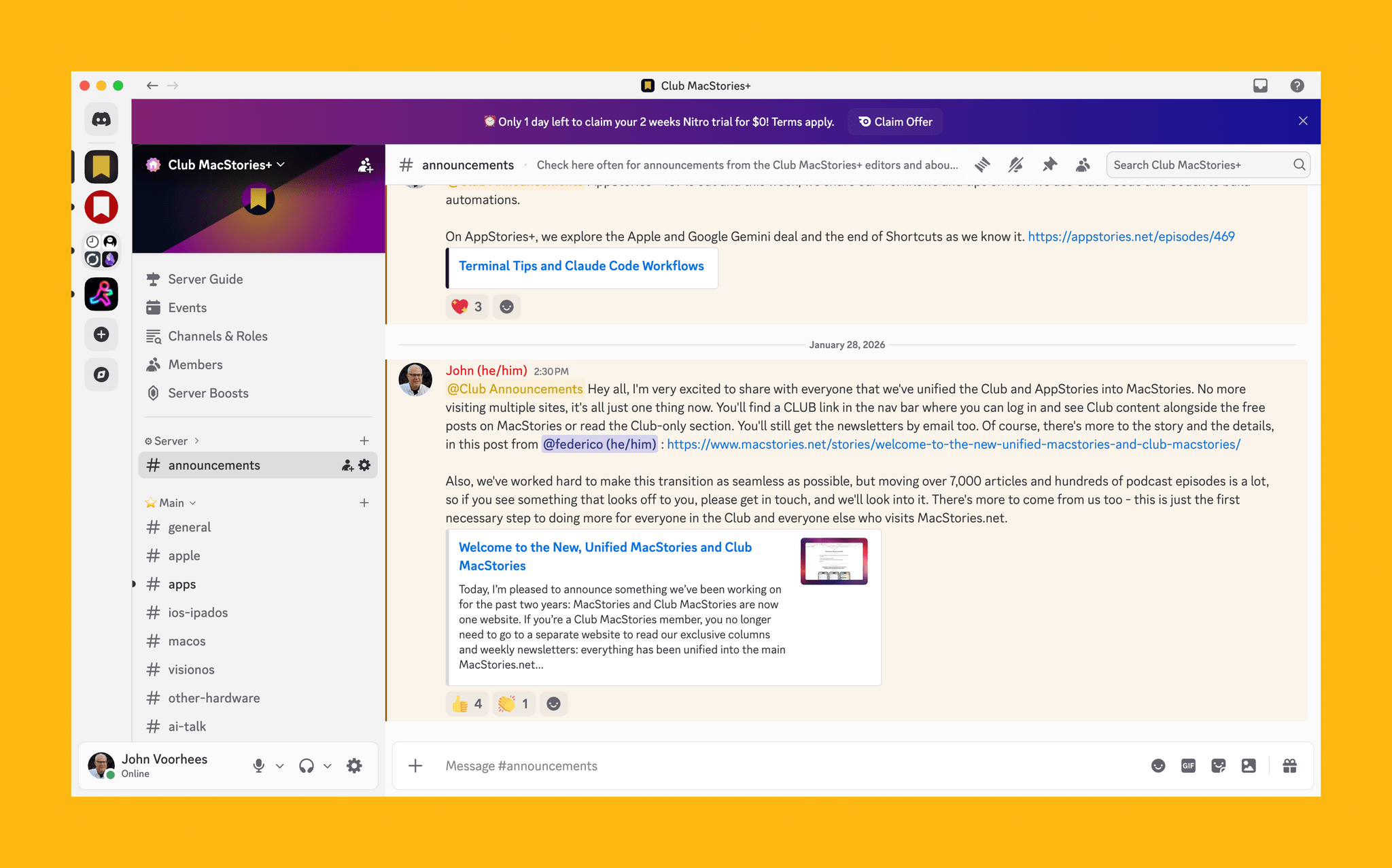
If you’re a Club MacStories+ or Premier member who joined before today’s transition, your Discord access remains intact. There’s nothing you need to do.
New or returning members who want to join the Discord community will need to wait just a bit longer. We are working with Memberful engineers to migrate users from our previous system. Once that process is complete, we’ll provide you with instructions to connect your Discord account from MacStories.
Coming Soon: Features in Development
.](https://cdn.macstories.net/cleanshot-2026-01-28-at-16-02-37-2x-1769634177375.png)
Find a bug on the new site? You can submit it here.
The launch of the new site required some tough decisions about which features to prioritize. Three capabilities from the previous Club website aren’t available yet but are actively being worked on for future updates.
- The Explore interface, which allowed members to search Club MacStories content using visual filters, hasn’t made the transition yet.
- The ability to generate unique RSS feeds for specific sections of the Club isn’t currently supported, though you can still subscribe to RSS feeds for entire newsletter issues as detailed above.
- The real-time search autocomplete suggestions that appeared as you typed in the search box are temporarily unavailable.
These features are coming back. However, the priority was on delivering a functional, unified experience now rather than continuing to maintain a fragmented system, while we waited for every legacy feature to be rebuilt.
We hope you enjoy the new Club experience on MacStories. The transition to a unified website is a significant step forward for the Club and greater MacStories community that will allow us to do more for everyone in the future. Thanks for bearing with us during this transition, and please feel free to get in touch with any questions or bug reports.
Welcome to the New, Unified MacStories and Club MacStories
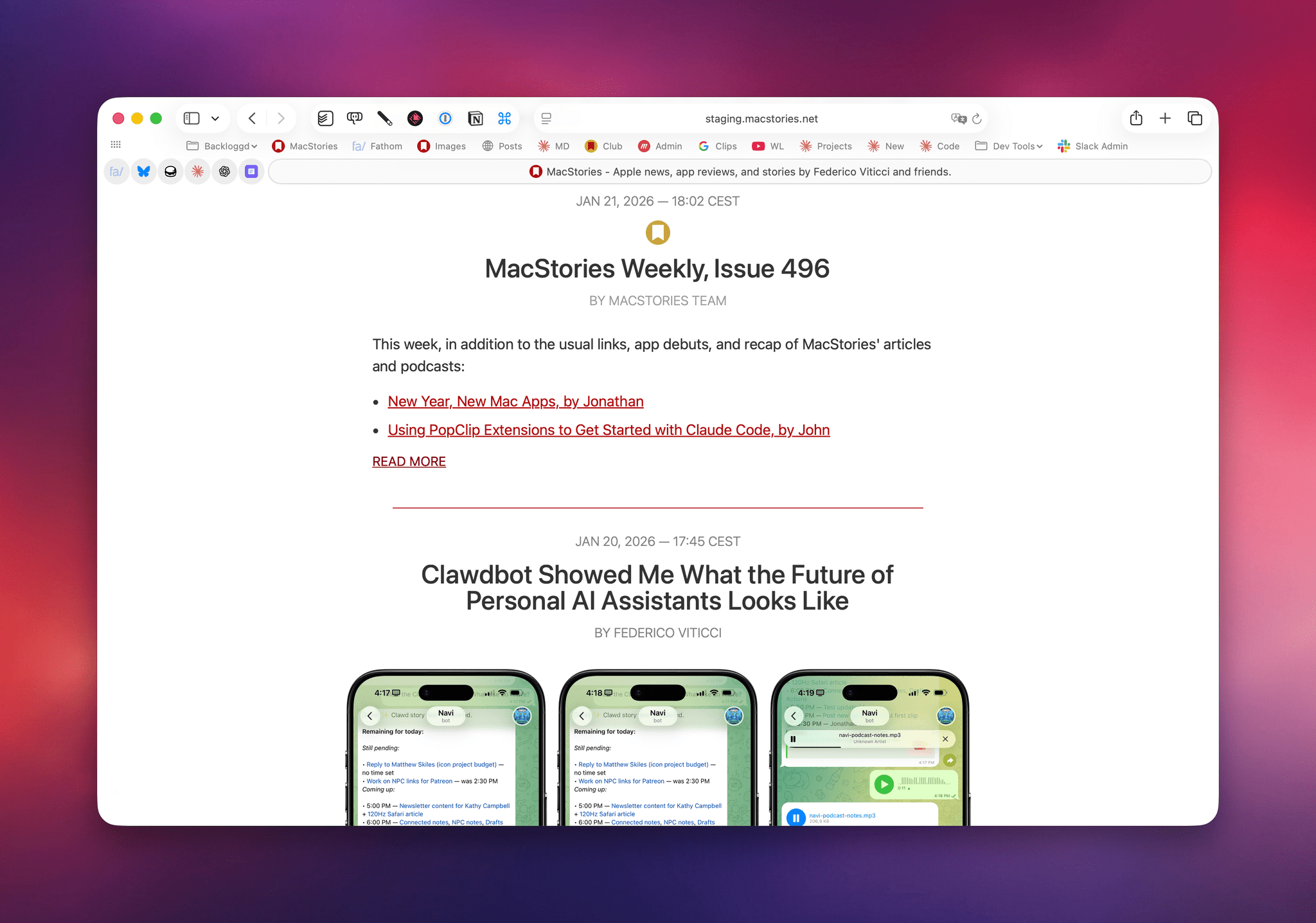
Today, I’m pleased to announce something we’ve been working on for the past two years: MacStories and Club MacStories are now one website. If you’re a Club MacStories member, you no longer need to go to a separate website to read our exclusive columns and weekly newsletters: everything has been unified into the main MacStories.net website you know and love. The subscription plans are the same. We’ve imported 11 years of Club MacStories content into MacStories, with everything running on a new foundation powered by WordPress; going forward, all member content – including AppStories – will be published directly on MacStories.
To get started, simply log into your existing Club MacStories account on the new MacStories Plans page or by clicking the Account icon in the top toolbar. Members can still access a special homepage of Club-only content at macstories.net/club or staging.macstories.net/club – whatever you prefer. A few things will be different as part of this transition, and some parts of the previous Club MacStories experience haven’t been migrated yet, which I will explain in this story.
The short version of this announcement is that this has been a massive undertaking for me, John, and our new developer Jack. We’ve been working on this project in secret for months, and our goal was always to ensure a smooth, relatively pain-free migration for our members and MacStories readers. Now more than ever, the Club MacStories membership program is a core component of the entire MacStories ecosystem of articles, exclusive perks, and podcasts; it’s only thanks to the Club that, in this day and age, MacStories can continue to thrive with its editorial independence, vibrant community of members, and focus on producing high-quality, well-researched content written and spoken by humans, not AI.
The longer version is that the last few years have been complicated. We faced some challenges along the way, made some wrong technical calls, and have been working to rectify them – with the ultimate goal of propelling MacStories into its third decade of existence on the Open Web. We’re turning MacStories – the website that millions of people visit every year – into a destination that (hopefully!) will put a stronger spotlight on all the things we do. But to get to this point, we had to break a few things, iterate slowly, start over, and refine until we were happy with the results.
If you’re a Club member: thank you, and we hope you’ll enjoy the more intuitive and integrated experience we’ve prepared. If you’re not, I hope you’ll consider checking out the (many) exclusive perks of a Club MacStories subscription.
And if you’re curious to learn more about what we’re launching today and how we got to this point…well, do I have a story for you.
OpenClaw Showed Me What the Future of Personal AI Assistants Looks Like
Update, February 6: I’ve published an in-depth guide with advanced tips for secure credentials, memory management, automations, and proactive work with OpenClaw for our Club members here.
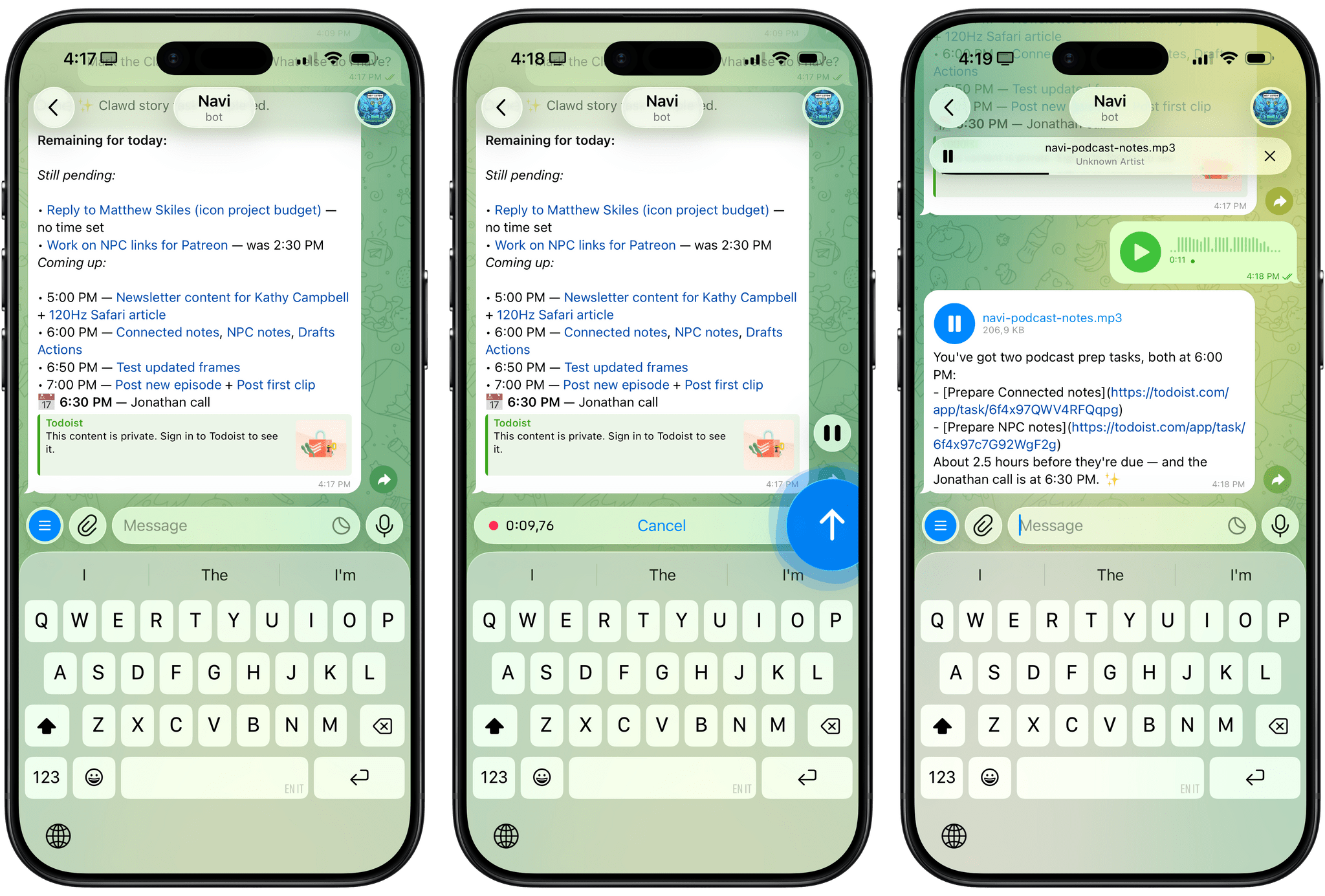
For the past week or so, I’ve been working with a digital assistant that knows my name, my preferences for my morning routine, how I like to use Notion and Todoist, but which also knows how to control Spotify and my Sonos speaker, my Philips Hue lights, as well as my Gmail. It runs on Anthropic’s Claude Opus 4.5 model, but I chat with it using Telegram. I called the assistant Navi (inspired by the fairy companion of Ocarina of Time, not the besieged alien race in James Cameron’s sci-fi film saga), and Navi can even receive audio messages from me and respond with other audio messages generated with the latest ElevenLabs text-to-speech model. Oh, and did I mention that Navi can improve itself with new features and that it’s running on my own M4 Mac mini server?
If this intro just gave you whiplash, imagine my reaction when I first started playing around with OpenClaw, the incredible open-source project by Peter Steinberger (a name that should be familiar to longtime MacStories readers) that’s become very popular in certain AI communities over the past few weeks. I kept seeing OpenClaw being mentioned by people I follow; eventually, I gave in to peer pressure, followed the instructions provided by the funny crustacean mascot on the app’s website, installed OpenClaw on my new M4 Mac mini (which is not my main production machine), and connected it to Telegram.
To say that OpenClaw has fundamentally altered my perspective of what it means to have an intelligent, personal AI assistant in 2026 would be an understatement. I’ve been playing around with OpenClaw so much, I’ve burned through 180 million tokens on the Anthropic API (yikes), and I’ve had fewer and fewer conversations with the “regular” Claude and ChatGPT apps in the process. Don’t get me wrong: OpenClaw is a nerdy project, a tinkerer’s laboratory that is not poised to overtake the popularity of consumer LLMs any time soon. Still, OpenClaw points at a fascinating future for digital assistants, and it’s exactly the kind of bleeding-edge project that MacStories readers will appreciate.
How I Used Claude to Build a Transcription Bot that Learns From Its Mistakes
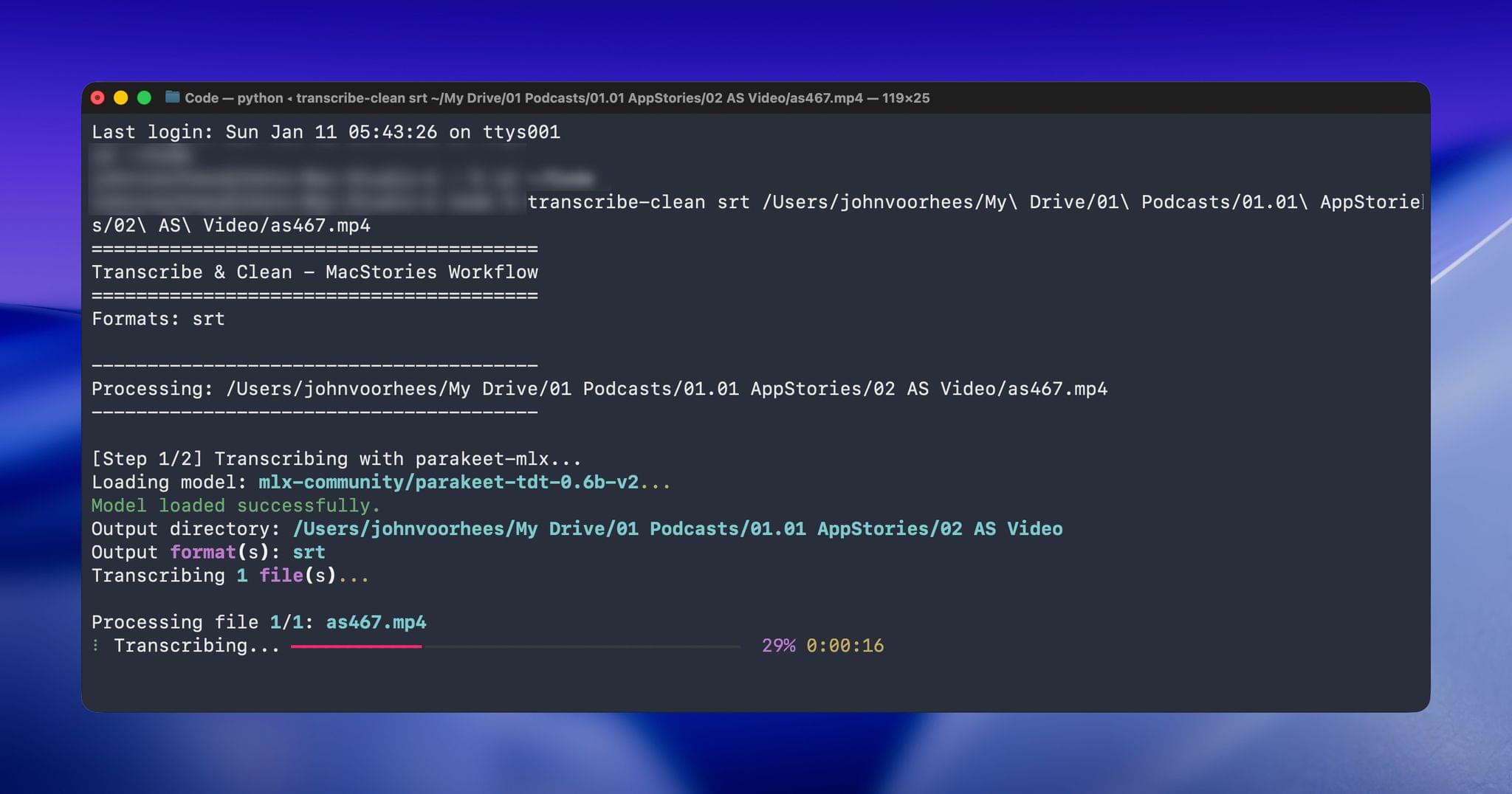
[Update: Due to the way parakeet-mlx handles transcript timeline synchronization, which can result in caption timing issues, this workflow has been reverted to use the Apple Speech framework. Otherwise, the workflow remains the same as described below.]
When I started transcribing AppStories and MacStories Unwind three years ago, I had wanted to do so for years, but the tools at the time were either too inaccurate or too expensive. That turned a corner with OpenAI’s Whisper, an open-source speech-to-text model that blew away other readily available options.
Still, the results weren’t good enough to publish those transcripts anywhere. Instead, I kept them as text-searchable archives to make it easier to find and link to old episodes.
Since then, a cottage industry of apps has arisen around Whisper transcription. Some of those tools do a very good job with what is now an aging model, but I have never been satisfied with their accuracy or speed. However, when we began publishing our podcasts as videos, I knew it was finally time to start generating transcripts because as inaccurate as Whisper is, YouTube’s automatically generated transcripts are far worse.
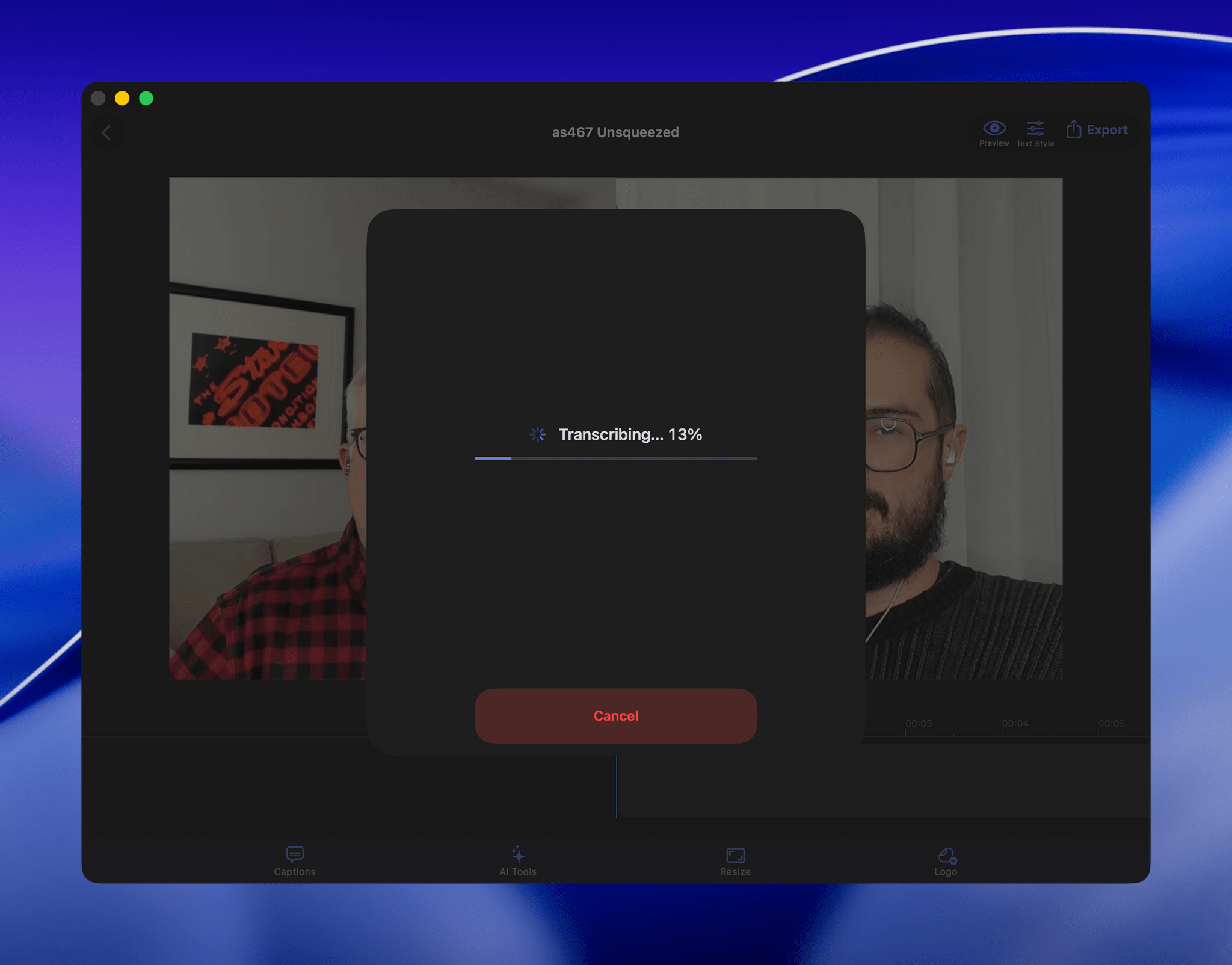
My first stab at video transcription was to use apps like VidCap and MacWhisper. After a transcript was generated, I’d run it through MassReplaceIt, a Mac app that lets you create and apply a huge dictionary of spelling corrections using a bulk find-and-replace operation. As I found errors in AI transcriptions by manually skimming them, I’d add those corrections to my dictionary. As a result, the transcriptions improved over time, but it was a cumbersome process that relied on me spotting errors, and I didn’t have time to do more than scan through each transcript quickly.
That’s why I was so enthusiastic about the speech APIs that Apple introduced last year at WWDC. The accuracy wasn’t any better than Whisper, and in some circumstances it was worse, but it was fast, which I appreciate given the many steps needed to get a YouTube video published.
The process was sped up considerably when Claude Skills were released. A skill can combine a script with instructions to create a hybrid automation with both the deterministic outcome of scripting and the fuzzy analysis of LLMs.
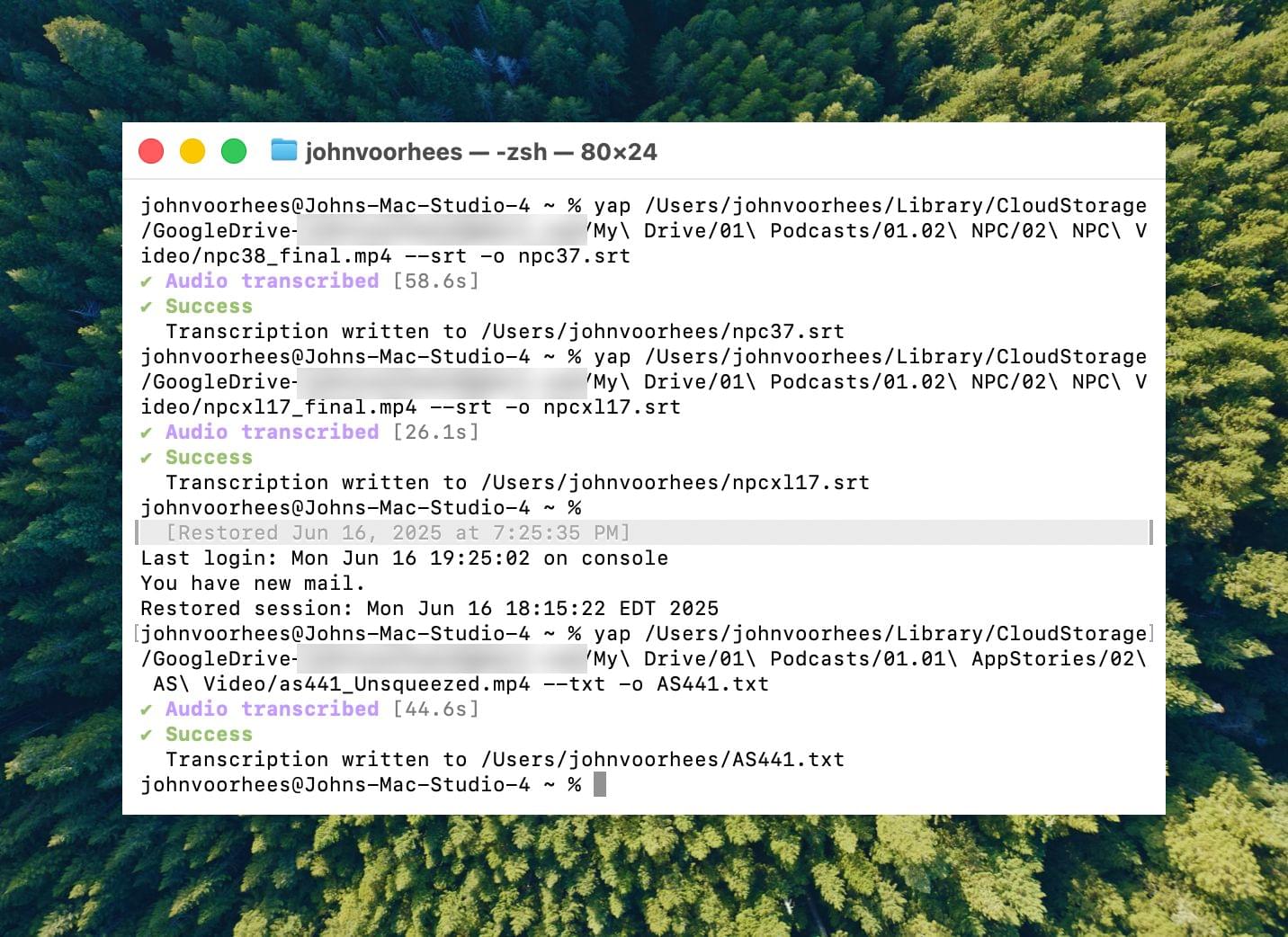
I’d run yap, a command line tool that I used to transcribe videos with Apple’s speech-to-text framework. Next, I’d open the Claude app, attach the resulting transcript, and run a skill that would run the script, replacing known spelling errors. Then, Claude would analyze the text against its knowledge base, looking for other likely misspellings. When it found one, Claude would reply with some textual context, asking if the proposed change should be made. After I responded, Claude would further improve my transcript, and I’d tell Claude which of its suggestions to add to the script’s dictionary, helping improve the results a little each time I used the skill.
Over the holidays, I refined my skill further and moved it from the Claude app to the Terminal. The first change was to move to parakeet-mlx, an Apple silicon-optimized version of NVIDIA’s Parakeet model that was released last summer. Parakeet isn’t as fast as Apple’s speech APIs, but it’s more accurate, and crucially, its mistakes are closer to the right answers phonetically than the ones made by Apple’s tools. Consequently, Claude is more likely to find mistakes that aren’t in my dictionary of misspellings in its final review.
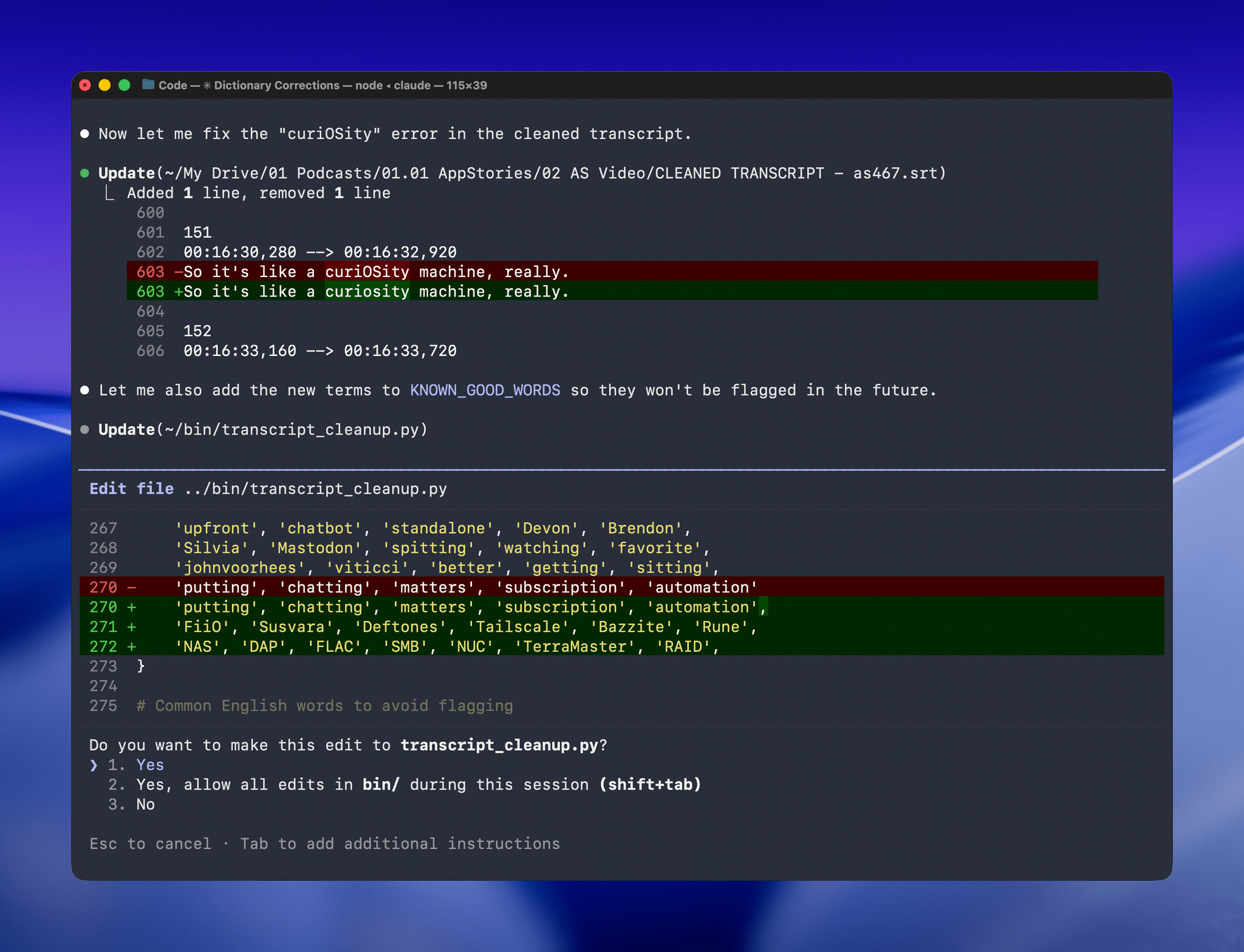
With Claude Opus 4.5’s assistance, I rebuilt the Python script at the heart of my Claude skill to run videos through parakeet-mlx, saving the results as either a .srt or .txt file (or both) in the same location as the original file but prepended with “CLEANED TRANSCRIPT.” Because Claude Code can run scripts and access local files from Terminal, the transition to the final fuzzy pass for errors is seamless. Claude asks permission to access the cleaned transcript file that the script creates and then generates a report with suggested changes.
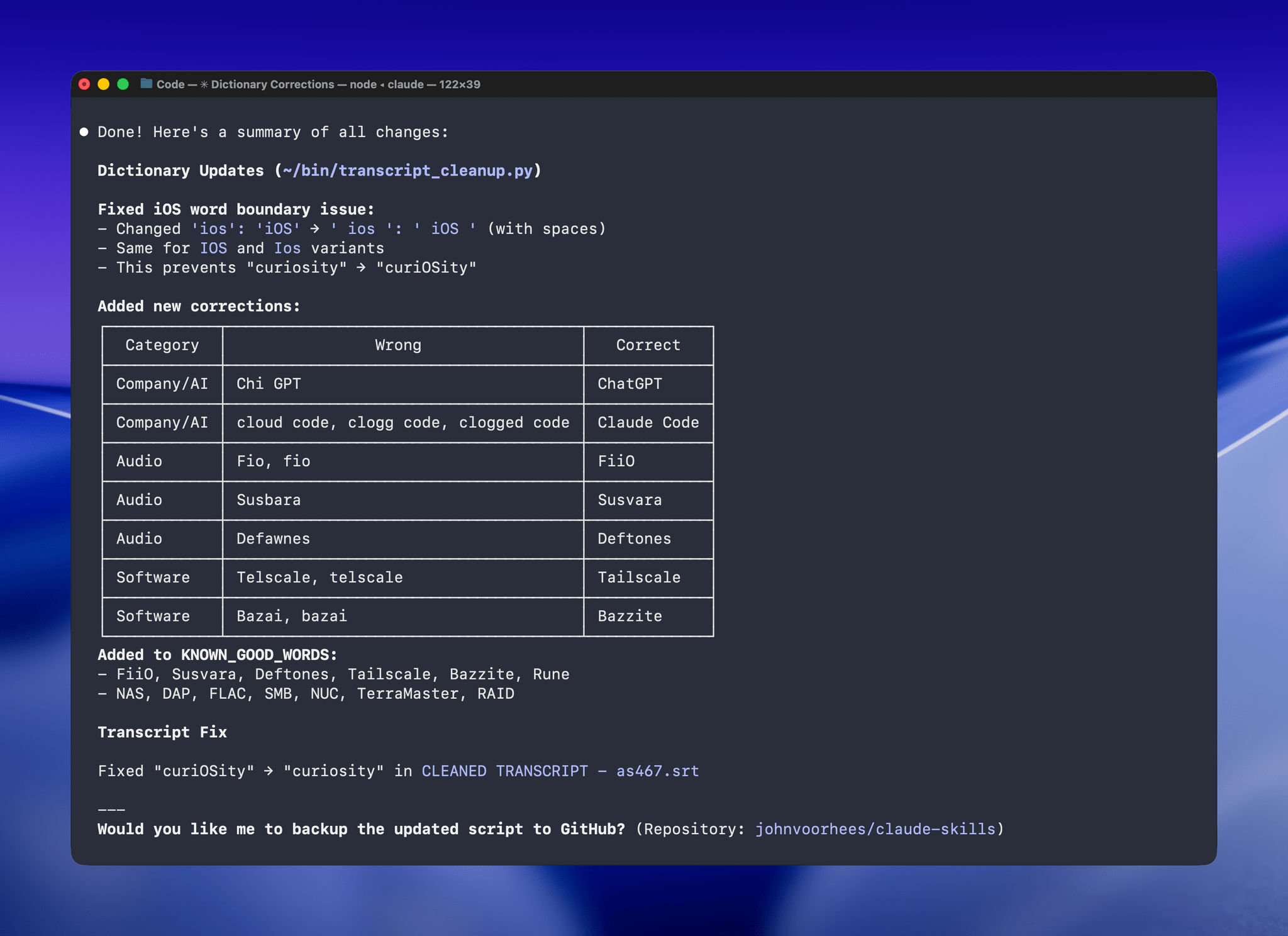
The last step is for me to confirm which suggested changes should be made and which should be added to the dictionary of corrections. The whole process takes just a couple of minutes, and it’s worth the effort. For the last episode of AppStories, the script found and corrected 27 errors, many of which were misspellings of our names, our podcasts, and MacStories. The final pass by Claude managed to catch seven more issues, including everything from a misspelling of the band name Deftones to Susvara, a model of headphones, and Bazzite, an open-source SteamOS project. Those are far from everyday words, but now, their misspellings are not only fixed in the latest episode of AppStories, they’re in the dictionary where those words will always be corrected whether Claude’s analysis catches them or not.
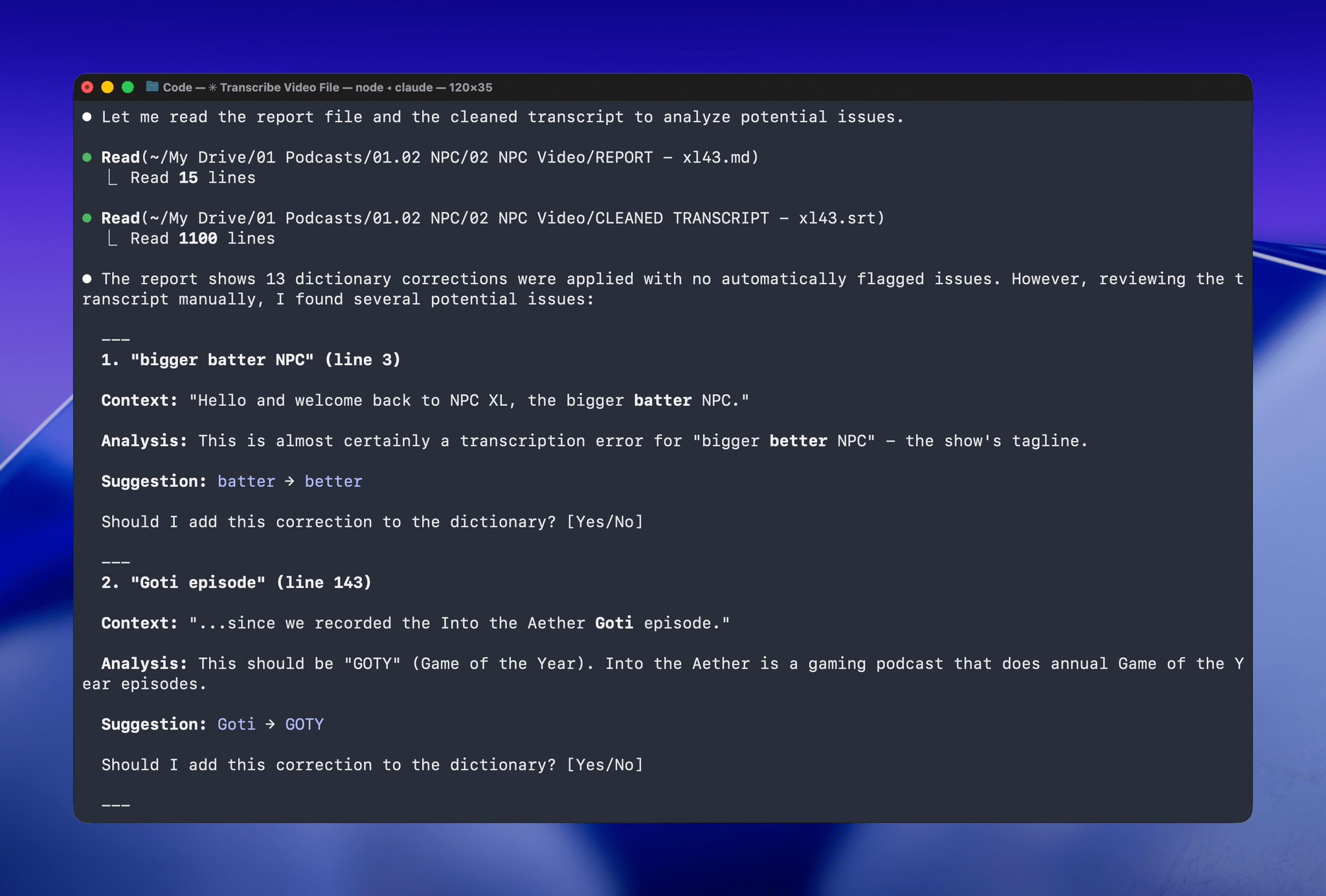
I’ve used this same pattern over and over again. I have Claude build me a reliable, deterministic script that helps me work more efficiently; then, I layer in a bit of generative analysis to improve the script in ways that would be impossible or incredibly complex to code deterministically. Here, that generative “extra” looks for spelling errors. Elsewhere, I use it to do things like rank items in a database based on a natural language prompt. It’s an additional pass that elevates the performance of the workflow beyond what was possible when I was using a find-and-replace app and later a simple dictionary check that I manually added items to. The idea behind my transcription cleanup workflow has been the same since the beginning, but boy, have the tools improved the results since I first used Whisper three years ago.
My Favorite Gear From CES 2026 – and Some Weird and Wonderful Gadgets, Too

It’s CES time again, which means another edition of our annual roundup of the most eye-catching gadgets seasoned with a helping of weird and wonderful tech. I’m sure it will come as no surprise that robots, AI, and TVs are some of the most prominent themes at CES in 2026, but there’s a lot more, so buckle in for a tour of what to expect from the gadget world in the coming months.
AR Glasses
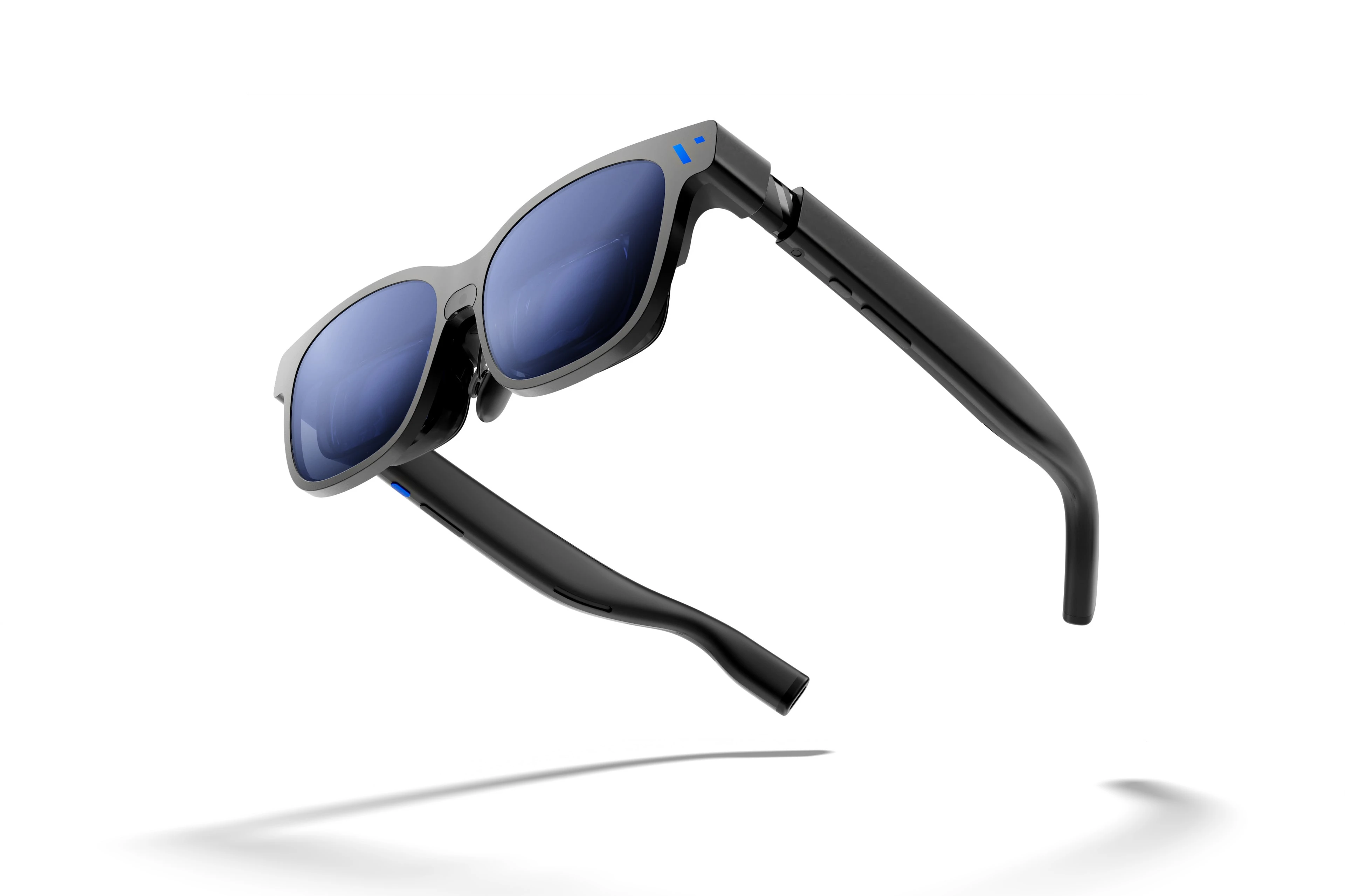
I first tried Xreal AR glasses shortly before the Vision Pro was released. The experience at the time wasn’t great, but you could see the potential for what has turned out to be one of the Vision Pro’s greatest strengths: working on a huge virtual display. There’s also a lot of potential for gaming.
It looks like the tech behind AR glasses is finally getting to a point where I may dip in again this year. Xreal updated and reduced the price of its entry-level 1S glasses, which will make the category accessible to more people.
The company also introduced the Neo dock, a 10,000 mAh battery that also serves as a hub for connecting a game console or other device to its AR glasses. Notably, the Neo is compatible with the Nintendo Switch 2, which caught my eye immediately.
The iPad Finally Becomes a Gaming Console with CloudGear
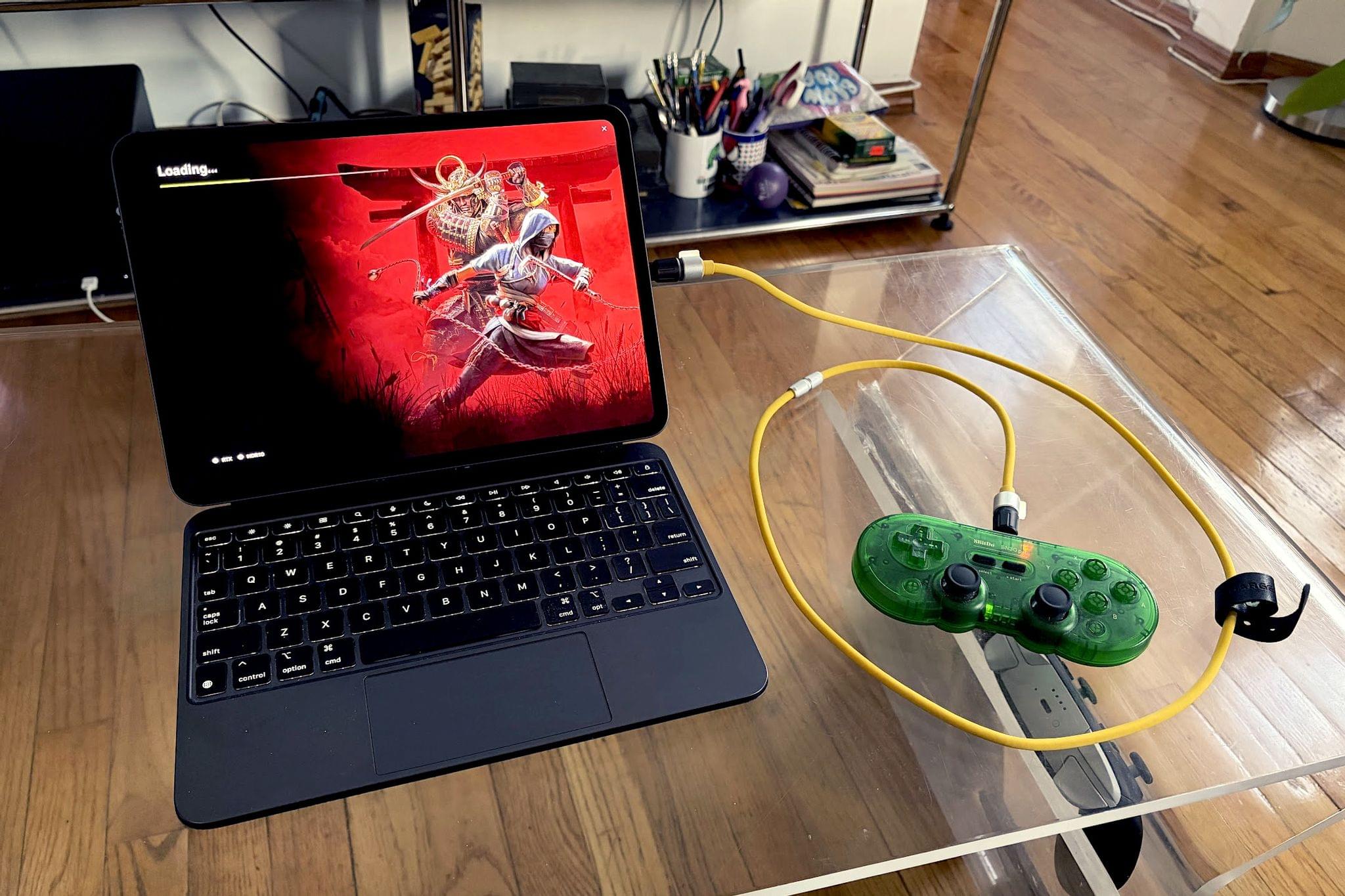
My iPad has been gathering dust. I bought it last May – an 11” M4 iPad Pro with 512GB of storage and a Magic Keyboard – mostly for writing, photo and video editing, and experimenting with Apple’s seemingly renewed focus on gaming.
On paper, it excels at all of these things.
While the M4 chip is overkill for the iPad’s possibility space, the ever-present specter of the shortcomings inherent in iPadOS tends to loom over more intensive tasks. There’s a clear disconnect between what Apple states the iPad is for in a post-iPadOS 26 world and what the hardware itself is allowed to do when constrained by software limitations. Quinn Nelson of Snazzy Labs explored this from multiple angles in a recent video that ended with a poignant sentiment:
There are still days that I reach for my $750 MacBook Air because my $2,000 iPad Pro can’t do what I need it to. Seldom is the reverse true.
As a person who also owns a MacBook Pro with an M4 Pro chip stashed away inside, I’ve found the moments I choose my iPad to be few and far between. Despite the ease with which I could fit it into most of my small sling bags when I leave the house and the fact that it’s “good enough” at accomplishing most tasks I could throw at it, I still tend to pack the MacBook instead.
Just in case.