This Week's Sponsor:

LookAway

It helps you take regular breaks from your Mac to rest your eyes, without breaking your flow.


Posts in stories

MacStories Selects 2025: Recognizing the Best Apps of the Year

John: 2025 was a different sort of year for apps, which is reflected in this year’s MacStories Selects Awards winners. App innovation comes from many places. Sometimes it’s new Apple APIs or hardware, and other times it’s broader shifts in the tech world.

Last year was marked by a series of App Store changes in the EU, U.S., and elsewhere that have begun to reshape the app landscape. The updates have been slow to roll out and have been met with resistance from Apple, but we’re starting to see policy updates, like developers’ ability to offer web-based purchases, translate into new business models, expanding the kinds of apps that are available.

Political and regulatory pressures on Apple continued to affect the apps we use this year, too, but the lion’s share of the change we saw in 2025 came from more traditional sources. This year, it was great to see a surge in app innovation sparked by Apple Intelligence and other AI services, the Liquid Glass design language, and other new APIs and features from Apple. The result has been a broad-based acceleration of app innovation that we expect to continue into 2026 and beyond. But before looking ahead to what’s next, it’s time to pause as we do each year to reflect on the many apps we tried in 2025 and recognize the best among them.

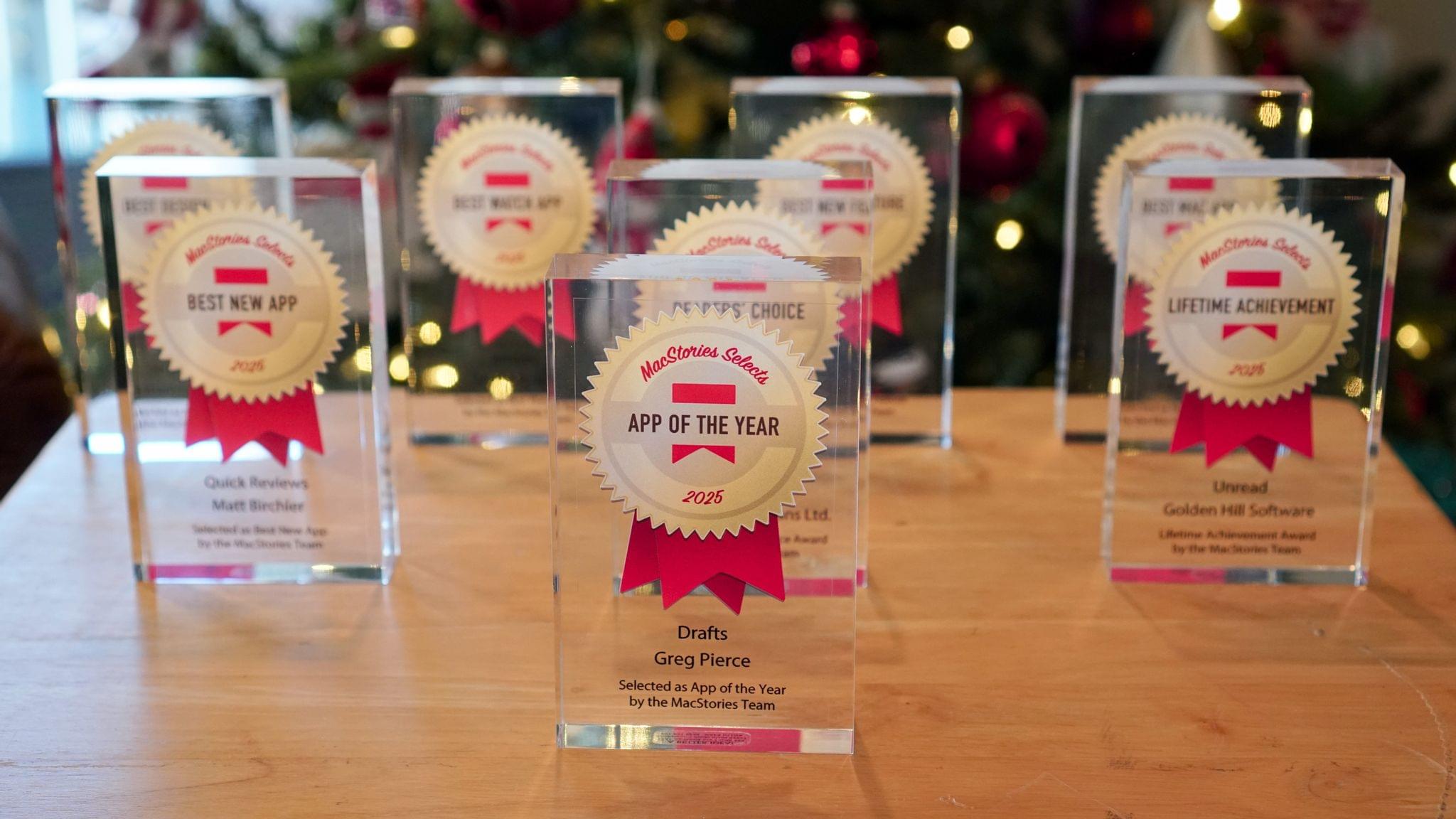
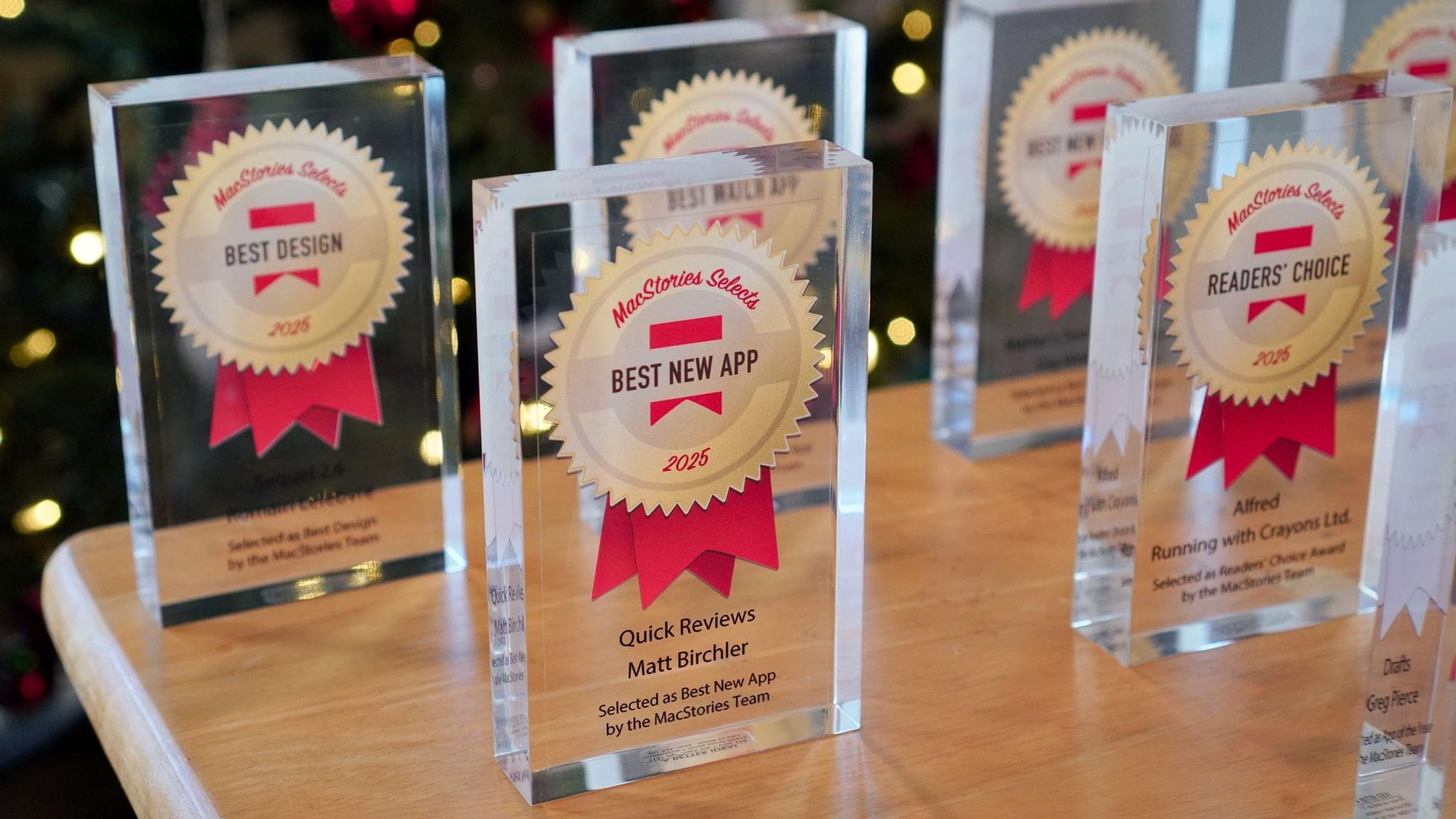
This year, the MacStories team picked the best apps in six categories:

  • Best New App
  • Best New Feature
  • Best Watch App
  • Best Mac App
  • Best Design
  • App of the Year

Club MacStories members were part of the selection process, too, picking the winner of the MacStories Selects Readers’ Choice Award. And as we’ve done in the past, we also named a Lifetime Achievement Award winner that has stood the test of time and had an outsized impact on the world of apps. This year’s winner, which joins past winners:

is the subject of a special story that Federico wrote for the occasion.

As usual, Federico and I also recorded a special episode of AppStories covering all the winners and runners-up. It’s a terrific way to learn even more about this year’s honorees.

You can also listen to the episode below.

And with that, it’s our pleasure to unveil the 2025 MacStories Selects Awards.

Read more


The MacStories Selects 2025 Lifetime Achievement Award

Unread

In the 16 years that I’ve been writing for MacStories, I’ve seen my fair share of new apps that have come and gone. Apps that promised to revolutionize a particular segment of the App Store were eventually acquired, discontinued, or simply abandoned. It’s been very unusual to witness an indie app survive in a highly competitive marketplace, let alone to find one that thrived after having been sold twice to different owners over the years. But such is the case of Unread, the RSS client now developed by John Brayton of Golden Hill Software and the recipient of this year’s MacStories Selects Lifetime Achievement Award.

Unread was originally created by indie developer Jared Sinclair in 2014, sold to Supertop (at the time, the makers of Castro), and then sold again to Golden Hill Software in 2017. When it first came out in 2014, Unread entered a crowded space: in the aftermath of Google Reader’s demise in 2013, third-party companies and developers rushed to offer comparable RSS syncing services and compatible apps to let users sync their RSS subscriptions and read articles across multiple devices.

In my original review from 2014, I noted how Unread set a new standard for elegant, gesture-driven interfaces optimized for phones that were getting progressively larger and harder to operate with one hand. With a fluid and minimal interface driven by “sloppy gestures” that didn’t require precision or specific buttons, Unread stood out because it followed Apple’s then-new “flat design” but imbued it with personality in the form of typographic choices, colors, share options (Sinclair created a custom share sheet before an official one even existed), and a novel interaction mechanism for an RSS reader.

After a three-year stint as a Supertop product, Unread was taken under the wing of John Brayton, who did something exceptionally rare: instead of following short-lived industry trends and fads, he doubled down on Unread’s essence while judiciously embracing modern technologies. Eleven years after its inception and eight years after its second sale to a different developer, Unread still stands out in the third-party indie app market because it’s managed to honor its lineage while adapting to the ever-changing nature of the Apple ecosystem.

Unread for iOS.

Unread for iOS.

Unread still is, at a fundamental level, an elegant and polished RSS client that syncs with multiple services and presents articles in a minimal, clutter-free UI that you can easily control with your thumb. Everything else around it, however, has evolved and expanded. Unread is now available on the iPad and Mac, where it supports features such as menu bar commands, windowing, and keyboard shortcuts. There is an Unread Cloud syncing service that is fully managed by its developer. Last year, Brayton shipped an incredibly powerful and custom Shortcuts integration that lets you trigger automations in the Shortcuts app from individual articles in Unread. This year, Brayton adapted to another new reality of the modern web: Unread can now securely store logins for paywalled websites – such as Club MacStories – so that all your articles that require a subscription to be read can be saved and accessed within the app. And in all of this, the modern Unread is both unmistakably the “same” app from 11 years ago, but also something far greater that has built upon Sinclair’s original idea thanks to the constant, relentless work of its current developer, John Brayton.

If you’ve been reading MacStories all these years, you know that this is no easy feat. Most app acquisitions don’t work out in the end, leaving users with the bittersweet nostalgia of something that used to be great and was eventually swallowed up by the greater scheme of economic factors, app rot, technical debt, and App Store changes.

Against all odds, Unread has successfully bucked that trend and evolved into a mature, powerful product that continues to stand alone in the sea of RSS clients as a beacon of hope for indie developers and our community as a whole. There is nothing else like it. For all these reasons, we couldn’t think of an app more worthy of the MacStories Selects Lifetime Achievement Award in 2025.

Learn more about Unread:


Just the Best: MacStories’ Black Friday 2025 Picks

Black Friday deals started very early this year, and we’ve covered a lot of ground on the MacStories Deals Mastodon and Bluesky accounts since publishing our Early Black Friday Picks. A lot of those deals are ongoing, so it’s worth revisiting that story as you start your holiday shopping in earnest.

However, today, I wanted to hit the highlights of what we’ve covered over the past week on MacStories Deals and add some new deals to the mix that you probably haven’t seen yet, so buckle up, it’s time to go shopping.

MacStories Pixel Icons

All three MacStories Pixel Icon sets are 40% off until Monday, December 1.

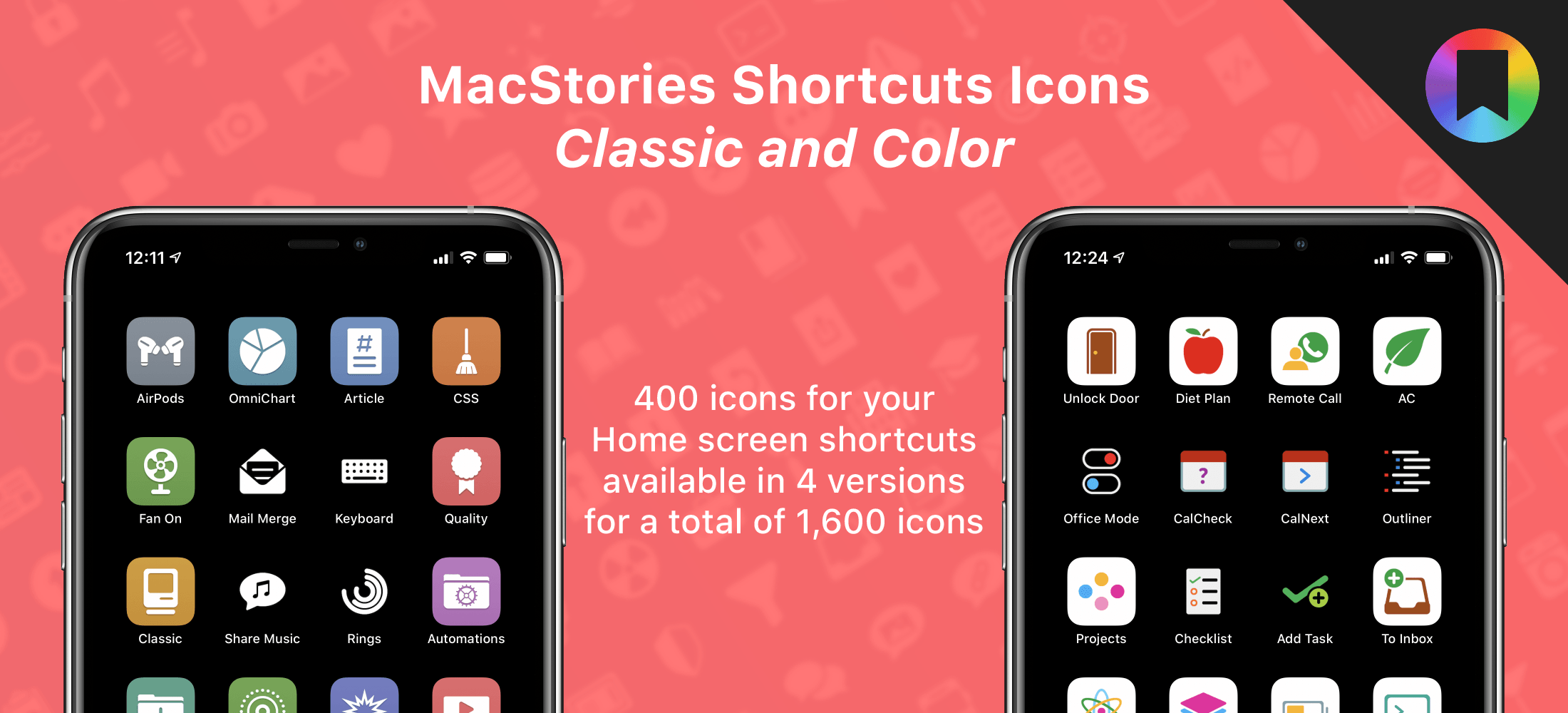
Two of the icon sets are specially-designed for Shortcuts. We’ve all been there. You work hard on a shortcut and want to give it the perfect icon, only to realize that Apple doesn’t offer what you want in the Shortcuts app. The MacStories Pixel Icons fill that gap with an extensive set of painstakingly hand-crafted icons with multiple color options created by MacStories’ long-time designer, Silvia Gatta. We also offer a set of Perspective icons that are perfect for OmniFocus Pro and other uses.

Visit our dedicated MacStories Pixel page today to preview all three icon sets and purchase them for 40% off until Monday, December 1.

Apple Hardware

There are a lot of Black Friday deals on Apple hardware, but most of them are good, not great. I’m picky, so I’m only going to focus on just the great deals.

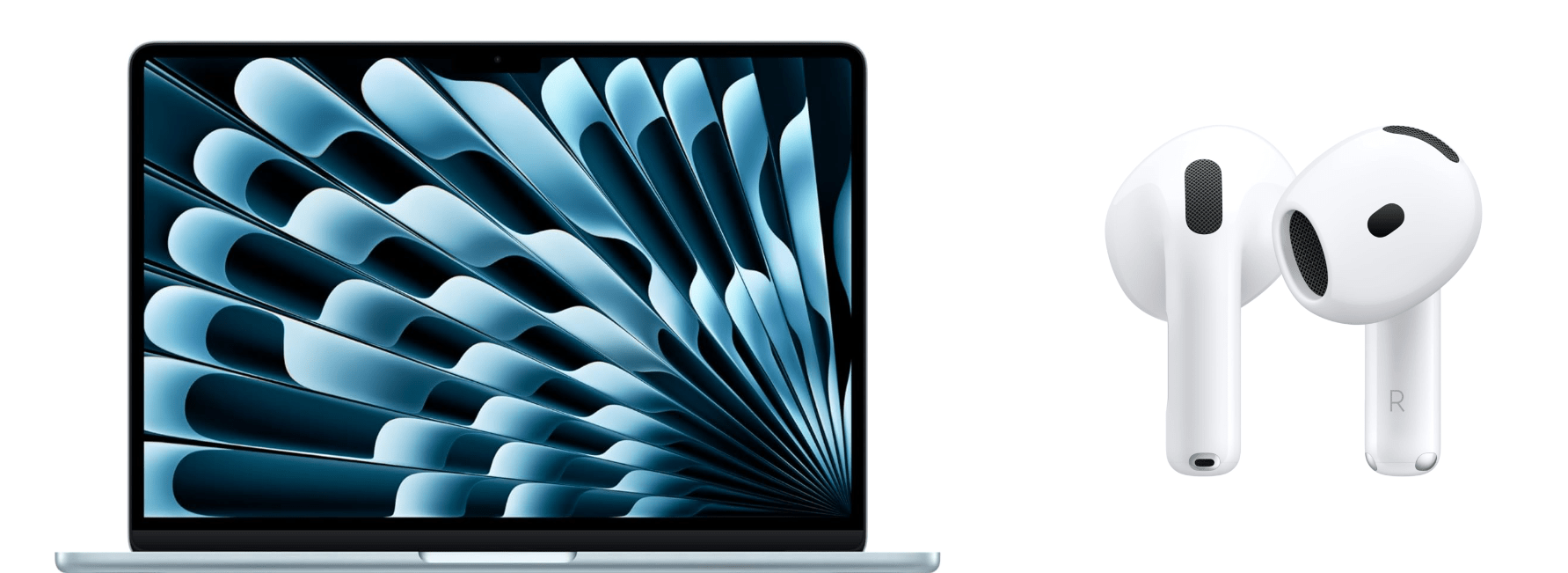
One of the best deals on Apple hardware during Black Friday is the M4 13” MacBook Air with 16GB of memory and 256GB of storage. If you want more memory or storage than that, you’ll have to settle for a smaller percentage discount, but even with more memory and more storage, you’re still doing better than any other deal this year. The 15” M4 MacBook Air with 16GB of memory and a 256GB SSD is a good deal, too.

Among the many iPad deals, the best is on the 128GB iPad mini with an A17 Pro chip. I’ve had a mini since they were released and love it. The size makes it an excellent reading and video-watching device.

AirPods 4 are also heavily discounted for Black Friday. Apple’s most affordable wireless earbuds come with active noise cancellation and without. The model with no active noise cancellation slightly edges out the model with ANC as far as the discounts are concerned, but both models are a bargain.

However, the very best deals available from Apple in terms of the percentage discount are a 4-pack of AirTags and the Apple Pencil Pro. If you need either, now is the perfect time to buy them.

Smart Home

The holiday season is a great time to catch up on projects and start new ones. For me, that’s often tuning up my smart home setup and setting up some new devices thanks to Black Friday sales. Here are the best ones I’ve seen:

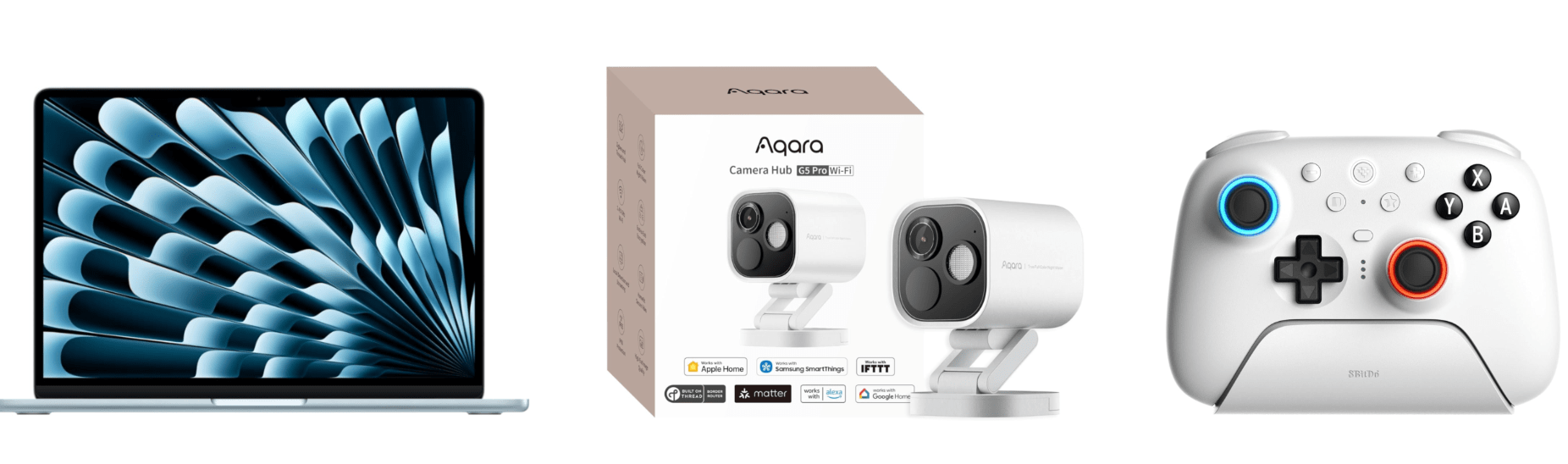
Aqara already makes some of the most affordable smart home devices out there, so you really can’t go wrong with their Black Friday deals. One of my favorites is the FP2 Presence Sensor. It’s far more sophisticated than a simple motion sensor. To start with, it can tell when you’ve left a room, which motion sensors can’t do. I’ve used an FP2 Sensor in my office to control lighting for a couple of years, wrote about it for Club members, and have been really happy with it.

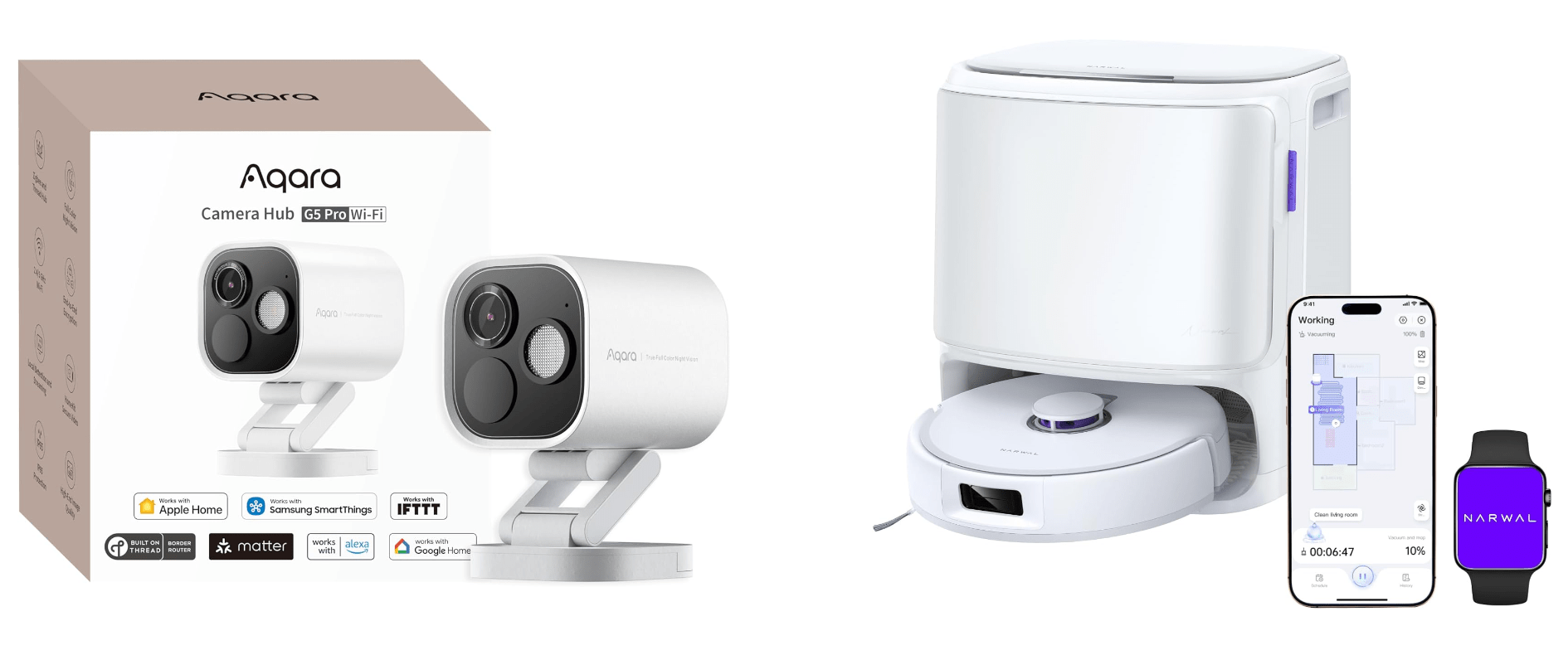
Other great deals from Aqara include its U100 Smart Lock that works with Apple Home Key and HomeKit, the Aqara M3 Home Hub that I recently set up at home and love, and 4MP Camera Hub G5 Pro, an outdoor HomeKit camera that I reviewed earlier this year.

My Aqara 4MP Camera Hub G5 Pro is paired with an Ecobee Smart Video Doorbell, which is also on sale for Black Friday. I’ve used various Ecobee smart home products for years and have never been disappointed. The same goes for its smart doorbell. I’ve had it installed for over a year, and it’s been reliable despite facing the sun on some very hot summer days.

Black Friday is also a great time to buy a robot vacuum and mop. There are lots of deals, but the model I’ve tested for the past couple of months and love is the Narwal Freo X10 Pro. It handles vacuuming and mopping, navigating via LiDAR and does an excellent job compared to other robot vacuums I’ve tried. I’ll be reviewing the Freo X10 Pro about it soon, but now’s the time to get it at a steep discount.

Read more


Wading Back Into the Liquid Glass Pool: The MacStories OS 26 App Roundup Continued

Last month, we featured 15 great examples of apps that have adopted Apple’s Liquid Glass design language and latest APIs. Today, the MacStories team is sharing nine more of our favorite updates that take advantage of Apple’s latest technologies.

We’ll have additional coverage in the weeks ahead, but for now, let’s dive into even more of the best OS 26 updates we’ve seen this fall.

Denim

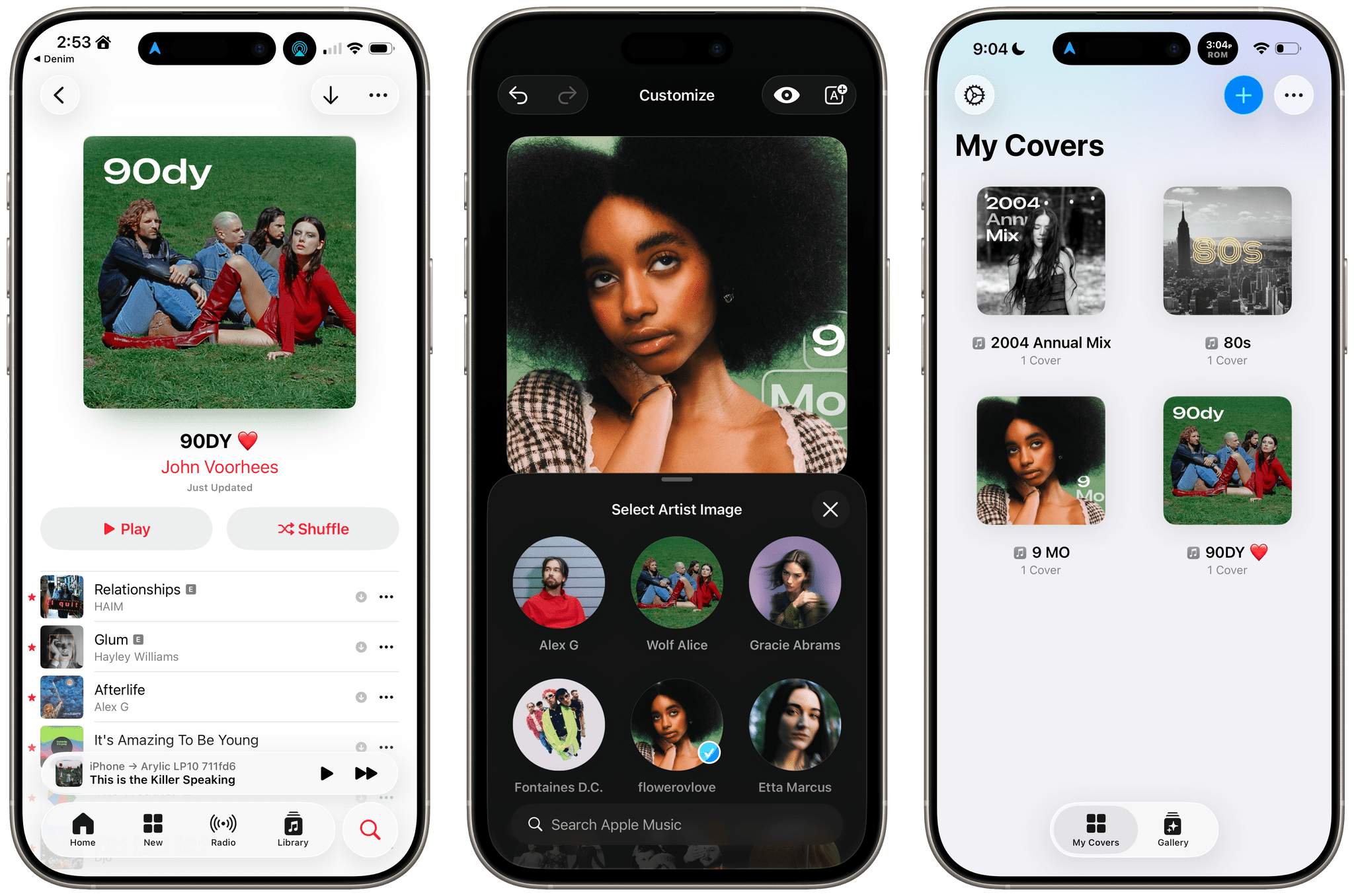
John: I remember when Denim was first released. It was a great idea that filled a gap in Apple’s Music app, allowing users to create their own playlist covers. The designs you could make with that first version were nice, though fairly modest. But Denim is one of those indie developer stories that I love. Through relentless iteration, the app has evolved into something very special, being named an Apple Design Award finalist in the Delight and Fun category earlier this year.

With the OS 26 release cycle, Denim is all-in on Liquid Glass. We’ve covered a lot of great Liquid Glass implementations already, but Denim’s is extra special. The design is present in the app’s tab bar, where you’ll see the glass blob effect, but it’s also in the animations, like when you return from the cover picker to your playlists. Similar animations are on display when you tap the ‘+’ button to add a new cover or the ‘…’ button.

Denim’s Gallery interface is an excellent example of Liquid Glass used to display a collection of artwork. The view has a lot in common with apps like Music, but it does a better job of implementing the design without sacrificing legibility, thanks to its buttons’ frosted treatment.

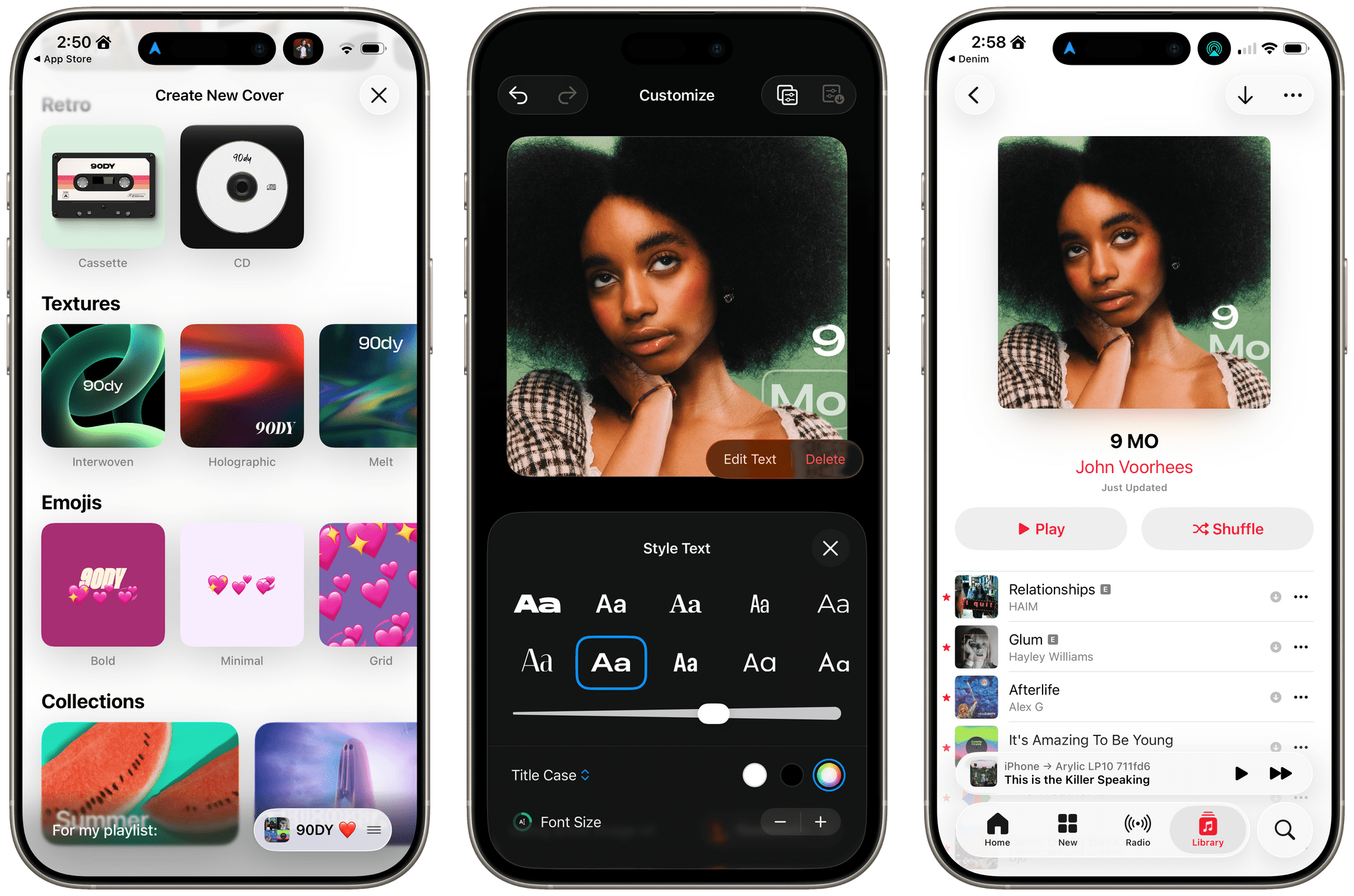
Denim’s Liquid Glass update aside, if you haven’t tried the app in a while, it’s worth taking another look at. I get tired of the auto-generated playlist art in Music, and the alternative covers Apple added a couple of years ago are uninspired. In contrast, Denim offers a wide variety of styles with highly customizable artwork, fonts, and colors. The gallery is incredibly deep, allowing you to make some fantastic covers.

Denim, which is iPhone-only, is available on the App Store for $2.99/month, $9.99/year, or a one-time payment of $29.99.

Drafts

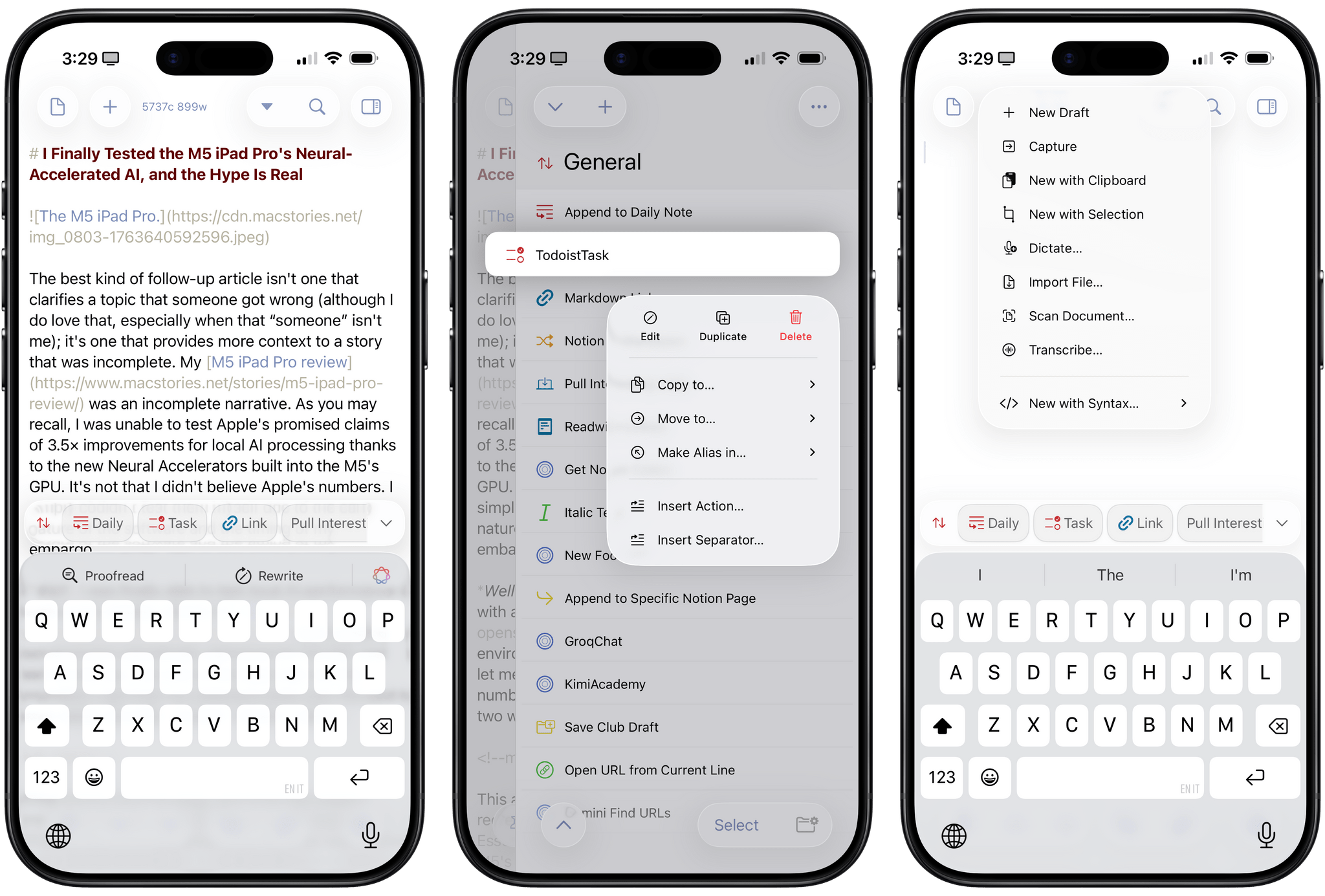
Federico: 2025 has been the year that I’ve fully embraced Drafts as my Markdown text editor/notepad of choice, and that’s all thanks to AI. Let me explain: thanks to the advancements in coding for models like GPT-5 and Sonnet 4.5, I’ve been able to turn Drafts into a highly personalized, extensible plain text editor that – unlike Obsidian – is natively integrated with Apple’s design language and latest platform features. That was never the case with Obsidian, which is an Electron app at its core and can’t match the pace of truly native apps for iOS and iPadOS. With Drafts, I get to have my cake and eat it too; I can “vibe-code” my own actions thanks to Claude, and I don’t have to give up on the nice perks that come with an application that is frequently updated for the latest Apple APIs.

Over the past two months, Drafts has received a series of notable updates for the 26 family of OSes. The app has been updated for Liquid Glass, which I think pairs well with Drafts’ UI, but more importantly, it’s also been optimized for iPadOS 26. That means full integration with the menu bar, multi-windowing, and keyboard shortcuts. Greg Pierce has done a solid job integrating with App Intents: Drafts actions can now be triggered from Control Center on the Mac and Apple Watch, and there’s a new ‘Show Capture’ action in Shortcuts that opens the app’s Capture window with the ability to pre-fill some text in it. Last but not least, Pierce also added support for the on-device Foundation model, which can be invoked from Drafts’ JavaScript-based scripting library to access tools that let you query drafts, create new ones, and more.

In a sea of so-called “opinionated” text editors that often use that adjective as an excuse for their lack of features, Drafts has managed to keep its simplicity while unlocking incredible potential for power users. If you haven’t played around with Drafts in a while, its latest updates for iOS, iPadOS, and macOS 26 are a great opportunity to test the app again.

Drafts is available as a free download for iPhone, iPad, and Apple Watch, with the full feature set available as part of Drafts Pro for $1.99/month or $19.99/year.

Read more


Our Top Amazon Early Black Friday Picks

If you haven’t noticed, it’s not Friday, and Thanksgiving is still a week away. Yet here we are, talking about Black Friday deals. That’s because every year, Amazon pushes the start of its deals a little earlier.

This is far from the first article you’ll come across about Black Friday deals, and it won’t be the last. But what’s different about our approach to Black Friday is that we’re pickier than most sites.

When I sat down to consider Amazon’s Black Friday deals, I looked at a long list of factors, including:

  • whether we’ve reviewed and recommended a product on MacStories,
  • the percentage of the discount,
  • the absolute dollar amount of the discount (which we can’t list due to Amazon rules),
  • whether each deal beats past deals,
  • and a bunch of other factors.

What we’ve come up with is a list of a couple dozen excellent deals that will save you loads of money on everything from great holiday gifts to nerd staples like storage, networking gear, and upgrades to your computing setup.

Every time I write one of these roundups, I inevitably run across even more great deals after the story has been published. So in addition to this story, we’ll be posting deals on the MacStories Deals Mastodon and Bluesky accounts.

Club MacStories Plus and Premier members will be sharing their Black Friday deal finds on Discord too. If you’re not a member, you can sign up here. The Discord server is just one of the many perks of joining the Club.

Finally, please note that the Amazon links in this article are affiliate links. If you follow one of our links and buy something, we make a small commission.

Storage

Some of Amazon's best deals are on storage.

Some of Amazon’s best deals are on storage.

Storage is a staple of Black Friday, with excellent deals on hard drives and SSDs of all shapes and sizes. This year is no different. Whether your Mac’s drive is filling up and you need to offload some large files or you’re looking for a backup solution, now is the time to pull the trigger and get more storage.

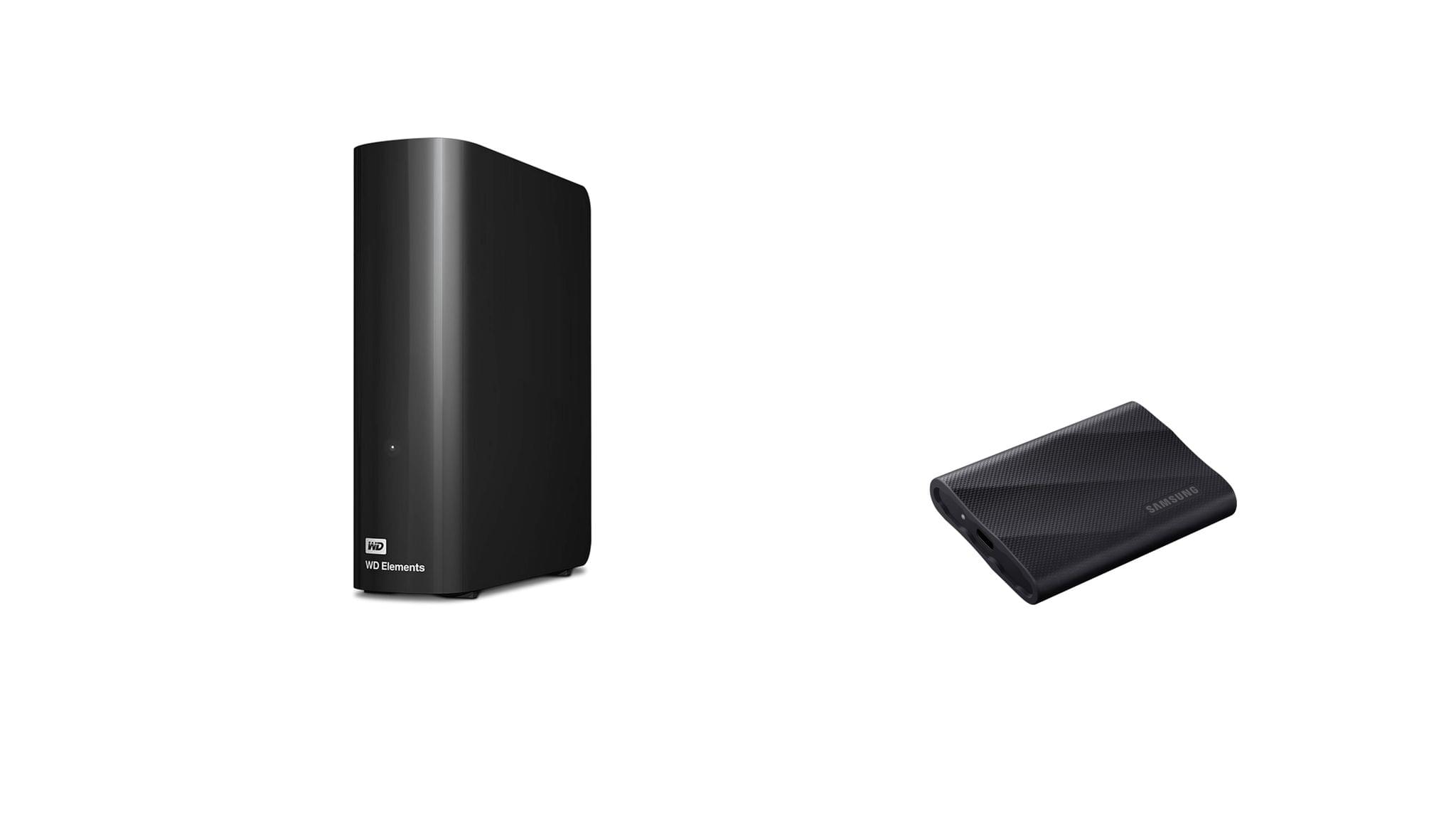
I mention Samsung portable SSDs a lot on MacStories and the MacStories Deals accounts because I’ve used them for years and they’re reliable. Samsung’s fastest model – the T9 – is my favorite because it uses USB-C 3.2 Gen 2x2, making it equally good for quick backups and working on large files externally.

Currently, both the 4TB Samsung T9 SSD and the 2TB model are on sale on Amazon, with the biggest discount on the 4TB model. You can save a little more with SanDisk’s 2TB external drive, but it runs at half the speed of the Samsung T9, so I recommend the T9. However, if you want to go really big with an SSD, SanDisk has Samsung beat with an 8TB model that, while expensive and half the speed of a Samsung T9, will be far faster than a mechanical hard drive for backing up a Mac with lots of internal storage. Samsung sadly does not offer an 8TB T9 drive.

SSDs are great, but even on sale, they’re more expensive than mechanical hard drives. If you don’t need the fastest speeds and can tuck your hard drive away somewhere the heat and noise won’t bother you, Amazon has a great deal on a 14TB Western Digital Elements hard drive. I’ve used Elements drives a lot over the past several years for archiving big projects and Time Machine backups, and I’ve been very happy with their performance. If you need a big drive, now is the time to pick one of these up; they’ve never been cheaper.

Smart Home

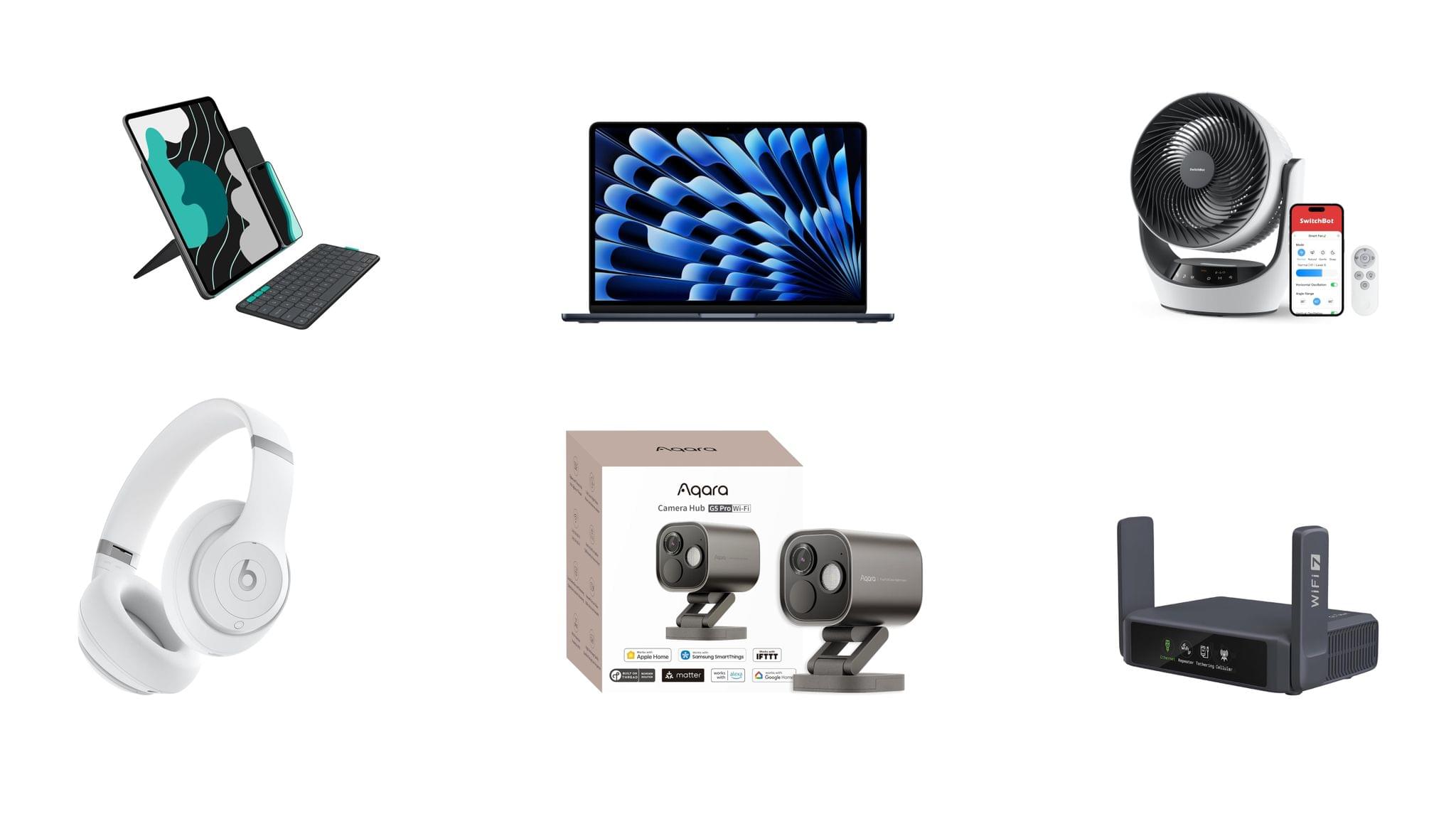
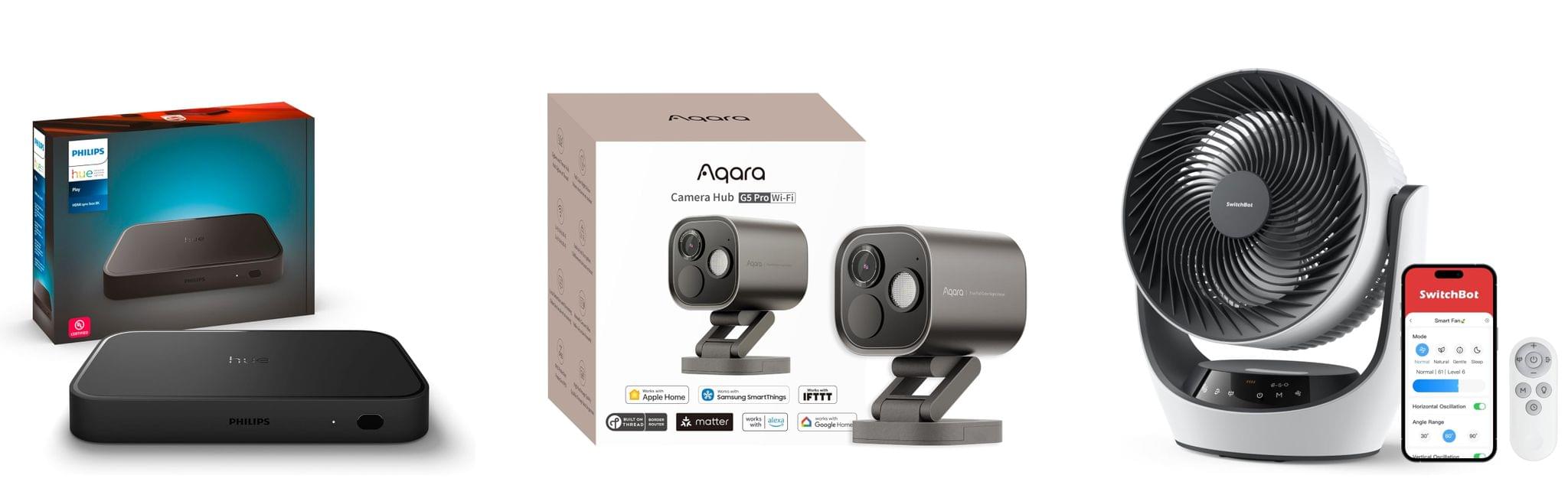
For starters, the Aqara 4MP Camera Hub G5 Pro is deeply discounted for Black Friday. I reviewed this outdoor HomeKit-compatible camera earlier this year and love it. From the feedback I’ve heard, MacStories readers seem to love the camera, too.

I also reviewed the Philips Hue Play HDMI Sync Box 8K this summer. Paired with Philips Hue lights, it’s remarkably capable, syncing the colors of your lights to whatever is on your TV. While it’s not a smart home essential, it is a lot of fun, and if you need a little push to pull the trigger on this sort of gadget, this discount is a great excuse.

On the more practical end of the spectrum, Philips Hue is also offering a great deal on its Go Smart Portable Table Lamp, which works plugged in or via its built-in battery. I’ve had my eye on this lamp for a while because it’s very portable and would add nice accent lighting when I’m working on my balcony in the evening or anywhere else with less-than-ideal lighting.

Finally, as I mentioned on the Setups video that Federico and I recently released, I love my new SwitchBot Smart Desk Fan. It oscillates left and right as well as up and down, and it has nine speed settings. Best of all, I can control it from the buttons on the front of the device, using the included remote control, or with Shortcuts because it works with HomeKit.

Read more


I Finally Tested the M5 iPad Pro’s Neural-Accelerated AI, and the Hype Is Real

The M5 iPad Pro.

The M5 iPad Pro.

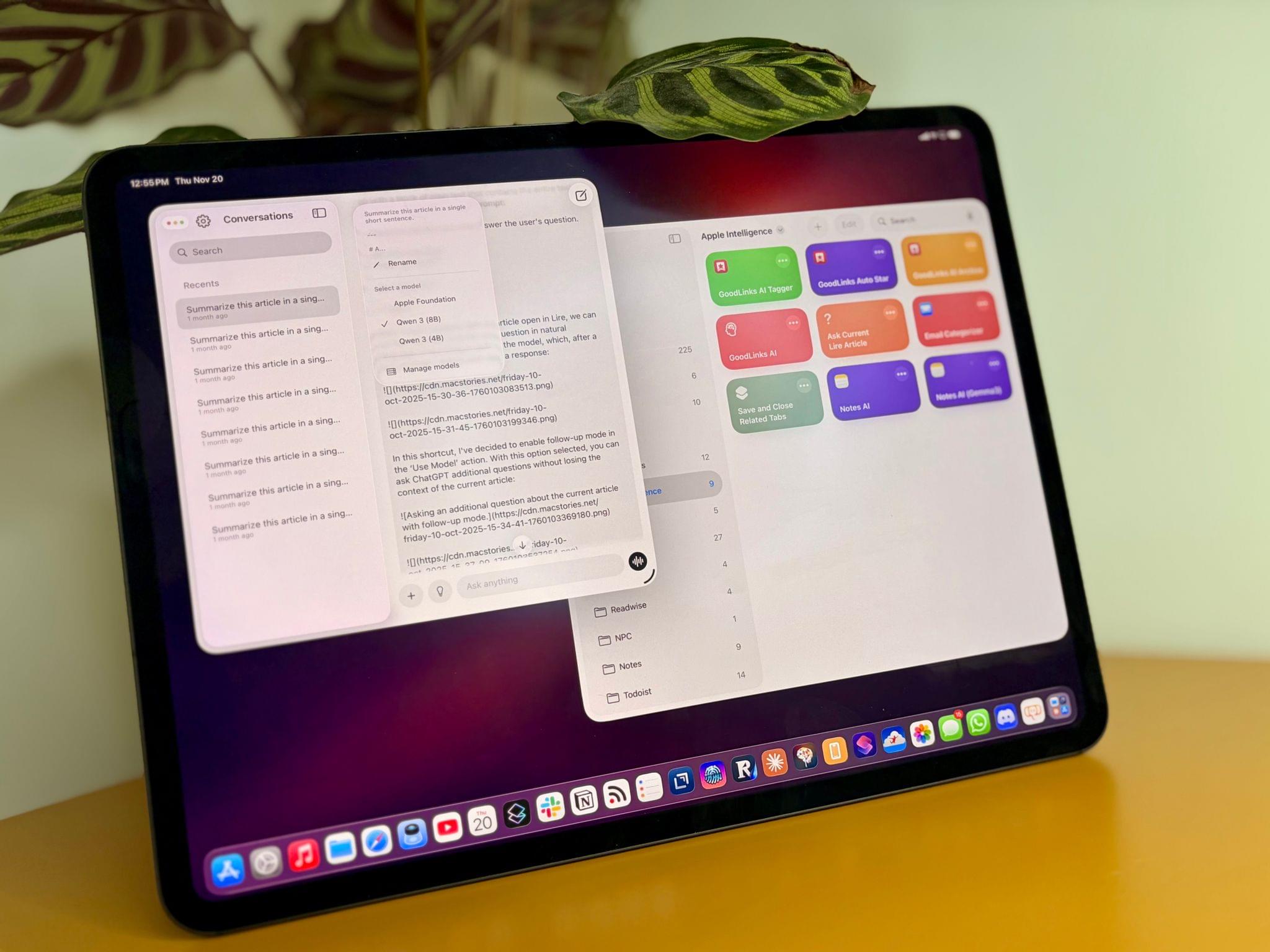
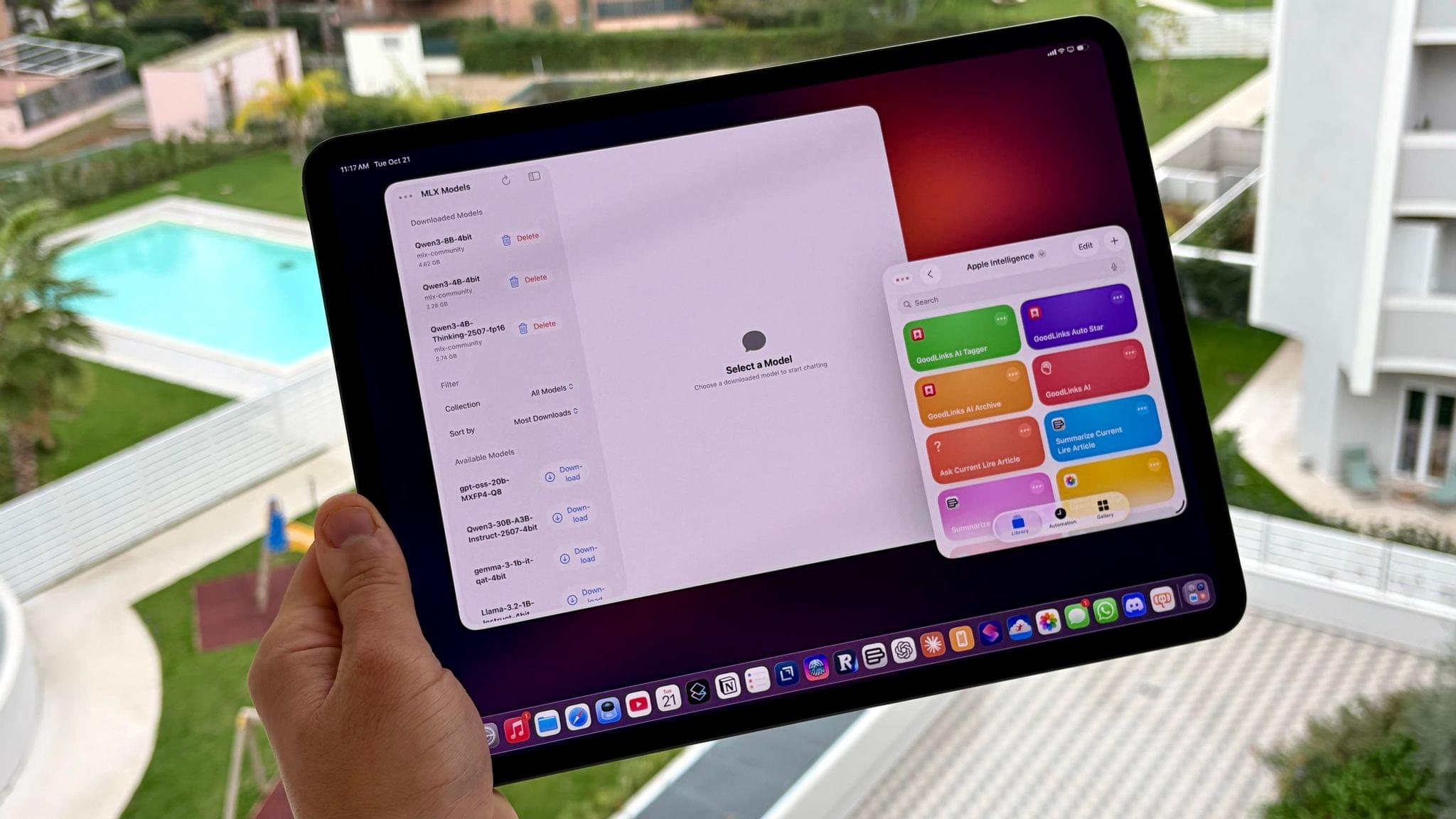
The best kind of follow-up article isn’t one that clarifies a topic that someone got wrong (although I do love that, especially when that “someone” isn’t me); it’s one that provides more context to a story that was incomplete. My M5 iPad Pro review was an incomplete narrative. As you may recall, I was unable to test Apple’s promised claims of 3.5× improvements for local AI processing thanks to the new Neural Accelerators built into the M5’s GPU. It’s not that I didn’t believe Apple’s numbers. I simply couldn’t test them myself due to the early nature of the software and the timing of my embargo.

Well, I was finally able to test local AI performance with a pre-release version of MLX optimized for M5, and let me tell you: not only is the hype real, but the numbers I got from my extensive tests over the past two weeks actually exceed Apple’s claims.

Read more


M5 iPad Pro Review: An AI and Gaming Upgrade for AI and Games That Aren’t There Yet

The M5 iPad Pro.

The M5 iPad Pro.

How do you review an iPad Pro that’s visually identical to its predecessor and marginally improves upon its performance with a spec bump and some new wireless radios?

Let me try:

I’ve been testing the new M5 iPad Pro since last Thursday. If you’re a happy owner of an M4 iPad Pro that you purchased last year, stay like that; there is virtually no reason for you to sell your old model and get an M5-upgraded edition. That’s especially true if you purchased a high-end configuration of the M4 iPad Pro last year with 16 GB of RAM, since upgrading to another high-end M5 iPad Pro model will get you…16 GB of RAM again.

The story is slightly different for users coming from older iPad Pro models and those on lower-end configurations, but barely. Starting this year, the two base-storage models of the iPad Pro are jumping from 8 GB of RAM to 12 GB, which helps make iPadOS 26 multitasking smoother, but it’s not a dramatic improvement, either.

Apple pitches the M5 chip as a “leap” for local AI tasks and gaming, and to an extent, that is true. However, it is mostly true on the Mac, where – for a variety of reasons I’ll cover below – there are more ways to take advantage of what the M5 can offer.

In many ways, the M5 iPad Pro is reminiscent of the M2 iPad Pro, which I reviewed in October 2022: it’s a minor revision to an excellent iPad Pro redesign that launched the previous year, which set a new bar for what we should expect from a modern tablet and hybrid computer – the kind that only Apple makes these days.

For all these reasons, the M5 iPad Pro is not a very exciting iPad Pro to review, and I would only recommend this upgrade to heavy iPad Pro users who don’t already have the (still remarkable) M4 iPad Pro. But there are a couple of narratives worth exploring about the M5 chip on the iPad Pro, which is what I’m going to focus on for this review.

Read more


Jump Into the Liquid Glass Pool: A MacStories OS 26 App Roundup

Liquid Glass is the sort of change that takes some getting used to from the perspective of both users and developers. The design language shifted a lot over the course of the summer beta season, which made developers’ lives tougher than in some years. This has resulted in a variety of Liquid Glass implementations across our favorite apps, which is a fascinating study in the range of designs Liquid Glass encompasses.

Today, we wanted to share some of our favorite implementations of Liquid Glass and other features debuted this fall by indie developers. We’ll have more coverage in the weeks ahead, but let’s dive into some of the best OS 26 updates we’ve seen so far.

Devon

Art of Fauna

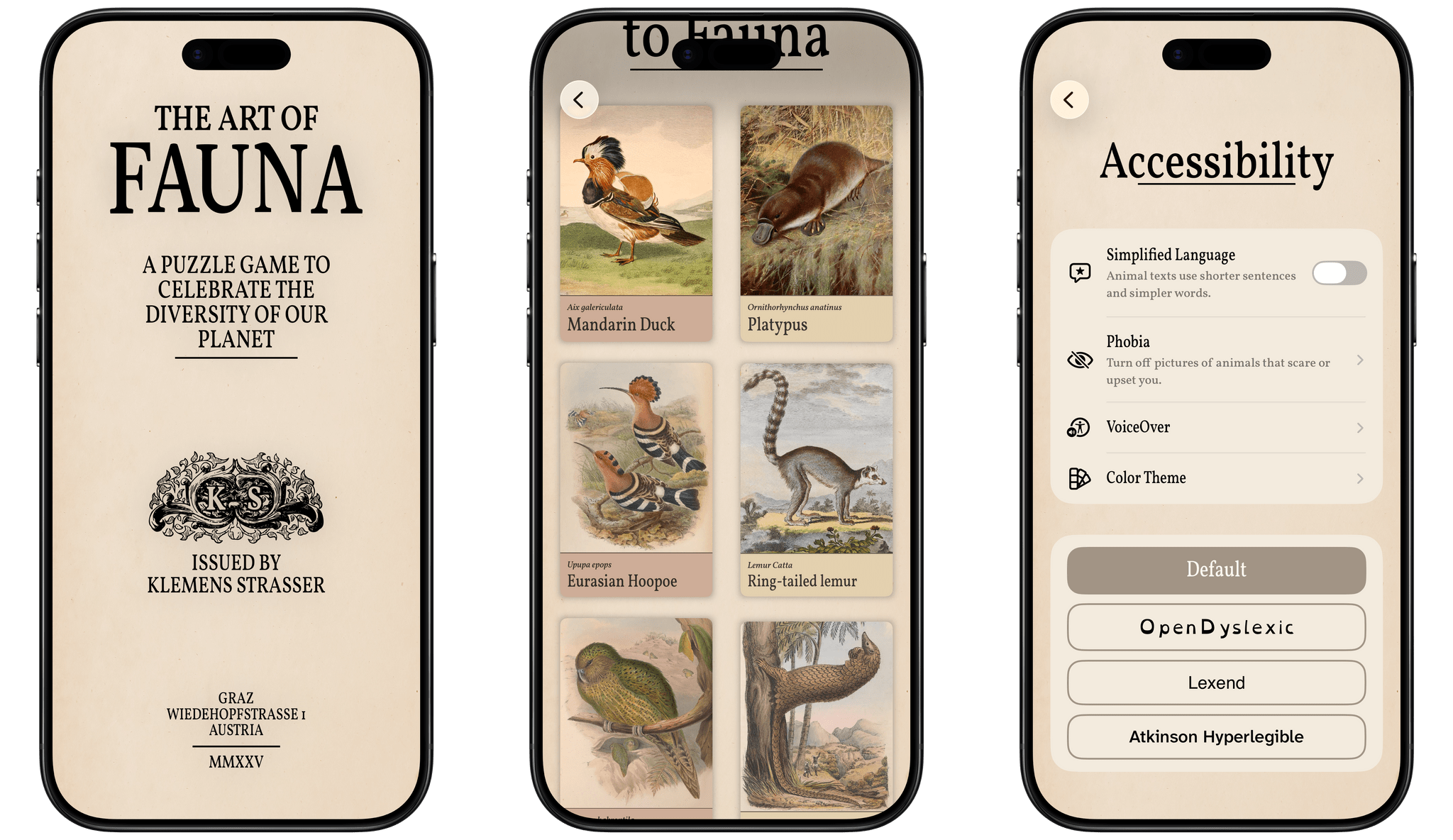
From developer Klemens Strasser, Art of Fauna is a unique jigsaw puzzle game with a focus on accessibility and animal conservation. Each puzzle features a gorgeous wildlife illustration from the 18th or 19th century and can be solved either by aligning pieces of the picture or by rearranging written descriptions of the animal pictured phrase by phrase. Everything about the app, from the font to the colors to the complexity of the puzzle phrases, can be adjusted to fit each user’s needs. With its beautiful artwork, intuitive gameplay, ambient sound design, and adaptability, it’s no wonder the app won an Apple Design Award for Inclusivity this year.

Version 1.8 of Art of Fauna came out alongside iOS 26 with Game Center integration and Liquid Glass design elements in its navigation buttons. But the most interesting new feature is integration with a new app from the team behind Structured called Awake. Put simply, Awake is an alarm clock app that helps you wake up by challenging you to accomplish a task before you can disable your alarm in the morning. With this integration, you can choose to make an Art of Fauna puzzle your morning mission, starting your day with some brain training and a beautiful puzzle. In Awake, you can select the difficulty level of the puzzle you’re presented with each morning, as well as whether you’d like the app to prefer unplayed puzzles over previously played ones.

Art of Fauna is available on iPhone and iPad. It can be downloaded from the App Store and includes ten puzzles for free. There are 100 other puzzles available from five different biomes that can be purchased all at once for $8.99 or in packs of 20 for $2.99 each. 20% of all proceeds from the app are donated to nature preservation causes, and you can learn more about the supported causes in the app’s Giving Back section.

Play

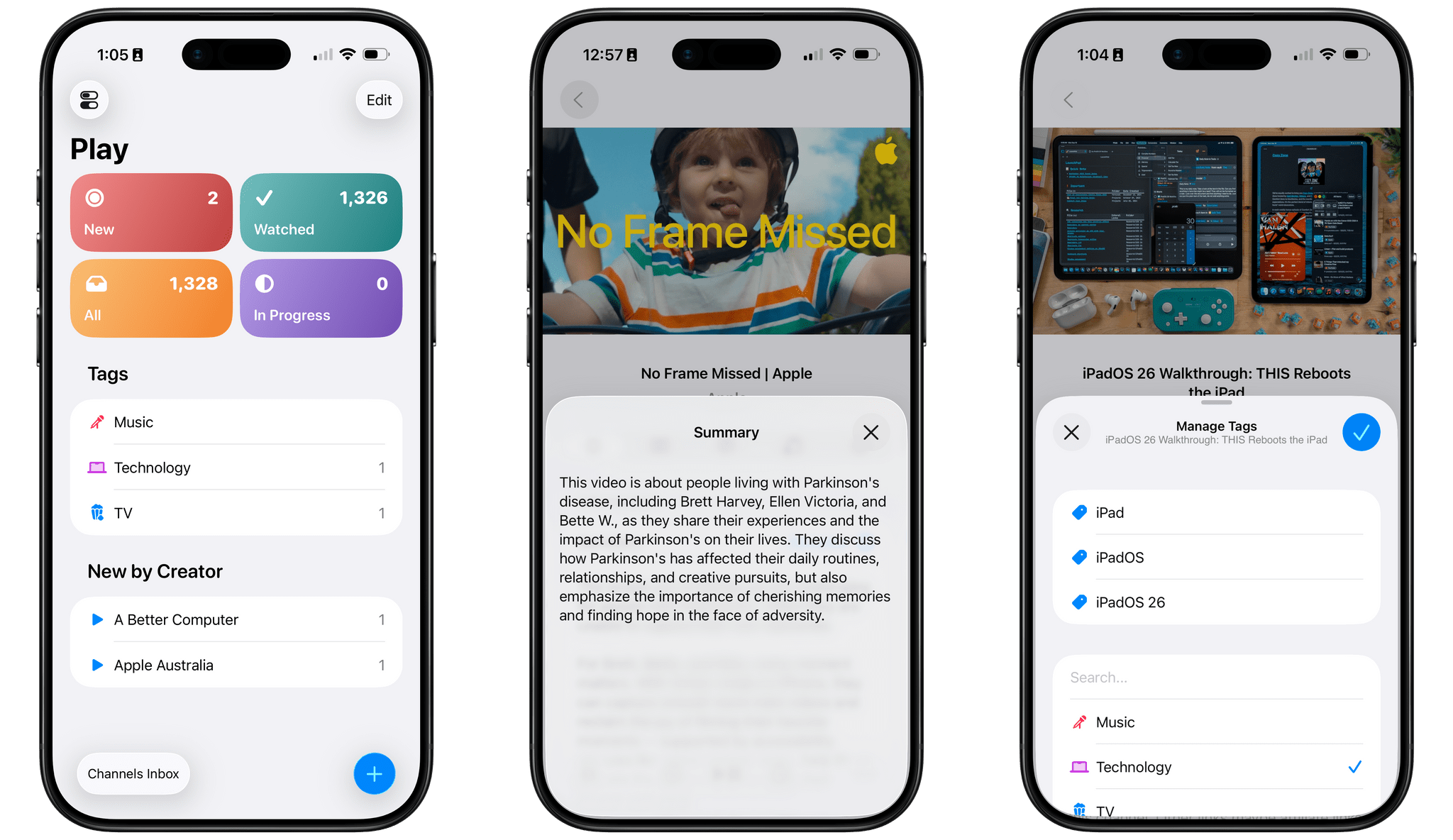
Marcos Tanaka’s watch later utility is a go-to for many – myself included – when it comes to saving, organizing, and watching YouTube videos. With its latest update, version 2.6, Play has added several features enabled by iOS 26.

First up is a Liquid Glass redesign. The sidebar, toolbar, and buttons are all elevated above the content and incorporate the transparent glass material. Buttons and view transitions now feature some fun animations, too, like when the ‘+’ button morphs into the Add Video popover once it’s tapped.

The on-device Apple Intelligence model has enabled Tanaka to add a couple of new AI features as well. Each video’s detail view now includes a ‘Generate’ button that will create and present a text summary of the video’s contents. For those who want to get an idea of what a video is about before watching it, or for those who want a quick refresh on a video they’ve watched before, this feature will come in handy, and it’s a clever application of the on-device model now available to developers. Also, when adding tags to a video, Play can now suggest tags based on a video’s contents, both existing tags and new tags that you can create.

Play is available on iPhone, iPad, Mac, Vision Pro, and Apple TV and can be purchased from the App Store for $2.99. Additional features, like subscribing to channels within the app and searching video transcripts, require a subscription to Play Premium, which costs $2.99/month, $19.99/year, or $99.99 for a lifetime subscription.

Read more


iPhone 17 Pro Max: The First Three Days

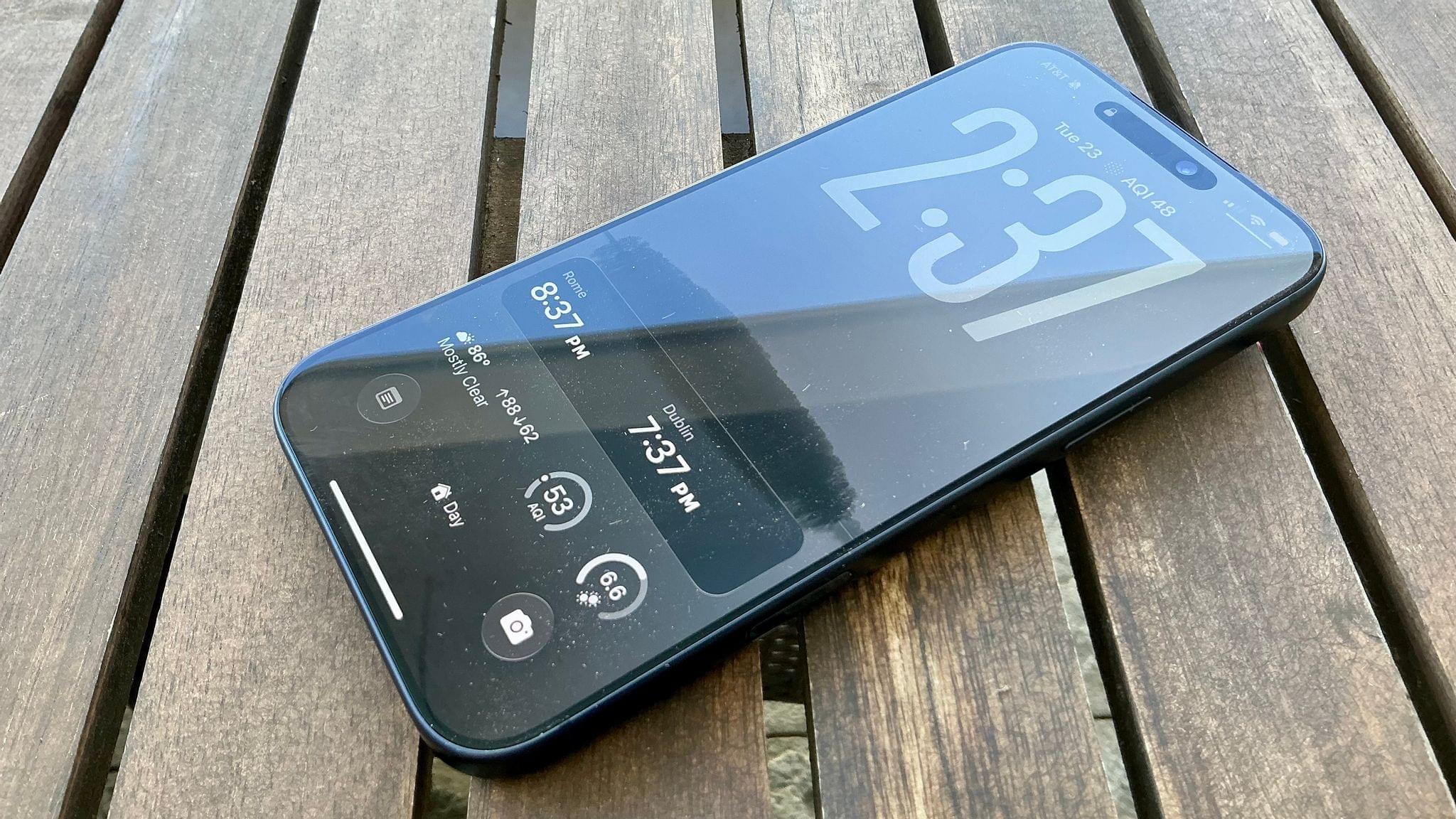
Last Friday, just before midday, my new iPhone 17 Pro Max arrived at my home – a Deep Blue model with 512 GB of storage. Since then, it’s dropped neatly into my daily iPhone routine. In many ways, it’s not that different from the iPhone 16 Pro Max that I’ll be trading in. I’ve been on iOS 26 for months, so the operating system isn’t a big change, but there are some notable differences that I thought I’d share.

Setup

This year’s setup process was smoother than usual. I was in a rush to set up my iPhone because it arrived at about 11:30 AM and Federico and I were planning to record this week’s episode of AppStories all about our hardware first impressions. Given time differences, that didn’t leave me much time to get up and running.

I decided to go with restoring from an iCloud backup, which gets your iPhone to a usable state faster than other options but can take a long time to download all of your apps. It was a good call because by the time we started recording about 45 minutes later, not only did I have access to the basics, but most of the apps assigned to active Home screens had already been downloaded, giving me a chance to play around with things a bit before recording.

I had plans to go out late in the afternoon and was hoping to get as much of the transfer finished by then as possible, so I connected my iPhone 17 Pro Max to an Ethernet adapter and let it do its thing. When I left the house around 4:00 PM, I was pleasantly surprised to find that nearly all of the 520 apps I had installed were already downloaded.

Heat

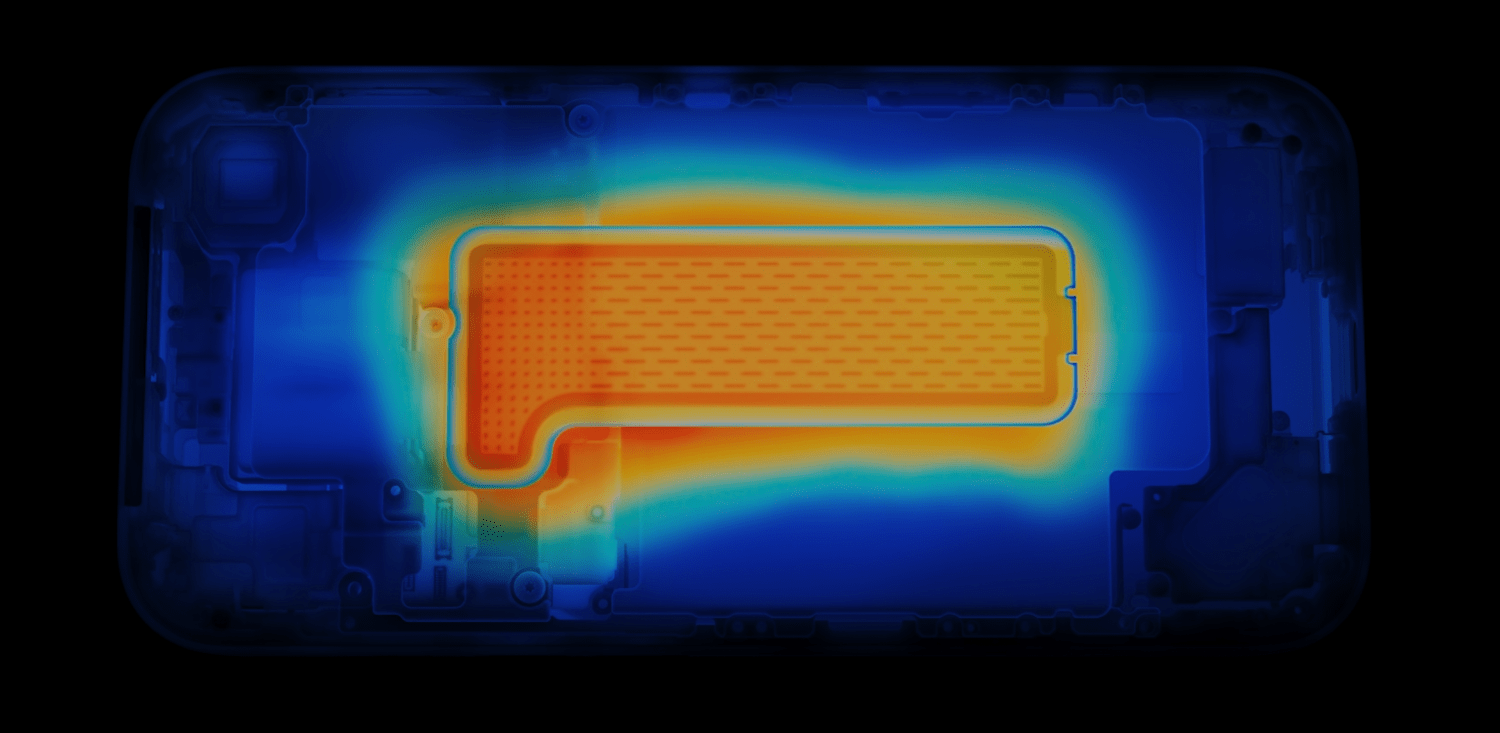
The 17 Pro Max dissipates heat with the help of a vapor chamber.

The 17 Pro Max dissipates heat with the help of a vapor chamber.

Apple made a big deal of the iPhone 17 Pro line’s new vapor chamber, which, combined with the aluminum case, is designed to dissipate heat better than before. In my experience so far, it absolutely does manage heat better, but that’s not to say the phone doesn’t get pretty warm. When I was setting up my new iPhone, it got quite warm, as did my old 16 Pro Max. However, while the 16 Pro Max got hot above the Apple logo on the back of the phone, the 17 Pro Max’s heat was more evenly distributed. That meant no one spot got as hot as the 16 Pro Max, but more of the phone got warm, including the sides, which I’d never really noticed with the previous model.

In the three days since I set up the 17 Pro Max, I’ve noticed it get warm now and then, but nothing close to as warm as the 16 Pro Max typically did. I’ve been out a couple of times on warm (80—85℉) sunny days taking photos and videos, and while the 17 Pro Max gets a little warm, it’s much less noticeable than before.

Hardware Design

Initially, I was a little underwhelmed by Apple’s iPhone lineup this year. I love the Air, but the camera tradeoffs were more than I was willing to make. As for the Pro line, I’m not a huge fan of the two-tone style and giant camera bump. It feels too industrial to me, which may be the point, but I prefer a sleeker look.

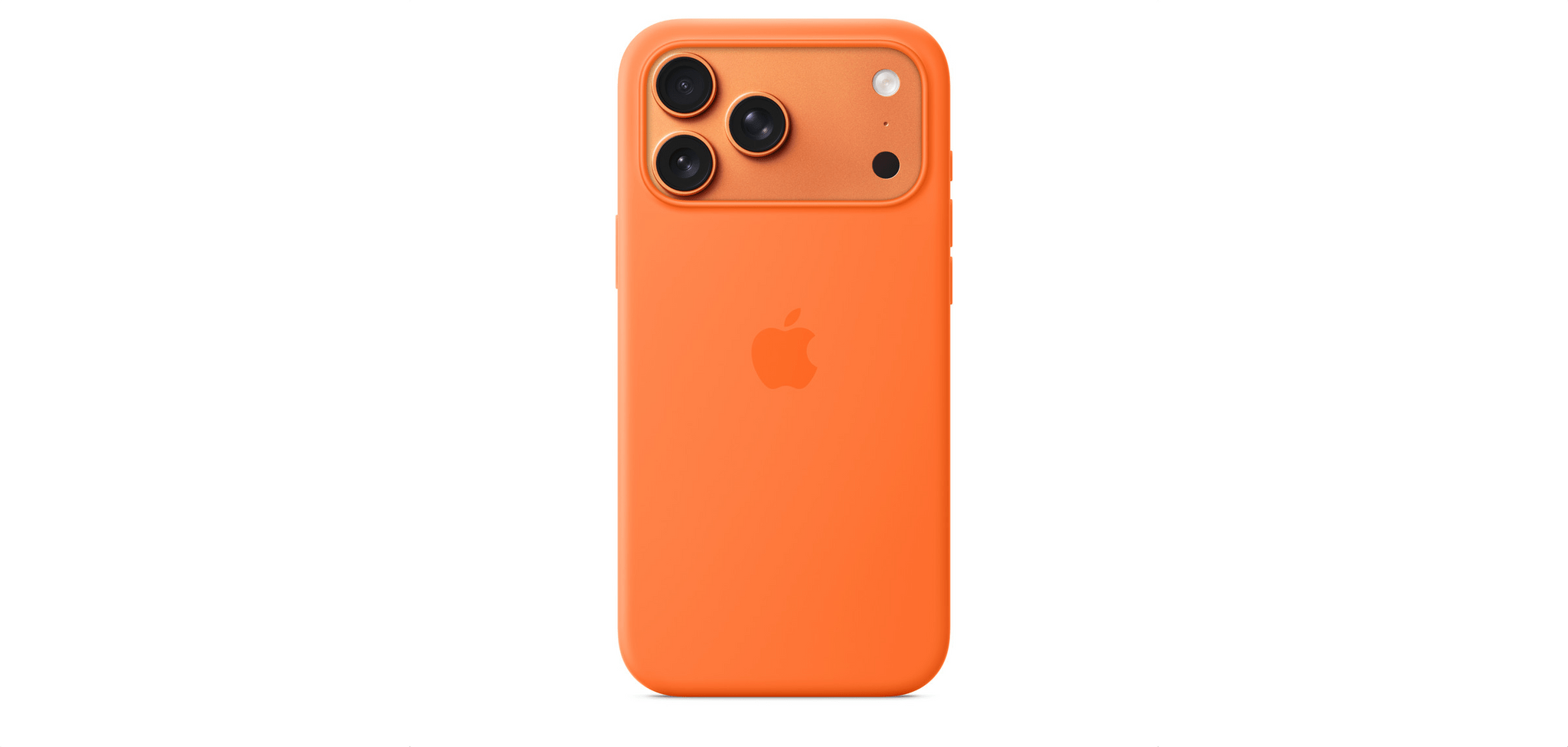
The orange case is great, but Cosmic Orange isn't for me.

The orange case is great, but Cosmic Orange isn’t for me.

I was also disappointed by the Cosmic Orange color. I like orange but prefer something brighter like the orange Apple Silicone Case. As you can see from the image above, it’s brighter than the Cosmic Orange iPhone. I had a chance to compare them in person at a local Apple Store over the weekend, and all it did was confirm to me that I’d made the right choice getting the Deep Blue model.

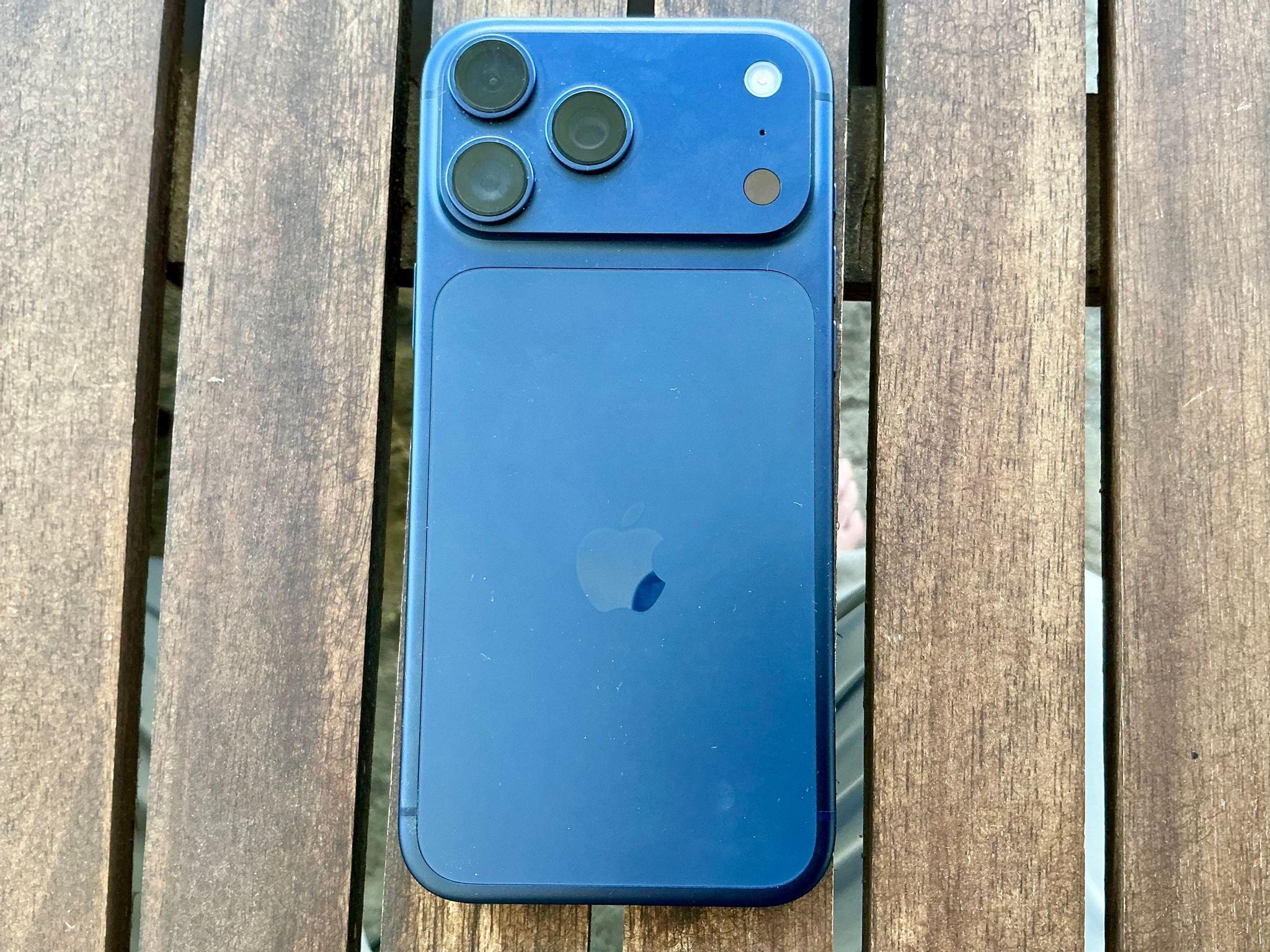
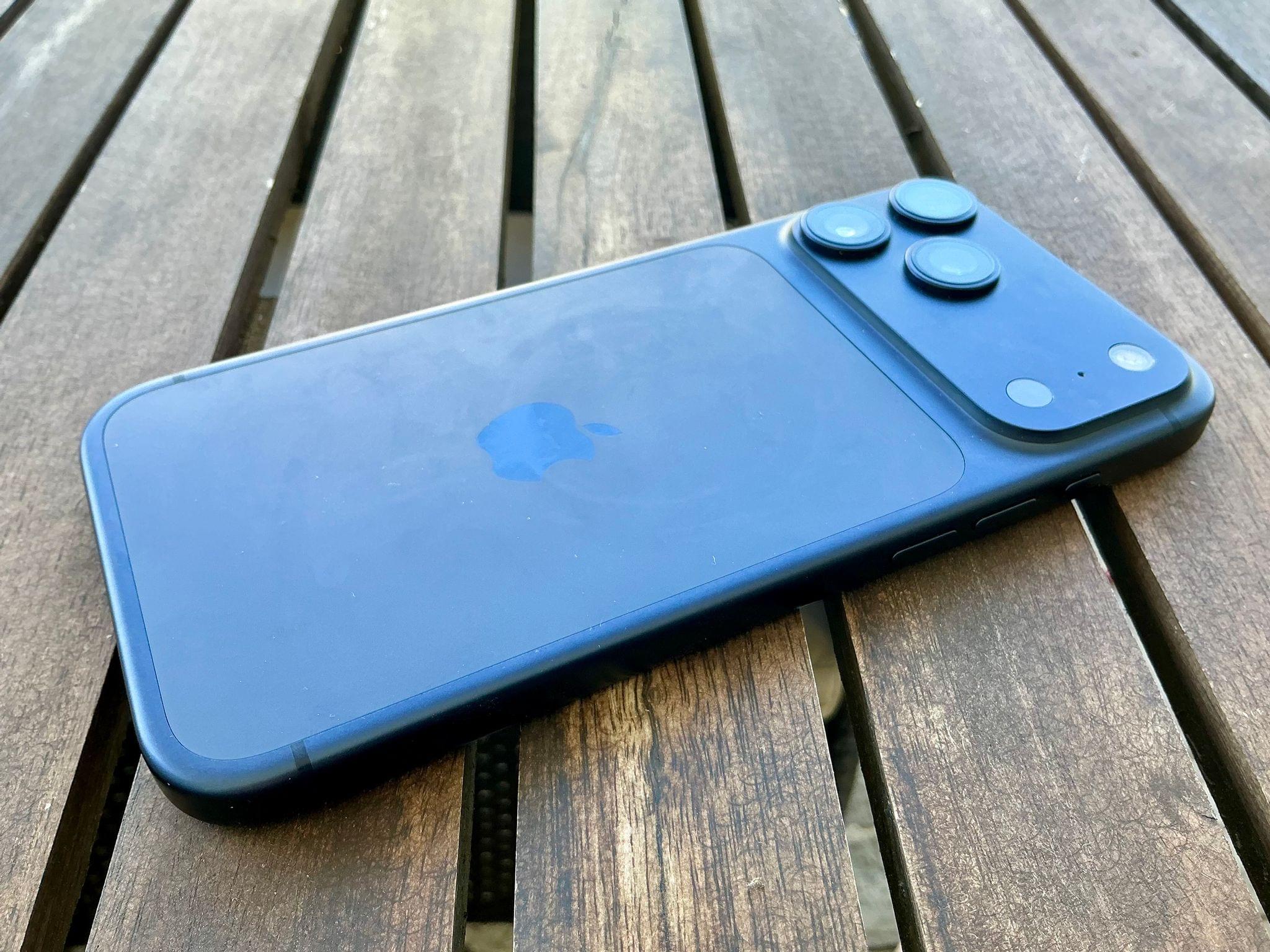
Apple didn’t make a black iPhone 17 Pro this year, which led some people to expect the Deep Blue model would be closer to black than blue. As it turns out, although Deep Blue is a very dark blue, it’s not a blue that would be mistaken for black. It looks great and minimizes some of the phone’s industrial look that I don’t like, so it’s a big win in my eyes.

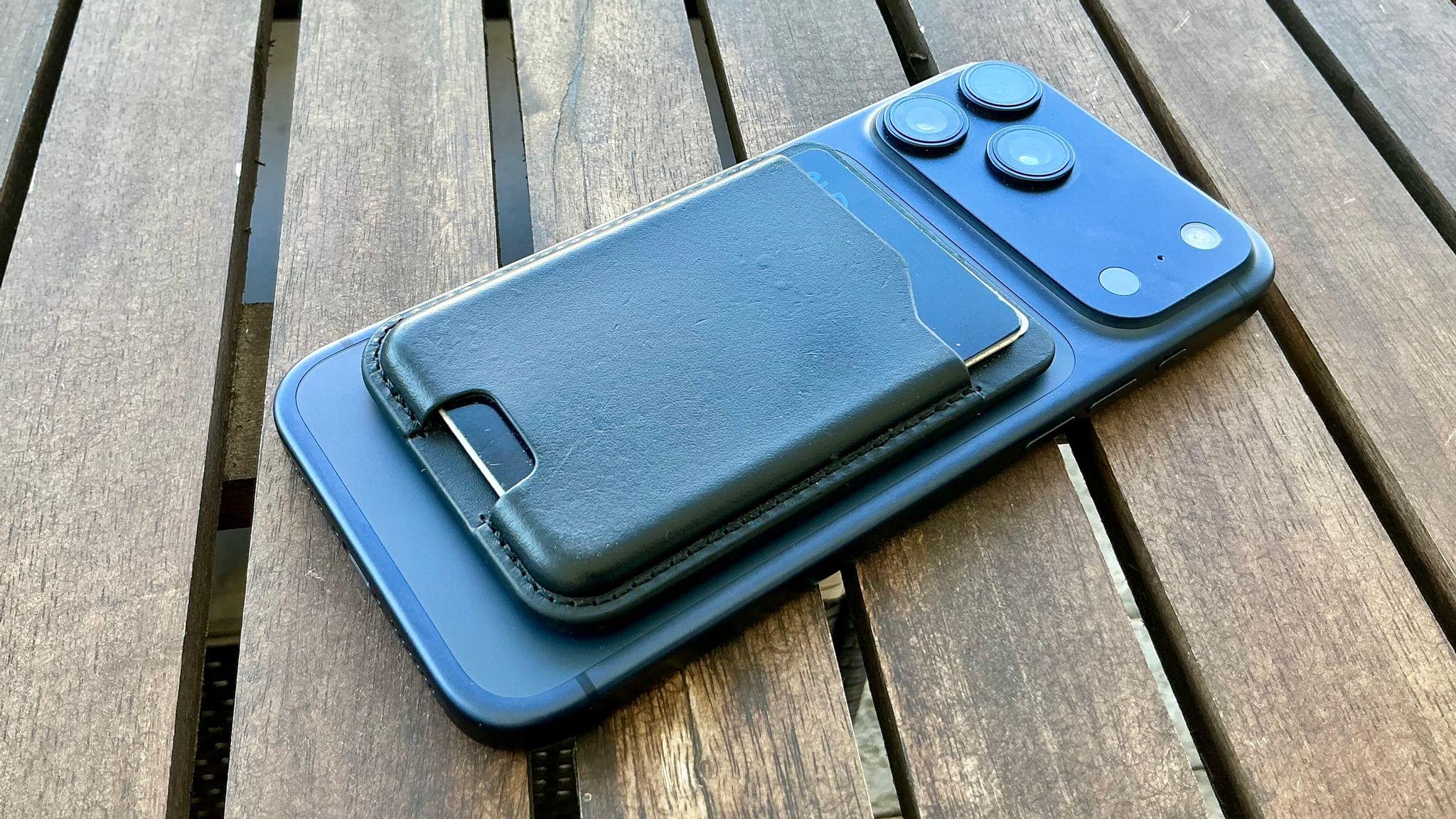
My Nomad MagSafe-compatible wallet usually covers the part of the 17 Pro Max with the Ceramic Shield.

My Nomad MagSafe-compatible wallet usually covers the part of the 17 Pro Max with the Ceramic Shield.

The only caveat is that the Ceramic Shield on the back makes a rectangular patch that looks a little closer to gray than I’d prefer. It’s not a huge deal since I usually have a MagSafe wallet hiding that area, but again, I’m not that into the two-tone look.

I love the rounded edges of the 17 Pro Max.

I love the rounded edges of the 17 Pro Max.

Surprisingly, another aspect of the 17 Pro Max that I absolutely love is the unibody design. There’s something about how the metal wraps around from the back to front that really works for me. Part of it is that the edges are rounder than on the iPhone 16 Pro Max, making the 17 Pro Max more comfortable to hold. The unibody design also makes the phone seem more sturdy. Plus, while I know intellectually that my new phone weighs 6 grams more than the 16 Pro Max, it doesn’t feel that way when I hold both, which I think has something to do with the fact that the rounder edges of the 17 Pro Max make it feel slimmer than it really is. In what may be another mind trick, the front glass of the iPhone 17 Pro Max feels a little smoother, too.

As I mentioned, I swung by my local Apple Store on Sunday to check out the iPhone Air and the latest accessories. I’ll get to the accessories in a bit, but when I saw the Air, I had that moment of amazement that it could be so thin and light, but not one moment of regret. The Air looks great, and I’m excited for what that sort of miniaturization of iPhone hardware means for future models, but it’s not for me.

I just like having a big battery and three cameras too much to trade those for a thin iPhone. Yesterday, I charged my phone early in the day, used it relatively lightly while I was working at my desk, and then headed out in the afternoon to test the cameras some more. When I went to bed last night, I left my phone on the couch by accident, where it sat until I got up today. It still had about 50% of its battery left. I love that I rarely have to think about whether my iPhone is charged, let alone worry about it.

The Cameras

Over the past few days, I’ve been experimenting with the iPhone 17 Pro Max’s three rear-facing cameras. In Austin Mann’s review of the iPhone 17 Pro’s cameras that I linked to yesterday, he said:

On the 16 Pro, the 5x (120mm) often felt a little too tight. The new 4x (100mm) feels far more natural and much more familiar. It’s a classic portrait and landscape focal length in the photography world, and with the bump up from 12MP to 48MP I’ve been really happy with the results.

I’m no pro photographer, but having used the new zoom cameras, I have to agree. Both focal lengths feel great, but the real star is the detail both can capture thanks to their 48MP sensors.

To show off what these cameras can do, I picked three scenes of things I might snap a quick photo of while out on a walk. I left the cameras on the Standard Photographic Style and didn’t do any cropping or editing, taking 24MP shots, which is also a default setting, with the Wide, Main, 2×, 4×, and 8× options.

First up is an island in Lake Norman:

Next, I walked over to Davidson College and took a series of photos of the steeple of the campus church:

Finally, I took a similar series of shots of Chambers Hall on campus:

I’m really pleased with the results. It was a bright, sunny day, which always helps, but to my untrained eye, there’s a noticeable improvement in image quality now that all of the iPhone 17 Pro’s cameras have 48MP sensors.

Accessories

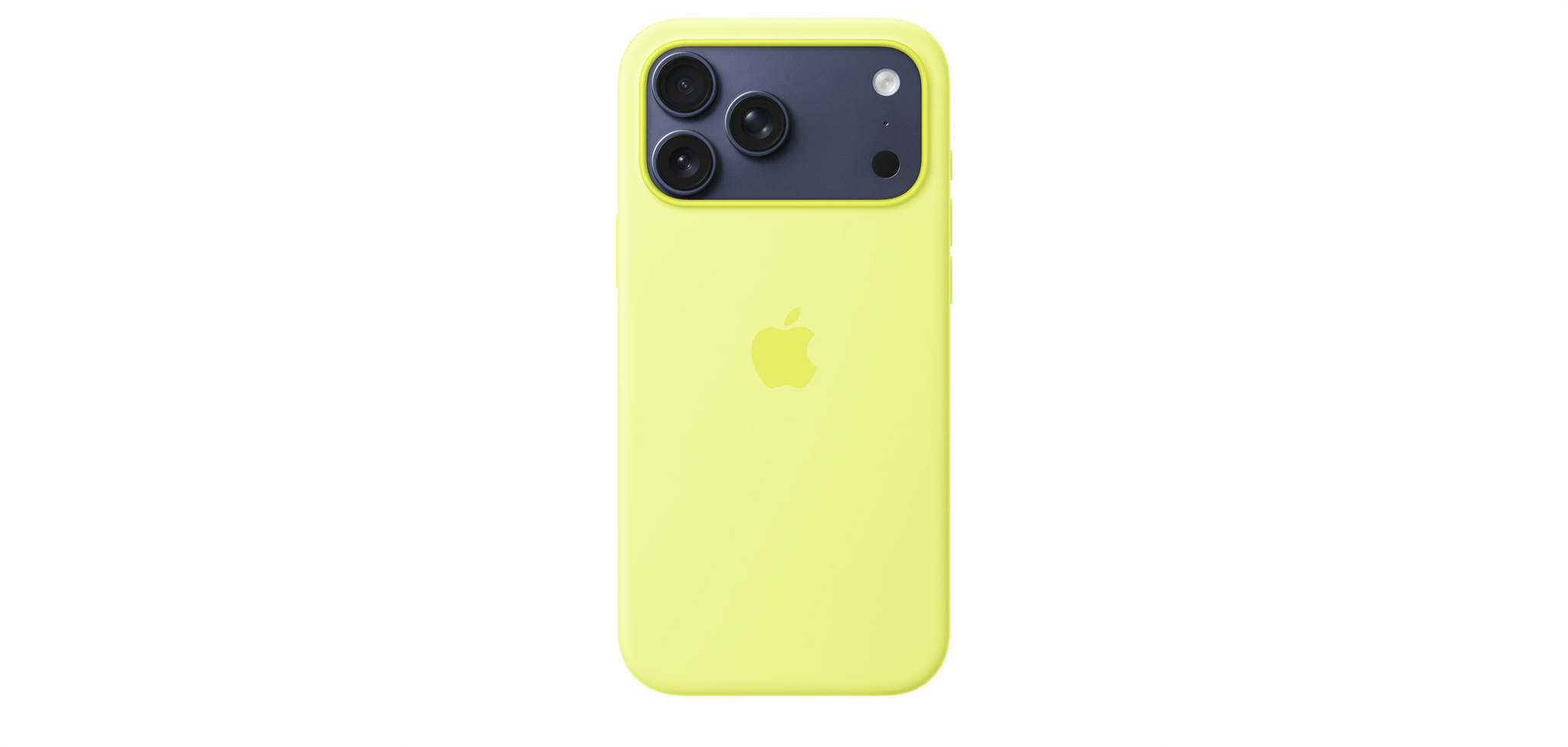
I like the Neon Yellow Silicone Case with the Deep Blue iPhone 17 Pro Max.

I like the Neon Yellow Silicone Case with the Deep Blue iPhone 17 Pro Max.

When I stopped by the Apple Store over the weekend, I checked out the latest accessories, too, but didn’t buy anything. I prefer to use my iPhone caseless, but I wanted to see what my “official” options are because I do use a case when traveling.

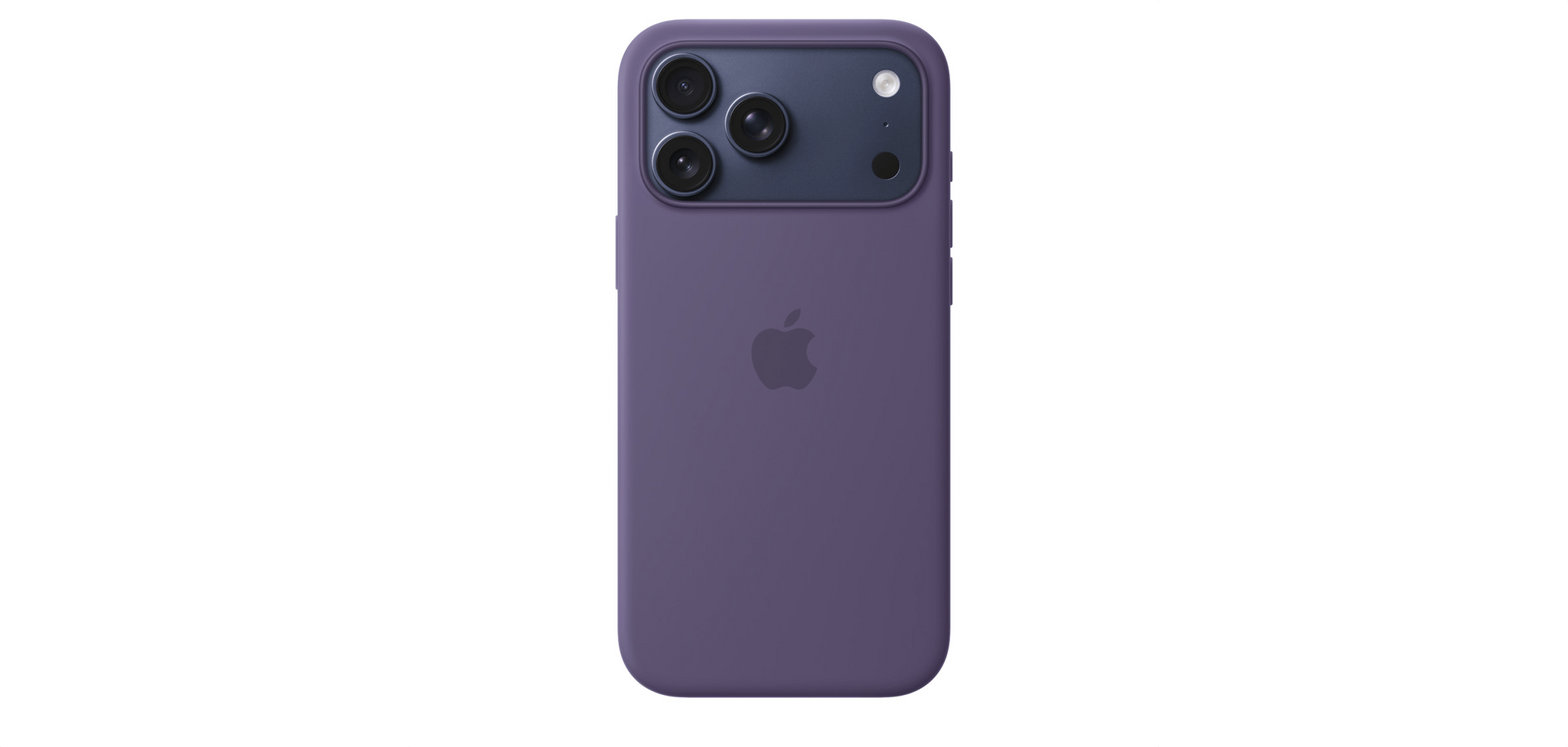
Purple Fog goes well with Deep Blue, too.

Purple Fog goes well with Deep Blue, too.

The TechWoven cases struck me as durable options, although I wasn’t wowed by any of the colors. Instead, I was drawn to the bright Silicone Cases. Historically, these cases aren’t the most durable, but as someone who gets a new phone every year, that’s less of a consideration. The bright orange is great, but for my Deep Blue iPhone 17 Pro Max, I think I’d probably go with Neon Yellow or Purple Fog.

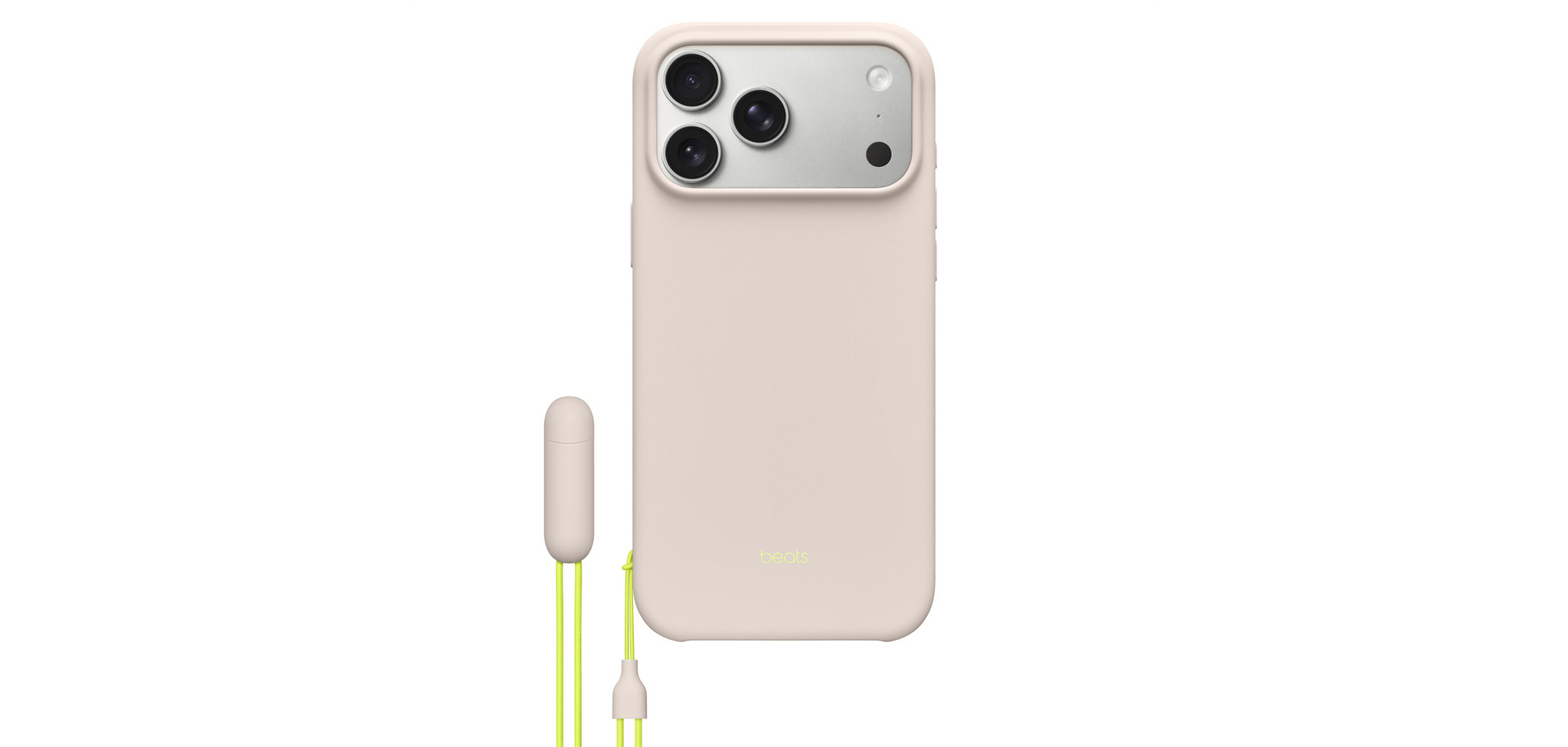
I like the new Beats case but wouldn't like having a lanyard full-time just to have a way to prop up my iPhone.

I like the new Beats case but wouldn’t like having a lanyard full-time just to have a way to prop up my iPhone.

I also checked out the new Beats cases. I love the little pill on the lanyard that you can pull apart to create a perfectly sized divot for propping your phone up. The colors are nice in person, too, but in the end, I didn’t buy one because I don’t want a lanyard on my iPhone.


So that’s my mini-review of the iPhone 17 Pro Max. It does the same Pro Max things I love with some nice perks like better cameras and a unibody design that’s functional and comfortable to hold while making the phone feel more substantial. Photographers and fans of great battery life really can’t go wrong with the iPhone 17 Pro Max.