Just yesterday I was looking for ways to VNC into my gaming PC because I wanted to stream Like a Dragon: Infinite Wealth (an amazing game that you should play) on my Vision Pro using my new NDI encoder (I understand this is a very Ticci phrase; more on this topic soon).
Anyway, I went looking for Screens, my favorite VNC client, on the visionOS App Store, and it wasn’t available. I was surprised by its absence, but I just assumed the folks at Edovia were working on some fixes for the app running on the Vision Pro. I downloaded Jump Desktop, which worked pretty well, but I’ve never been a fan of the Jump Desktop UI, and I’d rather use Screens everywhere.
Right on schedule, Screens for iPad has now been made available on visionOS in compatibility mode. This is excellent news since I can now use Screens on all my Apple devices to quickly connect to my PC and Mac mini server; you can also check out how Screens’ trackpad mode works with visionOS’ gesture system in this blog post.
Parchi is a new visionOS sticky note app by Vidit Bhargava, the maker of the dictionary app LookUp. The app is a straightforward, but handy utility for jotting down a quick note using your voice.
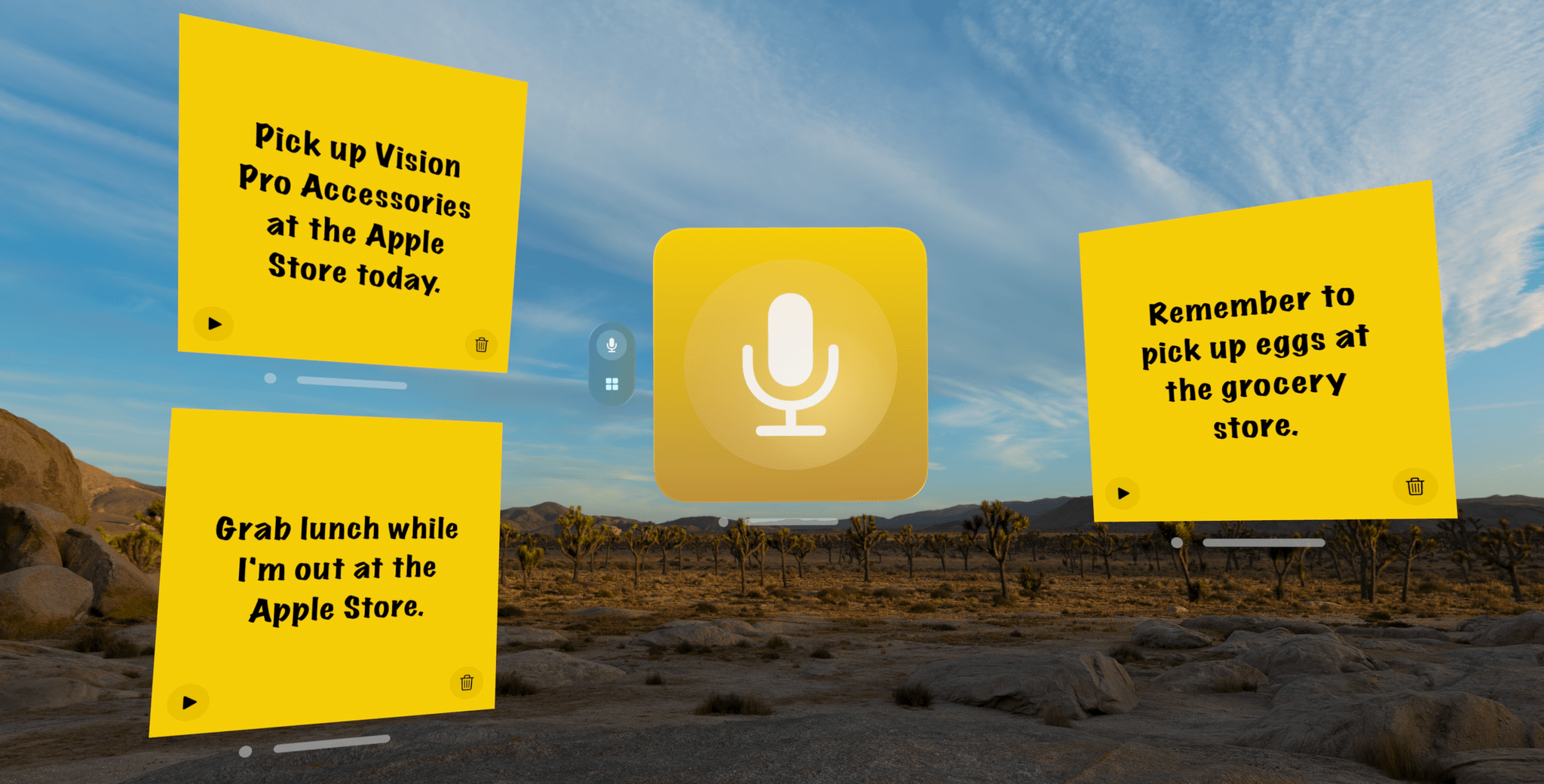
When you start recording, Parchi’s record button turns into a big stop button.
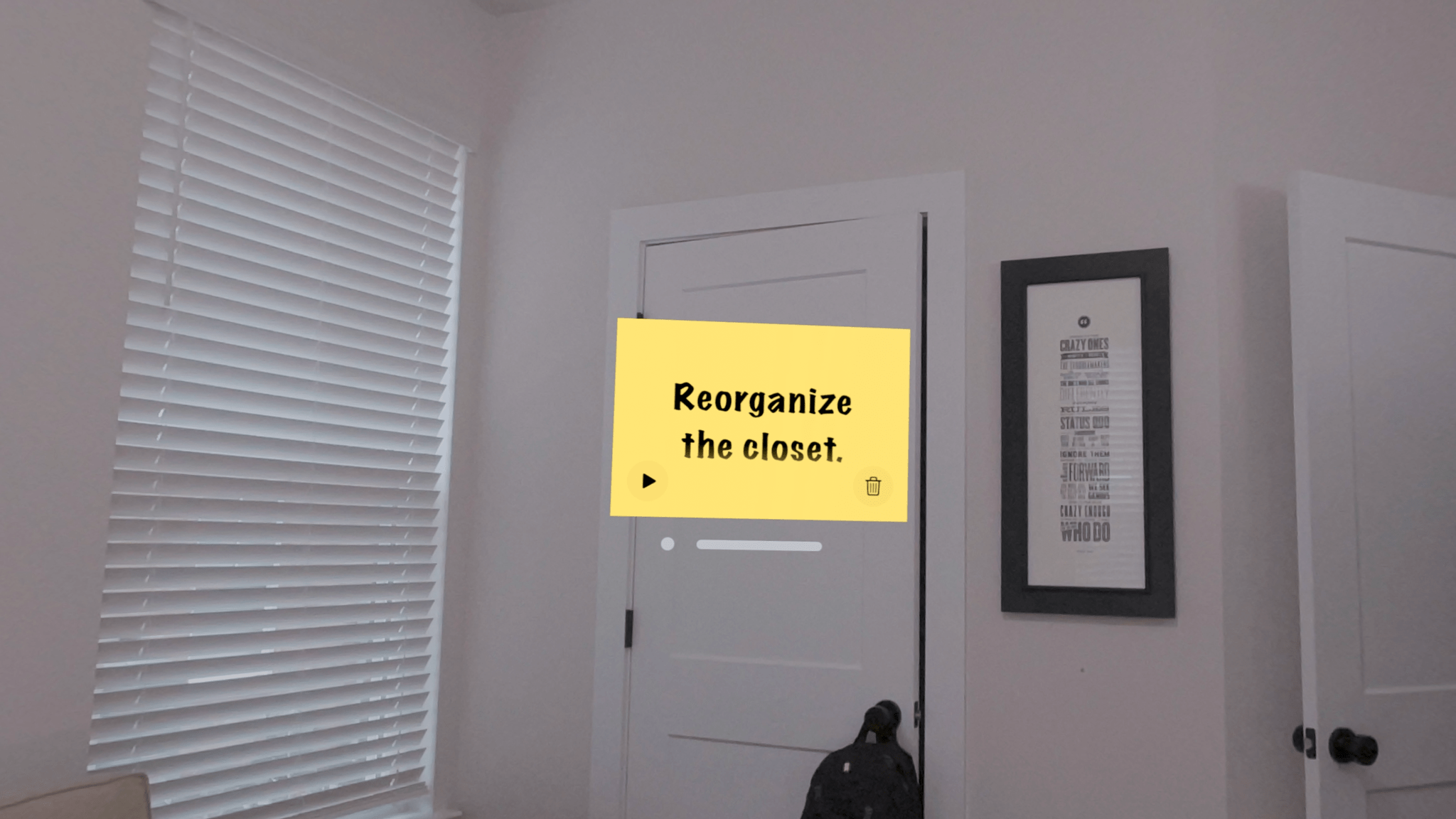
When you launch the app, you’re greeted by a bright yellow gradient window with a big record button in the middle. Tap it and start speaking to record a note. Tap again to stop, and your audio recording will transform into a yellow sticky note with your recording transcribed into text. Once created, you can drag notes around your environment, leaving them in places where they will serve as valuable reminders. In the bottom corners of the note are buttons to play back your audio and delete the note.
The All Parchi view.
You can also access all of your notes from the app’s main UI by switching from the ‘Parchi Recorder’ view to ‘All Parchis,’ which displays each of your notes as a horizontally scrolling collection. The ‘All Parchis’ view also includes a search field for finding particular notes in a large collection.
Leave notes where they make the most sense within your environment.
I love Parchi’s simplicity and ease of use, but I’d like to see it expanded a little too. The smallest size note is still somewhat large. It would be great if I could shrink them even further with the text transforming into a play button when there isn’t enough room to display it. I’d also like to see Siri and Shortcuts support added to make it possible to create a note without first opening the app. Finally, a copy button would make Parchi a better complement to task managers and other apps by allowing text to be moved to other apps as needed.
Overall, though, I’ve really enjoyed using Parchi. It’s the kind of quick interaction I appreciate when I’ve got something on my mind that I want to jot down without interrupting the flow of whatever else I’m doing.
For more than fifteen years, ScreenCastsONLINE has been a leading resource for online tutorials for Mac, iPhone, and iPad users. So we’re very pleased to announce today that we’ve teamed up with ScreenCastsONLINE to offer Club MacStories+ and Club Premier members who first-time subscribers to ScreenCastsONLINE: a 50% discount on their first year of an annual subscription. Club MacStories+ and Premier members can use this link to take advantage of ScreenCastsONLINE’s special discount as well as the other deals offered by Club MacStories. Not a Club member yet? Learn more here.
ScreenCastsONLINE has an incredibly deep catalog of tutorials that includes tutorials on:
Apple OS updates
Shortcuts and other automation tools
Apple system apps
Photography apps
Productivity apps
Music apps
And much more
Many of our favorite apps are included among ScreenCastsONLINE’s videos, making it a terrific compliment to the reviews and other app coverage you find on MacStories. So, if you haven’t joined Club MacStories before or are thinking of rejoining, now is a great time to join and become a ScreenCastsONLINE member too.
Discounts are just one of the many Club MacStories perks.
To put the Club deals into context, taking advantage of them all would save you enough to pay for more than two years of Club Premier, the highest Club tier. That’s before you even consider the many other perks Club MacStories+ and Club Premier members enjoy, including:
Weekly and monthly newsletters
A sophisticated web app with search and filtering tools to navigate eight years of content
Customizable RSS feeds
Bonus columns
An early and ad-free version of our Internet culture and media podcast, MacStories Unwind
A vibrant Discord community of smart app and automation fans who trade a wealth of tips and discoveries every day
Live Discord audio events after Apple events and at other times of the year, including one coming this week about the Apple Vision Pro
On top of that, Club Premier members get AppStories+, an extended, ad-free version of our flagship podcast that we deliver early every week in high-bitrate audio.
Use the buttons below to learn more and sign up for Club MacStories+ or Club Premier.
Wallpapers have always been a reflection of my often chaotic energy. I can sometimes spend months, or even years, without ever changing my wallpaper, and I can spend that same amount of time just frenetically changing it every day until I’m completely satisfied. A lot of that decision process is completely irrational, but I do know what I’m looking for when choosing a new wallpaper. It must be high-resolution, vibrant, colorful, and it mustn’t look too busy.
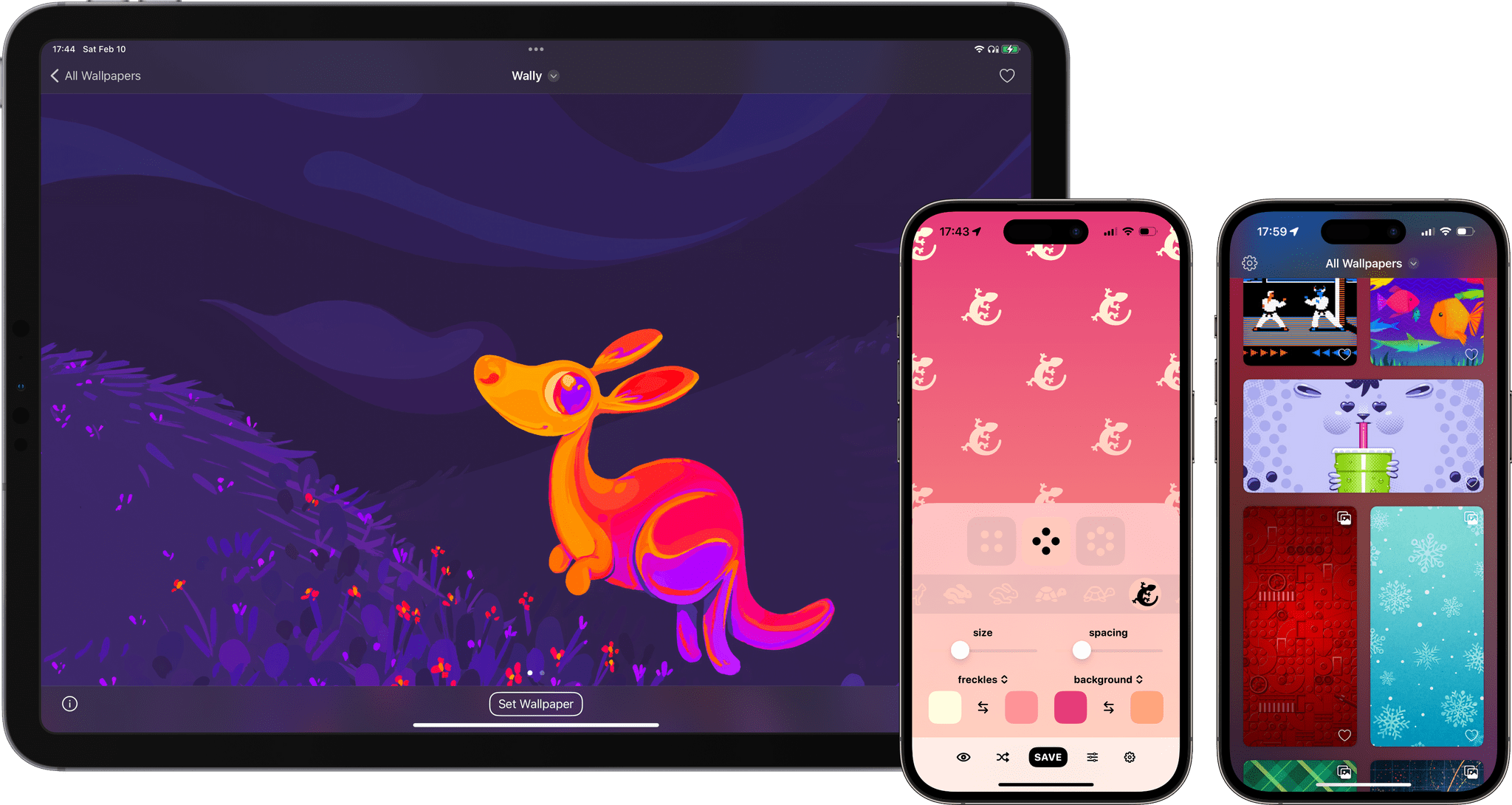
Early this year, I once again started going through a frenetic wallpaper-hunting phase. It turns out, high-quality wallpaper apps in the App Store are not that easy to find. I have frequently come across wallpaper apps that are filled with scammy ads, and sometimes even seem to contain stolen artwork. So I am seizing this opportunity to round up and highlight some of my favorite high-quality wallpaper apps, tools, and artists on Apple’s platforms in 2024.
You know the drill: when you go through airport security there are two lines. In one, a TSA agent makes sure you’re the person in your passport photo. In the other, a machine scans your carry-on for explosives, weapons, or a normal-sized bottle of shampoo.
Enterprise security is much the same, but instead of passengers and luggage, we’re talking about end users and their devices. In the first line, user authentication verifies a user’s identity, and it’s gotten pretty sophisticated in the past few years, with SSO and MFA becoming more common.
But user devices don’t get nearly the same level of attention. The average device trust solution only looks at a handful of endpoint security factors, like OS updates and firewall. If this really were the TSA, that wouldn’t even be an x-ray machine, more like holding a bag to your ear and listening for a ticking sound.
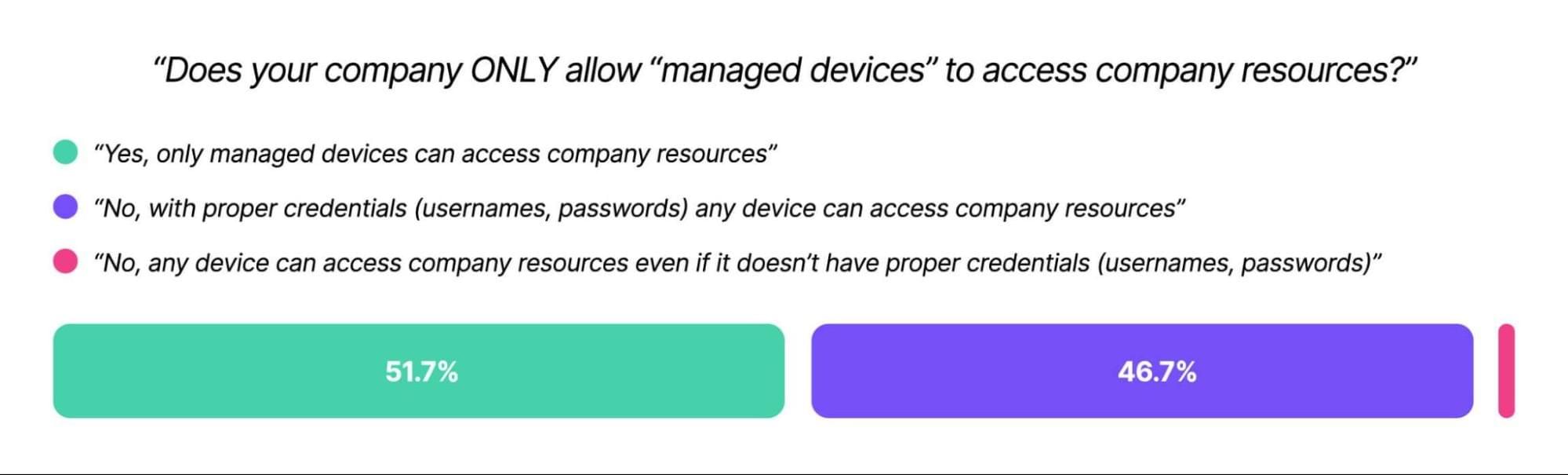
And that’s assuming an organization looks at end user devices at all. Kolide’s Shadow IT report found that 47% of companies let unmanaged devices access their resources, and authenticate via credentials alone.
Unmanaged devices (those outside a company’s MDM) can be infected with malware, full of PII, or worse–they can belong to a bad actor using phished employee credentials.
And hey, there are valid reasons for a device not to be enrolled in MDM. Contractor devices, Linux machines, and employee phones all need to be able to access company resources. But there’s plenty of room for middle ground between “fully locked down and managed” and an open-door device policy.
Specifically, companies need device trust solutions that block devices from authenticating if they don’t meet minimum security requirements.
Even with phishing-resistant MFA, it’s frighteningly easy for bad actors to impersonate end users–in the case of the MGM hack, all it took was a call to the help desk. What could have prevented that attack (and so many others) was an unspoofable form of authentication for the device itself.
That’s what you get with Kolide’s device trust solution: a chance to verify that a device is both known and secure before it authenticates. Kolide’s agent looks at hundreds of device properties (remember, our competitors only look at a handful). What’s more, our user-first, privacy-respecting approach means you can put it on machines outside MDM: contractor devices, mobile phones, and even Linux machines.
Without a device trust solution, all the security in the world is just security theater. But Kolide can help close the gaps. (And we won’t even make you take off your shoes.)
This week on MacStories Unwind, Federico recommends the Final Fantasy VII Rebirth demo and Like a Dragon: Infinite Wealth, while I enjoy Self Reliance on Hulu.
Sponsored By:
Memberful – Help Your Clients Monetize Their Passion
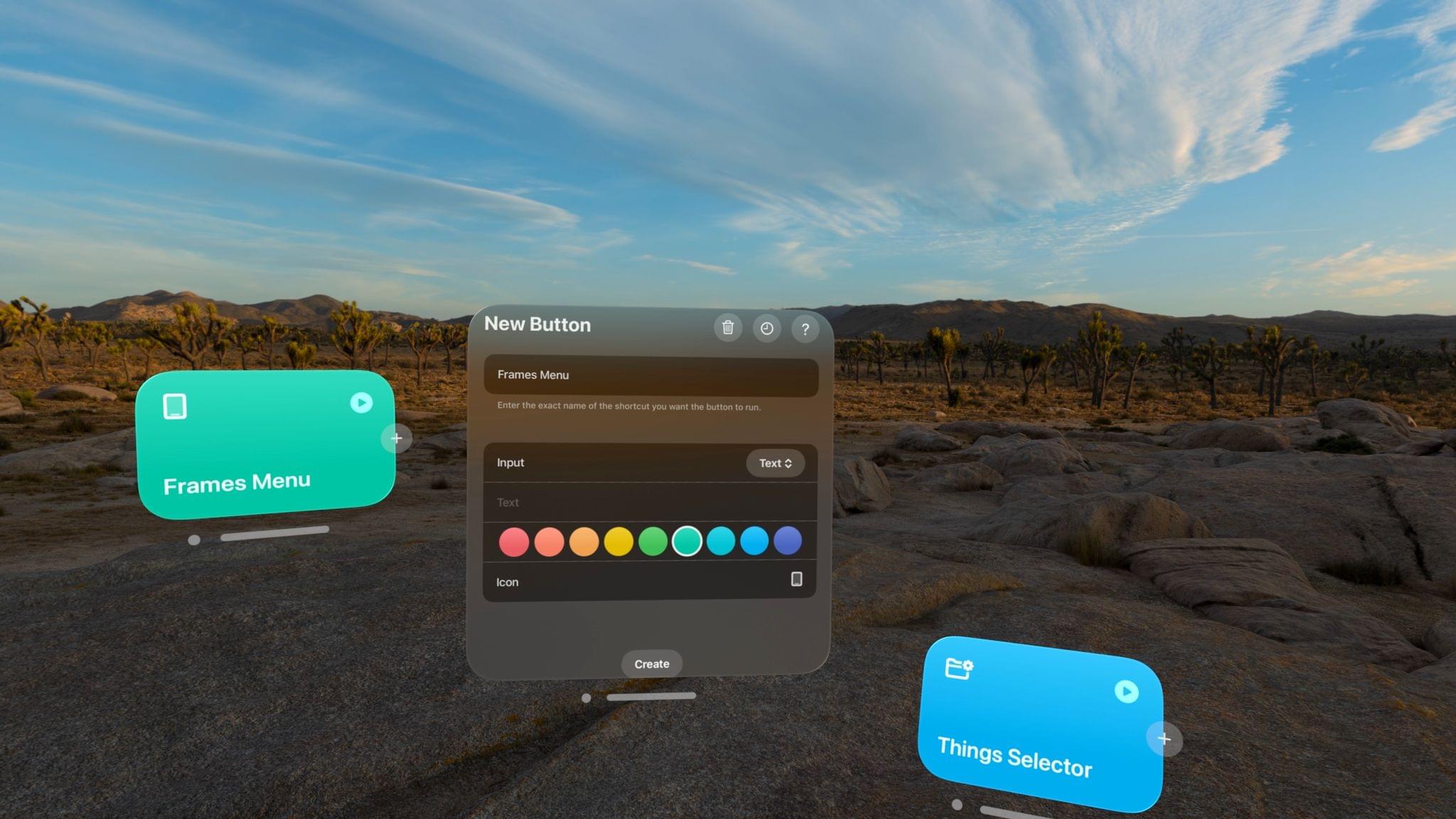
I received my Apple Vision Pro yesterday (for the full story of how it eventually found its way to Italy, you don’t want to miss the next episode of AppStories), and, as you can imagine, I’ve been busy downloading all the apps, learning my way around visionOS and – just today – using the extended Mac display mode. The first 24 hours with a Vision Pro are a whirlwind of curiosity and genuine nerd excitement, but despite my attention being pulled to a hundred different places, I’ve found the time to test one app in particular: Shortcut Buttons by Finn Voorhees.








](https://cdn.macstories.net/banneras-1629219199428.png)