
 Monthly Log: June 2023
Do Wishes Come True? (Part 1)→
This week on AppStories, we revisit our pre-WWDC OS wishes, including visionOS, macOS, and iPadOS, and look at which came true.






Sponsored by:
- CleanMyMac X: Your Mac. As good as new. Get 5% off today.
- DetailsPro: Design with SwiftUI, no coding required. 50% off throughout June.
- Factor: Healthy, fully-prepared food delivered to your door.
](https://cdn.macstories.net/banneras-1629219199428.png)
On AppStories+, Federico shares his plans for a surprise weekend music project and his HomeKit gardening ambitions.
We deliver AppStories+ to subscribers with bonus content, ad-free, and at a high bitrate early every week.
To learn more about the benefits included with an AppStories+ subscription, visit our Plans page, or read the AppStories+ FAQ.
Paste: The Clipboard Management Utility Gets An Elegant New Design on the Mac
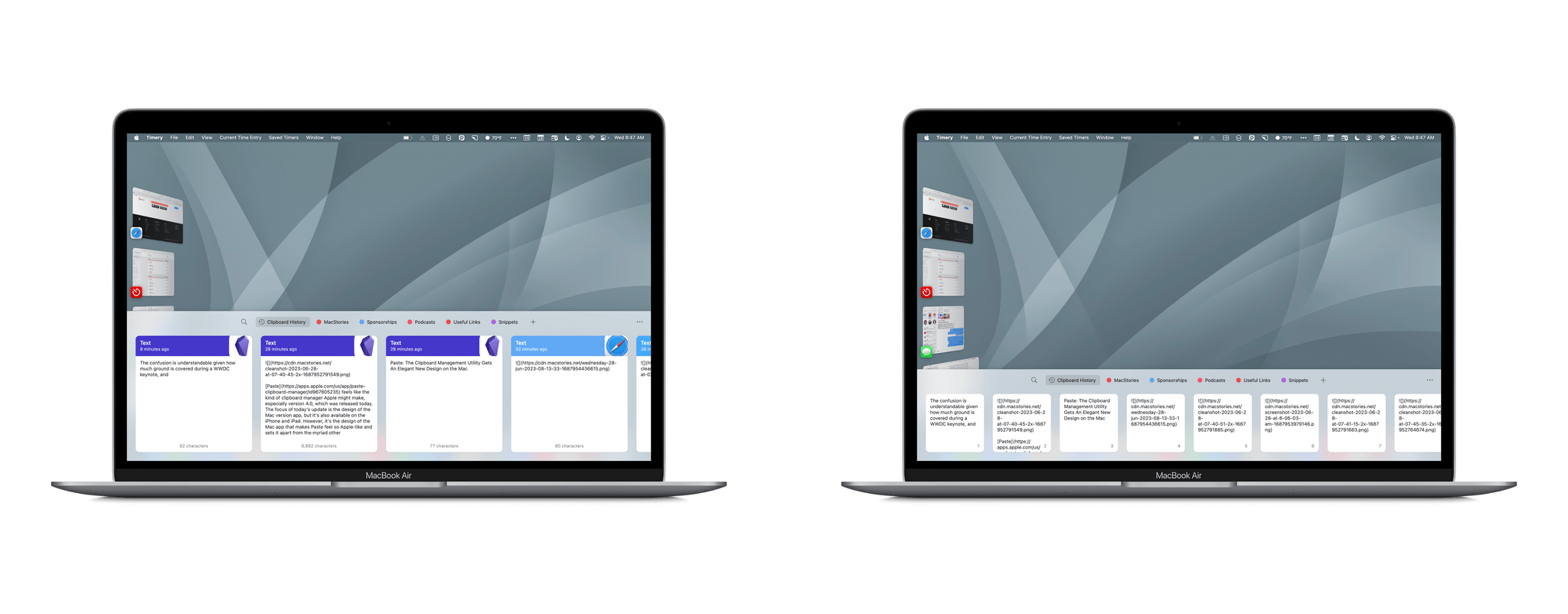
Paste feels like the kind of clipboard manager Apple might make, especially version 4.0, which was released today. The focus of today’s update is the design of the Mac version app, but it’s also available on the iPhone and iPad. However, it’s the design of the Mac app that makes Paste feel so Apple-like and sets it apart from the myriad other clipboard managers that are available.
Working Remotely with Belkin’s BoostCharge Pro
Update (October 14, 2024): The Belkin BoostCharge Pro Wireless Charger has been recalled and should not be used. Details here.
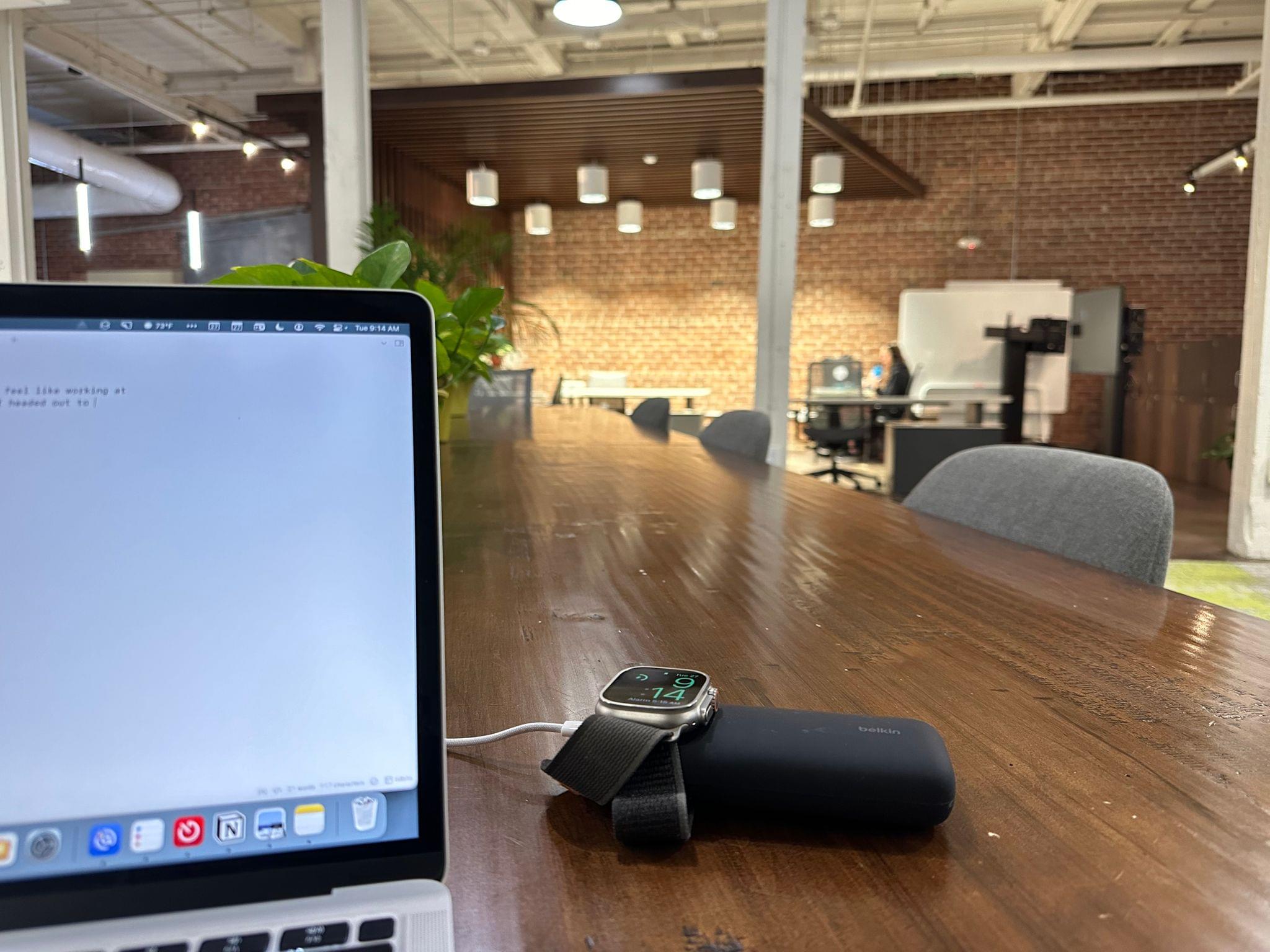
It’s Tuesday morning, and I didn’t feel like working at home today, so after breakfast, I headed out to the co-working space I joined in the spring. As I got ready, I realized my MacBook Air’s battery was a little low. I used it a lot yesterday and didn’t charge it overnight. My Apple Watch Ultra battery was a bit low, too, thanks to the extra drain of the watchOS 10 beta.
With plans to spend most of the day away and on foot, I wanted to travel light, so instead of grabbing my big 25,600 mAh Anker battery, I went for the Belkin BoostCharge Pro charger. The compact charger, which Belkin sent me for testing about a week ago, seemed perfect for this kind of scenario. The charger is compact and lightweight compared to larger options and has the added benefit of a built-in Apple Watch charging pad.
Has Apple Overshot the Market with the New Mac Pro?→
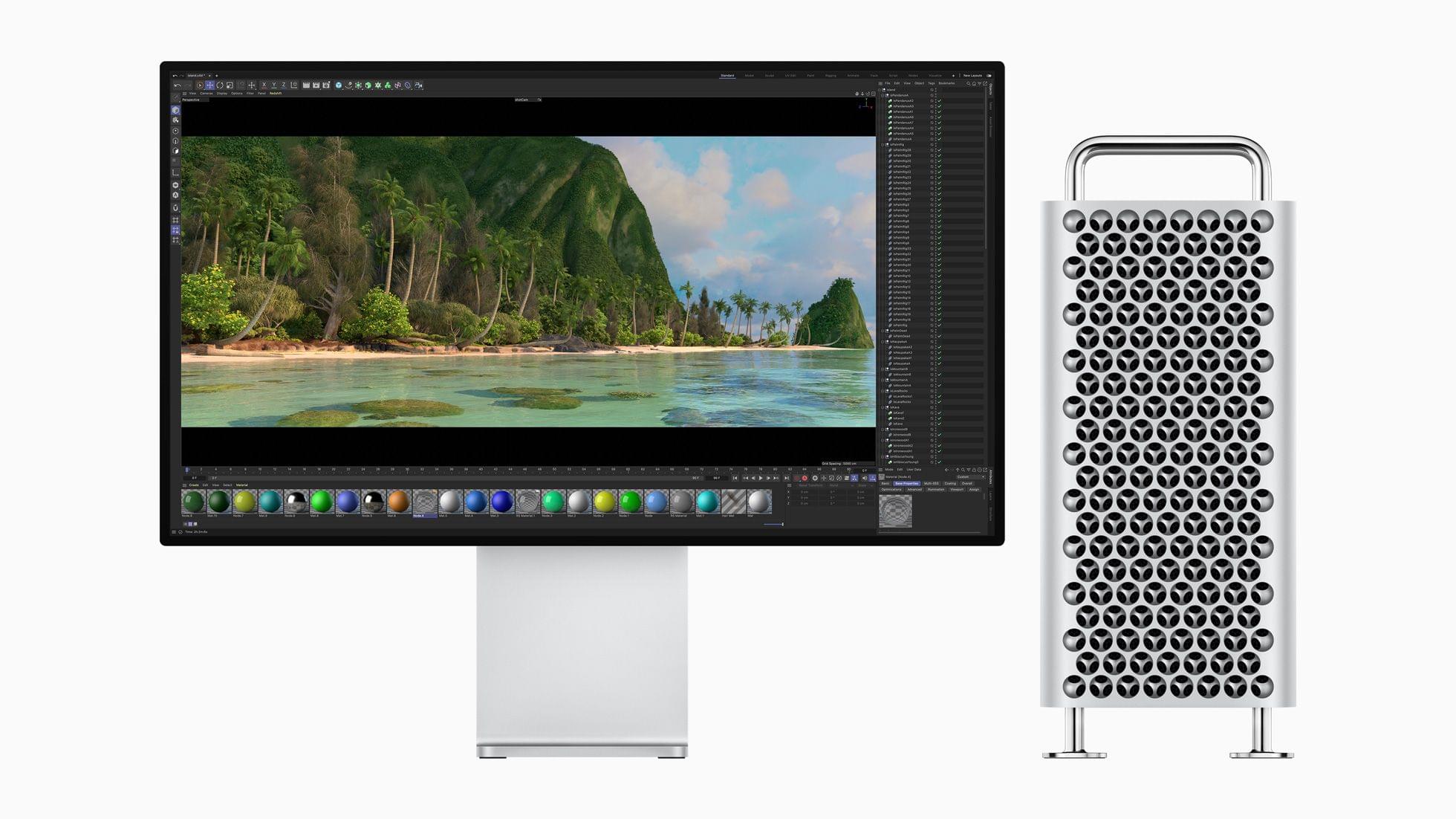
Monica Chin, writing for The Verge, interviewed more than 20 professionals to try to figure out who the Mac Pro is for and gauge interest in Apple’s most powerful desktop computer:
I wanted to know whether Apple’s purported target demographic — people who spend their days animating, making visual effects, and doing various other tasks generally associated with big, powerful computers — were actually interested in purchasing this machine. So I asked a bunch of them, and the answer, basically across the board, was no. Not because the Mac Pro is bad but because Apple’s other computers, namely its laptops, have just gotten too good.
For everyone Chin interviewed, one of Apple’s other portable or desktop options was already meeting their needs. Another potential issue for the Mac Pro is its lack of eGPU support:
The lack of support for external GPUs makes the feature particularly confounding for graphic professionals. “GPU support, that’s what we mostly use PCIe for,” said Tom Lindén, who runs a 3D animation agency. Other than a capture card, he says, “there are not that many expansion cards that would be useful.”
Between the MacBook Pro and Mac Studio, it seems that the professional market is satisfied:
“The offering across the board from Apple has gotten so powerful that, frankly, the Mac Pro feels a little unnecessary,” echoes Nathan, who has owned a number of Mac Pros throughout his career but is now very happy with his 14-inch MacBook. “I think we all appreciate it for what it is and what it demonstrates, but at no point has anyone said to me, ‘So when are we getting an office load of these?’”
The Mac Pro has always been a niche product. However, ever since it was announced, there has been a sense among many who write about the Mac that the new Pro is more niche than any of its predecessors, which is borne out by Chin’s reporting. That doesn’t make it a bad computer, but it’s also one that 99.9% of users don’t need, especially at a substantial premium compared to Apple’s other pro Macs. Absent new uses for the Mac Pro emerging, I wouldn’t be surprised if the Mac Pro doesn’t remain a product in Apple’s lineup for long.
UI Designer Weekly: Love design. Read design. [Sponsor]
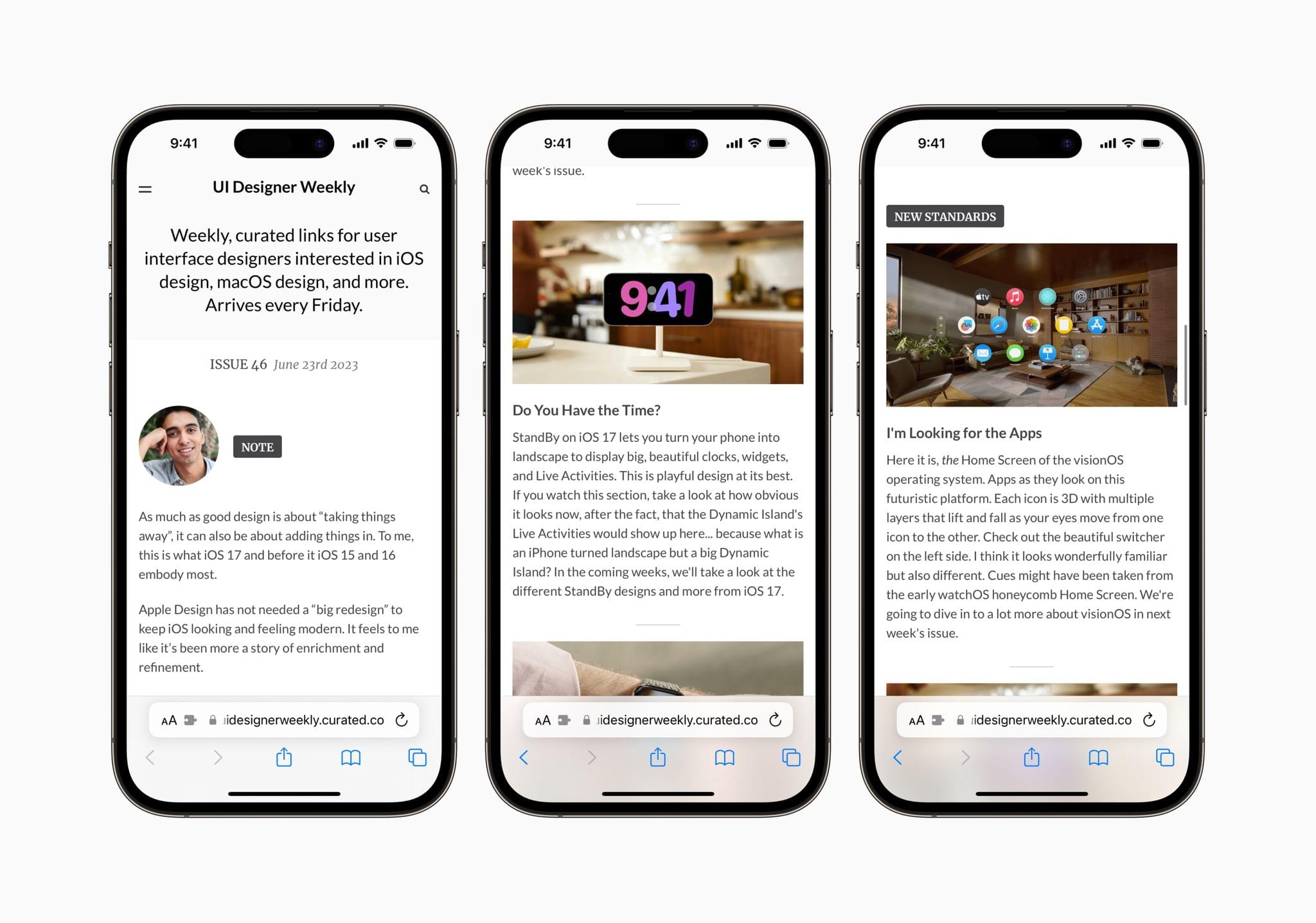
UI Designer Weekly is a free weekly newsletter by designer Sahand Nayebaziz all about Apple user interface design.
As the number of Apple platforms multiplies, staying on top of the latest design trends and principles has never been more important and hard. Whether you’re a designer or developer, UI Designer Weekly will get you up to speed on the latest in UI design and help you stay there with its extensive, expert coverage.
Each issue of UI Designer Weekly is packed with thought-provoking articles that will inspire your design work. The ‘New Standards’ section looks at interface design through the lens of Apple’s OSes and apps. For example, the newsletter is currently in the midst of extensive WWDC coverage, breaking down the design language of visionOS, plus upcoming changes to Contacts, Messages, StandBy, and more.
The newsletter’s ‘Spotted’ section zooms out, analyzing UI design throughout the Apple ecosystem, whether it’s Apple’s marketing materials or keynote presentations like WWDC’s. No matter what corner of the Apple world UI Designer Weekly covers, each issue is packed with excellent examples and inspiration that will help you with your design work.
With each new issue of UI Designer Weekly, you’ll gain deep insight into where Apple’s designers are heading, how those trends impact your apps, and ideas about how to implement them yourself. And with WWDC just concluded, now is the perfect time to sign up and join the hundreds of subscribers receiving a new issue of UI Designer Weekly free every Friday and without ads.
Visit uidesignerweekly.curated.co to sign up for UI Designer Weekly today.
Our thanks to UI Design Weekly for sponsoring MacStories this week.
MacStories Weekly: Issue 373
MacStories Unwind, AV Club Edition: The Legend of Zelda: Tears of the Kingdom

This week on MacStories Unwind, Federico and John are joined by Jonathan Reed and Roman Lefebvre, the developer of Sequel, to discuss The Legend of Zelda: Tears of the Kingdom. This week’s show was recorded live in the Club MacStories Discord community as part of the Club MacStories+ AV Club.
The Legend of Zelda: Tears of the Kingdom
- Watch:
- Read:
- MacStories Review of TOTK Travel Guide App
- Available on the App Store here
- Listen:
MacStories Unwind+

We deliver MacStories Unwind+ to Club MacStories subscribers ad-free and early with high bitrate audio every week.
To learn more about the benefits of a Club MacStories subscription, visit our Plans page.
Tears of the Kingdom Travel Guide Is the Ideal iPhone and iPad App to Keep Track of Your Zelda Adventures
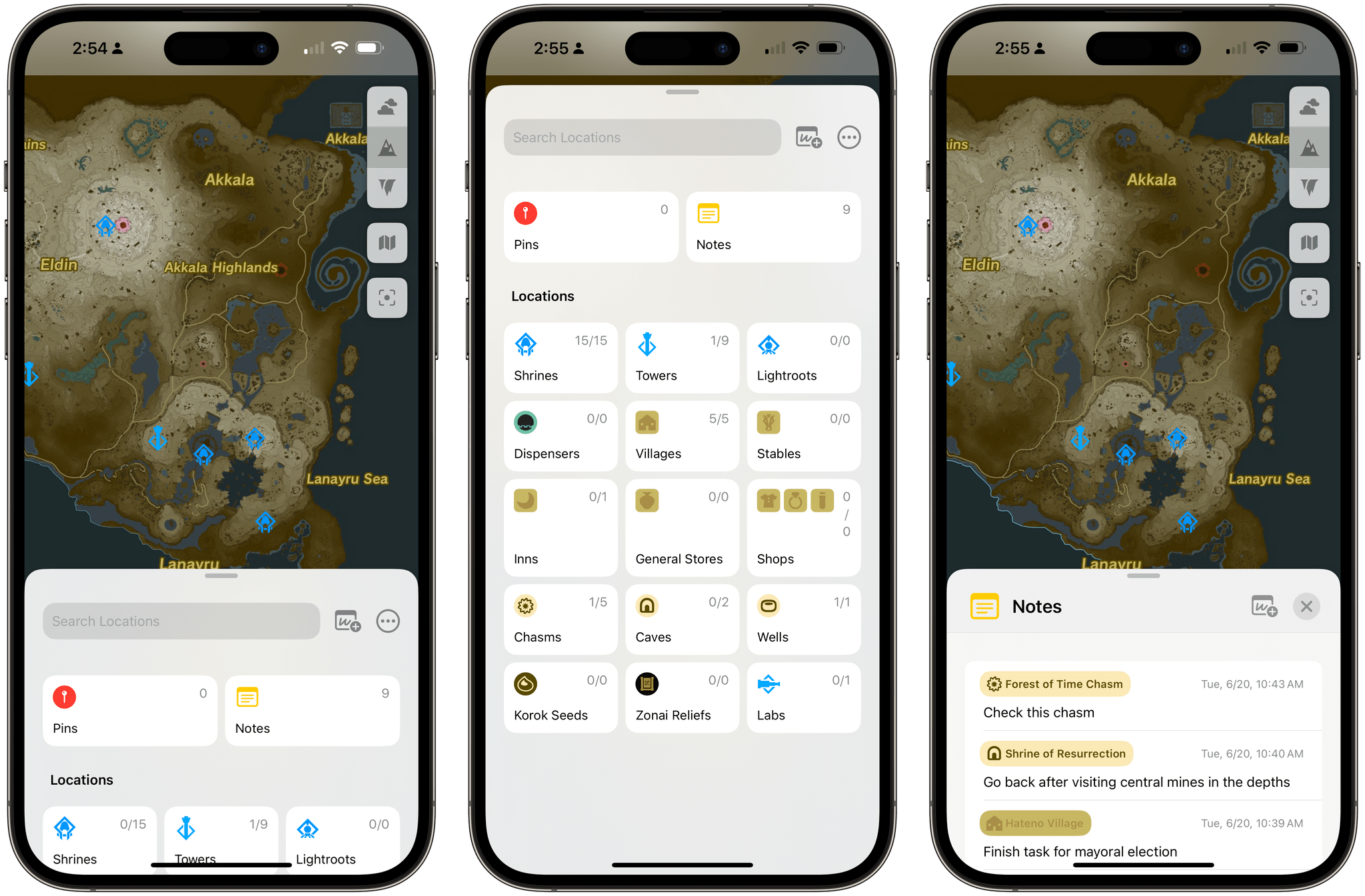
If your summer’s going to be anything like mine, some of these things should sound familiar: you’re going to play around with the iOS and iPadOS 17 betas and get on some TestFlights for third-party apps; you’re going to spend some time at the beach or perhaps even travel abroad; and you’ll still be playing through The Legend of Zelda: Tears of the Kingdom, which is a ridiculously massive game well worth waiting six years for. If the latter scenario applies to your life right now and in the near future, you’ll want to install TotK Travel Guide, which came out earlier this week for iPhone and iPad.