
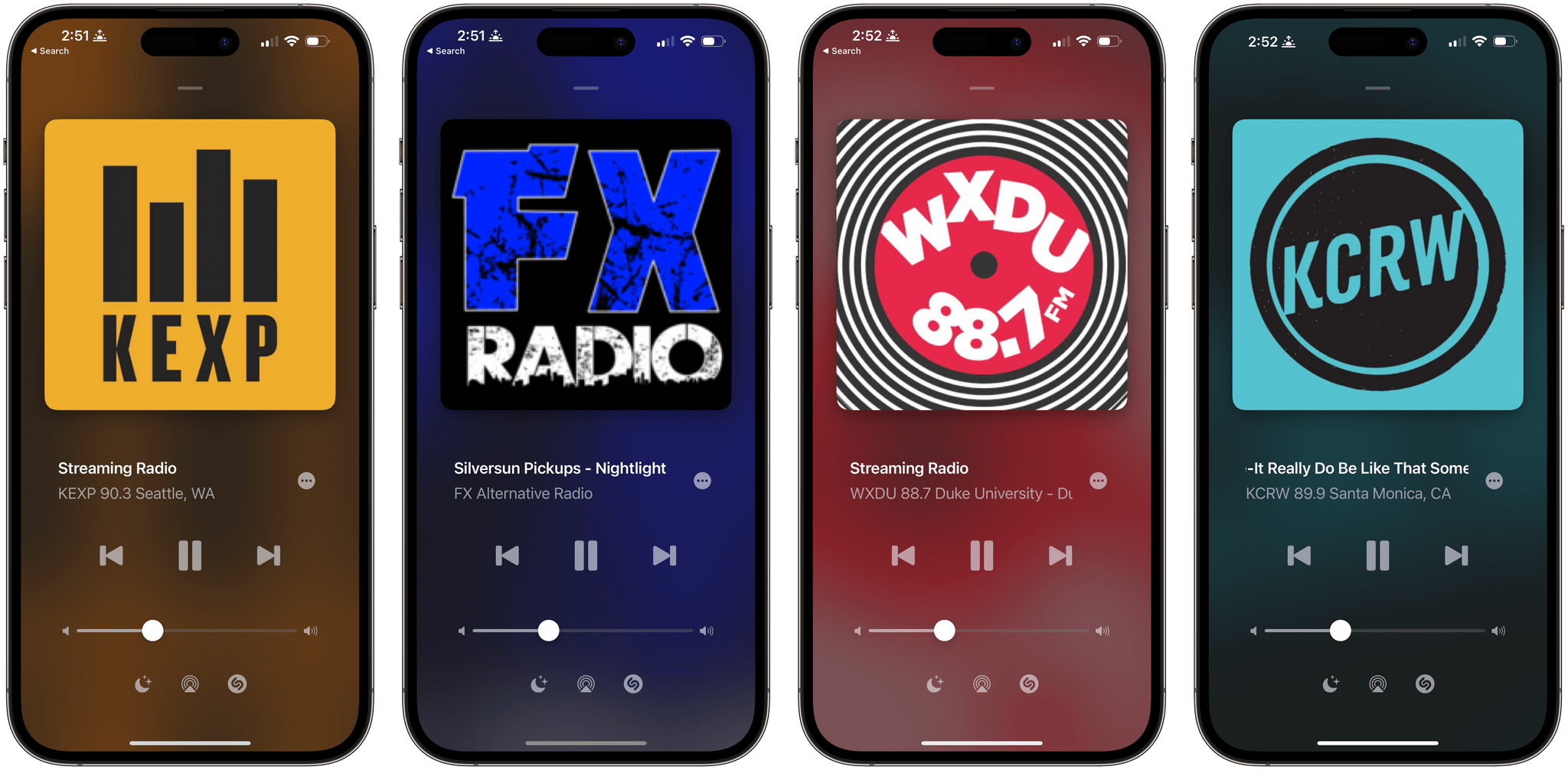
Version 3 of Broadcasts, Steve Troughton-Smith’s Internet radio app and a Club MacStories Recommends pick, is out with an updated design, improved search, Shazam integration, and a URL scheme that makes sharing stations simple. Together, the changes look fantastic and make enjoying Internet radio with the app easier and better than ever.
Internet Radio App Broadcasts Has a Fresh New Look, Improved Search, Shazam Integration, and More
Last Week, on Club MacStories: Anybox, Music Tips, A Universal and VNC Desk Setup, and Lessons Learned From Going Indie
Because Club MacStories now encompasses more than just newsletters, we’ve created a guide to the past week’s happenings along with a look at what’s coming up next:
MacStories Weekly: Issue 347
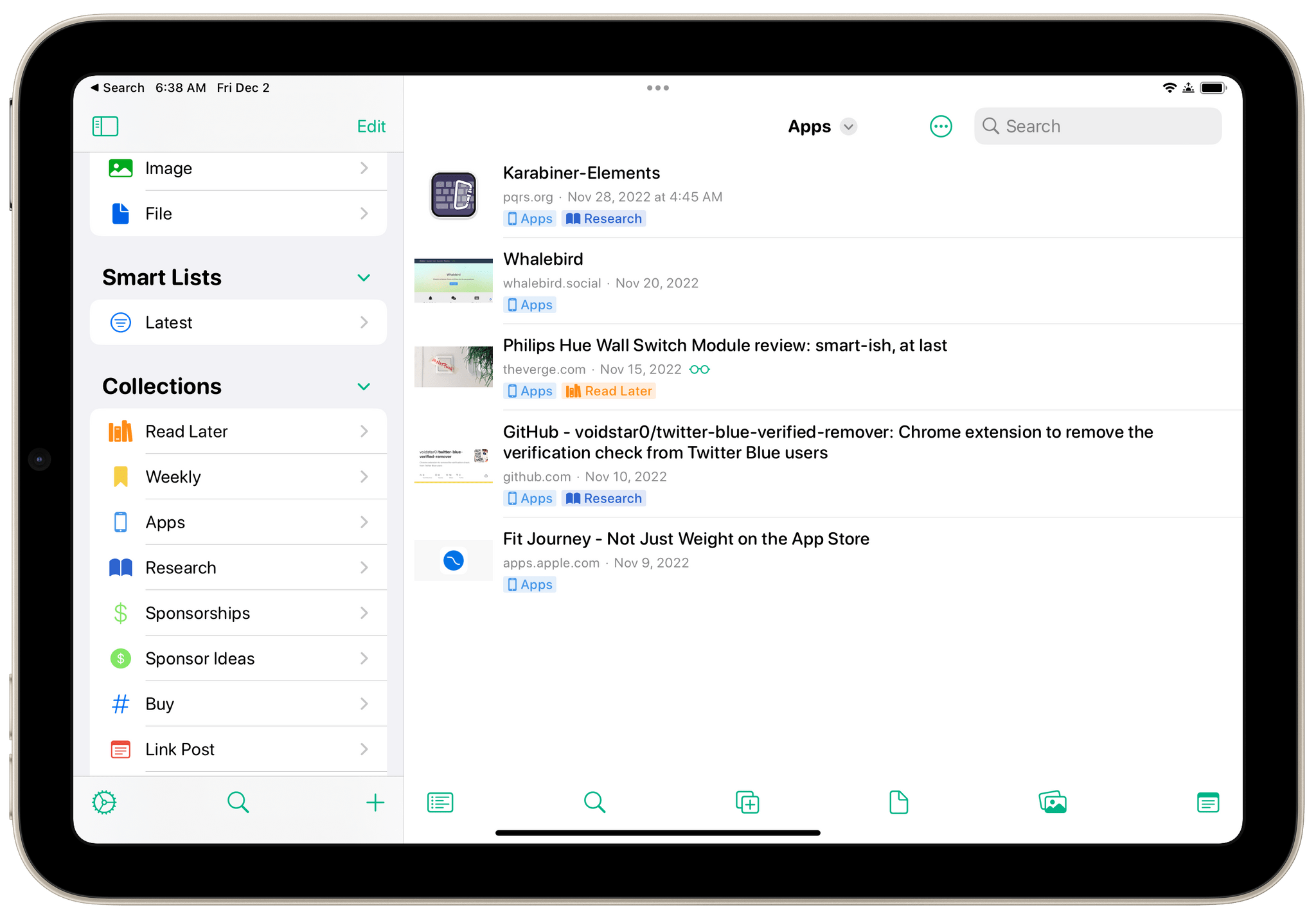
- Anybox
- Tips on creating a music workspace and using MusicBox to access Apple Music playlists
- Plus:
- App Debuts
- Highlights from the Club MacStories+ Discord
- Interesting links from around the web
- A sneak peek at what’s next on MacStories’ podcasts
- and more
The Monthly Log, November 2022
- Federico shared how he’s combining Universal control and a VNC client in his new desk setup
- John looked back at what he’s learned since he started writing at MacStories
Kolide: Endpoint Security for Teams That Want to Meet Compliance Goals without Sacrificing Privacy [Sponsor]
In 2021, Kolide went through the SOC 2 Type 1 audit, and they found out just how challenging it can be to prove compliance to a third-party auditor. They also learned firsthand something their customers had been telling them for a while: that they couldn’t have gotten their SOC certification without using their own product.
That product is Kolide, an endpoint security solution for Mac, Windows, and Linux devices. Kolide gives IT admins a single dashboard, through which you can prove that your fleet has the security measures that auditors care about.
With Kolide, you can instantly see whether:
- Firewalls and screen lock are enabled
- Operating systems are up-to-date
- Password managers are installed
Kolide also provides visibility into nuanced issues that MDMs can’t address, like whether developers have unencrypted SSH keys or plain text 2FA backup codes.
Moreover, Kolide balances this visibility with respect for user privacy and autonomy. Users can visit the Privacy Center to see what device data is being collected and why. And when Kolide detects a vulnerability on a user’s device, it reaches out via Slack to notify them of the problem and provides step-by-step instructions on how to solve it.
At Kolide, they’ve helped hundreds of customers achieve compliance–for SOC 2, ISO27001, or their own internal security goals. And they’ve done so in ways that go beyond “checking the boxes” and actually increase transparency and collaboration between IT and end users.
If you want to know how you can get compliant without compromising your values, then Kolide wants to talk to you.
Try Kolide for 14 days free; no credit card required.
Our thanks to Kolide for sponsoring MacStories this week.
 MacStories Weekly: Issue 347
MacStories Unwind: The Best Music of 2022







This week on MacStories Unwind, we kick off the first of our annual ‘best of’ Unwind recaps with the best music releases of 2022.
The Best Music of 2022
Federico’s Pick:
- English Album of the Year:
- Asphalt Meadows by Death Cab for Cutie
- Italian Album of the Year
- c@ra++ere s?ec!@le by thasup
- Other Favorites:
- Midnights by Taylor Swift
- Fix Yourself, Not the World and Is This What It Feels Like to Feel Like This? (EP) by The Wombats
- Unwanted (The Antidote Edition) by Pale Waves
- Being Funny in a Foreign Language by The 1975
- The Hum Goes on Forever by The Wonder Years
- Honorable Mentions
- New Preoccupations by Caracara
- Vaxis II: A Window of the Waking Mind by Coheed and Cambria
- Kings of the New Age by State Champs
- Will of the People by Muse
- Alpha Games by Bloc Party
John’s Pick:
- Album of the Year
- House by Shout Out Louds
- Other Favorites
- Midnights (3am Edition) by Taylor Swift
- Wet Leg by Wet Leg
* C’mon You Know by Liam Gallagher- Down By The River Thames by Liam Gallagher
- Expert in a Dying Field by The Beths
- You’re Good (EP) by Kayleigh Goldsworthy
- Asphalt Meadows by Death Cab for Cutie
- Singles of the Year
- Sidelines by Phoebe Bridgers
- All To Well (Sad Girl Autumn Version) [Recorded at Long Pond Studios] by Taylor Swift
- October Passed Me By by girl in red
- New Gold (feat. Tame Impala and Bootie Brown) [Dom Dolla Remix] by Gorillaz
- Honorable Mentions
- Dropout Boogie by The Black Keys
- Surrender by Maggie Rogers
- More Recommendations
- Two Ribbons by Let’s Eat Grandma
- Dream Machine by Lucy Daydream
- Past Life by Daywave
- You Have Got to Be Kidding Me by fanclubwallet
Stable Diffusion Optimizations Are Coming to iOS and iPadOS 16.2 and macOS 13.1 Via Core ML→
Today, Apple announced on its Machine Learning Research website that iOS and iPadOS 16.2 and macOS 13.1 will gain optimizations to its Core ML framework for Stable Diffusion, the model that powers a wide variety of tools that allow users to do things like generate an image from text prompts and more. The post explains the advantages of running Stable Diffusion locally on Apple silicon devices:
One of the key questions for Stable Diffusion in any app is where the model is running. There are a number of reasons why on-device deployment of Stable Diffusion in an app is preferable to a server-based approach. First, the privacy of the end user is protected because any data the user provided as input to the model stays on the user’s device. Second, after initial download, users don’t require an internet connection to use the model. Finally, locally deploying this model enables developers to reduce or eliminate their server-related costs.
The optimizations to the Core ML framework are designed to simplify the process of incorporating Stable Diffusion into developers’ apps:
Optimizing Core ML for Stable Diffusion and simplifying model conversion makes it easier for developers to incorporate this technology in their apps in a privacy-preserving and economically feasible way, while getting the best performance on Apple Silicon.
The development of Stable Diffusion’s has been rapid since it became publicly available in August. I expect the optimizations to Core ML will only accelerate that trend in the Apple community and have the added benefit to Apple of enticing more developers to try Core ML.
If you want to take a look at the Core ML optimizations, they’re available on GitHub here and include “a Python package for converting Stable Diffusion models from PyTorch to Core ML using diffusers and coremltools, as well as a Swift package to deploy the models.”
What Wreckfest Tells Us About the Future of iPhone and iPad Gaming→
In November, HandyGames released Wreckfest for iPhones and iPads. The demolition racing game was originally released by Bugbear Entertainment on PC in 2018 and the following year on PS4 and Xbox One. Since then, the game has been brought to current-generation consoles, streaming, and now, mobile platforms.
Although Wreckfest is several years old, it’s one of the more demanding console games brought to mobile recently, which makes it a good test for Apple’s latest SoCs. That’s what MrMacRight did on his YouTube channel, testing the game on everything from an original iPhone SE with an A9 chip to a 12.9” iPad Pro with an M2 chip.
There’s a lot of the sort of technical detail in MrMacRight’s video that I love, along with settings recommendations if you want to get the most out of whatever device you’re using to play the game. To me, though, the most interesting part of the video is the point in the Apple silicon lineup where the game’s performance drops off and how the choices the publisher made to bring Wreckfest to mobile affect the game.
The M1 and M2 SoCs handle Wreckfest well, maintaining an almost steady 60fps throughout. The first dip comes when trying to run the game at 60fps on an iPhone 14 Plus with an A15 SoC that ran into thermal throttling issues. Still, with tweaks to the game’s settings, it remains playable on a wide variety of iPhones and iPads thanks to quality reductions of some graphics assets, which also serve to reduce the size of the game and its memory footprint. Those graphical compromises made by HandyGames are understandable but also a bit disappointing for anyone with an M1, M2, or A16 device, which could handle better graphics and textures.
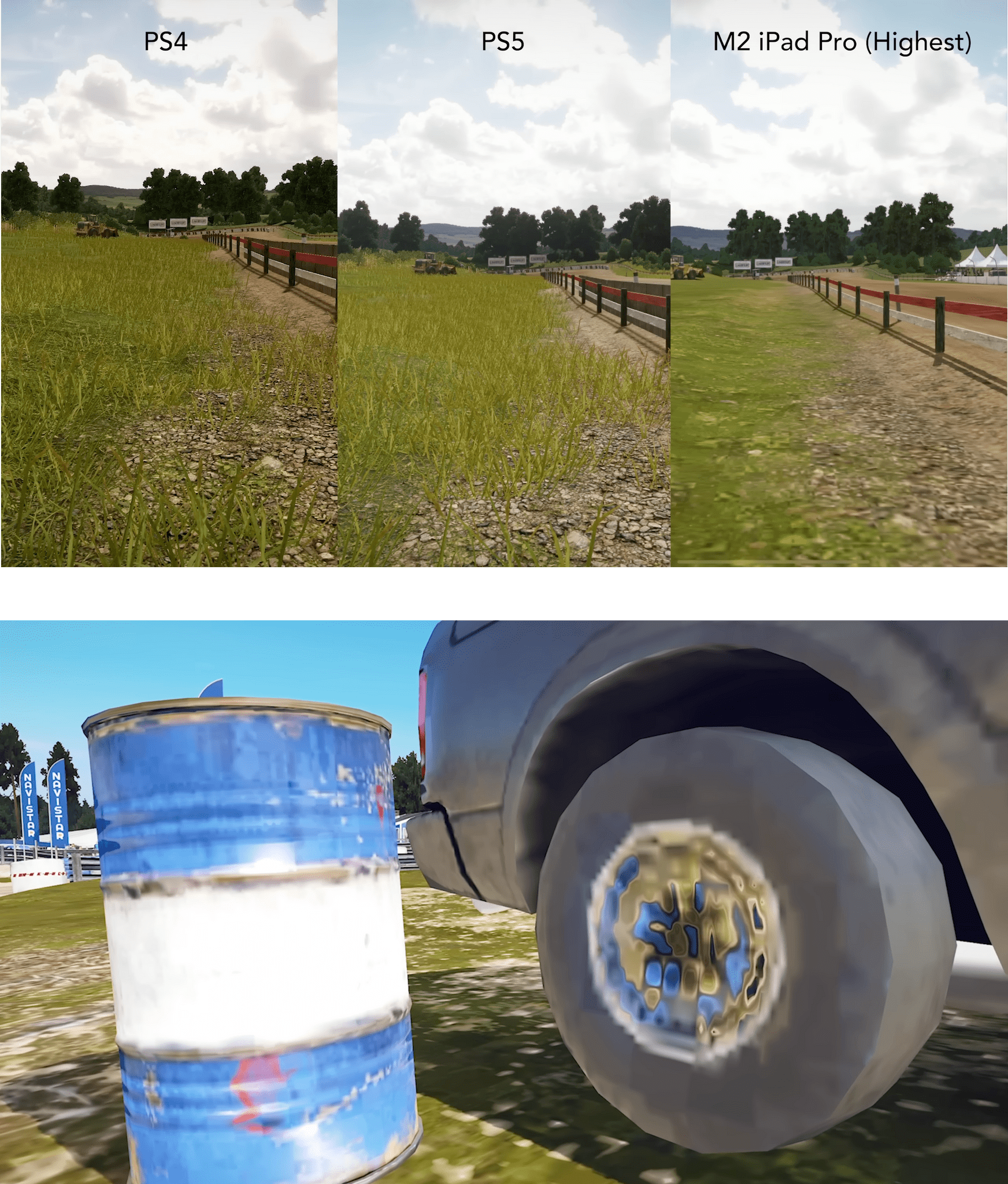
Big picture, MrMacRight’s analysis of Wreckfest suggests that we’re still in the early days when it comes to games that approach console quality coming to the iPhone and iPad. Plus, the sheer size of the gaming market that is still on older A-series SoCs means the sweet spot for game development will likely take a few more years before the performance that is possible on M-series and A16-based devices becomes the norm for most mobile gamers. Whether Apple silicon gets to that point before another solution, like game streaming, takes widespread hold, it will likely be one of the most interesting stories to follow in mobile gaming.
Monthly Log: November 2022
AppStories, Episode 307 – Nerding Out for the Holidays (Part 2)→
This week on AppStories, we concluded our two-part series on their nerdy holiday projects with home automation, RSS, WiFi, and other plans.
Sponsored by:
- Pillow – Sleeping better, made simple.
](https://cdn.macstories.net/banneras-1629219199428.png)
On AppStories+, Federico is getting to know new delivery people, and I explain how I’m working to preserve his Nintendo 3DS games.
We deliver AppStories+ to subscribers with bonus content, ad-free, and at a high bitrate early every week.
To learn more about the benefits included with an AppStories+ subscription, visit our Plans page, or read the AppStories+ FAQ.