This Week's Sponsor:

Turbulence Forecast

Know before you go. Get detailed turbulence forecasts for your exact route, now available 5 days in advance.


macOS Ventura: The MacStories Review

macOS Ventura is a hard release to pin down. I’ve been running it for months, and it’s been running well for all my everyday work and personal tasks. Features like Continuity Camera, iCloud Shared Photo Library, and the many system app updates have, on the whole, been stable, worked as advertised, and helped me do more with my Mac. So, from an everyday workflow standpoint, Ventura is an excellent release that delivers on the promise of an OS that moves in step with Apple’s other OSes and erases artificial barriers to users coming from iOS and iPadOS. And yet, I worry about the clouds on the horizon.

The release of Ventura is just one moment in time along macOS’s evolutionary path, but it’s an important one. Each fall release is a marker laid down by Apple that says something about where the Mac has been and where it’s going.

The story of macOS Ventura didn’t begin at WWDC in June. As I wrote in last year’s macOS Monterey review, it started five years ago:

For the past few years, no narrative thread has been more important to the Mac and its operating system than their realignment within Apple’s product lineup. It’s a fundamental transformation of both hardware and software that has taken shape over years, beginning publicly with Craig Federighi’s WWDC Sneak Peek in 2018.

Before Mac Catalyst, there was Craig Federighi's 2018 Sneak Peek.

Before Mac Catalyst, there was Craig Federighi’s 2018 Sneak Peek.

Last year’s release of Monterey went a long way toward validating what came before with Catalina and Big Sur:

Monterey is one of the most tangible, user-facing payoffs of the past three years of transition. More than ever before, Apple is advancing system apps across all of its platforms at the same time. Finally, everything is everywhere.

Ventura is, in many ways, a continuation of Monterey’s storyline. Apple has delivered a second year of parallel development across its system apps, with the notable exception of Shortcuts, which I’ll cover later. That’s a big win for Mac users who, in previous years, waited multiple releases for apps like Maps and Books to catch up with their iOS and iPadOS counterparts.

The familiar interface and feature set across multiple platforms are one of the biggest and most tangible achievements of the past few years.

The familiar interface and feature set across multiple platforms are one of the biggest and most tangible achievements of the past few years.

So, with Monterey’s success of moving system apps forward in unison across all OSes looking more like a trend than a one-off novelty, what are the clouds I’m seeing on the horizon? There are three:

  • Stage Manager: Stage Manager is in far better technical shape on the Mac than on the iPad. In fact, I’ve been using it every day since WWDC and will continue to do so. There’s lots of room for improvement, which I’ll cover below, but my concern extends beyond the Mac-specific issues to what the feature’s problems on the iPad mean for Mac users long-term, which is something I covered last month for Club MacStories members and will expand on below.
  • Shortcuts: Shortcuts was in rough shape when it launched on the Mac last year. The app is in a much better place today, although bugs continue to be a problem. More concerning to me, though, is the lack of new system-level actions on the Mac. A lot of resources undoubtedly went into stabilizing Shortcuts on the Mac over the past year, which is understandable, but unfortunately, those efforts seem to have been at the expense of introducing new system-level actions or maintaining parity with new actions on iOS and iPadOS.
  • System Settings: So much of the design work we saw introduced with Big Sur was so carefully considered to harmonize macOS with iPadOS while retaining its Mac nature that System Settings is a shock to, well, the system. System Preferences was long overdue for a refresh, but System Settings isn’t the redesign we needed. Instead, it’s a clear example of why you can’t just graft iOS or iPadOS design onto macOS and call it quits.

Although each of the items above concerns me, it’s equally important to put them in context. For most users, macOS is in a very good place. My day-to-day work on the Mac isn’t affected by whether the iPadOS version of Stage Manager is buggy. I may feel constrained by the lack of some actions in Shortcuts on my Mac, but at the same time, I’ve got Shortcuts on the Mac, something I’d hoped for for years. And Systems Settings are, after all, just settings that may not be great to look at, but they still work.

However, while the issues with Ventura may not be immediate, they’re still important because they threaten the viability of the Mac in the midst of its hardware renaissance. I want to see the Mac continue to grow and flourish, and I’m convinced more than ever that aligning it and the iPad is one of the ways to accomplish that. Unfortunately, Ventura doesn’t move that ball forward in a meaningful way.

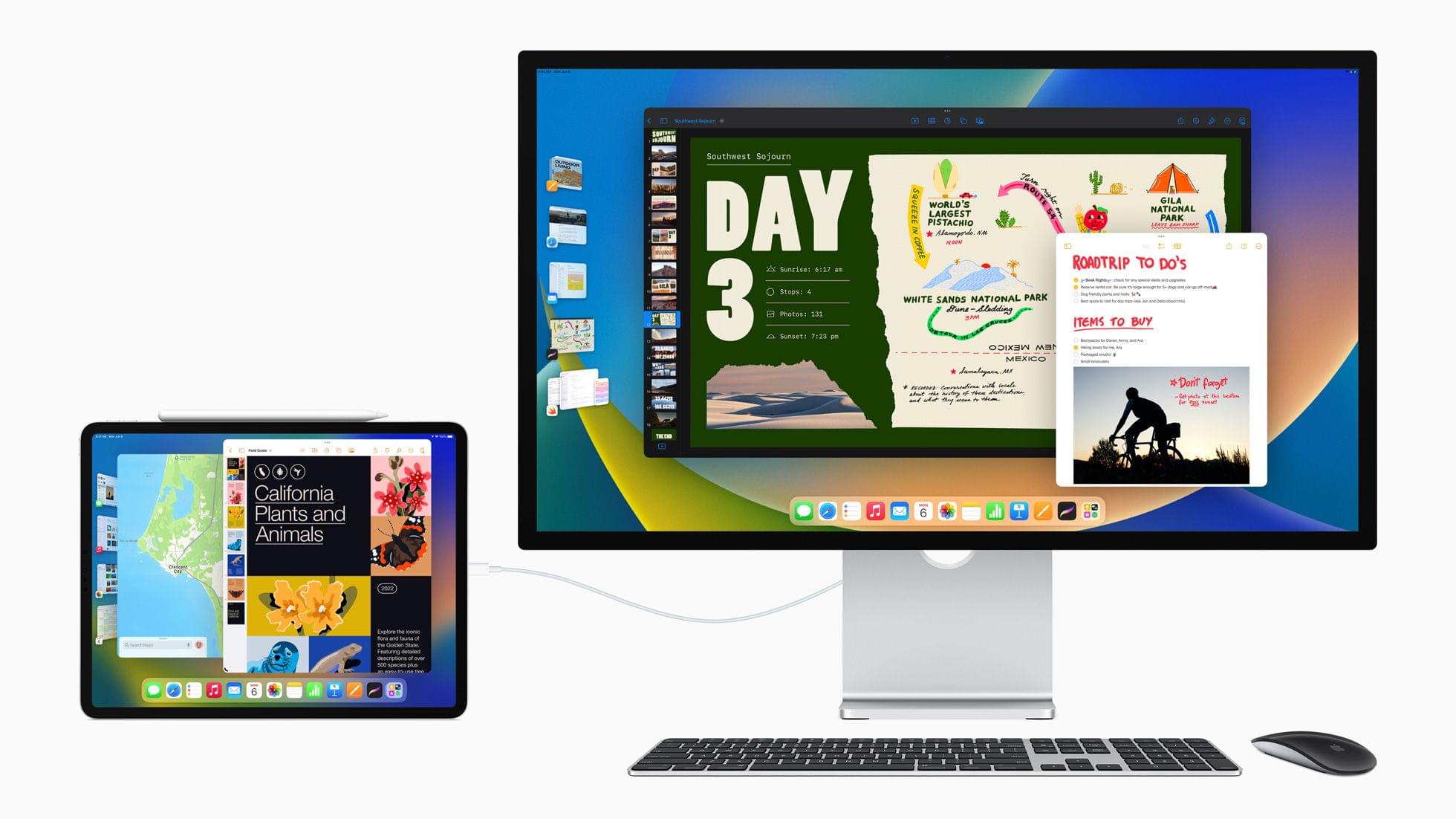
With Apple firing on all cylinders when it comes to hardware, now is no time to let macOS stall. Source: Apple.

With Apple firing on all cylinders when it comes to hardware, now is no time to let macOS stall. Source: Apple.

By tying the two together, Apple has set the stage for a healthier third-party app ecosystem that benefits both platforms by making it more economical for developers to create apps for both. I’m sent a lot of apps to try, and I can tell you that this is absolutely happening already. The vast majority of the apps I’m sent today aren’t Mac-only or iPad-only – they’re universal apps that work on both and usually the iPhone and Apple Watch too.

However, the work and the story that started with Federighi’s Sneak Peek aren’t finished. For the Mac and iPad to thrive, now is not the time for Apple to take its foot off the gas. Yet, that’s what Ventura feels like after several years of foundational changes to macOS. It’s not a bad update. There’s a lot to like among the system apps and other changes, but I can’t shake the nagging sense that Apple has taken its eye off the long-term vision for macOS with Ventura. That won’t affect your day-to-day use of the OS, but it’s certainly something worth keeping a close eye on as Ventura is updated and WWDC rolls around again next summer.

Read more


Stage Manager in iPadOS 16: At the Intersection of Bugs, Missing Features, and Flawed Design

Stage Manager in iPadOS 16.1.

Stage Manager in iPadOS 16.1.

This article wasn’t supposed to go like this.

iPadOS 16 is launching to the public today, and it carries a lot of expectations on its shoulders: for the first time since the introduction of the original iPad in 2010, Apple is embracing a Mac-like windowing system that lets you use up to four windows at the same time on the iPad’s screen. You can even resize them and make them overlap. If you’ve been following the evolution of the iPad for a while, you know that’s very unusual.

But the reason this story was meant to be different isn’t to be found in Apple’s design philosophy for iPadOS 16. Typically, MacStories readers would expect a full-blown ‘The MacStories Review’ to go alongside a new version of iPadOS. That’s what I’ve been doing for over seven years at this point, and I don’t like breaking my writing patterns. When something works, I want to keep writing. That’s precisely why I had to stop writing about iPadOS earlier in the summer and until last week.

Stage Manager, the marquee addition to iPadOS that lets you multitask with floating windows, started crashing on my M1 iPad Pro in mid-July and it was only fixed in early October. When I say “crashing”, I mean I couldn’t go for longer than 10 minutes without iPadOS kicking me back to my Lock Screen and resetting my workspaces. And that was only the tip of the iceberg. For nearly two months, I couldn’t type with Apple’s Magic Keyboard or use keyboard shortcuts when Stage Manager was active. Before it was pulled by Apple and delayed to a future release, external display support in Stage Manager was impossible to rely on for production work. The list goes on and on and on.

Normally, I would use the introduction of my iOS and iPadOS reviews to tell you how I’ve been living and working with the new operating system every day for the past three months. I’ve always tried to publish annual OS reviews that are informed by practical, consistent usage of a new operating system which, I hope, has led to highly opinionated, well-researched stories that can stand the test of time. That kind of story hasn’t been possible for me to produce with iPadOS 16 yet.

Effectively, I’ve only been able to sort-of use iPadOS 16 with Stage Manager on my M1 iPad Pro again for the past two weeks. Before that, it’s not that I didn’t want to use iPadOS 16 and Stage Manager because I hate progress; I literally couldn’t unless I was okay with my iPad crashing every 10 minutes. So, at some point over the summer, I made the call to revert to Split View and Slide Over – which are still the iPad’s default multitasking mode in iPadOS 16 – and I’d check back in on Stage Manager on each beta of iPadOS 16. It was only around two weeks ago that, despite some lingering bugs I’ll cover later, I was able to finally leave Stage Manager enabled and go back to where I was when I published my iPadOS 16 first impressions article in July.

Think about my position this way: there’s a hole from early August to early October in my typical “reviewer summer” during which I couldn’t use the biggest addition to iPadOS 16 at all. The fact that Apple delayed, slimmed down, and kept iterating on Stage Manager until the very last minute seems to suggest I wasn’t the only one desperately trying to make it work.

I started using iPadOS 16 and Stage Manager again two weeks ago; what kind of “review” should this be?

Read more


AppStories, Episode 301 – The New iPad and iPad Pro Review: Mixed Signals

This morning we got into the details of Federico’s review of the latest iPad Pro and the new 10th generation iPad.

Sponsored by:

  • Concepts – Infinite, Flexible Sketching.

We deliver AppStories+ to subscribers with bonus content, ad-free, and at a high bitrate early every week.

To learn more about the benefits included with an AppStories+ subscription, visit our Plans page, or read the AppStories+ FAQ.

Permalink

The New iPad and iPad Pro Review: Mixed Signals

The new iPad Pro and iPad.

The new iPad Pro and iPad.

Last week on Thursday, I received review units of the new 10th generation iPad and 6th generation iPad Pro. I’ve spent the past few days testing and getting work done with both of them – including finishing a big story about Stage Manager I’m going to publish in a few hours on MacStories.

These are relatively easy iPads to review with a fairly straightforward narrative around them. The new iPad Pro is an iterative update that shows us Apple has seemingly hit a plateau in terms of innovation with this particular design – save for one feature that truly surprised me. The new base model iPad is a massive update compared to its predecessor, adding an all-new, iPad Pro-inspired design and a brand new accessory – the Magic Keyboard Folio – that has turned out to be one of my favorite accessories Apple has launched in recent years. I’ve had a ton of fun playing around and working with the new iPad over the weekend; if you’re in the market for an 11” tablet, you shouldn’t sleep on this one.

When considered individually, these new iPads are solid options in their respective categories – each delivering on the different goals Apple set out to accomplish for these product lines in 2022.

It’s when you zoom out and take a broader look at the new state of the iPad lineup that things become…a bit more confusing.

Read more


Kolide: Endpoint Security Shouldn’t Mean Compromising Employee Privacy [Sponsor]

“If you build a dystopian and cynical security program born out of fear, mistrust, and suspicion, then you will inevitably make your fellow employees your enemies.”

That’s a quote from Honest Security, Kolide’s mission statement, and North Star. It was written by Kolide’s CEO, Jason Meller, who spent his career in cybersecurity before founding Kolide. 

He was troubled by the widely-accepted idea among cybersecurity professionals that end users should be treated, first and foremost, as threats. This way of thinking informs the traditional approach to device management, which relies on MDMs that take control of devices and come with surveillance capabilities that most companies don’t need or even really want.

Kolide works by notifying your employees of security issues via Slack, educating them on why they’re important, and giving them step-by-step instructions to resolve them themselves.

Kolide’s open-source agent collects data across 43 categories on Mac, Windows, and Linux devices. It can answer questions like:

  • Do any of my developers have unsecured SSH keys floating around?
  • Does everyone have disk encryption, screen lock, and password managers set up?
  • Are there any Macs in my fleet in need of a new battery?

And while Kolide can provide insights that MDMs can’t, our commitment to transparency really sets us apart. Employees can visit the User Privacy Center for an explanation of precisely what data is being collected, by whom, and for what purpose.

Want to see how it works for yourself? Click here for a free trial, no credit card required, and let us show you what Kolide’s all about.

Our thanks to Kolide for sponsoring MacStories this week.


MacStories Weekly: Issue 341

This week, in addition to the usual links, app debuts, and recap of MacStories' articles and podcasts:

  • A Shorter Path to Your Favorite Music Genres, by John
  • How Sidecar is One of My Favorite Features of All Time, by Alex
  • iPads, Live Activity Apps, and MacBooks, by John
Read more

MacStories Unwind: Exploring the New Apple TV 4K

AppStories+ Deeper into the world of apps
0:00
22:50

AppStories+ Deeper into the world of apps


This week on MacStories Unwind, John is joined by Alex Guyot to talk about the third-generation Apple TV 4K, how they use their Apple TVs and what the new hardware might mean for streaming content in the future.


Music Remote: A Beautiful Retro Utility for Controlling Playback of Apple’s Music App

Music Remote by Mario Guzman is a fun, retro remote control for Apple’s Music app. You may have come across Mario’s work on MacStories before. We interviewed him for MacStories Weekly last spring and covered his Music MiniPlayer on MacStories.

Music Remote is Mario’s third remote app for the Mac version of Apple’s Music app. The first was Music Widget, which is styled after the Tiger-era iTunes Dashboard widget. Next came Music MiniPlayer, which adopted the style of iTunes 10’s mini player. Music Remote reaches further back in time to the Mac OS X Public Beta, recreating the look of Music Player, an app that didn’t last long.

Music Remote up close.

Music Remote up close.

The compact remote requires Apple’s Music app to be running, but once it is, you can minimize Music and use Music Remote instead. The app includes buttons to play/pause and skip forward and back, as well as a couple of unique buttons above and below the play/pause button. Above play/pause is a button that opens a separate window that lets you pick from your playlists. Below is a stop button. It works the same as pause, except that when you resume playback, it will start with the next song in an album or playlist instead of picking up mid-song.

Music Remote's playlist picker.

Music Remote’s playlist picker.

The display above the controls cycles among the song title, artist, and album name. If a text string is too long to fit into Music Remote’s tiny screen, it scrolls horizontally. You can also cycle through the information displayed in Music Remote more quickly by clicking on its screen. The screen shows elapsed song time by default but can be switched to the remaining time in the app’s preferences. At the bottom of the screen is a progress bar. There’s a volume slider at the bottom of the app’s UI, and the app can playback Apple Music radio stations using a slightly different UI, too.

What makes Music Remote such a fun utility, though, is its design. The bubble-like play/pause button and blue LED-inspired screen are from a very different era of Mac design but still look great today. I also appreciate that the app is small. It looks fantastic on my desktop, which is why I immediately turned on the option to float it above my other windows. Because the app is small, though, there’s always a spot for it out of the way. It works perfectly in app sidebars that have a little blank space or the margin of a text editor, for example.

I have all three of Mario’s remote apps installed on my Mac Studio. that may seem like overkill, but I listen to music a lot as I work, so I appreciate having options depending on my mood. However, for the last week, as I put the finishing touches on my macOS Ventura review, Music Remote has been the remote that’s been sitting in the margin of the review as I write, which has been great.

I highly recommend checking out Music Remote, which can be downloaded for free from Mario Guzman’s GitHub page along with his other apps.


AppStories, Episode 300 – App Trends Revisited and Reconsidered

This week on AppStories, we mark episode 300 of the show by revisiting the app trends they covered in episode 100 and discussing the new trends that will shape the apps we use in the next several years.

Sponsored by:

  • Things – The award-winning to-do app.
  • Pillow – Sleeping better, made simple.
  • Kolide – Kolide believes that maintaining endpoint security shouldn’t mean compromising employee privacy. Check out our manifesto: Honest Security.
  • Kosmik – For All Mindkind

On AppStories+, we reveal the app trends we want to see end.

We deliver AppStories+ to subscribers with bonus content, ad-free, and at a high bitrate early every week.

To learn more about the benefits included with an AppStories+ subscription, visit our Plans page, or read the AppStories+ FAQ.

Permalink