
 AV Club Town Hall: The Afterparty on TV+
Apple Expands Analytics and Other Features Available to Podcasters
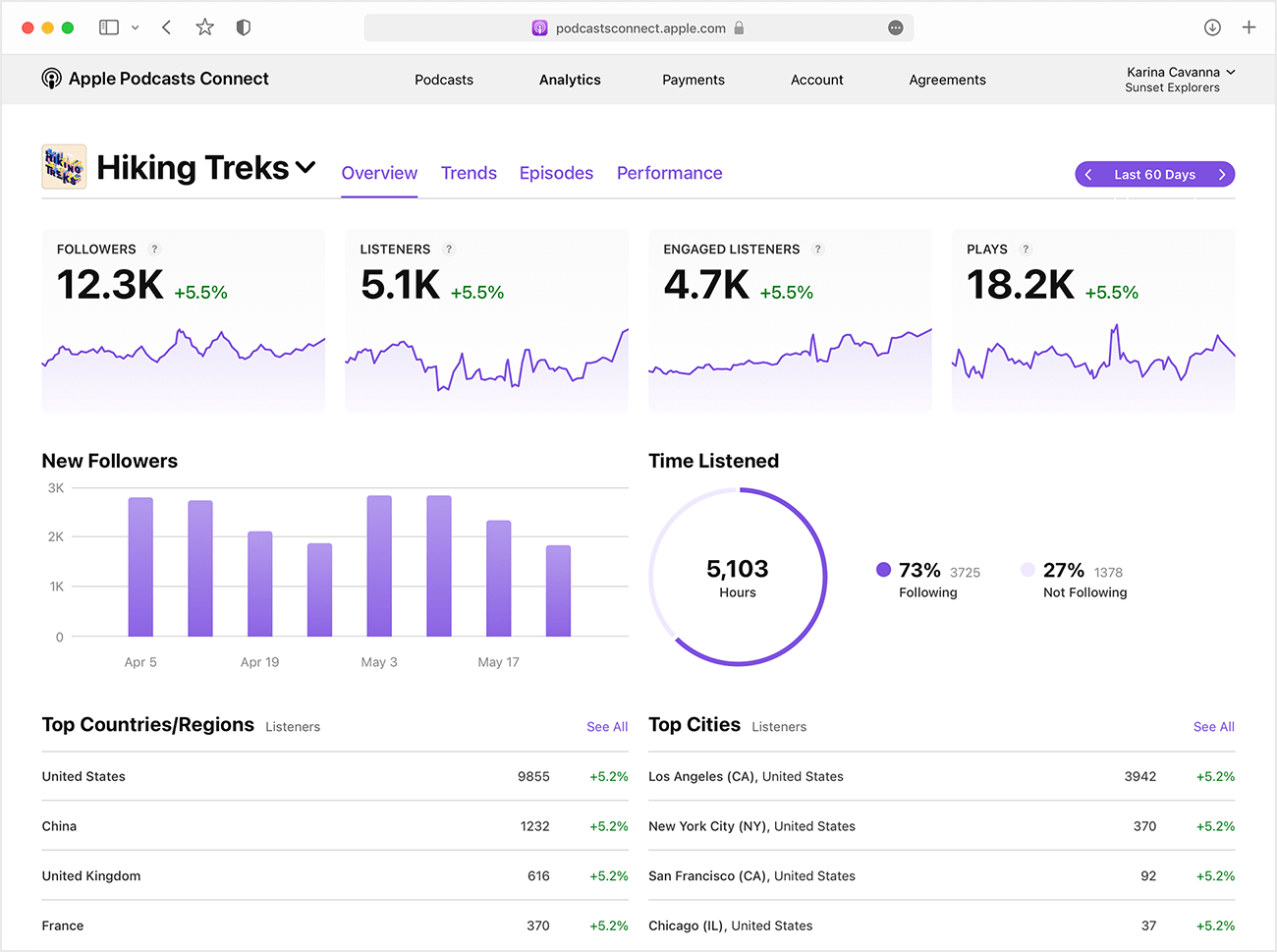
Today, in a post on the Apple Podcasts for Creators webpage, Apple announced an expansion of the podcast analytics it offers, which podcasters can sign up to use at Apple Podcasts Connect.
Apple is adding a new metric called Followers, the term Apple uses to describe listeners who subscribe to a free podcast. The company already provides analytics that track listener numbers, engagement, and plays. Still, Followers could give podcasters who are considering offering a paid subscription version of their podcast an idea of its potential audience. The new statistic will be available next month from the Analytics tab of Podcasts Connect and can be viewed over 60 days, a week, a month, or all time.
Apple will also provide a chart showing the total time a show has been listened to for a chosen period and what percentage of those listeners are followers of the show. A graph of a show’s followers over time and the gains or declines in followers will be available in the Trends tab too.
Until now, subscription-based podcasts had to be uploaded as WAV or FLAC files and processed on Apple’s end before being available for subscribers. Podcasters can now upload MP3 versions of their shows instead, which is a welcome change. We offer a subscription version of AppStories on Apple Podcasts. Although producing a WAV version of each episode isn’t a burden, uploading such a large file and waiting for it to process on Apple’s servers has been one of the few points of friction in the process, so I’m glad that has been eliminated.
If you offer subscriber podcasts through Apple Podcasts, Apple has also added new customization options for the subscription banners in the Apple Podcasts app. Finally, for podcasters who want help getting a podcast and subscription set up, the Apple Podcasts team is available to provide direct assistance.
It’s nice to see Apple continue to evolve its subscription offerings. I don’t pay much attention to metrics, but I know for some podcasters, they are crucial for attracting advertising. Still, over longer periods, analytics like those Apple will offer next month should make it easier to spot audience and listening trends, even if it is only from the Apple Podcasts slice of a show’s audience.
AppStories, Episode 266 – iOS, iPadOS, and macOS Updates In-Depth→
This week on AppStories, we dig into the details of the iOS and iPadOS 15.4 and macOS 12.3 updates that were released by Apple last week.






](https://cdn.macstories.net/banneras-1629219199428.png)
On AppStories+, a look at the first Mac Studio and Studio Display reviews.
We deliver AppStories+ to subscribers with bonus content, ad-free, and at a high bitrate early every week.
To learn more about the benefits included with an AppStories+ subscription, visit our Plans page, or read the AppStories+ FAQ.
Last Week, on Club MacStories: Calliope 1.2.0, the M1’s New Computing Baseline, and an Upcoming A.V. Club Town Hall
Because Club MacStories now encompasses more than just newsletters, we’ve created a guide to the past week’s happenings along with a look at what’s coming up next:
MacStories Weekly: Issue 312
- Calliope 1.2.0 is out with under-the-hood changes to the Club sign-in system.
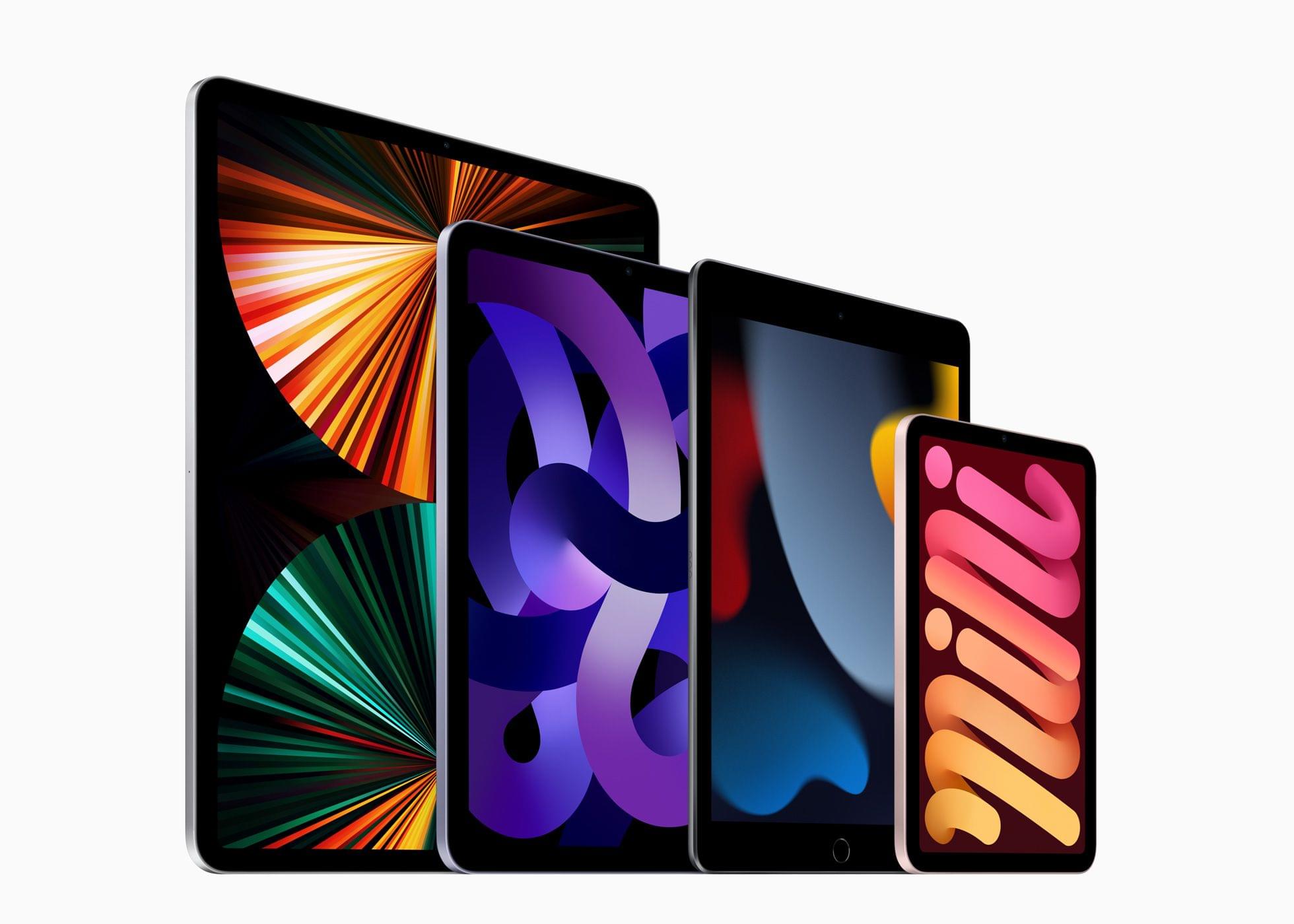
- The M1 raises the baseline performance of computing on the iPad and Mac, which opens up new opportunities on both platforms but also poses challenges if the software doesn’t keep up with hardware innovations.
- Yoni Kosiner’s development desk setup.
- Plus:
- App Debuts
- Highlights from the Club MacStories+ Discord
- Interesting links from around the web
- A sneak peek at what’s next on MacStories’ podcasts
- and more
Up Next

The next A.V. Club Town Hall will take place in Discord for Club MacStories+ and Club Premier members next Tuesday, March 22nd at 1:30 PM Eastern US time. See the Discord Announcements channel for details.
This month, we’ll be discussing the Apple TV+ series, The Afterparty.
ComicTrack: A Beautifully-Designed, Flexible Way to Organize Your Comic Book Reading
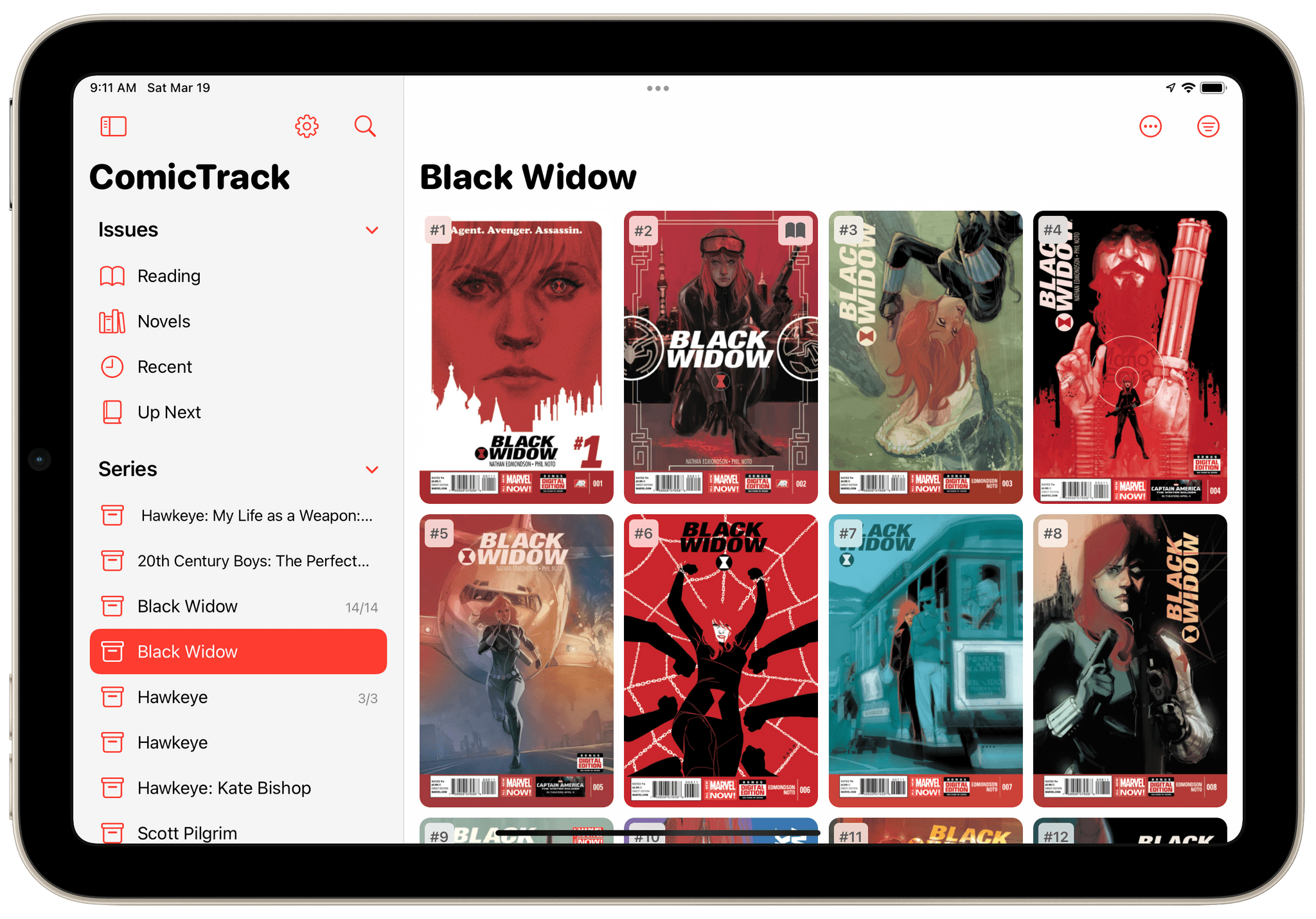
ComicTrack is a new app from Joe Kimberlin for tracking and organizing the comic books you’ve read, are currently reading, and want to read. The idea is similar to his excellent videogame tracking app, GameTrack, but applied to comics. I’ve been using ComicTrack for a couple of weeks now, and it’s excellent. Of course, you’ll also need a separate app to read your comics, but having a dedicated app to organize what I’m reading and plan to read has single-handedly gotten me back into reading comics more regularly.
For context, I’ve always been a very casual comic book fan. I have Comixology and Shonen Jump installed on my iPad mini, but I often go weeks or months without touching either. It’s not a lack of interest, so much as a combination of not knowing where to start and having limited free time. ComicTrack hasn’t magically granted me more free time, but it has made getting started much easier by reducing the friction of picking something to read.
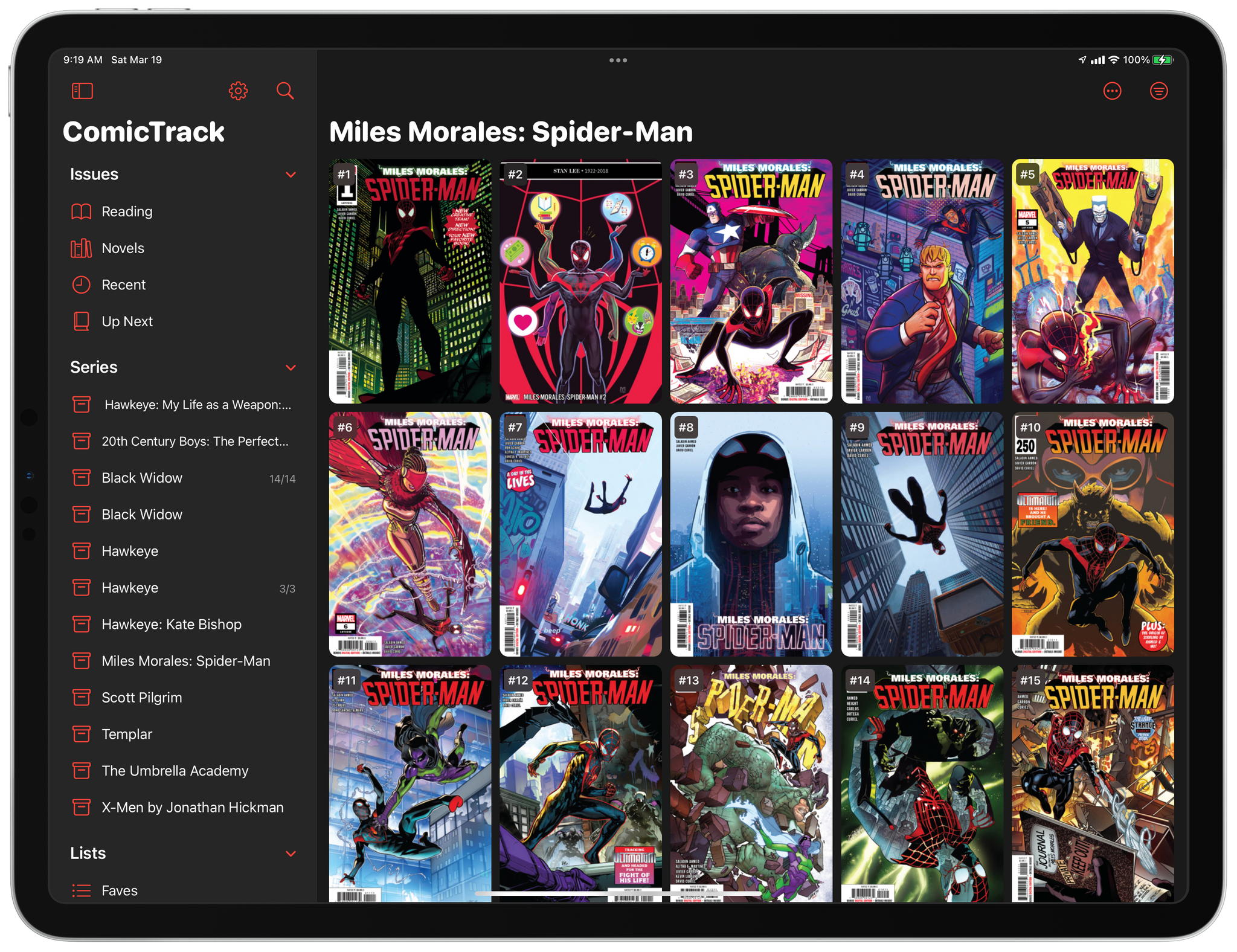
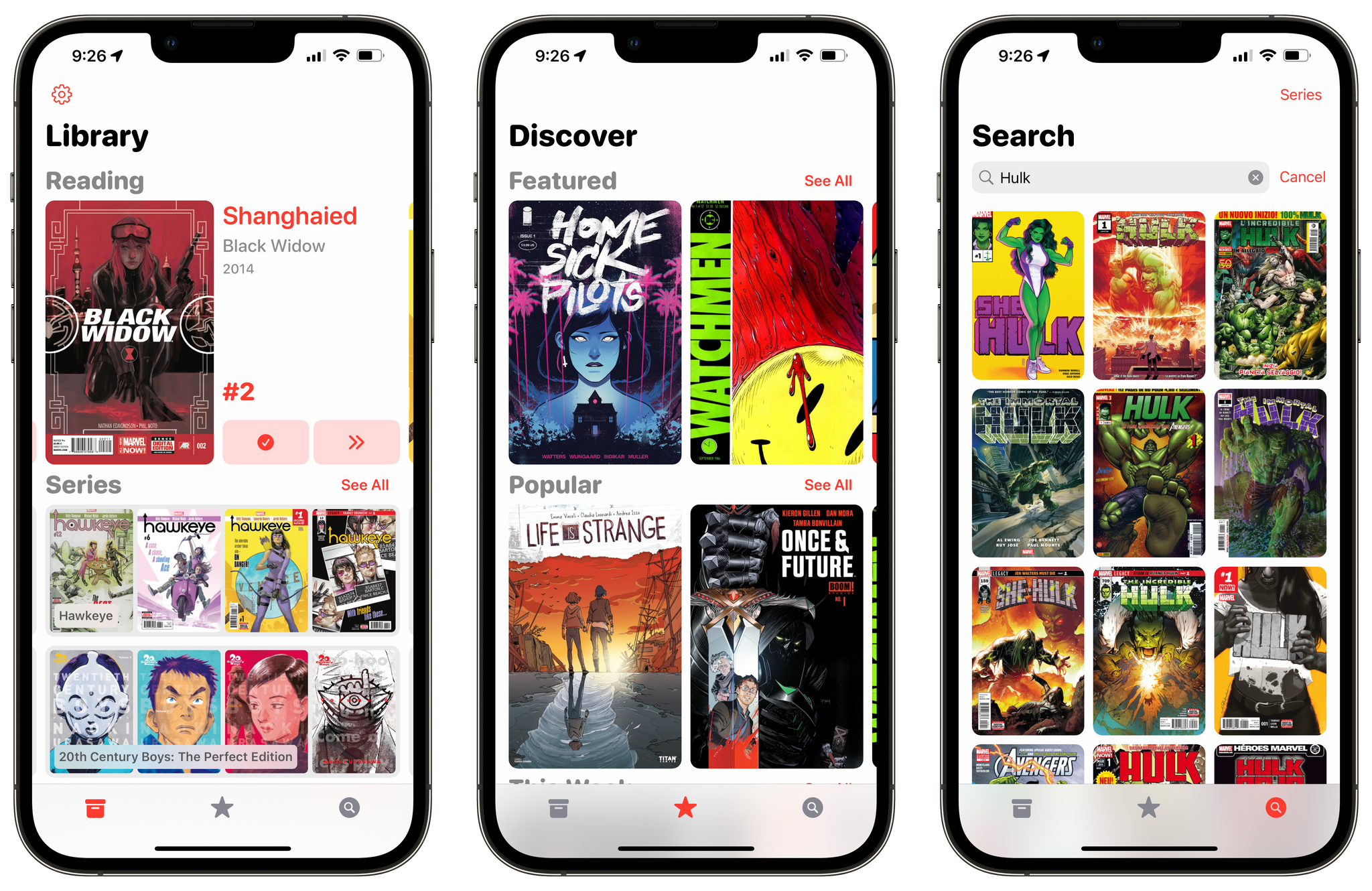
I’m going to focus on the iPad version of ComicTrack because that’s where I read most of my comics, but the app also works and looks great on the iPhone and Mac, as you’ll see in the screenshots below. Everything syncs over iCloud too. Also, although I spend most of my time using the iPad version of ComicTrack, I find the iPhone and Mac apps indispensable for collecting new ideas of things to read. I run across comic books all the time via RSS, Twitter, podcasts, and friends’ recommendations. That doesn’t just happen when I’m using my iPad, but with ComicTrack on all the platforms I use, it’s easy to add something that catches my eye.
Collections: A Powerful Database with iCloud Sync [Sponsor]
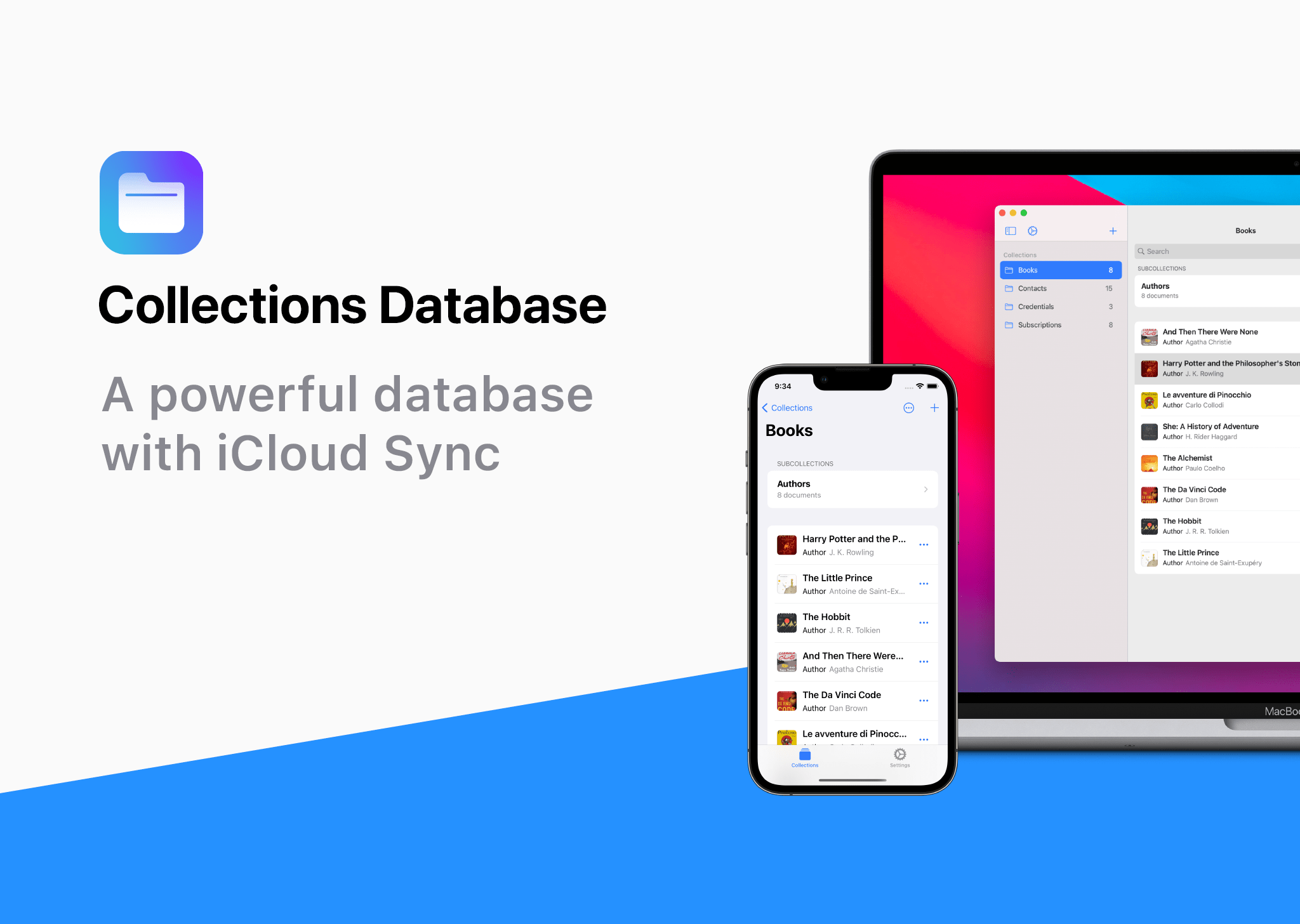
Collections Database is the premier personal database app for organizing anything and everything on your iPhone, iPad, and Mac.
The app features more than 20 field types, linkable sub-databases, reusable lists, and a robust customization system. It’s a powerful and flexible solution that makes Collections easy to get started with for beginners, while meeting the needs of advanced users too.
Collections provides essential templates to get started, including Expenses, Contacts, Subscriptions, Books and more. However, you’re always free to start from scratch by building your own custom templates.
A long, complete list of field types is available for your databases too. The set includes everything you’d expect from a modern database app, including Text, Number, Date, Picture - even Barcode fields. Collections can also import spreadsheets from other apps, using its powerful CSV import functionality. Collections also offers quick filters, sorting, password protection, smart text-based search, and more.
Collections is free to try, but by upgrading to the Pro version via In-App Purchase, you’ll gain access to an unlimited number of database entries and files, plus advanced filters. The Pro version also includes a unique visual formula editor the makes building complex formulas intuitive and easy.
The app is a universal purchase, so your purchase will be available on the iPhone, iPad, and Mac. At the same time, though, Collections has been carefully optimized to each Apple platform for the best experience on every platform.
Collections is regularly updated to take advantage of the latest Apple technologies and is privacy-minded. Your data isn’t collected or sent anywhere else.
To learn more, and download Collections Database visit the App Store today.
Our thanks to Collections Database for sponsoring MacStores this week.
MacStories Weekly: Issue 312
MacStories Unwind: Federico’s Surprise

This week, Federico surprises John with two new and unexpected tech purchases.
Links and Show Notes
Mac Studio and Studio Display Review Roundup
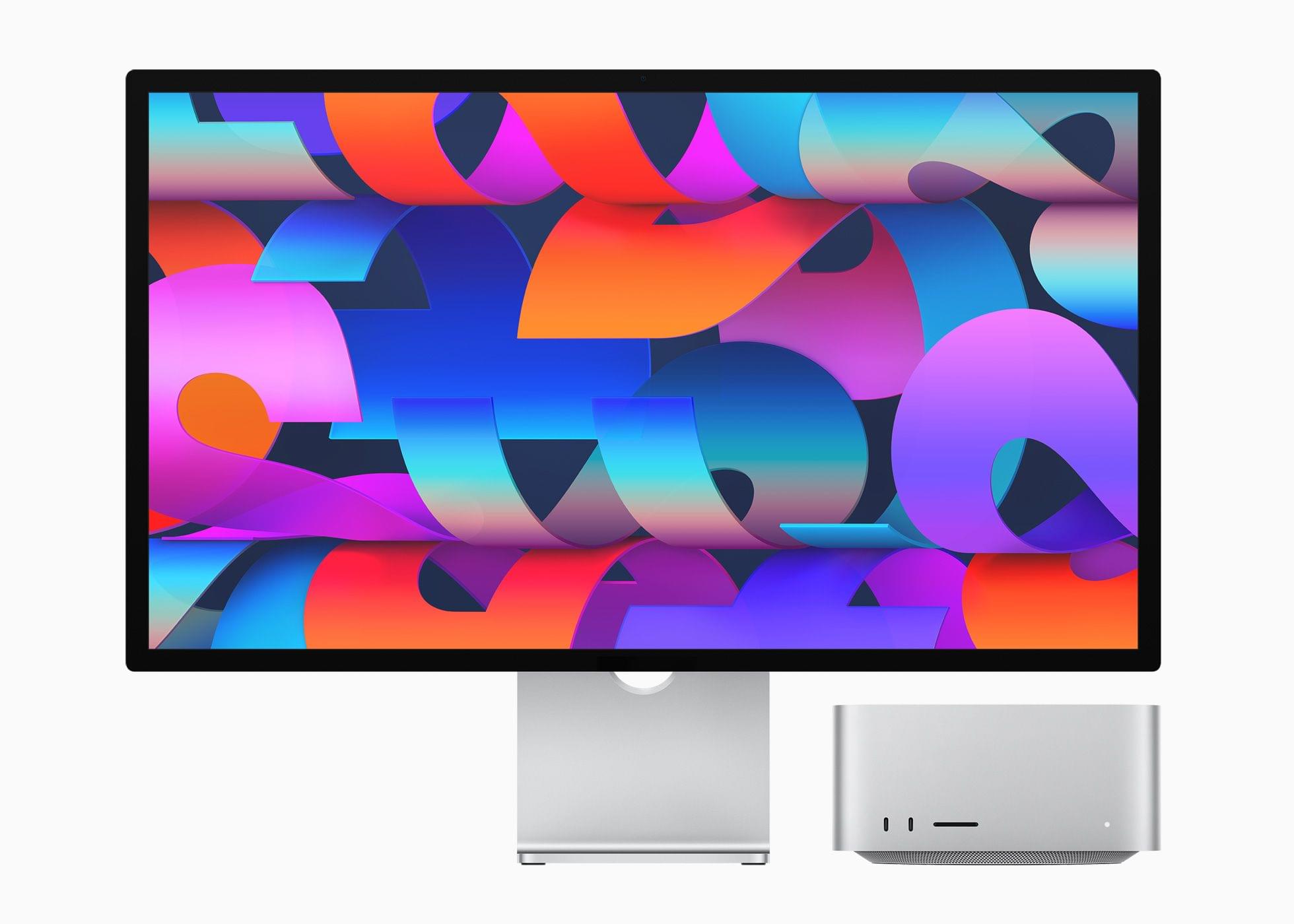
The reviews are out for the Mac Studio and Studio Display and a lot has been written about both. I’ve pulled some of the most interesting tidbits from the reviews, but if you’re considering buying a Mac Studio or Studio Display, be sure to read all of these reviews because they offer a wide range of perspectives on the kind of uses for which Apple’s new hardware is best.