This week on AppStories, we dive into John’s macOS Big Sur review to talk about Control Center, Notification Center and widgets, Mac Catalyst apps, Safari extensions, design, and even the upcoming M1 Macs.







Today, Apple announced a reduction in App Store commissions that will substantially benefit a large part of the developer community. Starting January 1, 2021, developers who earn up to $1 million per year from their apps will have the commission paid to Apple cut in half, reducing it from 30% to 15%. Apple CEO Tim Cook said of the new App Store Small Business Program in an Apple press release:
Small businesses are the backbone of our global economy and the beating heart of innovation and opportunity in communities around the world. We’re launching this program to help small business owners write the next chapter of creativity and prosperity on the App Store, and to build the kind of quality apps our customers love.
Cook continued:
The App Store has been an engine of economic growth like none other, creating millions of new jobs and a pathway to entrepreneurship accessible to anyone with a great idea. Our new program carries that progress forward — helping developers fund their small businesses, take risks on new ideas, expand their teams, and continue to make apps that enrich people’s lives.
Apple says that it will provide additional details about the new program in December, but here’s what we know so far:
For example, a developer that earns less than $1 million in 2020 on all of their apps after subtracting the amount paid to Apple for App Store commissions is eligible for the program and would pay a 15% commission on App Store earnings beginning January 1, 2021. Hypothetically, if the same developer has post-commission earnings of greater than $1 million in aggregate on all of their apps by, for example, September 1st, their App Store commission rate (assuming a paid-up-front app) would increase to 30% for the remainder of the year. That same developer would continue to pay 30% in 2022 but would be eligible for the 15% rate again in 2023 if their 2022 post-commission earnings fell below $1 million. It is our understanding that App Store earnings of all kinds count toward the $1 million total regardless of whether the source is a paid-up-front app, In-App Purchase, or a subscription.
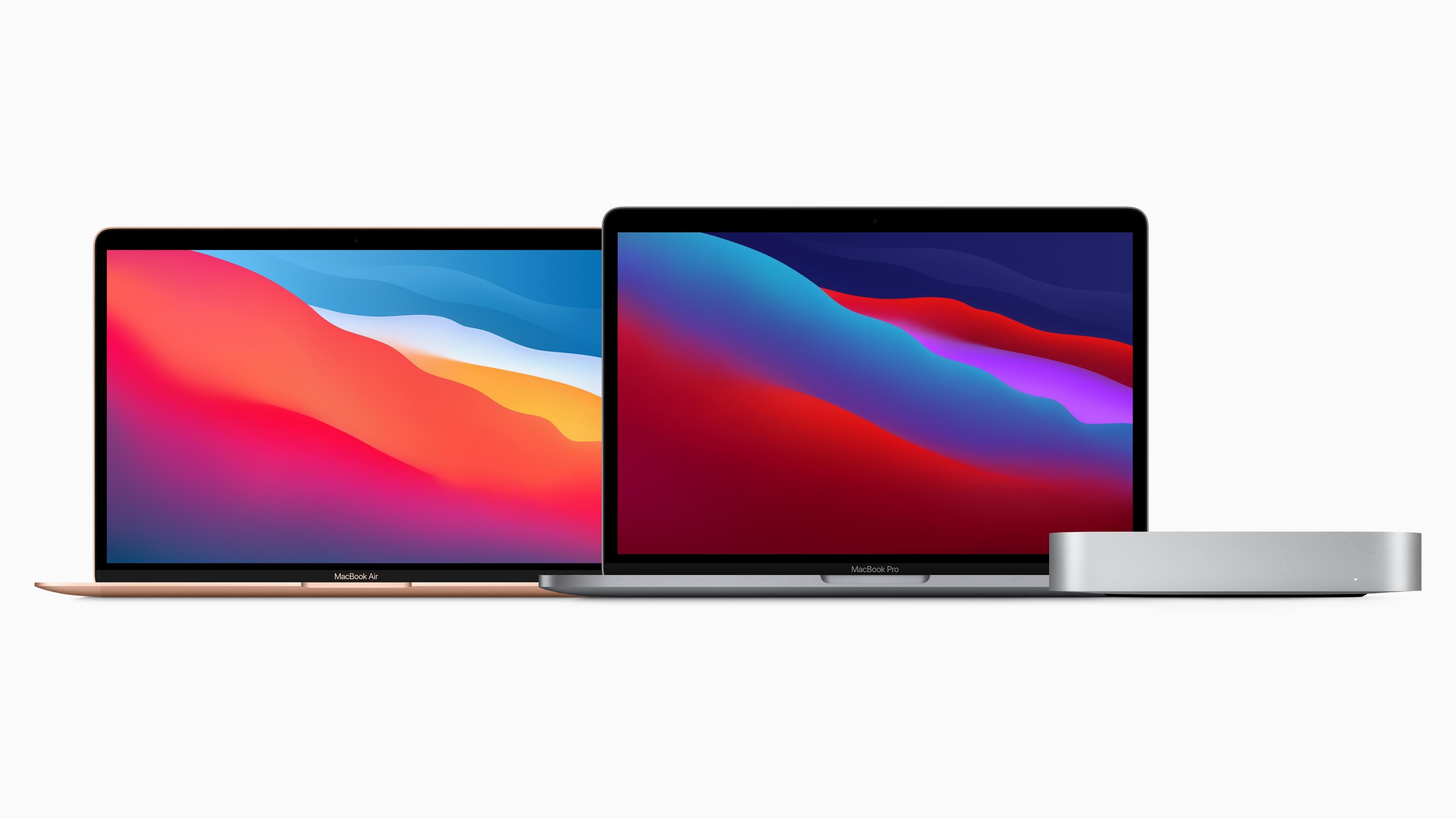
Last week, Apple unveiled M1-based models of the MacBook Air, MacBook Pro, and Mac mini. With deliveries of the computers beginning to arrive around the world, reviews are out, and I’ve rounded up some of the most interesting tidbits from them.
The reviews are overwhelmingly positive with a few caveats. However, reviewers were universally impressed by the new Macs’ performance and the laptops’ battery life. The experience of Wired’s Julian Chokkattu was common:
Spend a day with the new MacBook Air and the improvements are immediately noticeable. The thing’s as powerful as many of the higher-end Intel-powered Macs, blowing past the speed limits of the higher-tier MacBook Air from earlier this year. The M1 is no Mac evolution, it’s a Mac revolution.
What’s especially remarkable about these Macs is that they are low-end models as Jason Snell observes on Six Colors:
It’s all too easy to overlook the fact that these are low-end models, given how fast they are. But this is just Apple’s first step in what the company says is a two-year-long transition. The M1 chip, which appears to be a next-generation riff on the A12X processor in that 2018 iPad Pro, has a bunch of limitations that will undoubtedly not exist on future Apple-designed Mac processors: It only supports two Thunderbolt ports and up to 16GB of RAM. It has no support for external GPUs or discrete graphics of any kind. It can drive a maximum of two displays. It is, by every definition, a low-end chip, the slowest and least capable Mac chip Apple will ever make.
And yet…
Based on my testing, it’s also safe to say that all three M1-based Macs, these low-end systems at the bottom of Apple’s price lists, are among the fastest Macs ever made.
Jason and Myke Hurley also interviewed Apple’s Tim Millet and Tom Boger on Upgrade about the M1 Macs.
Last month, GitHub removed the code repository of the popular media tool youtube-dl following a DMCA takedown request by the Recording Industry Association of America. This move was met with widespread criticism, including the EFF stepping into the fray.
Today GitHub has responded decisively by reinstating youtube-dl, revising its DMCA takedown policies, and establishing a $1M developer defense fund. The new policies seem designed to extend more of the benefit of the doubt to developers, and will hopefully put an end to repositories being taken down by frivolous claims before any investigation has occurred. Make sure to check out GitHub’s post (which explains all of this quite well) to see exactly what policies they’re adjusting. As for the developer defense fund, GitHub has this to say:
Developers who are personally affected by a takedown notice or other legal claim rely on non-profits like the Software Freedom Law center and the Electronic Frontier Foundation (EFF) to provide them with legal advice and support in the event that they face an IP claim, under the DMCA or otherwise. These organizations provide critical legal support to developers who would otherwise be on their own, facing off against giant corporations or consortia.
Nonetheless, developers who want to push back against unwarranted takedowns may face the risk of taking on personal liability and legal defense costs. To help them, GitHub will establish and donate $1M to a developer defense fund to help protect open source developers on GitHub from unwarranted DMCA Section 1201 takedown claims. We will immediately begin working with other members of the community to set up this fund and take other measures to collectively protect developers and safeguard developer collaboration.
If you want to support developers facing legal challenges, you can consider supporting SFLC and EFF yourself as well.
I’m pleased to see GitHub take these sweeping actions in response to this issue. Hopefully developers can now feel more at-ease when hosting their code on the industry’s largest version-control platform.
Apple Podcasts now supports an embeddable podcast player for shows in its directory along with other marketing tools.
The player comes is responsive and can display either a show with multiple episodes or an individual episode along with playback controls and navigation options. There are controls for play/pause and to skip forward 30 seconds and back 15 seconds, as well as a timeline scrubber that appears after you click or tap play. An ellipsis menu button provides options to open a show or episode in Apple’s Podcasts app, copy a link to the show or episode, and copy embeddable code. The player is also responsive, making it look terrific on mobile and desktop devices. It’s worth noting that content blockers will hide the embedded players, so if you don’t see them below, disable content blockers and reload the page.
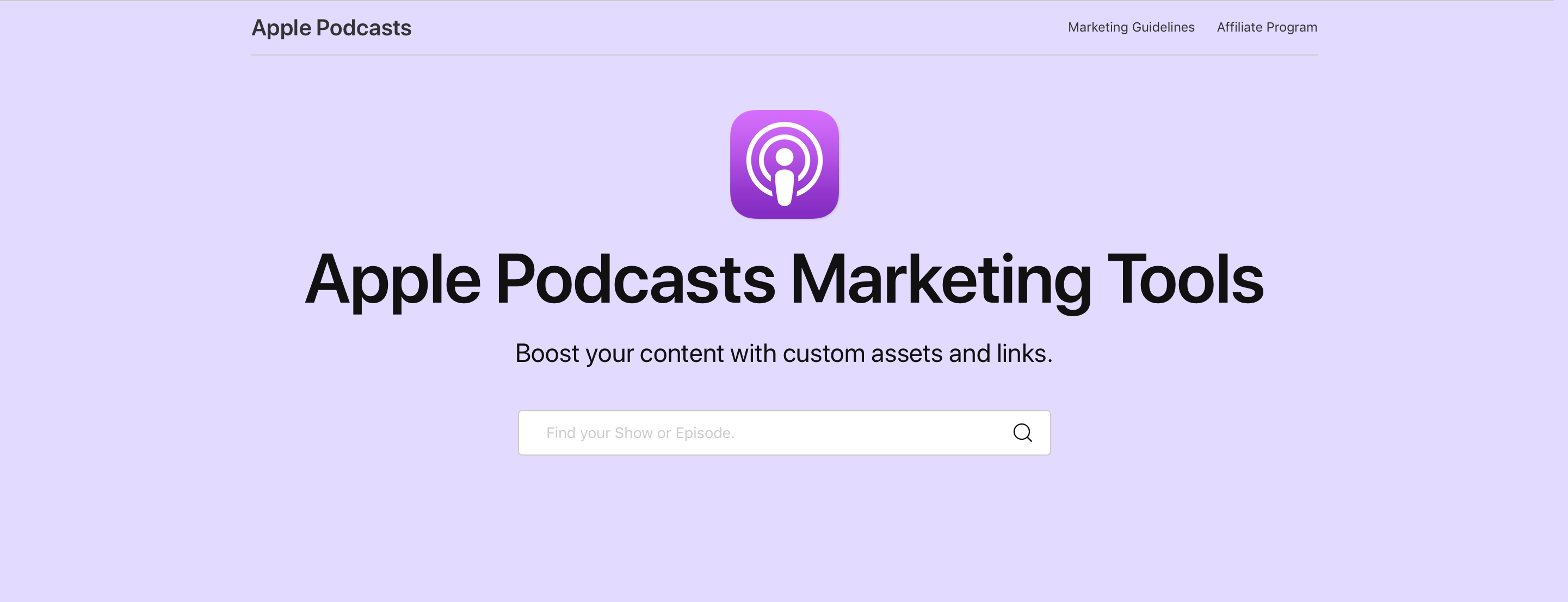
To create the code to embed the Podcasts player, visit the Apple Podcasts Marketing Tools webpage. Here’s an example of the large version of this week’s episode of AppStories:
And an embed for the show itself:
The embed for a show plays the latest episode by default with additional episodes available to the right of the player. The ‘See More Episodes’ button opens the Podcasts app. In addition to the new player, the Podcasts Marketing page offers badging resources, show and episode short link generation, Apple Podcasts iconography that can be embedded or downloaded, and QR code generation.
We’ve tested Apple’s new embeddable player with AppStories and I’ve been extremely happy with it. First of all, it’s dead simple to implement. The player uses an iframe, which means it should work out-of-the-box with little, if any, fiddling for most websites. MacStories uses WordPress and all I needed to do was paste the iframe code into the story.
What’s more, the embeds look fantastic, far better than most of the options available from podcast hosting services. Most important of all, though, the user experience is excellent, allowing MacStories readers to sample a show inline and jump to the Apple Podcasts app on any platform to learn more and subscribe.
Apple has had a similar widget system for Music content for a while, and I’m glad to see it’s been implemented for shows in Podcasts too. Podcast fans already have their preferred ways to access their favorite shows. What Apple Podcasts web embeds provides, though, is discoverability. The embeds are a simple, frictionless way for readers to sample the show and hopefully become subscribers.
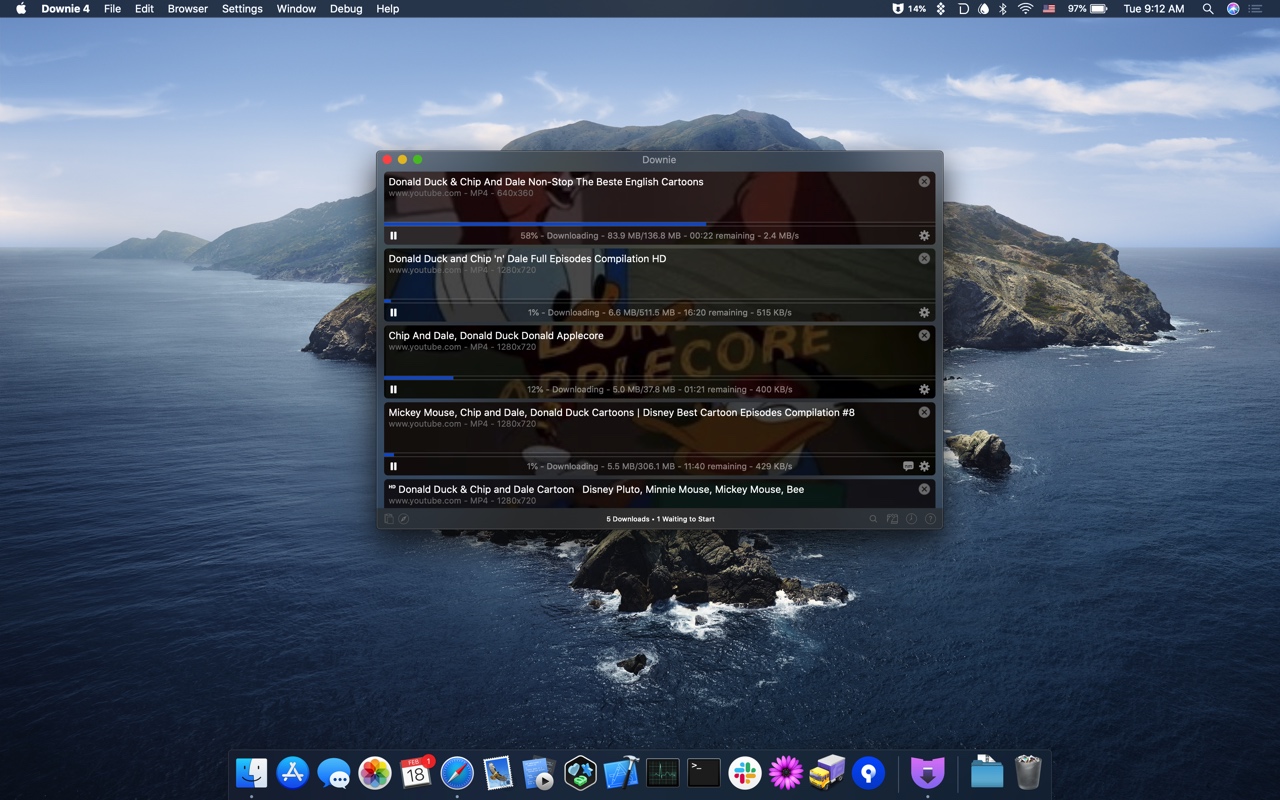
Downie for Mac simplifies the process of downloading videos from YouTube and over one thousand other sites. Just drag a URL from your browser into Downie or onto its dock icon from sites like YouTube, Youku, Bilibili, and Vimeo to immediately download a video. You can even copy text containing video URLs and paste it into Downie to start a download.
Downie is efficient and organized. Instead of downloading now, queue downloads for later. It’s a great way to process dozens of videos while you sleep and aren’t using your Internet connection for something else. Downloads can be organized automatically into folders too based on source and playlist, saving you the hassle of organizing them yourself.
When you use Downie, you also know you’re getting the best version of a video that’s available. For example, unlike many other download apps, Downie can download the 4K version of a video from YouTube if one is available. It’s that sort of attention to detail, combined with attentive support, frequent updates, and localization that makes Downie a great choice for video downloads.
Downie 4 was just released with a redesigned UI and great new features that make the app better than ever. Now, you can control Downie from the menu bar and hide the dock icon if you’d like. Downie is also up to six times faster than before, saving you a lot of time when downloading and processing large numbers of videos. Metadata is written to a JSON file now too, making it easy to process later.
For a limited time, Downie has a special 25% discount just for MacStories readers. All you need to do is use this link to purchase the app. You can use the coupon code D1B766ED at checkout to get the discount too.
Expand your video collection the easy way today, with Downie.
Our thanks to Downie for sponsoring MacStories this week.
 MacStories Weekly: Issue 248
Sponsored by: GoodTask – Better Widgets for Reminders and Calendars on iOS 14
This week on MacStories Unwind:
Following Apple’s special event this Tuesday, The Independent scored an interview with Craig Federighi, Greg Joswiak, and John Ternus. The Apple execs provided some fascinating insight into their new M1 chips, including that the speed and battery life of the M1 Macs were far greater than even Apple had imagined they would be before the project began.
Federighi discusses the differences between the new MacBook Air and Pro as well. The Independent’s Andrew Griffin writes:
The M1 arrives at first in three different products: the MacBook Air, MacBook Pro and Mac Mini. The latter occupies its own place in the line-up, but given that the Air and Pro now have the exact same chip, how can they stay distinct?
“Thermal capacity,” says Federighi decisively. The Pro has a fan – Apple calls it an “active cooling system” – while the Air doesn’t, and the rest of the performance flows from there.
Federighi starts sketching out a graph that will be familiar to anyone who watched the event. The thing that is really holding these chips back is heat: as you give them more cooling to play with, they become even faster. The MacBook has some other things, too – such as even more battery – but it’s that extra headroom that really allows them to roar.
The interview also discusses Apple’s chip naming strategies and their decision to not ship new laptop hardware designs alongside the new chips. Federighi even gets a chance to pour cold water on the popular theory that Big Sur is paving the way for touchscreen Macs:
“I gotta tell you when we released Big Sur, and these articles started coming out saying, ‘Oh my God, look, Apple is preparing for touch’. I was thinking like, ‘Whoa, why?’
“We had designed and evolved the look for macOS in a way that felt most comfortable and natural to us, not remotely considering something about touch.
Make sure to check out the whole article over at The Independent.