
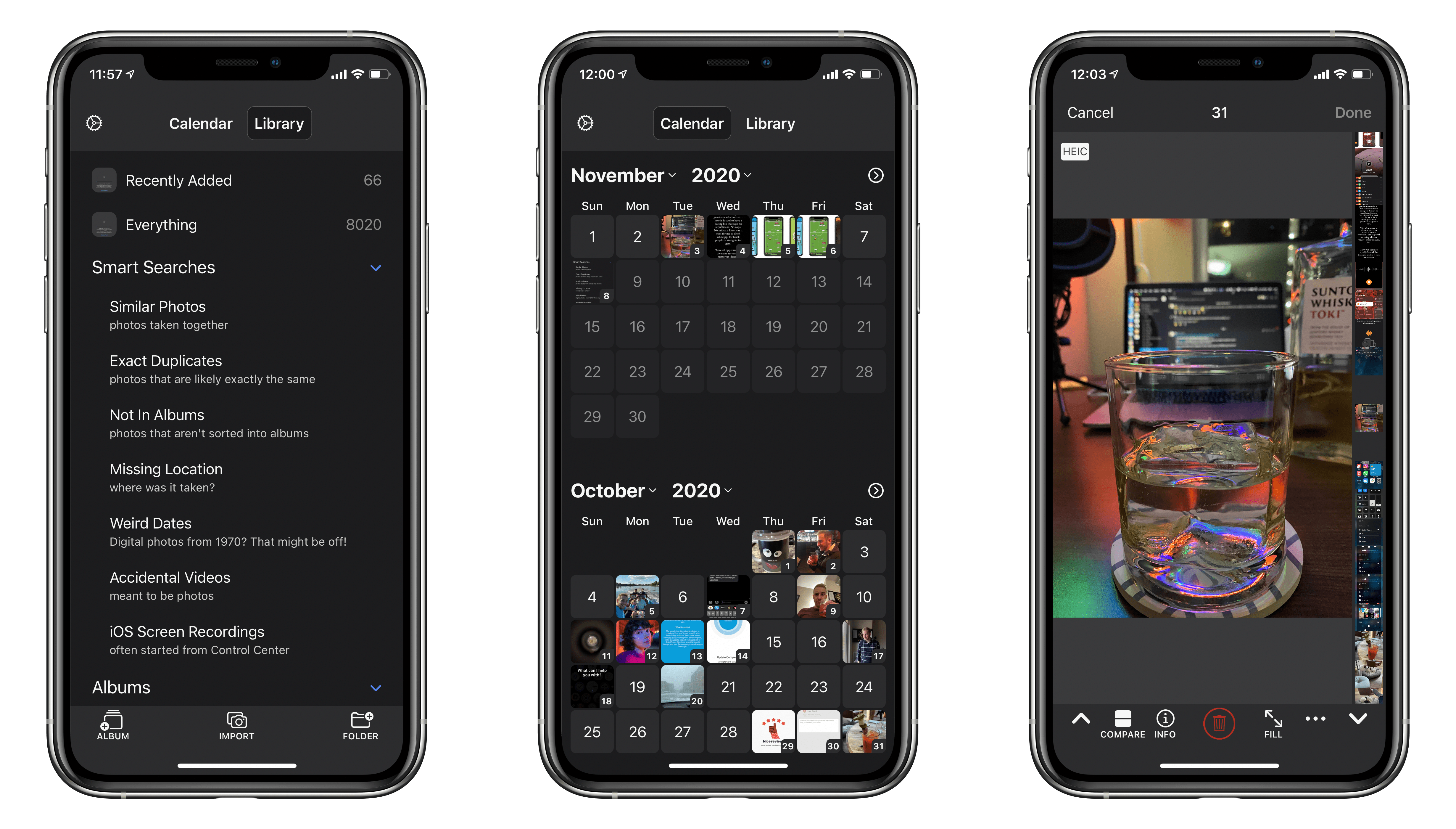
BestPhotos is a streamlined photo management app for iOS and iPadOS, which we last covered a couple years ago. The app seeks to help users clean up their photo libraries using smart searches, photo comparisons, and metadata edits. Today marks the release of BestPhotos 3.0, a major update in which developer Eric Welander has added a variety of useful new features and improvements.
BestPhotos 3 Introduces Calendar View, A New Compare Interface, and More
GoodTask: Better Widgets for Reminders and Calendars on iOS 14 [Sponsor]
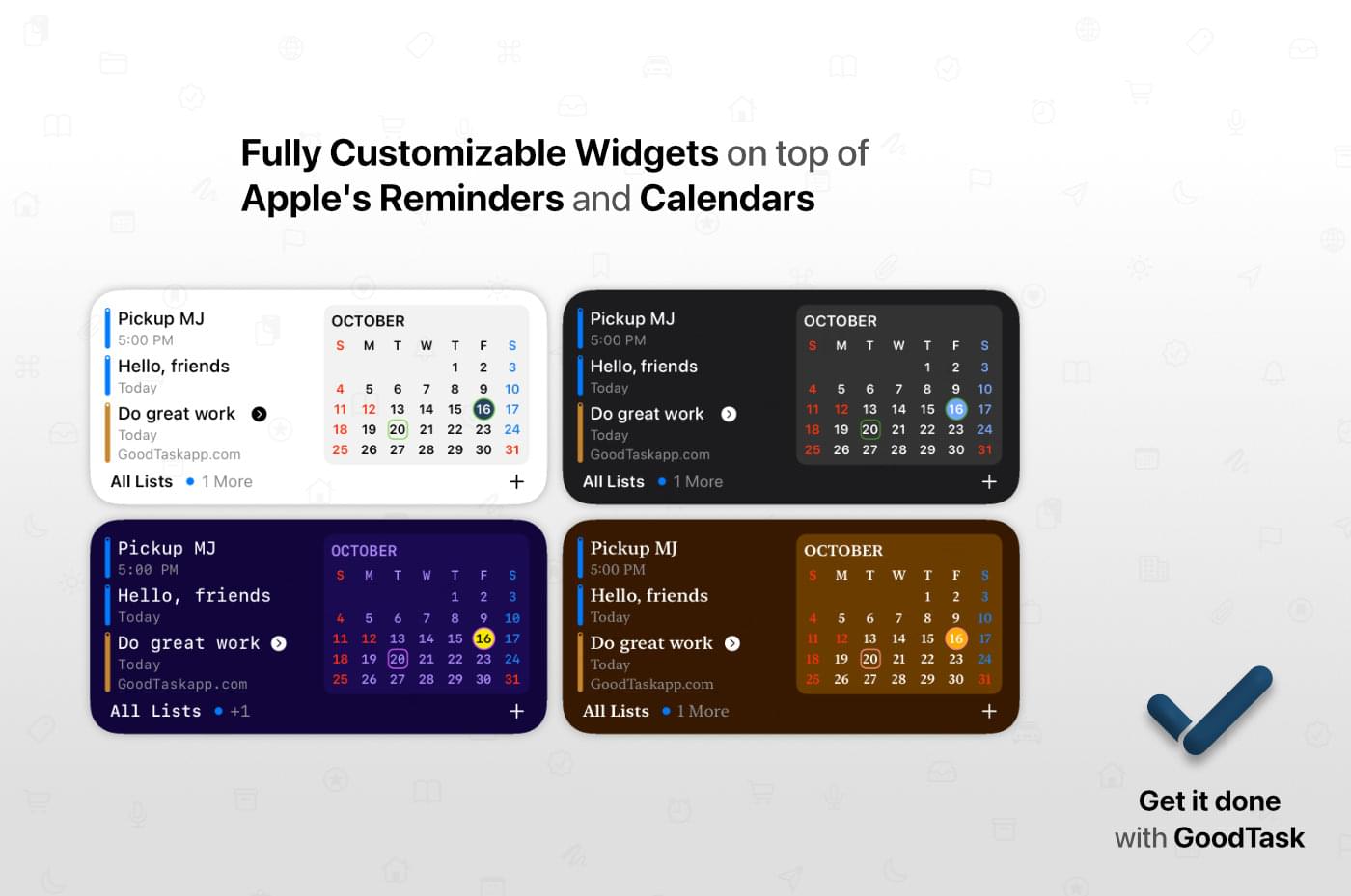
GoodTask is a powerful, customizable task manager for the iPhone, iPad, and Mac that’s built on top of Apple’s Reminders app and integrates with your calendars. It’s a solid foundation that GoodTask extends with fast, reliable syncing, Siri and Shortcuts support, and many other features.
The hallmark of GoodTask is customization, which extends throughout the app’s feature set. With the latest update on the iPhone and iPad, GoodTask added widgets allowing users to place task lists, calendars, and favorites on their Home Screens. Among other things, the List widget lets you pick the list displayed, the size, whether a calendar is shown, and the density of information shown. There’s also a Favorites widget allows you to do things, like create template tasks for more quickly entering recurring reminders.
Of course, the look of the widgets is highly customizable, too, just like the app. You can pick a style and color all your own that works with your other widgets. You can also theme the app and pick from a long list of icons to suit your tastes.
GoodTask includes powerful filters for creating Smart Lists that let you create a list of a subset of your tasks based on a wide assortment of conditions. The app has innovative Quick Actions too. By defining a grid of information to add to tasks with a single tap from the Quick Actions view, you can save time by eliminating the need to repeatedly type common information.
Take charge of task management today by visiting GoodTask’s website or YouTube channel to learn more about its Mac, iOS, and Watch apps and discover the power of the premier task manager based on Apple’s Reminders app.
Our thanks to GoodTask for sponsoring MacStories this week.
MacStories Unwind: iOS and iPadOS 14.2, Default HomePod Music Services, and Apple Silicon Macs







Sponsored by: Shake – Bug Reporting Tool for Your Mobile App
This week on MacStories Unwind:
MacStories
- Apple One Subscription Bundles Are Now Available
- Apple Releases iOS and iPadOS 14.2 with New Emoji, Wallpapers, AirPlay 2 Interface, AR Face Detection, and Shazam Toggle for Control Center
- Switching Your Default HomePod Music Service to Pandora
- Apple Announces November 10, 2020 Online Media Event
Club MacStories
- MacStories Weekly
- MacStories Favorite: Doodle Jump
- Shortcuts Requests, including a way to archive webpages as images
- John on what running iPhone and iPad apps on Apple silicon Mac might be like
AppStories
Unwind
- Federico’s Pick:
- girlfriends by girlfriends
- John’s Pick:
- Queen’s Gambit on Netflix
 MacStories Weekly: Issue 247
Apple Releases iOS and iPadOS 14.2 with New Emoji, Wallpapers, AirPlay 2 Interface, AR Face Detection, and Shazam Toggle for Control Center
Today Apple released the second major revision to iOS and iPadOS 14 since their introduction in September. The previous major update, 14.1, was largely just for iPhone 12 support and bug fixes. iOS and iPadOS 14.2 are packed with quite a few nice new additions to the operating system, and are available to the public as of this morning.
New Emoji and Wallpapers
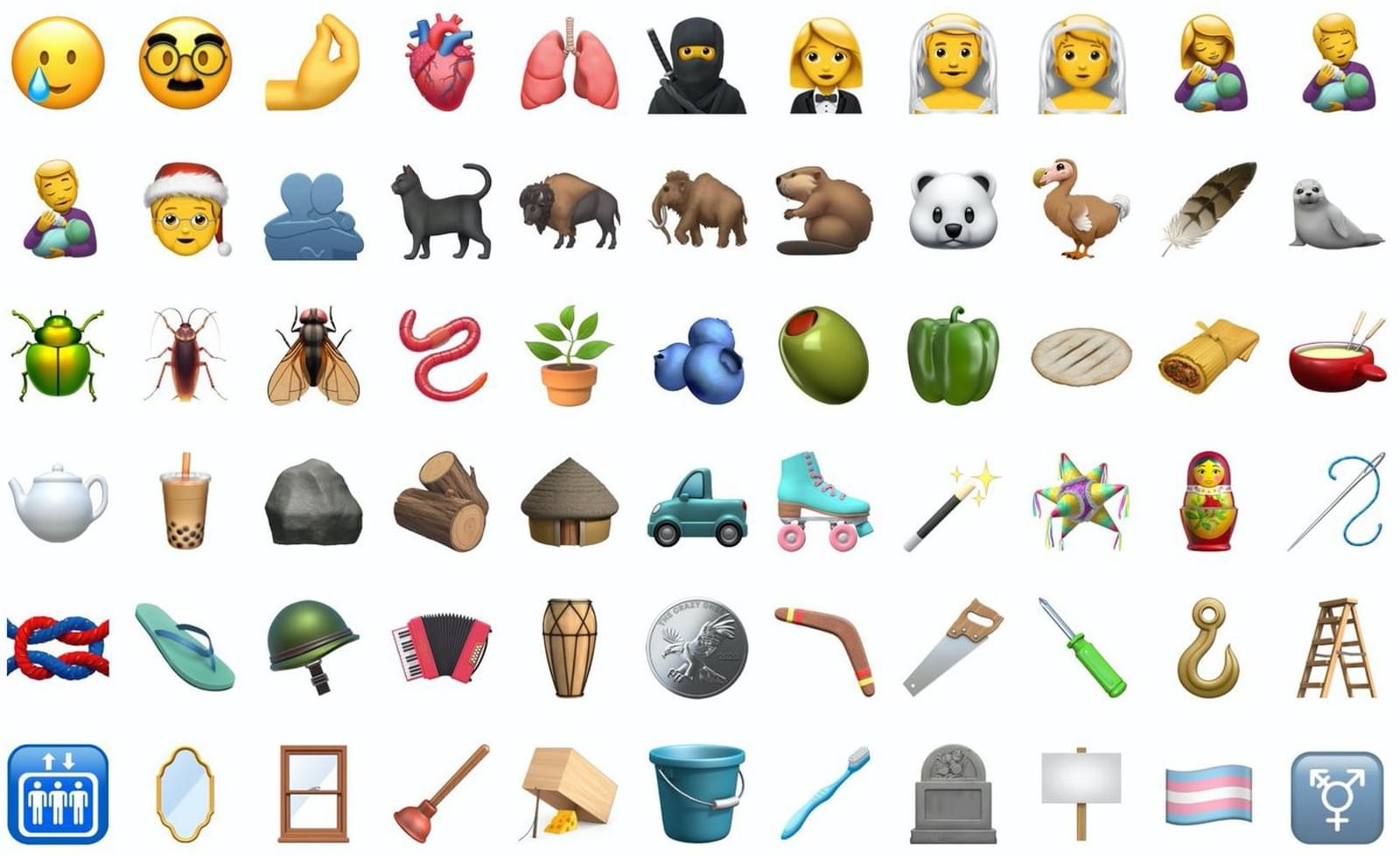
iOS 14.2 packs over 100 new emoji, including a smiling face with a tear1, a ninja, a toothbrush, and a pickup truck. Emojipedia covered the new emoji earlier in the beta cycle, and of course Federico attempted to guess all of their official names on an episode of Connected. My personal favorite is the new mousetrap emoji, which reminds me of the leprechaun traps that my sister and I used to set up the night before St. Patrick’s Day when we were growing up.
Eight new still wallpapers have also been released in today’s update. Some are photos of mountainous regions while others are scenic illustrations. Each new wallpaper includes a variation for light and dark mode.
AppStories, Episode 192 – How Widgets Have Changed the Way We Use Our Devices→
Switching Your Default HomePod Music Service to Pandora

Yesterday, Pandora updated its iOS app, allowing it to serve as your default music streaming service on the HomePod. The setup isn’t entirely obvious, but it’s not difficult either, and it’s available in iOS and iPadOS 14.1 and 14.2. Here’s how it works.
Apple first revealed that the HomePod would support third-party music streaming services at WWDC without any explanation of how that would work. However, with the release of Pandora’s update, we now know that the process involves a combination of the third-party app’s settings and Apple’s Home app.
Other third-party music services are sure to follow Pandora’s lead, so even if you’re not a Pandora user, it’s instructive to see how it has implemented HomePod integration. In the Pandora app, tap on the Profile tab, select the gear icon in the top, righthand corner of the screen, and then tap ‘Connect to HomePod’ and then ‘Use in Home’ when prompted. Once you complete these steps, you can ask Siri to play music ‘on Pandora’ from your HomePod.
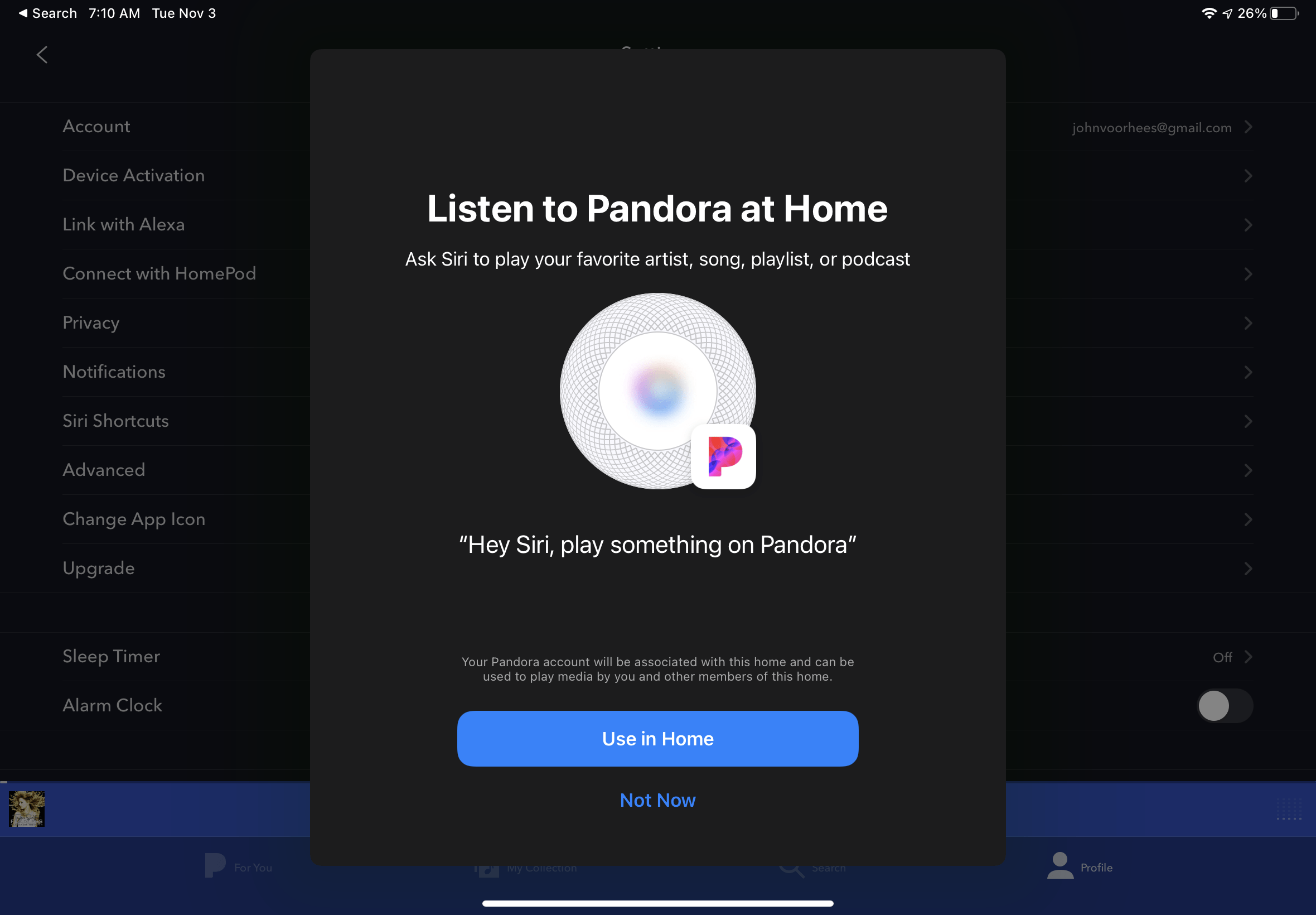
If you want to take things a step further, you can make Pandora your default music service in the Home app. Open Home, and go to Home Settings, which you can reach by tapping the house button at the top of your iPhone or iPad’s screen. Next, tap your profile picture. Here, you’ll see your personal Home settings. If you set things up correctly in Pandora, it will be listed under the Media section of your Home Settings. Tapping on the Pandora entry allows you to toggle Update Listening History on or off and remove Pandora from the Home app. If you have multiple people assigned to your home, only the primary user can manage music streaming services.
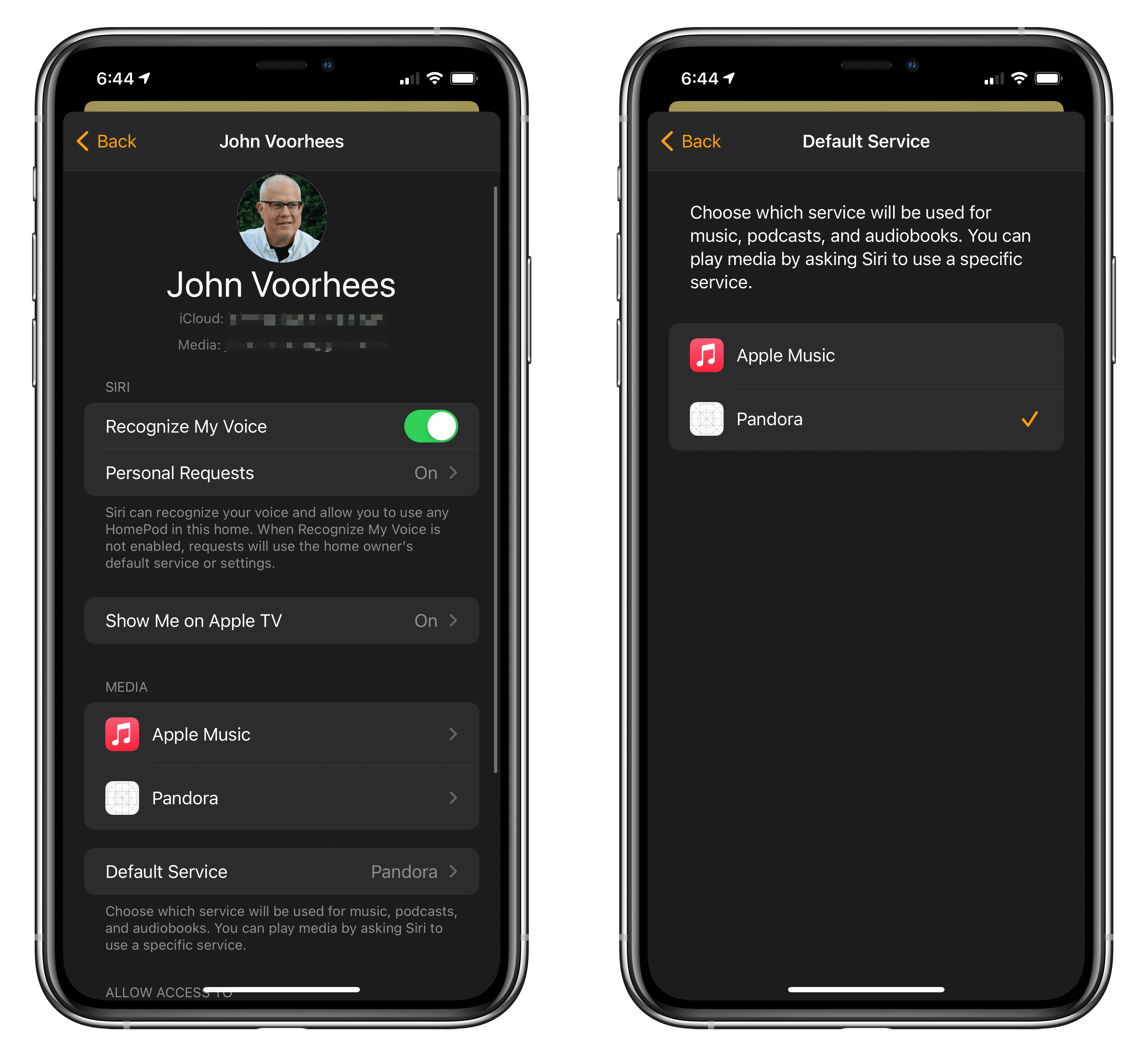
Setting up Pandora as my default music streaming service. Note that a bug in iOS 14.2 fails to display app icons properly at times.
To set Pandora as your HomePod’s default music streaming service, tap ‘Preferred Service,’ which is directly below the Media section.1 Here, you’ll find a list of each service available to be set as your default. Pick Pandora, close Home Settings, and you’re finished. Instead of having to request that Siri play music ‘on Pandora,’ all requests to play music will play using Pandora’s service unless you specify a different service. Once Pandora has been added to Home, it remains available on your HomPod, even after its app is deleted from all your devices.
Apple Music and other services will still be available from your HomePod after you switch default services. However, you’ll have to specify the playback service you want to use, even if you’re asking Siri to play a playlist specific to Apple Music or one you created in your Apple Music library. For example, with Pandora set as your default service, to switch to Apple Music, you need to use a command like “Hey Siri, play Taylor Swift on Apple Music.’
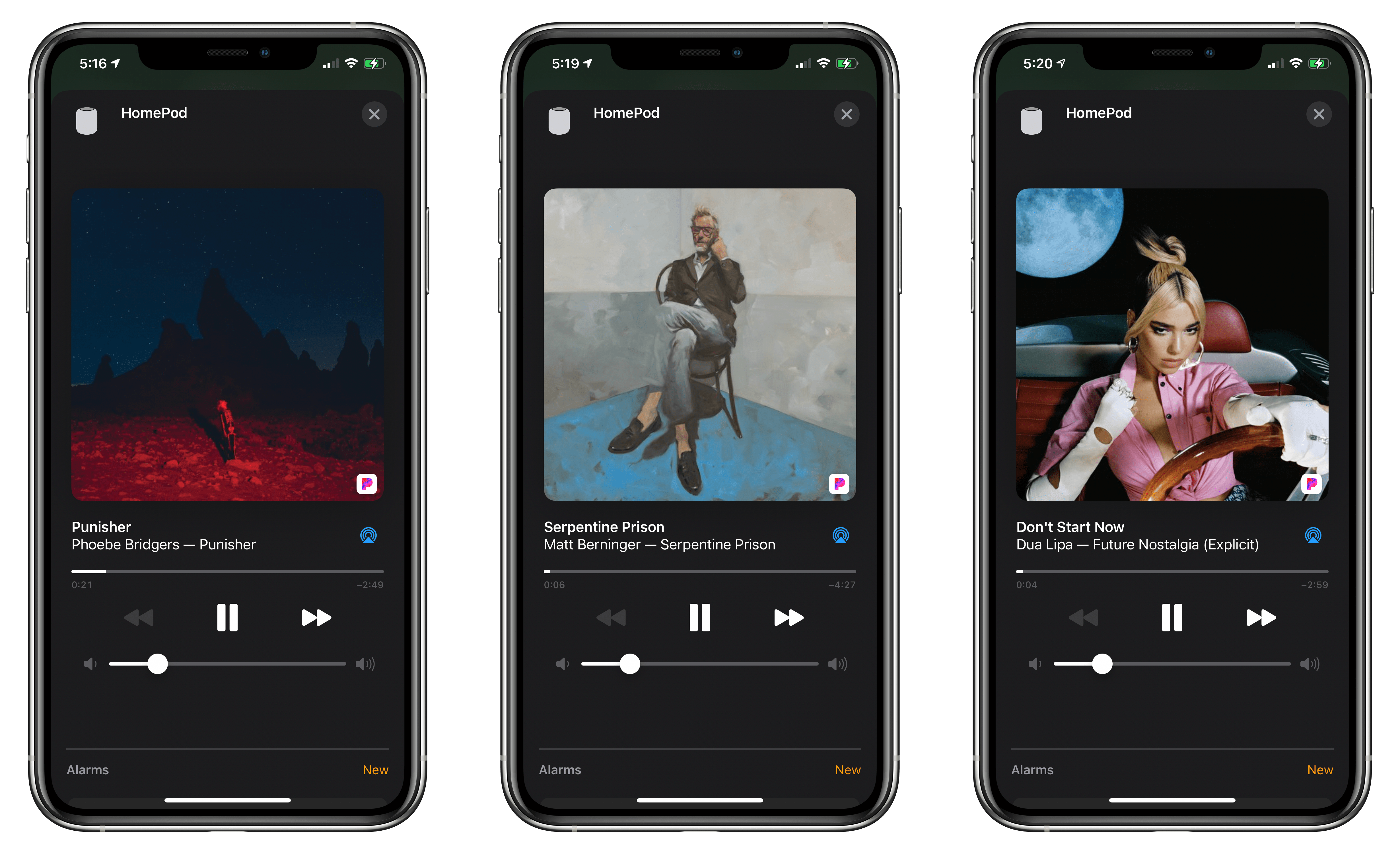
Switching to a different music streaming provider worked seamlessly in my testing. Unfortunately, it’s not immediately obvious where to go to find the settings to switch services in the Home app. I suspect a lot of users will look in their HomePod’s settings or the top level of Home Settings, where you go to manage hubs and other categories of HomeKit devices. Still, once you know where to look, the process is simple and a welcome alternative for users who prefer different music streaming services.
- In iOS and iPadOS 14.2, the Home app uses the terminology ‘Default Service’ instead of ‘Preferred Service.’ ↩
Apple Announces November 10, 2020 Online Media Event
As tweeted by Federico, Apple has announced a media event for November 10, 2020, at 10:00 am Pacific. The event will be held online only.
Based on widespread speculation, Apple is expected to introduce its first Apple silicon Mac, which the company said at WWDC would debut before the end of the year. It’s possible that Apple could also announce long-rumored over-ear headphones and, perhaps, the AirTag location trackers too.
Apple is also likely to announce a release date for macOS 11.0 Big Sur. If Apple’s September Apple Watch and iPad event is any indication, the final 11.0 version of macOS Big Sur could be released to the public soon after the event.
Shake: Easy, Effective Bug Reporting for Your Mobile App [Sponsor]
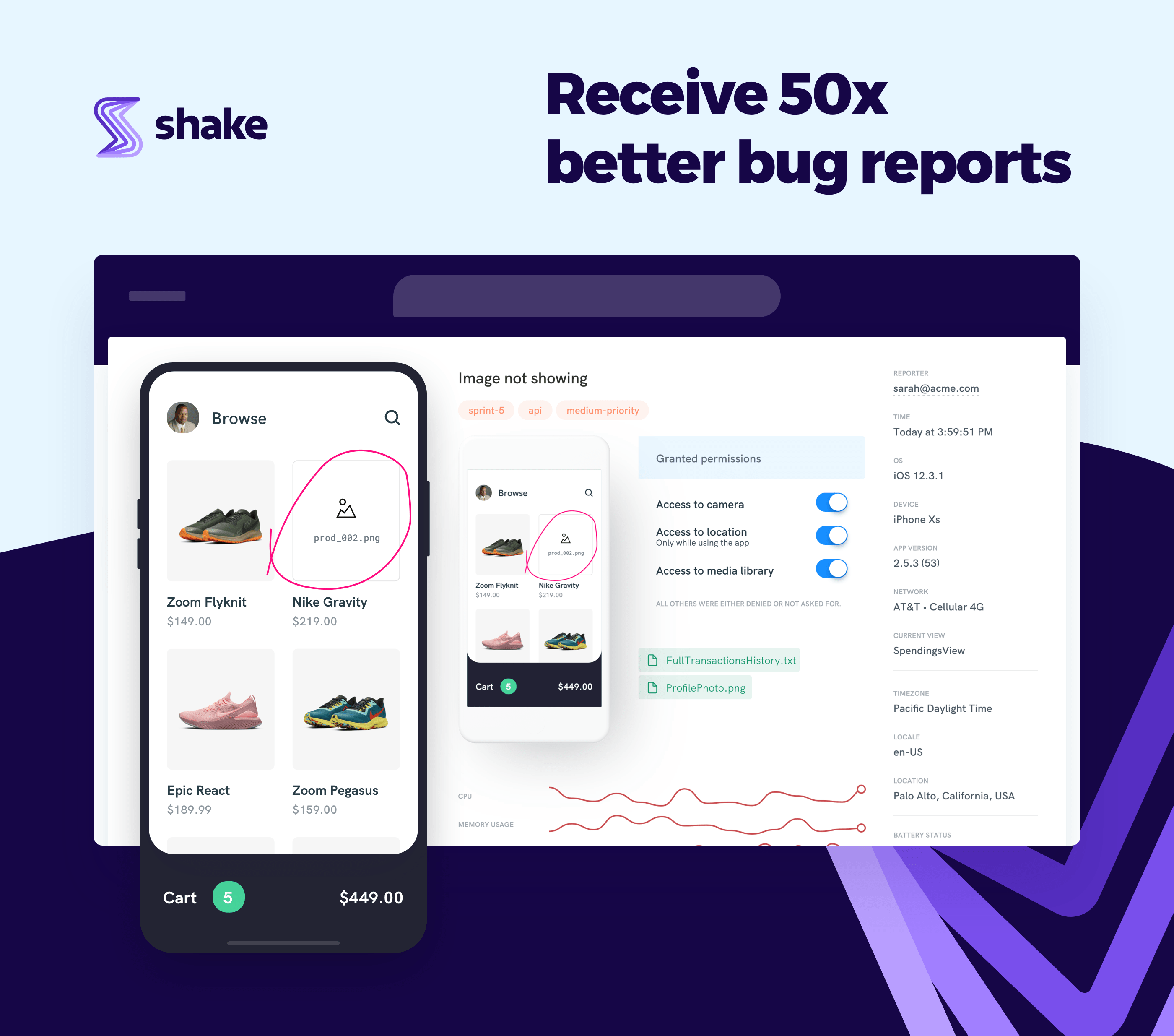
Shake eliminates the headaches and hassles of processing bug reports in your mobile app. Tracking down bugs and fixing them is critical to your app’s success, but too often, identifying and resolving them is an inefficient mess. With Shake, you can streamline the process and get better data, allowing you to resolve more issues quickly and effectively.
Just add Shake’s API to your app, and your users can submit a comprehensive bug report in seconds simply by shaking their device. Shake eliminates incomplete, vague bug reports so often submitted over email, social media, and word of mouth. With Shake, your users not only can communicate problems with screenshots but with screen recordings and markup tools, all presented inside your app.
Bug reports are supplemented with a ton of useful data automatically that’s delivered instantly to a beautifully designed web dashboard that lets your team chat about the reported bugs, assign priorities, and tag them. Shake also integrates seamlessly with the other tools you already use, like Jira, Slack, Azure, and Trello. Developers can customize Shake to suit their particular needs delivering any variable value they want from users’ devices too. It’s a powerful set of tools that will help you debug issues in your apps 50 times faster than before.
Shake is free to try without any time limitations on its standard features, and you can upgrade to a premium plan any time to add more attachments and tags per bug report, unlimited viewing and searching of bugs, and full activity history. Try Shake today to learn how fast, efficient bug reporting and tracking can accelerate your app development process.
Our thanks to Shake for sponsoring MacStories this week.