This Week's Sponsor:

Turbulence Forecast

Know before you go. Get detailed turbulence forecasts for your exact route, now available 5 days in advance.


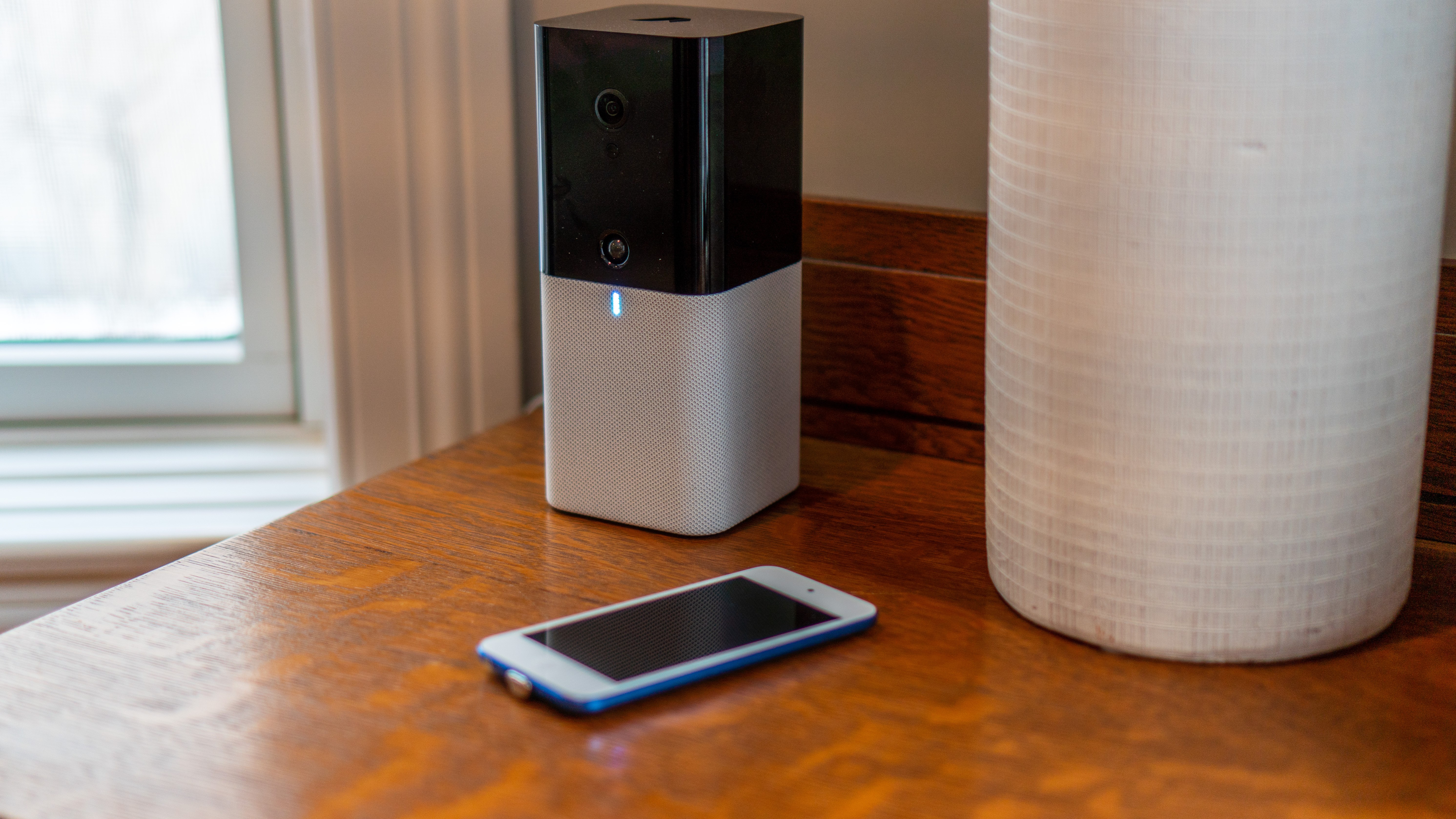
Eve Cam: An Excellent Addition to a HomeKit Secure Video Setup

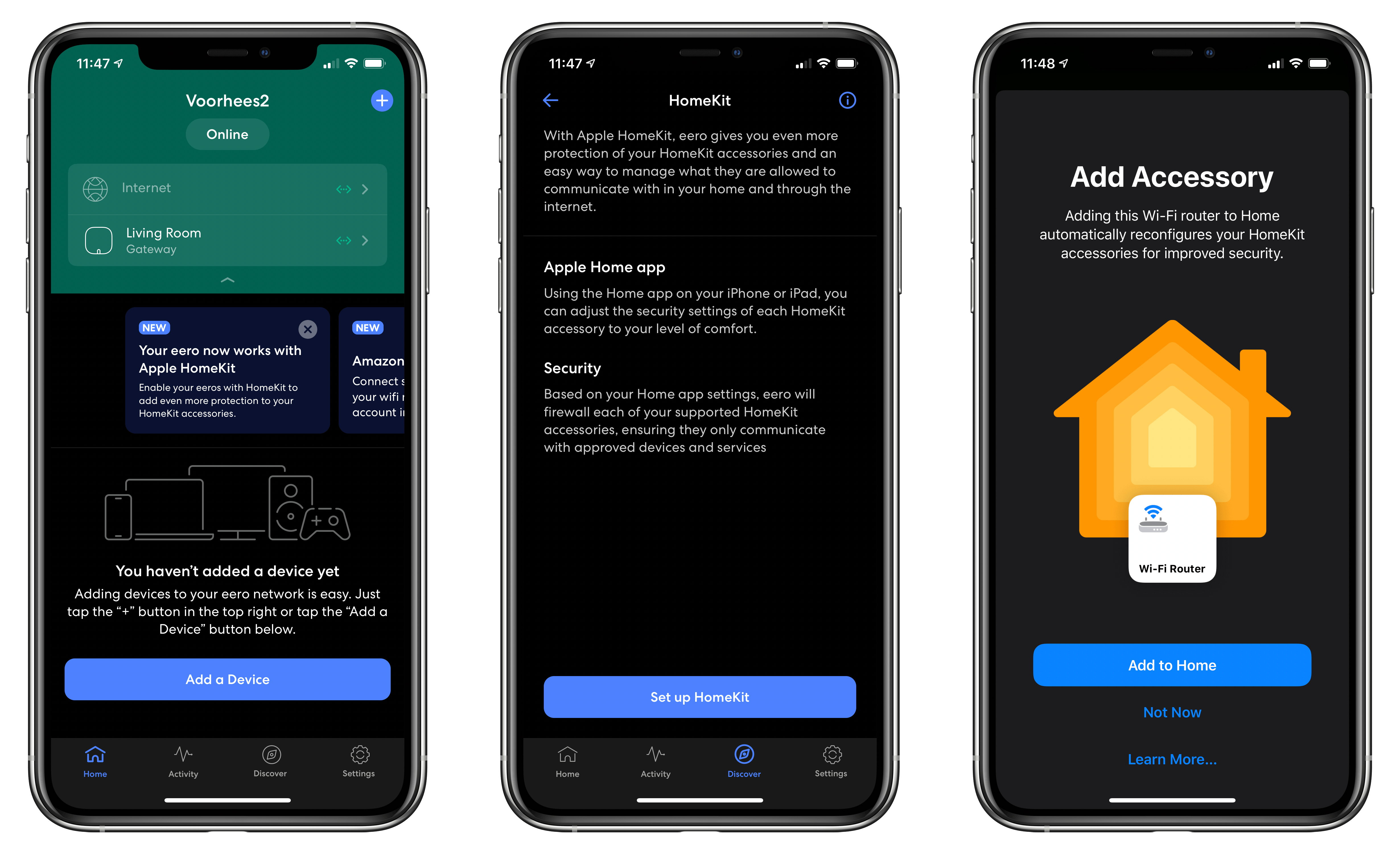
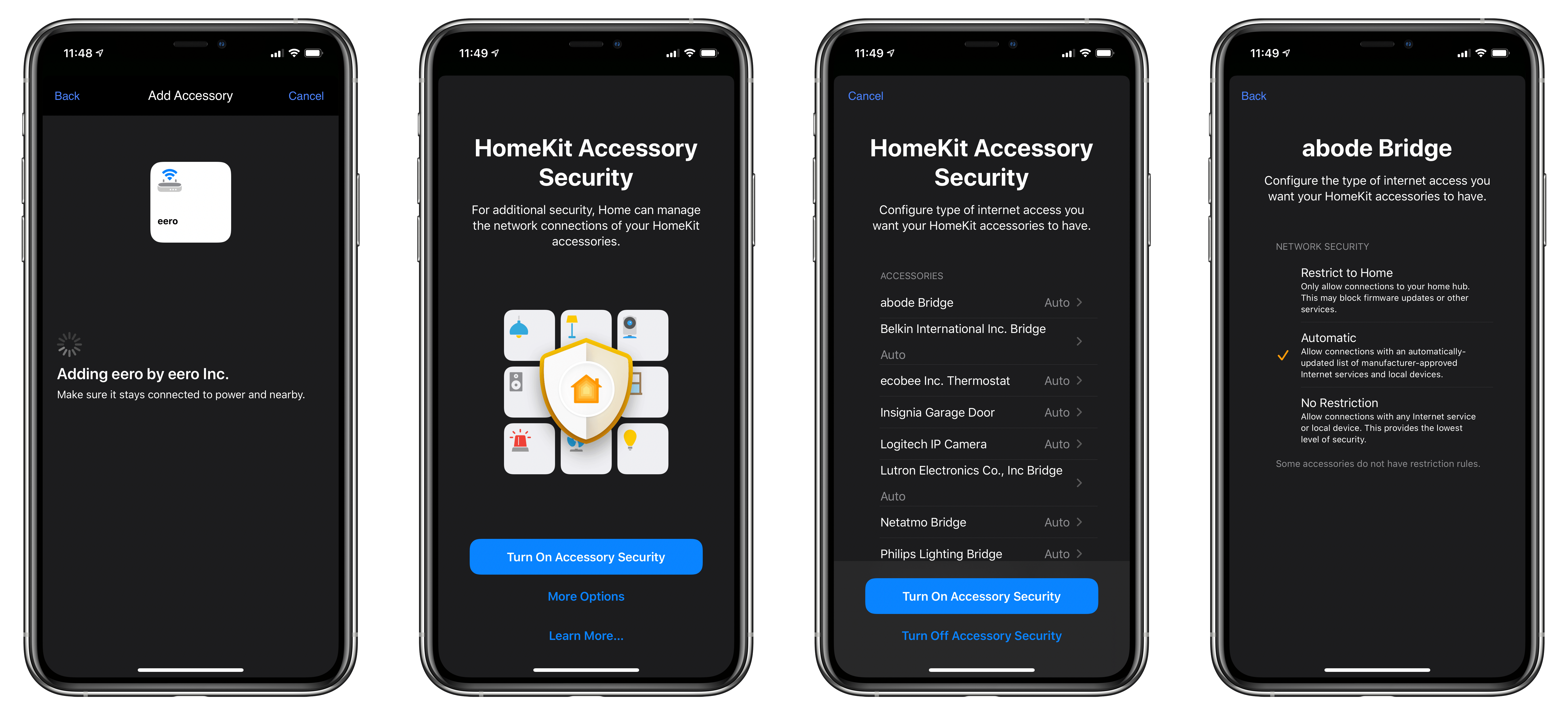
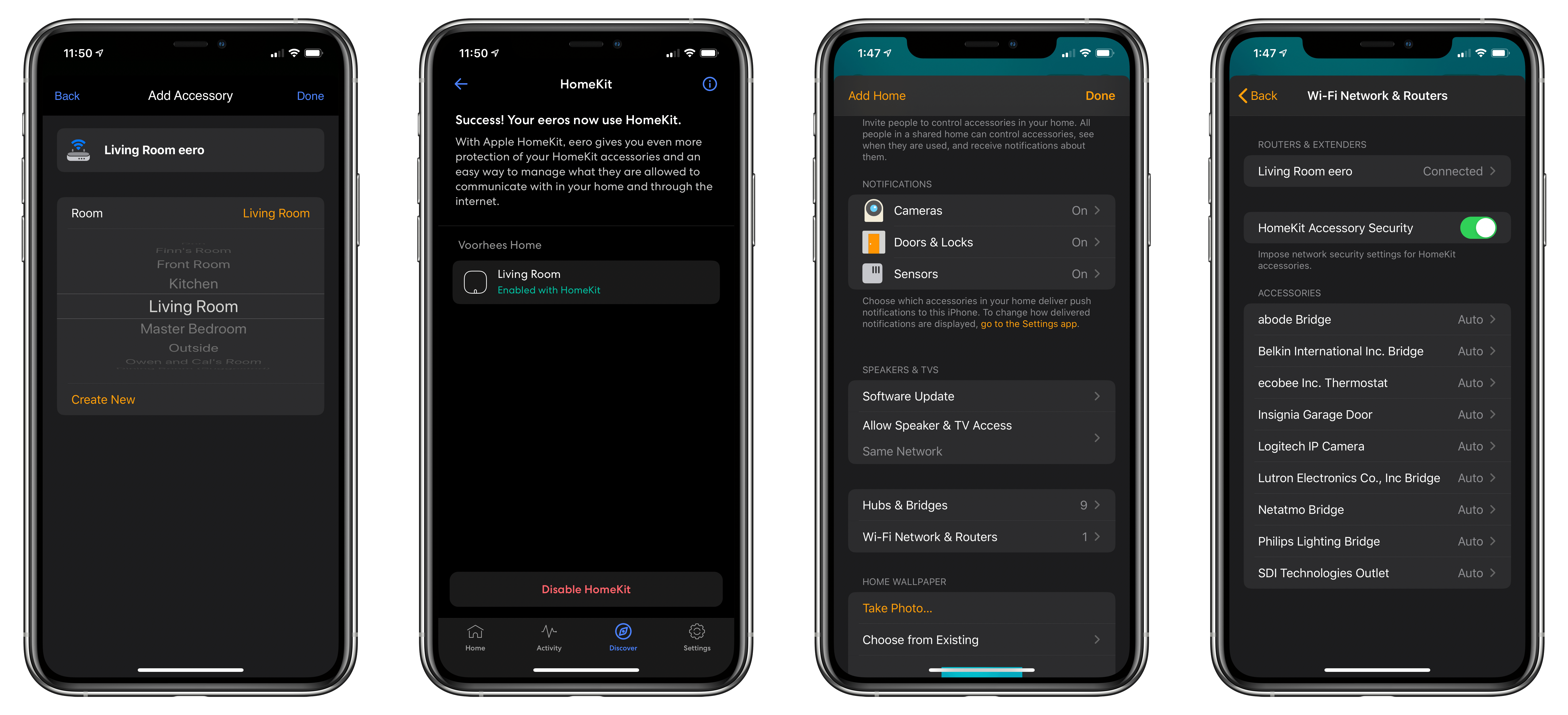
Last week I added a new camera to my HomeKit Secure Video setup: the Eve Cam. Announced at CES this year, what drew me to the camera was its slim profile and HomeKit Secure Video support. I’ve used other Eve home automation products in the past and had high hopes that the Eve Cam would be just as easy to install, and as reliable as the electrical outlets and door sensors I’ve tried. So far, I haven’t been disappointed.

Read more


Ulysses 20 Review: New Dashboard Featuring Advanced Grammar and Style Check, Outline, and Much More

Ulysses 20 for iPad’s new dashboard.

Ulysses 20 for iPad’s new dashboard.

One of the promises regularly made by apps transitioning to a subscription model is that they’ll be able to deliver more regular, incremental updates rather than going untouched for extended periods of time, and they can also focus on adding functionality that existing users will appreciate rather than needing to build something entirely different to attract a new target market. Ulysses has been a subscription app for nearly three years already, and I believe it’s one of the apps doing the best job of delivering on both of those fronts.

A quick search on MacStories will show that I’ve covered Ulysses a lot, in part because it’s my primary Markdown editor, but also because there are consistently several updates per year that stand out as noteworthy and meriting a fresh review. Today’s version 20 is no exception, introducing an advanced grammar and style check ‘revision mode’ on the Mac (coming soon to iPad and iPhone) and a new dashboard view across all platforms. Both enhancements leave what was already great about Ulysses alone, while offering valuable new utility for writers sure to delight existing users and perhaps even draw a flock of new ones.

Read more


Apple Highlights Hardware and Apps in ‘The Whole Work-From-Home Thing’

In April 2019, Apple published a video called The Underdogs that followed the story of a team of co-workers designing a round pizza box. Today, the quartet is back in a sequel of sorts called The Whole Work-From-Home Thing.

The new video follows the same group of colleagues as they attempt to design an all-new box while working from home. The story follows the quartet as they work around the clock on a tight deadline while juggling personal obligations and coping with working remotely.

The pace is frenetic. Over the course of the multi-day ordeal, the group turns to their Macs, iPads, and iPhones to come up with ideas and design the box. They also rely on a wide array of apps, including third-party apps like MindNode and Adobe InDesign.

Like its predecessor, ‘The Whole Work-From-Home Thing’ is funny but succeeds at demonstrating ways that Apple hardware and apps can solve some of the problems facing many people these days. This video may hit a little too close to home and stress some people out a bit, but I enjoyed the lighthearted fun poked at working from home and think it’s well worth watching.

Permalink

Relay FM’s Approach to Apps with Myke Hurley

AppStories+ Deeper into the world of apps

AppStories Episode 175 - Relay FM’s Approach to Apps with Myke Hurley

0:00
51:42

AppStories+ Deeper into the world of apps

This week John is joined by Relay FM co-founder Myke Hurley to talk about the apps he uses to stay in touch with the hosts of the network’s shows and manage sponsorship sales, show research, episode production, and more.

Read more


Magic Lasso: Block Ads, Trackers and Pop-Ups on Your iPhone, iPad, and Mac [Sponsor]

Magic Lasso Adblock is an efficient and high-performance ad blocker for the iPhone, iPad, and Mac.

It allows you to experience a cleaner, faster web – without ads. As a native Safari content-blocking extension, Magic Lasso blocks intrusive ads, pop-ups, and trackers when browsing the web.

Magic Lasso Adblock provides a 2.0x speed increase on common websites, improves your privacy and security by removing ad trackers, and works with Safari across all Apple devices. It’s as if Apple itself had designed an ad blocker.

And unlike some other ad blockers, Magic Lasso Adblock respects your privacy, doesn’t accept payment from advertisers, and is 100% supported by its community of over 150,000 users.

Version 2.0 delivers a host of new features, including:

  • Community Allowlists: Once enabled, ad blocking is disabled on sites that have been frequently allowed by Magic Lasso users. Through anonymous crowd-sourcing of allowlists, ads are only allowed on sites the community deem worthy
  • Battery Boost: Additional ad blocking rules target and block JavaScript which uses significant CPU energy, ensuring pages are responsive while improving browser battery life
  • New look and feel: The new three-pane interface provides a quick overview of current status, easy access to see recent rules updates, and a simple way to view and configure allowed sites

Download the app for free today from the Magic Lasso website, the App Store, and the Mac App Store.

Our thanks to Magic Lasso Adblock for sponsoring MacStories this week.


MacStories Unwind: The Evolution of iPadOS, Widgets, ADA Interviews, and a New Use for ARKit

AppStories+ Deeper into the world of apps
0:00
24:36

AppStories+ Deeper into the world of apps


Sponsored by OffScreen – Leave Your Phone, and Focus on Real Life

This week on MacStories Unwind:

MacStories

Club MacStories

AppStories

Unwind Picks

  • John’s Pick:
    • Hanna available on Amazon Prime Video

Widgets and the App Library: A First Look at Bringing Personality and Customization to Your Home Screens

No single feature of the iOS 14 betas has had as immediate an impact on my daily iPhone use as Home screen widgets. Together with the App Library, the features can radically change the way apps are organized and accessed by everyone. Users don’t have to use widgets or the App Library, but they’ve been designed to feel familiar and inviting, echoing the iPhone’s grid layout, folders, and search systems. The result is a deft balancing act that gently introduces the iPhone Home screen’s most significant makeover since it was launched, which I think will be a big hit with users and developers alike.

Widgets’ impact is less pronounced on the iPad, where their placement is less flexible, and there is no App Library. Widgets can’t do quite as much in iOS and iPadOS 14 betas as they can under iOS 13 either. Those are fairly significant caveats depending on how you currently use widgets and should be kept in mind, but it’s also worth remembering that this is the first public beta release. There are still many weeks before iOS and iPadOS 14 will be released, and users’ feedback could influence what the final implementation of widgets looks like.

Despite the current limitations, widgets have profoundly changed the way I use my iPhone and have the potential to do the same on the iPad. The impact surprised me because, after two and half weeks on the developer betas, the only widgets I’ve tried so far are based on Apple’s system apps. As a result, I wanted to share my first impressions and thoughts on widgets, the App Library, and how I’m using both on the iPhone and iPad. I also thought it would be fun to show off some of the ideas being explored by third-party developers, which I’m excited to try soon.

Read more