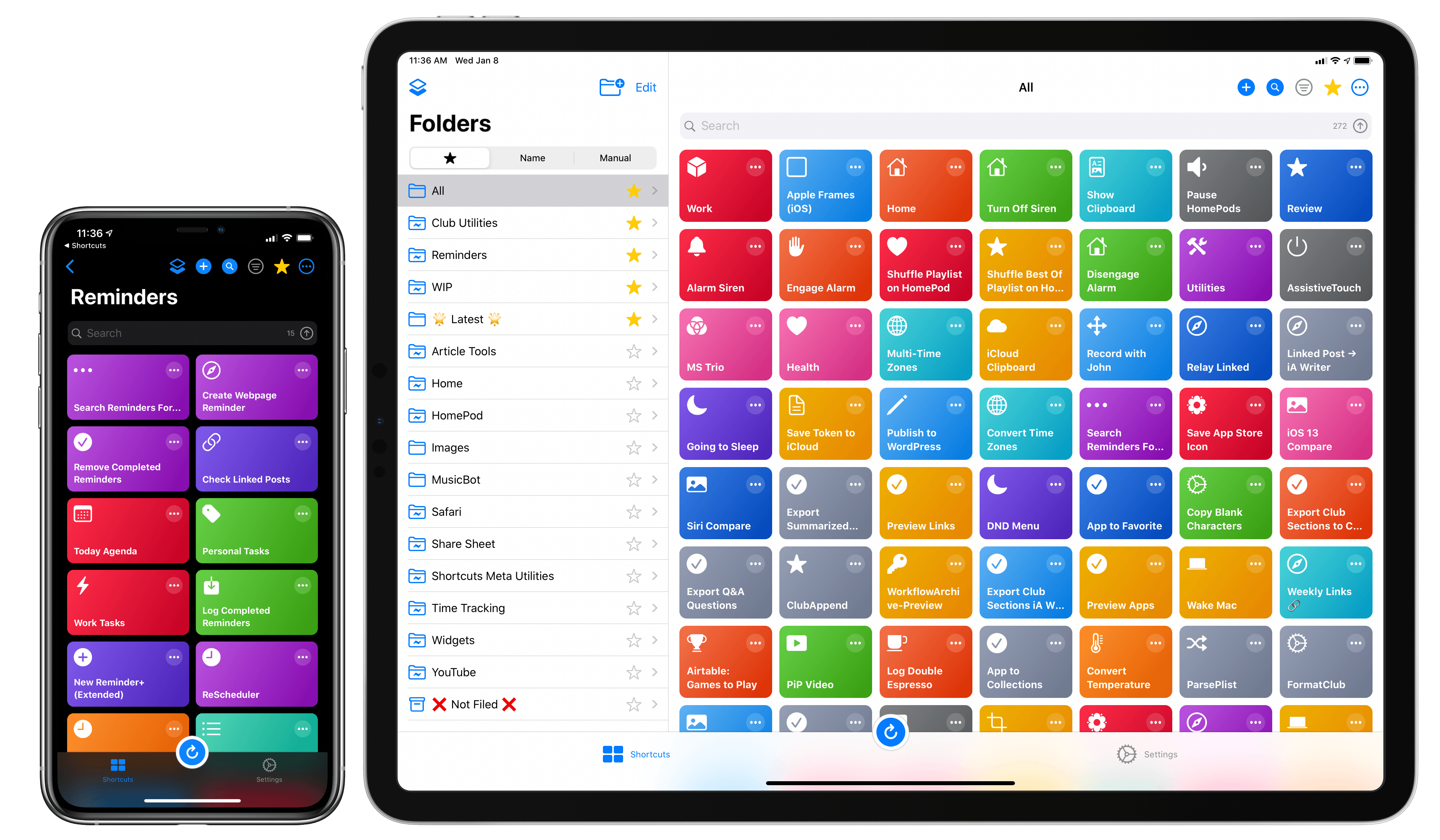
Developed by Adam Tow, LaunchCuts is the latest entry in a series of meta-utilities designed to extend Apple’s Shortcuts app with new functionalities. Unlike Toolbox Pro and Pushcut, however, LaunchCuts is the most peculiar and niche I’ve tested insofar as it doesn’t provide Shortcuts with exclusive actions nor does it come with its own web service to deliver rich push notifications; instead, LaunchCuts’ sole purpose is to offer an alternative view for your shortcut library with folders and powerful search filters. If you have less than 20 shortcuts installed on your iPhone or iPad, you’re likely not going to get much benefit out of LaunchCuts’ advanced organizational tools; but if you’re like me and use hundreds of different shortcuts on a regular basis, and especially if your library has grown out of control over the past few years, you’re going to need the assistance of LaunchCuts to make sense of it all.
Like the aforementioned Shortcuts utilities, LaunchCuts was born of its developer’s frustration with the lack of folders in Shortcuts – a basic feature that is still bafflingly absent from the app in 2020. As I keep pointing out in my iOS reviews, I find Apple’s continuing reliance on a crude, one-level-deep grid for shortcuts perplexing at best – particularly when the app is so very clearly employed by professional users who want to accomplish more on their iPhones and iPads.
LaunchCuts was originally created by Tow as an advanced shortcut that let you tag and organize your shortcuts from within the Shortcuts app itself. I remember playing around with the original version of LaunchCuts and, although technically remarkable, I didn’t find much utility in it since it was limited by the UI constraints of Shortcuts; LaunchCuts was begging to become a fully-fledged app with a custom interface to take advantage of Tow’s original concept. Now that it’s a native app, LaunchCuts can fulfill Tow’s vision for taming cluttered and disorganized Shortcuts libraries in a way that wouldn’t have been possible as a shortcut – all while taking advantage of new features in iOS and iPadOS 13.