
 MacStories Weekly: Issue 157
Apple Adds AI Head, John Giannandrea, to Executive Team→
Today Apple announced that one of its most recent high profile hires, John Giannandrea, has been added as the twelfth member of the company’s executive team. His title is now Senior Vice President of Machine Learning and AI Strategy. From the press release:
“John hit the ground running at Apple and we are thrilled to have him as part of our executive team,” said Tim Cook, Apple’s CEO. “Machine learning and AI are important to Apple’s future as they are fundamentally changing the way people interact with technology, and already helping our customers live better lives. We’re fortunate to have John, a leader in the AI industry, driving our efforts in this critical area.”
News of Giannandrea’s hiring at Apple first broke in April at The New York Times. Apple didn’t formally announce the hire, however, until July. And here we are just a few short months later, with another press release from Apple announcing his promotion.
Giannandrea’s role involves leadership of Siri, machine learning, and other artificial intelligence projects, all of which are right up his wheelhouse due to his former role as Google’s chief of search and artificial intelligence. While it’s hard to say from the outside what kind of difference his influence is making at Apple, this move is a good sign that the company’s pleased with his early months of work. Perhaps we’ll get to see the fruits of his labors at WWDC 2019.
Magnets: A Common Apple Magic Trick
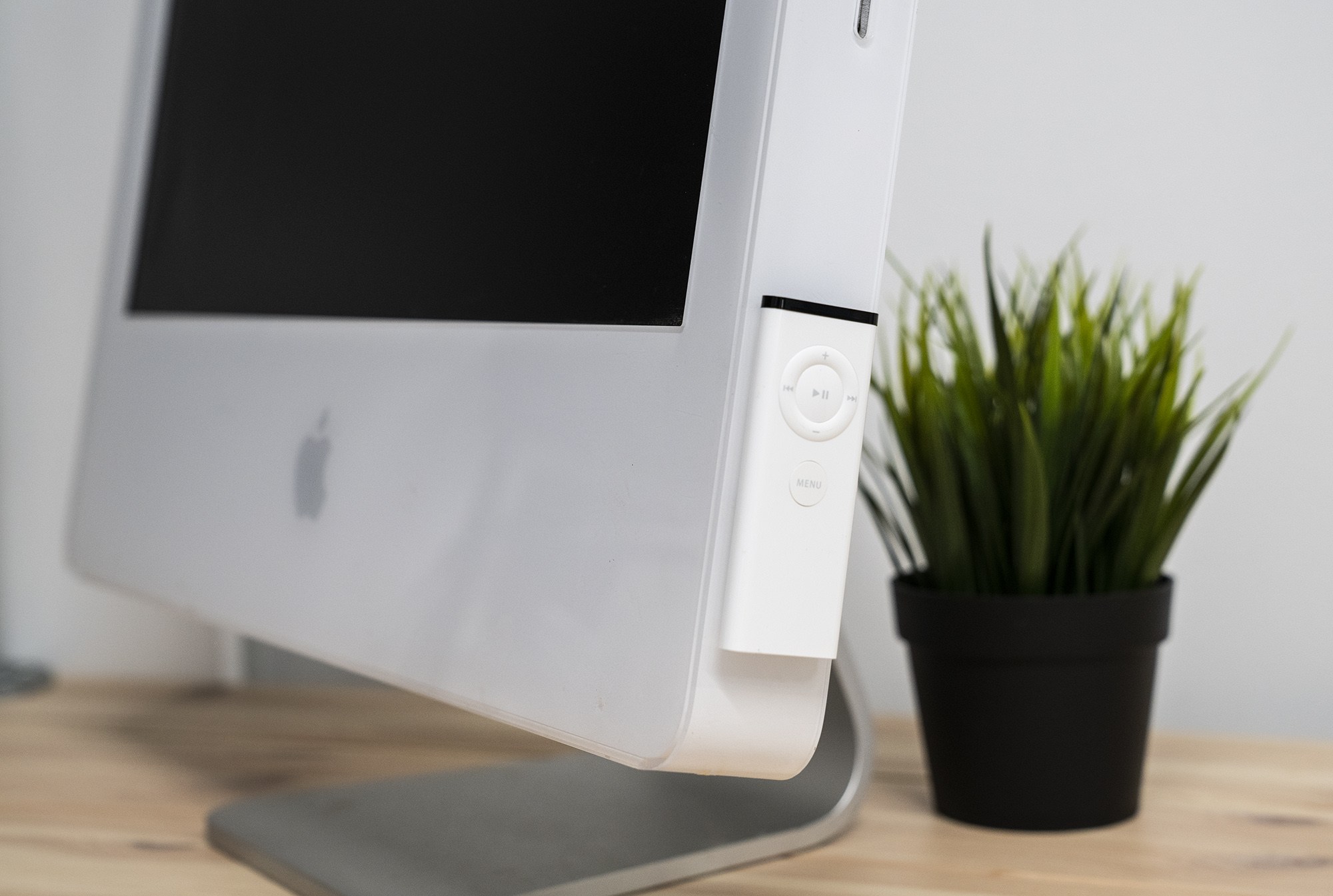
As a young kid, I thought magnets were about the coolest things ever. Here in my 30s, I kind of feel the same way.
Magnets made nerdy headlines recently, with the new iPad Pro, which is chock-full of them to keep its Smart Keyboard Folio in place. Marques Brownlee had a tweet showing off just how many are in the tablet’s thin chassis:
Apple’s use of magnets in its products goes back further than the most recent iPad Pro, with its keyboard and Apple Pencil, or even the fun and functional AirPod case. Magnets allow Apple to do things without the need of mechanical components, keeping the design of its products clean and streamlined. Here are a few of my favorites over the years.
My Must-Have iOS Apps, 2018 Edition
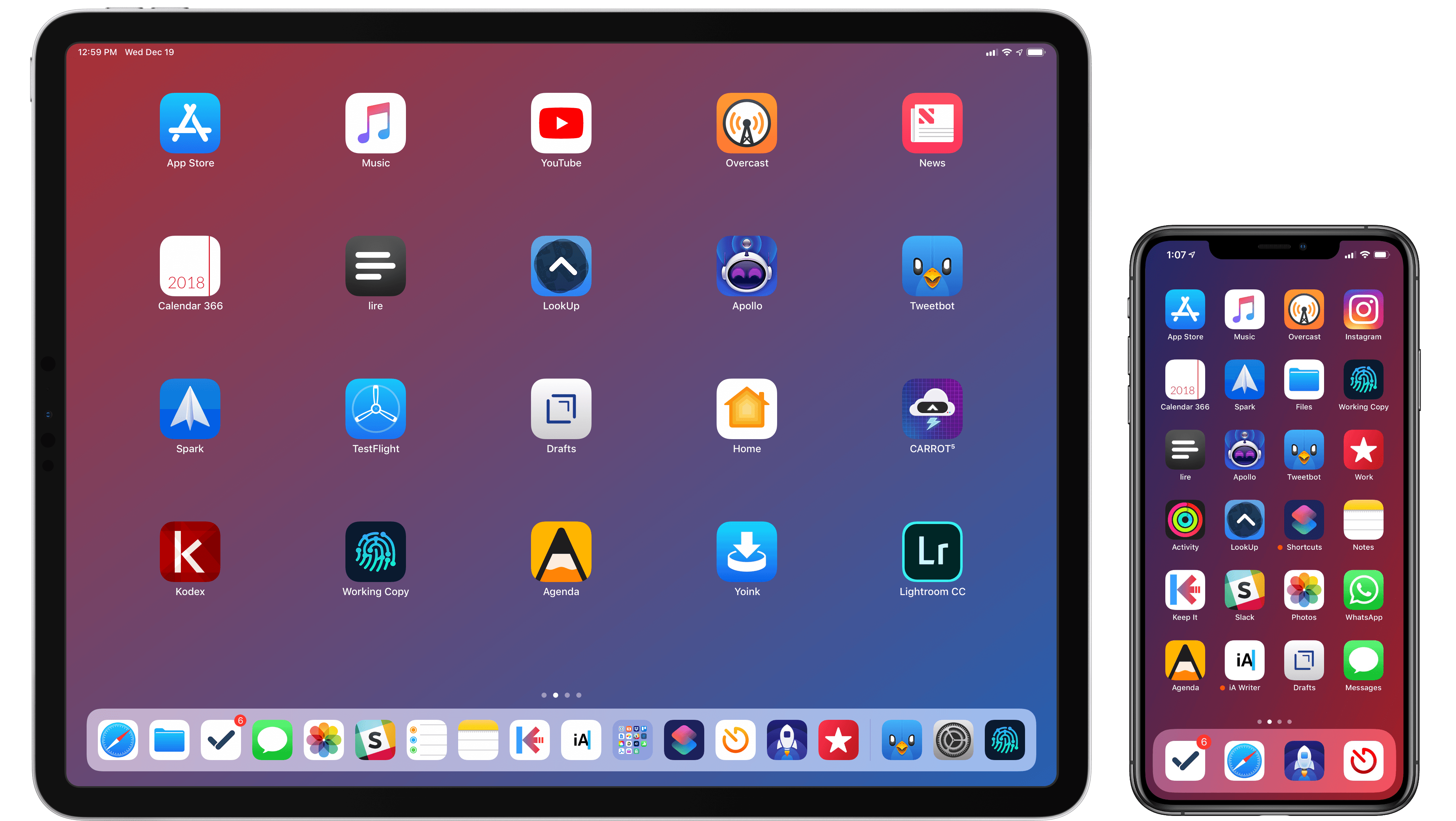
Putting together my annual list of Must-Have iOS Apps is an exercise in analyzing the trends of the year and considering which ones had the biggest impact on how I use my iPhone and iPad. Two years ago, it was web services and open APIs; last year, I focused on collaboration with the MacStories team and making my workflow consistent across devices; this year, there isn’t a single overarching theme behind this list, but rather a collection of trends and changes that I’ve observed over the course of 2018.
First and foremost is the switch to a subscription-based business model by some of my favorite apps. As we noted in our look at the modern economics of the App Store earlier this year, it is becoming increasingly challenging for indie developers – the ones who make the apps we tend to use and cover most frequently on MacStories – to find a balance between reaching new customers with paid app updates and supporting an app over the span of multiple years for existing users who already paid once.
A subscription seems like an obvious solution: new customers can try an app for free and later decide to subscribe; longtime users of an app get to support their favorite app over a longer period of time; developers are more incentivized to keep making an app better thanks to the financial security provided by an ongoing revenue stream. Recurring subscriptions for all apps launched two years ago just before WWDC, and it feels like we’ve only now reached a point where more and more developers are willing to experiment with them. This major shift in app pricing wasn’t always met favorably by longtime users of existing apps, which has resulted in developers testing different approaches such as optional subscriptions, bundles containing subscriptions and In-App Purchases, or even multiple ways to unlock the same features. In looking at the apps included in this list, I was surprised by how many now include some form of recurring subscription; I think this transition will only become more prominent in 2019.
The second trend I noticed in my usage of third-party apps is a strong preference for those that fully embrace modern iOS technologies. From Siri shortcuts (by far, the most important iOS developer framework of 2018) to Files integration and support for external keyboards on iPad, I tend to prioritize apps that eschew proprietary functionalities and adopt native APIs such as iCloud, the Files document browser, or Reminders. With iOS growing more powerful and complex each year, I think it’s only natural that I’ve stuck with apps that shy away from Apple-provided solutions as little as possible; those frameworks are always going to be more integrated with the rest of the system than any alternative a developer can come up with, and I seek that level of integration because I enjoy the comfort of an ecosystem where all the pieces work well together.
Lastly, I’ve noticed some overall changes in the kinds of apps I consider my must-haves for iPhone and iPad. In the “pro” app department, the Photography and Development lists have grown to include apps such as Lightroom, Scriptable, Darkroom, and Halide – all new entries this year. One of my goals with the new iPad Pro is to use it as a workstation for editing photos and programming my own little additions to iOS; I felt like my increased usage of these apps warranted some changes in the annual picks. You will also find more apps designed to interact with macOS as a result of my purchase of a Mac mini (which I’m using as a home server for various tasks) and different utility apps as some of the old ones have been replaced by Shortcuts. An app that, by the way, I can no longer include in this roundup due to my self-imposed rule of not featuring Apple apps because they’re kind of obvious choices for an iOS user (this also applies to Shazam, officially acquired by Apple this year).
Below, you’ll find a collection of the 60 apps I consider my must-haves on the iPhone and iPad, organized in nine categories; whenever possible, I included links to original reviews and past coverage on MacStories. What you will not find is the usual list of awards for best new app and best app update, which we’ve relaunched as a team effort under the MacStories Selects name this year. Instead, at the end of the story you’ll find my App of the Year, which is also joining MacStories Selects as an award that recognizes an overall outstanding iOS app that had a profound impact on my workflow over the past year, regardless of its release date.
Let’s dig in.
Apple Heavily Promotes the Amazon Echo’s Apple Music Integration
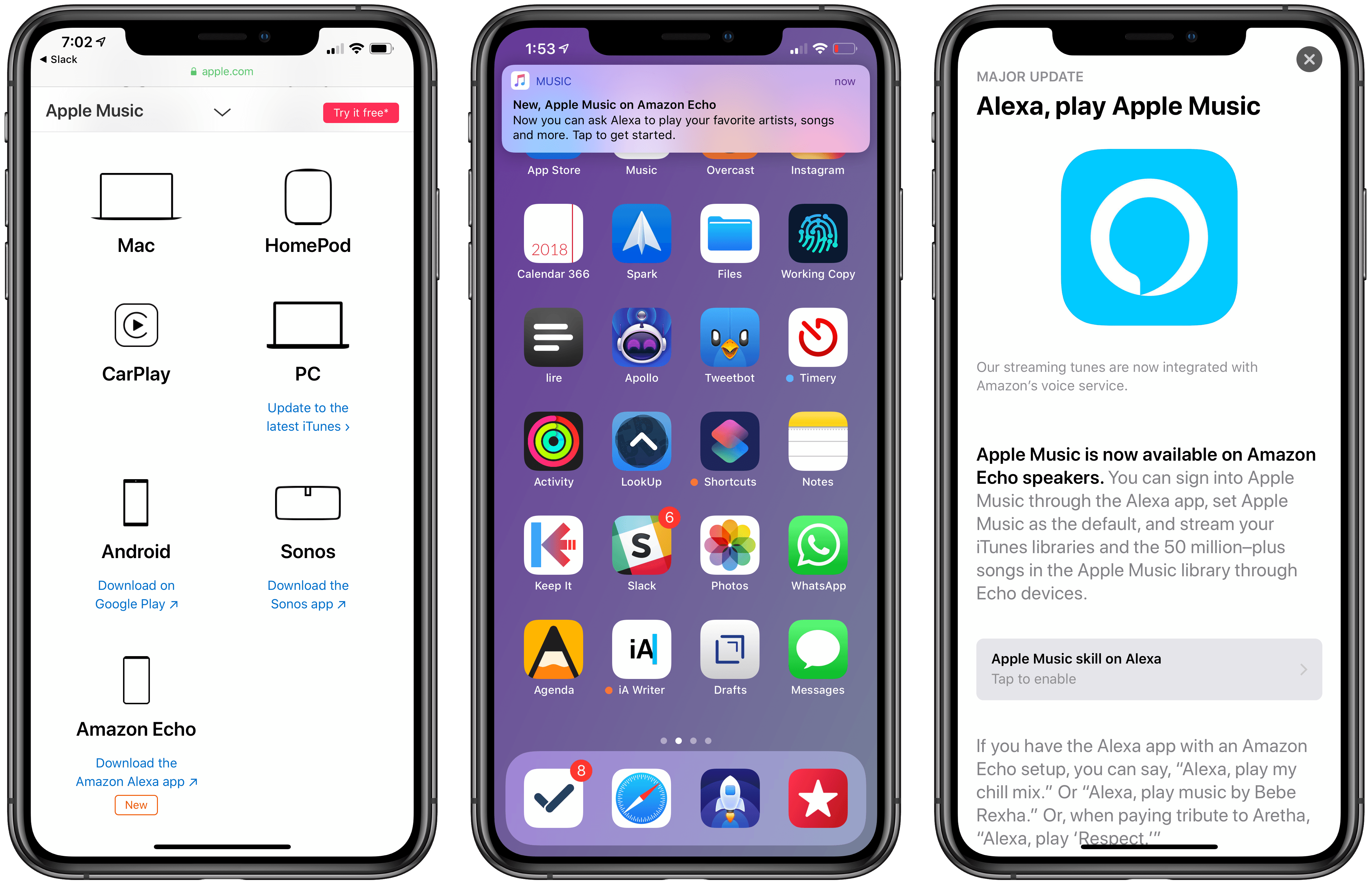
At the end of November, Amazon announced on its blog that Apple Music would be coming to Echo devices the week of December 17th. The music streaming service showed up on Echos a little earlier than expected last Friday, December 14th.
Today, Apple began promoting Apple Music’s availability on Echo devices through three different channels. The Echo integration first appeared on the App Store, which gave the Alexa app top billing in a Today tab story that highlights the new feature. Apple is also promoting the Echo integration on the Apple Music features page of its website along with other third-party devices like PCs, Android devices, and Sonos music players. Finally, late in the day US time, the Apple Music app began delivering push notifications highlighting the Echo feature.1
Amazon’s Echo devices aren’t the first third-party hardware to get Apple Music support as the Apple Music website demonstrates, but it is unusual for Apple to promote another company’s hardware alongside Apple Music to this degree. It’s also surprising because, in the two weeks that followed Amazon’s announcement, Apple said nothing. Nor did it acknowledge the change four days ago when the Alexa app was updated.
I wouldn’t be surprised if promoting the Echo was part of a bigger deal that got Apple products back on Amazon shelves in early November. Whether or not that’s the case, it’s still interesting to see Apple, which offers the competing HomePod, put so much promotional weight behind Amazon’s smart home speaker.
- I’m not a fan of promotional push notifications like these, which violate App Review Guideline 4.5.4 against using push notifications for advertising and promotional purposes. Unfortunately, that’s a rule that Apple has violated itself before and one that it has never meaningfully enforced against third parties. ↩
AutoSleep 6: Effortless Sleep Tracking More Accessible Than Ever
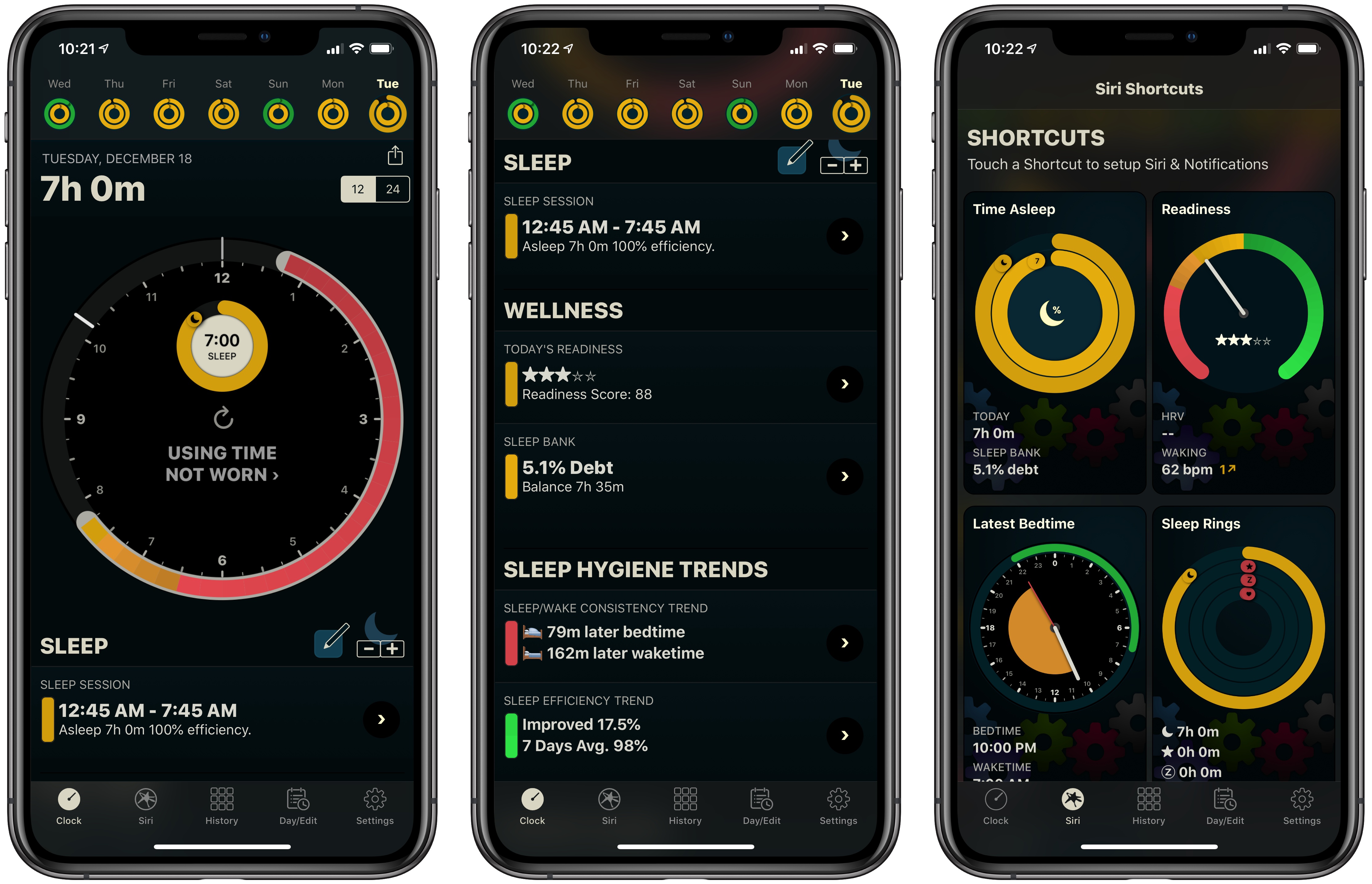
If you’ve followed MacStories for long, you probably already know that AutoSleep is one of our favorite sleep tracking apps on iOS. The app stands out for offering a frictionless, effort-free experience. Where other sleep trackers may require you to start and stop sleep tracking manually, AutoSleep takes the burden of remembering those tedious tasks off your plate. If you wear an Apple Watch to sleep, the app will automatically detect your sleep patterns even without a separate Watch app installed. If you don’t have a Watch, or simply don’t wear it to bed, the app will track your sleep through other methods. Whatever your habits are, AutoSleep has you covered.
Today marks the debut of AutoSleep’s latest major iteration: version 6.0, which introduces new wellness features, refined graphs and color schemes, sleep hygiene trends, Siri shortcuts, an improved Watch app, and more. It’s an extensive update that simplifies some aspects of the app while branching out into fresh, innovative areas of health tracking.
Launch Center Pro 3.0 Review: Universal Version, New Business Model, NFC Triggers, and More
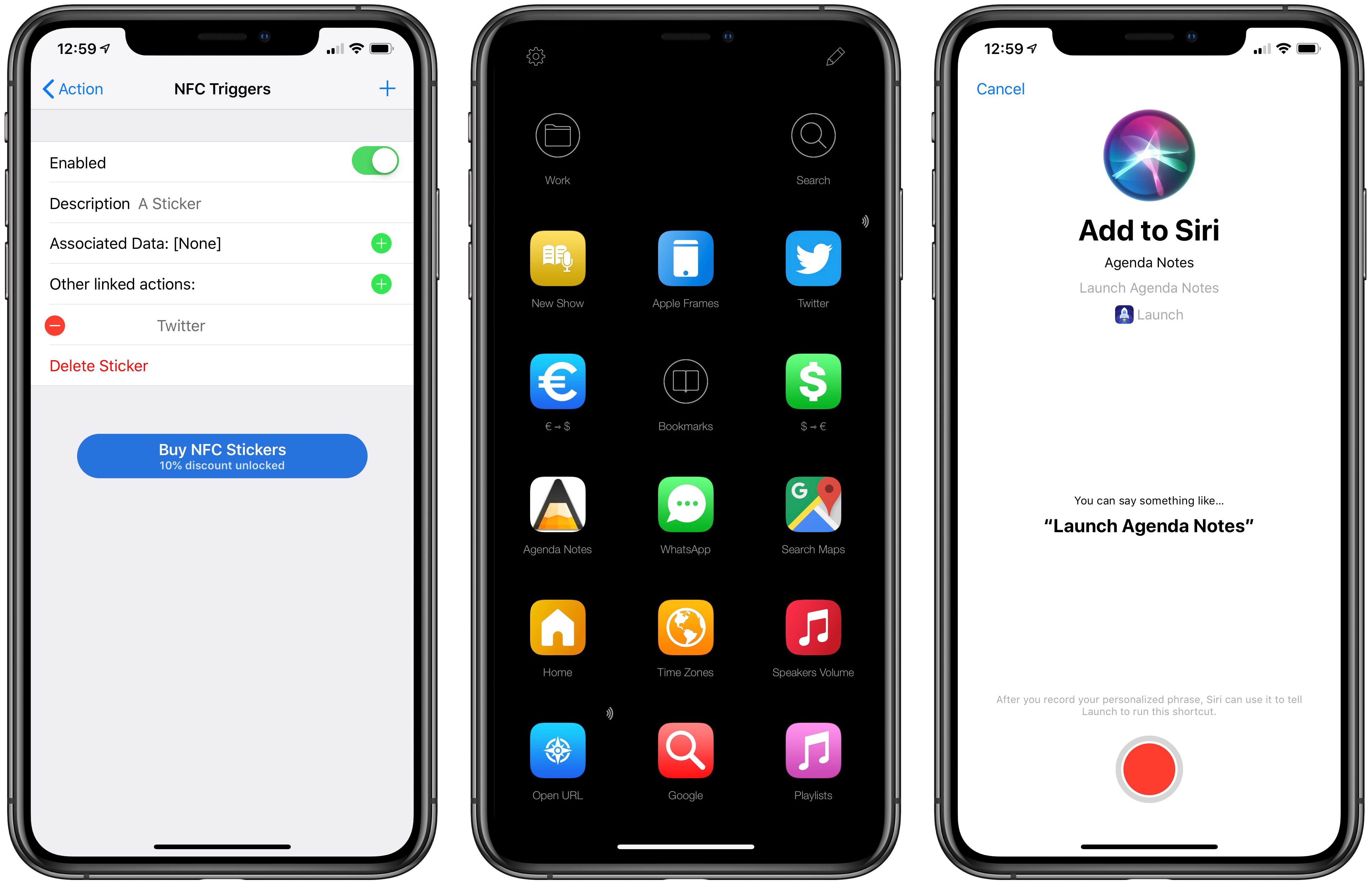
Launch Center Pro, Contrast’s popular launcher for iPhone and iPad, has been updated to version 3.0. It may be hard to believe, but Launch Center Pro 2.0 came out five years ago (in 2013), before Workflow, when Pythonista, Editorial, and Drafts were the only other apps pushing forward the idea of iOS automation thanks to URL schemes and x-callback-url.
The iOS automation landscape is vastly different five years later. While Apple still hasn’t shipped a native automation framework for inter-app communication and URL schemes are still the only way to let apps exchange data with one another in an automated fashion, the evolution of Workflow into the Shortcuts app now provides users with an easier, more integrated solution to craft complex workflows. Not to mention how, thanks to its widget, ‘Open URL’ action, and ability to add custom launchers to the home screen, Shortcuts alone can supplant much of the functionality the likes of Launch Center Pro and Launcher have become well known for. Apple may not necessarily think about the Shortcuts app as “iOS automation” (they never used this expression in public), but it’s undeniable that Workflow (then) and Shortcuts (now) are a superior, more powerful alternative to perform actions that were previously exclusive to Launch Center Pro.
For this reason, I believe it’s best to think of Launch Center Pro in 2018 as a companion to Shortcuts – a more intuitive, perhaps simplified, versatile front-end to launch actions and apps in different ways, using triggers that aren’t supported by Apple and which can complement Shortcuts rather than replace it. And with version 3.0 released today, Contrast is embracing this new role of Launch Center Pro as well, doubling down on what makes it unique compared to Shortcuts, and expanding the app’s launcher capabilities in a handful of interesting ways.
Darkroom 4.0: The MacStories Review
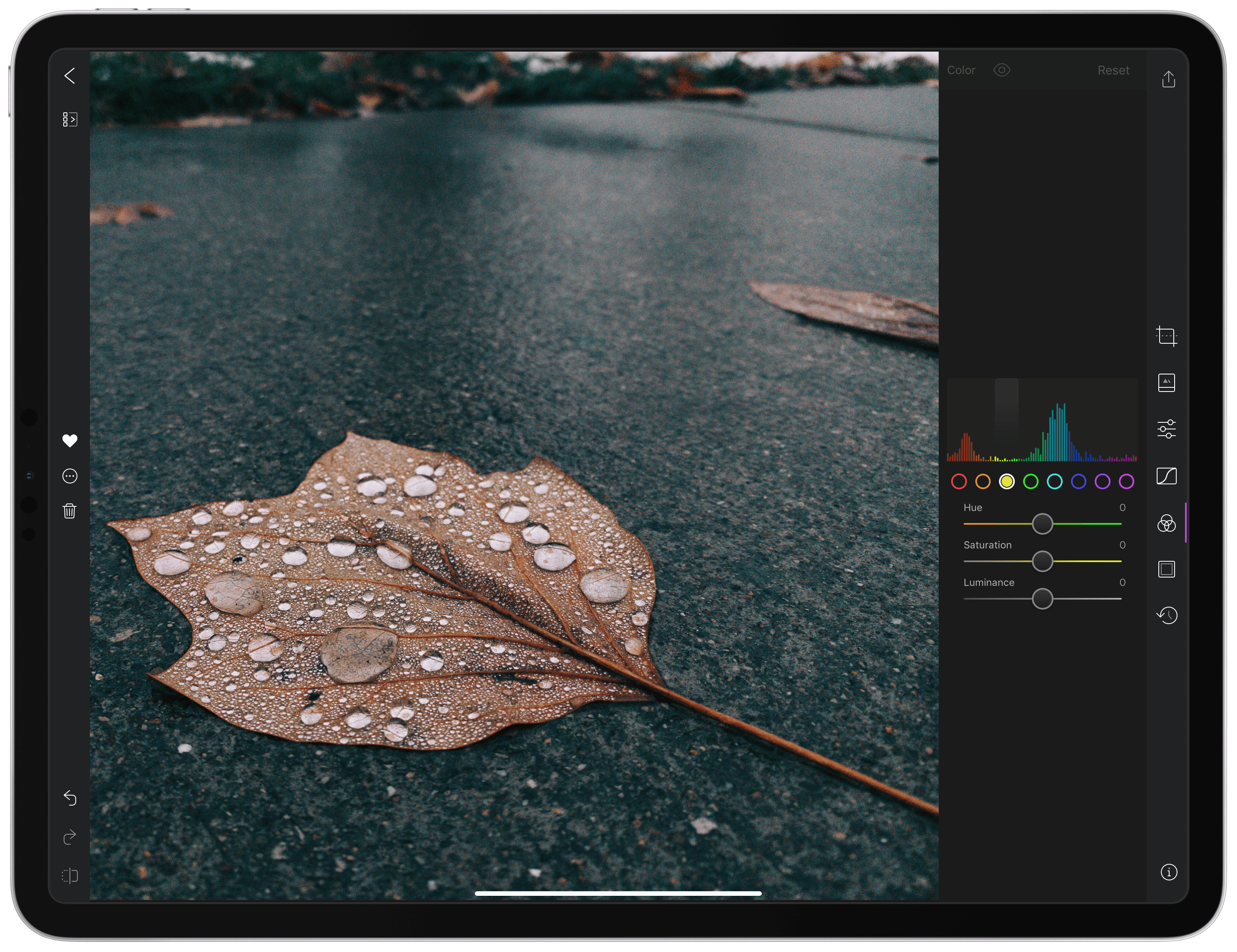
With version 4.0 released today, Darkroom has emerged as a photo editing force to be reckoned with on iOS. The highlight of the release is a brand-new iPad app, which is the version I’ll focus on in this review. I ran into a couple of bugs and would like to see Darkroom push its photo management and a few other tools even further in the future. However, the app’s combination of thoughtful design and platform-aware functionality together enable Darkroom to scale its full suite of tools gracefully from iPhone to iPad, which makes it an excellent choice for mobile photo editing.
Affinity: Super-Fast, Powerful, Professional Apps for Modern Creative People [Sponsor]
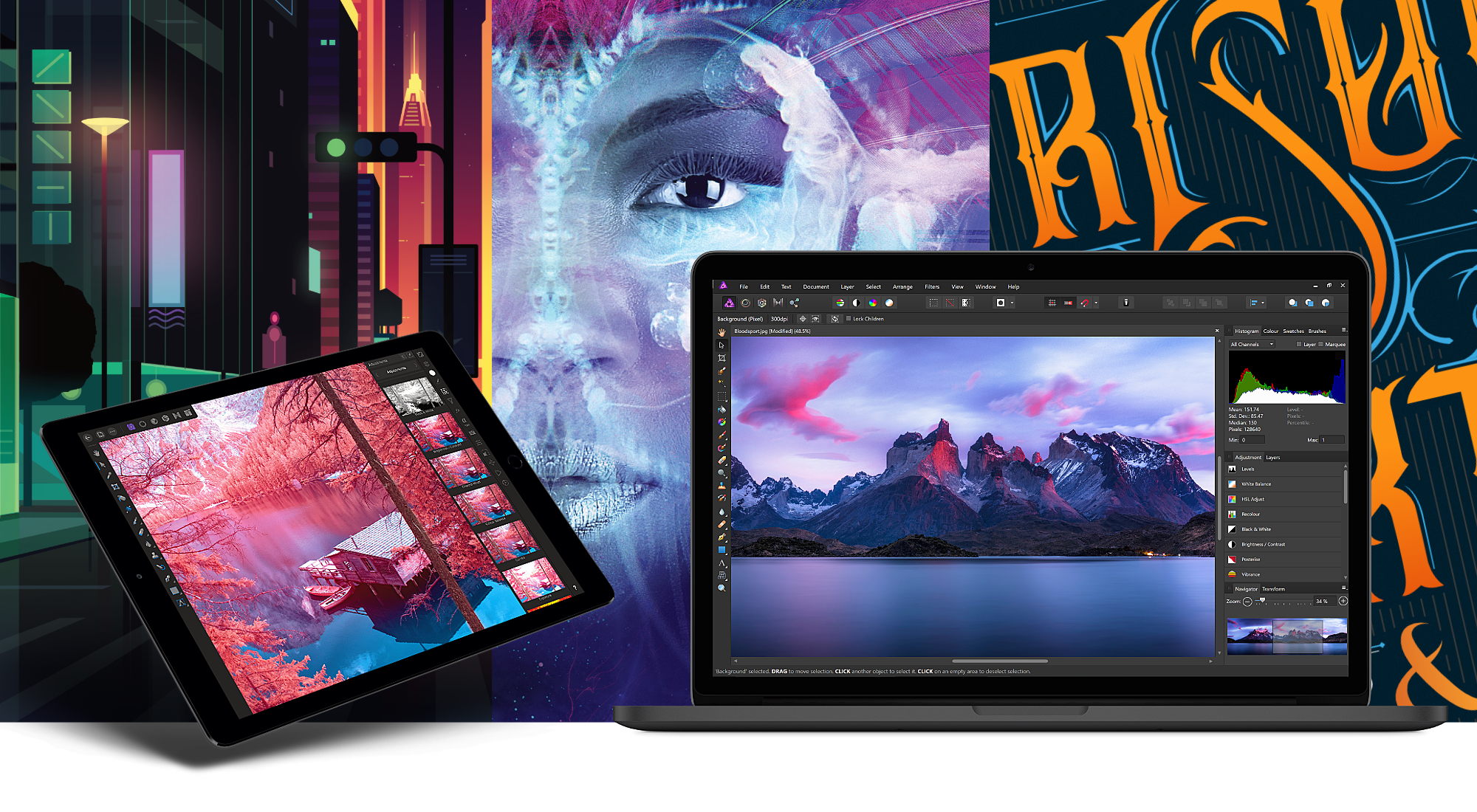
Serif, the maker of Affinity Photo and Affinity Designer, is one step closer to completing its trio of apps for creative professionals with the desktop publishing app Affinity Publisher, now available as a free public beta. From the earliest days, Serif’s vision has been to build the Affinity apps as an unrivaled trio of sleek, super-modern apps that work with the latest technologies, are ultra-fast, and completely stripped of feature-bloat. With the launch of the Affinity Publisher’s public beta, Serif is on the cusp of realizing that vision.
Affinity Publisher is set to revolutionize desktop publishing in the same way Affinity Photo and Affinity Designer have shaken up the worlds of professional photo editing and graphic design. The app will boast full integration with Affinity Designer and Affinity Photo, allowing owners of all three to edit vector designs and images inside one app in a stunning new way. Although not enabled in the current version of the beta, switching to Photo or Designer from within Publisher will be as easy as clicking a button in the app’s toolbar.
Affinity Publisher, which is free to download and try, is the result of thousands of hours of development by Serif’s award-winning team, which also launched the fully-featured vector graphics app Affinity Designer on iPad this year. Publisher includes advanced typography, linked text frames, master pages, facing page spreads, dynamic photo frames, tables, baseline grids, linked resources, end-to-end CMYK support, and much more. The beta is currently available on the Mac and Windows and an iPad version to follow later. This is an excellent opportunity to get an advance look at Publisher and provide Serif with feedback, suggestions, and requests on their dedicated Publisher forum.
If you haven’t tried the Affinity apps yet, see what the future of professional creative work looks like today by visiting the Affinity store where you’ll find the Affinity apps, workbooks, brush packs, and merchandise on sale with a 20% discount throughout the holiday season.
Our thanks to Affinity for sponsoring MacStories this week.