This Week's Sponsor:

Turbulence Forecast

Know before you go. Get detailed turbulence forecasts for your exact route, now available 5 days in advance.


MacStories Setups Update: An Apple Gear Refresh, Dual-Screen Gaming, and HomeKit

Our desk setups. Federico (left) and John (right).

Our desk setups. Federico (left) and John (right).

As we head into the final weeks of 2025, Federico and I figured it would be a good time to update the MacStories Setups page. There’s an ebb and flow to the gear and apps we test each year, and as the fall OS update season fades into the past, it’s not unusual for one or both of us to take stock of our setup and make changes. That’s been very true for both of us this year, but in different ways.

Federico has been focused on simplifying his hardware setup and testing a long list of apps and services. In contrast, I’ve made fewer gear cuts, focusing more on strategic changes to the gadgets I use and settling on a core set of work apps.

The result is that Federico’s hardware setup changes have primarily been updates to his Apple and portable gaming gear. He made the transition from the iPhone 16 Pro Max to the iPhone Air, and couldn’t be happier with the result. He also replaced the M4 iPad Pro with the latest M5 model and moved from the AirPods 4 to the AirPods Pro 3.

Both of us ditched our previous Apple Vision Pro head strap solutions for the Apple Dual Knit Band, which has been a big upgrade. It’s comfortable, and having one dial to adjust both bands is both clever and far simpler than other solutions I’ve tried.

Ayn Thor.

Ayn Thor.

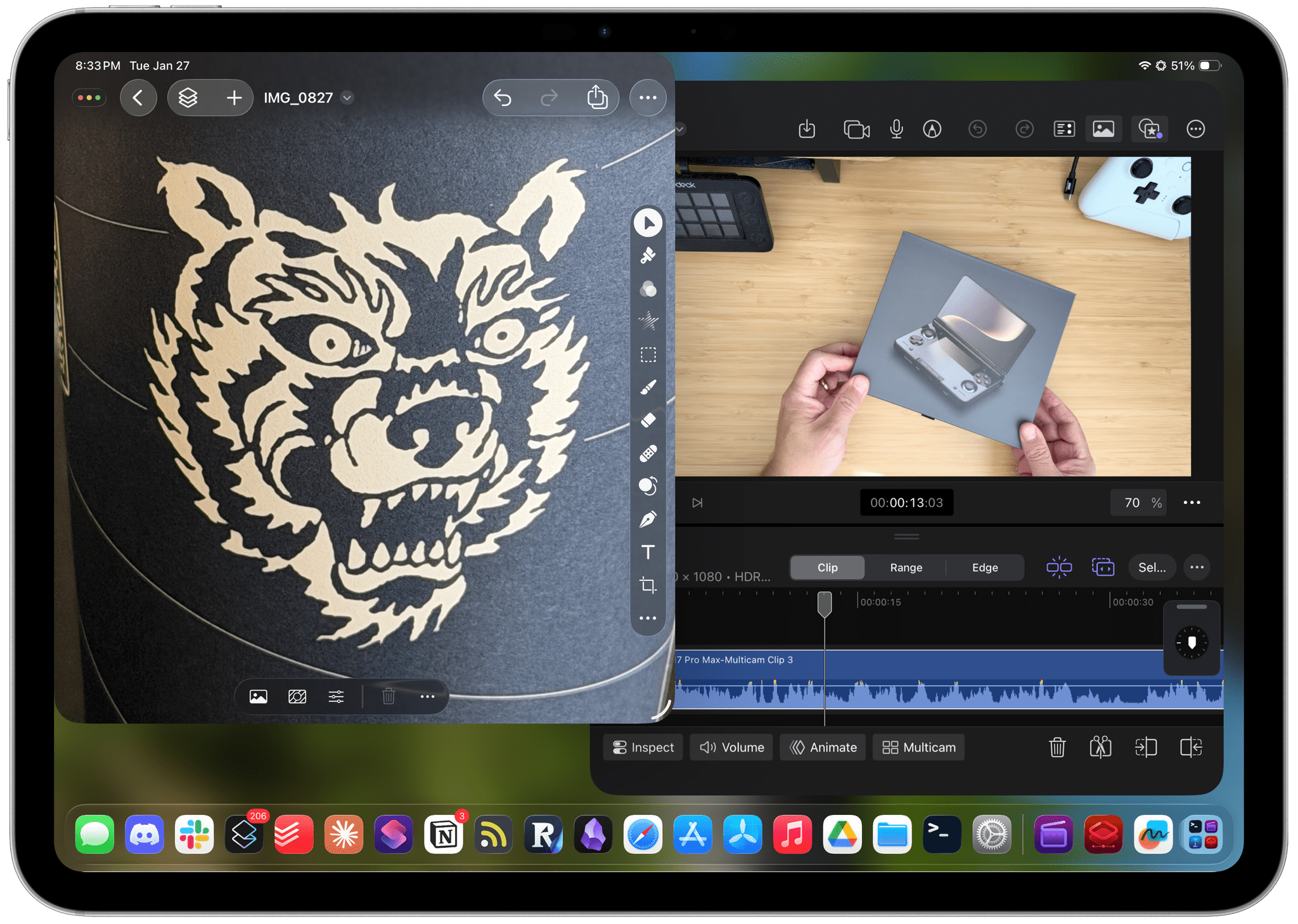
Federico also added the Ayn Thor to his handheld gaming lineup. The Thor, which I also bought this fall, is a dual-screen OLED gaming handheld that runs Android. It’s perfect for emulating dual-screen systems like the Nintendo DS and 3DS, but it has also been excellent for game streaming and testing the emerging world of emulating SteamOS on Android. If game tinkering is your thing and this sounds intriguing, we have two episodes of NPC: Next Portable Console that go in-depth on the Ayn Thor.

Read more


iPadOS 26.2 Beta Restores Drag and Drop Gestures for Split View and Slide Over

Following the comeback of Slide Over in iPadOS 26.1, Apple is continuing to iterate on iPadOS 26 multitasking by restoring functionalities that had been removed from the launch version of iPadOS 26.0 in September. Yesterday, in the third developer beta of iPadOS 26.2, the company brought back drag and drop gestures to put app windows directly in Split View and Slide Over without having to interact with additional menus. To understand how these old gestures work in the context of iPadOS 26, I recommend watching this video by Chris Lawley:

As you can see, the gestures are pretty much the same ones as iPadOS 18, but the interaction is slightly different insofar as the “pull indicator” for Slide Over (re-introduced in iPadOS 26.1) now serves two purposes. That indicator now acts both as a signal that you can drop a window to instantly tile it as one half of a Split View, and it’s also a drop target to enter Slide Over right away. The design is clever, if maybe a little too hard to discover…but that’s always been the case with multitasking gestures that aren’t exposed by a menu – which is exactly why Apple is now offering plenty of options in iPadOS 26 to discover different multitasking features in different menus.

I’m glad to see Apple quickly iterate on iPadOS 26 by finding ways to blend the old multitasking system with the platform’s new windowing engine. Based on the comments I received after publishing my iPadOS 26 review, enough people were missing the simplicity of Split View and Slide Over that I think Apple’s doing the right thing in making all these multitasking systems coexist with one another.

As I argued on last week’s episode of Connected, and as Myke and Jason also elaborated on this week’s episode of Upgrade, the problem with the iPad Pro now is that we have a great foundation with iPadOS 26 and very few third-party apps that take advantage of it beyond the usual names. I suspected as much months ago, when I explained why, in a world dominated by web apps, the iPad’s next problem was going to be its app ecosystem. The web services I use on a daily basis (Slack, Notion, Claude, Superhuman, Todoist – the list goes on) simply don’t make iPad apps of the same caliber as their desktop/web counterparts. So I find myself using Safari on the iPad to get my work done these days, but, for a variety of reasons and dozens of small papercuts, Safari for iPad simply isn’t as good as Safari on the Mac.

Given how the third-party app ecosystem story for iPad is outside of Apple’s control and how most companies aren’t incentivized to make excellent native iPad apps anymore, now that multitasking has been largely “fixed” in iPadOS 26.2, I hope Apple turns its attention to something they can control: making Safari for iPad truly desktop-class and not a baby version of Safari for Mac.

Permalink

Apple Beefed Up Its Rule Against Copycat Apps

Last week, I wrote about Apple’s new policies surrounding mini apps. However, that wasn’t the only change made to the App Review Guidelines last week. Apple also added a new subsection “c” to its rule against Copycat apps:

4.1(c) You cannot use another developer’s icon, brand, or product name in your app’s icon or name, without approval from the developer.

As I wrote earlier this year, this isn’t a new problem, especially for developers of popular games on other platforms. Copycat versions of Blue Prince, Palworld, Wordle, Cuphead, Balatro (before it was released on the App Store), and Unpacking have all appeared on the App Store in recent years.

The update to App Guideline 4.1 shows that Apple is aware of the problem, which is a step in the right direction. Hopefully, the awareness will lead to better enforcement, too.

Permalink

Our Latest App and Automation Experiments

This week, Federico and John kick off their holiday app and automation experimentation season a little earlier than usual with a mix of apps, automations, and services.

On AppStories+, Federico and John look ahead, considering the future of Shortcuts and automation.


We deliver AppStories+ to subscribers with bonus content, ad-free, and at a high bitrate early every week.

To learn more about an AppStories+ subscription, visit our Plans page, or read the AppStories+ FAQ.


AppStories+ Deeper into the world of apps

AppStories Episode 461 - Our Latest App and Automation Experiments

0:00
38:52

AppStories+ Deeper into the world of apps


App and Automation Experiments


Leave Feedback for John and Federico

Follow us on Mastodon

Follow us on Bluesky


MacStories Weekly: Issue 490

In this issue: This week, Jonathan recommends MD Vinyl, Federico gives Apple Music’s migration tool a spin, and John explains his week number workflow for organizing documents, plus the usual Links, App Debuts, the latest happenings in the Club MacStories+ Discord community, and a recap of MacStories articles and this week’s episodes of MacStories podcasts.Read more


Podcast Rewind: Dream Apps, Steam Hardware Announcements, Planning Weekend Excursions, and Come See Me in the Good Light

Enjoy the latest episodes from MacStories’ family of podcasts:

Comfort Zone

Matt has a mouse that looks like a zebra, Niléane quotes some cool new stuff in the Mastodon world, and everyone pitches their dream app. (One of them may already exist!)

On Cozy Zone, the gang roasts their very lovely listeners’ desk setups.


NPC: Next Portable Console

This week in a special early release of NPC, the guys dig into Valve’s announcement of the Steam Machine, Steam Frame, and Stream Controller, a trio of SteamOS devices poised to make a big splash in 2026.

On NPC XL, Federico, John, and Brendon cover the Steam Frame but are mostly excited about it means for Windows gaming on ARM.


MacStories Unwind

This week, John shares how he plans weekend activities with Instagram and Apple Maps, Federico tests dictation apps, and both share their first impressions of the new Apple TV show Pluribus.


Magic Rays of Light

Sigmund and Devon highlight Apple Original documentary Come See Me in the Good Light and return to Palm Beach for the second season of Palm Royale. Then, they discuss changes coming to profiles in tvOS 26.2.

Read more


Apple Introduces a Mini App Partner Program Featuring a Reduced Commission

Today on its news site for developers, Apple announced a new Mini Apps Partner Program for the App Store. The announcement is brief but backed by a more detailed explanation about the eligibility requirements. Here’s how it works.

As Apple explains, mini apps are “self-contained experiences that are built using web technologies like HTML5 and JavaScript” that are hosted within a native app. That’s not something new. Companies like WeChat and Line have offered this sort of thing for a long time, and Apple has supported mini apps officially since 2017. What’s different is that now, developers who meet Apple’s eligibility requirements can offer those mini apps at a reduced commission. That means for any mini app not made by the developer of the native app that hosts them, the hosting developer will pay Apple a flat 15% commission.

To be eligible for the program, developers must ensure that the mini apps they host support certain APIs, including the Declared Age Range API and the Advanced Commerce API, the In-App Purchase system, and the Send Consumption Information endpoint that enables the processing of refunds. In other words, native app developers who do the work to ensure that mini apps meet the program requirements will pay Apple a reduced commission on mini app sales in return.

If you’re wondering what constitutes a mini app, Apple has provided some examples. Mini apps are “software packages, scripts, or game content that are added after app installation and executed on the device, provided such code is written in HTML5 or JavaScript, or another language approved by Apple”, such as mini games, streaming games, chatbots, plug-ins, and game emulators. As I mentioned above, it’s also important to keep in mind that mini apps are apps that are not controlled by the developer of the native app that hosts them.

Also, to participate in the Mini App Partner program, developers must apply – that link takes you to a form requesting information about the mini apps a developer wants to offer, so eligibility can be determined.

App Store users stand to benefit from the program, too. APIs like the Declared Age Rating API will help ensure that only age-appropriate mini apps are available to kids. Plus, by supporting the Advanced Commerce API, mini apps will include more metadata, providing users with a richer experience in places like their App Store purchase history.

Mini apps based on web technologies are a growing part of the App Store. The App Review Guidelines have accounted for mini apps since 2017 and the rules around them have continued to adapt to the market ever since. The Mini App Partner Program reflects the further evolution of the category, promoting privacy and transparency for users, while offering the carrot of lower commissions to developers.

What will be interesting to watch is the extent to which developers sign up for this new program. The program isn’t required (although compliance with App Review Guideline 4.7 still applies), so it will come down to whether the reduced commission provides sufficient incentive for developers to further police the mini apps they host.


Edge Light Brightens Your Video Calls in the macOS Tahoe 26.2 Beta

Edge Light doesn't show up in screenshots.

Edge Light doesn’t show up in screenshots.

The latest macOS Tahoe beta 26.2 includes a new video-calling feature called Edge Light, coming to Apple silicon Macs later this year. It’s a video effect that you can access from the menu bar, just like Backgrounds, Center Stage, and Portrait mode, that creates a virtual ring light on your Mac’s screen, helping to light your face on FaceTime, Zoom, and other video calls as the days grow shorter.

The idea is simple, and the implementation is clever. When you enable Edge Light, the outer edge of your Desktop is replaced with a bright, adjustable border. The brightness of Edge Light is adjustable, as is its color temperature, allowing for a range from warmer to cooler colors, just like many physical LED lights designed specifically for video production. The virtual ring light sits on top of your Desktop and windows, but it fades away as your pointer approaches, allowing you to see everything on your screen.

Edge Light's brightness, temperature, and other controls, including the Automatic option available on Macs released in 2024 and after.

Edge Light’s brightness, temperature, and other controls, including the Automatic option available on Macs released in 2024 and after.

Edge Light is made possible by Apple silicon, using a combination of the Mac’s Neural Engine, which detects your face, and the Image Signal Processor, which measures and adjusts Edge Light’s brightness based on surrounding lighting. Edge Light will work on all Apple silicon Macs when Tahoe 26.2 is released, but Mac models released in 2024 or later will also have the option to turn the feature on automatically when low light is detected.

Edge Light off. Note, Edge Light isn't captured in screenshots.

Edge Light off. Note, Edge Light isn’t captured in screenshots.

Edge Light on. Note, Edge Light isn't captured in screenshots.

Edge Light on. Note, Edge Light isn’t captured in screenshots.

In my brief testing of Edge Light, I noticed that the effect is noticeable in a very dim room, but as you’d expect, less so as the room brightens. I also noticed that Edge Light was brighter when set to turn on automatically rather than manually, even though switching between the two didn’t move the brightness slider. I’m not sure what’s going on there, but it’s a beta, so that may change. I also enjoyed how the virtual ring light widened as I increased the brightness.

I have a couple of lights set up along the back edge of my desk because we record video for our podcasts, but most people don’t have that setup. For them, Edge Light will be a nice addition, reducing those early-morning and late-afternoon shadows. And despite the lights I have installed, sometimes it’s just easier to turn on something like Edge Light, so I expect to get use out of it too, whether I’m away from my desk on a laptop or sitting at my desk.

We’ll have more macOS Tahoe 26.2 coverage when it and Apple’s other 26.2 releases exit beta.


Podcast Rewind: Digital Decluttering and Liquid-Cooled Mobile Gaming

Enjoy the latest episodes from MacStories’ family of podcasts:

AppStories

This week, John and Federico spin a Saturday morning of iPhone app cleanup into a full blown digital declutter across all devices with the help of some of their favorite apps.

Then on AppStories+, Federico has more to share from his ongoing Typing Mind experiments, and John explains how he’s using Claude Code to crunch spreadsheets with one million rows.


NPC: Next Portable Console

This week on NPC, Brendon, Federico, and John explore where mobile phone gaming is heading and reflect on what Nintendo’s latest earnings report means for the Switch 2, before Brendon shares his first impressions of the Miyoo Mini Flip

On NPC XL, Federico, John, and Brendon explore what’s behind the sudden surge of innovation in mobile phone controllers and where mobile gaming may be heading.

Read more