This Week's Sponsor:

Turbulence Forecast

Know before you go. Get detailed turbulence forecasts for your exact route, now available 5 days in advance.


iPad mini Review: The Third Place

AppStories+ Deeper into the world of apps

AppStories Episode 408 - iPad mini Review: The Third Place

0:00
47:58

AppStories+ Deeper into the world of apps

This week, Federico and John announce that AppStories is now on YouTube and discuss the Club MacStories Fall Membership Drive and listener follow-up before digging into Federico’s iPad mini review and the concept of “The Third Place.”

AppStories Main Show

AppStories is Available on YouTube

The Club MacStories Fall Membership Drive

Follow-Up

Federico’s iPad mini (A17 Pro) Review

We deliver AppStories+ to subscribers with bonus content, ad-free, and at a high bitrate early every week.

To learn more about the benefits included with an AppStories+ subscription, visit our Plans page, or read the AppStories+ FAQ.


Follow us on Mastodon

Follow us on Threads

Follow us on Instagram


A Video Version of AppStories Debuts Today on the MacStories YouTube Channel

Today, we’re expanding our podcast AppStories to include video on YouTube. AppStories debuted in 2017, and with over 400 episodes recorded, it’s long past due for a video version.

So beginning today, you can watch AppStories on the MacStories YouTube channel:

Today’s episode was a great place to start because Federico and I discussed his iPad mini review, and in the video version, he was able to show off the hardware in a way that isn’t possible in the audio-only version.

It’s safe to say that bringing AppStories to YouTube is a good sign that our YouTube channel has graduated from an experiment to a full-fledged component of MacStories. If you haven’t subscribed to the channel yet, you can check it out and subscribe here.

It’s not a conventional YouTube channel by any stretch, and as I recently discussed with Robb on Ruminate, it’s not meant to be. The purpose of the channel is to reach podcast listeners we wouldn’t have otherwise, enhance the experience for listeners of our shows, and add a new dimension to what we do on MacStories.net – and soon, Club MacStories – which it has accomplished more and more with each passing week.

If you’re curious about AppStories on YouTube, you can subscribe to just the show or the whole channel, which also includes

  • the video versions of Comfort Zone and NPC: Next Portable Console;
  • podcast bonus material for NPC;
  • audio versions of Ruminate, Magic Rays of Light, and MacStories Unwind;
  • playlists of classic AppStories episodes; and
  • a growing collection of MacStories videos.

It should go without saying that the audio versions of our podcasts aren’t going anywhere, but I always hear concerns that the video version of a show will wreck the audio-only version. It won’t. AppStories in particular has been an audio-first podcast for seven years, so that’s not changing; but if you want to watch AppStories, now you can.

Thanks to everyone who has subscribed to the MacStories YouTube channel and tried our podcasts there. If you haven’t checked out the channel in a while, stop by sometime. It’s changed a lot since we launched it in June, and we’re not finished building it out yet. We have plenty of plans yet to come, including a little bonus for Club members later this week.


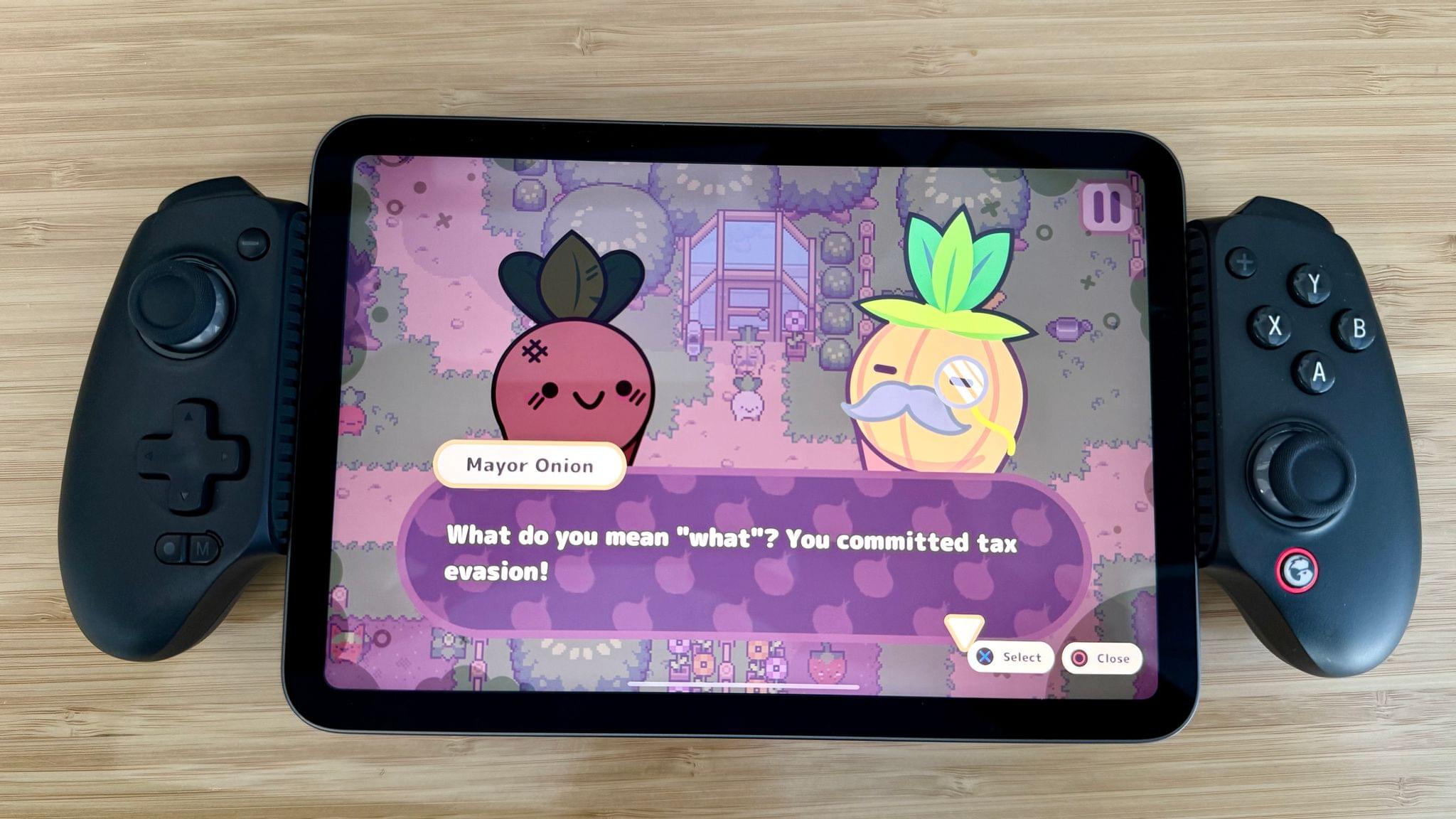
iPad mini (2024) Review: The Third Place

The new iPad mini.

The new iPad mini.

My first reaction when I picked up the new iPad mini last Thursday morning was that it felt heavier than my 11” iPad Pro. Obviously, that was not the case – it’s nearly 150 grams lighter, in fact. But after several months of intense usage of the new, incredibly thin iPad Pro, the different weight distribution and the thicker form factor of the iPad mini got me for a second. Despite being “new”, compared to the latest-generation iPad Pro, the iPad mini felt old.

The second thing I noticed is that, color aside, the new iPad mini looks and feels exactly like the sixth-generation model I reviewed here on MacStories three years ago. The size is the same, down to the millimeter. The weight is the same. The display technology is the same. Three minor visual details give the “new” iPad mini away: it says “iPad mini” on the back, it’s called “iPad mini (A17 Pro)” on the box, and it’s even called “iPad mini (A17 Pro)” (and not “iPad mini (7th generation)”) in Settings ⇾ General ⇾ About.

I’m spending time on these minor, largely inconsequential details because I don’t know how else to put it: this iPad mini is pretty much the same iPad I already reviewed in 2021. The iPadOS experience is unchanged. You still cannot use Stage Manager on any iPad mini (not even when docked), and the classic Split View/Slide Over environment is passable, but more constrained than on an iPad Air or Pro. I covered all these aspects of the mini experience in 2021; everything still holds true today.

What matters today, however, is what’s inside. The iPad mini with A17 Pro is an iPad mini that supports Apple Intelligence, the Apple Pencil Pro, and faster Wi-Fi. And while the display technology is unchanged – it’s an IPS display that refreshes at 60 Hz – the so-called jelly scrolling issue has been fixed thanks to an optimized display controller.

As someone who lives in Italy and cannot access Apple Intelligence, that leaves me with an iPad mini that is only marginally different from the previous one, with software features coming soon that I won’t be able to use for a while. It leaves me with a device that comes in a blue color that isn’t nearly as fun as the one on my iPhone 16 Plus and feels chunkier than my iPad Pro while offering fewer options in terms of accessories (no Magic Keyboard) and software modularity (no Stage Manager on an external display).

And yet, despite the strange nature of this beast and its shortcomings, I’ve found myself in a similar spot to three years ago: I don’t need this iPad mini in my life, but I want to use it under very specific circumstances.

Only this time, I’ve realized why.

Read more


Postcards and a Mac: Niléane’s Desk Setup

It’s been a while since I last showed off my desk. The last time I did so as part of MacStories Weekly Issue 405 in February, I had just acquired an 11-inch iPad Pro, and my desk looked quite different than it does now. It had an imposing corner shelf holding a variety of plushies, accessories, and other knickknacks, in addition to providing support for my microphone arm. Overall, it felt a lot more cluttered than it does now.

As the months went on, I’ve had to rethink my desktop layout to accommodate the many changes that I’ve made to my device usage. Now more than ever, my M2 MacBook Air is at the center of everything I do – so much so that the iPad Pro is now nothing more than an eBook reader for me and rarely lives on my desk as a result. This summer, we also launched Comfort Zone, a new weekly show in the MacStories family of podcasts. Since Comfort Zone is both an audio and video podcast, I started recording video at my desk for the first time ever, which also meant that I had to tweak my desk to optimize it for lighting and a new microphone setup.

In the end, these changes have added up to a completely new desk setup. So today, I’m going to take you on a quick desk tour. Let me walk you through the main highlights of what makes this desk my favorite little corner in our home.

Read more


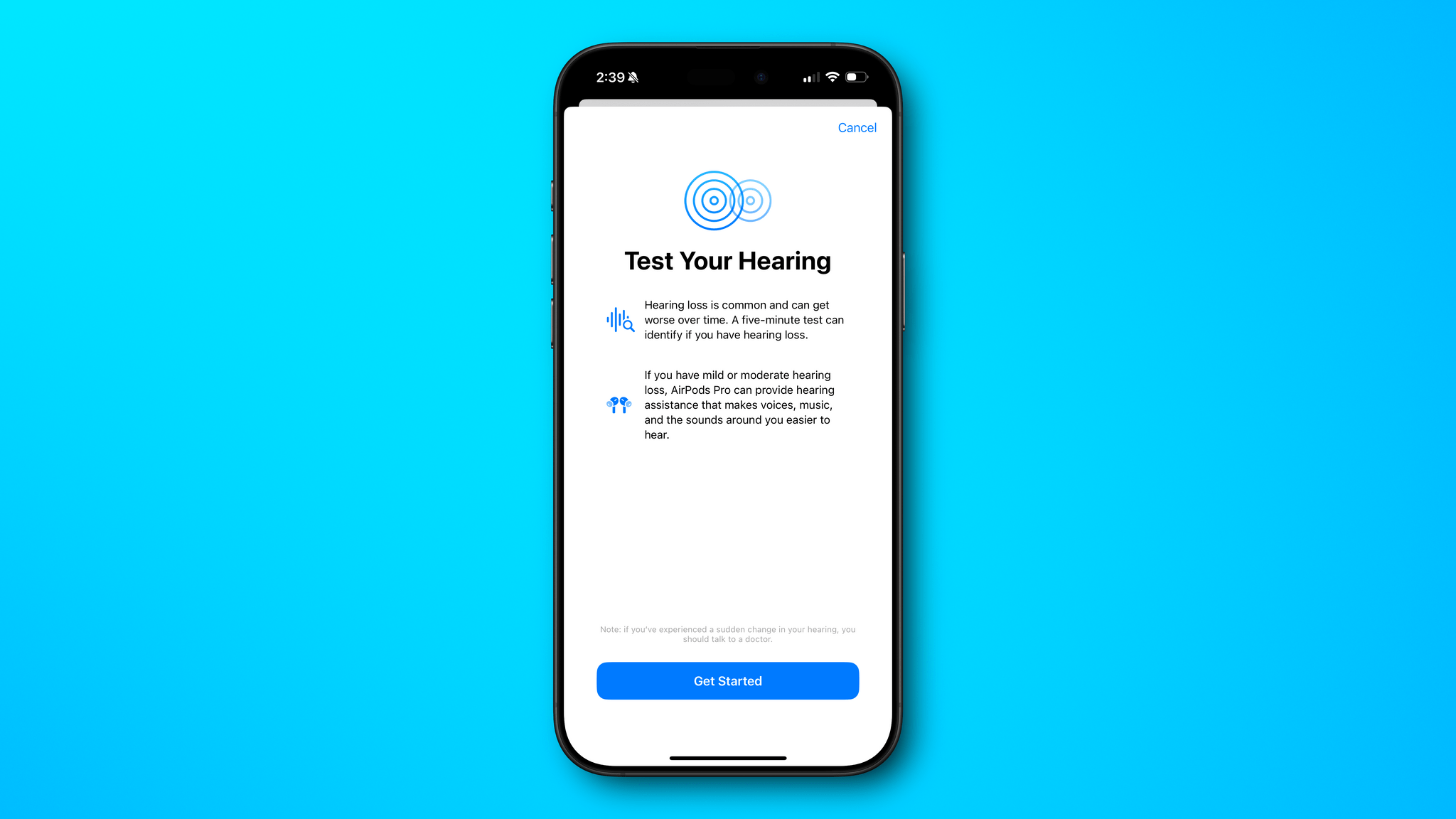
Apple’s AirPods Pro Hearing Health Features Are as Good as They Sound

The Verge’s Chris Welch has an in-depth look at Apple’s AirPods Pro hearing health features, which include hearing protection, a hearing test, and hearing aid features.

On hearing protection, Welch notes:

With iOS 18.1 and the soon-to-be-released AirPods firmware update, the AirPods Pro 2 will offer hearing protection at all times across noise cancellation, transparency, and adaptive audio modes. There’s no “concert mode” or a specific setting to toggle. You can think of this as an expansion of the loud sound reduction option that was already in place. Hearing protection is on by default, and Apple says “an all-new multiband high dynamic range algorithm” helps to preserve the natural sound of concerts and other live events.

It sounds as though Apple has put a lot of thought into its hearing test, too:

There are a few key things to know about Apple’s hearing test. For one, it’s designed so that you can’t predict or game it. The test can play any frequency at any time, so no two are the same.

Finally, if you discover that your hearing isn’t what it once was, you can also use the AirPods Pro 2 as a clinical-grade hearing aid:

For those 18 years and older with mild to moderate hearing loss, the AirPods Pro 2 can now serve as a clinical-grade hearing aid. Once enabled, you can also toggle on a “Media Assist” setting that uses your hearing test results to optimize the sound of music, phone calls, and video content.

I highly recommend reading Welch’s entire story. There are a lot of little technical details he covers that add up to features that should make a meaningful difference in a lot of people’s lives.

Permalink

Kicking Off Club MacStories’ Fall Membership Drive with Deals and Perks

Last year’s Club MacStories Fall Membership Drive was a big success, so we’re doing it again. There are more details below, but from now through November 1st, we’re offering 20% off on all annual Club MacStories plans plus special columns, a live Discord event, giveaways, deals, and more throughout the event. There’s a lot going on, so let’s look at the details.

To take advantage of the discounted plans, please use the coupon code CLUB2024 at checkout or click on one of the buttons below.

Join Club MacStories:

Join Club MacStories+:

Join Club Premier:

Visit our [Plans page](https://staging.macstories.net/club/plans) for more details on each Club option.

Visit our Plans page for more details on each Club option.

Club MacStories is a bigger part of MacStories that ever before. The Club has grown steadily every year since it was started in 2015, and every plan is packed with more of what you love about MacStories. With this month’s event, we want to accomplish three things:

  • Thank our current members with two weeks of what makes the Club special;
  • Offer a special 20% off on annual plans to grow the Club further; and
  • Make switching to a higher-tier membership more affordable for existing members.

The support of Club MacStories members is the foundation of MacStories. It’s given us the freedom to expand, focus on our in-depth stories and reviews, and build a closer relationship with readers. And most recently, while ad dollars have dried up and websites are shutting down and laying off staff due to plummeting ad revenue, we’re still growing and have plans to do even more in the coming year. That wouldn’t have been possible without the Club.

What’s unique about Club MacStories is that it’s the perfect complement to MacStories. If you’re a fan of the site and our podcasts, you’ll find that the Club is a natural extension of what you already love, with more of everything.

Our Club Discord community has become a fantastic resource for Club MacStories+ and Premier members.

Our Club Discord community has become a fantastic resource for Club MacStories+ and Premier members.

That’s been the case since the Club launched over eight years ago. We didn’t hide MacStories content behind a paywall when the Club was started. Instead, the Club has always been designed to supplement MacStories with more app coverage, complex automations, longer podcast episodes, and more. Then, with the introduction of Club MacStories+ and Club Premier, we built on that model further with a vibrant, respectful Discord community of app and automation fans who help each other get the most out of their technology.

Club newsletters are available in our fully-searchable web app for Club MacStories+ and Premier members.

Club newsletters are available in our fully-searchable web app for Club MacStories+ and Premier members.

We know that folks are inundated with subscriptions these days, which is why we work hard to offer what we think is a great value at every tier of the Club. Our nine-year track record of consistency and content, which includes over 500 issues of our newsletters, speaks for itself, but we also realize that committing to an annual plan is still a lot. So that is why we’re excited to offer a big discount during our fall membership drive. Here’s a breakdown of each tier and the discounts we’re offering through November 1, 2024:

Normally Through Nov. 1
Club MacStories $50/year $40
Club MacStories+ $100/year $80
Club Premier $120/year $96

If you’re not familiar with the Club, you can learn more and compare plans side-by-side here and read our FAQ page.

These discounts are available to anyone signing up for an annual Club membership for the first time, reactivating an expired plan, or upgrading a current plan.

To take advantage of the discounted plans, please use the coupon code CLUB2024 at checkout or click on one of the buttons below.

When you change a monthly plan to an annual one, you'll get credit for the remainder of your current month's subscription.

When you change a monthly plan to an annual one, you’ll get credit for the remainder of your current month’s subscription.

Join Club MacStories:

Join Club MacStories+:

Join Club Premier:

As a thank you to members, we’re also rolling out loads of extra content, giveaways, deals, and more this week and next, starting with new additions to our Club MacStories+ and Club Premier app discounts page, which we’ll begin revealing tomorrow on Mastodon and Threads. Then, through Nov. 1st, we’ll have columns, giveaways, a special Discord audio event tomorrow, and more, so keep an eye on the MacStories and Club MacStories Mastodon accounts and the MacStories Threads account every day to hear what’s coming next. We’ll be sure to keep any giveaway entries open throughout the fall Membership Event, too, so no matter when you join, they’ll be available.

Thanks again to our many loyal Club MacStories members, and welcome to everyone joining for the first time. You’ve all helped us grow MacStories, launch new projects, and build MacStories on a strong foundation while staying independent and true to our editorial values. We look forward to bringing you even more of what makes MacStories special for many years to come.


MacStories Weekly: Issue 438

This week, in addition to the usual links, app debuts, and recap of MacStories' articles and podcasts:

  • A Special Discord Town Hall and the Fall Club Membership Drive, by MacStories Team
  • Getting to Grips with the Camera Control and Photographic Styles, by Jonathan
  • A Trio of iPad Stands, by John
  • Desk Setups, Tinder for Photos, and 3D-Printed iPhone Stands, by Jonathan
Read more

The Latest from Comfort Zone, Magic Rays of Light, and MacStories Unwind

Enjoy the latest episodes from MacStories’ family of podcasts:

Comfort Zone

Niléane is fired up about the state of tech, Chris is enjoying the sweet, sweet sounds of a V12 engine, and Matt is really into a new web browser.


Magic Rays of Light

Sigmund and Devon highlight Shrinking season two and the debut of NBA All-Star Weekend in Immersive Video. Then they recap Bad Monkey and Slow Horses season four.


MacStories Unwind

This week, Federico suspects his new vacuum cleaner is the victim of corporate foul play, and I am denied a donut and apple cider slushie thanks to my reliance on technology.

Read more