Posts tagged with "AI"

How Stu Maschwitz Vibe Coded His Way Into an App Rejection and What It Means for the Future of Apps

This week on AppStories, Federico and I talked about the personal productivity tools we’ve built for ourselves using Claude. They’re hyper-specific scripts and plugins that aren’t likely to be useful to anyone but us, which is fine because that’s all they’re intended to be.

Stu Maschwitz took a different approach. He’s had a complex shortcut called Drinking Buddy for years that tracks alcohol consumption and calculates your Blood Alcohol Level using an established formula. But because he was butting up against the limits of what Shortcuts can do, he vibe coded an iOS version of Drinking Buddy.

Two things struck me about Maschwitz’s experience. First, the app he used to create Drinking Buddy for iOS was Bitrig, which Federico and I mentioned briefly on AppStories. His experience struck a chord with me:

It’s a bit like building an app by talking to a polite and well-meaning tech support agent on the phone — only their computer is down and they can’t test the app themselves.

But power through it, and you have an app.

That’s exactly how scripting with Claude feels. It compliments you on how smart you are, gets you 90% of the way to the finish line quickly, and then tortures you with the last 10%. That, in a nutshell, is coding with AI, at least for anyone with limited development skills, like myself.

But the second and more interesting lesson from Maschwitz’s post is what it portends for apps in general. App Review rejected Drinking Buddy’s Blood Alcohol Level calculation on the basis of Section 1.4, the Physical Harm rule.

Maschwitz appealed and was rejected, even though other Blood Alcohol Level apps are available on the App Store. However, instead of pushing the rejection with App Review further, Maschwitz turned to Lovable, another AI app creation tool, which generates web apps. With screenshots from his rejected iOS app and a detailed spec in hand, Maschwitz turned Drinking Buddy into a progressive web app.

Maschwitz’s experience is a great example of what we covered on AppStories. App creation tools, whether they generate native apps or web apps, are evolving rapidly. And, while they can be frustrating to use at times, are limited in what they can produce, and don’t solve a myriad of problems like customer support that we detail on AppStories, they’re getting better at code quickly. Whether you’re building for yourself, like we are at MacStories, or to share your ideas with others, like Stu Maschwitz, change is coming to apps. Some AI-generated apps will be offered in galleries inside the tools that created them, others will be designed for the web to avoid App Review, and some will likely live as perpetual TestFlight betas or scripts sitting on just one person’s computer, but regardless of the medium, bringing your ideas to life with code has never been more possible.

Permalink

John Giannandrea’s Retirement From Apple Announced

Today Apple announced the retirement of John Giannandrea, the company’s senior vice president for Machine Learning and AI Strategy. Giannandrea will remain at Apple as an advisor until next spring.

News of Giannandrea’s retirement was paired with an announcement that Apple has hired Amar Subramanya as vice president of AI. Subramanya, who worked at Microsoft since this past summer, previously worked at Google for 16 years on projects including the company’s Gemini Assistant. Subramanya will take the lead on Apple Foundation Models, ML research, and AI Safety and Evaluation, while other areas of Giannandrea’s work will be inherited by Sabih Khan and Eddy Cue.

Apple CEO Tim Cook thanked Giannandrea for his tenure at the company:

We are thankful for the role John played in building and advancing our AI work, helping Apple continue to innovate and enrich the lives of our users. AI has long been central to Apple’s strategy, and we are pleased to welcome Amar to Craig’s leadership team and to bring his extraordinary AI expertise to Apple. In addition to growing his leadership team and AI responsibilities with Amar’s joining, Craig has been instrumental in driving our AI efforts, including overseeing our work to bring a more personalized Siri to users next year.

Given the troubled history of Apple’s AI efforts, the retirement of Giannandrea isn’t surprising. It will be interesting to see if Subramanya settles into his new role given the frequency with which top AI talent tends to turn over in the tech industry.


Why is ChatGPT for Mac So Good?

Great post by Allen Pike on the importance of a great app experience for modern LLMs, which I recently wrote about. He opens with this line, which is a new axiom I’m going to reuse extensively:

A model is only as useful as its applications.

And on ChatGPT for Mac specifically:

The app does a good job of following the platform conventions on Mac. That means buttons, text fields, and menus behave as they do in other Mac apps. While ChatGPT is imperfect on both Mac and web, both platforms have the finish you would expect from a daily-use tool.

[…]

It’s easier to get a polished app with native APIs, but at a certain scale separate apps make it hard to rapidly iterate a complex enterprise product while keeping it in sync on each platform, while also meeting your service and customer obligations. So for a consumer-facing app like ChatGPT or the no-modifier Copilot, it’s easier to go native. For companies that are, at their core, selling to enterprises, you get Electron apps.

I don’t hate Electron as much as others in our community, but I can’t deny that ChatGPT is one of the nicest AI apps for Mac I’ve used. The other is the recently updated BoltAI. And they’re both native Mac apps.

Permalink

The AI App Experience Matters More Than Benchmarks Now

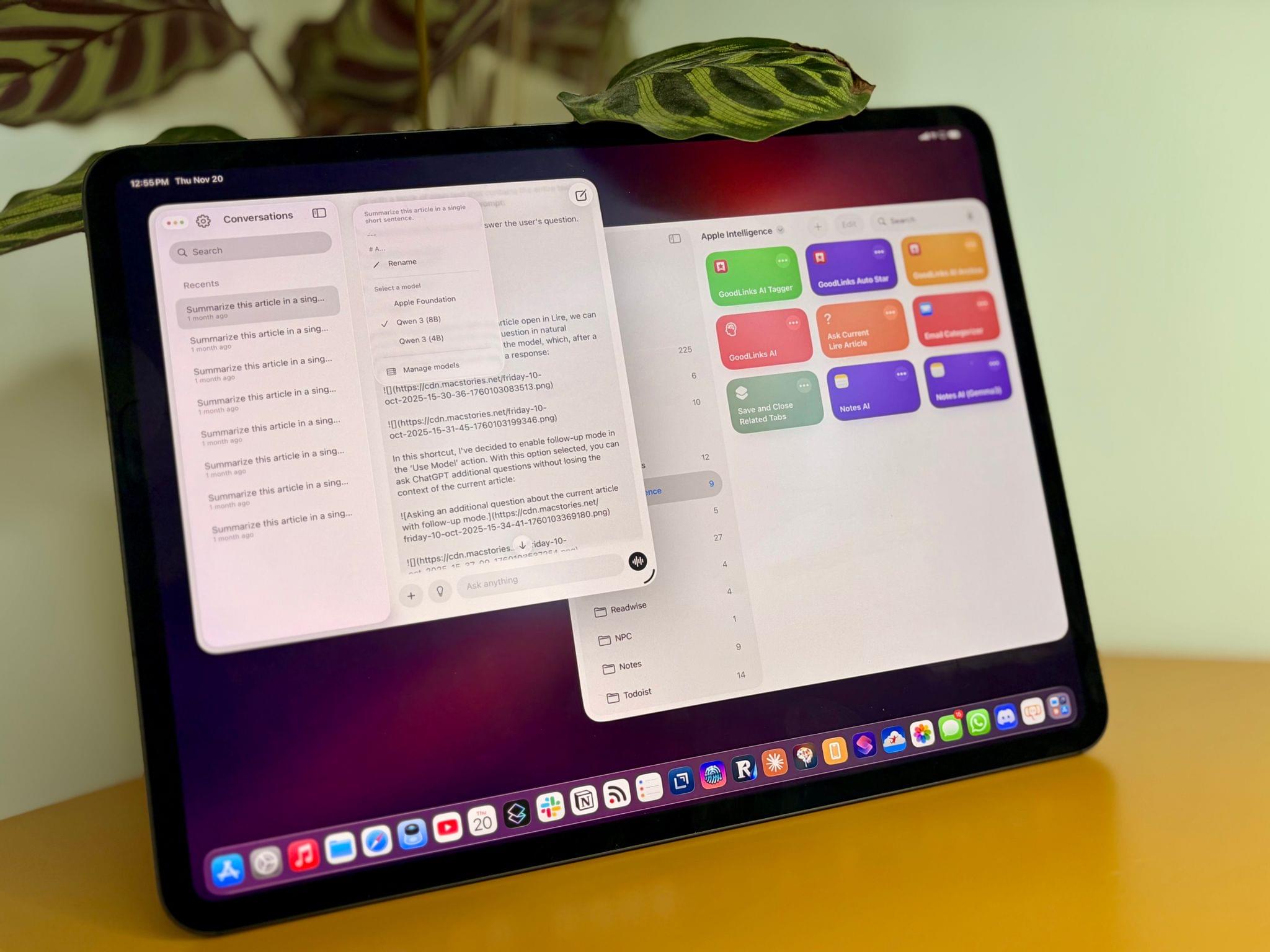
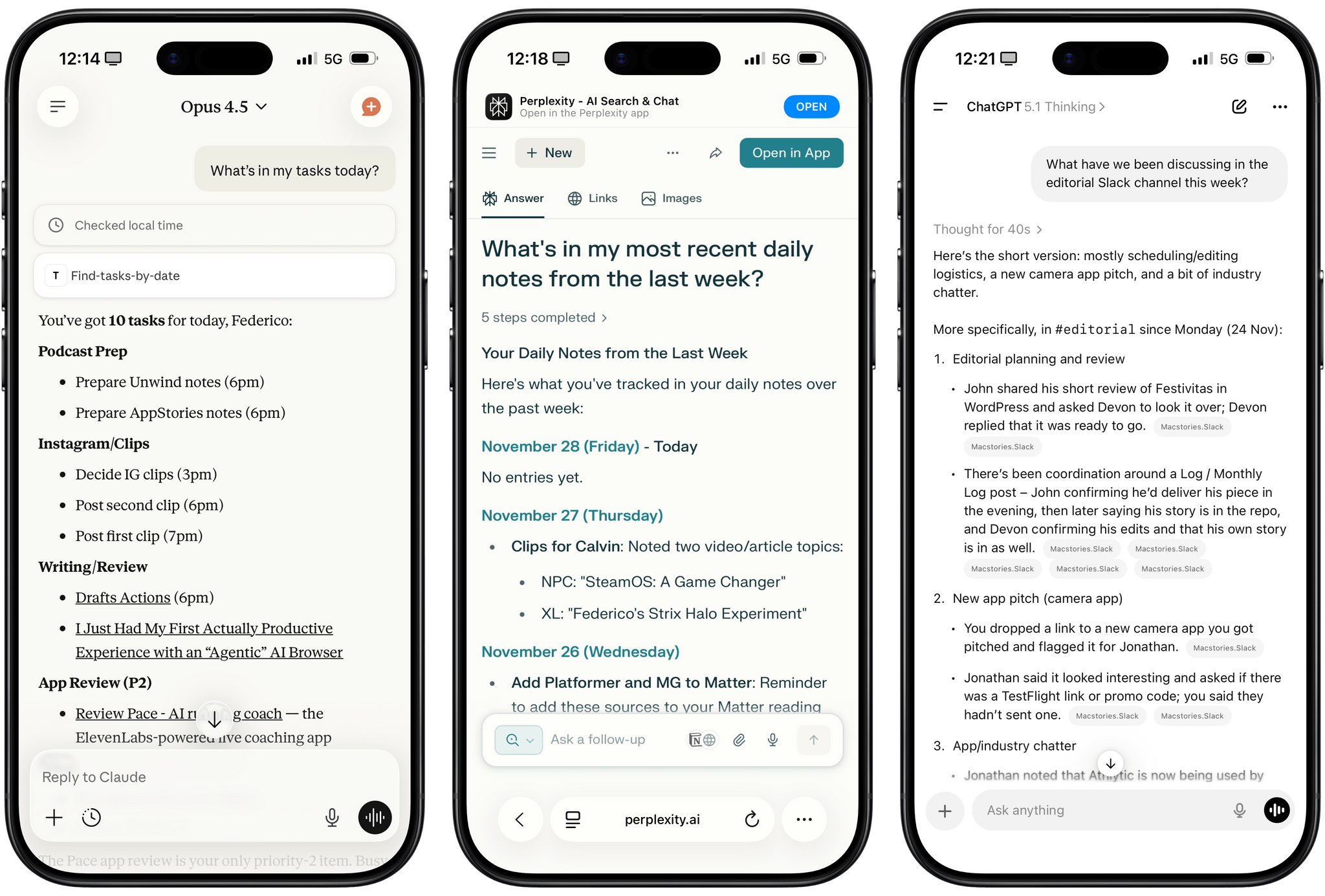
Different experiences with app connectors in Claude, Perplexity, and ChatGPT.

Different experiences with app connectors in Claude, Perplexity, and ChatGPT.

I was catching up on different articles after the release of Claude Opus 4.5 earlier this week, and this part from Simon Willison’s blog post about it stood out to me:

I’m not saying the new model isn’t an improvement on Sonnet 4.5—but I can’t say with confidence that the challenges I posed it were able to identify a meaningful difference in capabilities between the two.

This represents a growing problem for me. My favorite moments in AI are when a new model gives me the ability to do something that simply wasn’t possible before. In the past these have felt a lot more obvious, but today it’s often very difficult to find concrete examples that differentiate the new generation of models from their predecessors.

This is something that I’ve felt every few weeks (with each new model release from the major AI labs) over the past year: if you’re really plugged into this ecosystem, it can be hard to spot meaningful differences between major models on a release-by-release basis. That’s not to say that real progress in intelligence, knowledge, or tool-calling isn’t being made: benchmarks and evaluations performed by established organizations tell a clear story. At the same time, it’s also worth keeping in mind that more companies these days may be optimizing their models for benchmarks to come out on top and, more importantly, that the vast majority of folks don’t have a suite of personal benchmarks to evaluate different models for their workflows. Simon Willison thinks that people who use AI for work should create personalized test suites, which is something I’m going to consider for prompts that I use frequently. I also feel like Ethan Mollick’s advice of picking a reasoning model and checking in every few months to reassess AI progress is probably the best strategy for most people who don’t want to tweak their AI workflows every other week.

Read more


I Finally Tested the M5 iPad Pro’s Neural-Accelerated AI, and the Hype Is Real

The M5 iPad Pro.

The M5 iPad Pro.

The best kind of follow-up article isn’t one that clarifies a topic that someone got wrong (although I do love that, especially when that “someone” isn’t me); it’s one that provides more context to a story that was incomplete. My M5 iPad Pro review was an incomplete narrative. As you may recall, I was unable to test Apple’s promised claims of 3.5× improvements for local AI processing thanks to the new Neural Accelerators built into the M5’s GPU. It’s not that I didn’t believe Apple’s numbers. I simply couldn’t test them myself due to the early nature of the software and the timing of my embargo.

Well, I was finally able to test local AI performance with a pre-release version of MLX optimized for M5, and let me tell you: not only is the hype real, but the numbers I got from my extensive tests over the past two weeks actually exceed Apple’s claims.

Read more


Trying to Make Sense of the Rumored, Gemini-Powered Siri Overhaul

Quite the scoop from Mark Gurman yesterday on what Apple is planning for major Siri improvements in 2026:

Apple Inc. is planning to pay about $1 billion a year for an ultrapowerful 1.2 trillion parameter artificial intelligence model developed by Alphabet Inc.’s Google that would help run its long-promised overhaul of the Siri voice assistant, according to people with knowledge of the matter.

There is a lot to unpack here and I have a lot of questions.

Read more


On MiniMax M2 and LLMs with Interleaved Thinking Steps

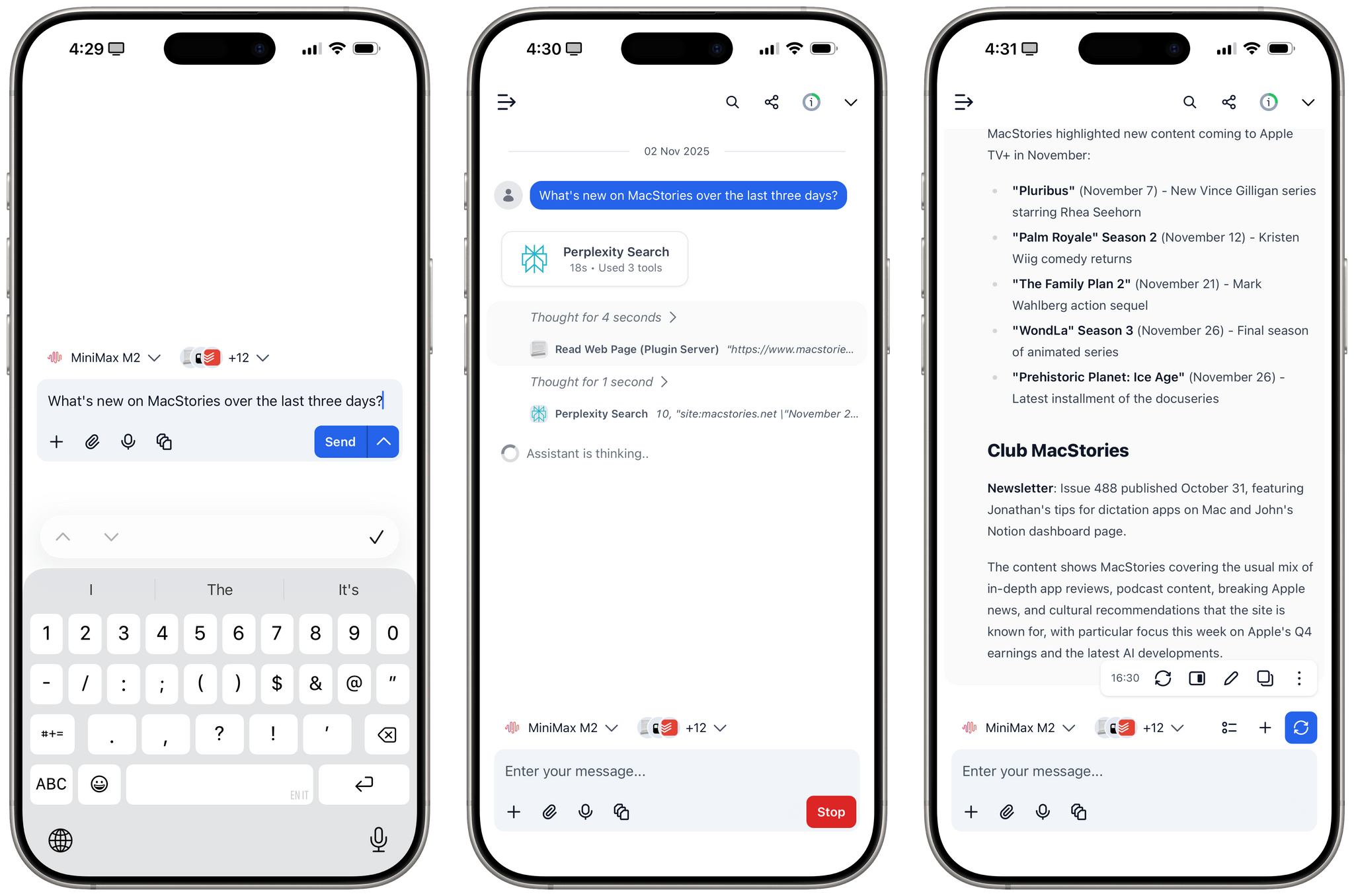
MiniMax M2 with interleaved thinking steps and tools in TypingMind.

MiniMax M2 with interleaved thinking steps and tools in TypingMind.

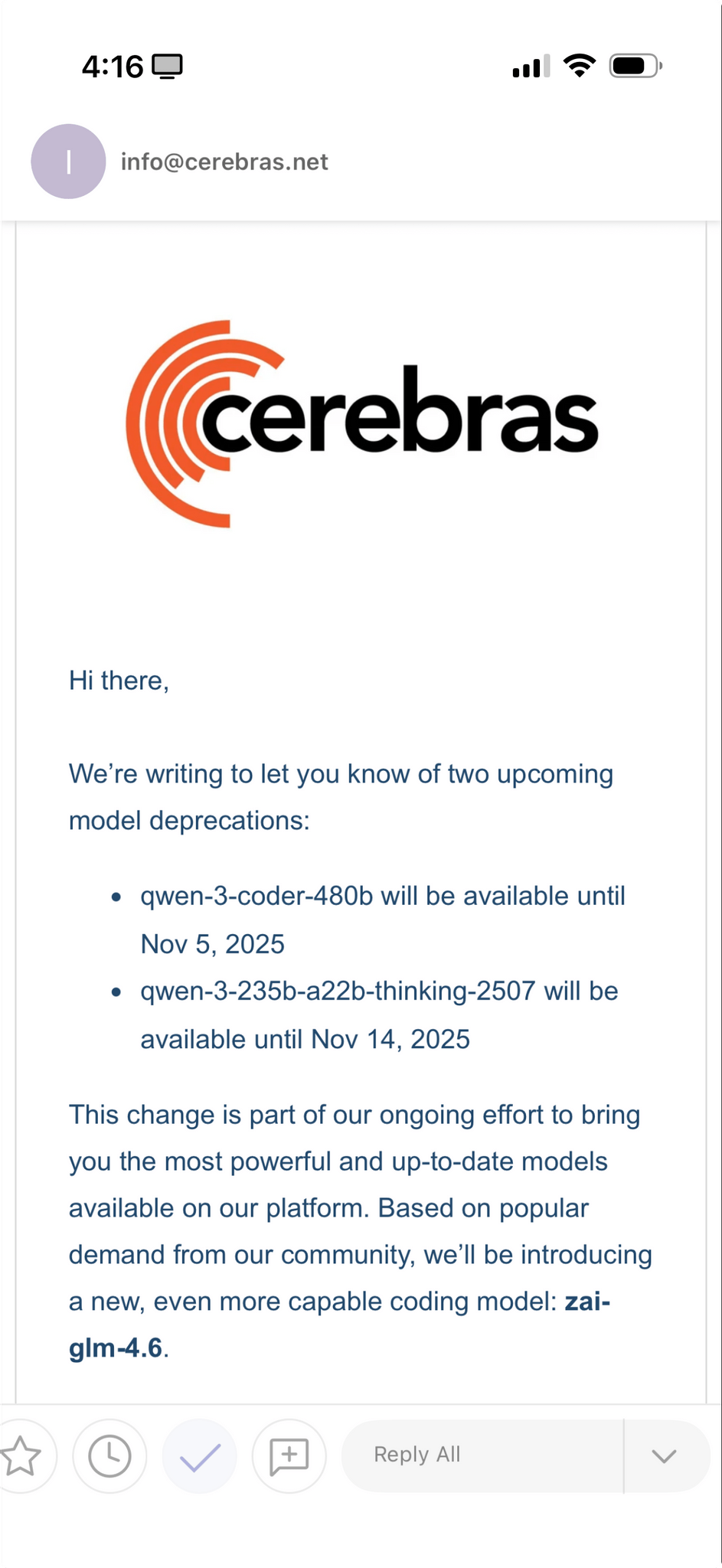
In addition to Kimi K2 (which I recently wrote about here) and GLM-4.6 (which will become an option on Cerebras in a few days, when I’ll play around with it), one of the more interesting open-source LLM releases out of China lately is MiniMax M2. This MoE model (230B parameters, 10B activated at any given time) claims to reach 90% of the performance of Sonnet 4.5…at 8% the cost. You can read more about the model here; Simon Willison blogged about it here; you can also test it with MLX on an Apple silicon Mac.

What I find especially interesting about M2 is that it’s the first model to support interleaved thinking steps in between responses and tool calls, which is something that Anthropic pioneered with Claude Sonnet 4 back in May. Here’s Skyler Miao, head of engineering at MiniMax, in a post on X (unfortunately, most of the open-source AI community is only active there):

As we work more closely with partners, we’ve been surprised how poorly community support interleaved thinking, which is crucial for long, complex agentic tasks. Sonnet 4 introduced it 5 months ago, but adoption is still limited.

We think it’s one of the most important features for agentic models: it makes great use of test-time compute.

The model can reason after each tool call, especially when tool outputs are unexpected. That’s often the hardest part of agentic jobs: you can’t predict what the env returns. With interleaved thinking, the model could reason after get tool outputs, and try to find out a better solution.

We’re now working with partners to enable interleaved thinking in M2 — and hopefully across all capable models.

I’ve been using Claude as my main “production” LLM for the past few months and, as I’ve shared before, I consider the fact that both Sonnet and Haiku think between steps an essential aspect of their agentic nature and integration with third-party apps.

That being said, I have been testing MiniMax M2 on TypingMind in addition to Kimi K2 for the past week and it is, indeed, impressive. I plugged MiniMax M2 into TypingMind using their Anthropic-compatible endpoint; out of the box, the model worked with interleaved thinking and the several plugins I’ve built for myself in TypingMind using Claude. I haven’t used M2 for any vibe-coding tasks yet, but for other research or tool-based queries (like adding notes to Notion and tasks to Todoist), M2 effectively felt like a version of Sonnet not made by Anthropic.

Right now, MiniMax M2 isn’t hosted on any of the fast inference providers; I’ve accessed it via the official MiniMax API endpoint, whose inference speed isn’t that different from Anthropic’s cloud. The possibility of MiniMax M2 on Cerebras or Groq is extremely fascinating, and I hope it’s in the cards for the near future.


AI Experiments: Fast Inference with Groq and Third-Party Tools with Kimi K2 in TypingMind

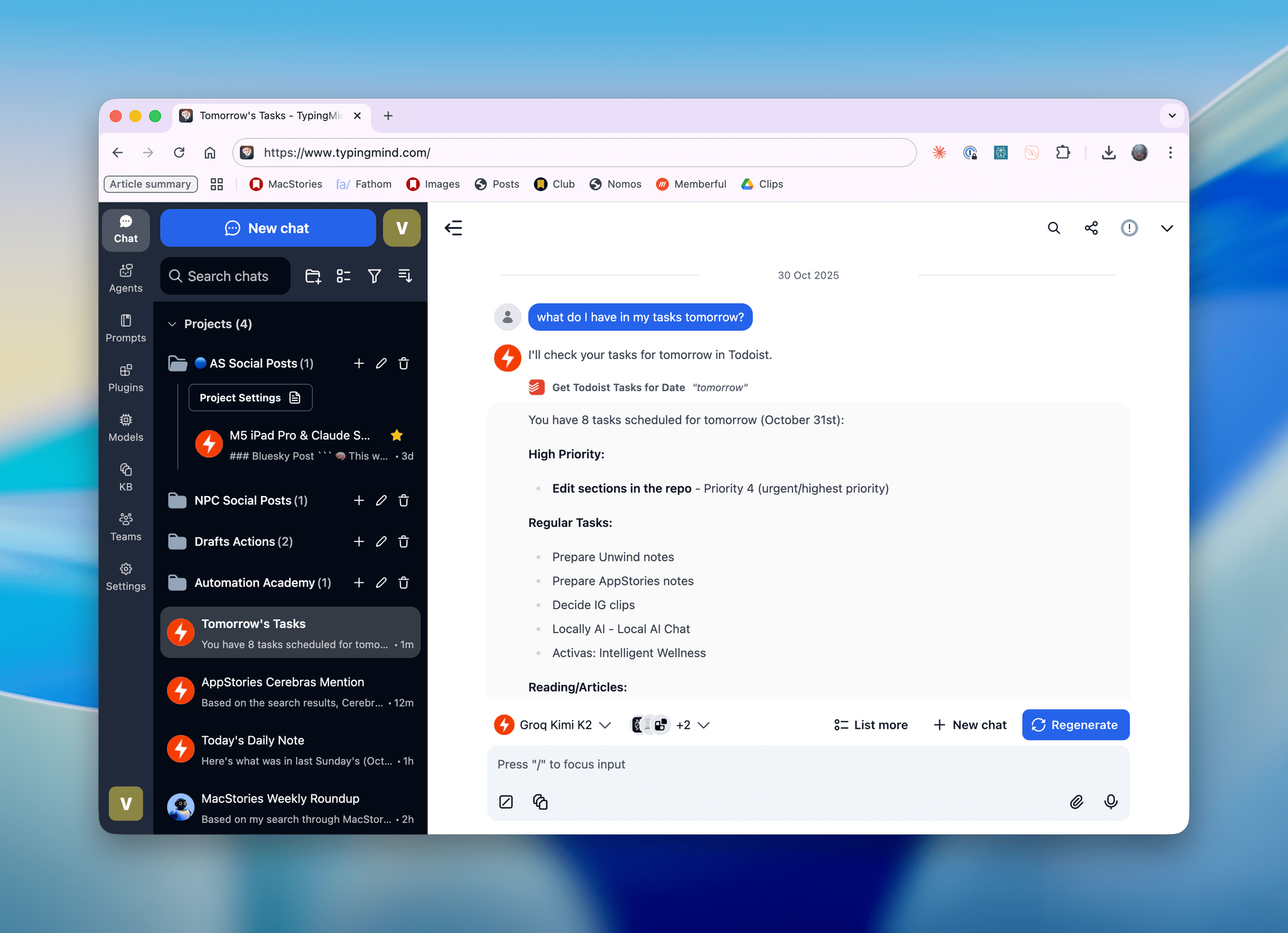
Kimi K2, hosted on Groq, running in TypingMind with a custom plugin I made.

Kimi K2, hosted on Groq, running in TypingMind with a custom plugin I made.

I’ll talk about this more in depth in Monday’s episode of AppStories (if you’re a Plus subscriber, it’ll be out on Sunday), but I wanted to post a quick note on the site to show off what I’ve been experimenting with this week. I started playing around with TypingMind, a web-based wrapper for all kinds of LLMs (from any provider you want to use), and, in the process, I’ve ended up recreating parts of my Claude setup with third-party apps…at a much, much higher speed. Here, let me show you with a video:

Kimi K2 hosted on Groq on the left.Replay

Read more


Claude Adds Screenshot and Voice Shortcuts to Its Mac App

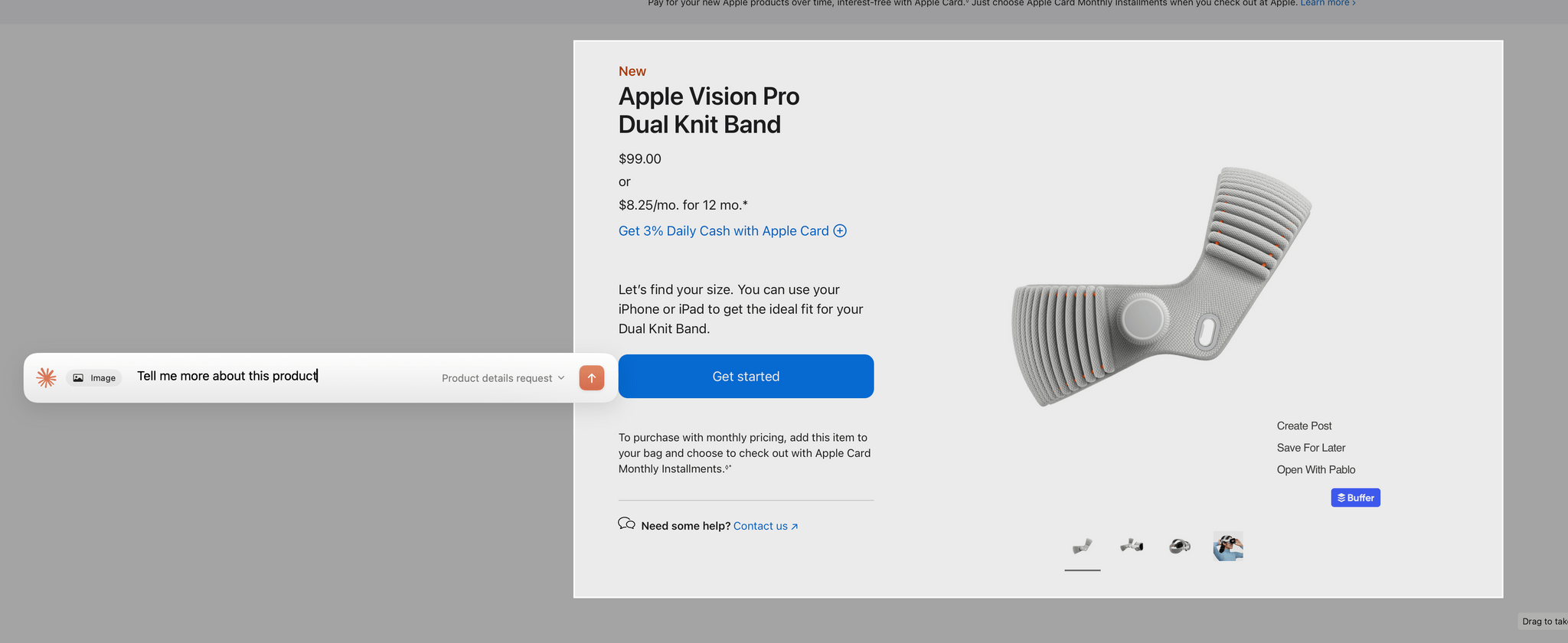
Claude's new in-context screenshot tool.

Claude’s new in-context screenshot tool.

Anthropic introduced a couple of new features in its Claude Mac app today that lower the friction of working with the chatbot.

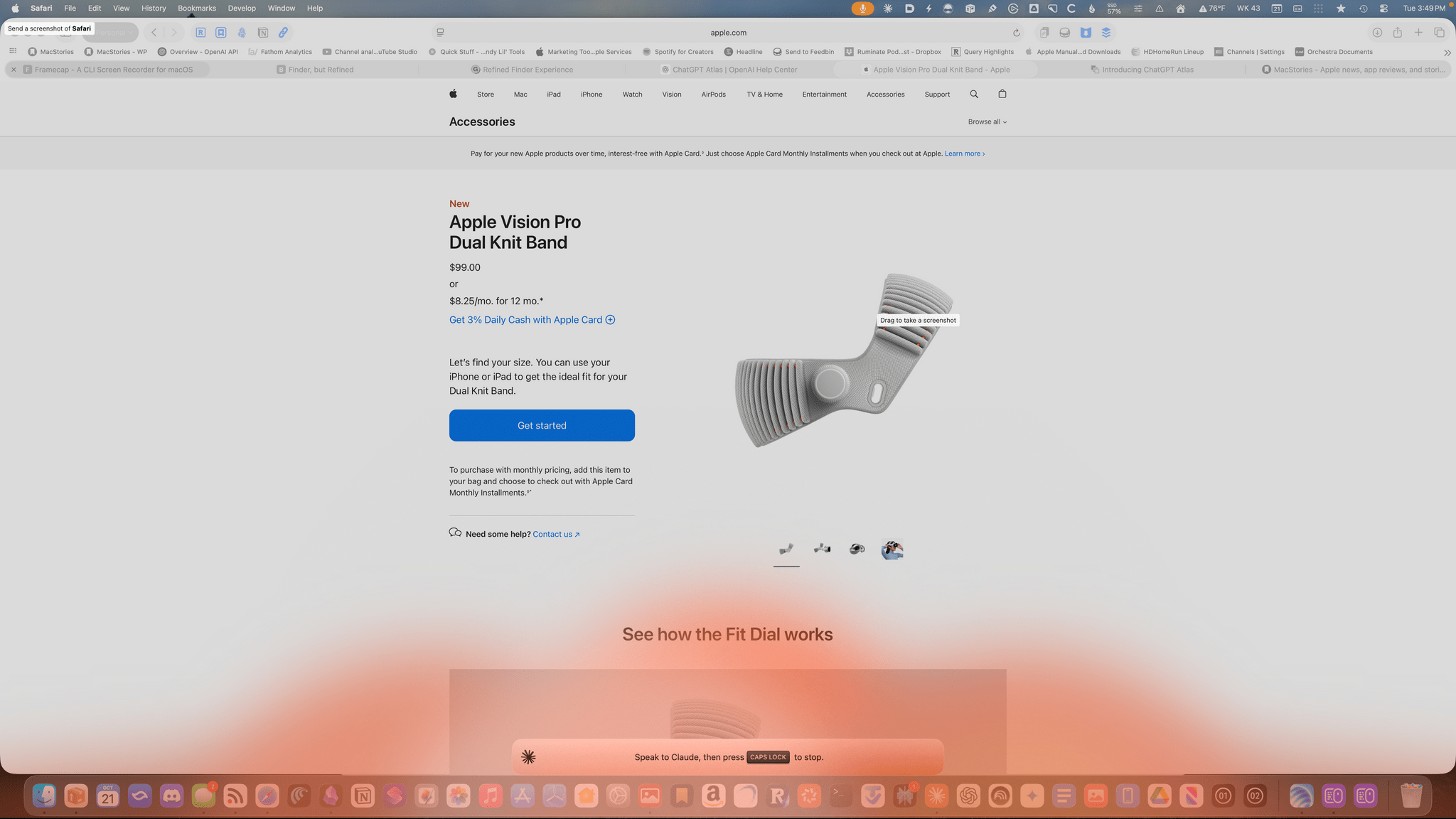
First, after giving screenshot and accessibility permissions to Claude, you can double tap the Option button to activate the app’s chat field as an overlay at the bottom of your screen. The shortcut simultaneously triggers crosshairs for dragging out a rectangle on your Mac’s screen. Once you do, the app takes a screenshot and the chat field moves to the side of the area you selected with the screenshot attached. Type your query, and it and the screenshot are sent together to Claude, switching you to Claude and kicking off your request automatically.

Instead of double-tapping the Option key, you can also set the keyboard shortcut to Option + Space, or a custom key combination. That’s nice because not all automation systems support two modifier keys as a shortcut. For example, Logitech’s Creative Console cannot record a double tap of the Option button as a shortcut.

Sending your query and screenshot takes you back to the Claude app for your response.

Sending your query and screenshot takes you back to the Claude app for your response.

I send a lot of screenshots to Claude, especially when I’m debugging scripts. This new shortcut will greatly accelerate that process simply by switching me back to Claude for my answer. It’s a small thing, but I expect it will add up over time.

My only complaint is that the experience has been inconsistent across my Macs. On my M1 Max Mac Studio with 64GB of memory, it takes 3-5 seconds for Claude to attach the screenshot to its chat field whereas on the M4 Max MacBook Pro I’ve been testing, the process is almost instant. The MacBook Pro is a much faster Mac than my Mac Studio, but I was surprised at the difference since it occurs at the screenshot phase of the interaction. My guess is that another app or system process is interfering with Claude.

Am I talking to the Claude chatbot or lighting my Dock on fire.

Am I talking to the Claude chatbot or lighting my Dock on fire.

The other new feature of Claude is that you can set the Caps Lock button to trigger voice input. Once you trigger voice input, an orange cloud appears at the bottom of your screen indicating that your microphone is active. The visual is a little over-the-top, but the feature is handy. Tap the Caps Lock button again to finish the recording, which is then transcribed into a Claude chat field at the bottom of your screen. Just hit return to upload your query, and you’re switched back to the Claude app for a response.

One of the greatest strengths of modern AI chatbots is their multi-modality. What Anthropic has done with these new Claude features is made two of those modes – images and audio – a little bit easier, which gets you from input to a response a little faster, which I appreciate. I highly recommend giving both features a try.