

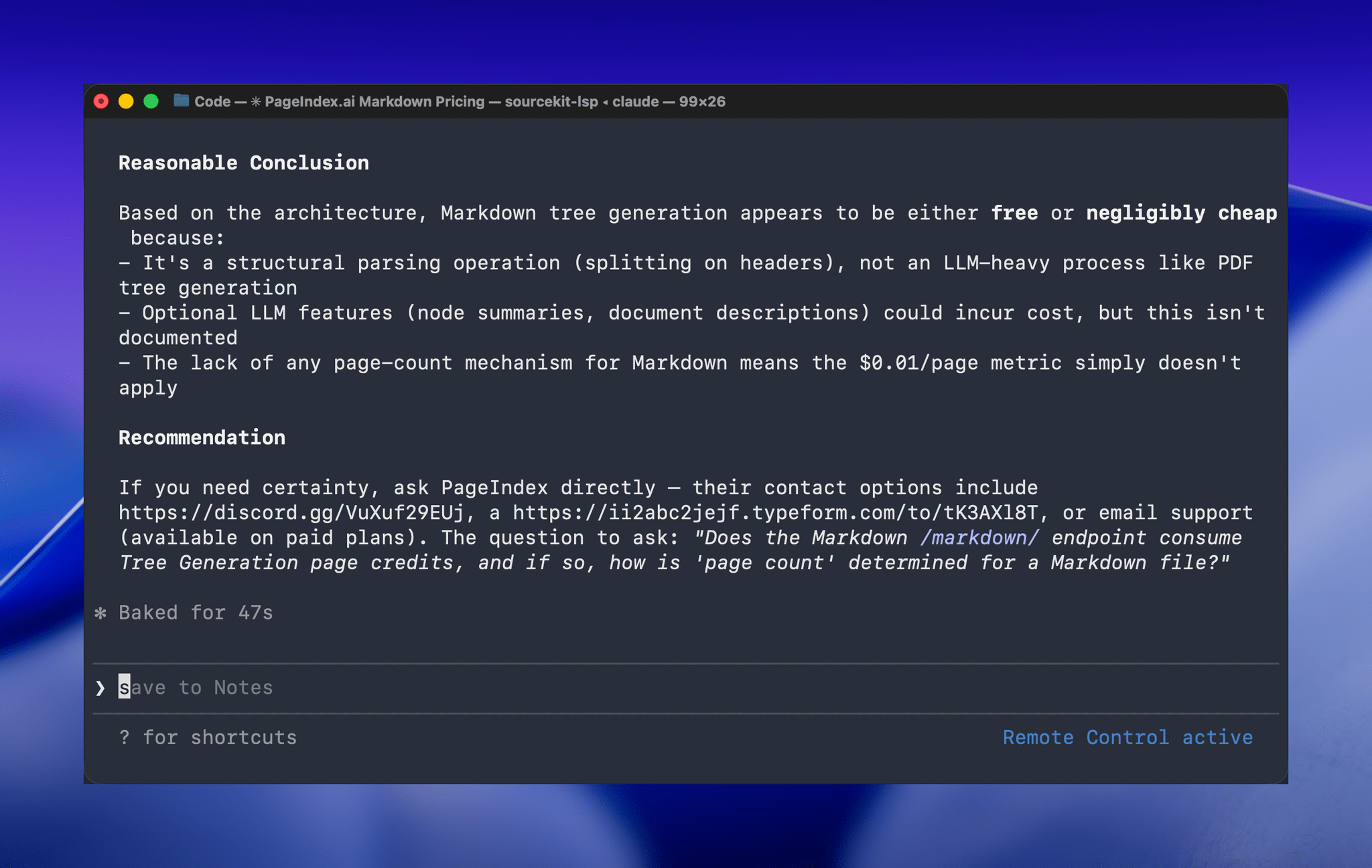
One of the greatest frustrations I’ve had with Claude Code is feeling tied to my desk or being stuck in a macOS Screen Sharing window. Claude Code’s new Remote Control feature, which was introduced late yesterday, promises to eliminate that frustration entirely. Here’s how it works.
Posts tagged with "developers"
Hands-On with Claude Code Remote Control
Submissions Open for the 2026 Swift Student Challenge
Today, Apple opened up applications for the Swift Student Challenge. Students have until the end of February to submit an app playground built with Xcode or Swift Playground. According to Apple’s developer website:
- No prior experience is needed. The Challenge is open to students of all levels who meet the eligibility requirements.
- The Challenge is free to enter — all you need is access to a Mac or iPad with Xcode or Swift Playground.
- Your app playground can be on any topic of your choice. The best app ideas come from subjects or experiences that you’re passionate about.
- Your app playground should be experienced within 3 minutes or less.
- The Swift Student Challenge is a great opportunity for students to build their skills and create something great.
Apple also released a video explaining the Challenge, and additional resources are available for both students and educators.
After the submission period closes, Apple will pick 350 winners, who will receive a one-year membership in the Apple Developer Program and a gift. Of those winners, 50 will be selected as Distinguished Winners who will be invited to visit Apple Park in Cupertino for a three-day visit, which in past years was held during WWDC.
for me, the kickoff of the Swift Student Challenge is the beginning of the build-up to WWDC, which is likely just four months away. It’s a great program that I know has inspired a lot of students to become the developers whose apps we cover at MacStories. Federico and I have also had the pleasure of interviewing many of the winners in the past and have always come away impressed and inspired what they create as part of the Challenge. I’m sure this year will be no different.
Apple’s Xcode 26.3 Release Candidate Adds Agentic Coding Tools for Developers
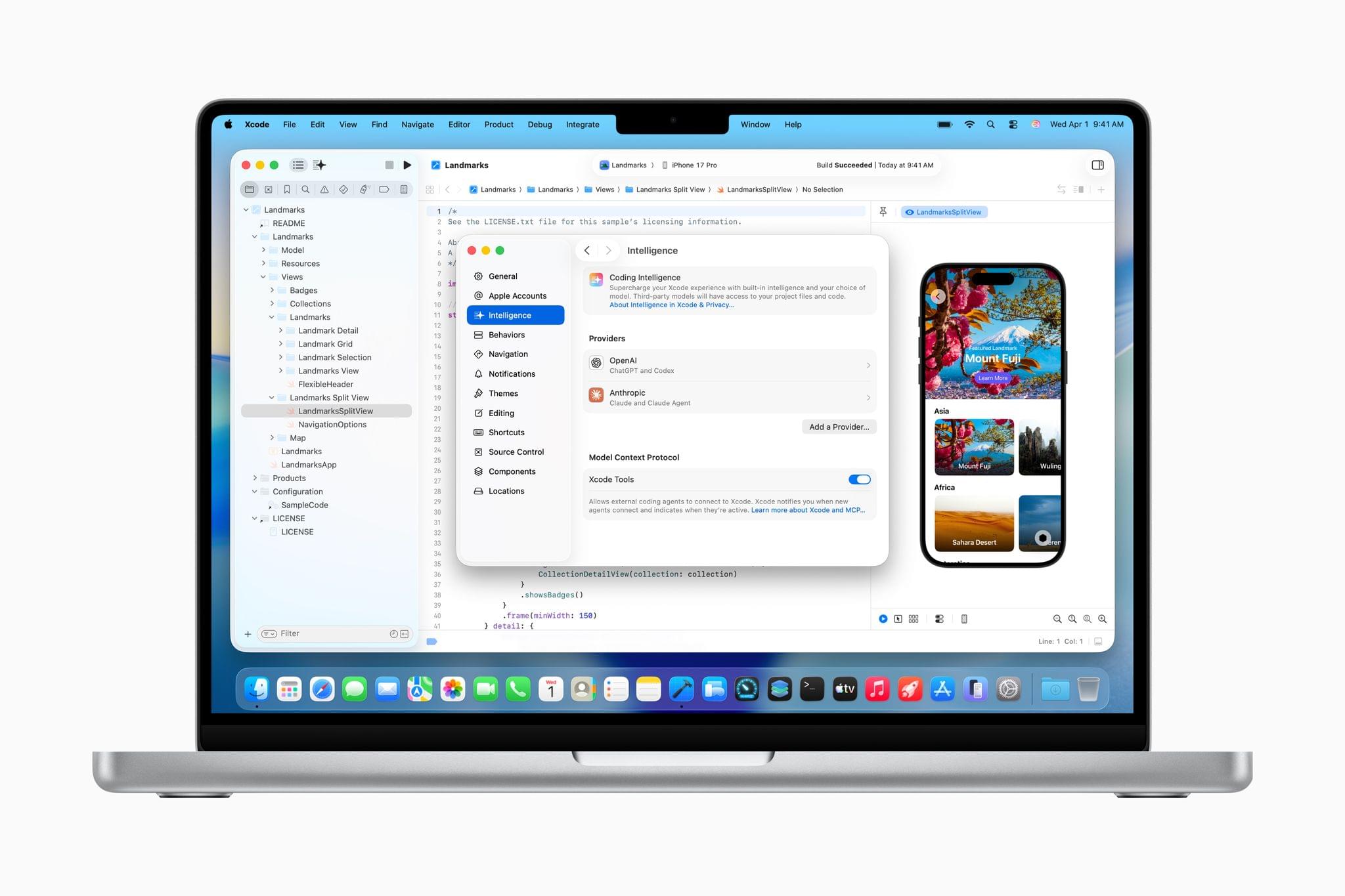
The Release Candidate of Xcode 26.3 is rolling out as we publish this with brand new agentic coding capabilities. With the update, developers can connect to either OpenAI’s Codex or Anthropic’s Claude Agent to assist their development work.
The agent sits in Xcode’s sidebar where developers can use it to plan new features, implement them, and review the results. As developers work, the agent generates a transcript of its actions, which lets developers follow along and interact with it. For example, code snippets will appear in the sidebar that can be clicked to take developers directly to the spot in the file where the agent made a change. Code updates can also be simultaneously previewed. Plus, by building OpenAI and Anthropic’s agents into Xcode, the agents have the benefit of the latest Apple APIs and documentation, which should result in better, more modern code.
Xcode 26.3 also integrates with Model Context Protocol, the open standard used to connect coding agents to other tools. That will allow any MCP-compatible agents to work with Xcode, running inside or outside Xcode, which broadens the possibilities for developers even further. Having watched a short demo of Codex assisting in the development of features in Xcode, version 26.3 looks as though it has a lot of potential to make experimentation easier and to iterate more quickly on ideas.
I’ve been building a couple of different apps recently, mostly from Terminal, which works but isn’t ideal. There are lots of apps out there that try to solve the agentic coding problem, including Visual Studio Code and Codex, which I covered yesterday. However, having seen a demo of Xcode in action, it’s jumped to the top of my list to try. After all, it’s an app with which I’m already familiar, and with Apple’s documentation and API knowledge baked in, my hope is that it speeds up my workflow even further.
For developers who want to learn more, Apple is holding a code along session Thursday covering the update.
OpenAI Launches Codex, a Mac App for Agentic Coding
Today, OpenAI released Codex, a Mac app for building software. Here’s how OpenAI describes the app in its announcement:
The Codex app changes how software gets built and who can build it—from pairing with a single coding agent on targeted edits to supervising coordinated teams of agents across the full lifecycle of designing, building, shipping, and maintaining software.
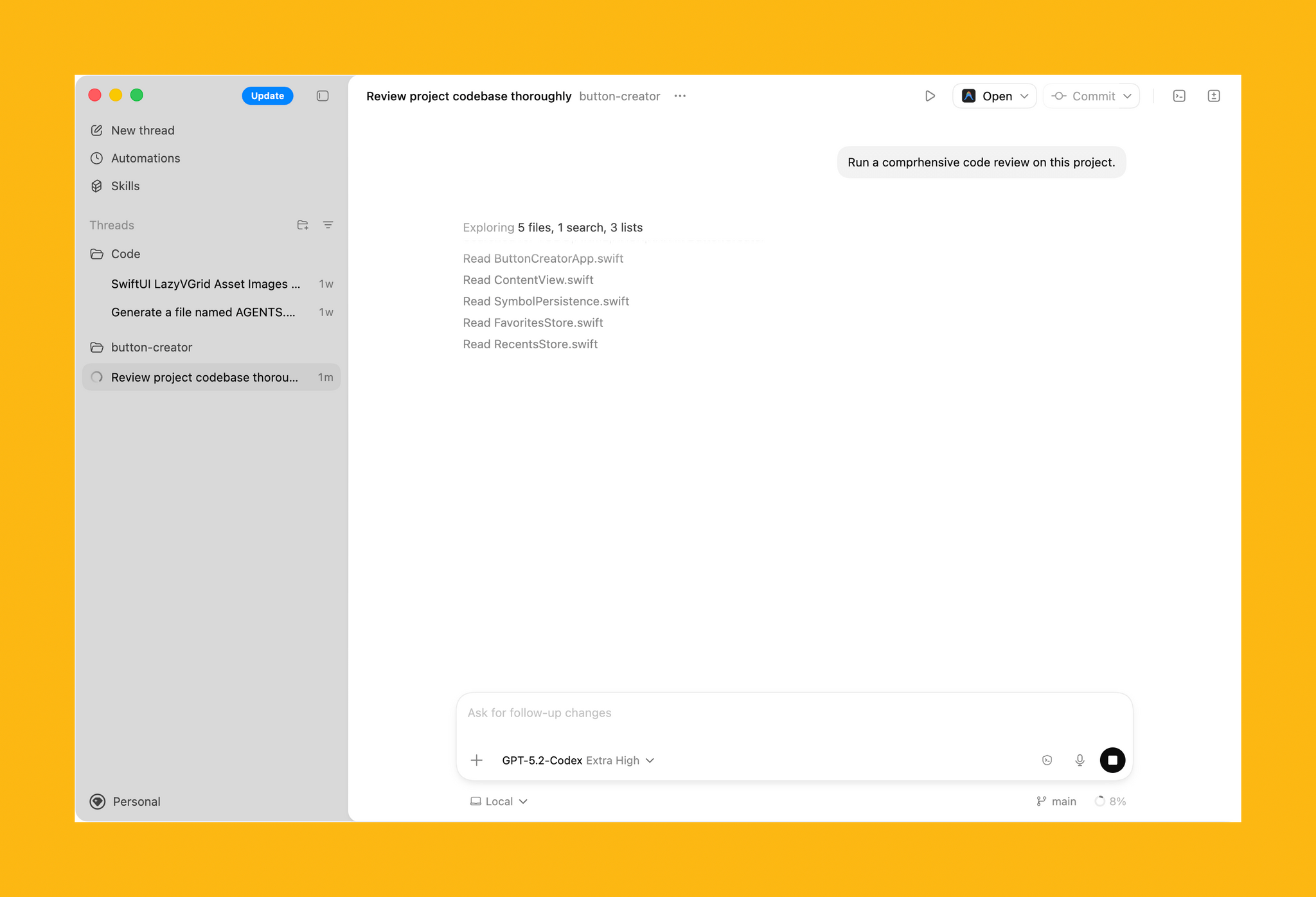
On first launch, Codex requests permission to access the file system. I granted it access to a subfolder where I stored all my projects, along with the folder that houses an app I’ve been building in my spare time. Those folders and projects live in the left sidebar, where each can be expanded to reveal chat sessions for that project.
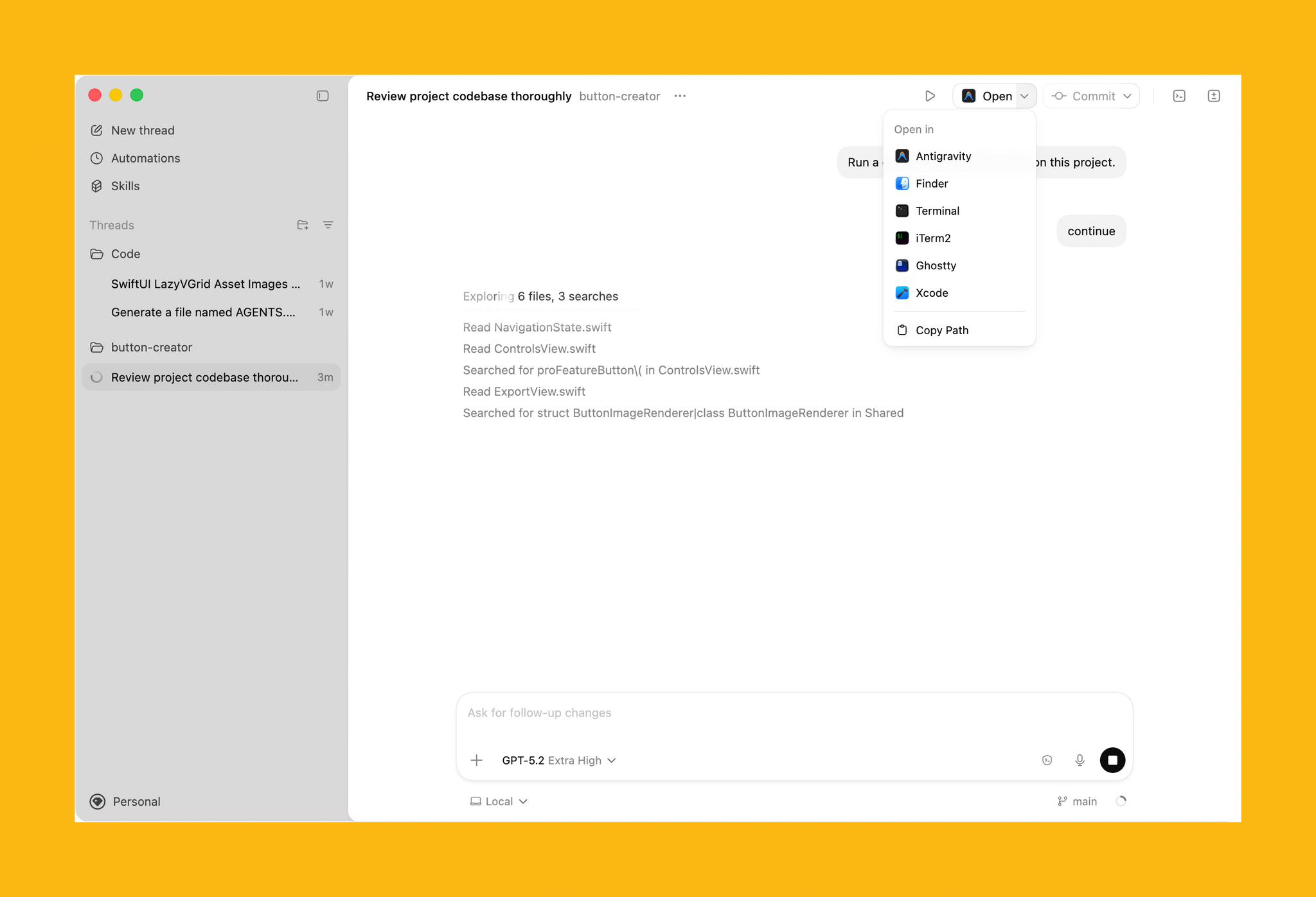
In the toolbar is an Open button for accessing other development tools installed on your Mac, a Commit button for managing version control, a button that reveals a terminal view that expands up from the bottom of the window, and a diff panel for reviewing code changes. In settings, you’ll find additional customization options, along with tools to hook up MCP servers and integrate skills.
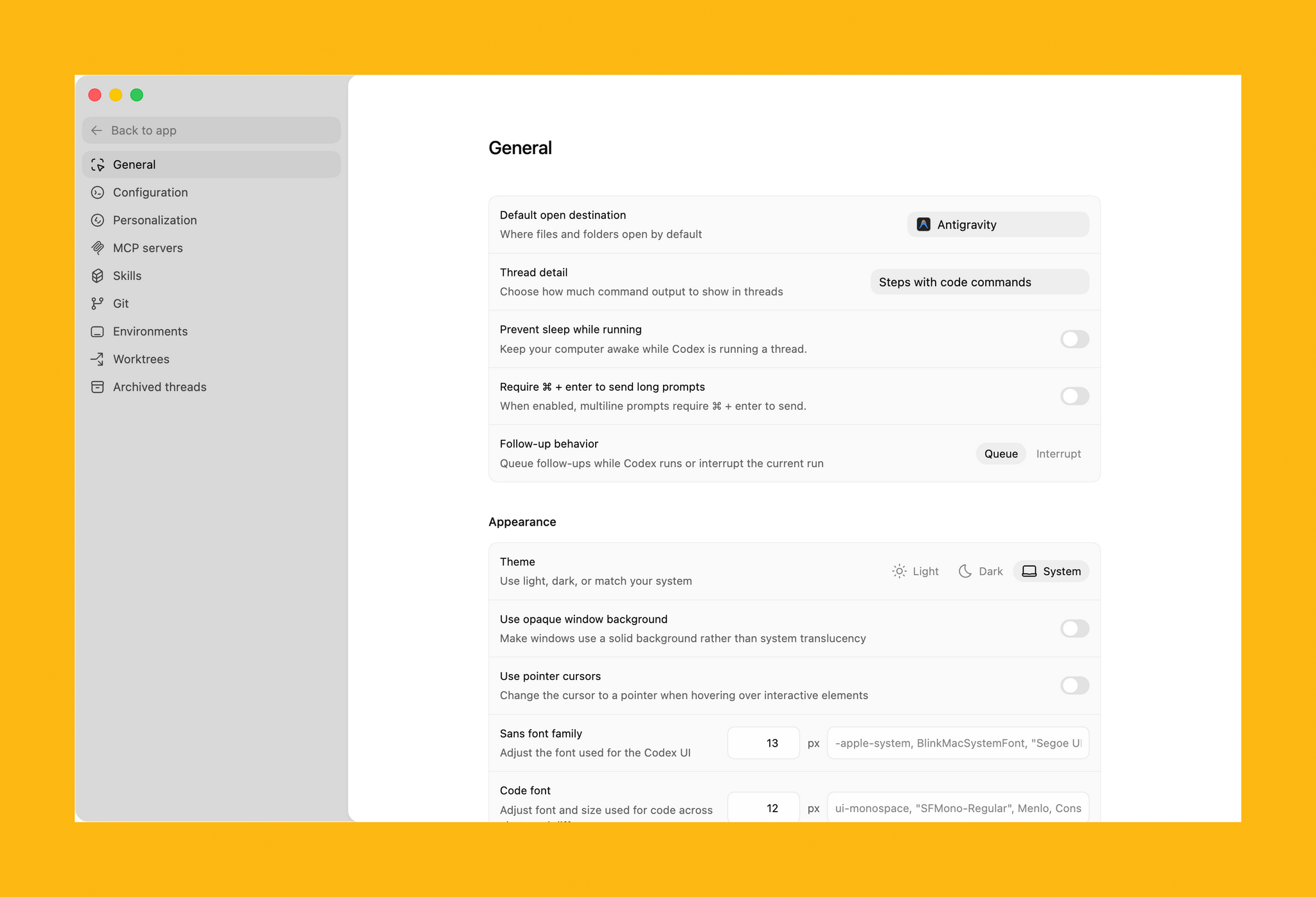
Codex is not your traditional IDE. Agents are front and center, which in an app that is far more natural to use if you’re new to agentic coding, but the model is similar. While I write this article, Codex has been grinding away in the background performing a code review of my app. After spending time reviewing all the files, Codex asked permission to run commands to do things that it can’t accomplish inside its sandboxed environment.
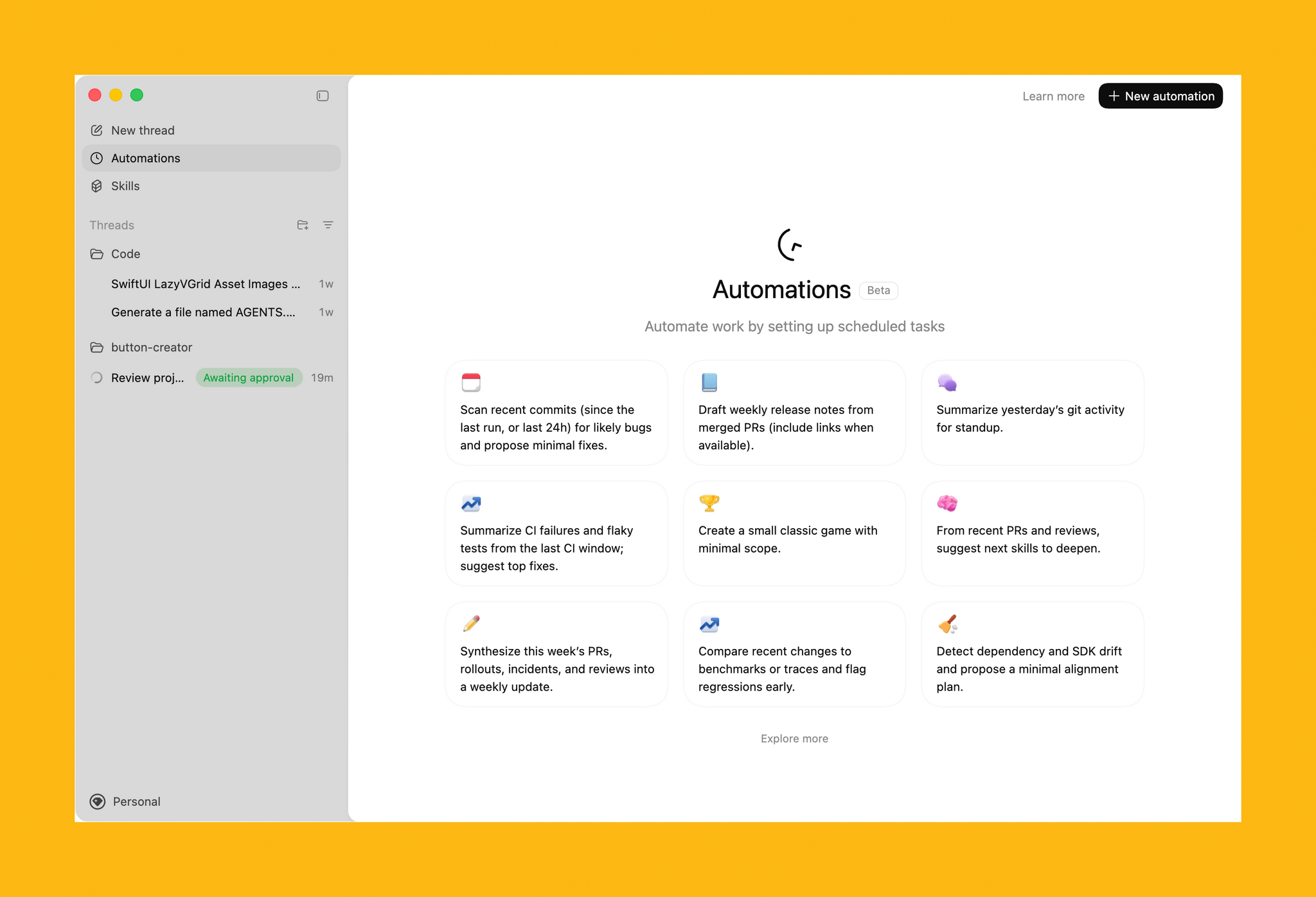
The capabilities of Codex are enhanced by skills. OpenAI is kicking off the launch of Codex with a bunch of skills that you can access via its open-source GitHub repo. The app includes a selection of pre-built Automations for repetitive tasks, too.
All in all, Codex looks excellent, but it will take me some time to get a sense of its full capabilities. If you’re interested in trying Codex, you can download it from OpenAI here. For a limited time, the company is making the tool available to Free and Go subscribers, for whom rate limits have been temporarily doubled, as well as Plus, Pro, Business, Enterprise, and Edu users.
The Iconfactory Launches Kickstarter to Expand Ollie’s Arcade with Frenzic

Ollie’s Arcade was launched in 2023 by The Iconfactory with three mini-games reminiscent of beloved classic videogames. Today, the company launched a Kickstarter campaign with the goal of raising $20,000. If reached, The Iconfactory will make Ollie’s Arcade free and bring its game Frenzic to the bundle. Frenzic was one of the earliest iOS game and a fan favorite that was later adapted for Apple Arcade, but has since left Apple’s subscription gaming service.
The Ollie’s Arcade campaign is about more than just its games though. As The Iconfactory explains:
From a bigger perspective the Kickstarter is yet another way we’re trying to sustain ourselves and keep the Iconfactory up and running. We all know times are tough, especially for small, non-investor driven businesses like ours. We’ve struggled to pay our salaries, keep up with the rising cost of health care and to compete against the onslaught of AI driven design solutions. The new KS won’t be enough to solve all our revenue problems, but it will help give us runway to keep the lights on while we find new ways to stick around and serve you. The more we raise now, the longer and safer that runway gets.
The Iconfactory has a long and stories history since it was founding in 1996. Since then they’ve produced some of the most thoughtfully designed apps and icons around. The Iconfactory isn’t the only company whose business has been hurt by generative AI, but I sincerely hope it isn’t one of the fatalities too. Check out the Kickstarter campaign and chip in to help them and make some great games free for everyone. And while you’re at it, don’t miss all the other great apps they have on the App Store like Tapestry, Tot, Triode, xScope, and many other.
LLMs Have Made Simple Software Trivial→
I enjoyed this thought-provoking piece by (award-winning developer) Matt Birchler, writing for Birchtree on how he’s been making so-called “micro apps” with AI coding agents:
I was out for a run today and I had an idea for an app. I busted out my own app, Quick Notes, and dictated what I wanted this app to do in detail. When I got home, I created a new project in Xcode, I committed it to GitHub, and then I gave Claude Code on the web those dictated notes and asked it to build that app.
About two minutes later, it was done…and it had a build error.
And:
As a simple example, it’s possible the app that I thought of could already be achieved in some piece of software someone’s released on the App Store. Truth be told, I didn’t even look, I just knew exactly what I wanted, and I made it happen. This is a quite niche thing to do in 2026, but what if Apple builds something that replicates this workflow and ships it on the iPhone in a couple of years? What if instead of going to the App Store, they tell you to just ask Siri to make you the app that you need?
John and I are going to discuss this on the next episode of AppStories about the second part of the experiments we did over our holiday break. As I’ll mention in the episode, I ended up building 12 web apps for things I have to do every day, such as appending text to Notion just how I like it or controlling my TV and Hue sync box. I didn’t even think to search the App Store to see if new utilities existed: I “built” (or, rather, steered the building of) my own progressive web apps, and I’m using them every day. As Matt argues, this is a very niche thing to do right now, which requires a terminal, lots of scaffolding around each project, and deeper technical knowledge than the average person who would just prompt “make me a beautiful todo app.” But the direction seems clear, and the timeline is accelerating.
I also can’t help but remember this old rumor from 2023 about Apple exploring the idea of letting users rely on Siri to create apps on the fly for the then-unreleased Vision Pro. If only the guy in charge of the Vision Pro went anywhere and Apple got their hands on a pretty good model for vibe-coding, right?
How I Revived My Decade-Old App with Claude Code
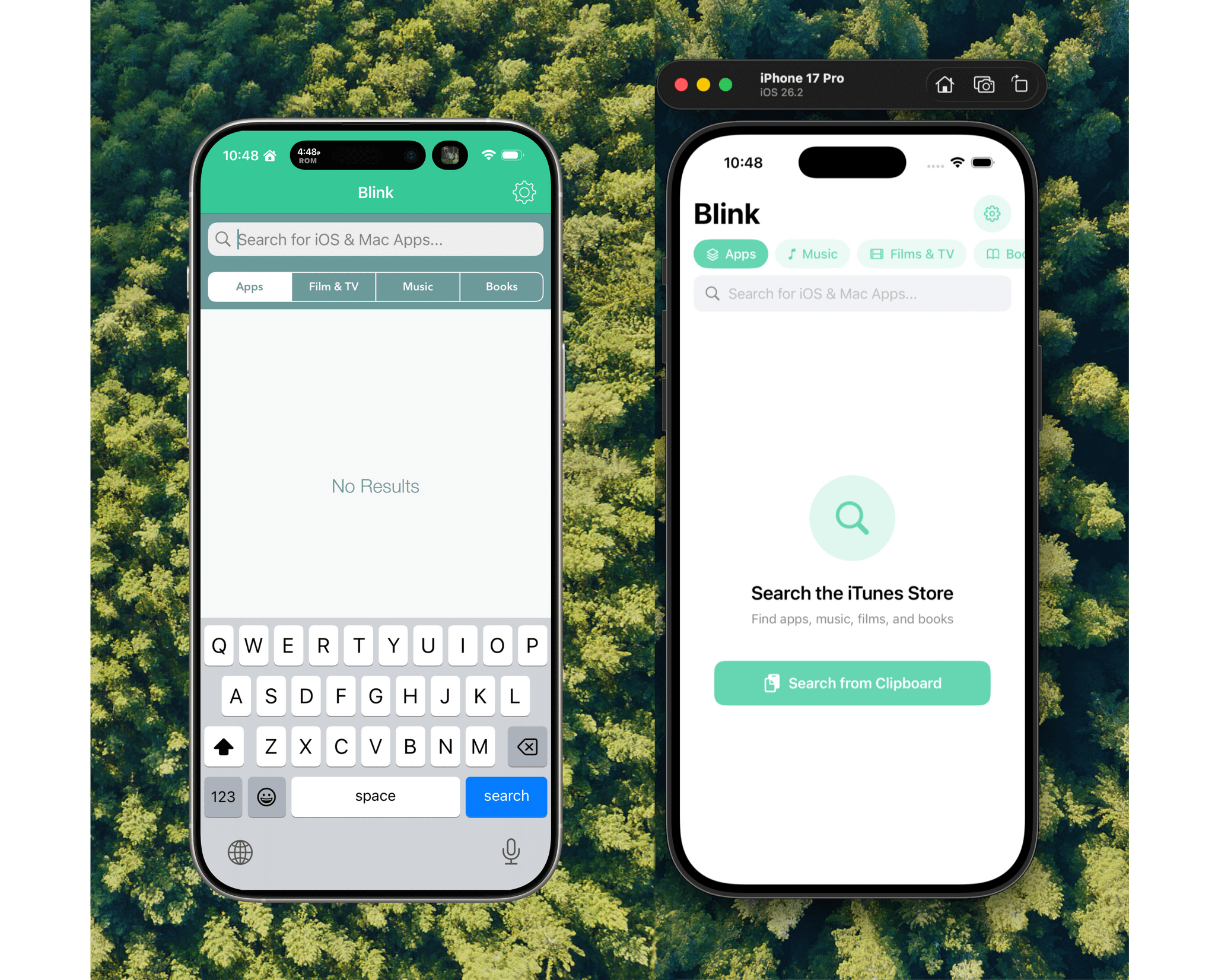
Every holiday season, Federico and I spend our downtime on nerd projects. This year, both of us spent a lot of that time building tools for ourselves with Claude Code in what developed into a bit of a competition as we each tried to one-up the other’s creations. We’ll have more on what we’ve been up to on AppStories, MacStories, and for Club members soon, but today, I wanted to share an experiment I ran last night that I think captures a very personal and potentially far-reaching slice of what tools like Claude Code can enable.
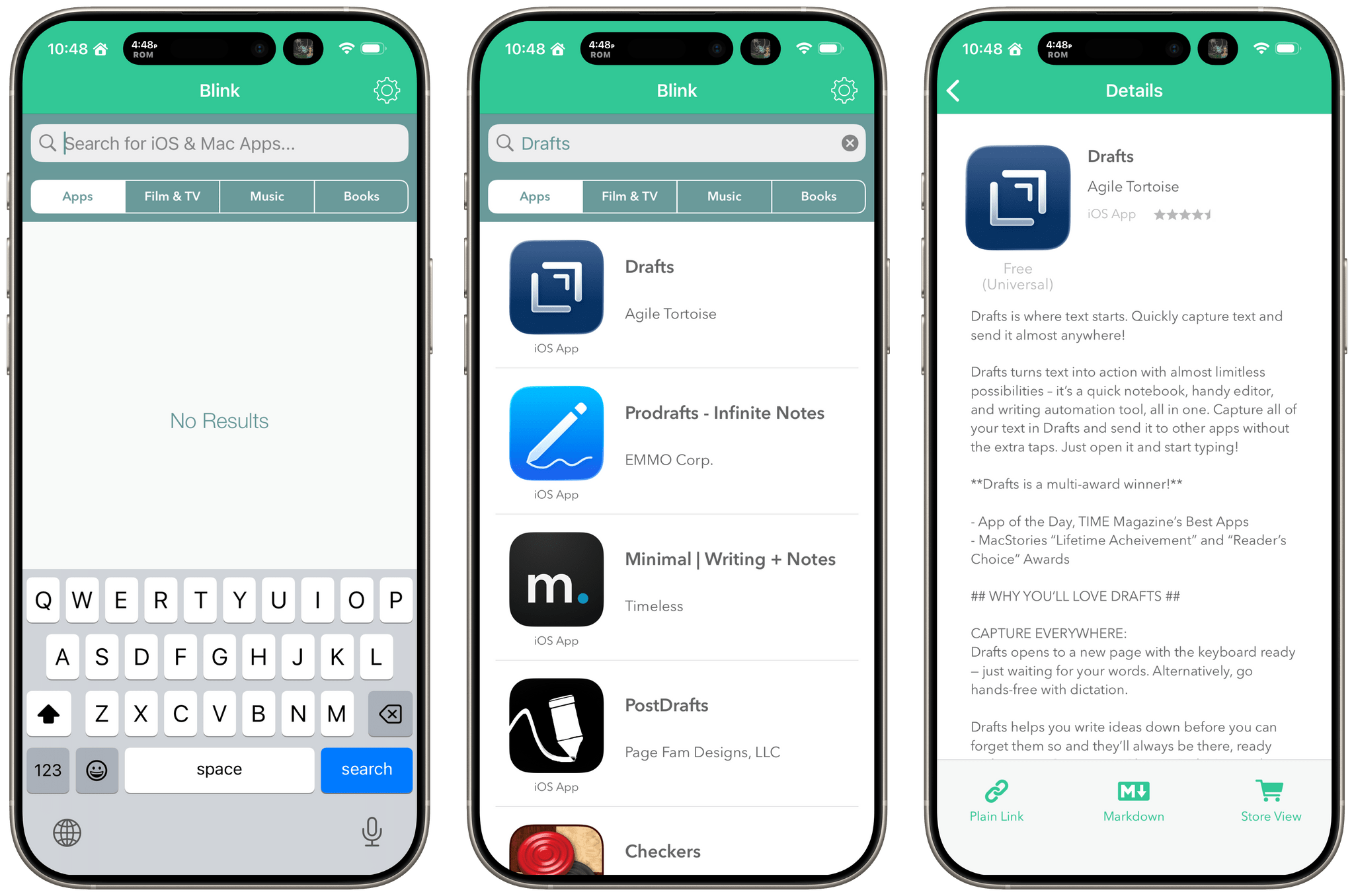
Before I wrote at MacStories, I made a few apps, including Blink, which generated affiliate links for Apple’s media services. The app had a good run from 2015-2017, but I pulled it from the App Store when Apple ended its affiliate program for apps because that was the part of the app that was used the most. Since then, the project has sat in a private GitHub repo untouched.
Last night, I was sitting on the couch working on a Safari web extension when I opened GitHub and saw that old Blink code, which sparked a thought. I wondered whether Claude Code could update Blink to use Swift and SwiftUI with minimal effort on my part. I don’t have any intention of re-releasing Blink, but I couldn’t shake the “what if” rattling in my head, so I cloned the repo and put Claude to work.
App Marketing: My Extended Q&A for Paul Hudson’s Everything but the Code→
Earlier this year, Paul Hudson asked me to answer a few questions about app marketing for a book he was writing called Everything But the Code.
The book is finished now, and it’s full of great advice from Paul and a long list of indie developers whose apps are some of MacStories’ favorites. Paul covers the entire process of making apps, from validating an idea to selling your app and beyond. The only thing he doesn’t cover, as the book’s title makes clear, is building apps, which is the subject of other books and courses he’s created.
Paul was kind enough to ask me to share some insights on marketing apps to the press. You’ll find my contributions in the Prelaunch and Publicity and Aftermath and Evolution chapters, and now that the book is final, I thought I’d share extended versions of my responses with readers. Although the focus is on apps, I expect there are a few lessons here for anyone pitching their creative work to the world. So, here you go.
Paul Hudson: What common mistakes do developers make when pitching their app to the press?
Me: Most developers do a great job thinking through what they’re pitching but don’t spend enough time thinking about who they’re pitching to. I’d love to be able to tell developers do these five things, and you’ll have a pitch you can send to anyone, but it doesn’t work that way. Developers need to think about things like who at a publication typically covers certain types of apps.
For example, if you know a publication has a musician on staff who has covered music apps before, that person should be at the top of your list if you’ve built a guitar tab app. However, that doesn’t mean you shouldn’t contact anyone else at the publication. People get busy, so don’t limit yourself. However, focus your efforts on the people who are most likely to be receptive to your app.
It also pays to make things easy for the person you’re pitching to. Keep your pitch short and to the point, link to a press kit, beta, and other materials, and follow up closer to launch.
A few other pitch pointers:
- Don’t wait to send your pitches until the last minute. Personally, I prefer getting pitches at least a couple of weeks in advance of a launch, so I can make the time for testing and writing about them.
- Don’t send pitches during WWDC, on Apple event days, or major holidays. Your pitch is much more likely to get lost in the shuffle on those days.
- You don’t need to ask if it’s okay to send a TestFlight link. If the person you’re pitching to isn’t interested, they won’t use it.
- It’s okay to copy multiple people at a publication if you’re unsure who to contact.
- Try to understand where a writer likes to be contacted. Email is probably the safest bet, but social media DMs might be better for some people.
- It’s okay to send follow-up reminders about your app launch. I personally appreciate them.
- Don’t expect app feedback from most press contacts. I let developers know when I find the kind of bug I’d mention in a review, but unfortunately, I usually don’t have time for much more than that.
- Don’t take it personally if you don’t get a response to a pitch. Remember, the people you contact are getting a lot of pitches.
- Don’t close down your TestFlight beta immediately after you launch your app. If a publication can’t get a story out to coincide with your launch, closing down your beta immediately so it can no longer be downloaded makes it less likely they’ll cover it post-launch.
- Don’t forget to include the name of your app in your pitch – yes, that happens.
MacStories Selects 2025: Recognizing the Best Apps of the Year
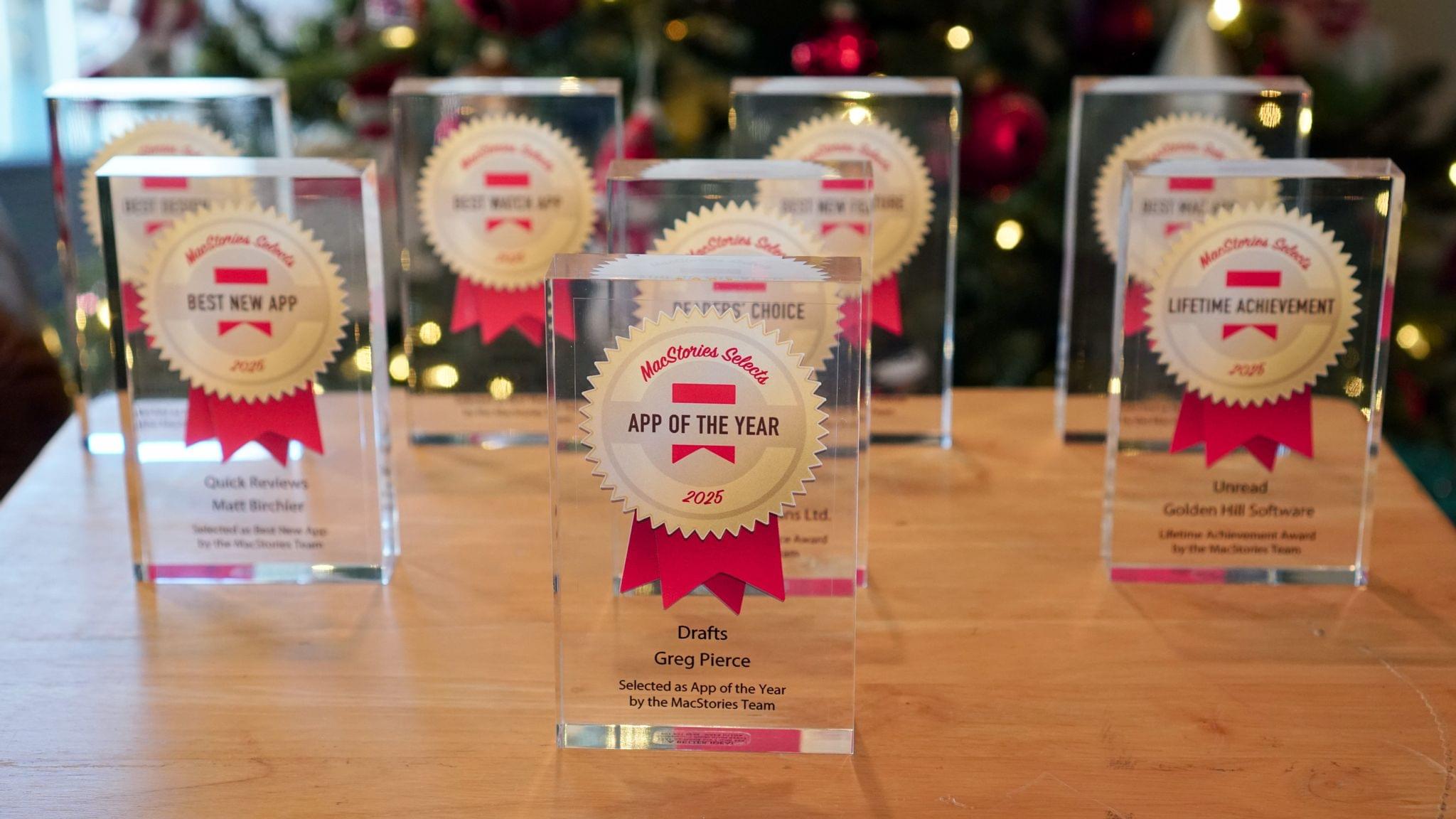
John: 2025 was a different sort of year for apps, which is reflected in this year’s MacStories Selects Awards winners. App innovation comes from many places. Sometimes it’s new Apple APIs or hardware, and other times it’s broader shifts in the tech world.
Last year was marked by a series of App Store changes in the EU, U.S., and elsewhere that have begun to reshape the app landscape. The updates have been slow to roll out and have been met with resistance from Apple, but we’re starting to see policy updates, like developers’ ability to offer web-based purchases, translate into new business models, expanding the kinds of apps that are available.
Political and regulatory pressures on Apple continued to affect the apps we use this year, too, but the lion’s share of the change we saw in 2025 came from more traditional sources. This year, it was great to see a surge in app innovation sparked by Apple Intelligence and other AI services, the Liquid Glass design language, and other new APIs and features from Apple. The result has been a broad-based acceleration of app innovation that we expect to continue into 2026 and beyond. But before looking ahead to what’s next, it’s time to pause as we do each year to reflect on the many apps we tried in 2025 and recognize the best among them.
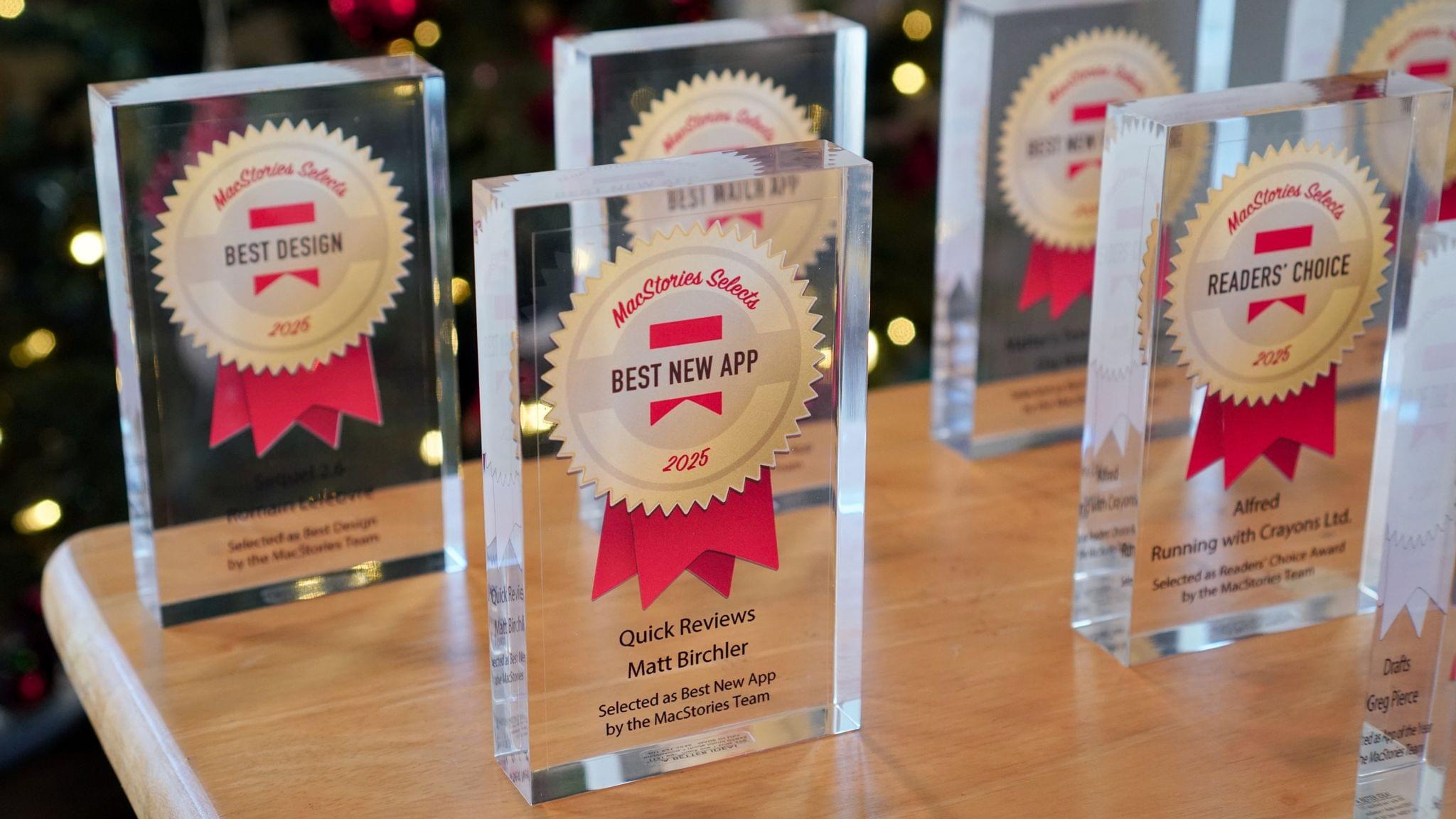
This year, the MacStories team picked the best apps in six categories:
- Best New App
- Best New Feature
- Best Watch App
- Best Mac App
- Best Design
- App of the Year
Club MacStories members were part of the selection process, too, picking the winner of the MacStories Selects Readers’ Choice Award. And as we’ve done in the past, we also named a Lifetime Achievement Award winner that has stood the test of time and had an outsized impact on the world of apps. This year’s winner, which joins past winners:
- Transit
- Pixelmator
- PCalc, and
- Drafts
is the subject of a special story that Federico wrote for the occasion.
As usual, Federico and I also recorded a special episode of AppStories covering all the winners and runners-up. It’s a terrific way to learn even more about this year’s honorees.
You can also listen to the episode below.






And with that, it’s our pleasure to unveil the 2025 MacStories Selects Awards.