This Week's Sponsor:

SoundSource

New Year, New Audio Setup: SoundSource 6 from Rogue Amoeba


Posts tagged with "featured"

iPadOS and Pointer Support with Craig Federighi

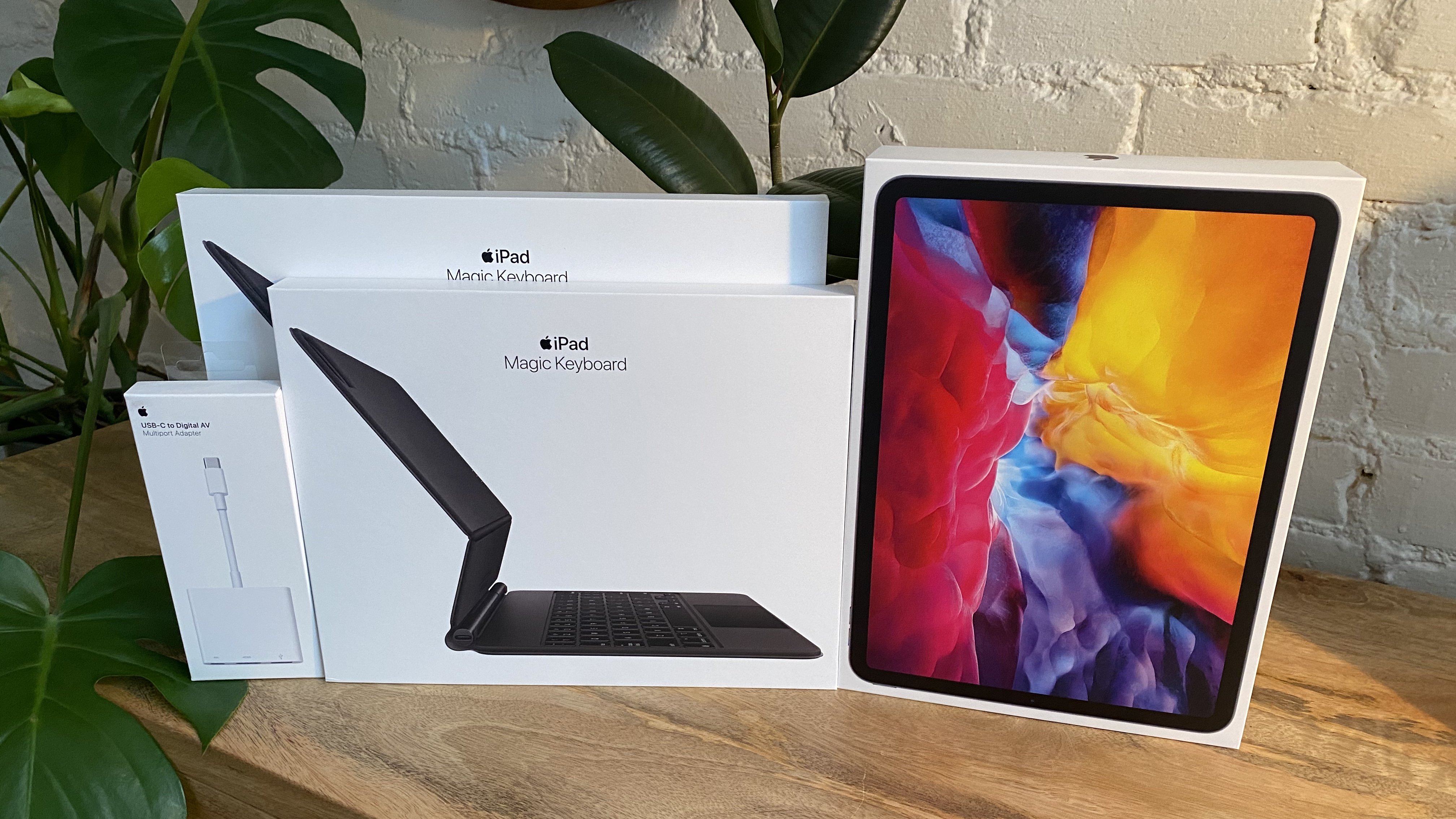
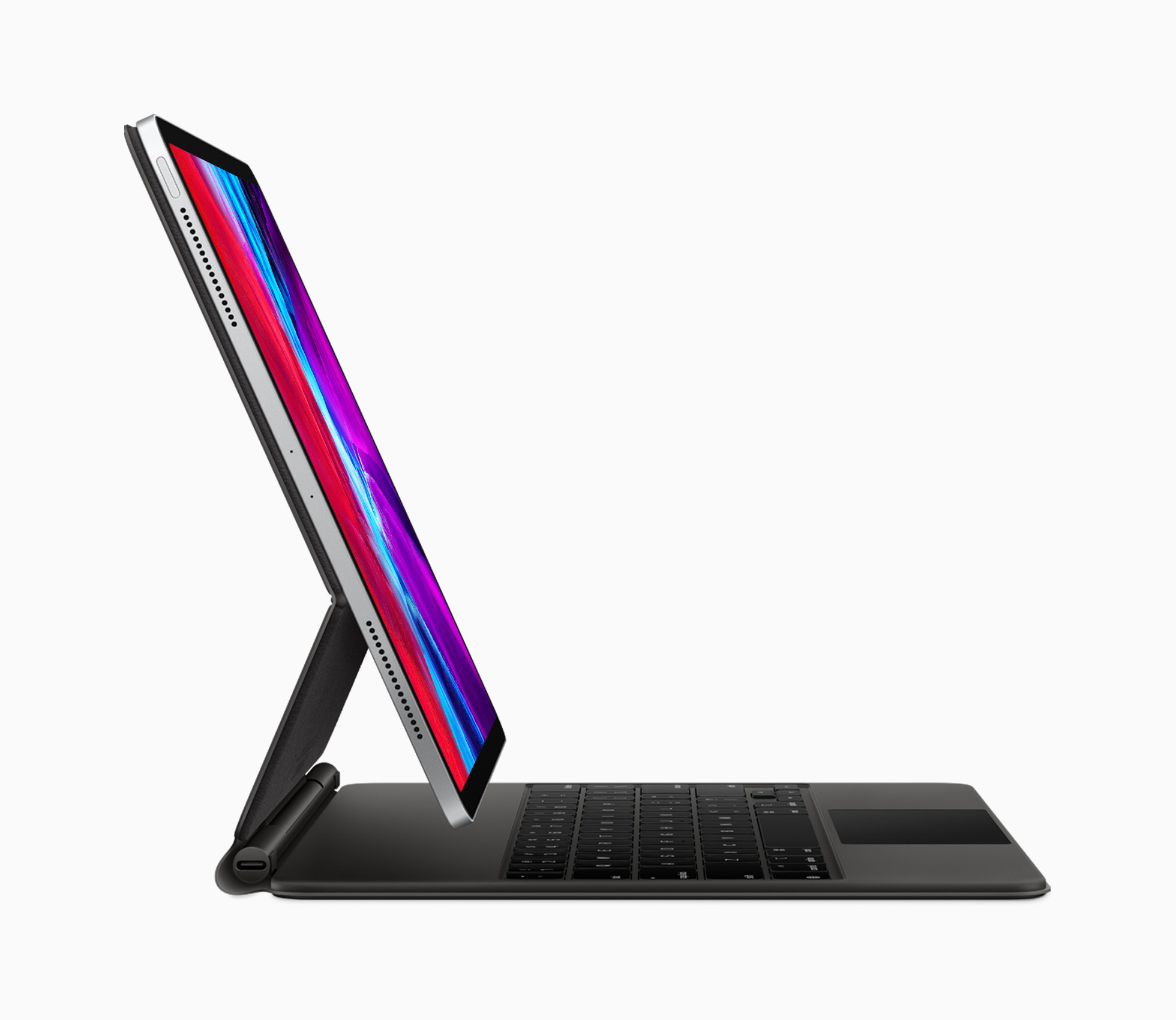
It has been quite a couple of months for the iPad and iPadOS. It started with the new iPad Pros and the Magic Keyboard with Trackpad, which were announced on March 18th. That was promptly followed by iPadOS 13.4, which wasn’t your typical late-cycle OS release. Along with modifier key remapping, key up/down events for developers, iCloud Drive shared folders, Mail toolbar adjustments, and new Memoji sticker reactions, Apple surprised everyone by revealing mouse and trackpad support.

The announcements came at a momentous juncture for the iPad, which turned 10 on April 3rd. As Federico explained on the anniversary, the iPad, and especially the iPad Pro, has become a modular computer that has stayed true to its tablet roots, while gaining the ability to transform to suit its users’ needs. Nowhere is the iPad’s modularity more evident than with the release of the Magic Keyboard with Trackpad.

Against that backdrop, Federico was fortunate to have the opportunity to once again chat with Craig Federighi, Apple’s Senior Vice President for Software Engineering, for a special episode of AppStories about iPadOS and its new pointer support. Although the COVID-19 pandemic prevented the interview from being conducted in person as it was last year at WWDC, FaceTime facilitated a terrific conversation that delves deep into the latest changes to iPadOS and what they mean for users and developers alike.

Thank you to Craig Federighi for taking the time for the interview, everyone at Apple who helped arrange it, and as always, thank you for listening to AppStories. We hope you enjoy the show.


https://www.macstories.net/podcasts/appstories/episodes/162/embed/


Sponsored by:

  • Concepts – Where Ideas Take Shape
  • Linode – Cloud Hosting & Linux Servers. Get a $20 credit.

Apple Announces WWDC Will Begin June 22

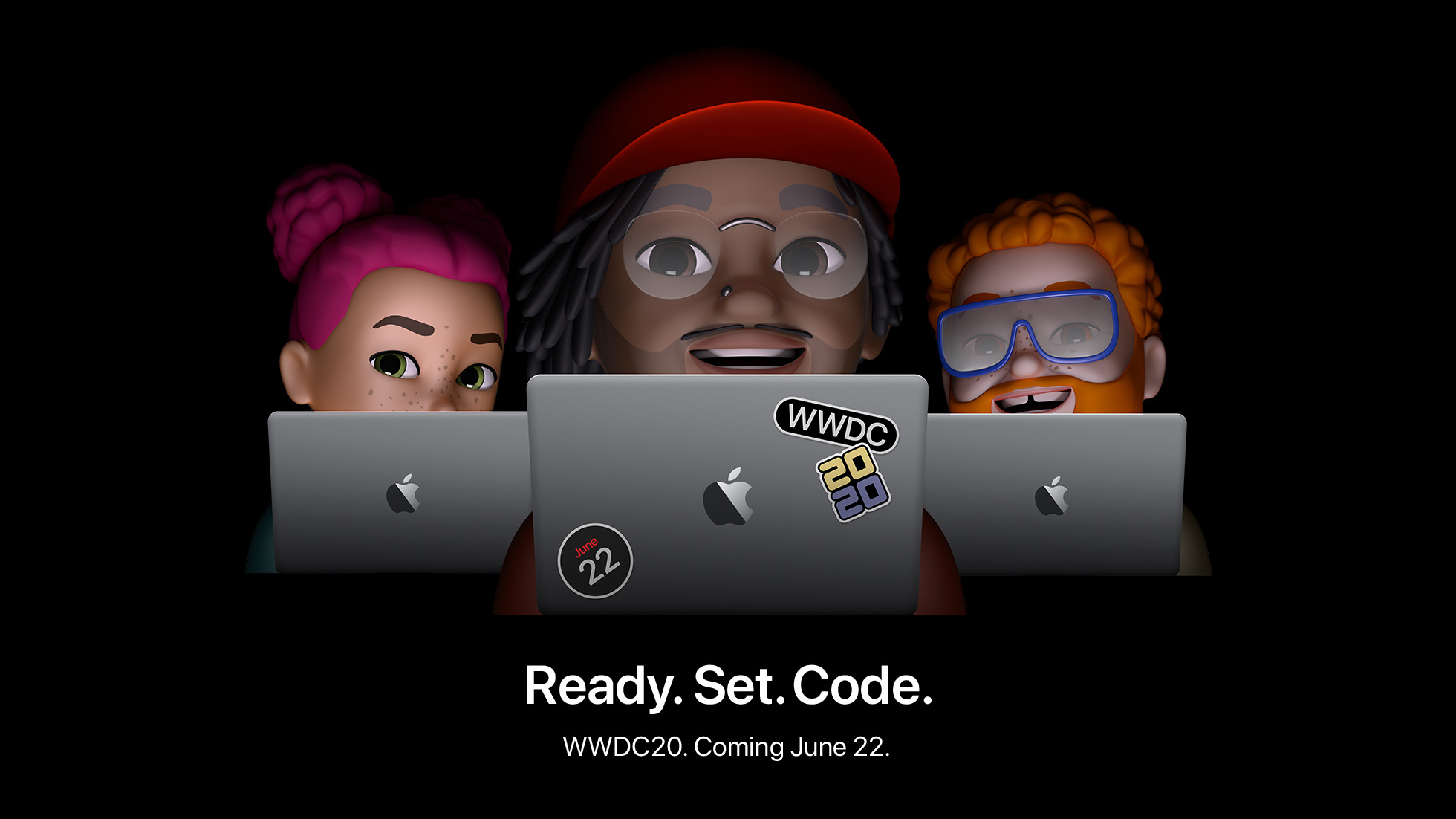
Apple has announced that its annual WWDC conference, which will be online-only this year, will be held beginning June 22, 2020. The company also announced the Swift Student Challenge, in which students can submit a Swift playground that creates an interactive scene between now and May 17th.

The online-only conference will be held through the Apple Developer app and Apple’s Developer website.

In Apple’s press release, Phil Schiller is quoted as saying:

“WWDC20 will be our biggest yet, bringing together our global developer community of more than 23 million in an unprecedented way for a week in June to learn about the future of Apple platforms,” said Phil Schiller, Apple’s senior vice president of Worldwide Marketing. “We can’t wait to meet online in June with the global developer community and share with them all of the new tools we’ve been working on to help them create even more incredible apps and services. We look forward to sharing more details about WWDC20 with everyone as we get closer to this exciting event.”

Commenting on the Swift Student Challenge, Craig Federighi says:

“Students are an integral part of the Apple developer community, and last year WWDC saw attendance from more than 350 student developers spanning 37 different countries,” said Craig Federighi, Apple’s senior vice president of Software Engineering. “As we look forward to WWDC20, although our gathering will be virtual this year, we want to recognize and celebrate the creative contributions of our young developers from around the world. We can’t wait to see this next generation of innovative thinkers turn their ideas into a reality through the Swift Student Challenge.”

Students can learn more at developer.apple.com/wwdc20/swift-student-challenge. Winners chosen from the entrants will win an exclusive WWDC20 jacket and pin set.

Additional information about sessions and other programming announcements will be made through the Apple Developer app, on the Developer website, and by email.


Introducing MacStories Unwind: A Weekly Podcast Review of Everything MacStories and More

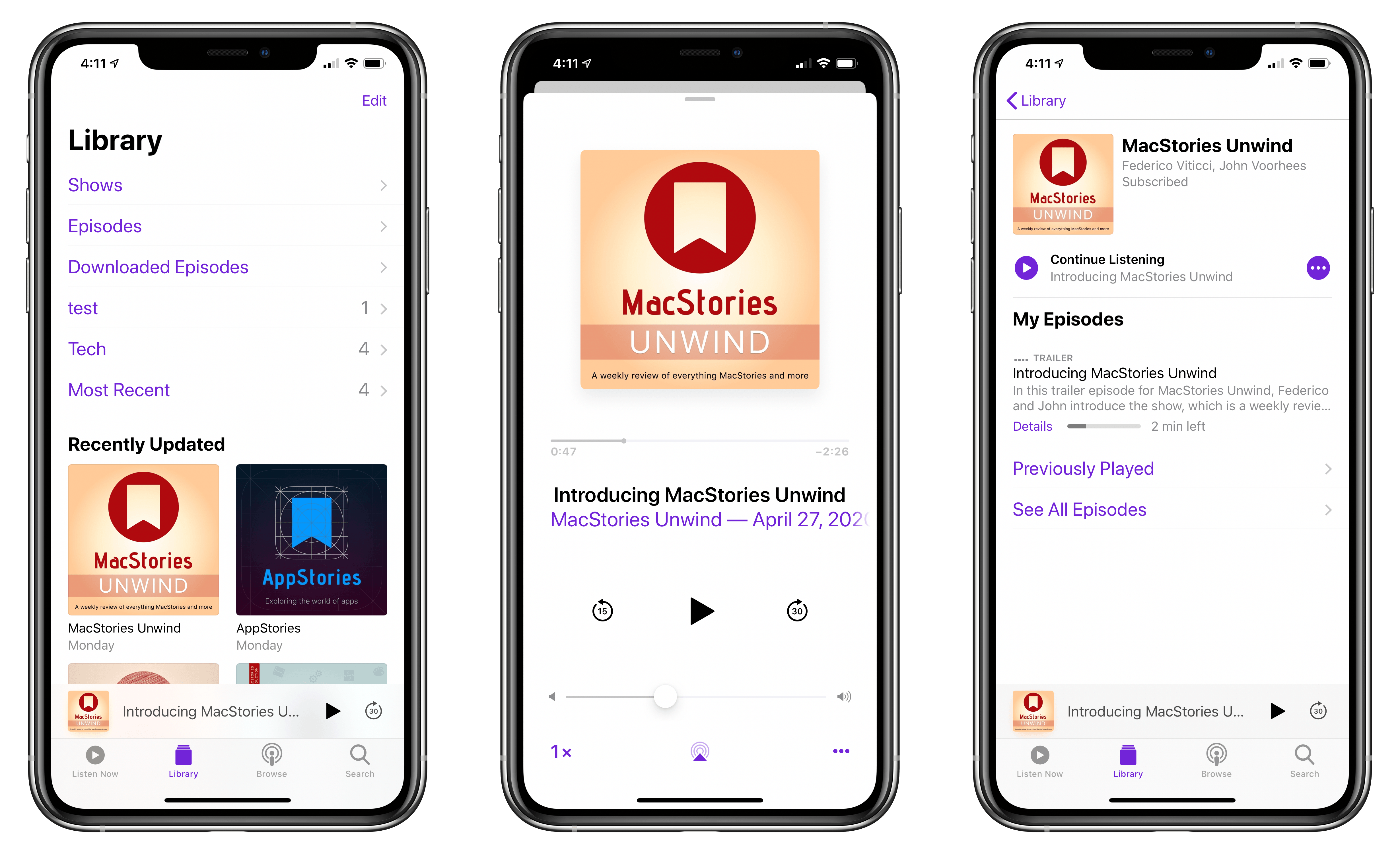
We’re excited to announce Unwind, a new MacStories podcast recapping everything happening at MacStories and more. Every Friday, the new show will run down the stories, reviews, and other posts published on MacStories, the topics covered on AppStories, and what’s new with Club MacStories, plus a couple of media picks for unwinding over the weekend.

You can subscribe to Unwind in all the usual places using the buttons below and listen to the trailer introducing the show right here:

AppStories+ Deeper into the world of apps
0:00
3:13

MacStories Unwind Trailer

AppStories+ Deeper into the world of apps

Unwind

We publish a lot every week between the site, our podcasts, and the Club, and we know that sometimes it can be hard to keep up. With Unwind, you’ll get a short, fun guide to everything going on at MacStories, along with links, so it’s easy to jump to what interests you most.

Each week, we’ll also highlight the media we’re enjoying when we take time to unwind ourselves. Every episode will feature a couple of picks including the movies, TV shows, albums, books, articles, and video games we love. Especially with so many readers and listeners stuck at home, now felt like the perfect time to share more of how we spend our downtime.

Of course, we have a new page dedicated to Unwind on MacStories, and you can always access the full catalog of episodes at MacStories.net/tag/unwind.

Helping MacStories’ Sponsors During Uncertain Times

Sponsorships are a big part of what allows us to continue to produce MacStories and each of its properties. We’re fortunate to work with top-notch companies that make terrific products that we’re delighted to promote to readers and listeners.

We plan to offer Unwind as a separately-sponsored podcast like AppStories eventually. However, as we developed Unwind, it didn’t feel appropriate to ask companies already facing uncertainty from the COVID-19 pandemic to take a chance on a new show too. So, for the time being, Unwind will be part of the MacStories homepage sponsorship at no additional cost. Our hope is that including Unwind will help the companies that have been so good to MacStories over the years by providing them with additional exposure.


Working with sponsors to promote products to our readers and listeners in a manner that doesn’t ruin the reading or listening experience and allows us to continue to produce the content you love and the quality you expect has always been of utmost importance to us. To the sponsors with whom we’ve worked in the past and will work with in the future, we hope Unwind adds some value to a MacStories sponsorship that helps make these uncertain times a little less difficult. To our readers and listeners, we hope you enjoy the new show.

– Federico and John


Magic Keyboard for iPad Pro: A New Breed of Laptop

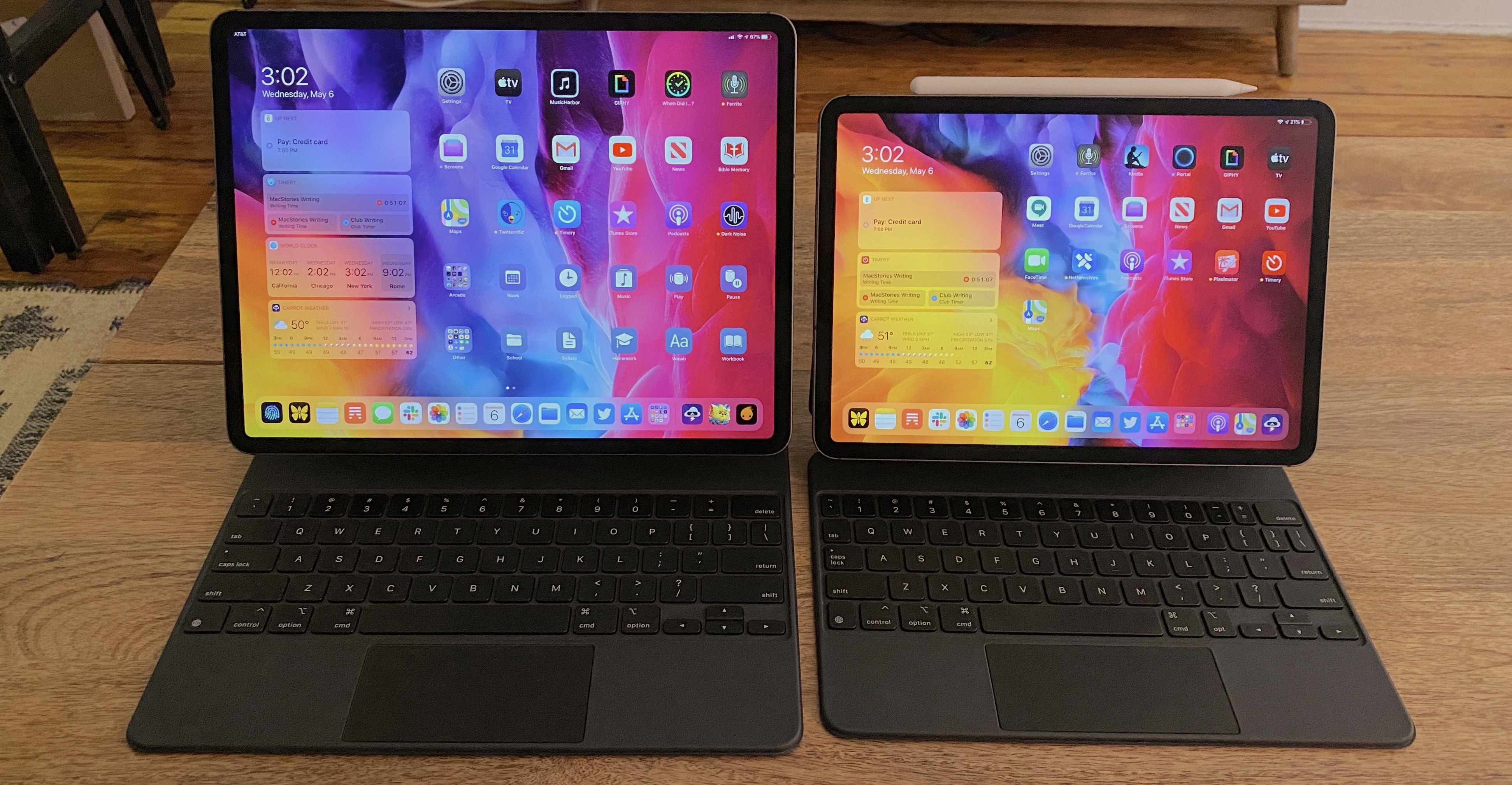
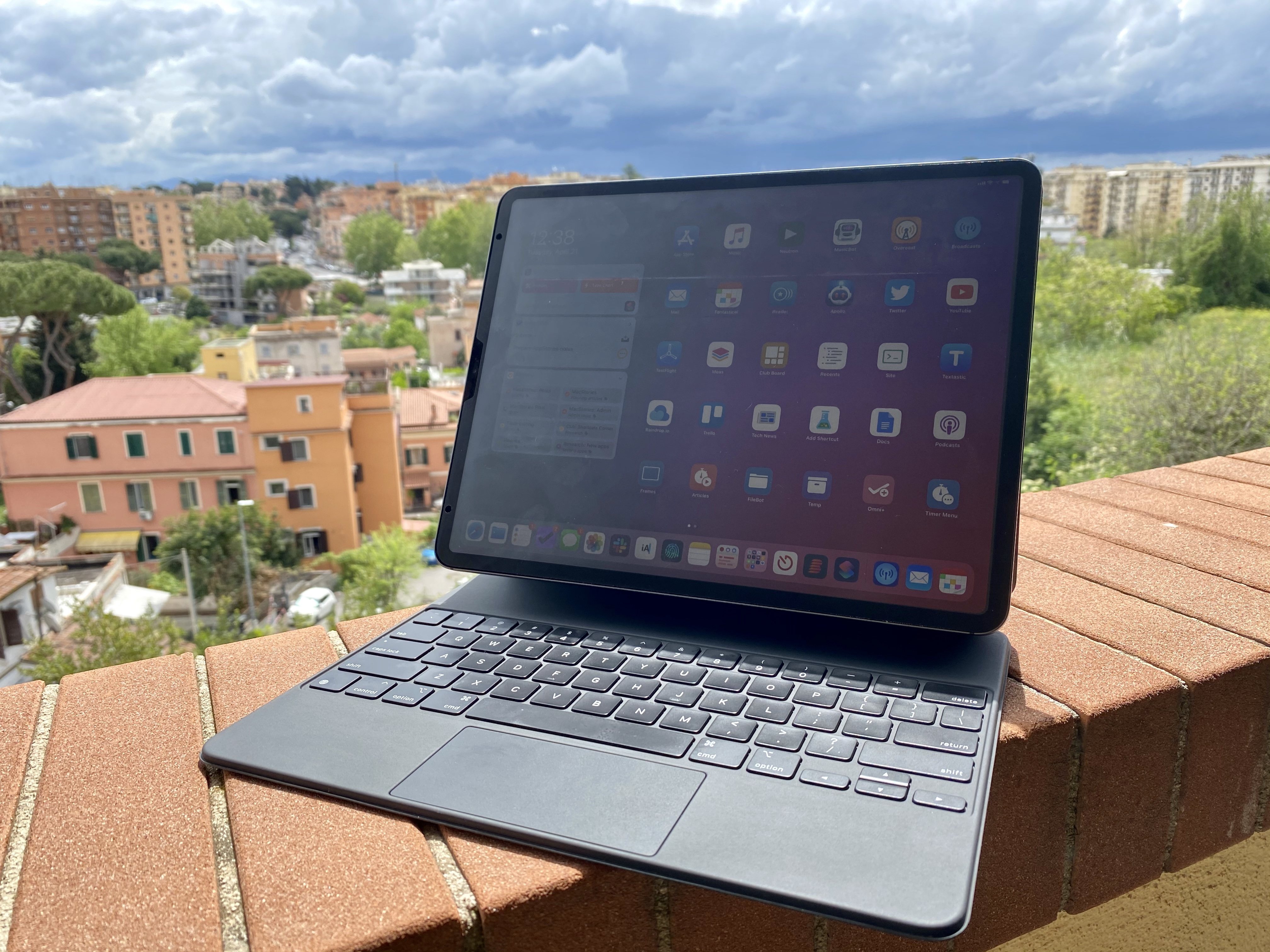
The Magic Keyboard and my iPad Pro, featuring the iVisor matte screen protector.

The Magic Keyboard and my iPad Pro, featuring the iVisor matte screen protector.

Following the surprise early release of the Magic Keyboard for iPad Pro, I’ve been waiting to get my hands on Apple’s highly anticipated accessory and evaluate it from the perspective of someone who uses the iPad Pro as a tablet, laptop, and desktop workstation.

I received the Magic Keyboard for my 12.9” iPad Pro yesterday afternoon; fortunately, I was able to order one in the US English keyboard layout from the Italian Apple Store last week, and the keyboard arrived three days ahead of its original scheduled delivery date. Obviously, less than a day of usage isn’t enough time to provide you with a comprehensive review; however, given that plenty of iPad users are still waiting for their Magic Keyboards to arrive, I thought it’d be useful to share some first impressions and thoughts based on my initial 24 hours with the keyboard.

Let’s dive in.

Read more


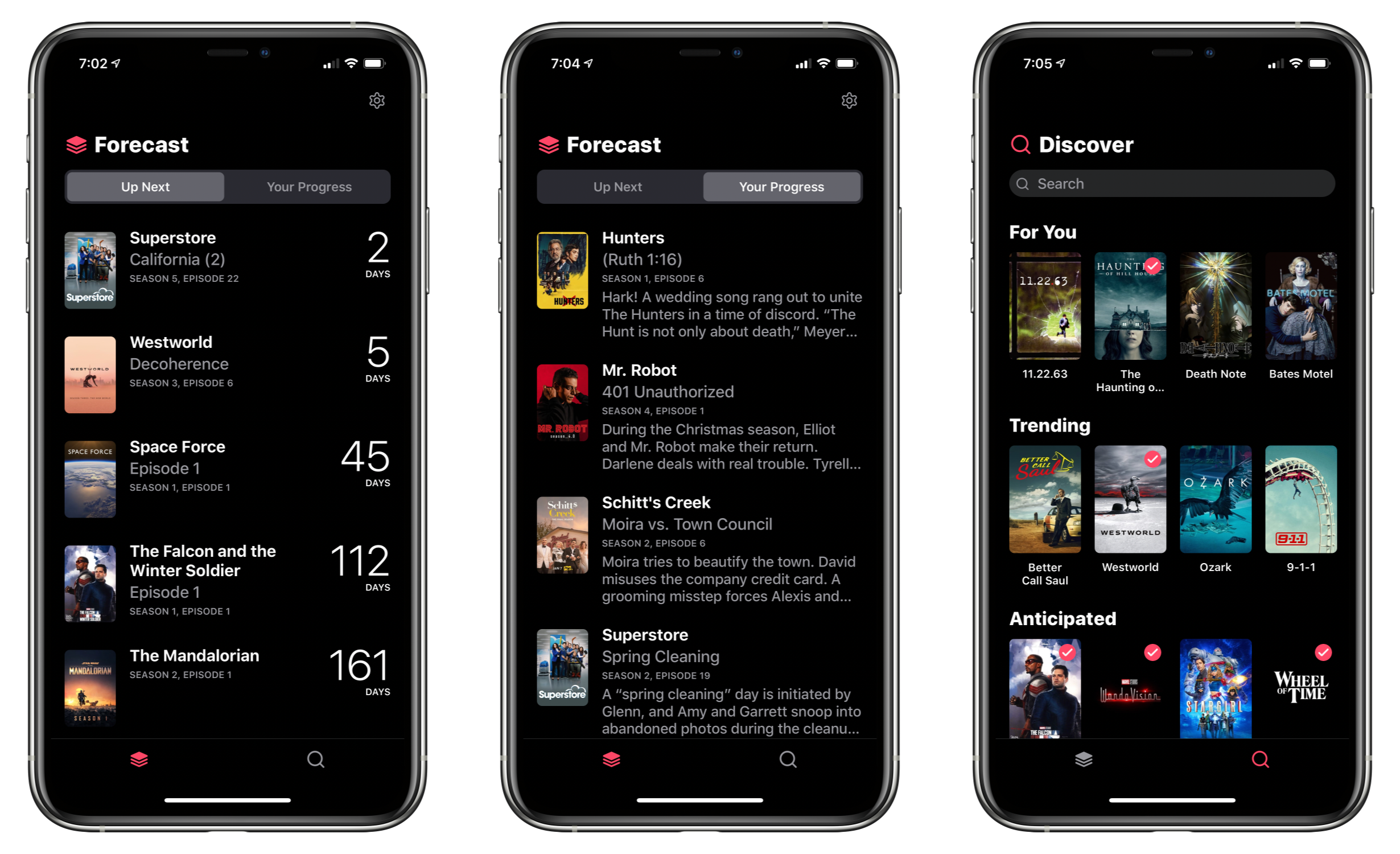
TV Forecast Review: An Elegant Way to Track Your Favorite Shows

I’ve tried a lot of TV tracking apps and none ever stuck for long, until I tried TV Forecast. Some of the apps I’ve used had busy UIs, were hard to navigate, or just weren’t organized in a way that fits with how I watch TV. In contrast, I’ve been using TV Forecast for the last 11 months and absolutely love it. TV Forecast elegantly combines a simple, modern design aesthetic with smooth, fluid UI that carefully balances the shows you already watch with effortless browsing of new shows.

Read more


Apple Launches New 4.7-inch iPhone SE at $399

Today Apple announced the successor to 2016’s iPhone SE, a new model that retains the same name and goal of being the budget option for customers. The new iPhone SE will be available for pre-order this Friday, April 17, it ships one week later on April 24, and starts at $399, the same price the original SE had when it launched. Unlike that original model, though, the new SE carries an altogether different form factor. While the original SE was based on the iPhone 5’s 4-inch design, the new SE resembles the iPhone 6/7/8’s 4.7-inch design. This makes it notably larger than the previous iPhone SE, but still smaller than any of the flagship iPhone 11 line.

The 2020 iPhone SE, like its predecessor, contains modern specs but in a classic iPhone body. It has the same A13 Bionic processor found in the more costly iPhone 11 and 11 Pro models, but cuts costs in other ways such as by offering Touch ID rather than Face ID authentication, and a single 12MP rear-facing camera rather than the dual- or triple-lens arrays on Apple’s flagship models. The presence of Touch ID in particular makes the device an attractive option not only for users on a tighter budget, but also those who really don’t want to lose the Home button the next time they upgrade devices.

Read more


Modular Computer: iPad Pro as a Tablet, Laptop, and Desktop Workstation

My iPad Pro desktop setup.

My iPad Pro desktop setup.

When I started my iPad-only journey in 2012, I was stuck in a hospital bed and couldn’t use my Mac. It’s a story I’ve told many times before: I had to figure out a way to get work done without a Mac, and I realized the iPad – despite its limited ecosystem of apps and lackluster OS at the time – granted me the computing freedom I sought. At a time when I couldn’t use a desk or connect to a Wi-Fi network, a tablet I could hold in my hands and use to comunicate with remote colleagues over a cellular connection was all I needed. Over time, however, that state of necessity became a choice: for a few years now, I’ve preferred working on my iPad Pro and iPadOS (née iOS) in lieu of my Mac mini, even when I’m home and have access to my desk and macOS workstation.

The more I think about it, the more I come to this conclusion: the iPad, unlike other computers running a “traditional” desktop OS, possesses the unique quality of being multiple things at once. Hold an iPad in your hands, and you can use it as a classic tablet; pair it with a keyboard cover, and it takes on a laptop form; place it on a desk and connect it to a variety of external accessories, and you’ve got a desktop workstation revolving around a single slab of glass. This multiplicity of states isn’t an afterthought, nor is it the byproduct of happenstance: it was a deliberate design decision on Apple’s part based on the principle of modularity.

In looking back at the past decade of iPad and, more specifically, the past two years of the current iPad Pro line, I believe different factors contributed to making the iPad Pro Apple’s first modular computer – a device whose shape and function can optionally be determined by the extra hardware paired with it.

The original iPad Pro showed how Apple was willing to go beyond the old “just a tablet” connotation with the Apple Pencil and Smart Keyboard. Three years later, the company followed up on the iPad Pro’s original vision with a switch to USB-C which, as a result, opened the iPad to a wider ecosystem of external accessories and potential configurations. At the same time, even without considerable software enhancements by Apple, the creativity of third-party developers allowed iPad apps to embrace external displays and new file management functionalities. And lastly, just a few weeks ago, Apple unveiled iPadOS’ native cursor mode, finally putting an end to the debate about whether the iPad would ever support the desktop PC’s classic input method.

The intersection of these evolutionary paths is the modern iPad Pro, a device that fills many roles in my professional and personal life. Ever since I purchased the 2018 iPad Pro1, I’ve been regularly optimizing my setup at home and on the go to take advantage of the device’s versatility. I’ve tested dozens of different keyboards, purchased more USB-C hubs than I care to admit, and tried to minimize overhead by designing a system that lets me use the same external display and keyboard with two different computers – the Mac mini and iPad Pro.

At the end of this fun, eye-opening process, I’ve ended up with a computer that is greater than the sum of its parts. By virtue of its modular nature, I find my custom iPad Pro setup superior to a traditional laptop, and more flexible than a regular desktop workstation.

So how exactly did I transform the iPad Pro into this new kind of modular computer? Let’s dig in.

Read more


The Mighty mini: Adapting Apple’s Diminutive Tablet to Work and Play

Make no mistake, whether it’s a Mac, iPhone, or an iPad, I prefer big screens. I think most people do. A big, bright screen makes reading easier, and a larger canvas for the apps you use is rarely a downside.

Still, there’s a reason we carry mobile phones when a tablet, laptop, or desktop could accomplish the same tasks: portability. Smaller is often better, even as the compromises start to pile up when you shrink a device.

Portability is why foldable phones have captured the imaginations of so many people. They promise the portability of a traditional smartphone with a screen that’s closer to a tablet’s.

Just over one year ago, in March 2019, Apple released two new iPads: a 10.5-inch iPad Air and the first new iPad mini in over three years. The 5th-generation mini was a big surprise, largely because the mini hadn’t been updated in so long, leading many people to write it off as dead.

Perhaps an even bigger surprise, however, was the mini’s hardware. The design didn’t change, but the 5th-generation mini upgraded the device to an A12 processor, the same chip in the then-current iPhone XR and XS. The update also added a Retina laminated screen with True Tone, P3 color support, and the highest pixel density of any iPad. The mini doesn’t support ProMotion, it only supports the first-generation Apple Pencil, and still relies on Touch ID for security. Still, in terms of raw horsepower, the mini is more similar to the 10.5-inch iPad Air than it is different, allowing it to hold its own in Apple’s iPad lineup despite its diminutive size.

Table of Contents

The previous fall, I had ordered a 2018 12.9-inch iPad Pro and fell in love with it for writing and other tasks. As much as I enjoy the iPad Pro’s big display, though, it’s not suited for every task. For example, the size of the iPad Pro makes it awkward for reading in bed. Also, although I love to play games on my iPad Pro with a connected controller, that only works well if the iPad is sitting on a table.

When the mini was introduced, I immediately wondered whether Apple’s smallest tablet could be the perfect complement to its largest iPad Pro: a powerful but tiny device that could work well where the Pro doesn’t. I also figured the mini could be a great ‘downtime’ device for activities like games, reading, chatting with friends, and watching TV, movies, and other video content. So, I sold some old gear I no longer used and bought a mini with 256GB of storage, so I’d have plenty of space for games and locally-downloaded video.

The plan was for my new mini to serve almost exclusively as my downtime iPad. What’s happened in practice during the past year is very different than I anticipated originally. My use of the mini has expanded far beyond what I’d expected, despite the compromises that come along with its small size. The iPad Pro remains the device I rely on for most of my needs, but as we approached the iPad’s first decade, the time felt right to consider how far the mini has come and how this unassuming device fits so neatly into the spaces between the other devices I use.

Read more


Exploring the Most Impactful iPad Apps of the Decade


John: It’s hard to understate the importance of the iPad’s large screen. Early critics dismissed the device as a big iPhone, but that criticism revealed a fundamental misunderstanding of the product.

By jumping from the iPhone’s small 3.5-inch display to one that approached 10 inches, the iPad delivered a canvas that allowed Apple and third-party developers to rethink not just the concept of mobile apps, but of apps altogether. The additional screen real estate allowed developers to flatten and spread UIs in a way that made new uses possible. That, in turn, led to richer, deeper experiences for everything from reading a comic book to managing complex projects and automating repetitive tasks, allowing users to interact directly with the software beneath their fingers.

After years of using the very best apps developers have to offer on the iPad, it was remarkably easy for Federico, Ryan, and I to come up with a list of the iPad apps that have been the most impactful for us during the past decade. There’s a lot of factors at play in arriving at these apps. Some forged a path by adopting the latest Apple technologies in a unique way that set an example for apps that followed. Others are apps that define a category that takes unique advantage of the iPad’s hardware. These are also apps that work on the iPhone or Mac too, but are most at home on the iPad’s unique platform.

Although there is no single formula for which iPad apps have been the most impactful, one thing each app in this collection shares is a rich, personal experience. These are apps inspired by and reflected in the image of Steve Jobs sitting onstage in a comfortable black leather chair swiping through photos. The iPad and the apps that run on it have come a long way since then, but the intimacy of directly manipulating apps that transform a slab of glass into anything a developer can imagine hasn’t changed, and remains what makes the iPad so special.

Read more