This Week's Sponsor:

SoundSource

New Year, New Audio Setup: SoundSource 6 from Rogue Amoeba


Posts tagged with "featured"

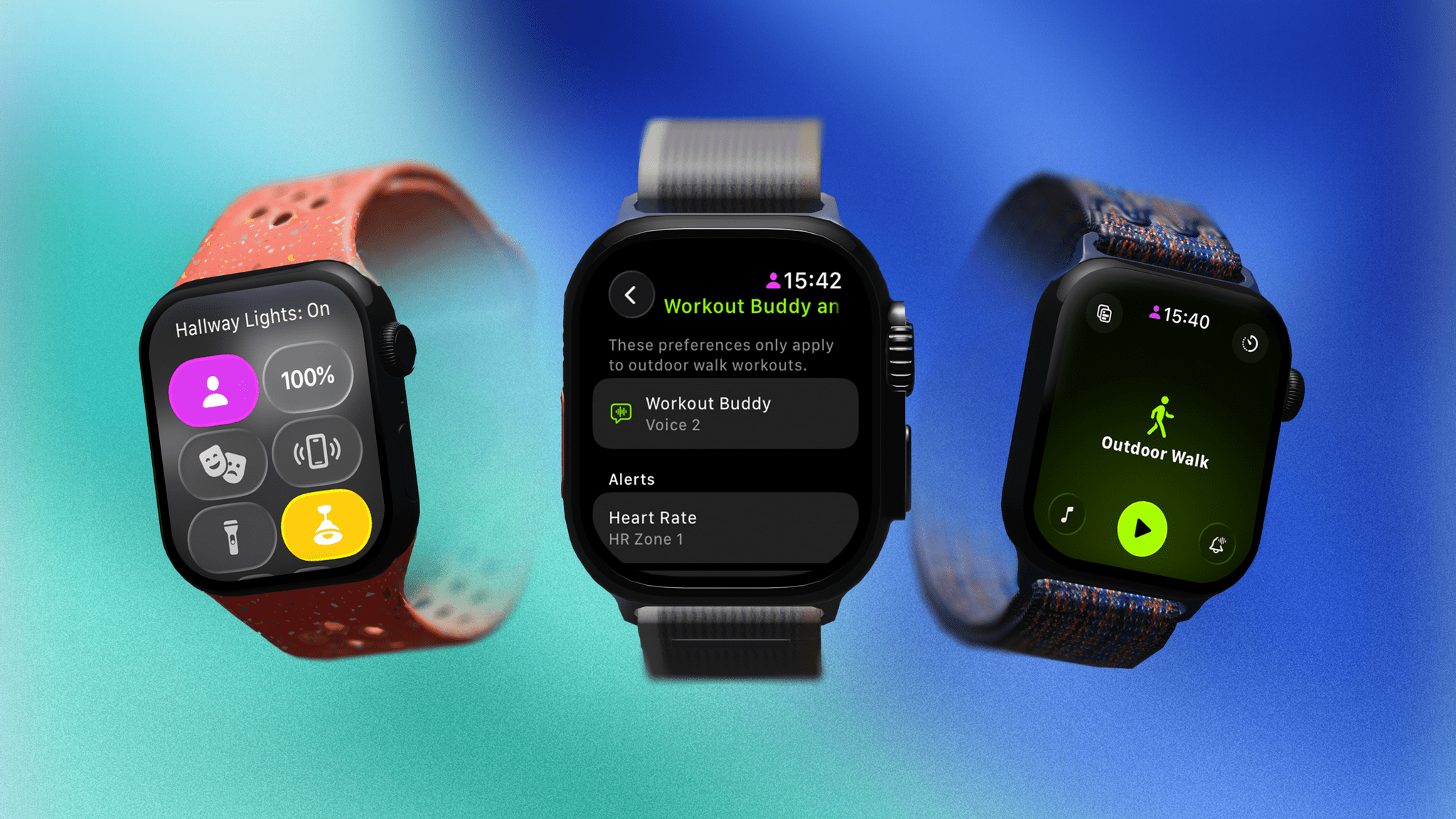
watchOS 26: The MacStories Public Beta Preview

Author’s Note: Apple released the public beta of watchOS 26 last Thursday, two days after developer beta 4. Instead of immediately publishing a preview of watchOS 26, I took the time to review the OS again to ensure my preview accurately reflected the version released as a public beta.


Last year, watchOS 11 emerged from the bumpy launch of Apple Intelligence completely unscathed due to the fact that it included precisely zero AI features. Instead, what Apple Watch users got was a fully formed OS update that took some big swings in addition to refining many areas of the Apple Watch experience. It was a good year with notable updates across the system, particularly when it came to the Smart Stack and health and fitness features.

It’s unfortunate, though perhaps not surprising, that this year’s new watchOS release – dubbed version 26, like its OS brethren – is what might be considered a quiet year. However, after living with the beta for over a month, I’m happy to report that while there aren’t any substantial new features, there are still clever flourishes here and there that make my daily use of the Apple Watch more enjoyable.

Here’s a preview of what you can expect from watchOS 26.

Read more


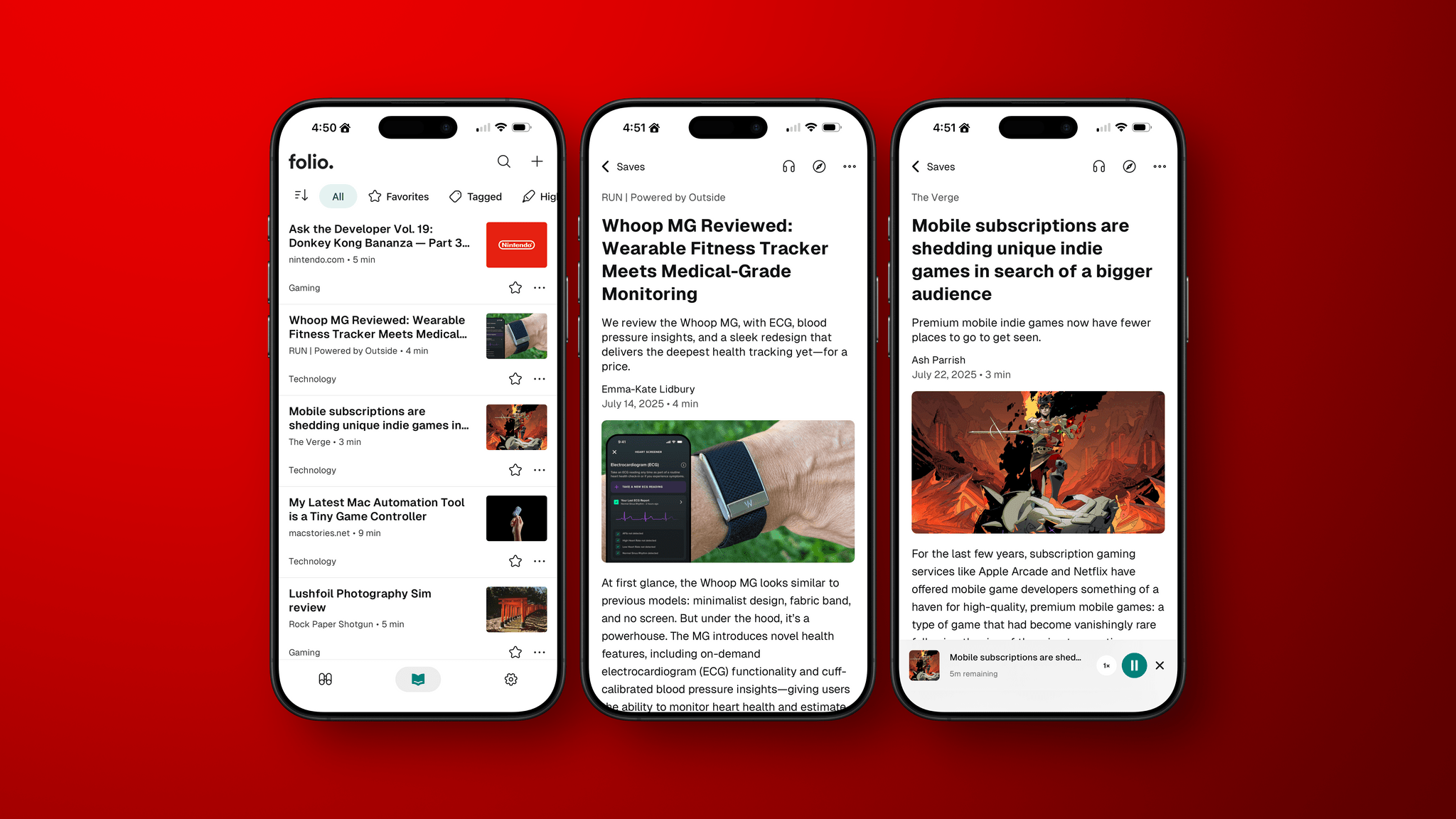
Folio: A Promising Read-Later App with a Strong Foundation

I’ve been using read-it-later apps since before I had an iPhone. For those of us who were Wi-Fi-only iPod touch users before owning iPhones, apps like Instapaper were great for reading on the go.

Like in those early days, the read-later universe is once again hyper-competitive, with a lot of relatively new entrants such as Matter and Readwise Reader. That’s led to other apps shutting down. ElevenLabs bought and closed Omnivore, and most recently, Pocket, which debuted ages ago as Read It Later and was eventually acquired by Mozilla, shuttered.

In the wake of Pocket’s demise, Nick Chapman, who used to work on Pocket, and the team at Less is Better debuted Folio, a new read-later app for the iPhone, the iPad, Android, and the web that they say is designed to capture the essence of Pocket. I used Pocket on and off over the years but always considered it a step behind alternatives, so my expectations for Folio weren’t high.

Still, I was curious to see what Folio had to offer, especially because it must have been put together very quickly in order to be launched as Pocket shut down. Despite my initial reservations and some gaps in the app’s functionality, the Folio team has laid a great foundation with an excellent reading experience that’s worth keeping an eye on.

Read more


Longplay for Mac Launches with Powerful AI and Shortcuts Integration

Longplay by Adrian Schönig is an excellent album-oriented music app that integrates with Apple Music. The app started on iOS and iPadOS, then later added support for visionOS. With today’s update, Longplay is available on macOS, too, where it adds unique automation features.

If you aren’t familiar with Longplay, be sure to check out my reviews of version 2.0 for iOS and iPadOS and the app’s debut on the Vision Pro. I love the app’s album art-forward design, collection and queuing systems for navigating and organizing large music libraries, and many other ways to sort, filter, and rediscover your favorite albums. Here’s how Adrian describes Longplay in a post introducing the Mac version:

It filters out the albums where you only have a handful of tracks, and focusses on those complete or nearly complete albums in your library instead. It analyses your album stats to help you rediscover forgotten favourites and explore your library in different ways. You can organise your albums into collections, including smart ones. And you can go deep with automation support.

With the introduction of Longplay for Mac, the app is now available everywhere, with feature parity across all versions. Plus, Longplay syncs across all devices, so your Collections and Smart Collections are available on every platform.

Read more


My Latest Mac Automation Tool is a Tiny Game Controller

Source: 8BitDo.

Source: 8BitDo.

I never expected my game controller obsession to pay automation dividends, but it did last week in the form of the tiny 16-button 8BitDo Micro. For the past week, I’ve used the Micro to dictate on my Mac, interact with AI chatbots, and record and edit podcasts. While the setup won’t replace a Stream Deck or Logitech Creative Console for every use case, it excels in areas where those devices don’t because it fits comfortably in the palm of your hand and costs a fraction of those other devices.

My experiments started when I read a story on Endless Mode by Nicole Carpenter, who explained how medical students turned to two tiny 8BitDo game controllers to help with their studies. The students were using an open-source flashcard app called Anki and ran into an issue while spending long hours with their flashcards:

The only problem is that using Anki from a computer isn’t too ergonomic. You’re hunched over a laptop, and your hands start cramping from hitting all the different buttons on your keyboard. If you’re studying thousands of cards a day, it becomes a real problem—and no one needs to make studying even more intense than it already is.

To relieve the strain on their hands, the med students turned to 8BitDo’s tiny Micro and Zero 2 controllers, using them as remote controls for the Anki app. The story didn’t explain how 8BitDo’s controllers worked with Anki, but as I read it, I thought to myself, “Surely this isn’t something that was built into the app,” which immediately drew me deeper into the world of 8BitDo controllers as study aides.

8BitDo markets the Micro's other uses, but for some reason, it hasn't spread much beyond the world of medical school students. Source: 8BitDo.

8BitDo markets the Micro’s other uses, but for some reason, it hasn’t spread much beyond the world of medical school students. Source: 8BitDo.

As I suspected, the 8BitDo Micro works just as well with any app that supports keyboard shortcuts as it does with Anki. What’s curious, though, is that even though medical students have been using the Micro and Zero 2 with Anki for several years and 8BitDo’s website includes a marketing image of someone using the Micro with Clip Studio Paint on an iPad, word of the Micro’s automation capabilities hasn’t spread much. That’s something I’d like to help change.

Read more


Interview: Craig Federighi Opens Up About iPadOS, Its Multitasking Journey, and the iPad’s Essence

iPadOS 26. Source: Apple.

iPadOS 26. Source: Apple.

It’s a cool, sunny morning at Apple Park as I’m walking my way along the iconic glass ring to meet with Apple’s SVP of Software Engineering, Craig Federighi, for a conversation about the iPad.

It’s the Wednesday after WWDC, and although there are still some developers and members of the press around Apple’s campus, it seems like employees have returned to their regular routines. Peek through the glass, and you’ll see engineers working at their stations, half-erased whiteboards, and an infinite supply of Studio Displays on wooden desks with rounded corners. Some guests are still taking pictures by the WWDC sign. There are fewer security dogs, but they’re obviously all good.

Despite the list of elaborate questions on my mind about iPadOS 26 and its new multitasking, the long history of iPad criticisms (including mine) over the years, and what makes an iPad different from a Mac, I can’t stop thinking about the simplest, most obvious question I could ask – one that harkens back to an old commercial about the company’s modular tablet:

In 2025, what even is an iPad according to Federighi?

Read more


Hands-On: How Apple’s New Speech APIs Outpace Whisper for Lightning-Fast Transcription

Late last Tuesday night, after watching F1: The Movie at the Steve Jobs Theater, I was driving back from dropping Federico off at his hotel when I got a text:

Can you pick me up?

It was from my son Finn, who had spent the evening nearby and was stalking me in Find My. Of course, I swung by and picked him up, and we headed back to our hotel in Cupertino.

On the way, Finn filled me in on a new class in Apple’s Speech framework called SpeechAnalyzer and its SpeechTranscriber module. Both the class and module are part of Apple’s OS betas that were released to developers last week at WWDC. My ears perked up immediately when he told me that he’d tested SpeechAnalyzer and SpeechTranscriber and was impressed with how fast and accurate they were.

It’s still early days for these technologies, but I’m here to tell you that their speed alone is a game changer for anyone who uses voice transcription to create text from lectures, podcasts, YouTube videos, and more. That’s something I do multiple times every week for AppStories, NPC, and Unwind, generating transcripts that I upload to YouTube because the site’s built-in transcription isn’t very good.

What’s frustrated me with other tools is how slow they are. Most are built on Whisper, OpenAI’s open source speech-to-text model, which was released in 2022. It’s cheap at under a penny per one million tokens, but isn’t fast, which is frustrating when you’re in the final steps of a YouTube workflow.

An SRT file generated by Yap.

An SRT file generated by Yap.

I asked Finn what it would take to build a command line tool to transcribe video and audio files with SpeechAnalyzer and SpeechTranscriber. He figured it would only take about 10 minutes, and he wasn’t far off. In the end, it took me longer to get around to installing macOS Tahoe after WWDC than it took Finn to build Yap, a simple command line utility that takes audio and video files as input and outputs SRT- and TXT-formatted transcripts.

Yesterday, I finally took the Tahoe plunge and immediately installed Yap. I grabbed the 7GB 4K video version of AppStories episode 441, which is about 34 minutes long, and ran it through Yap. It took just 45 seconds to generate an SRT file. Here’s Yap ripping through nearly 20% of an episode of NPC in 10 seconds:

Replay

Next, I ran the same file through VidCap and MacWhisper, using its V2 Large and V3 Turbo models. Here’s how each app and model did:

App Transcripiton Time
Yap 0:45
MacWhisper (Large V3 Turbo) 1:41
VidCap 1:55
MacWhisper (Large V2) 3:55

All three transcription workflows had similar trouble with last names and words like “AppStories,” which LLMs tend to separate into two words instead of camel casing. That’s easily fixed by running a set of find and replace rules, although I’d love to feed those corrections back into the model itself for future transcriptions.

Once transcribed, a video can be used to generate additional formats like outlines.

Once transcribed, a video can be used to generate additional formats like outlines.

What stood out above all else was Yap’s speed. By harnessing SpeechAnalyzer and SpeechTranscriber on-device, the command line tool tore through the 7GB video file a full 2.2× faster than MacWhisper’s Large V3 Turbo model, with no noticeable difference in transcription quality.

At first blush, the difference between 0:45 and 1:41 may seem insignificant, and it arguably is, but those are the results for just one 34-minute video. Extrapolate that to running Yap against the hours of Apple Developer videos released on YouTube with the help of yt-dlp, and suddenly, you’re talking about a significant amount of time. Like all automation, picking up a 2.2× speed gain one video or audio clip at a time, multiple times each week, adds up quickly.

Whether you’re producing video for YouTube and need subtitles, generating transcripts to summarize lectures at school, or doing something else, SpeechAnalyzer and SpeechTranscriber – available across the iPhone, iPad, Mac, and Vision Pro – mark a significant leap forward in transcription speed without compromising on quality. I fully expect this combination to replace Whisper as the default transcription model for transcription apps on Apple platforms.

To test Apple’s new model, install the macOS Tahoe beta, which currently requires an Apple developer account, and then install Yap from its GitHub page.


iOS 26, iPadOS 26, and Liquid Glass: The MacStories Overview

During today’s WWDC 2025 keynote, held in person at Apple Park and streamed online, Apple unveiled a considerable number of upgrades to iOS and iPadOS, including a brand-new design language called Liquid Glass. This new look, which spans all of Apple’s platforms, coupled with a massive upgrade for multitasking on the iPad and numerous other additions and updates, made for packed releases for iOS and iPadOS.

Let’s take a look at everything Apple showed today for Liquid Glass, iOS, and iPadOS.

Read more


macOS Tahoe: The MacStories Overview

At its WWDC 2025 keynote held earlier today, Apple officially announced the next version of macOS, macOS Tahoe. As per the company’s naming tradition over the past decade, this new release is once again named after a location in California. This year, however, to unify the version numbers across all its operating systems, Apple has decided to align the new release with the upcoming year. This is why the version number for macOS Tahoe will be macOS 26, directly up from last year’s macOS 15.

macOS 26 features the brand-new Liquid Glass design language, which Apple is also rolling out across iOS, iPadOS, visionOS, watchOS, and tvOS. But macOS Tahoe doesn’t stop there. In addition to the flashy new look, Apple has introduced many features, ranging from a supercharged new version of Spotlight and intelligent actions in Shortcuts to new Continuity and gaming-focused features for the Mac.

Here’s a recap of everything that Apple showed off today for macOS Tahoe.

Read more