This Week's Sponsor:

SoundSource

New Year, New Audio Setup: SoundSource 6 from Rogue Amoeba


Posts tagged with "Final Cut Pro"

Creator Studio Review: Redefining Pro for the Modern Era

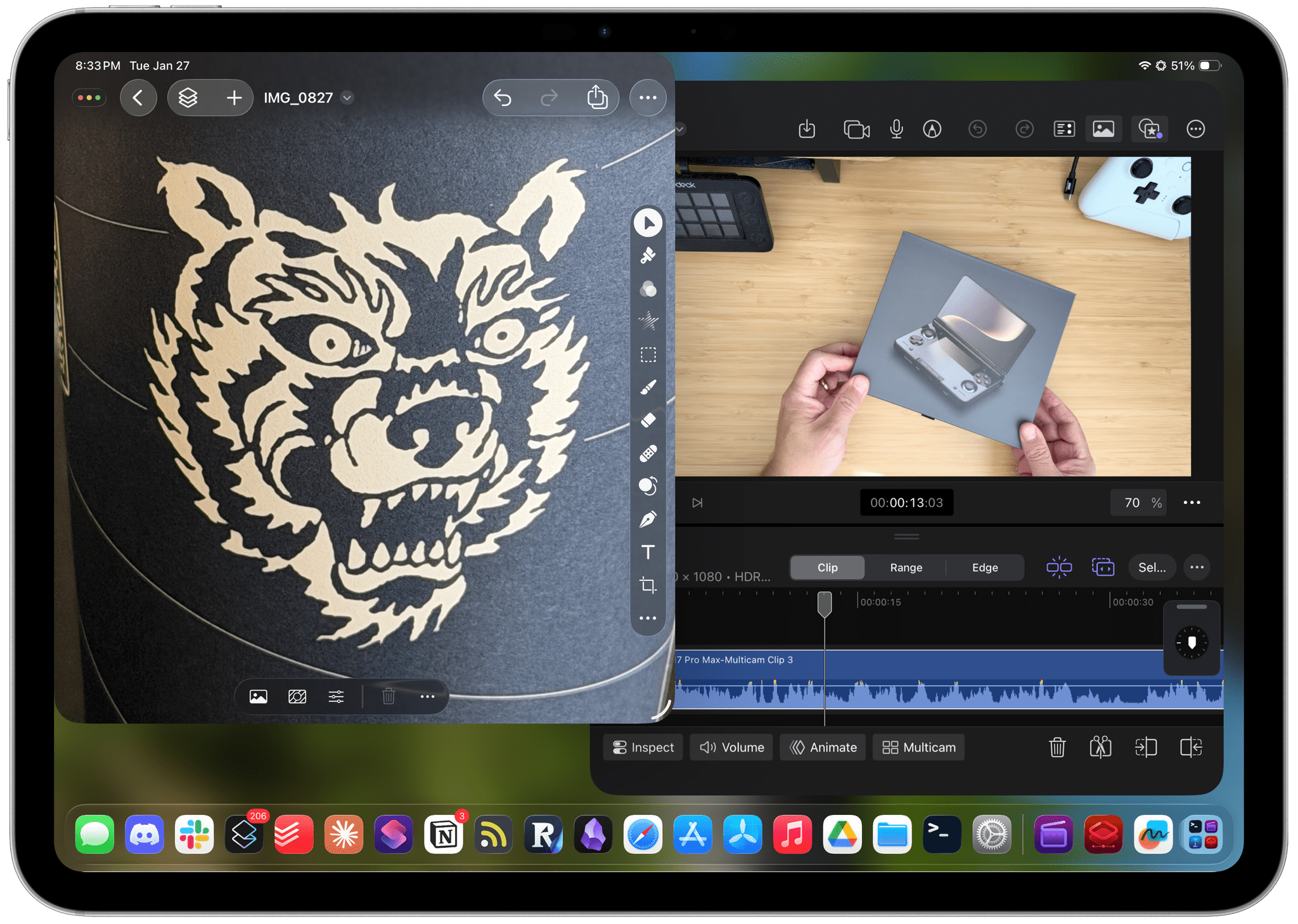
Starting today, Apple is offering a subscription bundle of its creative apps called Creator Studio. Some of what’s included is exclusive to the subscription package, while other parts of it remain available à la carte. It’s a lot to absorb, and I’ll get to all the details in due course.

However, what’s most exciting to me is the fact that Apple is clearly repositioning these apps to appeal to a broader cross-section of creatives. Apps like Final Cut Pro and Logic Pro are no longer just for Hollywood and music studios. By filling out the iPad lineup and adding Pixelmator Pro along with enhanced versions of their productivity apps, Apple has taken the first steps toward realigning its apps with what it means to be a creative professional in 2026.

This transition isn’t the sort of thing that happens overnight, which is why it’s easy to spot the gaps in Creator Studio’s offerings. I ran into a couple of bugs along the way, too. However, by and large, I think the bundle of apps hits the right notes and is heading in the right direction. Let’s take a closer look.

Read more


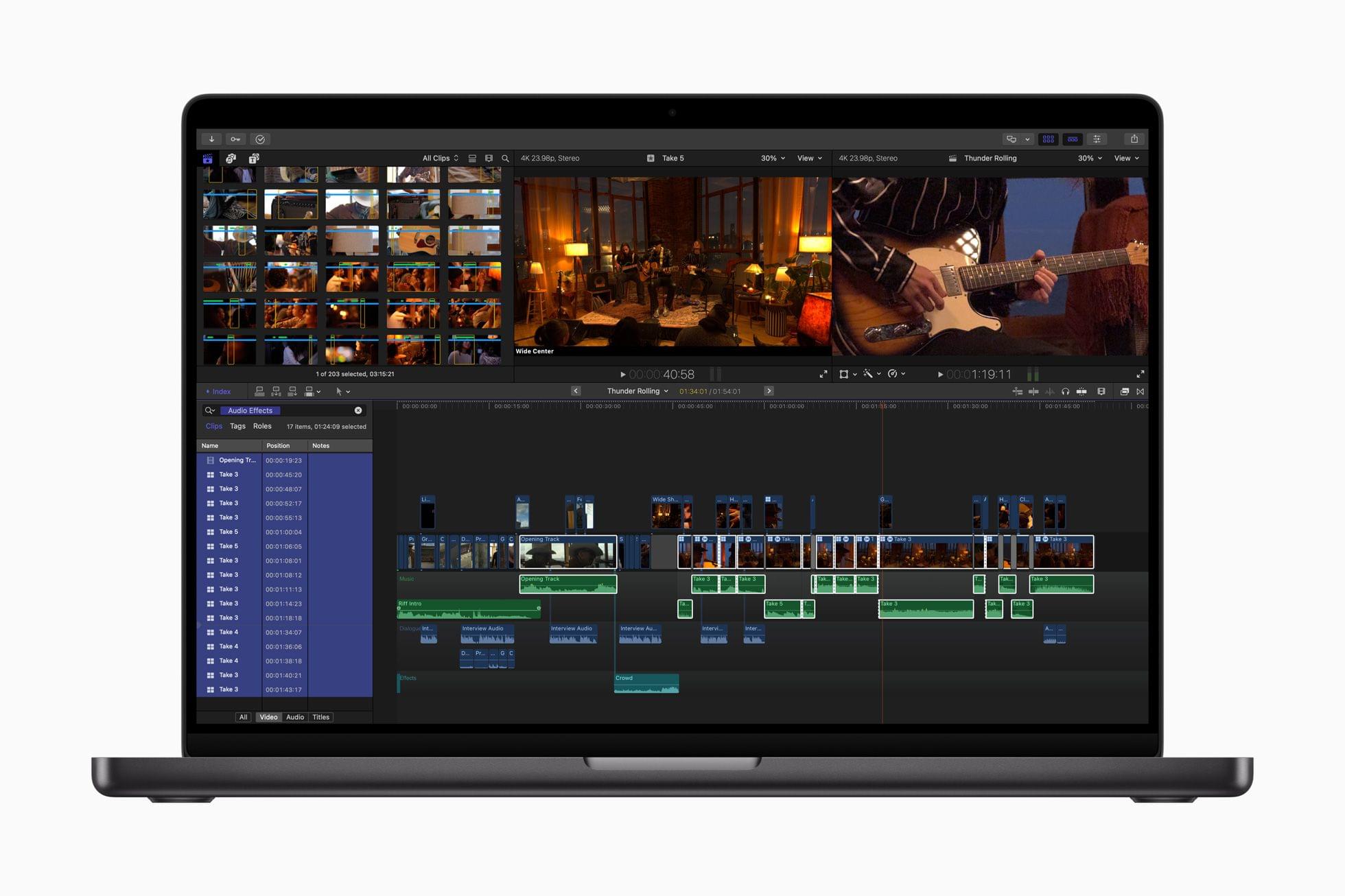
Apple Unveils Apple Creator Studio App Suite

Source: Apple.

Source: Apple.

Today, Apple announced Apple Creator Studio, a suite of creativity apps for the Mac and iPad combined with premium content and features for productivity apps across the company’s platforms. This collection of apps, which includes the debut of Pixelmator Pro for iPad, offers tools for creative professionals, aspiring artists, students, and others working across a wide variety of fields, including music, video, and graphic design.

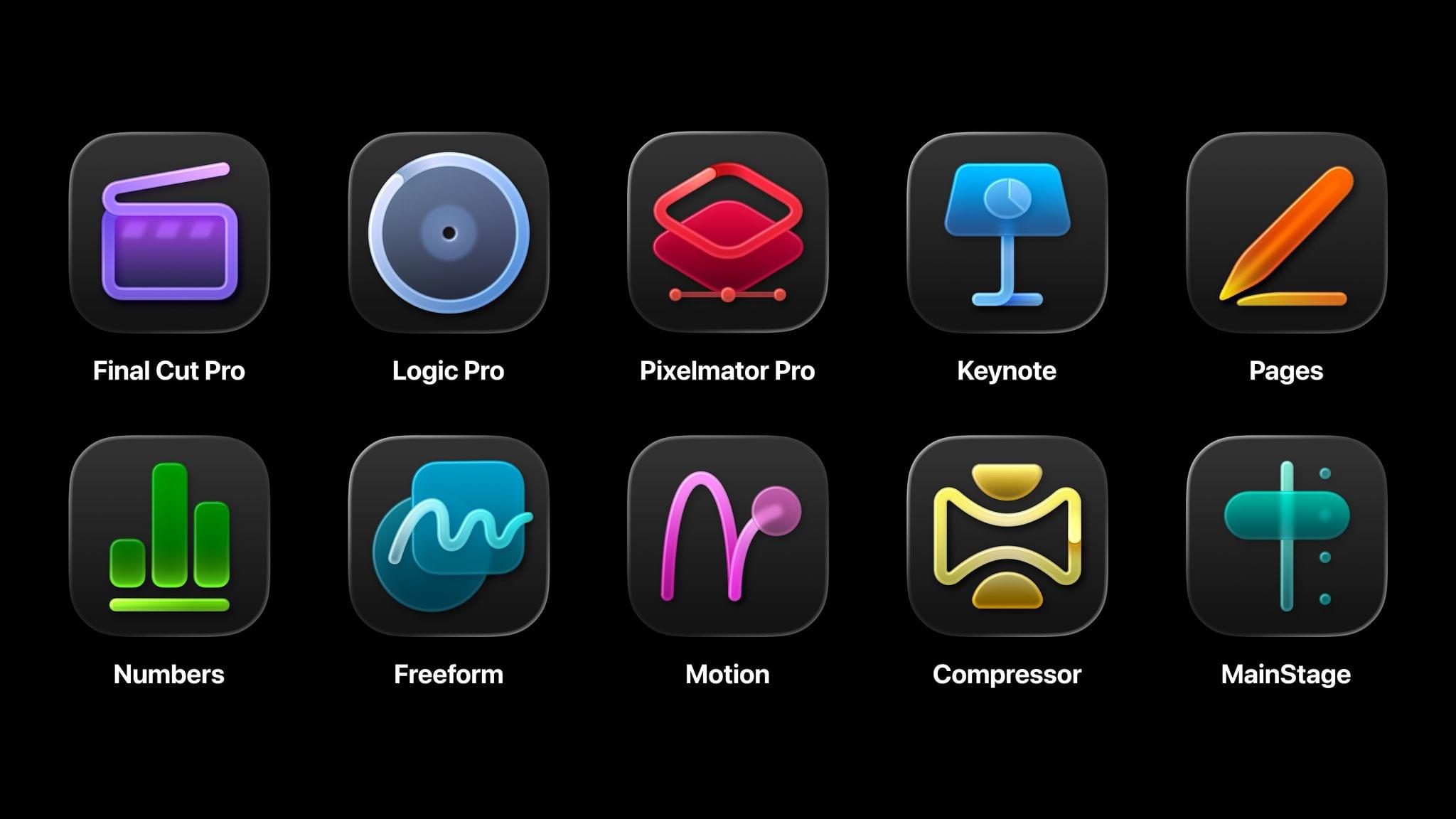
The bundle includes a number of apps:

  • Final Cut Pro for Mac and iPad (video editing)
  • Logic Pro for Mac and iPad (music creation)
  • Pixelmator Pro for Mac and iPad (photo editing and graphic design)
  • Motion for Mac (video effects)
  • Compressor for Mac (video encoding)
  • MainStage for Mac (music performance)

It also features a new Content Hub with premium graphics and photos for Apple’s iWork suite – Pages for word processing, Keynote for presentations, and Numbers for spreadsheets – as well as exclusive templates, themes, and AI features. The company says these features will also come to its Freeform canvas app soon.

Apple Creator Studio will be available on Wednesday, January 28, for $12.99/month or $129/year with a one-month free trial. Students and teachers can subscribe at a discounted rate of $2.99/month or $29.99/year, and three months of Apple Creator Studio will come free with the purchase of a new Mac or iPad. The subscription also includes Family Sharing, allowing users to share the apps and features with up to five family members.

With this offering, Apple is combining several disparate offerings for creatives into a single package that looks quite compelling. Because many of these apps are also available individually – some of them for free – there are a lot of details to get into regarding what’s new, what’s included, and what’s available elsewhere. Let’s get into it.

Read more


Apple Announces Final Cut Camera 2.0 with Support for ProRes RAW and Genlock

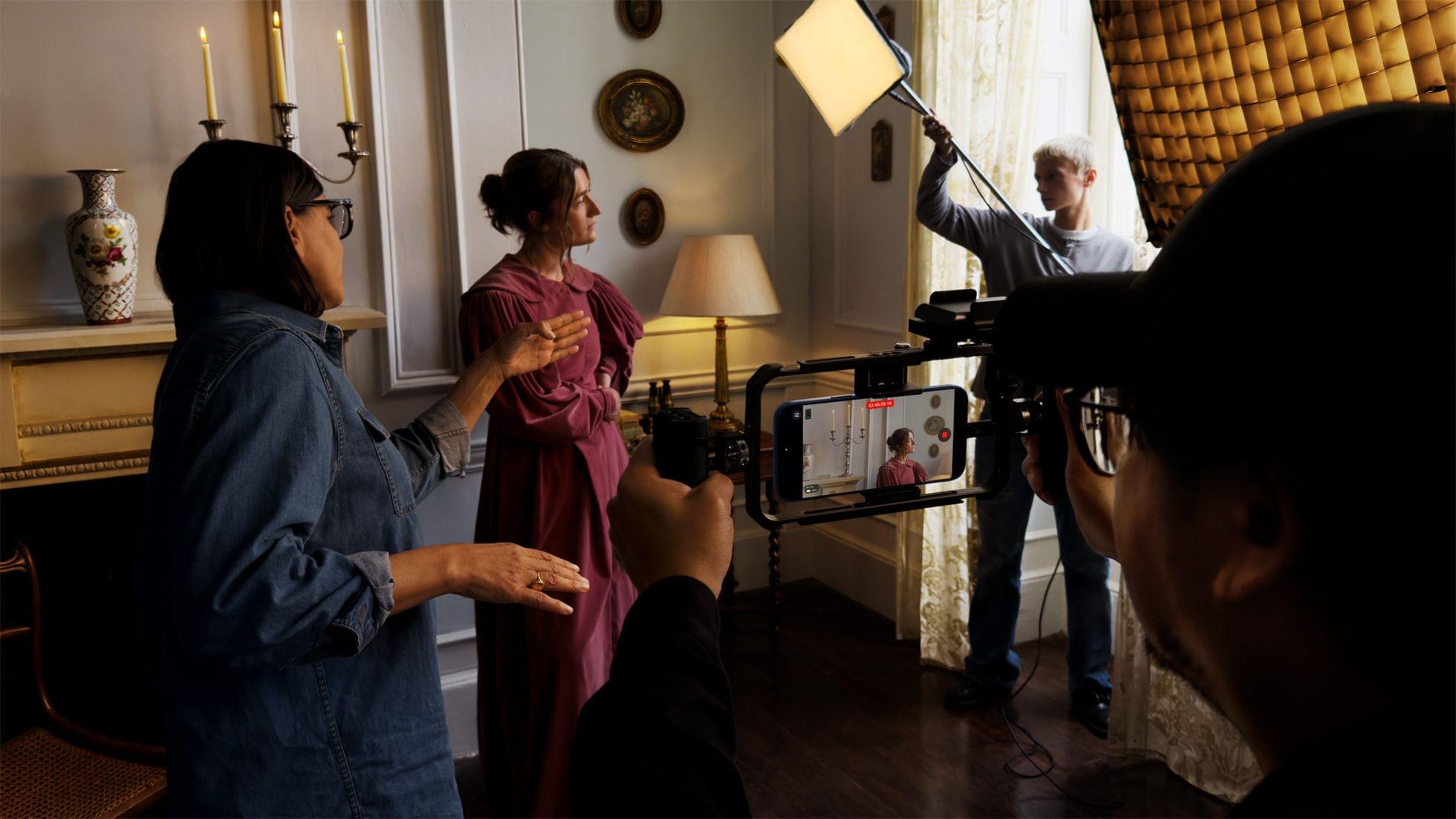
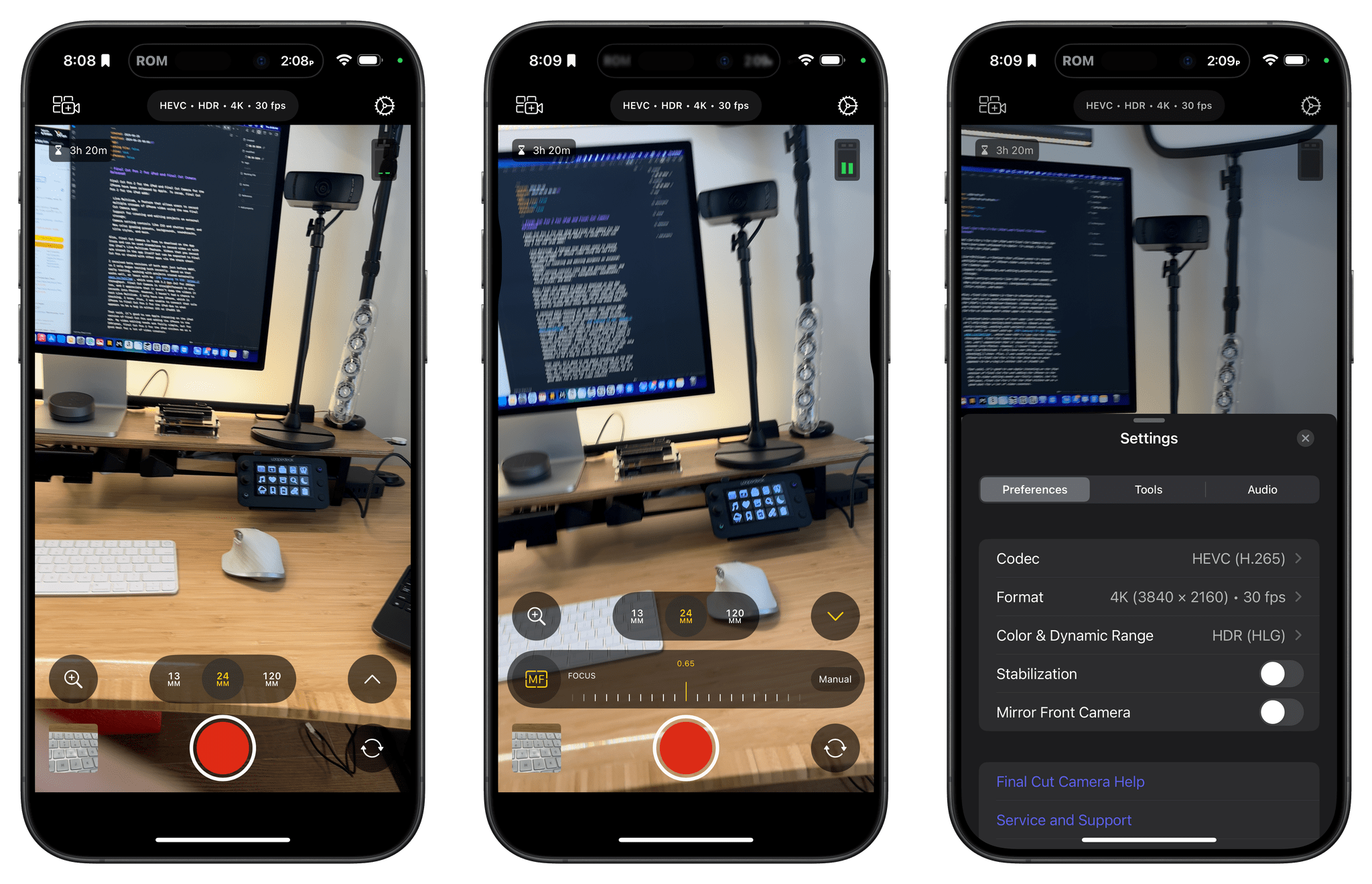
Today, in tandem with new video recording capabilities and lenses in the iPhone 17 Pro line, Apple announced version 2.0 of Final Cut Camera, its pro video recording app for the iPhone.

The update introduces support for ProRes RAW and genlock, which the new iPhone 17 Pro and Pro Max are able to record in. ProRes RAW is an industry-standard way to record video, allowing the capture of RAW data, which unlocks incredible control of recorded video in post-production. In upcoming releases of Final Cut Pro for Mac and Final Cut Pro for iPad, exposure, color temperature, tint, and demosaicing can all be adjusted on ProRes RAW footage.

Genlock, a process of synchronizing multiple video sources by having them lock onto an external reference signal, will allow filmmakers to make frame-accurate edits in a fraction of the time it would take when doing so manually.

As part of the recording process, version 2.0 supports open gate recording, allowing the use of the whole camera sensor to capture video, instead of the current cropped version. This opens up possibilities for reframing shots, stabilizing footage, and setting final aspect ratios without reducing the quality of the image.

As well as these announcements, Final Cut Camera introduces the following new functionalities:

  • Support for recording in portrait and landscape using the new square sensor-equipped front-facing camera. The new camera can shoot portrait or landscape video without the need to rotate the device
  • Manual adjustment of the new front-facing camera on the iPhone 17 Pro
  • Support for Apple Log 2, which features a wider color gamut
  • New Timecode options like Time of Day or other external timecodes.
  • Support for recording ProRes up to 4K60 fps with the new 200mm telephoto lens on the iPhone 17 Pro

Final Cut Camera will be available later this month.


What’s in My CES Bag?

Packing for CES has been a little different than WWDC. The biggest differences are the huge crowds at CES and the limits the conference puts on the bags you can carry into venues.

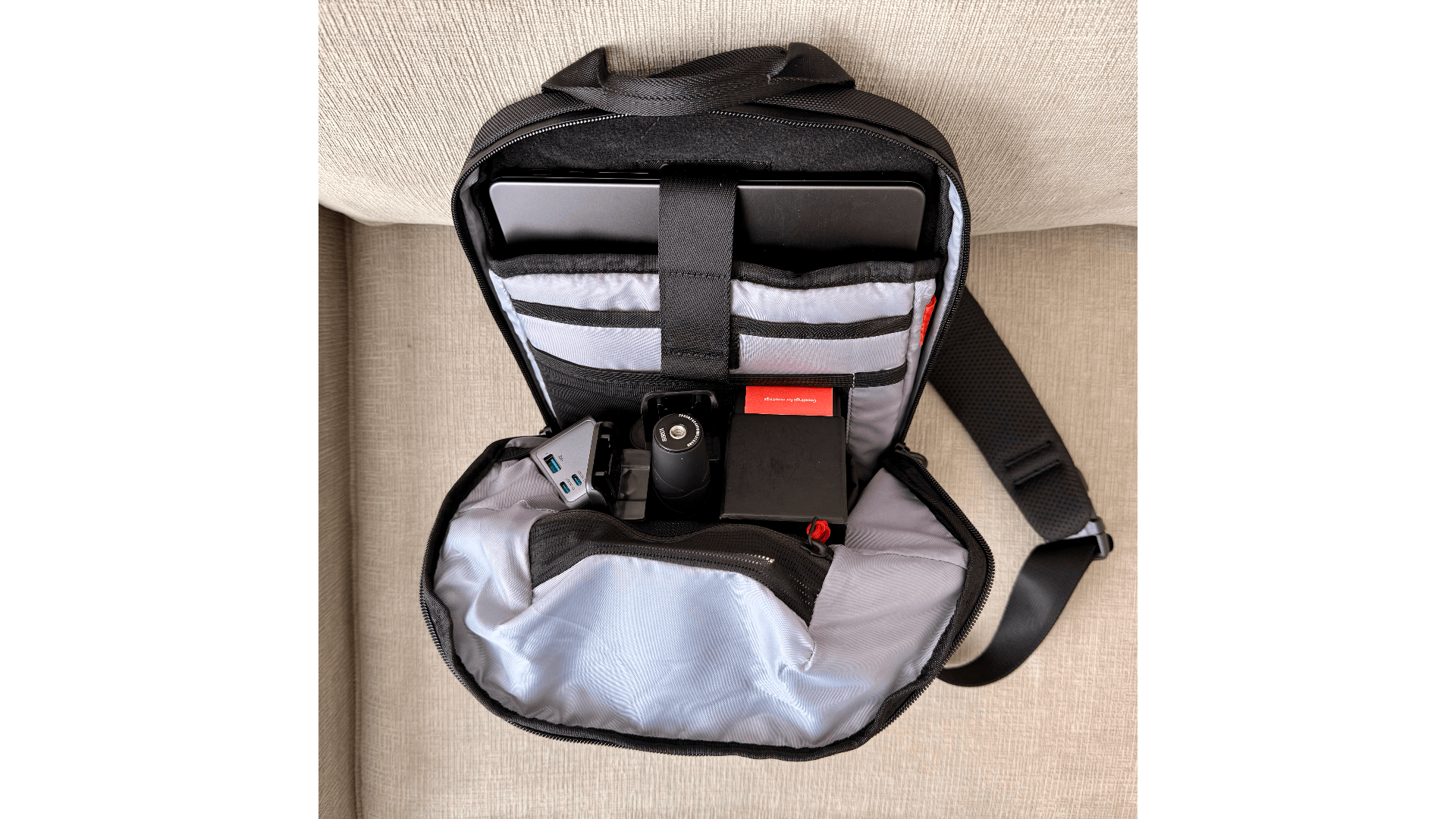
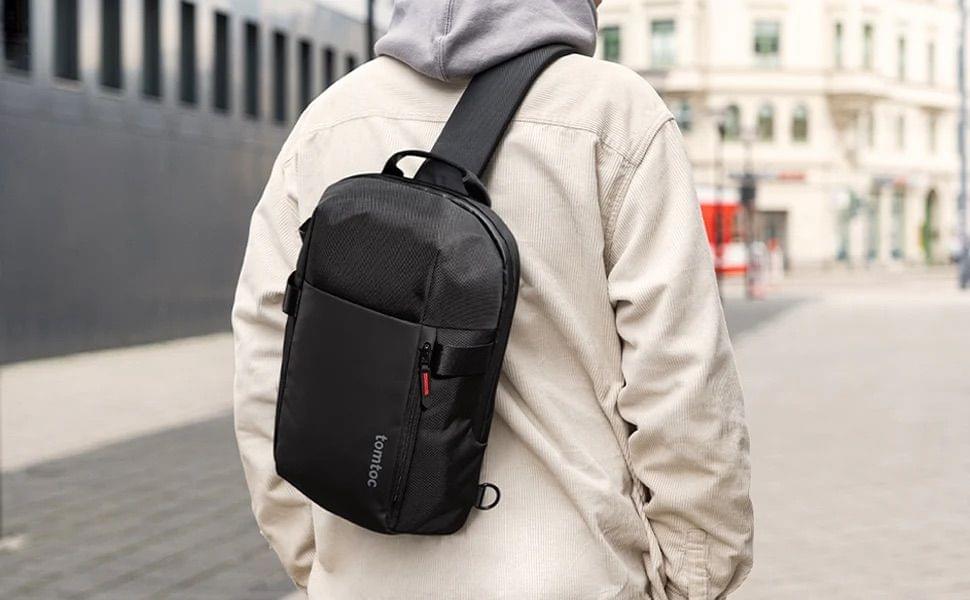
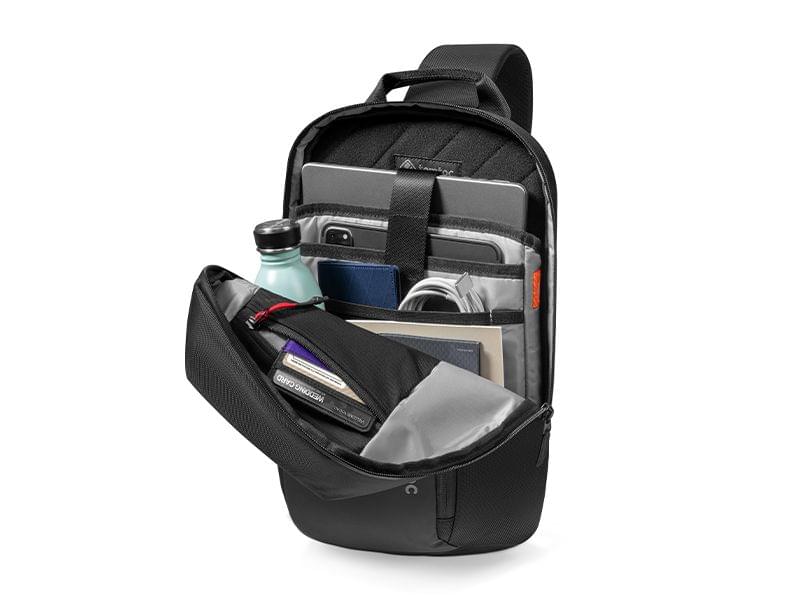
My trusty Tom Bihn Synapse 25 backpack isn’t big, but it’s too large for CES, so the first thing I did was look for a bag that was small enough to meet the CES security rules but big enough to hold my 14” MacBook Pro and 11” iPad Pro, plus accessories. I decided on a medium-sized Tomtoc Navigator T24 sling bag, which is the perfect size. It holds 7 liters of stuff and has built-in padding to protect the corners of the MacBook Pro and iPad as well as pockets on the inside and outside to help organize cables and other things.

Tomtoc's medium Navigator T24 sling bag. Source: Tomtoc.

Tomtoc’s medium Navigator T24 sling bag. Source: Tomtoc.

I don’t plan to carry my MacBook Pro with me during the day. The iPad Pro will be plenty for any writing and video production I do on the go, but it will be good to have the power and flexibility of the MacBook Pro when I return to my hotel room. For traveling to and from Las Vegas, I appreciate that the Tomtoc bag can fit everything I’m bringing.

A surprising amount of stuff fits in the T24. Source: Tomtoc.

A surprising amount of stuff fits in the T24. Source: Tomtoc.

With little room to spare, my setup is minimal. I’ll write on the iPad Pro and MacBook Pro, carrying the iPad with me tethered to my iPhone for Internet access. That’s a tried-and-true setup I already use whenever I’m away from home.

Read more


Apple Releases Updates to Final Cut Pro and Logic Pro for the Mac and iPad

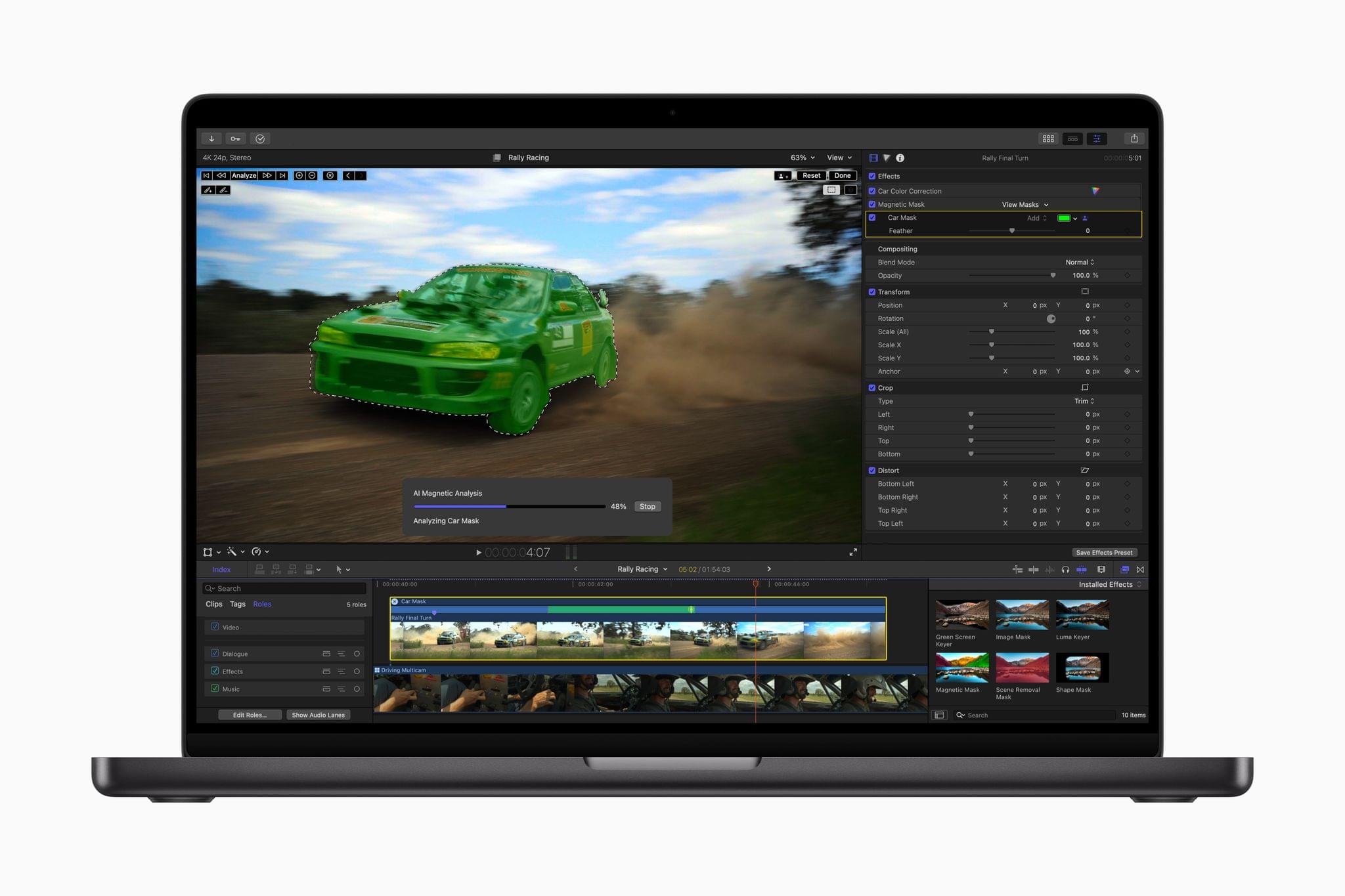
The Magnetic Mask. Source: Apple.

The Magnetic Mask. Source: Apple.

Today, Apple revealed the latest updates to Final Cut Pro for the Mac and iPad, with both offering a variety of new features and simplified workflows.

Final Cut Pro 11 for the Mac has added magnetic masks, extending the “magnetic” metaphor used for clips placed on your timeline. Apple says the new feature will allow you to quickly mask people and objects in a shot to color grade them or add effects separately from the rest of a scene.

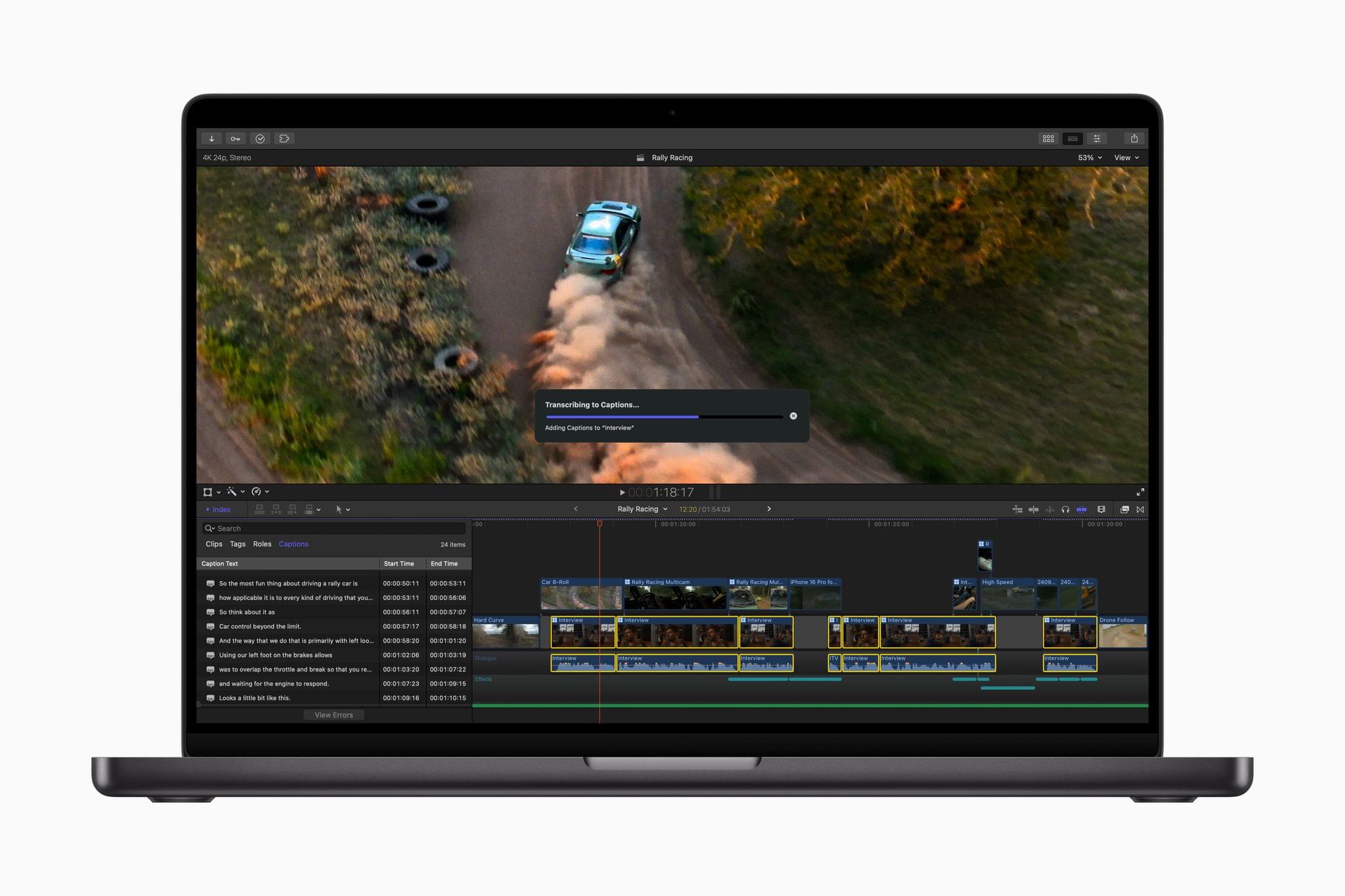
Final Cut Pro for Mac creating closed captions. Source: Apple.

Final Cut Pro for Mac creating closed captions. Source: Apple.

The app can automatically generate closed captions now, too. The feature, which was briefly shown off in a video published alongside the announcement of the new Mac mini, uses artificial intelligence to convert dialogue into text.

Final Cut Pro 11 is also now capable of editing spatial video for the Apple Vision Pro. In its press release, Apple says:

Final Cut Pro 11 now supports spatial video editing, allowing editors to import their footage and add effects, make color corrections, and enhance their projects with titles. The depth position of titles and captured footage can also be adjusted during the editing process. Spatial video clips can be captured directly with Vision Pro, or on iPhone 15 Pro, iPhone 16, iPhone 16 Pro, and Canon’s new RF-S7.8mm F4 STM DUAL lens paired with Canon R7.

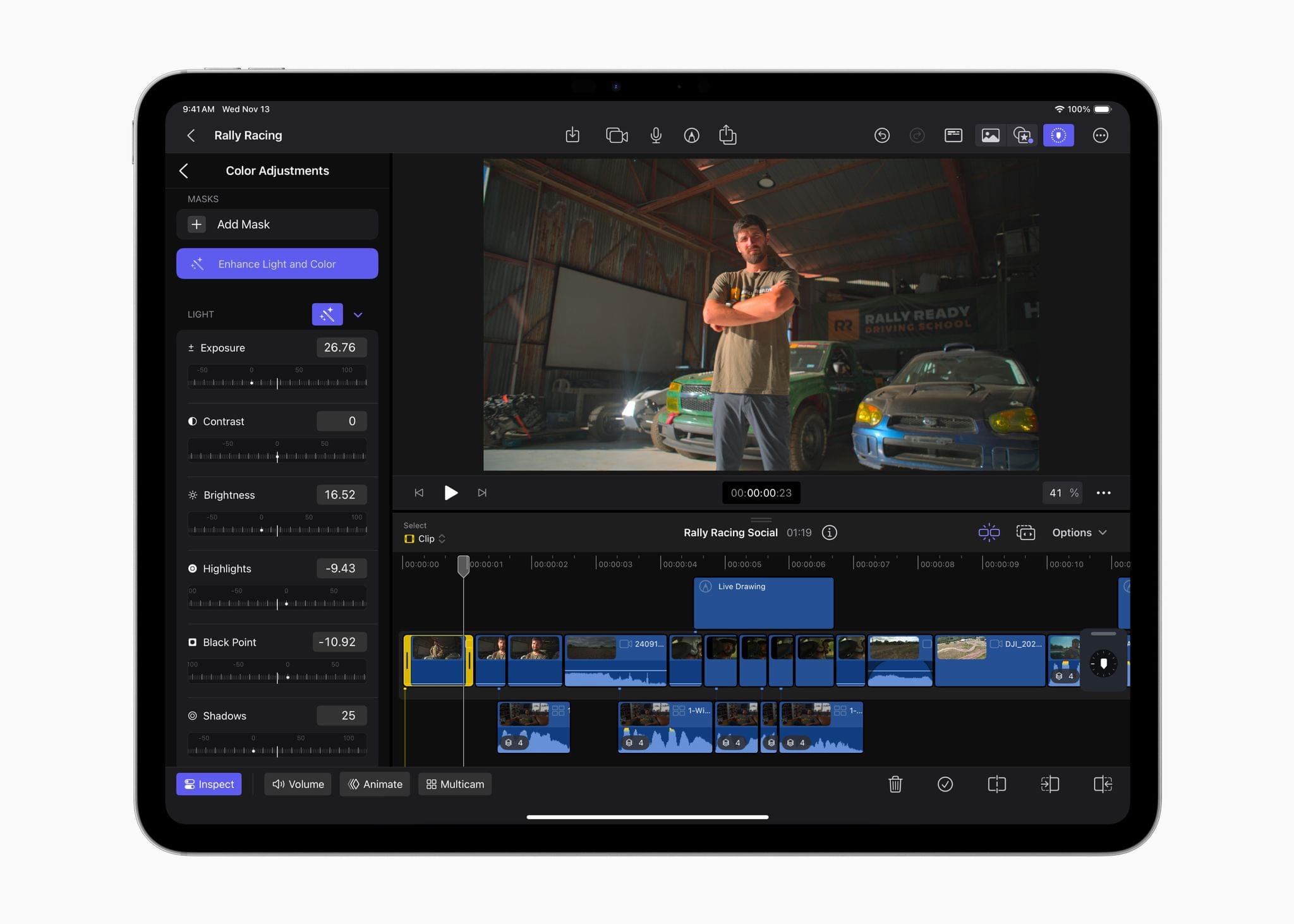
Enhance Light and Color in action. Source: Apple.

Enhance Light and Color in action. Source: Apple.

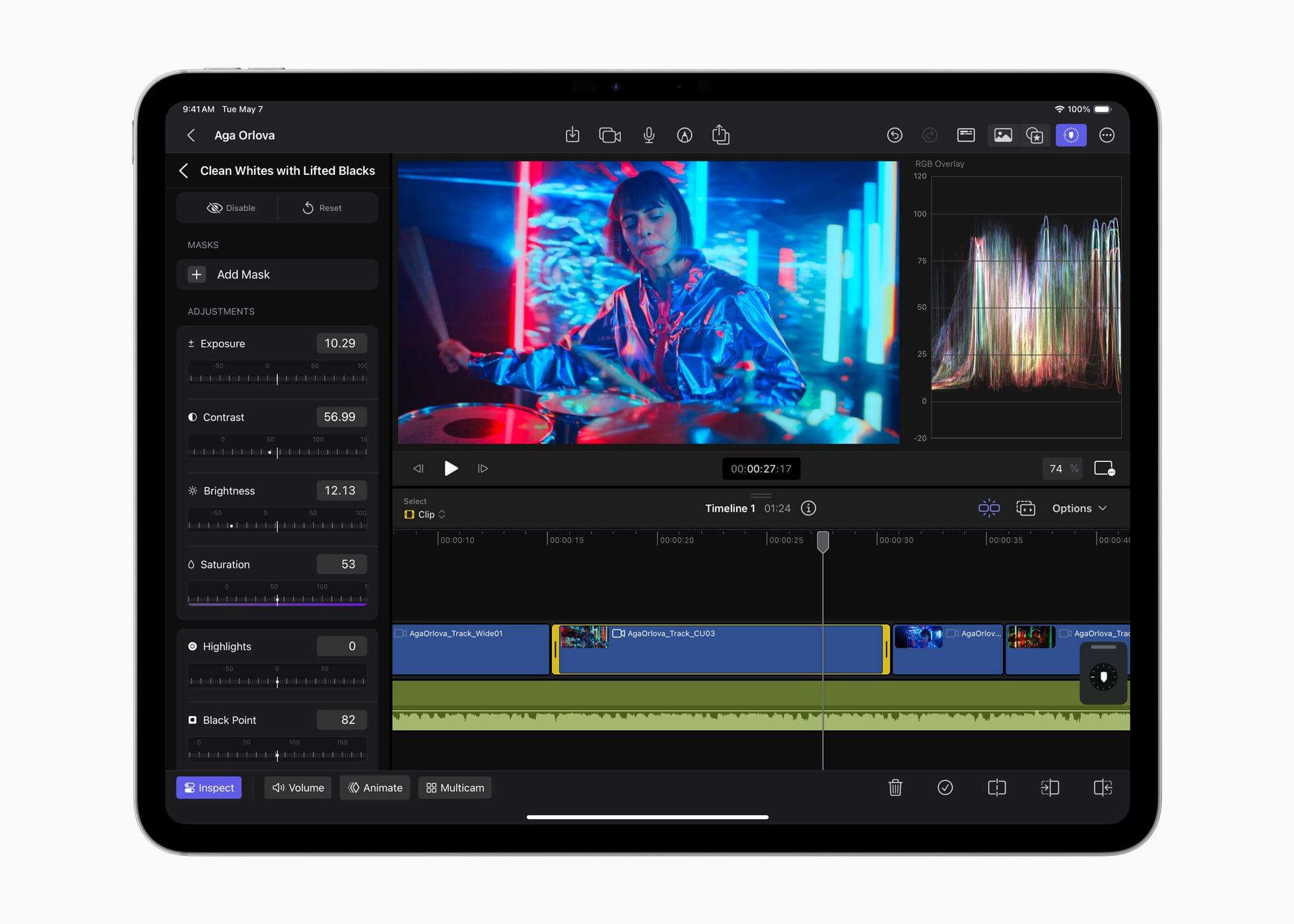
Final Cut Pro for the iPad has been updated to version 2.1 with several new features. I’ve been using Final Cut Pro more regularly since we started the MacStories YouTube channel, and one of the limitations I noticed immediately is that the color correction tools in the iPad version weren’t nearly as good as on the Mac. The iPad’s color tools still aren’t as sophisticated as what’s available on the Mac, but this update does add new color grading presets as well as a new Enhance Light and Color feature that intelligently applies color, contrast, brightness, and color balance to a video and works with SDR, HDR, RAW, and Log-encoded media.

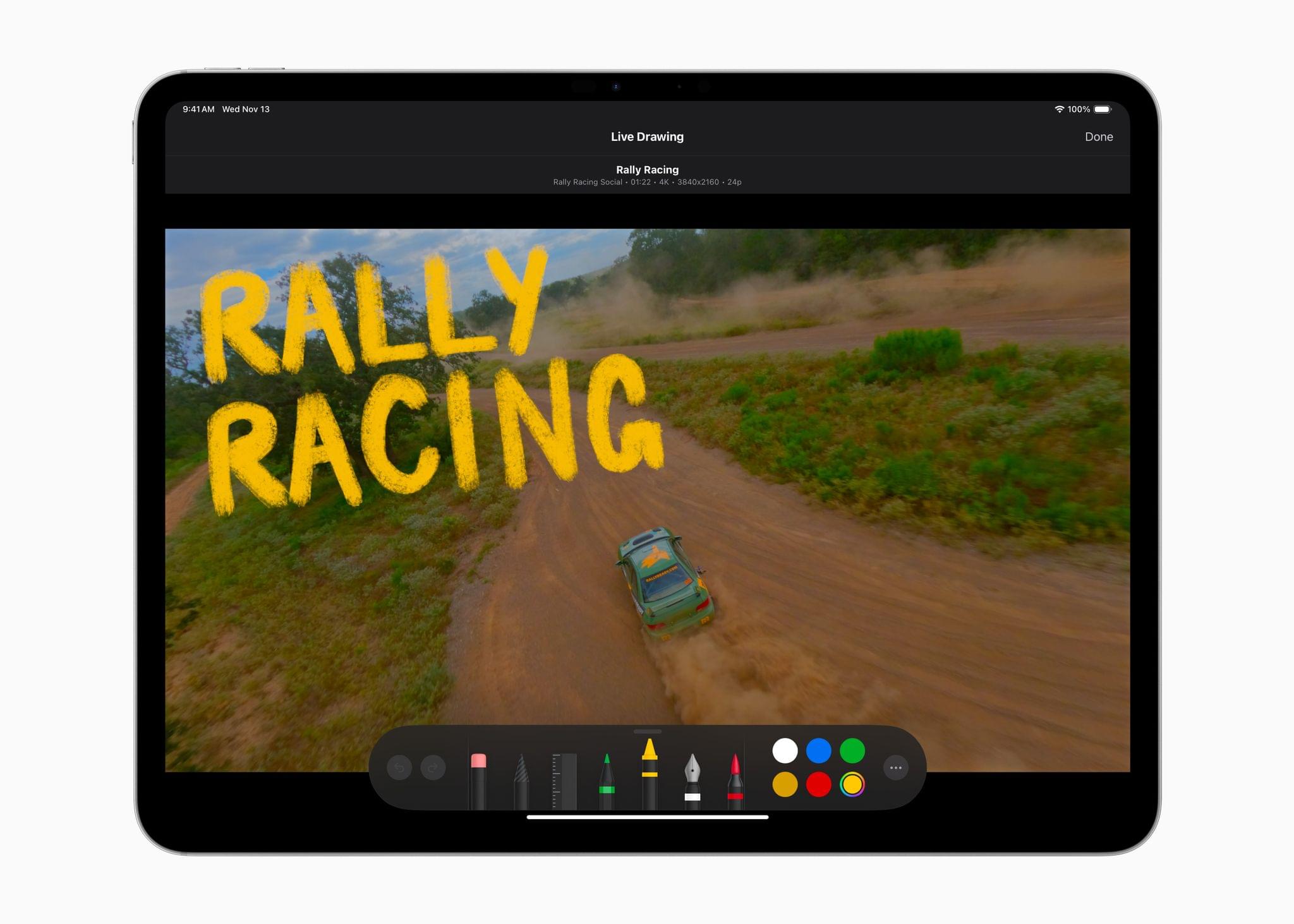
One of Final Cut Pro for iPad's new brushes. Source: Apple.

One of Final Cut Pro for iPad’s new brushes. Source: Apple.

Live Drawing on a video has been expanded with new brushes, too. There are new watercolor, crayon, fountain pen, and monoline pen brushes, letting users create a greater variety of looks for their videos. Other new effects include a picture-in-picture effect, callouts, and a set of built-in soundtracks. I’m eager to try picture-in-picture, which should be a good way to create tutorials and other types of videos and callouts; it’s an effect available from multiple third-party effects vendors on the Mac, but new to the iPad.

The iPad version of Final Cut Pro is also adding a host of other new features, including:

  • the ability to expand clips in the timeline vertically with a pinch gesture,
  • dynamic adjustments to the size of the picture-in-picture window,
  • support for editing high-frame-rate video, and
  • Apple Pencil Pro haptic feedback for timeline scrubbing and dropping effects onto the timeline.

Read more


Video Production, Automation Hardware, Gaming, and More: My Desk Setup Update

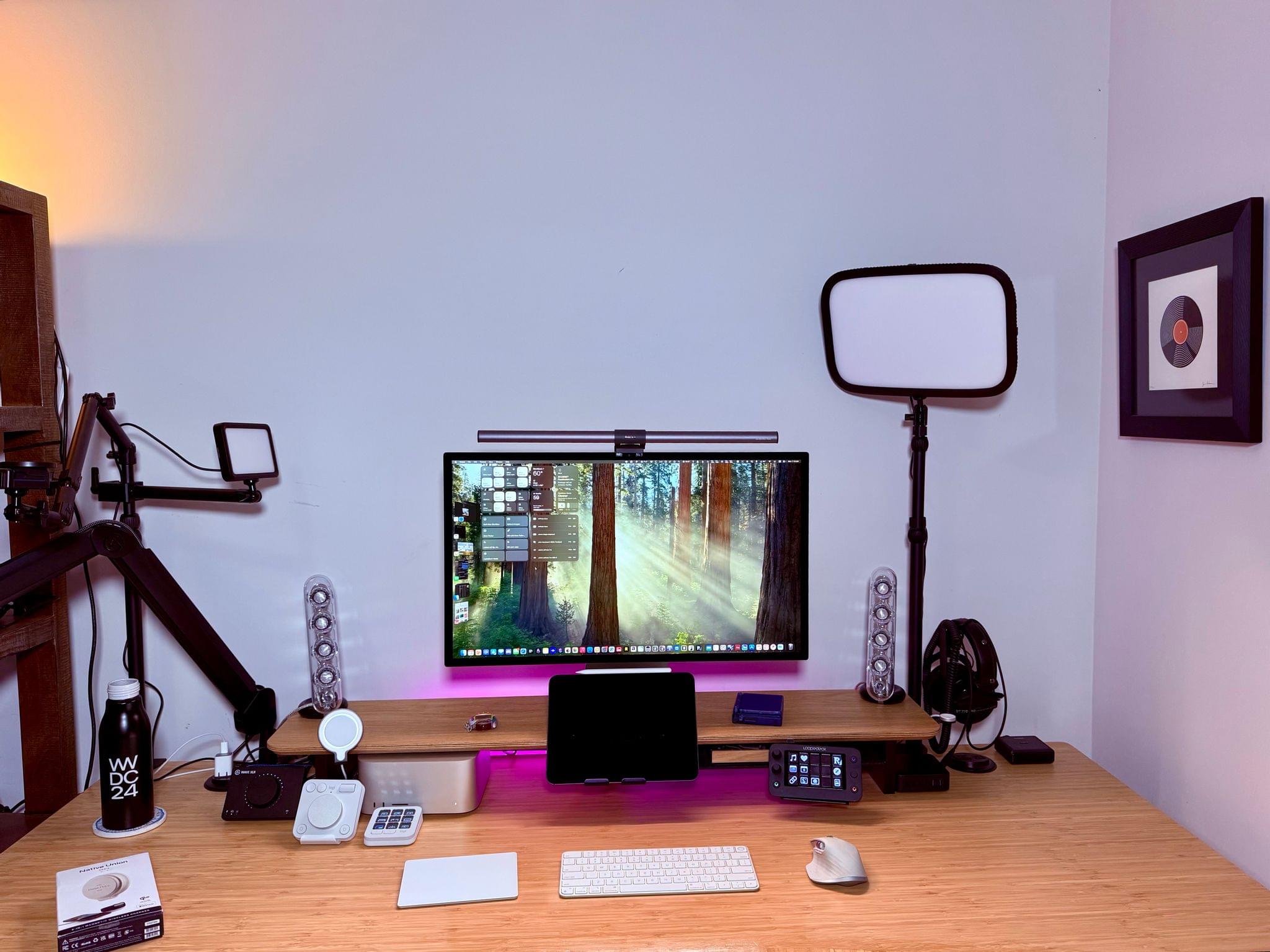
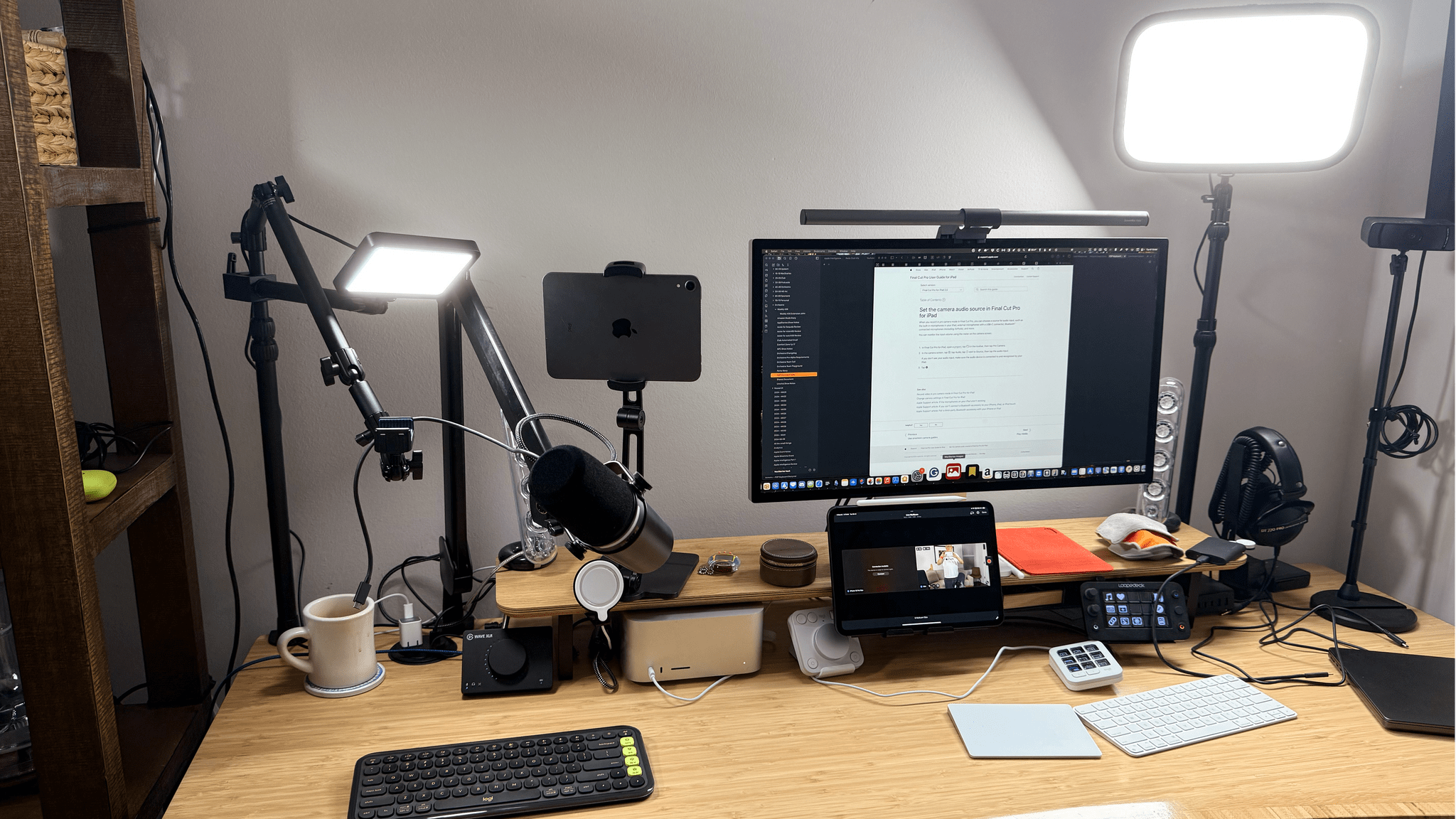
Earlier today, we published an episode of AppStories covering the latest changes that Federico and I have made to our desk setups and other gear. I last updated my desk setup in July, before we started recording a video version of NPC: Next Portable Console. Since then, I’ve also started publishing bonus NPC videos and hardware reviews on the MacStories YouTube channel, which has driven the bulk of the changes in my setup.

On the hardware side, the changes include the addition of Elgato mounts, namely the Elgato Flex Arm and Solid Arm, along with a second Master Mount and Mini Key Light. I also purchased a Moment Multi Threaded Mount that lets me connect my iPhone 16 Pro Max to the Elgato Flex Arm using a strong MagSafe magnet for filming top-down shots. And I switched my podcast recording headphones to the Moondrop ARIA 2 In-Ear Headphones because the Shure model I used before didn’t stay in my ears.

Making the most of a small space..

Making the most of a small space..

The rest of my computing setup hasn’t changed much. I removed my M2 MacBook Air because the 11” M4 iPad Pro has replaced it for most of my lightweight portable needs. I’ve also added the Logitech MX Creative Console and Logitech POP Icon Keys keyboard. I’ve grown to like the Creative Console more than the Loupedeck Live for push-button automation, but for now, I still use both. I’m not entirely sure if I’ll stick with the POP Icon Keys keyboard because, as much as I like the automation that’s been baked into it, I prefer the feel of the Magic Keyboard, but I haven’t shelved it yet. I’ve also abandoned the Belkin BoostCharge Pro Wireless Charger because of a recent recall. Instead, I’ve switched to a Native Union Voyage Magnetic Wireless Charger that I’ve been testing and will review soon.

On the videogame side of things, I’ve gravitated to Anbernic devices, adding the Anbernic RG40XXV and Anbernic RG28XX to my setup. Along with the Anbernic RG35XXSP that was already on my list, I now have a nice range of retro handheld sizes and form factors. I have others as well, but these are my current go-to devices. I also added the Nintendo Switch Lite (Hyrule Edition) because I’m a sucker for anything Zelda and I wanted a smaller Switch for traveling.

The Mobapad M6 HD Joycons with my OLED Switch and the Switch Lite Hyrule Edition.

The Mobapad M6 HD Joycons with my OLED Switch and the Switch Lite Hyrule Edition.

I’ve tried to be good and stop buying controllers, but there have been some great ones released lately, so my list now includes the Mobapad M6 HD Joycons for my OLED Switch and the GameSir G8+. The G8+ is a lot like the GameSir G8 Galileo that it replaced except that it has Bluetooth and works with the iPhone, iPad mini, and Nintendo Switch; I love it.

Finally, I’ve made several changes to my app lineup. There are more Apple system apps on the list, which is usually the case after a long summer of testing macOS betas. Plus, there are several video recording and editing apps on the list now, including Final Cut Pro for the iPad and Mac, Final Cut Camera, a Stupid Raisins plugin for doing split-screen video, and Camo Studio.

That’s it for now. However, I’m already thinking about some fall and winter projects that will mean more changes to my setup, especially with respect to video production tools.


Final Cut Pro 2 for iPad and Final Cut Camera Released

Apple announced that today it is releasing Final Cut Pro 2 for the iPad and Final Cut Camera for the iPhone on the App Store. Both apps were announced at the company’s Let Loose event in May. To recap, Final Cut Pro 2 for the iPad adds the following features:

  • Live Multicam, which allows users to record multiple streams of iPhone video using the new Final Cut Camera app;
  • support for creating and editing projects on external storage;
  • camera setting controls like ISO and shutter speed; and
  • new color grading presets, backgrounds, soundtracks, title styles, and more.
Final Cut Camera.

Final Cut Camera.

Final Cut Camera is available to download for free on the App Store and can be used standalone to record video or in conjunction with the iPad’s Live Multicam feature. Videos that you record are stored in the app itself but can be exported to Final Cut Pro or shared with other apps via the share sheet.

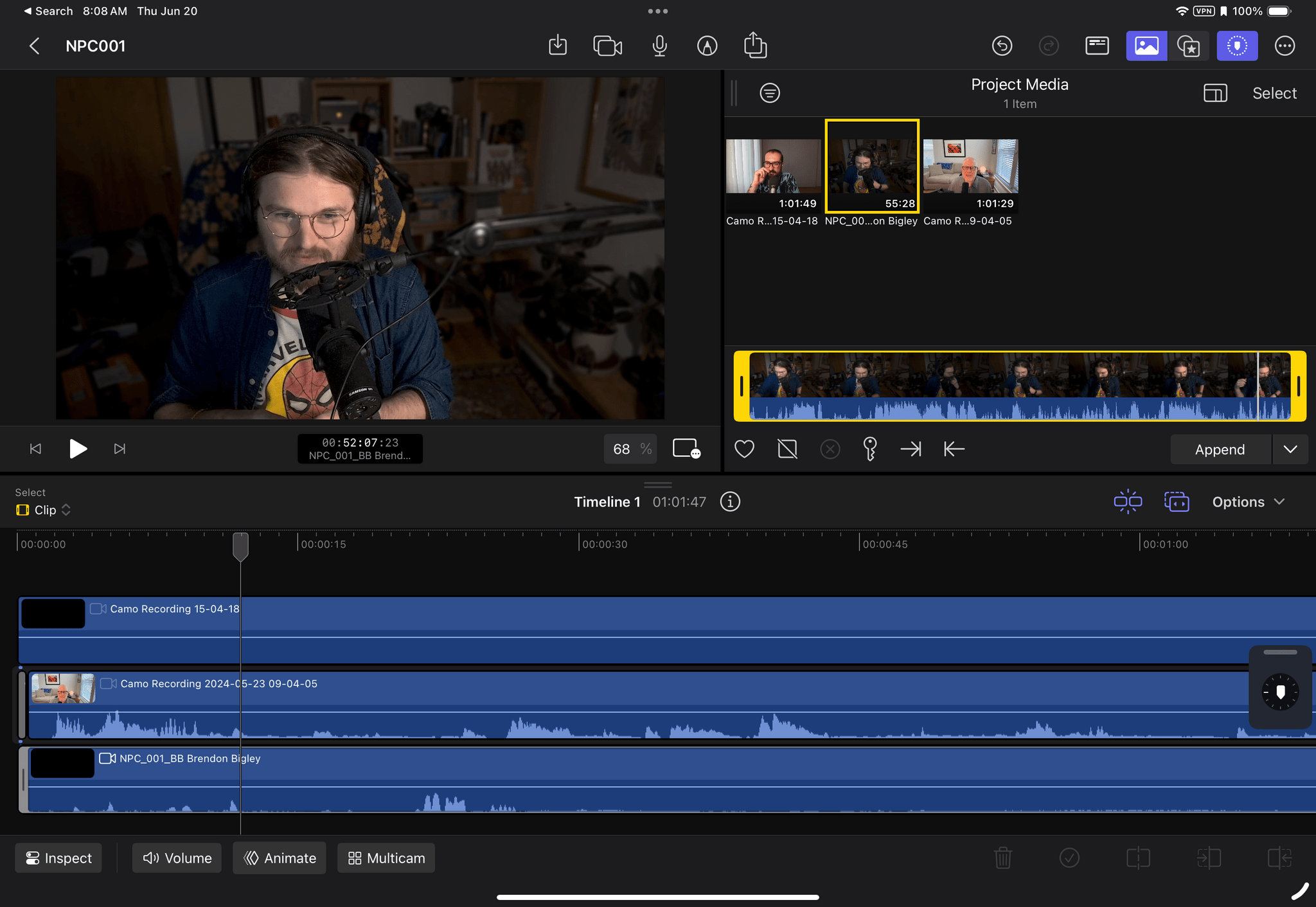
I received beta versions of both apps just before WWDC, so I only began testing them recently. Based on that early testing, working with a 25GB project stored on an external drive worked well, at least with my 2TB Samsung T9 SSD, which uses USB 3.2 Gen 2x2 for 20Gbps throughput. Final Cut Camera is straightforward to use, too, and I appreciate that it doesn’t dump the videos it records into Photos. However, I haven’t had a chance to test Live Multicam. I only have one iPhone (which is shocking, I know). Plus, I was unable to connect that sole iPhone to Final Cut Pro 2 for the iPad due to what appears to be a bug in either iOS or iPadOS 18.

That said, it’s good to see Apple iterating on the iPad version of Final Cut Pro and adding the iPhone into the mix for capture. My video editing needs are fairly simple, but for $49/year, Final Cut Pro 2 for the iPad strikes me as a good deal for a lot of video creators. As of publication, Final Cut Camera was not appearing on the App Store but should be available soon.


Final Cut Pro 2 and Logic Pro 2 for iPad Updated Along with Their Mac Counterparts

Source: Apple.

Source: Apple.

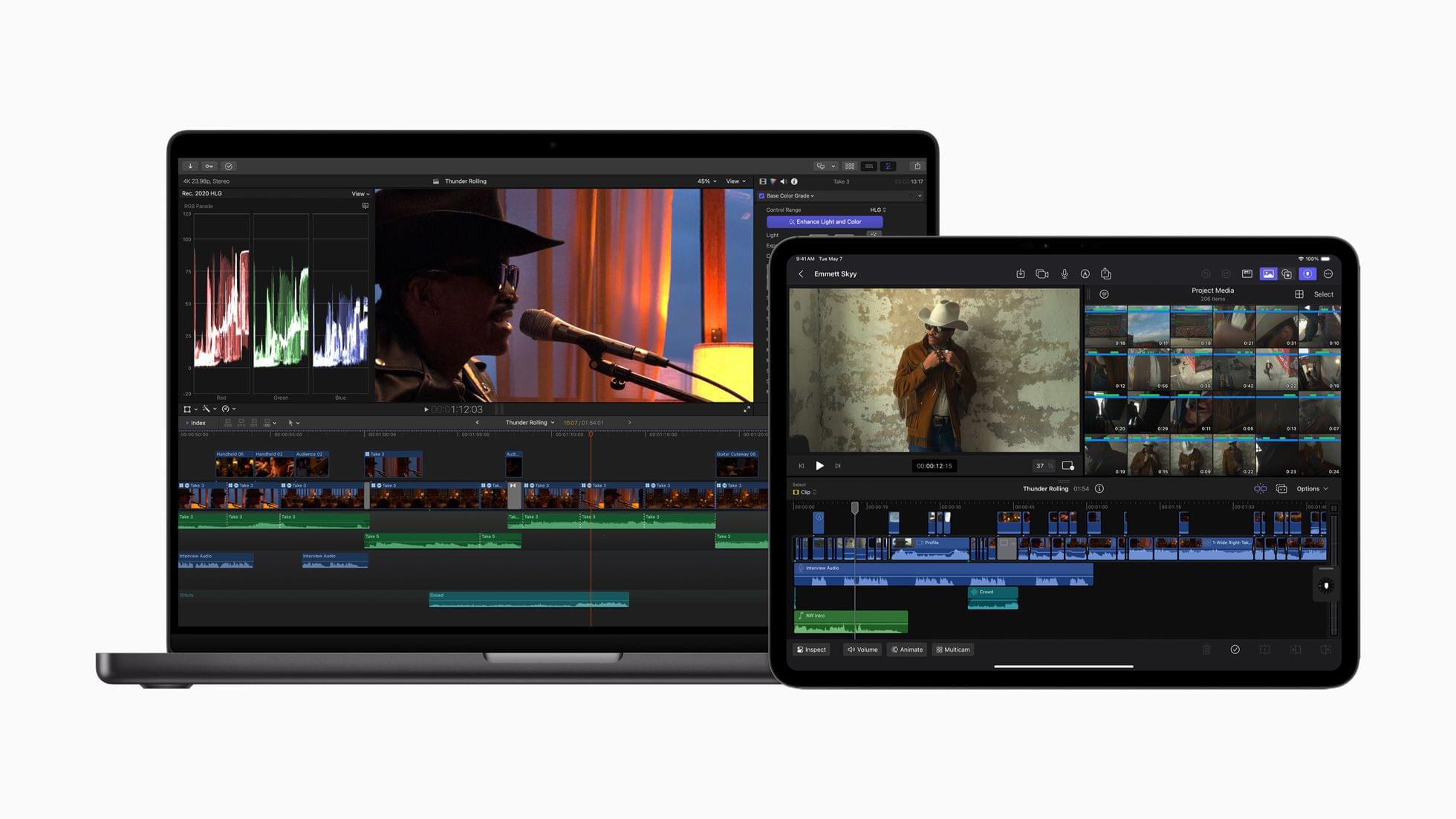
Last year at this time, I beta-tested Final Cut Pro and Logic Pro for iPad. I was impressed with both and found editing podcasts in Logic Pro for iPad surprisingly easy. That said, both apps were still limited compared to what their sibling versions could do on the Mac. With today’s update, Apple appears to be pushing both apps much further into ‘Pro’ territory than ever before, undoubtedly thanks to the M4 chip inside the new iPad Pros.

Source: Apple.

Source: Apple.

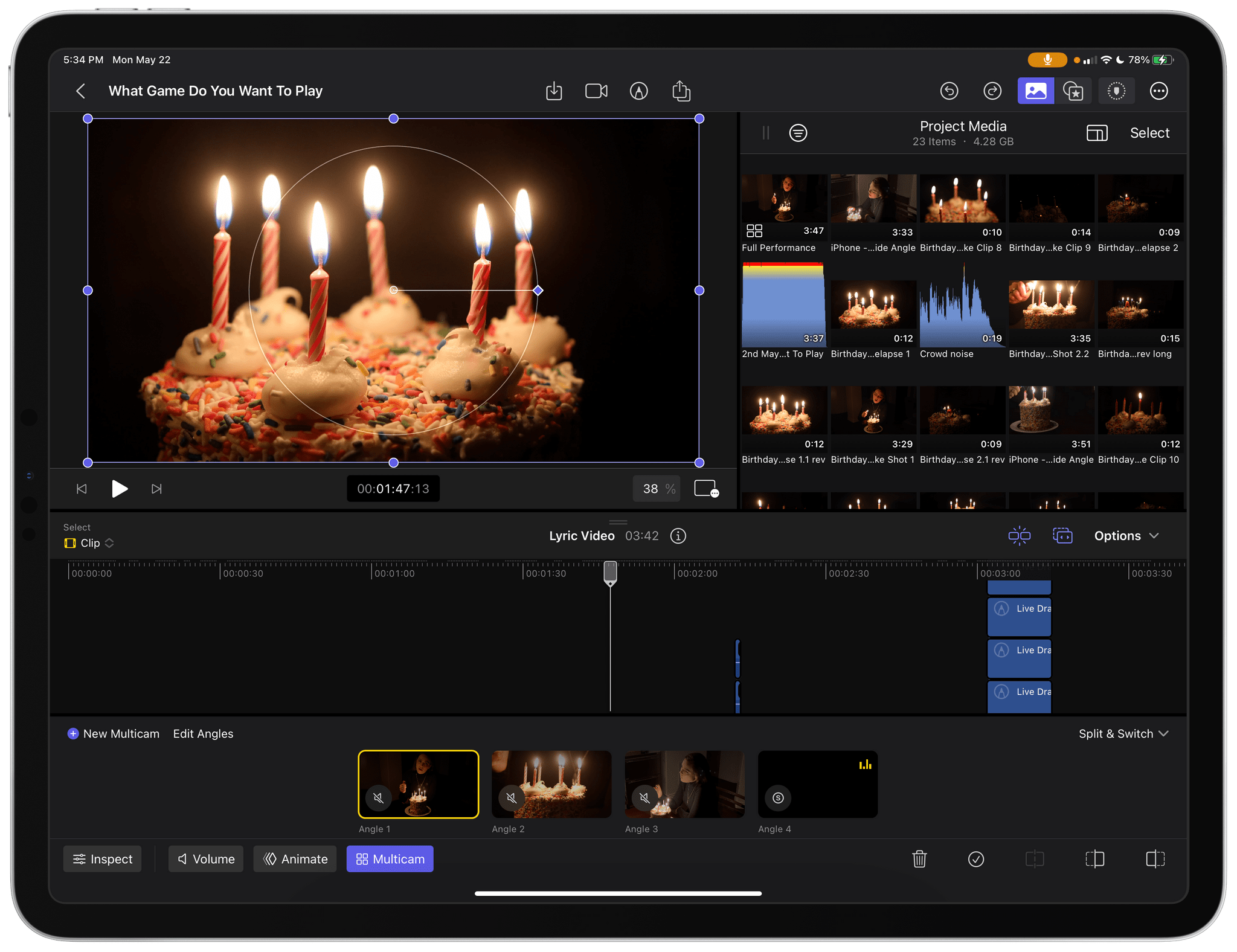
In what I think is a first for one of its iPadOS apps, Apple has given Final Cut Pro for iPad a version number. One of the most impressive features shown off today was Live Multicam, which supports up to four simultaneous live camera feeds:

Final Cut Pro for iPad 2 delivers Live Multicam, an innovative new solution for users to capture up to four different angles of a single scene, whether working with their own devices or collaborating with others. Live Multicam connects wirelessly via Final Cut Camera, a new video capture app, enabling users to view up to four iPhone or iPad devices and providing a director’s view of each camera in real time. Each live camera feed can have settings adjusted right from Final Cut Pro for iPad 2 to easily dial in exposure, focus, zoom, and more for the perfect shot. Editable preview clips are immediately passed through to Final Cut Pro for iPad and replaced with full-resolution files in the background, so users can seamlessly move from production to editing.

Final Cut Camera is a separate new app for the iPhone and iPad that works with Final Cut Pro for iPad 2 to feed each video stream to an iPad for real-time, wireless capture.

Source: Apple.

Source: Apple.

The app also offers greater storage flexibility, allowing videographers to edit projects on an external drive. Here’s how Apple describes it in its press release:

For even more storage flexibility, Final Cut Pro for iPad 2 now supports external projects, letting users easily create or open projects on an external storage device and import media without taking up space on their iPad. Editors can quickly hand off external projects to another editor or take them into Final Cut Pro for Mac; create new projects on external storage; and seamlessly import high-resolution files and professional codecs like ProRes and Log.

Additionally, the update adds new color-grading presets, text titles, and soundtracks. Final Cut Pro for Mac is being updated to version 10.8, which includes new AI features and organizational tools.

Source: Apple.

Source: Apple.

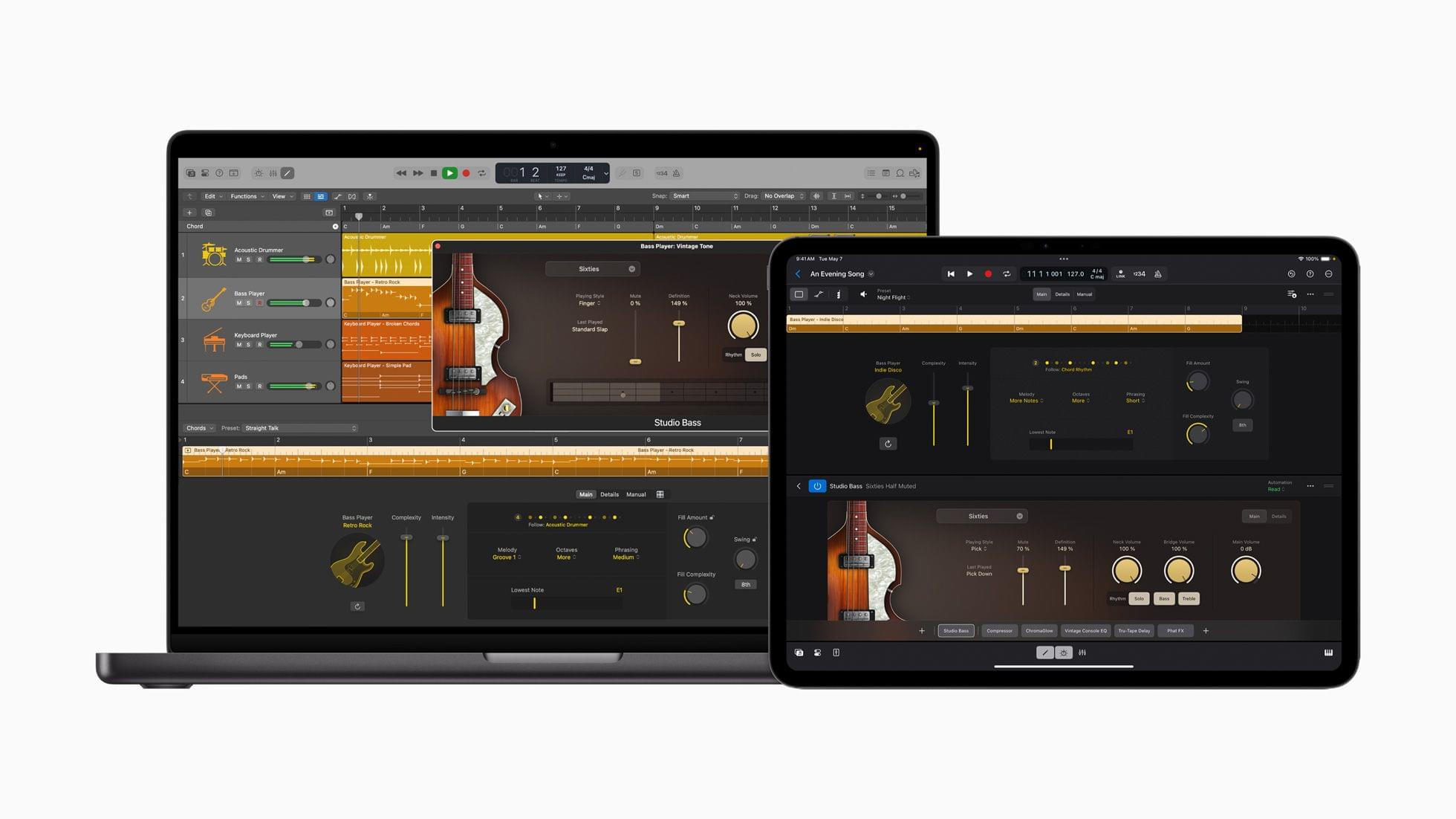
Logic Pro has been updated for the iPad and Mac, too, with several features, including:

…Session Players, which expand the popular Drummer capabilities in Logic Pro to include a new Bass Player and Keyboard Player; Stem Splitter, to extract and work with individual parts of a single audio recording; and ChromaGlow, to instantly add warmth to tracks.

The common thread among these updates that Apple highlighted is the apps’ reliance on AI and machine learning to make complex edits to compositions.

Apple says that Final Cut Pro for iPad 2, Final Cut Camera, and Final Cut Pro for Mac 10.8 will be available later this spring, while Logic Pro for iPad 2 and Logic Pro for Mac 11 will be available on the App Store starting Monday, May 13.


You can follow all of our May 2024 Apple event coverage through our May 2024 Apple event hub or subscribe to the dedicated May 2024 Apple event RSS feed.


First Impressions: Final Cut Pro for iPad

Today, Apple released Final Cut Pro for iPad alongside Logic Pro. I’ve been testing the app for about a week with sample projects from Apple and some drone footage I shot with one of my kids during the winter holidays. Like Logic Pro for iPad, Apple has packed a lot of sophisticated features into Final Cut Pro for iPad, but with one crucial difference. Whereas Logic Pro projects can be sent back and forth between the iPad and Mac versions of the app, Final Cut Pro projects cannot.

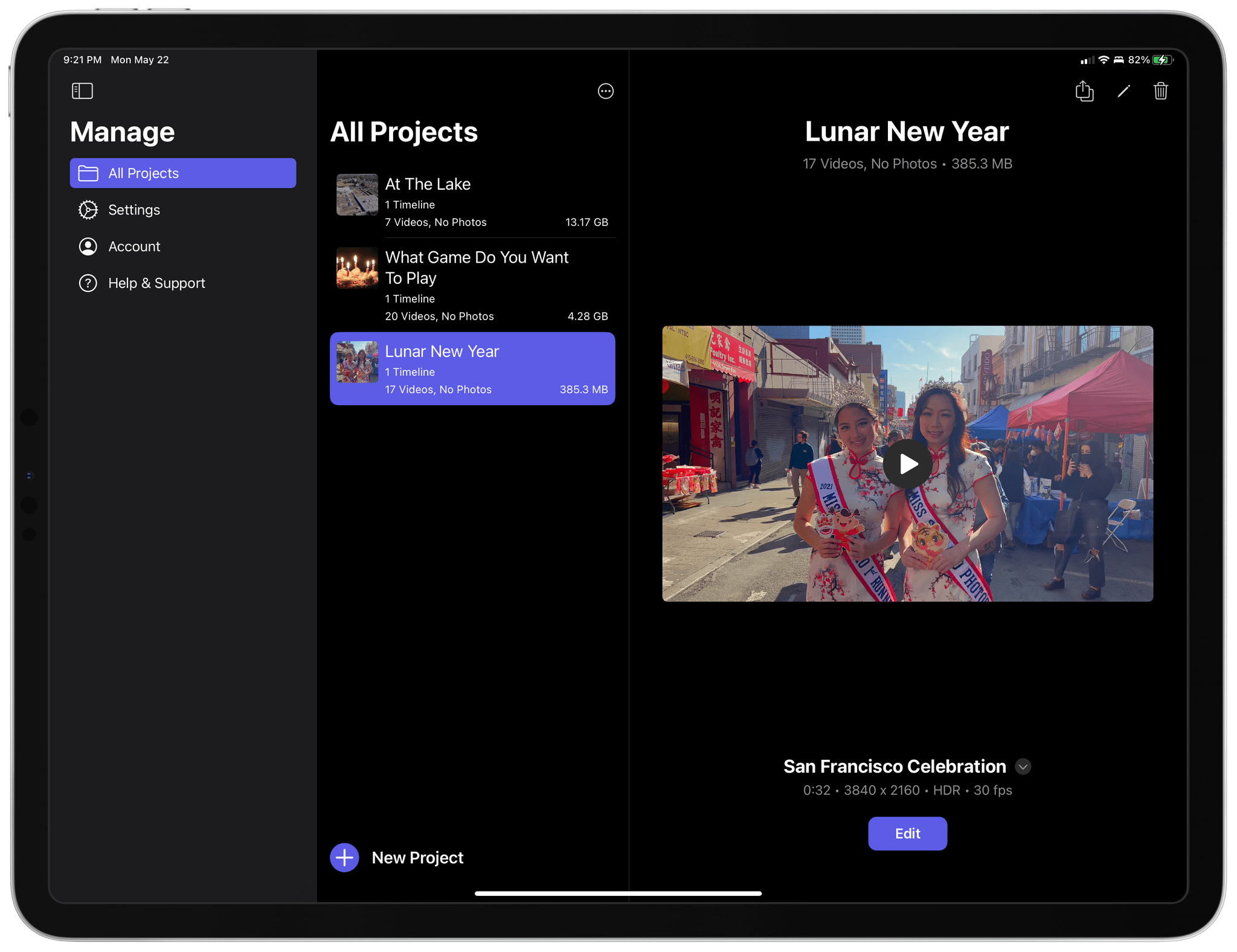
Managing Final Cut Pro for iPad projects.

Managing Final Cut Pro for iPad projects.

Final Cut for iPad projects can be opened in Final Cut for Mac, but once they’re on the Mac, they can no longer be opened on the iPad. Nor can projects started in Final Cut Pro for Mac be opened on the iPad. That will be a significant downside for people who already work in Final Cut Pro for Mac, but for creators with a mobile-first workflow or who want to try Final Cut Pro for the first time without paying the Mac version’s steep price, compatibility will be a non-issue.

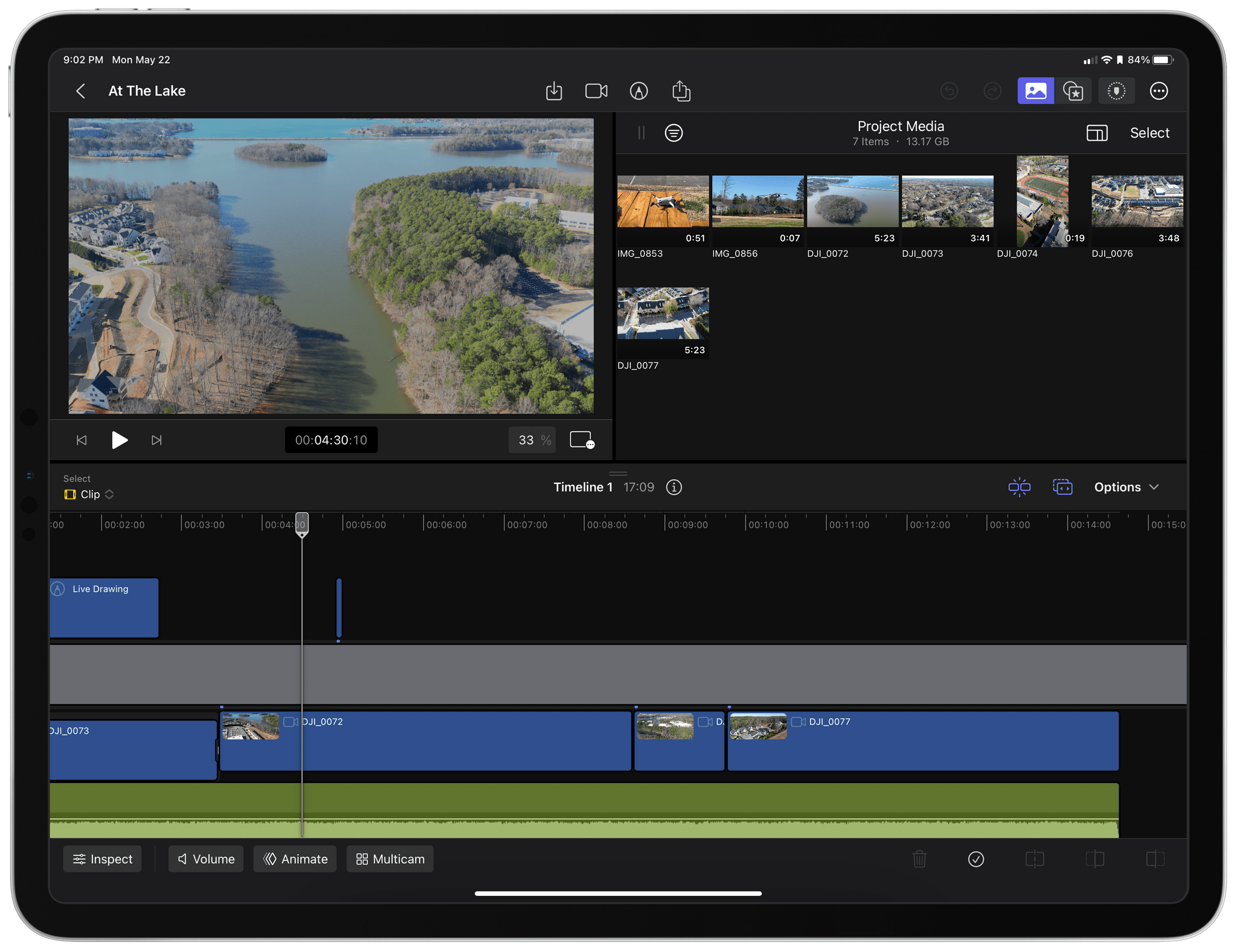
My early experiments with Final Cut Pro for iPad with some drone footage I took in December.

My early experiments with Final Cut Pro for iPad with some drone footage I took in December.

That’s the camp I fall into. I don’t edit a lot of video, and except for testing Final Cut Pro for iPad, I would probably have dropped my drone clips into iMovie, added a few transitions, and called it a day. That sort of editing is absolutely possible in Final Cut Pro, too. However, the app allows you to do far more, as the two sample projects I’ve been studying make clear.

Read more