This Week's Sponsor:

Turbulence Forecast

Know before you go. Get detailed turbulence forecasts for your exact route, now available 5 days in advance.


Posts tagged with "health"

Awake: A Considered, Effective Alarm for Chronic Snoozers

Waking up on time is a quintessential human problem. Over the years, we’ve come up with all kinds of solutions, from ringing analog clocks to flashing lights to motorized digital clocks that roll away from our bedsides as they chime, forcing us to get up and find them to turn them off. But what if there was a way to use a device you already have – your phone – to help you break the habit of snoozing and actually get out of bed when you’re supposed to?

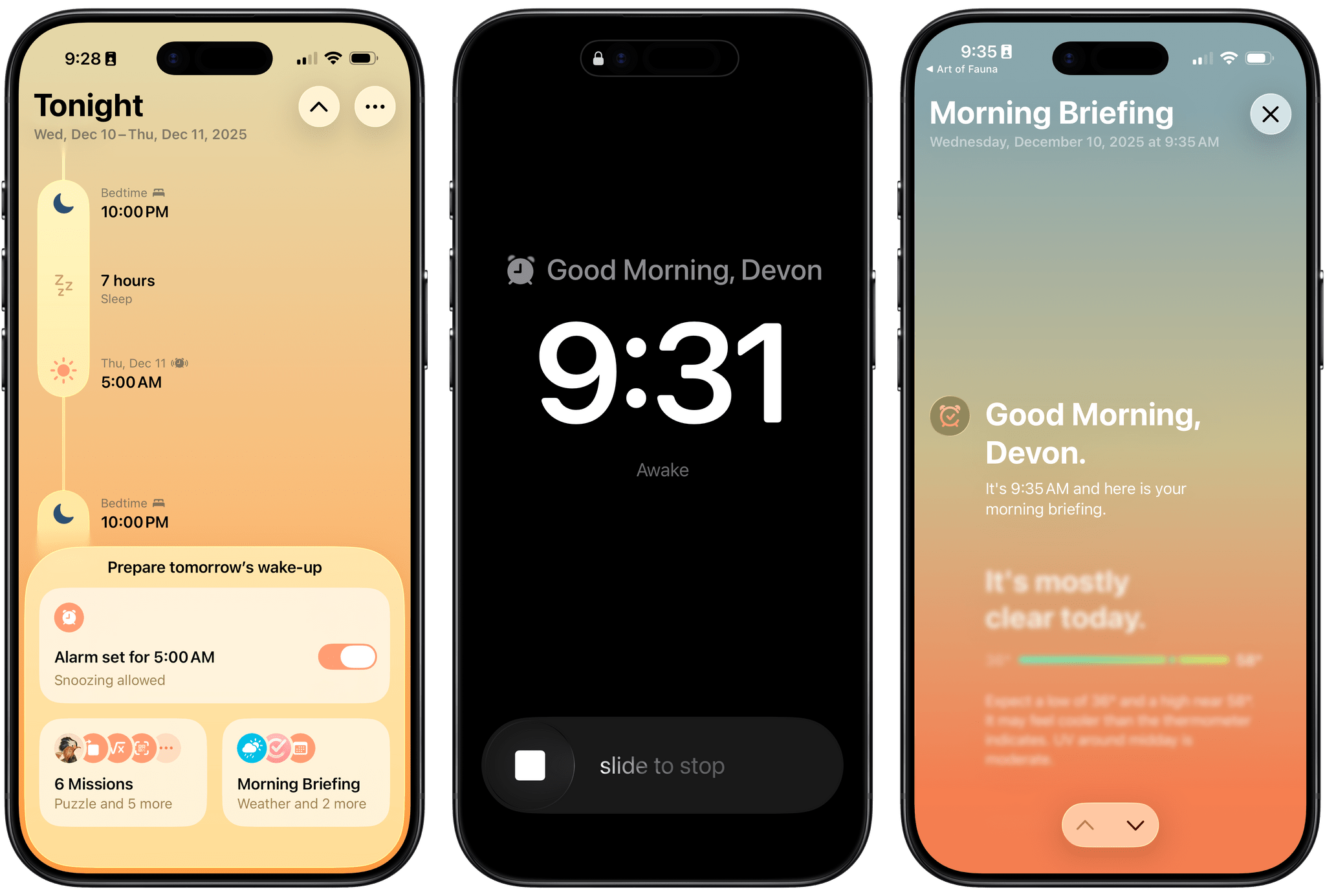
That’s what unorderly, the team behind the day planner app and App Store Awards 2025 finalist Structured, have set out to do with their new alarm app Awake. Built on the newly introduced AlarmKit API, which gives third-party alarm apps the same level of system access as Apple’s Clock app, Awake takes a comprehensive approach to setting alarms that’s meant not only to wake you up but to help you feel more alert and prepared for the day when you do.

If you’ve ever used Structured before, you’re aware of how deeply the unorderly team considers every element of their work, from the color scheme to the fine details of editing events, to make tools that are both elegant and powerful. I’m happy to report that the same level of care is reflected in Awake, both in its design and in the balance of simplicity and customization it offers.

Read more


Activas: Modern Design with a Sprinkling of AI

Activas is a new health and wellness tracker for the iPhone and iPad from developer Brian Hough, who built it from the ground up with Apple Intelligence and Liquid Glass in mind. The app serves as a dashboard that brings together information from the Health app in a colorful and easy-to-understand way, using progressive disclosure to avoid overwhelming users with data. It’s a fantastic example of modern design that marries form and function to elevate the user experience.

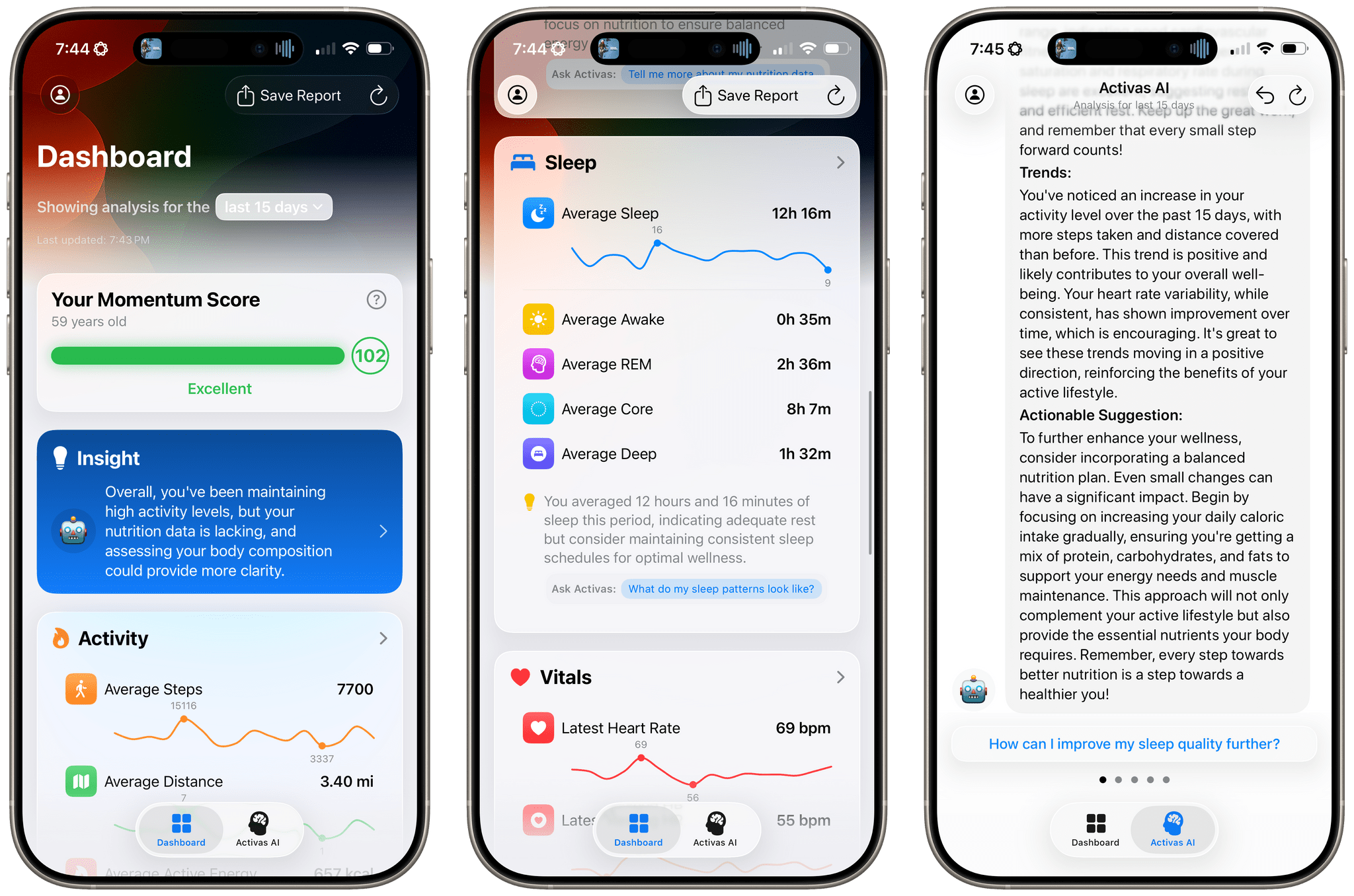
The app has just two tabs that adopt iOS 26’s Liquid Glass design without sacrificing legibility. The default view is the Dashboard, which can display your recent health and wellness metrics for the last 7, 15, or 30 days. At the top of the Dashboard is a Momentum Score that’s calculated based on a composite of step count, sleep, resting heart rate, and BMI targets, plus your calorie goal. Unlike many similar apps, Activas links to research supporting its targets, which I appreciate. The Momentum Score and a handful of additional stats can also be tracked using one of the app’s Home Screen widgets.

The Momentum Score is followed by an AI-generated insight about your metrics. Because I haven’t been tracking my calories or weight recently, the app suggested I should. That’s followed by overviews of Activity, Nutrition, Sleep, Vitals, and Body Measurement. Each of these sections appears as a SwiftUI-style card that includes graphs showing recent trends, an insight about your metrics, and a suggested question that you can ask the Activas AI with a tap. Sections can be turned on and off and reordered in the app’s settings, too.

The Dashboard’s design is superb. By collecting individual measurements in groups of related statistics and providing a takeaway about each section, the app allows users to get a quick, understandable overview of where they’re succeeding and what needs work.

Read more


Finding the Best Sleep Tracker

Earlier this year, Andrej Karpathy wrote an in-depth analysis of four sleep tracking methods that Federico recently recommended I read. I’m glad he did, Karpathy, an AI researcher who has worked at OpenAI and Tesla, took the kind of nerdy, data-driven approach that I love.

Over the course of two months, Karpathy plotted sleep tracking results from:

Karpathy got the best results from the Whoop band and Oura ring, but just as interesting were how the data correlated to how he felt after a good night’s sleep:

…my sleep scores correlate strongly with the quality of work I am able to do that day. When my score is low, I lack agency, I lack courage, I lack creativity, I’m simply tired. When my sleep score is high, I can power through anything. On my best days, I can sit down and work through 14 hours and barely notice the passage of time. It’s not subtle.

I recommend reading the entire post for all the details of how each tracking method compared on variety of metrics. I’ve long been intrigued by the Whoop band and Oura ring as a companion to the Apple Watch. There’s overlap between the devices, but Karpathy has planted a seed in my brain that may lead to my own multi-device experiments.

Permalink

Apple Announces New Health Study Collaboration with Harvard’s Brigham and Women’s Hospital

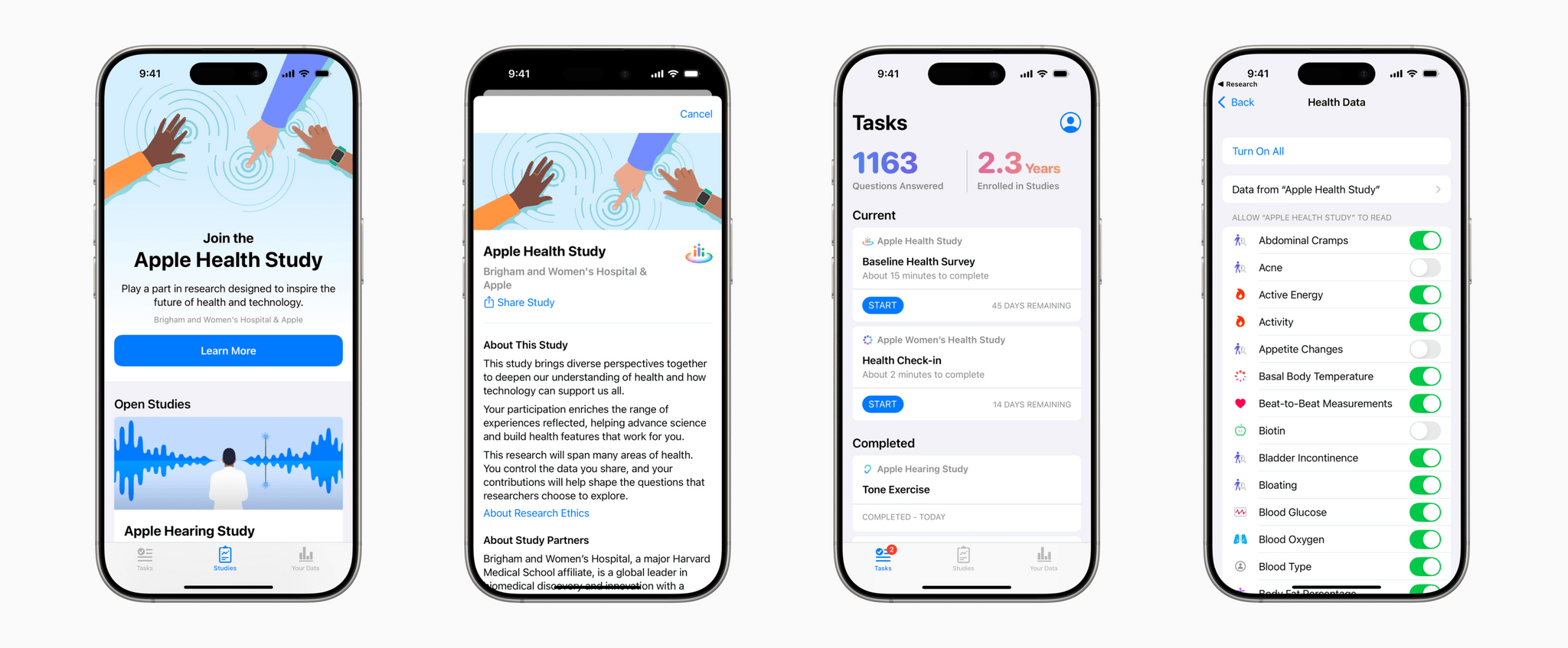
Today, Apple announced a broad-based research study that is being conducted in a partnership with Harvard’s Brigham and Women’s Hospital. The study, which U.S. residents can access through Apple’s Research app, aims to evaluate how technology can play a role in understanding health and wellness changes.

In the company’s press release, Sumbul Desai, M.D., Apple’s vice president of Health, explains:

Research and validation are part of the foundation of all of our work in health, supporting the innovative features we bring to our users across devices. The valuable insights we’ve gained since launching the Research app have allowed us to bring innovative new tools to our users — including the Vitals app on Apple Watch and Walking Steadiness on iPhone — and surface new insights in areas of health that have long been undervalued, like menstrual and hearing health. We’re thrilled to bring forward the Apple Health Study, which will only accelerate our understanding of health and technology across the human body, both physically and mentally.

If you live in the U.S. and meet the minimum age requirements, you can sign up to participate in the study through the Research app.

Permalink

What It’s Like to Hear Better with AirPods Pro 2

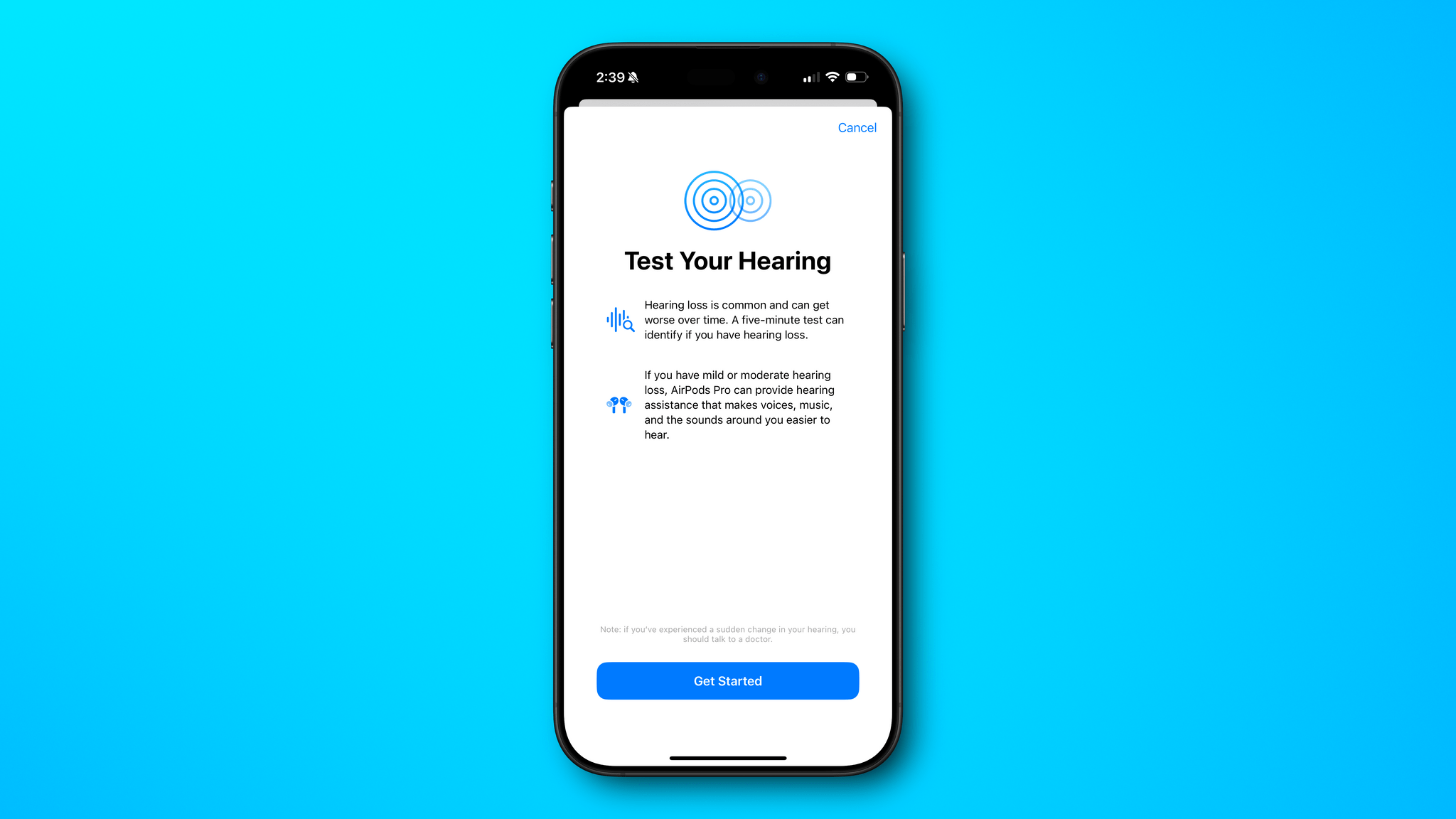
I’ll admit, I was a little apprehensive about taking Apple’s hearing test. I’ve spent my fair share of time at loud concerts and shouting above the din in crowded bars, so I was fairly certain the test would show my hearing isn’t what it once was. The question was, “How bad is it?” With the release of iOS 18.1 and an update to the AirPods’ firmware, I set out to find out.

The AirPods Pro 2 didn’t get a hardware update this fall, but they may as well have, because the new hearing features they received via a software update add a whole new dimension to them. We’ve written about the hearing features before. They include three components:

  • hearing protection, which lowers the volume of sounds that could potentially damage your hearing;
  • a hearing test to check whether you have hearing loss in either ear; and
  • a hearing assistance feature to boost frequencies where you’ve lost hearing.

Despite covering these features previously, I didn’t have a good feel for what they were like until I tried them myself, so I thought I’d share the process here and encourage others who can to give these new hearing features a try, too, because they work remarkably well.

Read more


Zenitizer: An Simple, Elegant Way to Practice and Track Meditation Sessions

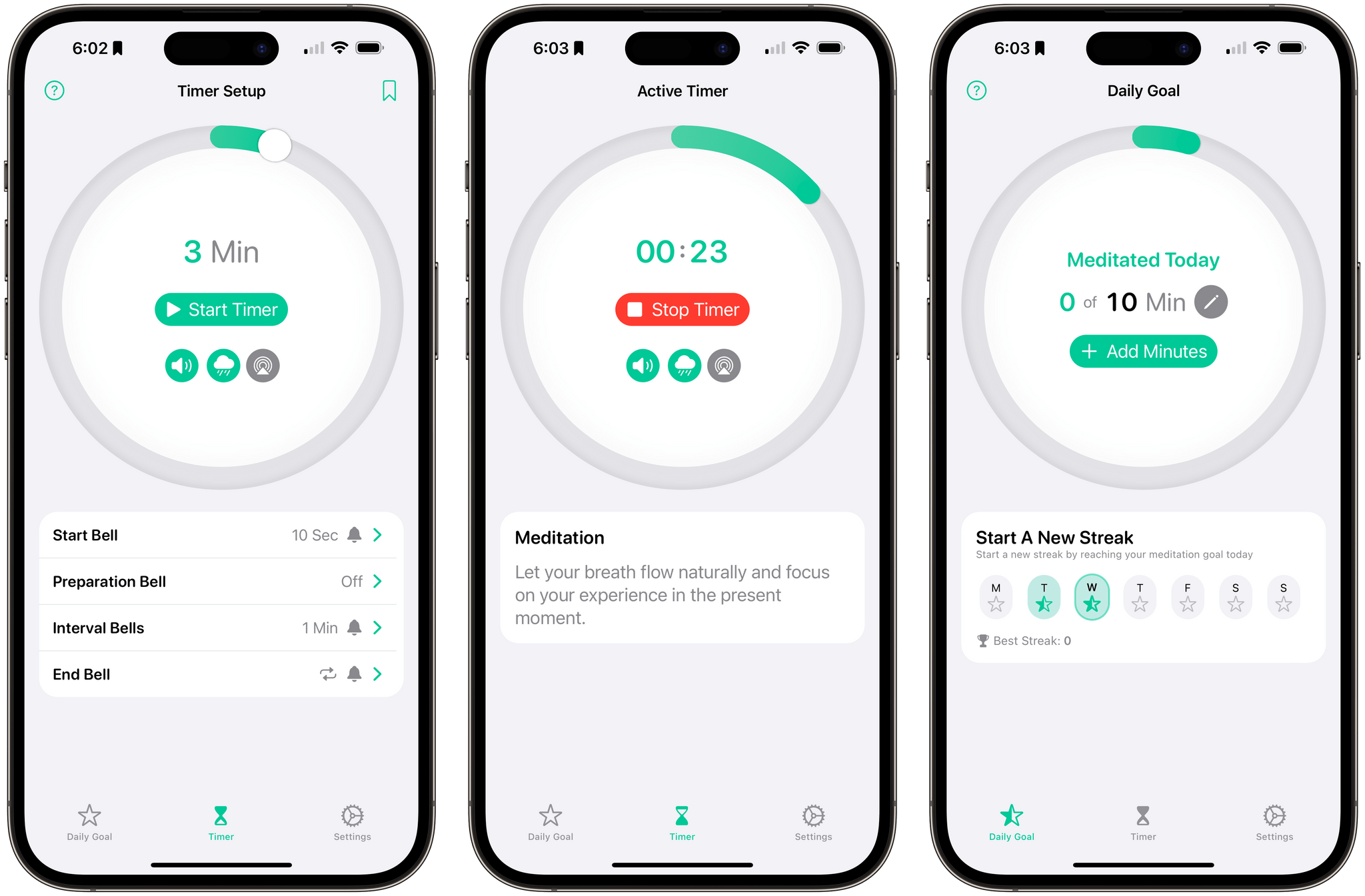
Zenitizer 1.2, an iOS, iPadOS, and watchOS meditation app by Manuel Kehl, was released yesterday, adding iCloud sync support. The update means that progress toward your meditation goals and routines you create on any version of the app will sync across all devices for the first time. I recommended Zenitizer to Club MacStories readers not long ago when version 1.0 was released, but it’s such a well-designed and thought-out app, I wanted to go a little deeper today on everything it has to offer.

Read more


FitnessView Teams: A Team-Based Fitness Tracker for Coaches and Trainers

Today, Funn Media released FitnessView Teams, a fitness-tracking app that allows coaches or personal trainers to track multiple team members or clients at once. I’m not a coach or a trainer, but I’ve been trying the app with demo data and like what I’ve seen a lot.

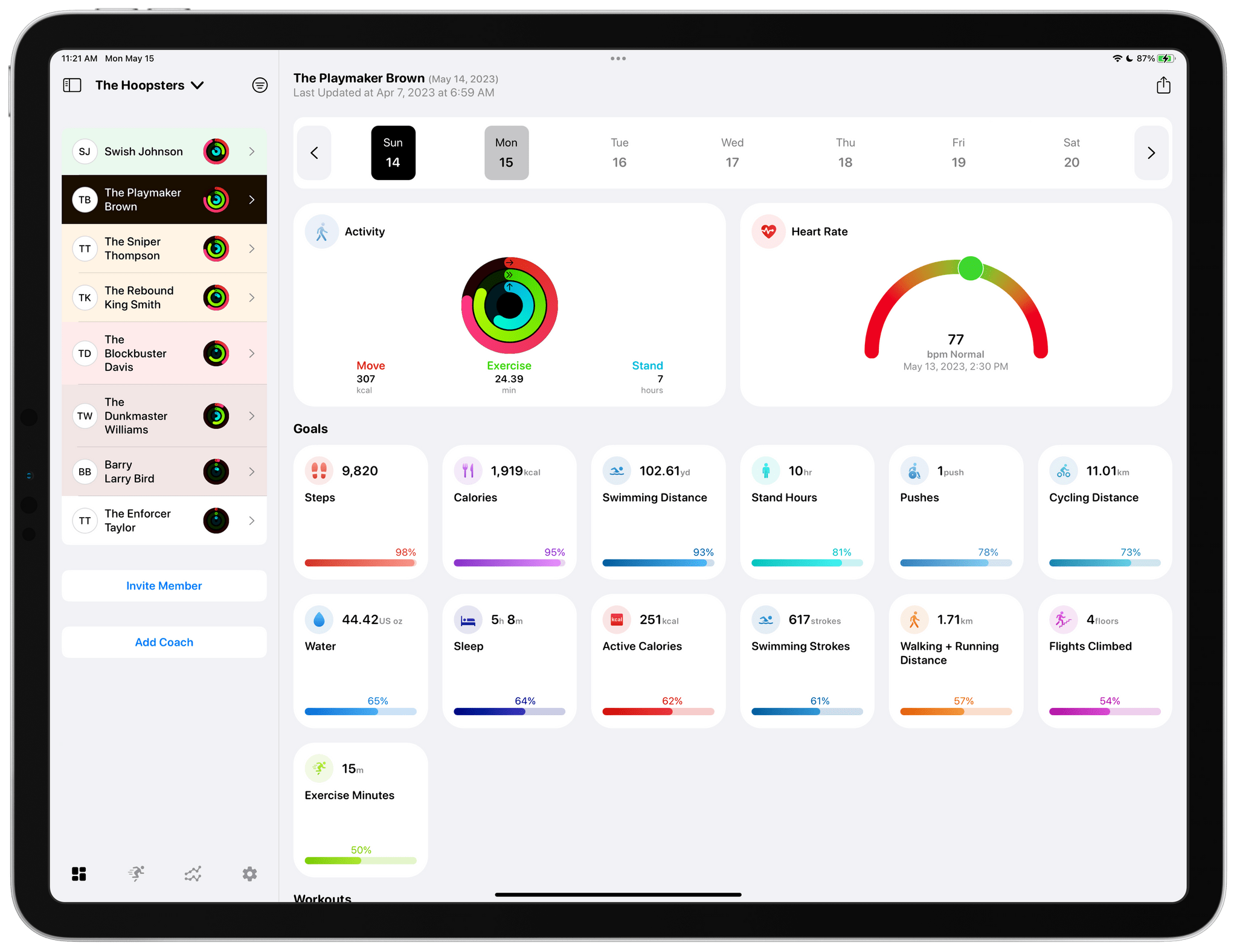
FitnessView Teams provides a home base for tracking the performance of multiple athletes.

FitnessView Teams provides a home base for tracking the performance of multiple athletes.

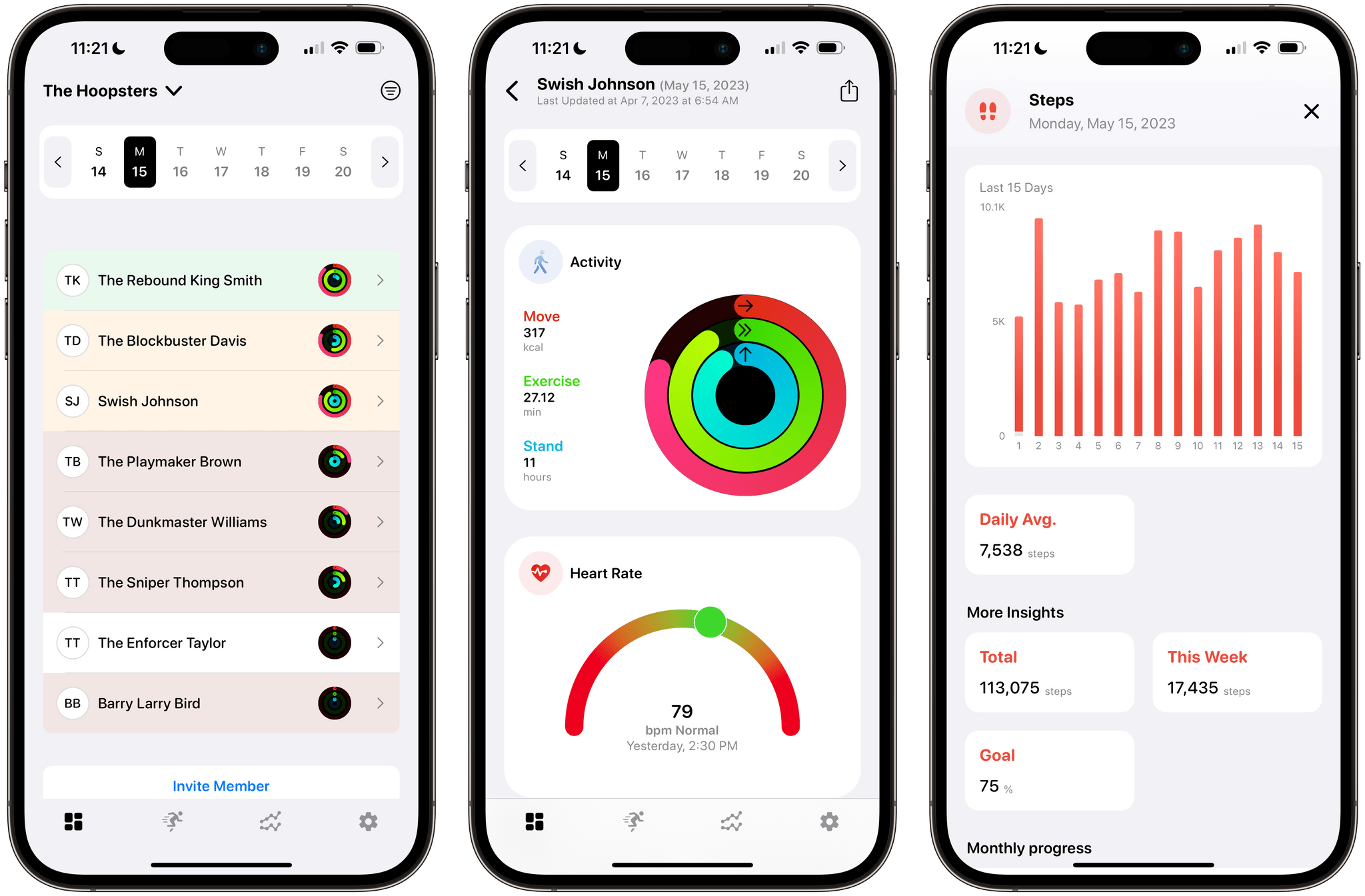
FitnessView Teams, which builds on Funn Media’s FitnessView app for individuals, works on the iPhone and iPad, but it’s best on the iPad where you can see more data at once. From the main view, you can switch among multiple teams, browse data by team member, invite new team members, and invite other coaches to your team. Coaches and team members can both be added via a QR code or an invitation link that allows FitnessView Teams to access the data collected by a team member’s Apple Watch. You can also browse team member data by date using a calendar strip along the top of the iPad’s screen.

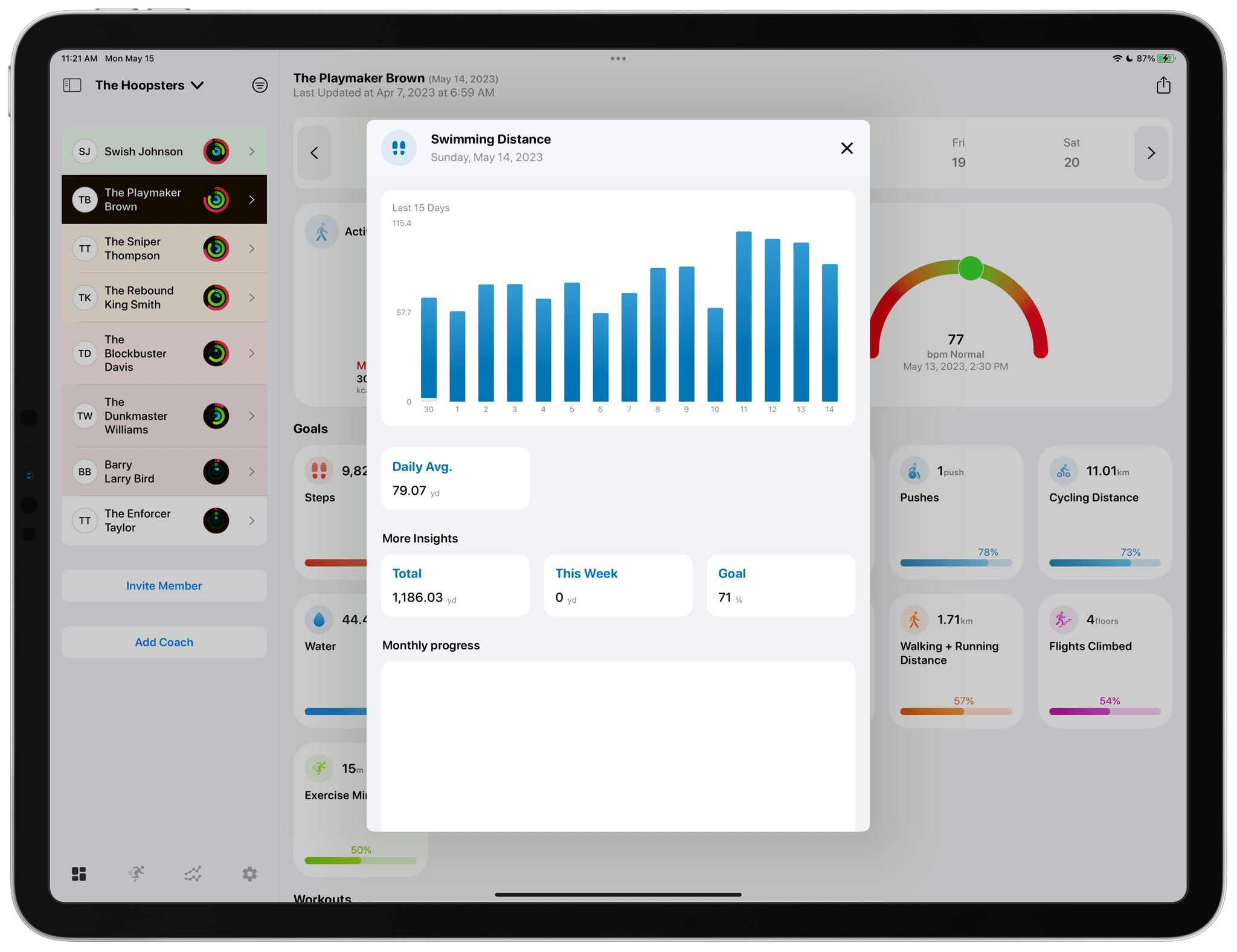
Tapping any of the home view's tiles drills deeper into the details of each.

Tapping any of the home view’s tiles drills deeper into the details of each.

Most of the app’s main view is dedicated to health metric tiles that are fully customizable in the app’s settings. Tapping on any health metric brings up additional details, including a graph for that data over time, as well as daily averages and monthly progress. Reports for each athlete can be exported as a customizable PDF-formatted report too.

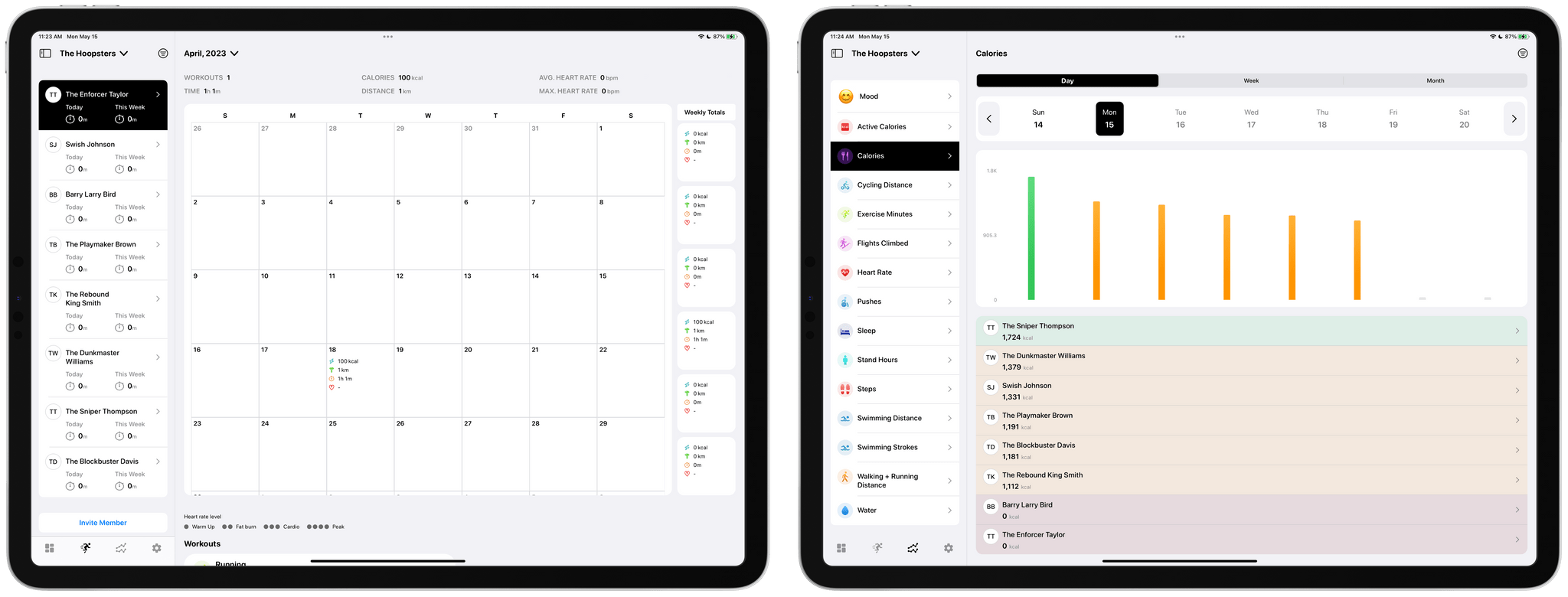
The app includes calendar and metric-based views of team data too.

The app includes calendar and metric-based views of team data too.

Other data visualizations include a tab dedicated to a full month overview per athlete. There’s also a tab that breaks down a team’s progress by fitness metric, which allows coaches to easily compare the stats of one athlete compared to another on a daily, weekly, or monthly basis. All of the same data is available on the iPhone, too, but the limited screen space requires more navigating between views and scrolling of data.

I’ve always been a fan of FitnessView for individuals. The app’s simple, clean design provides an excellent overview of core health metrics, with the ability to dive into each for more detail. FitnessView Teams takes the same approach and succeeds in organizing an even bigger set of health data for multiple people at once, which is an impressive accomplishment. If you’re a coach or trainer, FitnessView Teams is worth checking out.

FitnessView Teams is available to download for free. However, a subscription is required to add multiple team members or clients to the app, which starts at $59.99/month to track ten users.


Fitness App Gentler Streak Adds Wellness Tracking

Gentler Streak, the fitness app for the Apple Watch and iPhone that takes a holistic approach to training and recovery, has been updated to version 3.0 to incorporate additional health metrics, so users can get a broader picture of their overall wellbeing. I’ve had less than a day to test-drive the new features, but what I’ve seen so far looks promising.

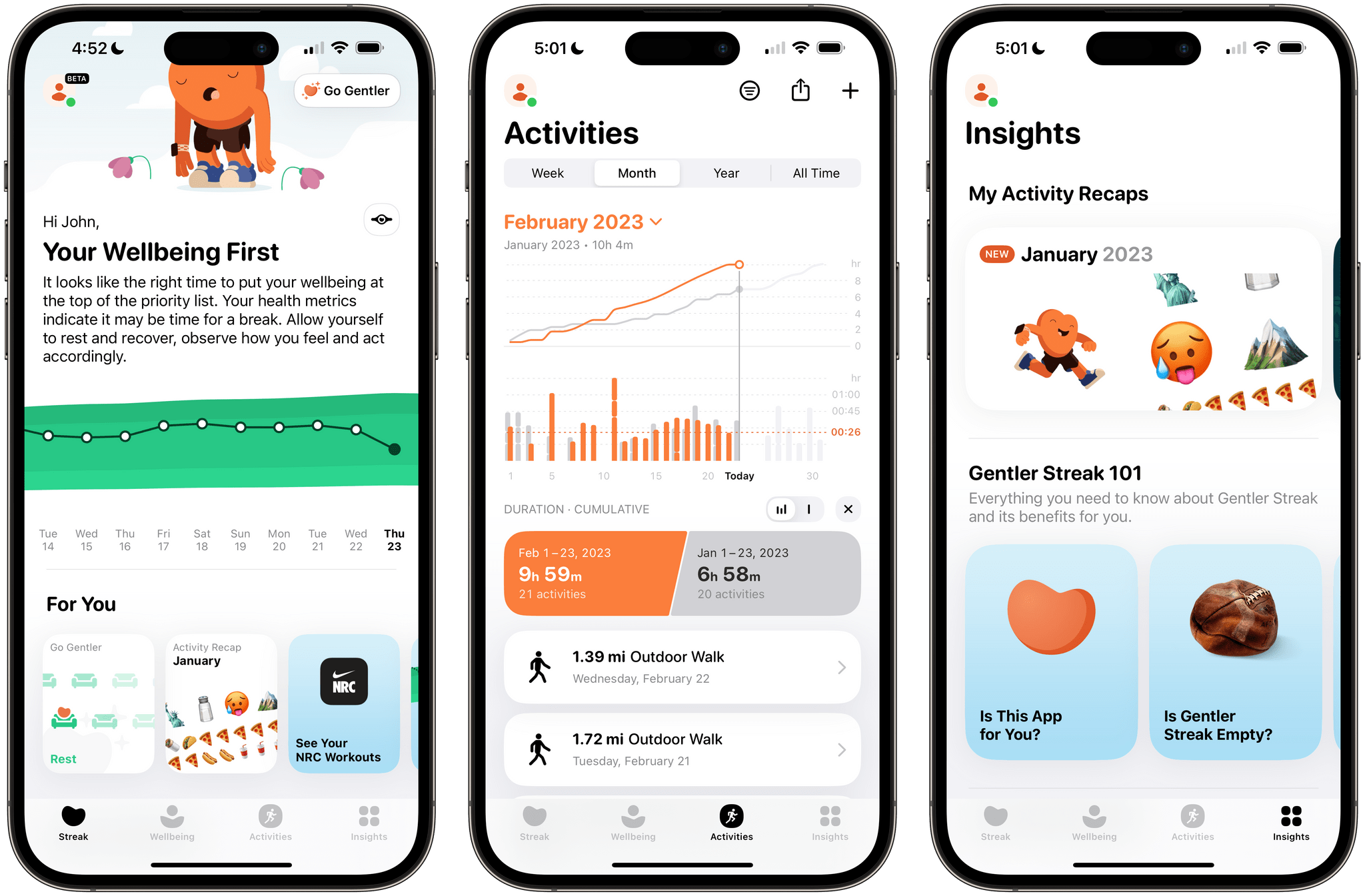
Gentler Streak uses trend analysis to help guide your workouts. Your daily and 10-day activity trends are plotted within a band of intensity to help guide whether you should work harder or rest. The app also tracks individual workouts, your activity over time compared to previous periods, and includes insights and tips for maintaining a healthy life.

Gentler Streak tracks seven statistics drawn from Apple's Health app.

Gentler Streak tracks seven statistics drawn from Apple’s Health app.

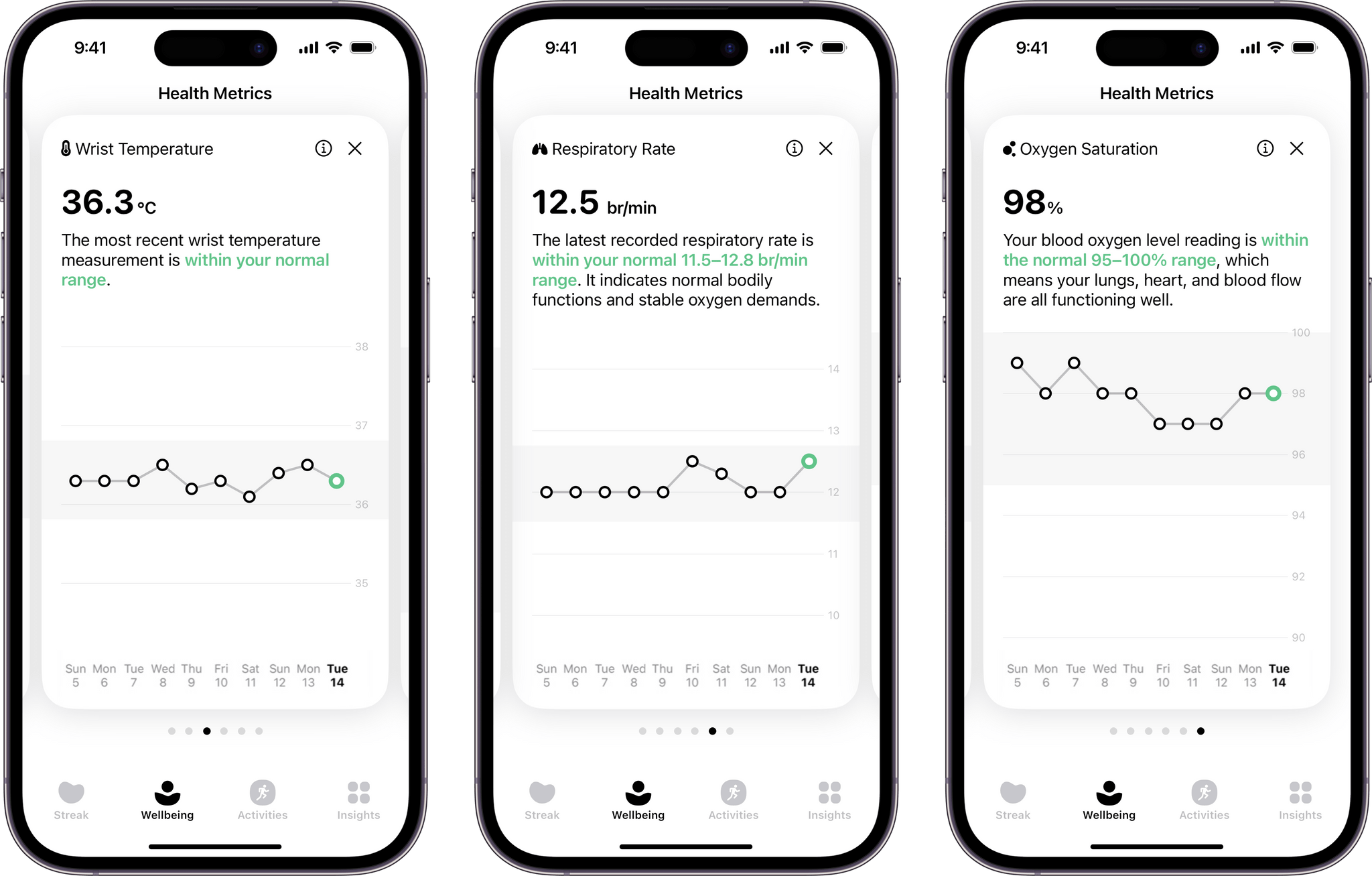
With today’s update, Gentler Streak is adding a new tab to the iPhone that tracks seven health metrics: sleeping heart rate or resting heart rate when SHR is unavailable, sleep duration, heart rate variability, respiratory rate, oxygen saturation, and wrist temperature. The app then uses that data to help guide your workout plans. For example, I didn’t get as much sleep as usual last night, so Gentler Streak suggested I take a break from working out today.

Each statistic in the Wellbeing tab is presented as a card-like widget that includes the current data, a 10-day trendline, and an indicator of whether the measurement is within normal ranges. Tapping on a card expands it for a bigger view that offers more information about what’s being measured and your results.

I’ve been using Gentler Streak for about a month and have found that its approach has kept me more motivated than closing my Fitness app Activity rings has. I still track those, too, but Gentler Streak is where I go to ensure I’m on track with my fitness goals while remembering to give myself a break now and then. It’s too soon to say what the Wellbeing tab will mean to my overall experience with the app, but I like what I’ve seen so far and plan to write more about Gentler Streak soon.

Gentler Streak is free to download from the App Store but requires a subscription to unlock some features.