

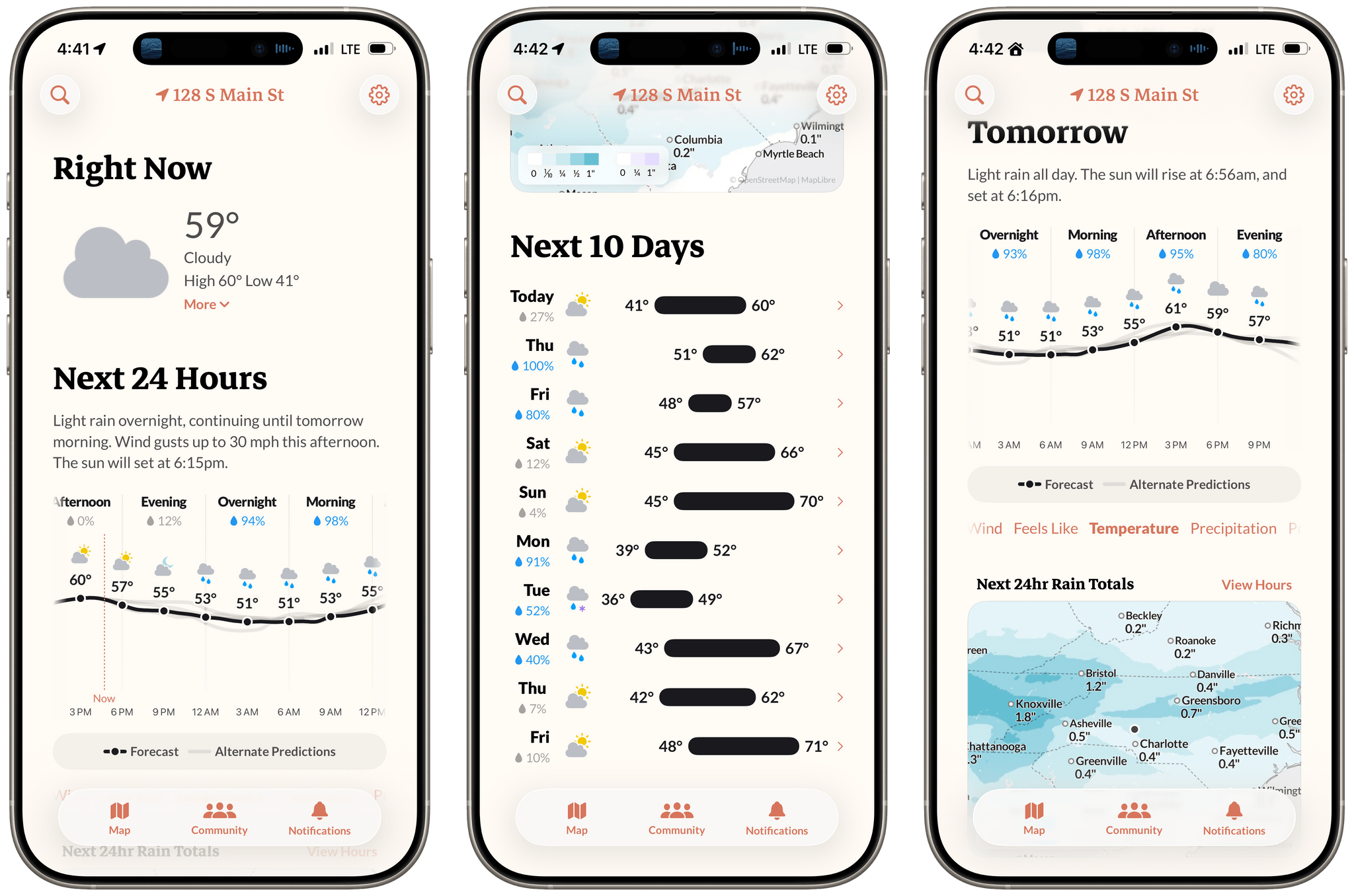
Earlier this week, the founders of Dark Sky made their post-Apple debut with a new weather app for the iPhone and Apple Watch: Acme Weather. It’s a terrific 1.0 with all the details you’d expect, plus a few interesting features that set it apart from other apps in its category.
Posts tagged with "iOS"
Acme Weather: A Fresh Take on Forecast Uncertainty
Letterboxd Reveals Details of New Video Store Available December 10 on Web, iOS, tvOS, and More
Letterboxd today announced full details of its previously teased Letterboxd Video Store, along with a launch date of December 10. It was also revealed that members will be able to access films on the platform via the existing Letterboxd app on iOS, iPadOS, and tvOS, as well as AirPlay, Chromecast, Android, and web.
Letterboxd claims Video Store is “the next evolution of the platform’s core mission of film discovery”. It builds on the hugely successful community platform, where members can log, rate, and review their film-watching, as well as follow and interact with other members’ reviews and film lists.
Video Store will follow a transactional video-on-demand rental model with no subscriptions, and the company says, “each title has been selected based on genuine member demand, while leaving room for discoveries the community has yet to find”. Pricing will take into account country, film availability, and life cycle. Launch films will be priced between $3.99 and $19.99 in the U.S.
Video Store will launch with just nine films, which seems to indicate how hand-picked the titles are and how difficult they may have been to procure. The initial batch – split across two themed “shelves” with more to come – includes Todd Haynes’s directorial debut, a restored Filipino classic, and a Cannes 2025 award winner.
Regarding the launch, co-founder and CEO Matthew Buchanan said:
We’re incredibly proud of what we and our community have built. We take their lead, and believe that has been integral to Letterboxd’s success. They tell us what’s really happening—a 1980s action film suddenly trending, a festival title from two years ago still being added to watchlists.
Video Store lets us act on that real demand, whether it’s helping a distributor unlock value from a forgotten gem in its vault or giving a filmmaker direct access to the audience they’ve been building on our platform. It’s our way of saying to the industry: let’s harness this interest to get films to the people who want them most.
Despite the very small collection of launch films, this is a big move for Letterboxd, a company that has so far resisted expanding beyond its core, beloved community framework. As a frequent user of the platform, I will be interested to see how they build on this and which films they add going forward.
Letterboxd wants this to be a way to champion filmmakers, find hidden gems, draw films out of vaults, and support the filmmaking ecosystem as a whole. In a time when traditional film studios are being swallowed up by big tech, it’s a refreshing approach to work directly with filmmakers, sales agents, and distributors to make films available to viewers.
What’s also interesting is the technological access to Letterboxd Video Store. Renting these titles will be as easy as opening Letterboxd’s existing app, and having direct access via Apple TV is a big win in my book.
Letterboxd Video Store launches December 10 at Letterboxd.com and in the Letterboxd app for iOS, iPadOS, tvOS, and Android. It will be accessible in the United States, Canada, the United Kingdom, Ireland, France, Spain, Australia, New Zealand, Germany, Austria, Italy, Sweden, Norway, Denmark, Finland, Iceland, the Netherlands, Poland, Portugal, Belgium, Switzerland, Greece, and Cyprus.
Black Friday 2025 App Deals
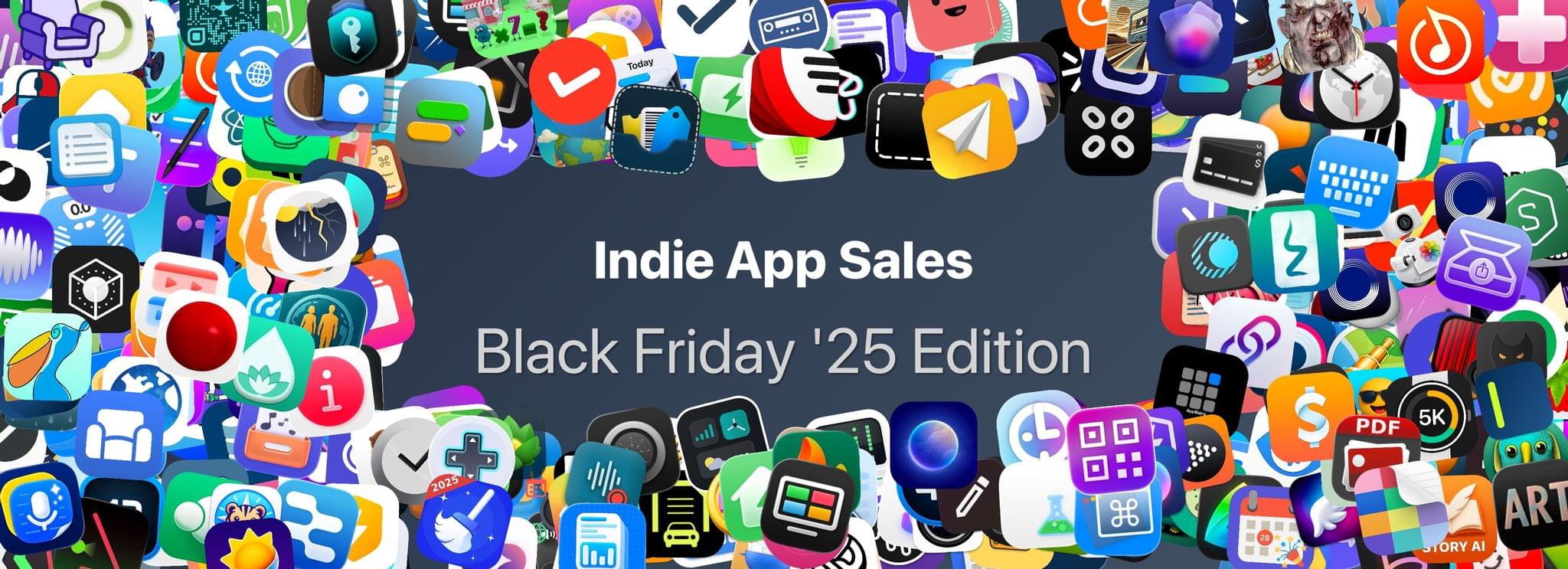
There’s more than just gadgets on sale this Black Friday. There are also hundreds of excellent app deals from collections and bundles to one-off sales. We’ve gathered some of our favorites for you here, which are generally available through Monday, December 1, but check for details on the websites linked below:
The biggest collection I’ve seen is from Indie App Sales with ouver 475 app deals. Indie App Sales has been curating a list of apps from indie developers for years now, and there are always a bunch of gems on this list. Be sure to check it out for deals on apps like:
- Pyxis Travel Journal
- TypingMind
- Capture
- TextSniper
- Elements
- GamingBuddy
- Lasso
- Orchard
- PastePal
- CardioBot
- EagleFiler
- Presentify
- Streets
- Lingon
- Textastic
- Longplay
- Dark Noise
- Hand Mirror
- Sequel
- Sofa
- Sunlitt
- Screens 5
- GoodTask
- Text Workflow
- Launcher
- PCalc
- Play
- World Clock Widgets
- Cascable
- Cork
- Dato
- Everlog
- Gentler Streak
- HomePass for HomeKit
- Kaleidoscope
- PowerPhotos
- Zenitizer
- Craft 3
- Denim
- Finalist
- Unsqueeze
There are hundreds more deals in the Indie App Sale, so be sure to visit the site to browse through them all.
There are other great sales happening elsewhere too, including the following:
- The Editors’ Choice Bundle, which includes DaisyDisk, CleanShot X, Bike Outliner, Downie 4, PopChar, Default Folder X, Keysmith, Marked 2, HoudahSpot 6, Workspaces, Unclutter, and Forklift 4, each for 50% off or $76 for all 12 apps.
- Acorn by Flying Meat is just $19.99 for a limited time. That’s a $10 discount.
- Things from Cultured Code os 30% off on every platform
- The Eternal Storms apps, including Yoink, ScreenFloat, DeskMat, and others, are all on sale for 50-77% off with 30% of sales being donated to St. Anna Children’s Cancer Research Institute in Austria.
- Paul Hudson’s great development books are all 50% off
- StopTheMadness Pro is just $10.99 until December 5, which is $4 off its usual price
- DEVONthink and the other apps by DEVONtechnologies are 25% off
- The clipboard manager Paste: 50% off your first year subscription
Happy deal hunting!
Festivitas Brings Fresh Whimsy to Your Mac, iPhone, and iPad for the Holiday Season
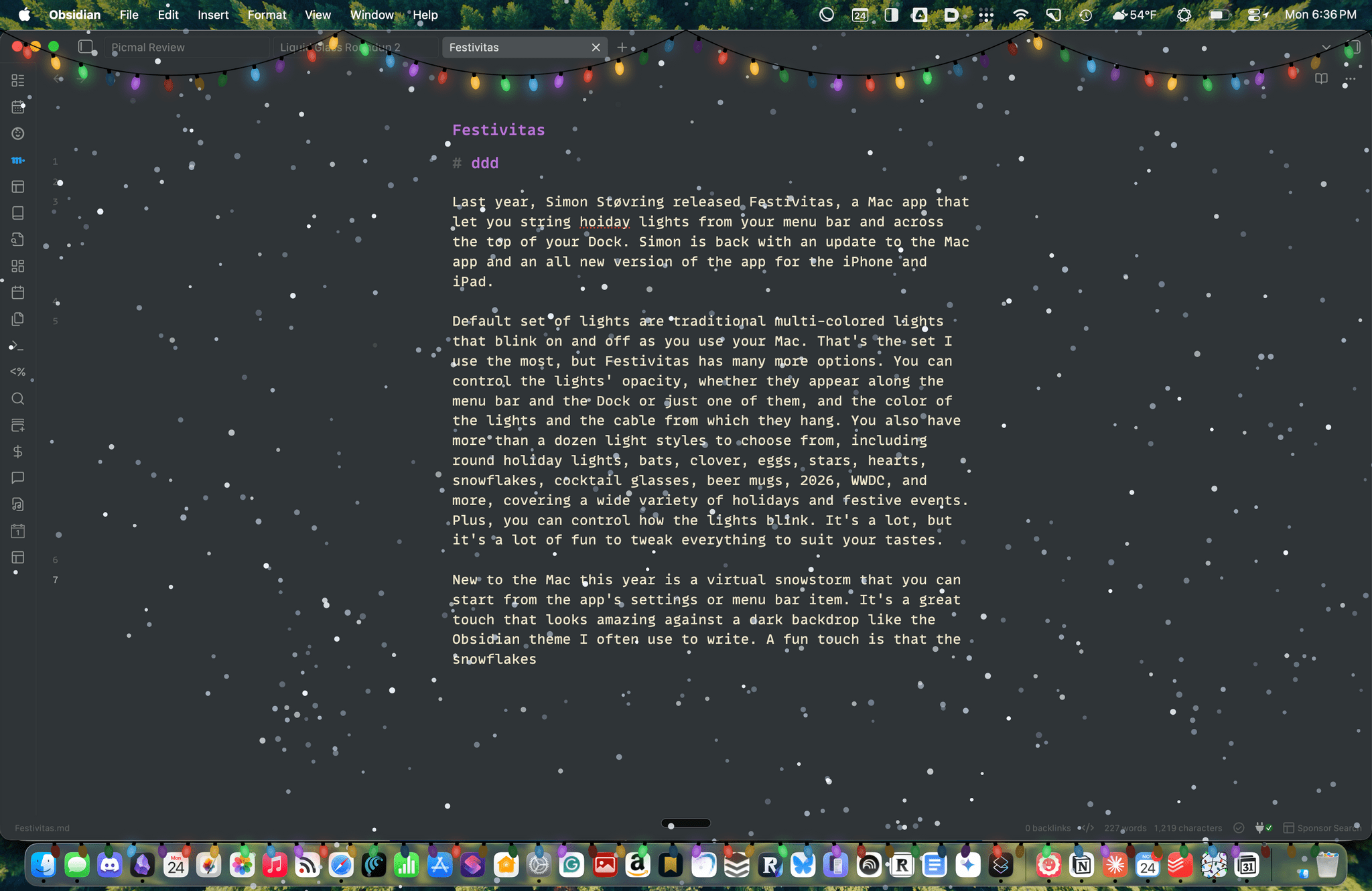
Last year, Simon Støvring released Festivitas, a Mac app that lets you string holiday lights from your menu bar and across the top of your Dock. This year, Simon is back with an update to the Mac app and a new version for the iPhone and iPad.
The default set of lights consists of traditional multi-colored bulbs that blink on and off as you use your Mac. That’s the set I use the most, but Festivitas offers many more options. You can control the lights’ opacity, whether they appear along both the menu bar and the Dock or just one of them, and the colors of the lights and the cable from which they hang. You also have more than a dozen light styles to choose from, including round holiday lights, bats, clovers, eggs, stars, hearts, snowflakes, cocktail glasses, beer mugs, “2026,” “WWDC,” and more, covering a wide variety of holidays and festive events. Plus, you can control how the lights blink. It’s a lot, but it’s also just plain fun to tweak everything to suit your tastes.
This year, the Mac app adds a virtual snowstorm that you can start from the app’s settings or menu bar item. It’s a great addition that looks amazing against a dark backdrop like the Obsidian theme I often use to write. A fun touch is that the snowflakes avoid your pointer, and you can adjust the sensitivity of this feature in settings. You can also use your pointer to push around the lights hanging from the menu bar, which is handy for those times when they obscure Safari’s menu bar or other content.
The snow is lovely. I highly recommend pairing it with the Animal Crossing Snowy Day soundtrack on Nintendo Music. It’s an incredibly peaceful and relaxing combination.
Festivitas supports Shortcuts, too. Simon has created some fun example automations that you’ll find in the app’s settings to do things like turning on the snowstorm when snow is forecast and activating your lights when you play music.

New this year is a Festivitas app for the iPhone and iPad. The app lets you build small, medium, and large widgets to place on your Home Screen. You can either frame a photo with twinkling lights or create a transparent-style widget so the lights frame an element of your Home Screen. I love that the lights framing the photos are animated, an effect I know isn’t easy to do with a widget. You can also add text and make other adjustments to each widget.
Festivitas isn’t going to help you get more done. In fact, it might even slow you down a little bit, and maybe that’s the point. Taking a moment to enjoy the app’s lights and be mesmerized by the falling snow is a good reminder to slow down a little and have some fun.
Festivitas for the Mac is available directly from the app’s website for any price you want to name between $3.99 and $9.99. The iPhone and iPad version is a free download on the App Store with a range of in-app purchases from $3.99 to $9.99 to create a similar name-your-price system.
Cassette: A Video Time Machine
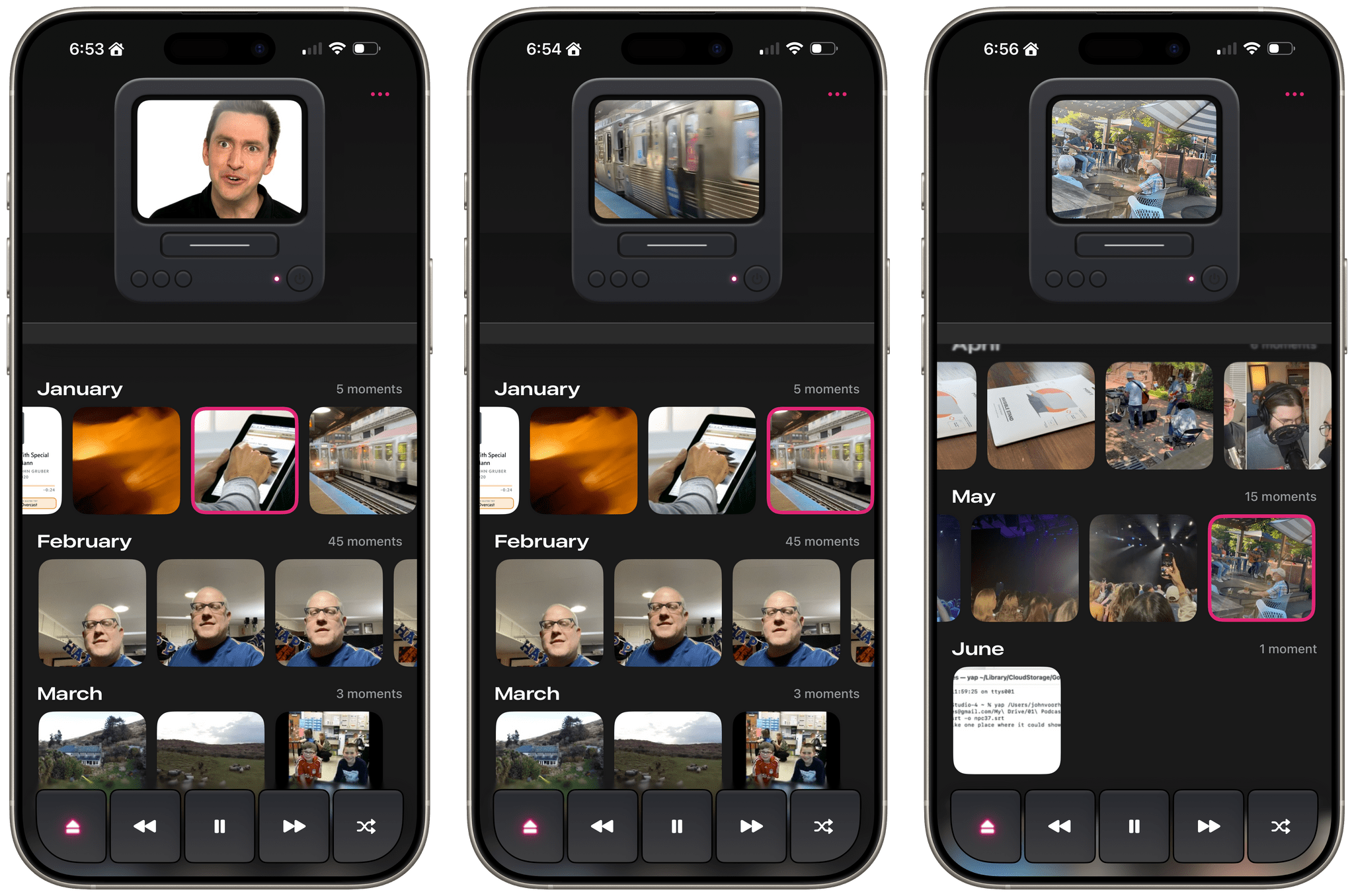
Devin Davies, the developer of Crouton whom Federico and I interviewed after he won an Apple Design Award in 2024, has released a new app called Cassette. It’s an app for browsing videos from the photo library on your iPhone or iPad that has a fun design twist.
Leaning heavily into the nostalgia of watching old videos of friends and family, Cassette sorts your videos using a VCR metaphor. Videos are organized by year and by collection, with video cassette art and a label identifying each. At the top of the screen is an old CRT TV with a built-in VCR. Tap a year or collection, and it loads into the TV with satisfying haptic feedback on the iPhone.
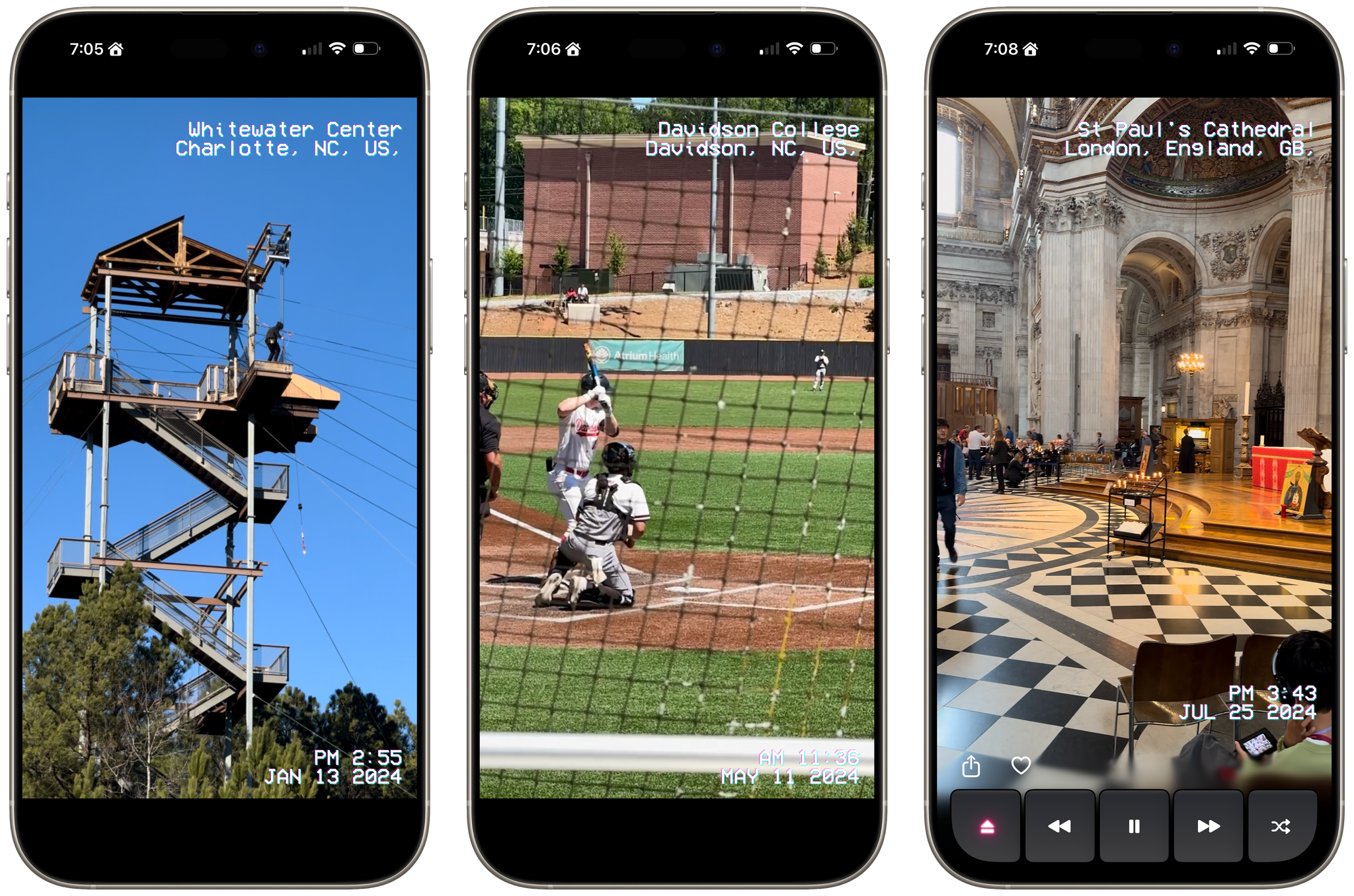
Tap the virtual TV, and the video goes full-screen with date and location data that’s reminiscent of a VCR’s UI. While watching videos, the app offers standard playback controls along with a shuffle button, buttons to share and favorite videos, and an eject button to return to your video collections.
Videos cycle from one to the next and then loop back to the beginning, where playback continues. You can also swipe through videos TikTok-style, skipping over any you don’t want to watch. Finally, there’s a ‘Take Me Somewhere’ button at the bottom that drops you at a random location in your video collection, eliminating the need to pick something yourself.
Most of the functionality found in Cassette is available in other video players, but that doesn’t make it any less fun or delightful. What sets the app apart is its focus on design and framing. From the drop, Cassette is designed to transport you to the past with its VCR-inspired UI and singular focus on videos, transforming into a sort of handheld time machine.
Cassette is available on the App Store as a free download. Certain features are only available via a $0.99/month or $5.99/year subscription or a $7.99 one-time payment.
Folio: A Promising Read-Later App with a Strong Foundation
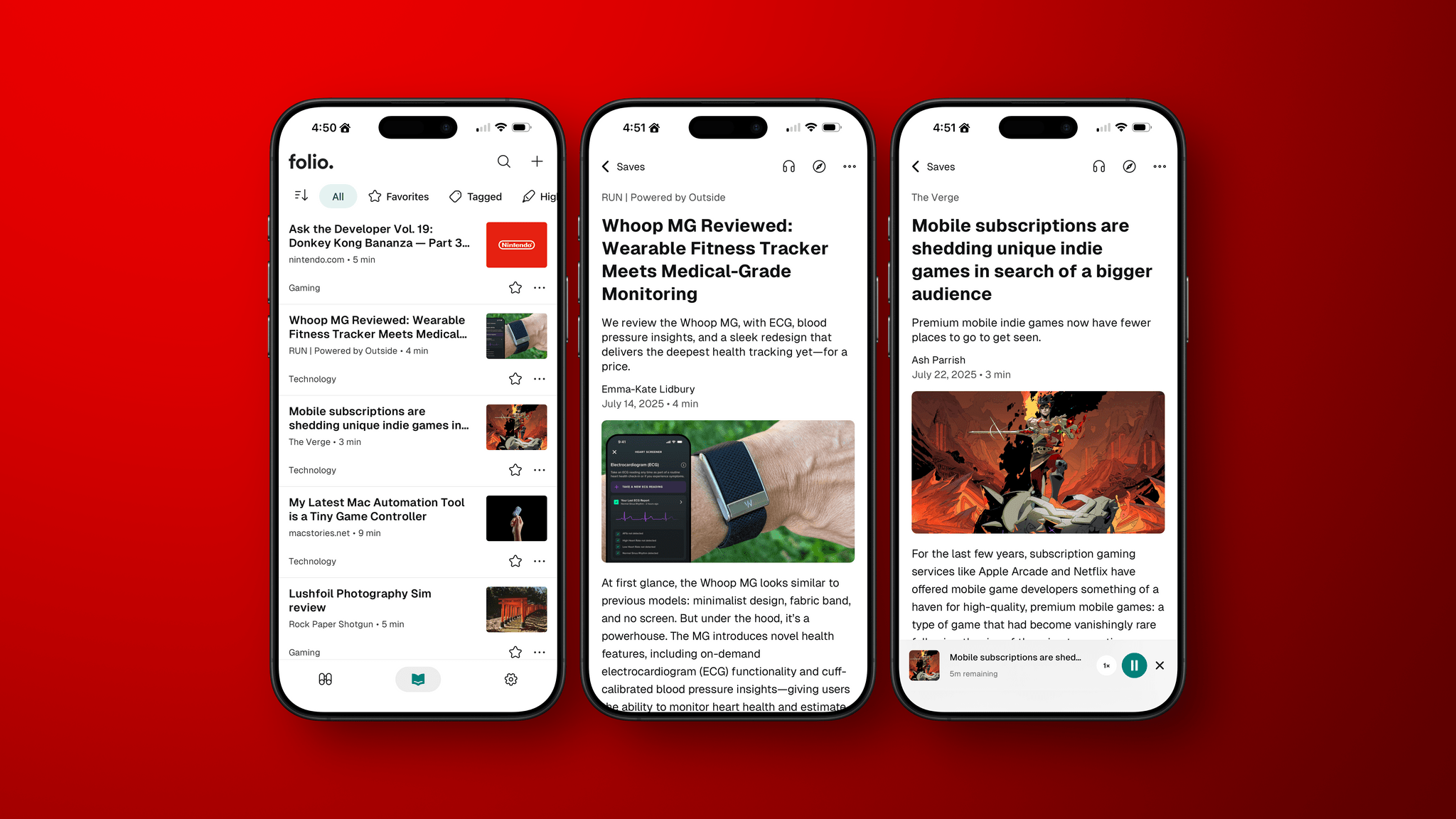
I’ve been using read-it-later apps since before I had an iPhone. For those of us who were Wi-Fi-only iPod touch users before owning iPhones, apps like Instapaper were great for reading on the go.
Like in those early days, the read-later universe is once again hyper-competitive, with a lot of relatively new entrants such as Matter and Readwise Reader. That’s led to other apps shutting down. ElevenLabs bought and closed Omnivore, and most recently, Pocket, which debuted ages ago as Read It Later and was eventually acquired by Mozilla, shuttered.
In the wake of Pocket’s demise, Nick Chapman, who used to work on Pocket, and the team at Less is Better debuted Folio, a new read-later app for the iPhone, the iPad, Android, and the web that they say is designed to capture the essence of Pocket. I used Pocket on and off over the years but always considered it a step behind alternatives, so my expectations for Folio weren’t high.
Still, I was curious to see what Folio had to offer, especially because it must have been put together very quickly in order to be launched as Pocket shut down. Despite my initial reservations and some gaps in the app’s functionality, the Folio team has laid a great foundation with an excellent reading experience that’s worth keeping an eye on.
iOS 26, iPadOS 26, and Liquid Glass: The MacStories Overview
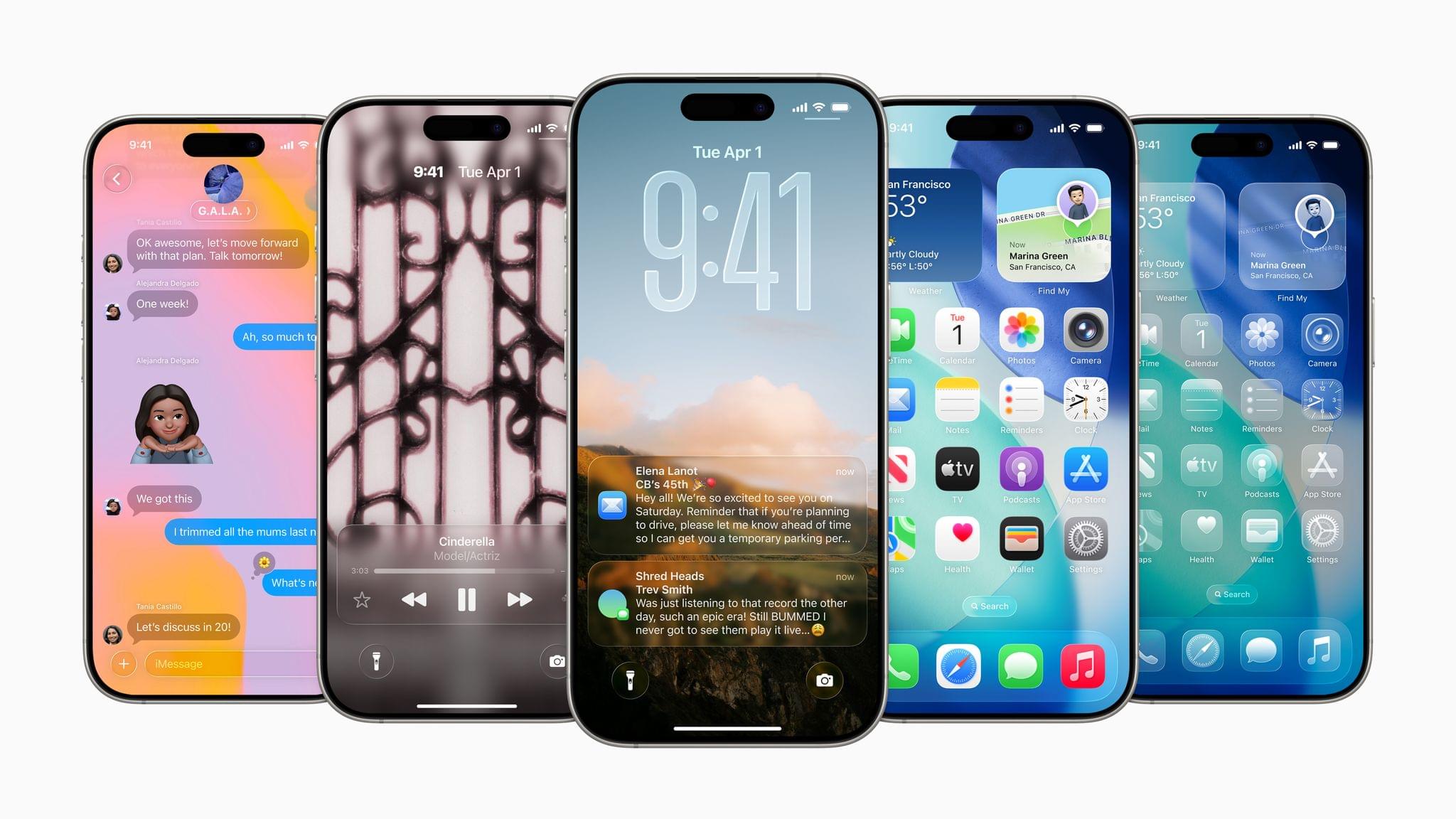
During today’s WWDC 2025 keynote, held in person at Apple Park and streamed online, Apple unveiled a considerable number of upgrades to iOS and iPadOS, including a brand-new design language called Liquid Glass. This new look, which spans all of Apple’s platforms, coupled with a massive upgrade for multitasking on the iPad and numerous other additions and updates, made for packed releases for iOS and iPadOS.
Let’s take a look at everything Apple showed today for Liquid Glass, iOS, and iPadOS.
WWDC 2025: All the Small Things (Bento Box Version)
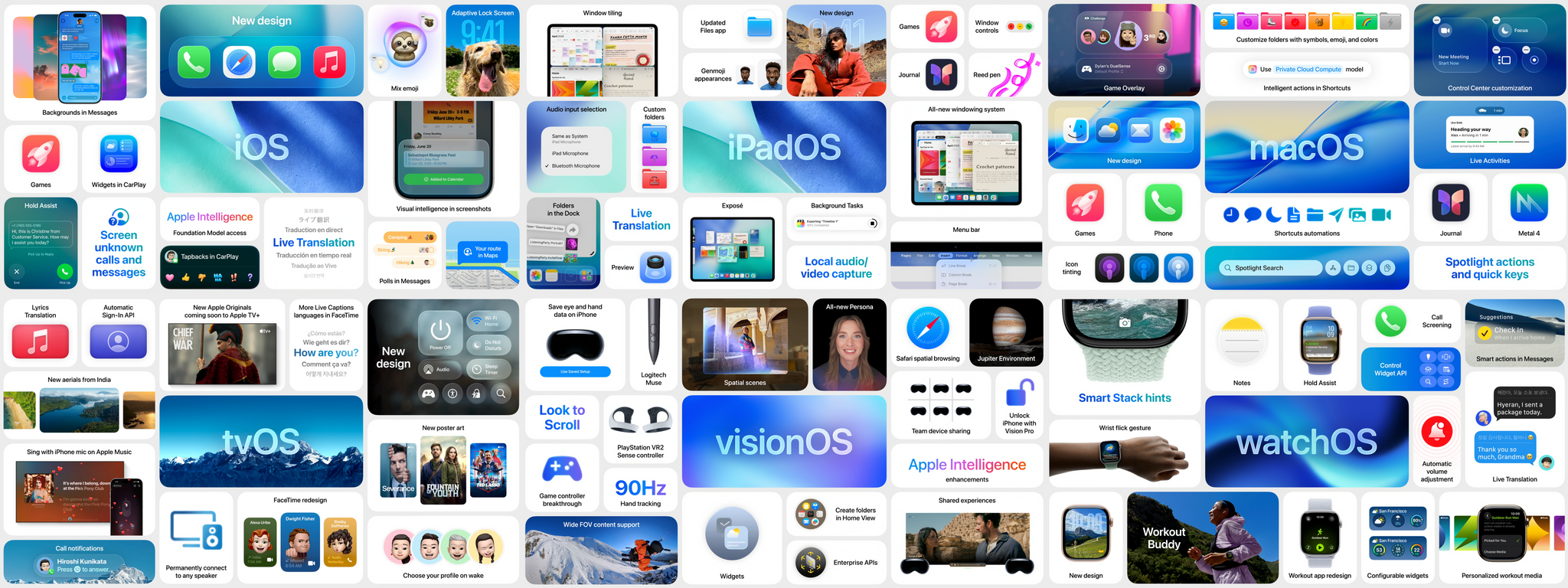
Every keynote, Apple is well-known for summarizing sections of the presentation with immaculately laid-out bento boxes containing key features. They often serve as good, easily digestible overviews of all the new features for each OS.
With that in mind, let’s take a look at all the bento boxes from today’s WWDC 2025 keynote.
Apple Acquires Indie Videogame Studio RAC7 and Is Rumored to Be Working on a Dedicated Games App

Giovanni Colantonio of Digital Trends broke the story today that Apple has acquired RAC7, the two-person game studio responsible for the hit Apple Arcade game Sneaky Sasquatch.
On the one hand, this news isn’t that surprising. Sneaky Sasquatch was a launch title for Apple Arcade when it debuted in 2019, and it has been highlighted in several keynotes in the years since. As Colantonio notes in his story, Apple Arcade Senior Director Alex Rofman specifically called out Sneaky Sasquatch as an Apple Arcade success in a 2024 interview with Digital Trends.
On the other hand, however, this is Apple’s first known game studio acquisition and a very small indie studio acquisition at that. Out of context, that seemed like an odd acquisition. However, not long after Digital Trends broke the acquisition news, Mark Gurman reported for Bloomberg that Apple will unveil a dedicated Games app, which lines up with a previous report by 9to5Mac. Not much is known about the rumored app at this point, but it certainly puts the RAC7 acquisition in a different light. I wouldn’t be surprised if we hear news of other indie studios joining Apple in the coming months.