


Last weekend I decided that I wanted to try to set up a VPN server on my MacBook Pro running Snow Leopard 10.6.6. What’s that? – you may ask. A Virtual Private Network (VPN) is a type of Internet connection that allows users to establish a secure connection between a computer or a mobile device and a server. The cool thing about the secure connection is that all traffic is “tunneled” through a cryptographic system that makes it almost impossible (let’s say very difficult) for hackers or people who want to take a peek at your Internet traffic to access your data. There are several implementations of VPN out there, but the main concept is that through a secure connection multiple computers and devices can stay on the same local “virtual network”. Read more
Posts tagged with "iOS"
How To Set Up A VPN Server On Your Mac and Access Everything Remotely With An iPhone
TweetDeck Teases New App That Will “Raise The Bar” On iOS
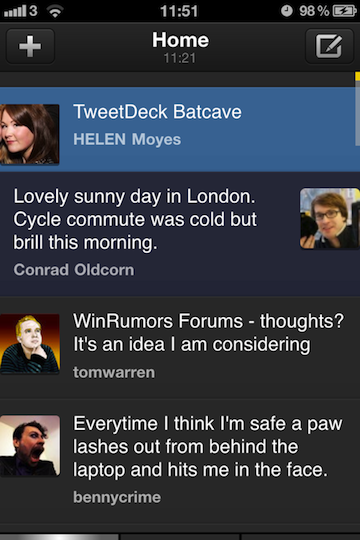
Popular service TweetDeck has announced this morning that a major update to their official iOS app is in the final stages of testing and it will be a completely revamped version of TweetDeck for iPhone and iPad. Ready to be submitted to the App Store “in the next couple of weeks”, the new iOS TweetDeck will apparently put huge focus on iOS 4 compatibility and Retina Display graphics, as well as the possibility to create “flexible” columns blending status updates and messages coming from Twitter and Facebook.
This totally new, fully iOS4-compatible TweetDeck app has been built completely from scratch. It is not only the most powerful and flexible mobile app we have ever produced, but also the most jaw-droppingly beautiful. This is the app your retina display has been crying out for.
A major new feature of iOS TweetDeck will be totally flexible columns. You want to create a column blending your Mentions and some Twitter Lists? No problem! Always wanted to see your Facebook feed and Twitter DMs in a single column? We’ve got you covered! New iOS TweetDeck puts you in control of your columns, giving total flexibility over which feeds appear in which columns. Your social world has never been so personal.
TweetDesk says the Android app has been insanely successful (in spit of fragmentation issues) and set new standards for the service on mobile platforms. The new iOS iteration promises to “raise the bar” for iPhone and iPad apps – something we’re pretty sure several users are looking forward to after the whole Twitter Quick Bar debacle.
Whether or not TweetDeck will prove itself to be the answer to an official Twitter client clearly shifting the focus to promoted tweets and ads, we’ll have to wait and see.
iPad 2 Launch Details Roundup
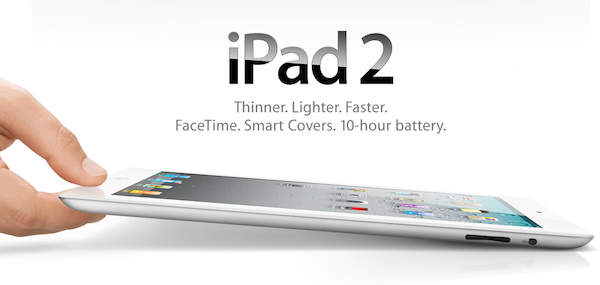
There has been an avalanche of information regarding the iPad 2 launch since the Apple event last week so if you are confused, unsure or just want a refresher on the launch details just jump the break for a full roundup of all the important details!
Also be sure to check out our iPad 2 roundup to get all the details what exactly is new and awesome about the iPad 2.
iOS Multitasking: It Doesn’t Need To Be PC-like
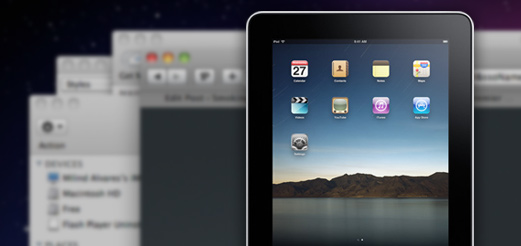
In a recent article on his personal blog, Lukas Mathis argues that the iPad’s multitasking doesn’t actually help people get things done and focus more as it forces you to constantly switch between apps. He writes:
a task (or an app) on a computer, and a task performed by a human don’t map to each other one-to-one. In fact, a single task performed by a human can easily make use of several applications running concurrently on a computer.
For example, right now, I’m typing this text in Notational Velocity, and I’m looking at the New York Times in a browser. The computer is showing me two windows at the same time. It is multitasking. I, however, am not. I’m absolutely focused on writing this essay. In fact, the computer’s multitasking is precisely what allows me to focus on writing my essay. I can type text into this window while looking at the Times article in another window without being forced to interrupt my task, and consciously switch between apps.
This is a common point being raised by people curious to try out iOS, but afraid it won’t help them be productive: “can I see multiple apps at once”? No, with iOS you can’t. And the way I see it, there’s good reason to enforce this implementation. First off, let’s consider the devices iOS runs on: iPhone, iPod touch, iPad, Apple TV. The Apple TV 2nd gen doesn’t exactly have apps and I don’t understand why would anyone want to see multiple photos and movies at once. The iPhone and iPod touch? The screen is so small (in spite of high resolution) I honestly can’t believe some people are exploring the possibility of seeing multiple apps on a single screen. It doesn’t make sense. Read more
#MacStoriesDeals – Friday

What a great week for Apple news! Here are today’s deals on iOS, Mac, and Mac App Store apps that are on sale for a limited time, so get ‘em while they’re hot!
Personal Hotspot Lets Another iPhone Connect and Use FaceTime Over 3G
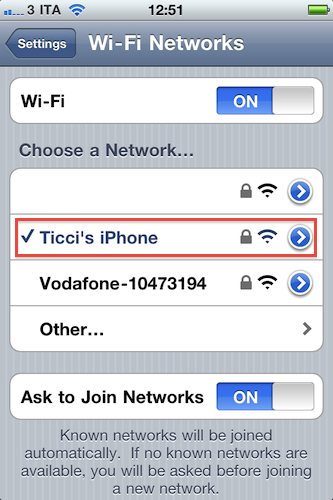
Here’s an interesting feature we didn’t know had been implemented on iOS 4.3 that has been brought to our attention this morning by German blog Macerkopf.de [Google Translation]: on the iOS 4.3 GM (released last night) you can start Personal Hotspot and let a second iPhone connect to use FaceTime over 3G.
Personal Hotspot creates a WiFi connection, but we know that’s actually a shared 3G one. Starting with an active 3G connection on the first iPhone running iOS 4.3, up to 5 other devices can connect to the Personal Hotspot, which is recognized in the Settings as a WiFi network. Macerkopf speculates that the fact that iPhones can connect to Personal Hotspot and use FaceTime is new to the 4.3 GM build seeded to developers yesterday.
I’ve tested this with my two iPhone 4s and a Mac running FaceTime, and it works. With the first iPhone, I made sure I had 3G active and created a WiFi network with Personal Hotspot. With the second iPhone 4, I connected to Personal Hotspot and called my Mac using FaceTime. It worked the other way around as well. Video quality and sound weren’t excellent (like I said, it’s a 3G connection) but definitely acceptable.
This is an interesting little detail because Apple doesn’t want you to use FaceTime over 3G. A number of Cydia tweaks surfaced in the past to overcome Apple’s restrictions, like Facebreak and My3G. But if you happen to have two iPhones (say, your wife’s) and you really need to use FaceTime on the go to call someone, Personal Hotspot will let you do that. Even if it’s actually a 3G connection, it appears that as long as the iPhone “sees” the network as a WiFi one, it’s fine. Clearly the second iPhone isn’t able to tell whether the connection comes from 3G or not.
We don’t know if this was possible on the previous betas of iOS 4.3, so if you’re still running one of those and the method works, please let us know in the comments below.
Want To Get Rid of Twitter’s Quick Bar? There’s A Cydia Tweak For That
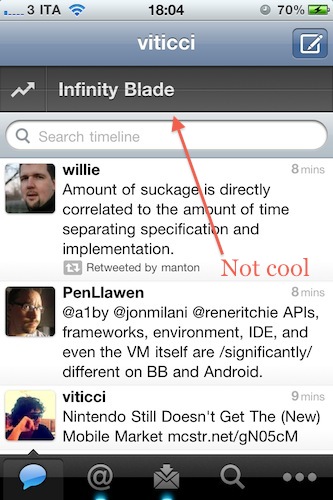
By now you’ve probably updated your iOS Twitter app and noticed that the iPhone version comes with a new “Quick Bar” at the top that’s meant for letting you cycle through…the popular and beloved Twitter trends. Really, that translucent bar doesn’t do anything else but putting trends and promoted tweets (thus, ads) in your timeline. It doesn’t follow you around as you scroll, but it appears every time you tap on the timeline tab or switch back and forth between, say, mentions and the Twitter timeline. We get it: it’s annoying and partially ruins the design of Tweetie – ehm, Twitter for iPhone.
But here comes a solution: if you’re running a jailbroken device and you want to get rid of the Quick Bar, go install Twizzler now from Cydia, for free. It removes the Quick Bar and gives you control back over what appears in your timeline. That’s it.
Did we say it’s free?
Apple Releases iOS 4.3 GM [Update: Gestures, Home Sharing]
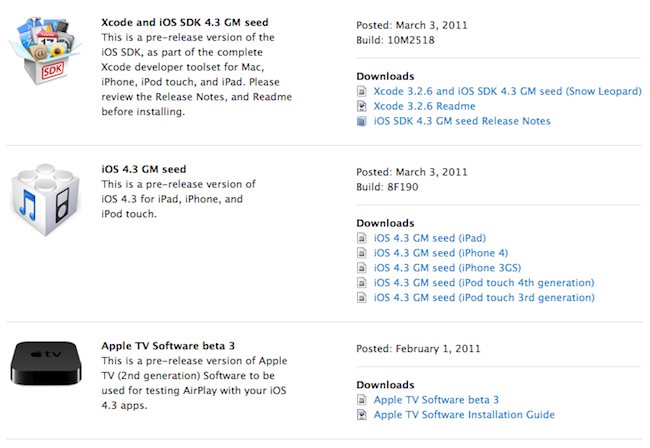
A few minutes ago Apple seeded the GM seed of iOS 4.3 to developers. It’s available now in the iOS Dev Center. Build number is 8F190. Updated versions of the iOS SDK and Apple TV pre-release software have been released as well. iOS 4.3 beta 3 was released on February 1st.
iOS 4.3 is set to come out on March 11 together with the release of the iPad 2. This GM build should include the new iTunes Home Sharing feature announced by Apple yesterday.
Update: We have received word from several developers that the multitasking gestures for iPad can still be activated in the GM build with Xcode. At this point it sounds like Xcode will be able to activate gestures in the final release as well, but the general public won’t have this feature – it’s exclusive to developers for testing. Read more
#MacStoriesDeals - Thursday

Here are today’s deals on iOS, Mac, and Mac App Store apps that are on sale for a limited time, so get ‘em while they’re hot!