This Week's Sponsor:

Turbulence Forecast

Know before you go. Get detailed turbulence forecasts for your exact route, now available 5 days in advance.


Posts tagged with "iOS"

S-GPT 1.0.2 Brings Date and Time Awareness, Integration with macOS Services Menu, Passthrough Mode, Better HomePod Support, and More

S-GPT 1.0.2.

S-GPT 1.0.2.

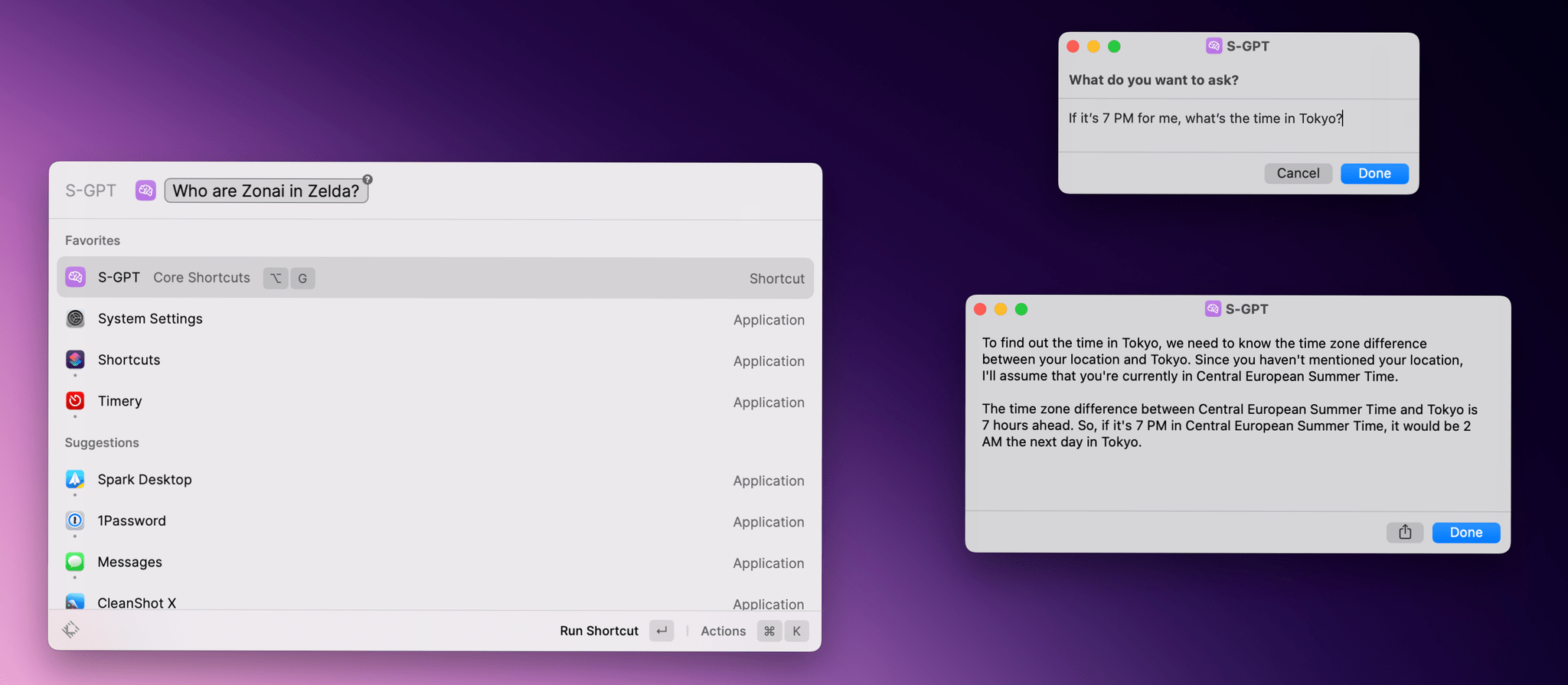
I just published version 1.0.2 of S-GPT, the shortcut I released last week to have conversations with OpenAI’s ChatGPT and integrate it directly with native features of Apple’s OSes. You can find the updated download link at the end of this post, in the original article, and in the MacStories Shortcuts Archive; before you replace version 1.0.1 of S-GPT, save your existing OpenAI API key somewhere as you’ll have to paste it again in the shortcut later.

I’m going to include the full changelog for S-GPT 1.0.2 below, but long story short: S-GPT is now aware of the current date and time, and I’ve heard all the requests about improving interactions with the HomePod and Siri, so I made that part much better. S-GPT can now perform a variety of date/time calculations with natural language, and you can end a conversation by saying “no” or “stop”.

Read more


Dark Noise 3.0 Has a New Business Model and A Few Other Updates

Today, Charlie Chapman released Dark Noise 3.0, his iOS, iPadOS, and macOS ambient noise app, with a new business model, some remastered sounds, and other updates.

The biggest change to Dark Noise 3.0 is its new business model. Historically, Dark Noise has been a paid-up-front app, but with 3.0, the app is now free with an optional subscription that unlocks certain features.

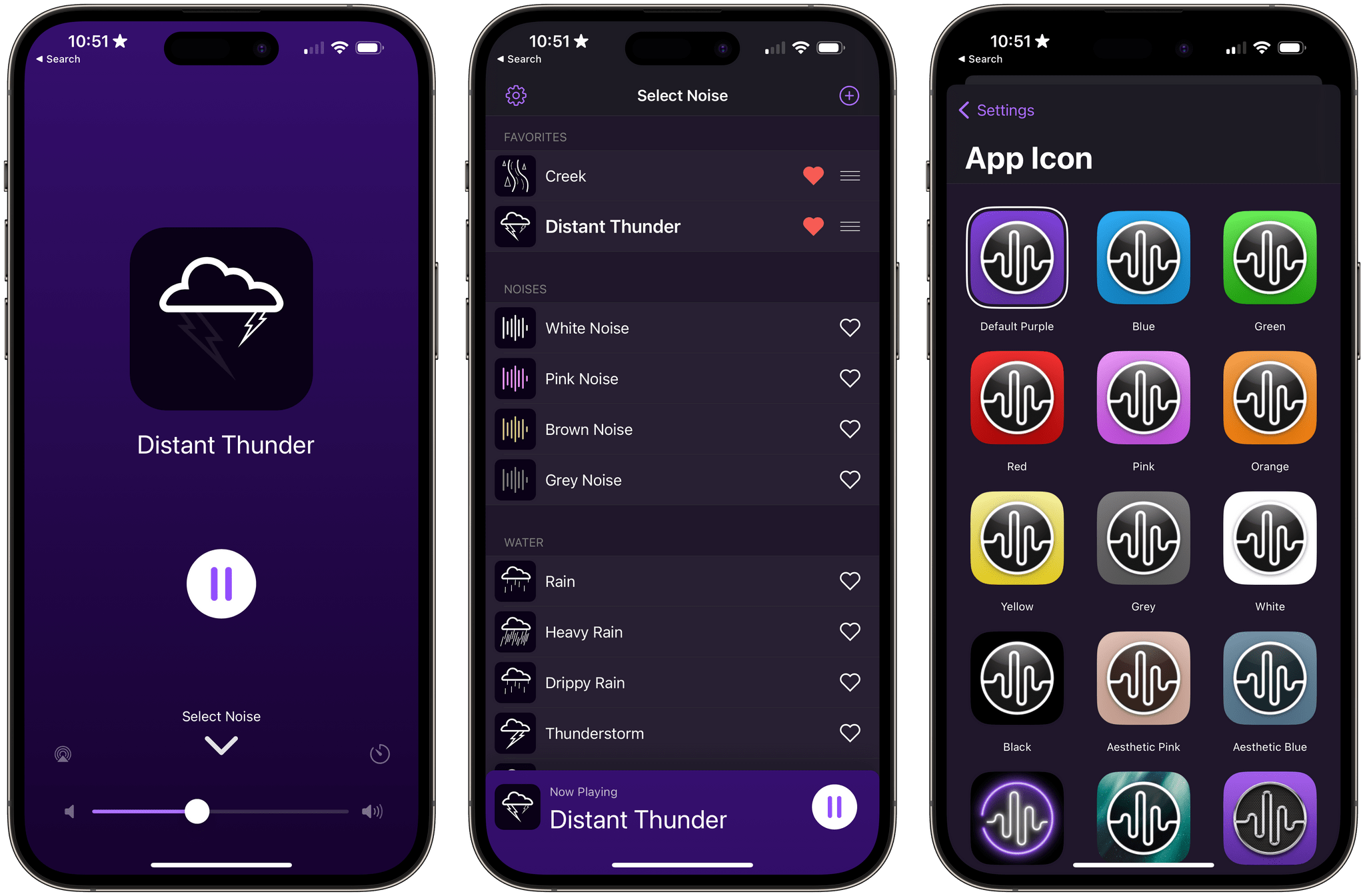
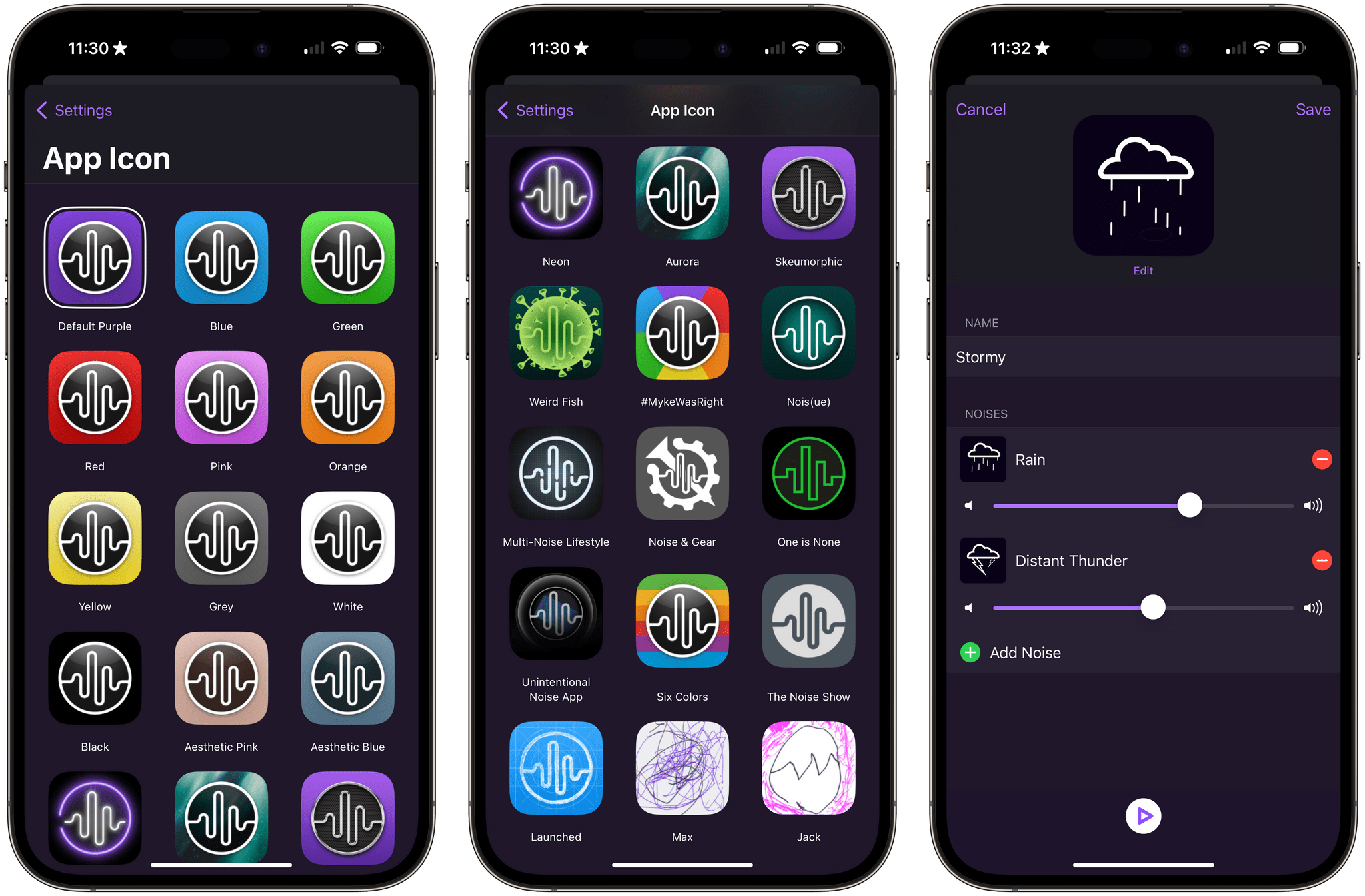
The free version of Dark Noise includes eight sounds, continuous sound looping, Shortcuts support, Siri integration, and a timer. The Pro subscription increases the number of sounds to over 50 and adds custom sound mixes, alternate app icons, themes, and Family Sharing. The Pro features are also available as a one-time purchase.

Alternative icons and sound mixing are two of the features available to Dark Noise Pro subscribers.

Alternative icons and sound mixing are two of the features available to Dark Noise Pro subscribers.

If you previously purchased Dark Noise, which included many of the features that are now part of a Pro subscription, you’re covered. Anyone who bought Dark Noise prior to the release of version 3.0 gets all of the features included in the Pro subscription. Pro subscribers may get new features in the future, but as of the release of version 3.0, existing users and subscribers have access to the same features, which I think is a fair way to transition to a subscription model.

I’m also glad to see that the core features of Dark Noise will be available for free for the first time. There are a lot of ambient sound apps on the App Store, but a lot aren’t very good. Dark Noise is excellent, and I expect having a free tier to show off what the app can do to new users will result in more paid users in the long run. I’m also a fan of the one-time payment option, which is a nice option for fans of the app who just don’t like paying subscriptions.

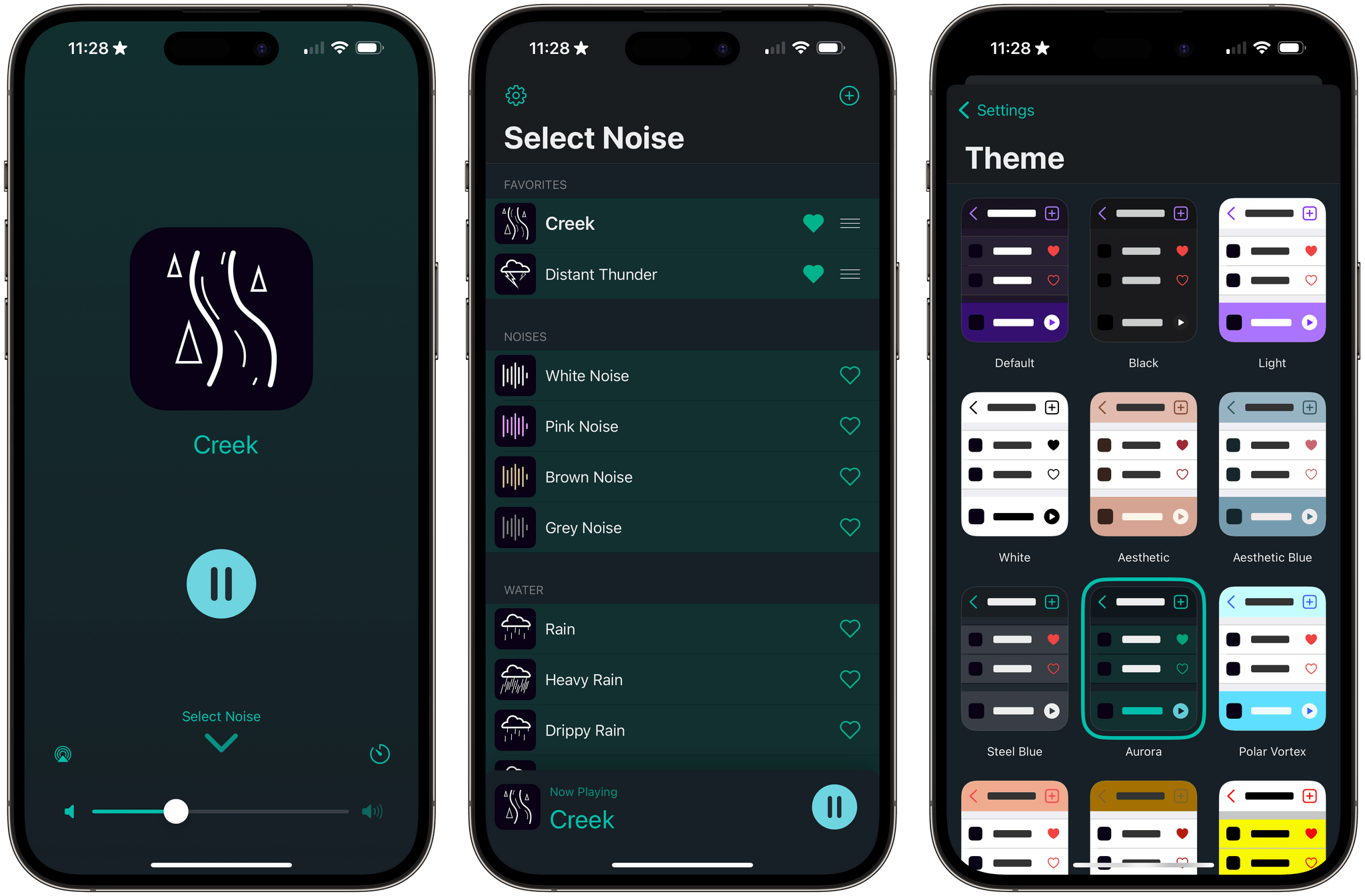
Dark Noise has a new green theme called Aurora.

Dark Noise has a new green theme called Aurora.

Version 3.0 also introduces remastered Rain, Beach, Airplane Interior, and Thunderstorm sounds that sound better when used with stereo speakers. The app’s icons have been tweaked a little, and there’s a new theme that uses shades of green called Aurora.

For more on everything Dark Noise can do, be sure to check out our reviews of version 1.0 and 2.0.

Dark Noise 3.0 is available as a free download on the App Store. The Pro subscription unlocks the features described above, for $2.99/month or $19.99/year with a three-day trial. Dark Noise 3.0 is also available as a one-time purchase for $49.99.


Sequel 2.0: An iPhone and iPad Media Tracker That Strikes an Elegant Balance Between Form and Function

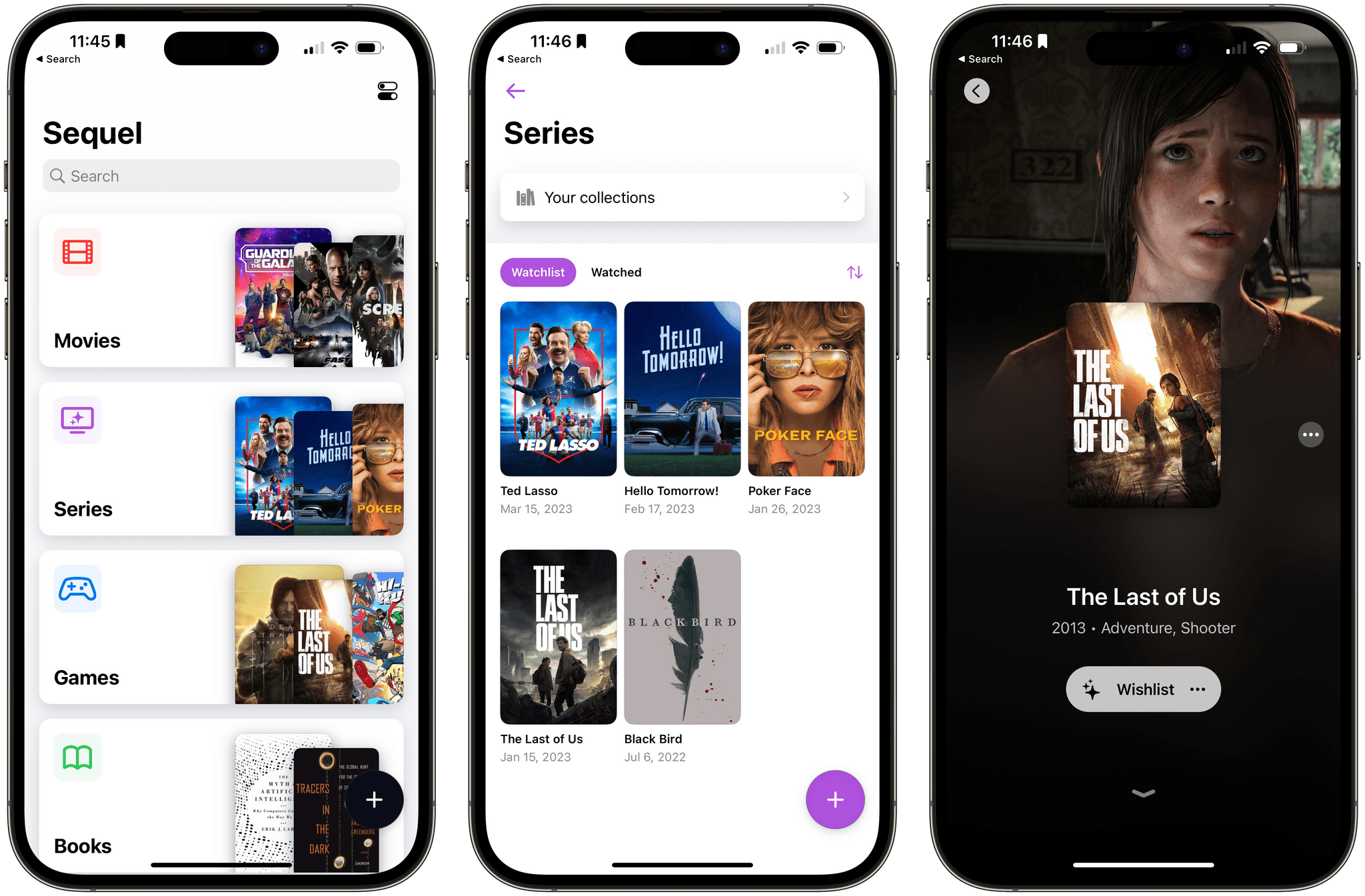
Too often, media tracking apps feel like work. There’s too much effort involved in adding and browsing items, which makes them feel more like task managers than an inviting place that helps you decide how you want to spend your precious free time.

Apps in this category seem to take one of a couple of different approaches. Some apps specialize in one type of media, which can be great if you’re a huge book or videogame fan, for instance. As much as I like the media-specific approach of some apps, I’ve found that lately, I just want an app that’s easy to use, so ‘past me’ can recommend ‘tired and lazy me’ something to watch, play, read, or listen to. And, for the past couple of months, the app that has fit my needs the best has been Sequel 2.0 by Romain Lefebvre.

Read more


Kirk McElhearn’s Review of Apple Music Classical

Kirk McElhearn has been writing about classical music on Apple platforms for nearly 20 years, which makes his Apple Music Classical review on TidBITS a must read for classical listeners.

As McElhearn explains, searching for classical works is more complex than pop music:

You may want to listen to a specific work by a given composer, but also by one of your favorite performers. And, as you can see with the example of the Schubert sonata, work names are not always as simple as Bach’s Goldberg Variations. Metadata is the key to managing classical music.

Although McElhearn discovered some metadata oddities when browsing the Apple Music tracks from his library that showed up in Apple Music Classical, the company seems to have done a good job overall with curating the metadata for its new app.

Also, although the UI and experience of using Apple Music Classical is similar to Apple Music, there are important differences, including:

One useful feature is the ability to search within search results. After you’ve searched for something, pull down on the screen to reveal a search field. You can enter keywords in this field to further narrow your search. You can also access this search field in other lists. For example, go to Browse, tap Instruments, then tap Violin. Tap one of the options—Latest Releases, Popular Artists, or Popular Works—and you’ll see a list of results. Pull down, and you can search within that list.

If you’re just starting out with Apple Music Classical, I recommend reading McElhearn’s entire story, which does a fantastic job covering what works well and what doesn’t. Like a lot of people, though, McElhearn is left wondering why the app is iPhone-only:

The most perplexing thing about the Apple Music Classical app is how completely it is siloed. It’s only available for the iPhone, though you can install it on an iPad and zoom it to 2x. Not only is it not available on the Mac—the iPhone app isn’t even available for M-series Macs—but the enhanced metadata, using work and movement tags, is not visible in Apple Music on the Mac nor in the Apple Music app on the iPhone and iPad. It seems Apple is using two separate databases, which makes no sense. If the metadata is available—and work and movement tags are available on many albums in Apple Music already—why not let the other apps access them?

All this makes the Apple Music Classical app seem like an experiment. It’s quite polished for a 1.0 release, and, despite the issues that I’ve mentioned above that will irritate classical music fans, it’s a generally successful attempt to provide a better way to access classical music. Apple should be praised for paying so much attention to a genre that represents only 2–3% of the overall music market.

The unique needs of classical music listeners have never been well-served by the biggest streaming services. I’m with McElhearn in wondering about the limited roll-out of Apple Music Classical, and there are rough edges that are noticeable even for people who aren’t classical music fans. However, that doesn’t change the fact that Apple Music Classical is a step in the right direction. I hope Apple listens to the feedback from McElhearn and other classical music lovers and continues to improve the app.

Permalink

Apple Releases iOS and iPadOS 16.4 with New Emoji, Notifications for Web Apps on the Home Screen, Voice Isolation for Cellular Calls, New Shortcuts Actions, and More

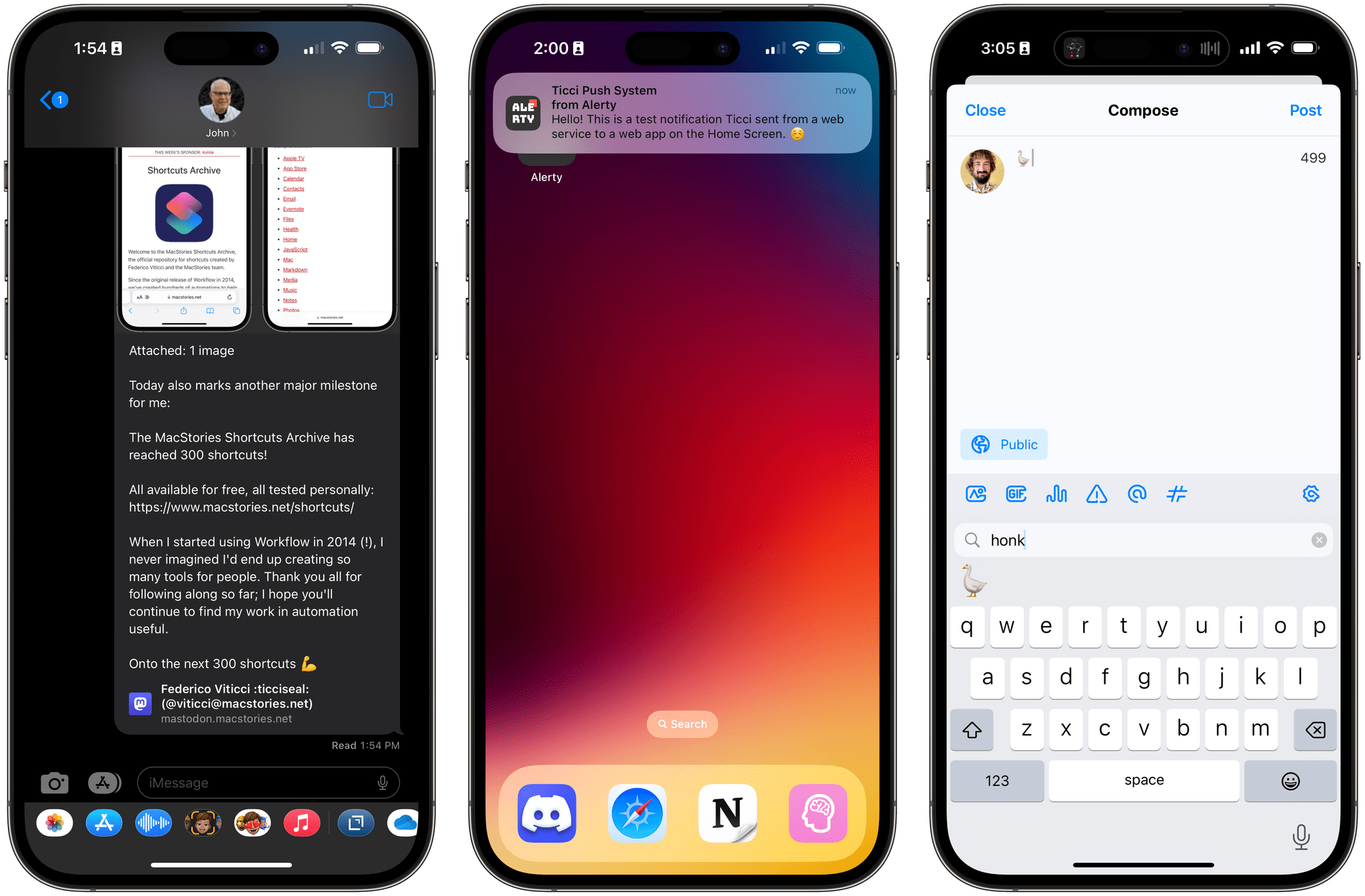
iOS 16.4 brings new emoji, push notifications for web apps on the Home Screen , Mastodon link previews, and more.

iOS 16.4 brings new emoji, push notifications for web apps on the Home Screen , Mastodon link previews, and more.

Today, Apple is releasing iOS and iPadOS 16.4, the fourth major updates to the OSes that introduced support for the customizable Lock Screen and Stage Manager last year, respectively.

Ahead of the debut of Apple Music Classical tomorrow and just a few months before a WWDC that’s rumored to be focused on the company’s upcoming headset and a relatively small iOS 17 update, 16.4 is comprised of two big additions to iOS and iPadOS (new emoji and push notifications for web apps on the Home Screen) alongside a variety of smaller, but notable improvements such as some new Shortcuts actions, Mastodon link previews in iMessage, some tweaks to Podcasts and Music, and more.

Let’s take a look.

Read more


Six 8BitDo Controllers Add Support for Apple Hardware

Source: 8BitDo

Source: 8BitDo

8BitDo, a popular maker of game controllers, announced today that six of its products now officially support Apple hardware:

  • 8BitDo Ultimate Controller 2.4g
  • 8BitDo Pro 2
  • 8BitDo SN30 Pro +
  • 8BitDo Pro
  • 8BitDo SN30 Pro for Android
  • 8Bitdo Lite SE

The controller firmware update, which can be applied using the company’s Upgrade Tool, will allow gamers to use 8BitDo’s supported controllers wirelessly with any iOS, iPadOS, macOS, or tvOS game that has adopted Apple’s game controller APIs. Playing wired is also supported on iPads and Macs with USB-C ports.

According to 8BitDo, up to four controllers can be connected at once for games with multiplayer support, but rumble and motion control are not supported “for the moment,” suggesting that a future update may support those features. Links to detailed directions and illustrations of how to connect 8BitDo’s controllers are available by hovering over the images of the controllers on the company’s dedicated Apple device webpage.

I have a bunch of the controllers for which Apple device support was announced, and I can’t wait to try them. A couple of the controllers I have already have some basic support for Apple devices, thanks to compatibility with Sony and Microsoft controllers. However, the firmware update should extend the functionality of the controllers to the full set of features that Apple now supports.


Tripsy 2.15 Adds Weather Forecasts, Time Zone Support, and Other Customization Options

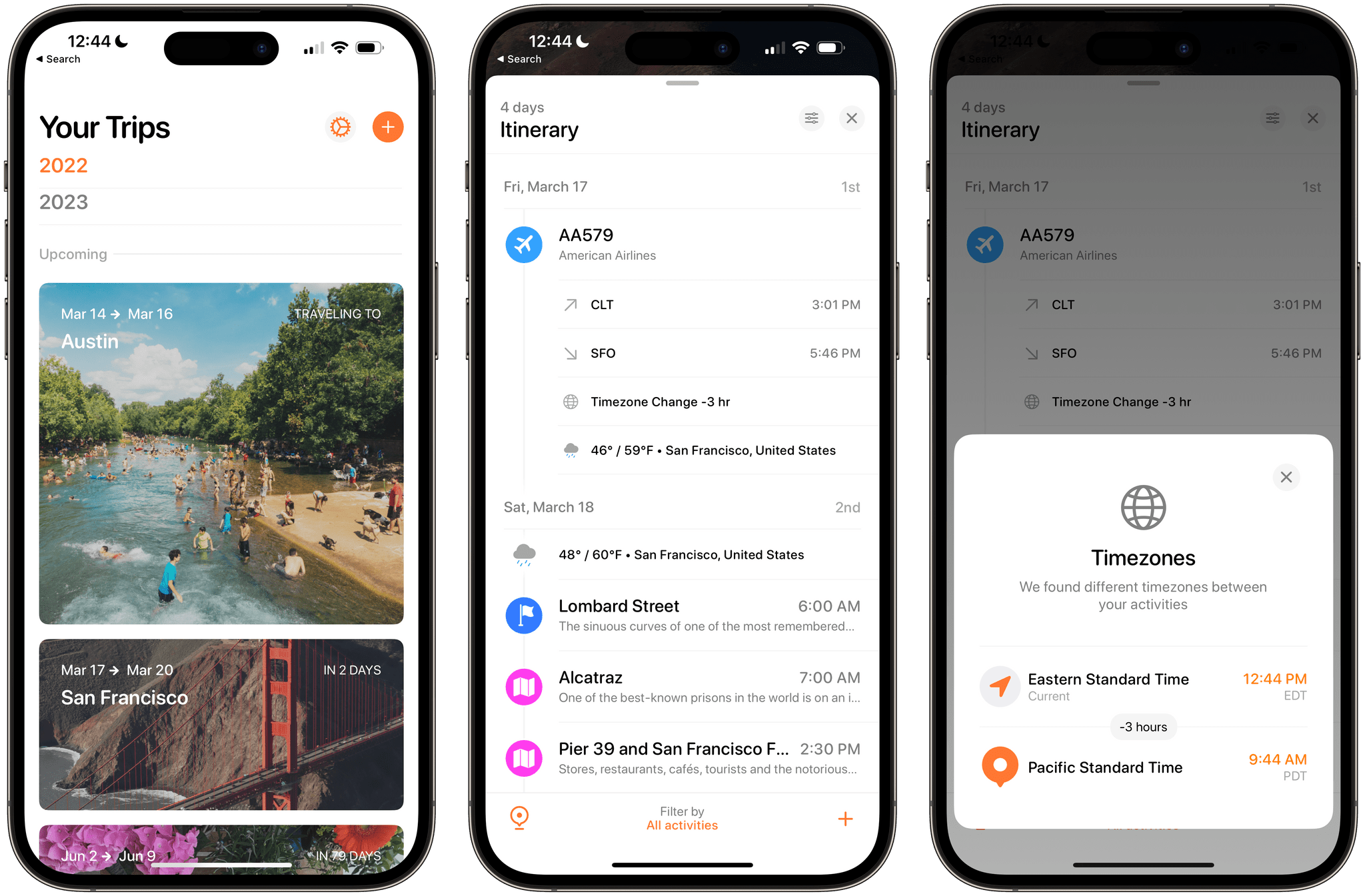
Tripsy is more than just an app for storing details about your upcoming trips. It does that and does it well, but it’s also a great way to revisit old trips and get inspired about places you want to visit in the future. We’ve covered Tripsy before, so for more on what the app can do, I recommend checking out our reviews of version 2.10 and version 1.0. With version 2.15, which debuted this week, Tripsy is focused on trip itineraries, adding several ‘quality of life’ features along with better organization for multi-location trips, and improved customization.

Read more


Apple Music Classical to Launch on March 28th

Source: App Store.

Source: App Store.

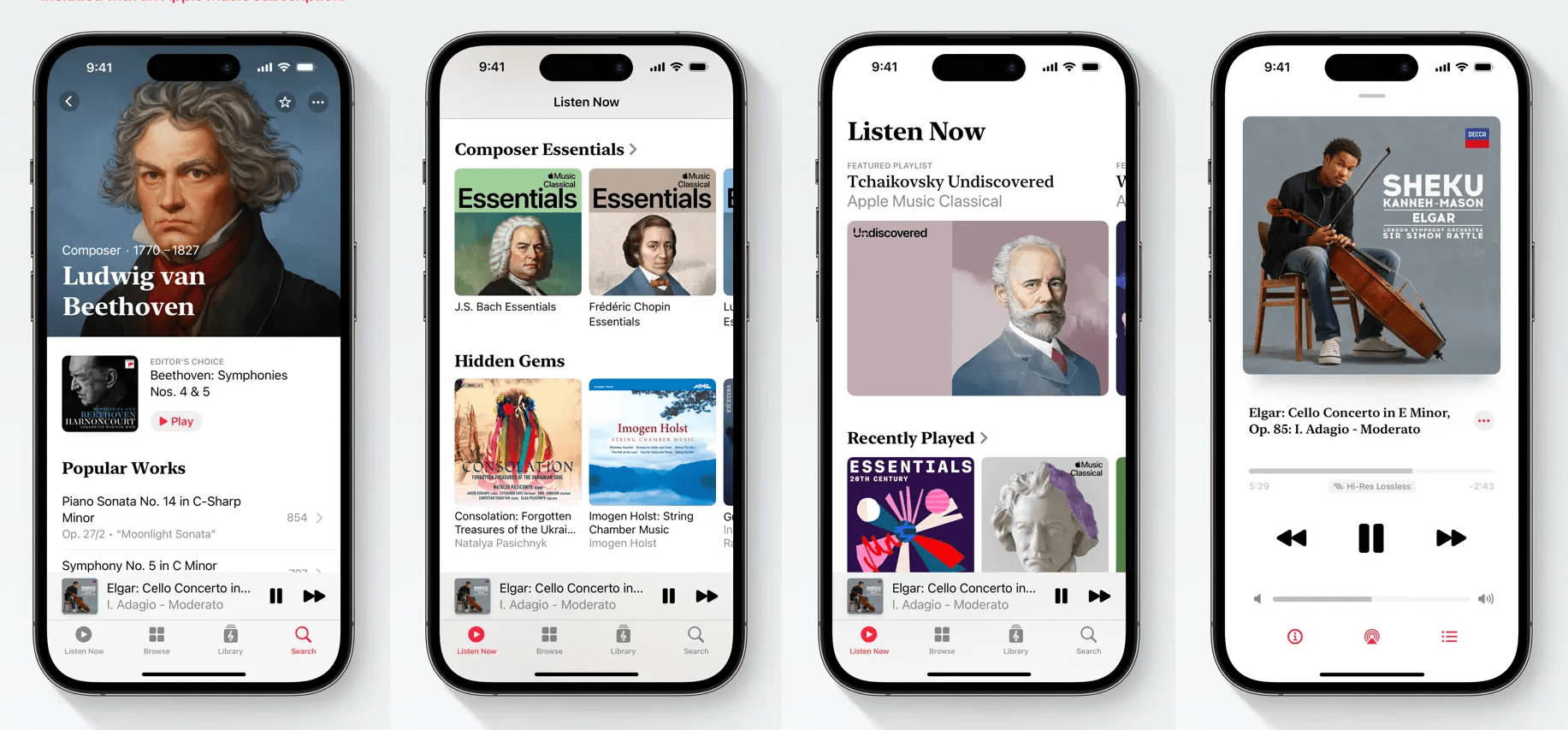
On March 28th, Apple will launch Apple Music Classical, a free app that’s already available for pre-order that will offer a catalog of over 5 million classical recordings to Apple Music subscribers at no additional cost.

The app, which will be iPhone-only at launch, has been anticipated for months. Apple acquired Primephonic, a classical music streaming service in August 2021, and said at the time that it would release an Apple-branded classical music streaming service the following year. 2022 came and went without a new app, but references to the new service began appearing in iOS beta releases, leading observers to believe that a release was imminent.

Apple says that Classical’s 5 million tracks, which include thousands of exclusives, is the largest in the world and has “complete and accurate” metadata. The company also says in the app’s release notes:

Apple Music Classical also makes it easy for beginners to get acquainted with the genre thanks to hundreds of Essentials playlists, insightful composer biographies, deep-dive guides for many key works, and intuitive browsing features.

Classical’s search will also be optimized for the genre, include editorial content, and be streamed at up to 192 kHz/24-bit Hi-Res Lossless, with thousands of tracks supporting spatial audio with Dolby Atmos.

Users can pre-order the free app today from the App Store, which will be downloaded to their iPhones on March 28th when the app goes live.


David Smith’s Widgetsmith reaches 100 Million App Store Downloads

100 million of anything is a lot, and 100 million downloads on the App Store are rare. Rarer still, and perhaps unprecedented, is 100 million downloads of an app made by one person.

When it comes to apps, I can’t think of a single app made by an indie developer that has reached the milestone that David Smith did today with Widgetsmith. The app, which was released in September 2020 alongside iOS 13, lets users create personalized Home Screen widgets using photos, text, weather data, and more. Since its release, the array of customization options has continued to expand, and last fall, Lock Screen widgets were added to the mix. Most recently, Widgetsmith was updated with gradient backgrounds.

The latest update of Widgetsmith adds gradient backgrounds.

The latest update of Widgetsmith adds gradient backgrounds.

It’s been remarkable to watch Widgetsmith take the app world by storm. Thinking back to the summer of 2020 when Federico and I were testing Widgetsmith, I remember liking it, but I know neither of us had the slightest inkling that it would go viral the way it did not long after its release. Congratulations, Dave. Widgetsmith’s success is well-deserved.

Don’t miss Dave’s post on his website about Widgetsmith’s milestone. Also, the latest gradient background update to the app is available now as a free update on the App Store.

Permalink