This Week's Sponsor:

Turbulence Forecast

Know before you go. Get detailed turbulence forecasts for your exact route, now available 5 days in advance.


Posts tagged with "iOS"

Apple Frames 3.1.1 with Support for Passthrough Mode

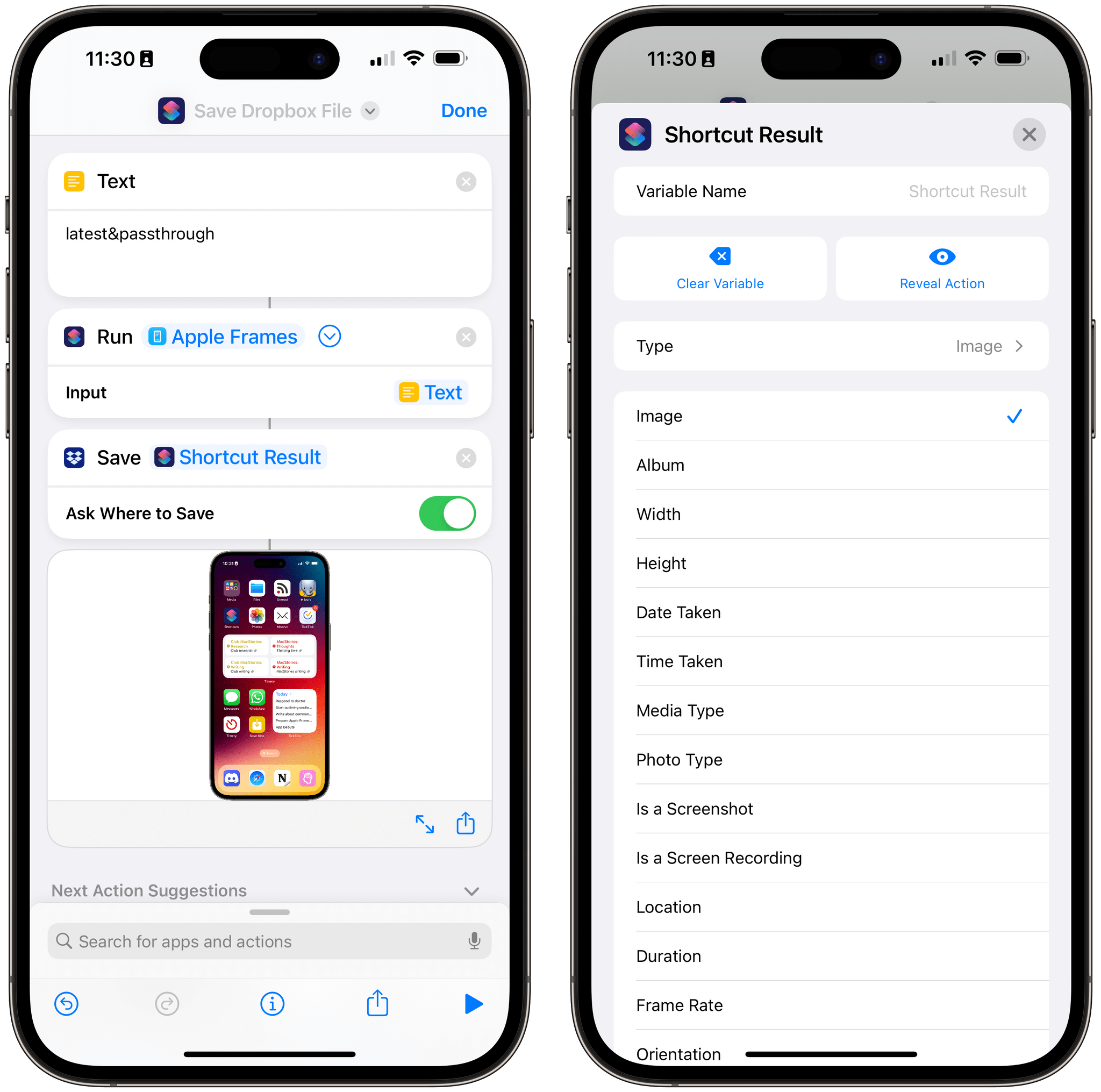
The 'Shortcut Result' variable, used as an image variable in a shortcut that calls Apple Frames.

The ‘Shortcut Result’ variable, used as an image variable in a shortcut that calls Apple Frames.

I just released a small update to Apple Frames 3.1, which came out earlier this week, with a new output command: &passthrough. With this output command for the Apple Frames API, you’ll be able to generate a framed image (from whatever source you like) and simply pass its result to the next action in a shortcut as a native image variable.

I wrote about this as part of my Extension column in MacStories Weekly today, where I also covered the ability to run Apple Frames from the command line on macOS. Here’s the excerpt about version 3.1.1 of Apple Frames and the new passthrough mode:

As I was researching this column for Weekly, I realized there was an obvious candidate for an output command I did not include in Apple Frames 3.1: a passthrough command to, well, pass framed images along as input for the next action of a shortcut.

Here’s what I mean: when you run Apple Frames from a helper shortcut using the ‘Run Shortcut’ action, that action produces an output variable called ‘Shortcut Result’. If you’re running Apple Frames as a function, thus turning it into a feature of another workflow, it can be useful to take the framed images it produces and use them as a native variable in other actions of the shortcut. The problem is that the output commands I launched with Apple Frames 3.1 all involved “storing” the framed images somewhere, whether it was Files or the system clipboard.

This is no longer the case with the &passthrough output command I added to Apple Frames 3.1.1, which you can redownload from the MacStories Shortcuts Archive or directly from this link. If you run the Apple Frames API with this command, framed images will be passed along as native output of the shortcut, which you can reuse as a variable elsewhere in a shortcut that’s invoking Apple Frames.

And:

Any shortcut or longer workflow that involves running Apple Frames in the background and retrieving the screenshots it frames can take advantage of this method, allowing you to bypass the need to store images in the clipboard, even if temporarily. Essentially, passthrough mode turns Apple Frames into a native action of the Shortcuts app that returns a standard image variable as its output.

This is the only change in version 3.1.1 of Apple Frames, and I’m excited to see how people will take advantage of it to chain Apple Frames with other shortcuts on their devices. You can download the updated version of Apple Frames below.

Apple Frames

Add device frames to screenshots for iPhones (11, 8/SE, and 12-13-14 generations in mini/standard/Plus/Pro Max sizes), iPad Pro (11” and 12.9”, 2018-2022 models), iPad Air (10.9”, 2020-2022 models), iPad mini (2021 model), Apple Watch S4/5/6/7/8/Ultra, iMac (24” model, 2021), MacBook Air (2020-2022 models), and MacBook Pro (2021 models). The shortcut supports portrait and landscape orientations, but does not support Display Zoom; on iPadOS and macOS, the shortcut supports Default and More Space resolutions. If multiple screenshots are passed as input, they will be combined in a single image. The shortcut can be run in the Shortcuts app, as a Home Screen widget, as a Finder Quick Action, or via the share sheet. The shortcut also supports an API for automating input images and framed results.

Get the shortcut here.

Permalink

Pedometer 5.0 Update Adds Map-Based Workouts, Live Activities, Accessibility Improvements, and Apple Watch Ultra Integration

David Smith announced the release of Pedometer++ 5.0 today, and it looks like a big one. Smith says 5.0 has been rewritten from the ground up using SwiftUI and includes:

  • Dynamic Type support
  • Workout tracking, which was previously Watch-only, is now available on the iPhone too
  • Live Activities that display distance and duration data or a map and distance preview are available in multiple styles
  • Map-based routes can be added by transferring GPX files to the iPhone app using the iOS share sheet, which then syncs them to your Apple Watch
  • Saved and favorite routes can be added to the Apple Watch too
  • Once on the Watch, routes can be used in a new maps-based workout tracking mode, which displays them live
  • The Apple Watch Ultra’s Action button can be used to start a walk quickly or to switch between map and metric views in the Watch app

I’m looking forward to giving this update a try. I’ve enjoyed using Footpath’s map integration as I explore North Carolina, and I’m curious to see how the apps compare.

Pedometer++ 5.0 is available as a free download on the App Store. Some features, including workouts, require a subscription.

Permalink

Apple Frames 3.1: Extending Screenshot Automation with the New Apple Frames API

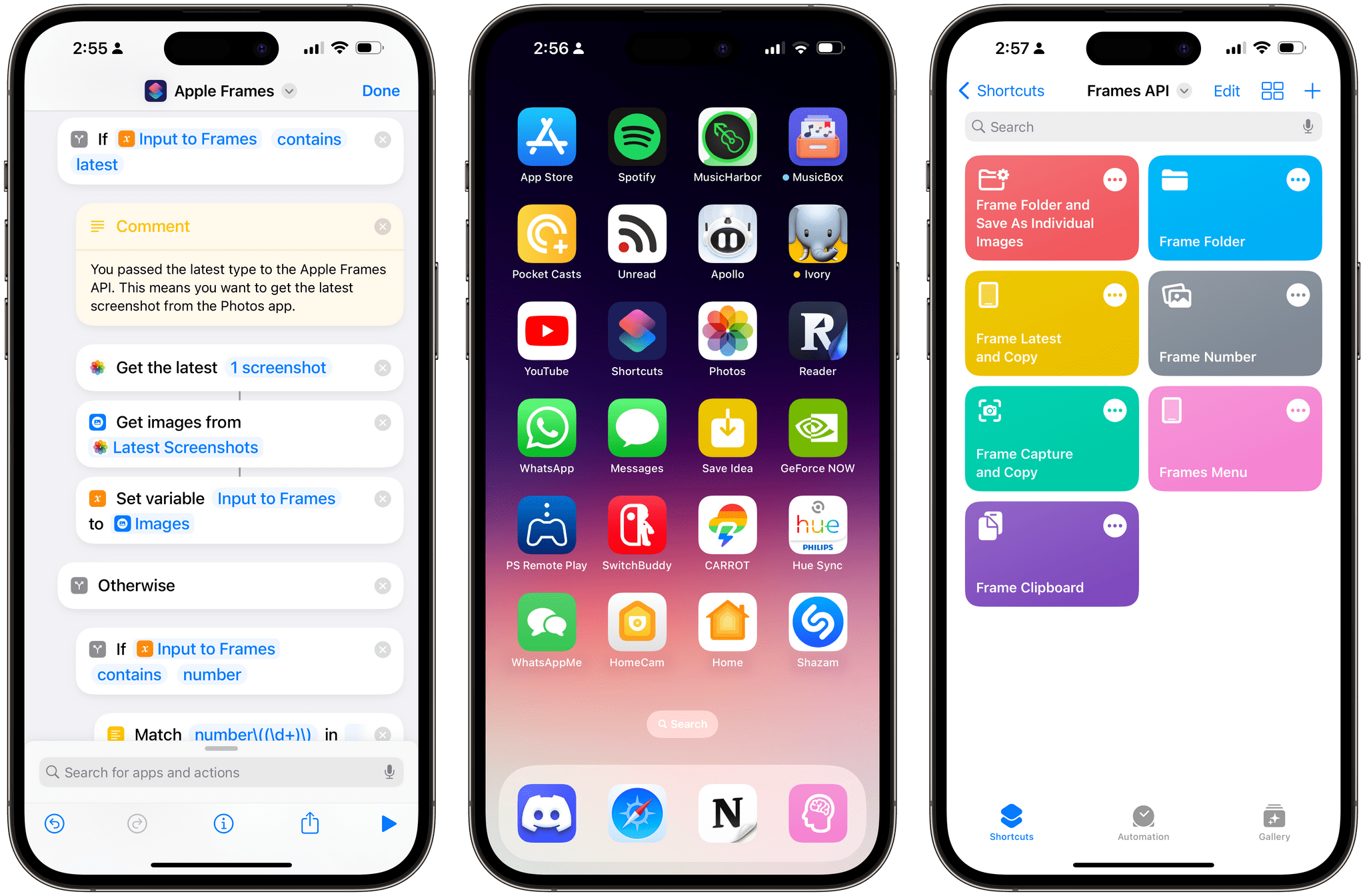
Apple Frames 3.1 comes with a lightweight Apple Frames API to extend its automation capabilities.

Apple Frames 3.1 comes with a lightweight Apple Frames API to extend its automation capabilities.

Update, March 3: Version 3.1.1 of Apple Frames has been released with support for a new passthrough output command. This post has been updated to reflect the changes. You can redownload the updated shortcut at the end of this post.


Today, I’m happy to introduce something I’ve been working on for the past couple of months: Apple Frames – my shortcut to put screenshots captured on Apple devices inside physical device frames – is getting a major upgrade to version 3.1 today. In addition to offering support for more devices that I missed in version 3.0 as well as some bug fixes, Apple Frames 3.1 brings a brand new API that lets you automate and extend the Apple Frames shortcut itself.

By making Apple Frames scriptable, I wanted to allow power users – such as designers and developers who rely on this shortcut to frame hundreds of images each week – to save valuable time without compromising the accessible nature of Apple Frames for other people. This is why all of the new advanced features of Apple Frames are optional and hidden until you go look for them specifically. Furthermore, even if you do want to use the Apple Frames API, you’ll see that I designed it in the spirit of Shortcuts: it does not require any code and it’s entirely powered by simple, visual ‘Text’ actions.

I’m incredibly excited about what Apple Frames can do in version 3.1, so let’s dive in.

Read more


Fitness App Gentler Streak Adds Wellness Tracking

Gentler Streak, the fitness app for the Apple Watch and iPhone that takes a holistic approach to training and recovery, has been updated to version 3.0 to incorporate additional health metrics, so users can get a broader picture of their overall wellbeing. I’ve had less than a day to test-drive the new features, but what I’ve seen so far looks promising.

Gentler Streak uses trend analysis to help guide your workouts. Your daily and 10-day activity trends are plotted within a band of intensity to help guide whether you should work harder or rest. The app also tracks individual workouts, your activity over time compared to previous periods, and includes insights and tips for maintaining a healthy life.

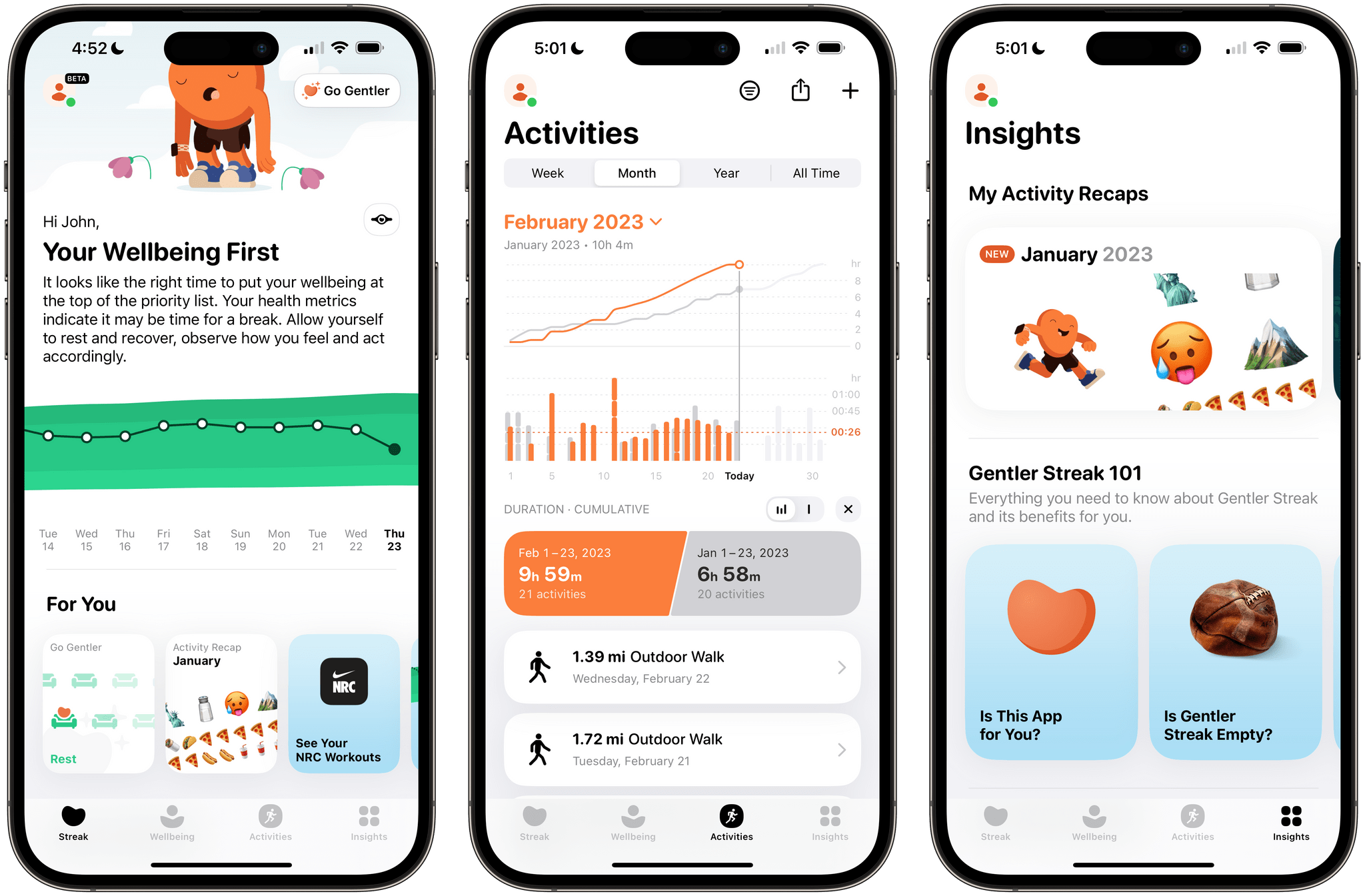
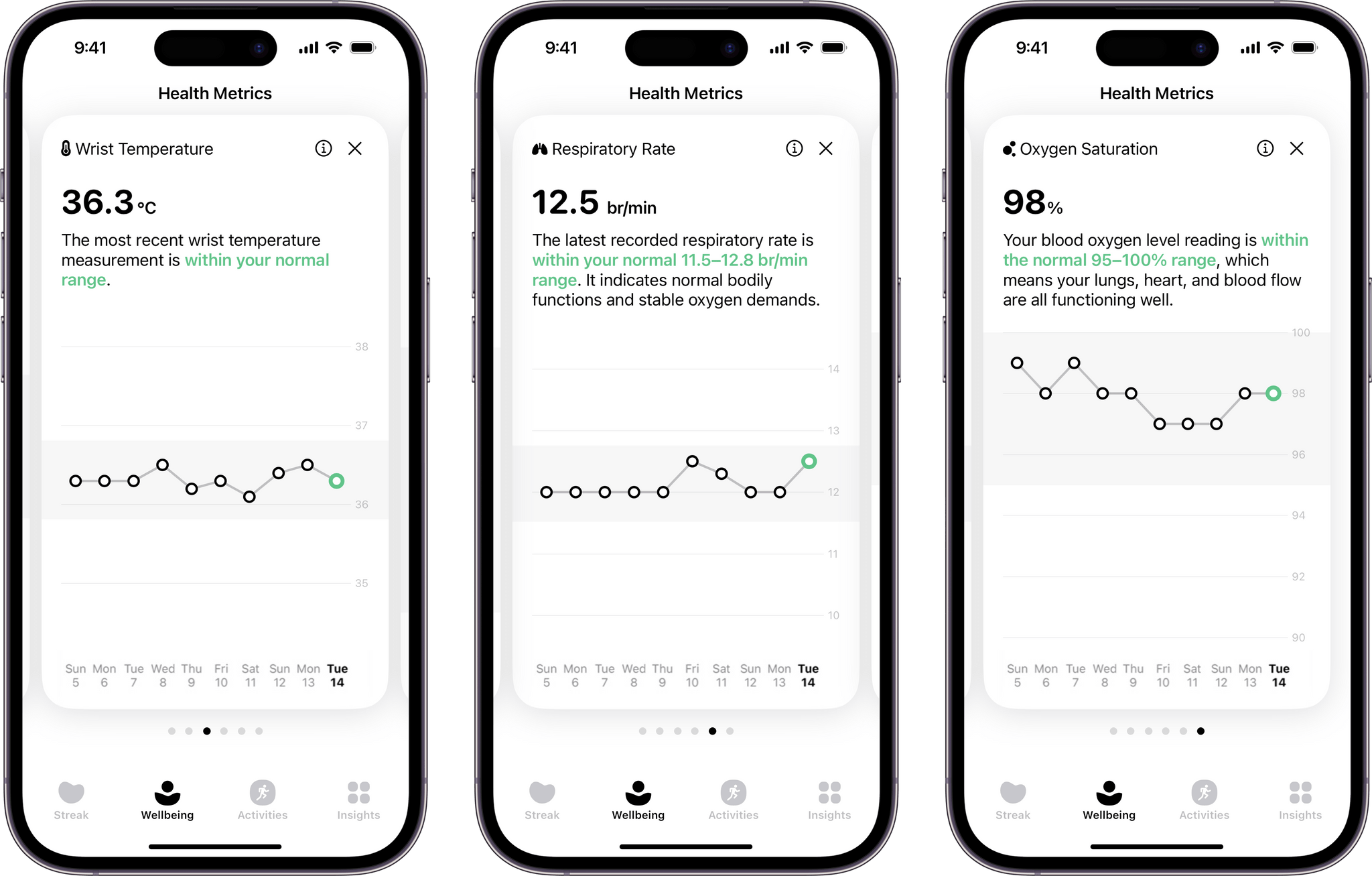
Gentler Streak tracks seven statistics drawn from Apple's Health app.

Gentler Streak tracks seven statistics drawn from Apple’s Health app.

With today’s update, Gentler Streak is adding a new tab to the iPhone that tracks seven health metrics: sleeping heart rate or resting heart rate when SHR is unavailable, sleep duration, heart rate variability, respiratory rate, oxygen saturation, and wrist temperature. The app then uses that data to help guide your workout plans. For example, I didn’t get as much sleep as usual last night, so Gentler Streak suggested I take a break from working out today.

Each statistic in the Wellbeing tab is presented as a card-like widget that includes the current data, a 10-day trendline, and an indicator of whether the measurement is within normal ranges. Tapping on a card expands it for a bigger view that offers more information about what’s being measured and your results.

I’ve been using Gentler Streak for about a month and have found that its approach has kept me more motivated than closing my Fitness app Activity rings has. I still track those, too, but Gentler Streak is where I go to ensure I’m on track with my fitness goals while remembering to give myself a break now and then. It’s too soon to say what the Wellbeing tab will mean to my overall experience with the app, but I like what I’ve seen so far and plan to write more about Gentler Streak soon.

Gentler Streak is free to download from the App Store but requires a subscription to unlock some features.


Social Media Management Utility Buffer Adds Mastodon Support

One of the things I immediately missed when I moved to Mastodon was the ability to schedule posts. This isn’t something I do a lot. However, with a busy editorial calendar at MacStories, I’ve used a variety of services over the years, including Buffer, to allow me to set up draft posts in advance when we’ve got a big story or episode of AppStories coming up. Losing that convenience wasn’t the end of the world, but it introduced friction I hadn’t had to deal with in years.

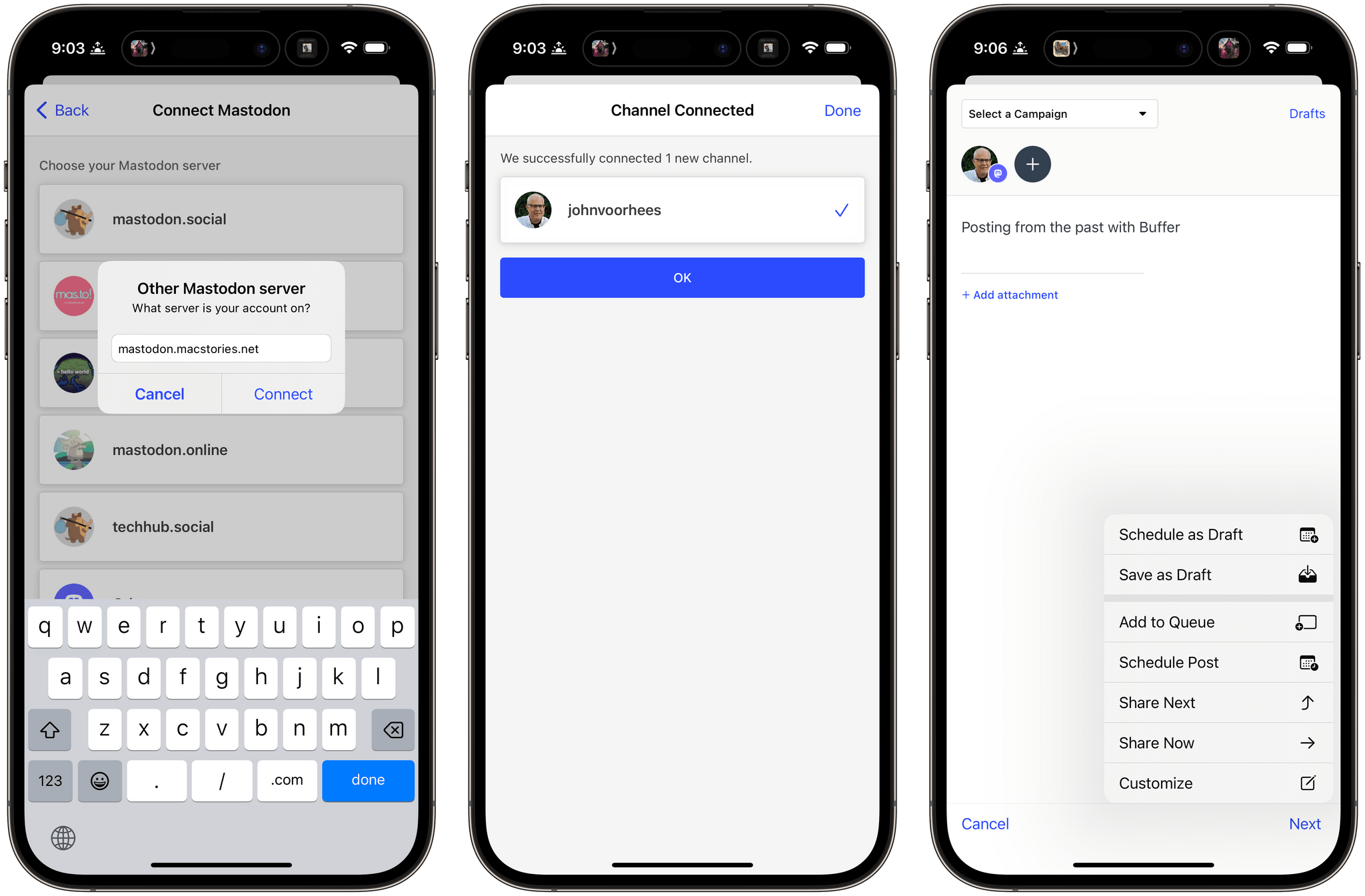
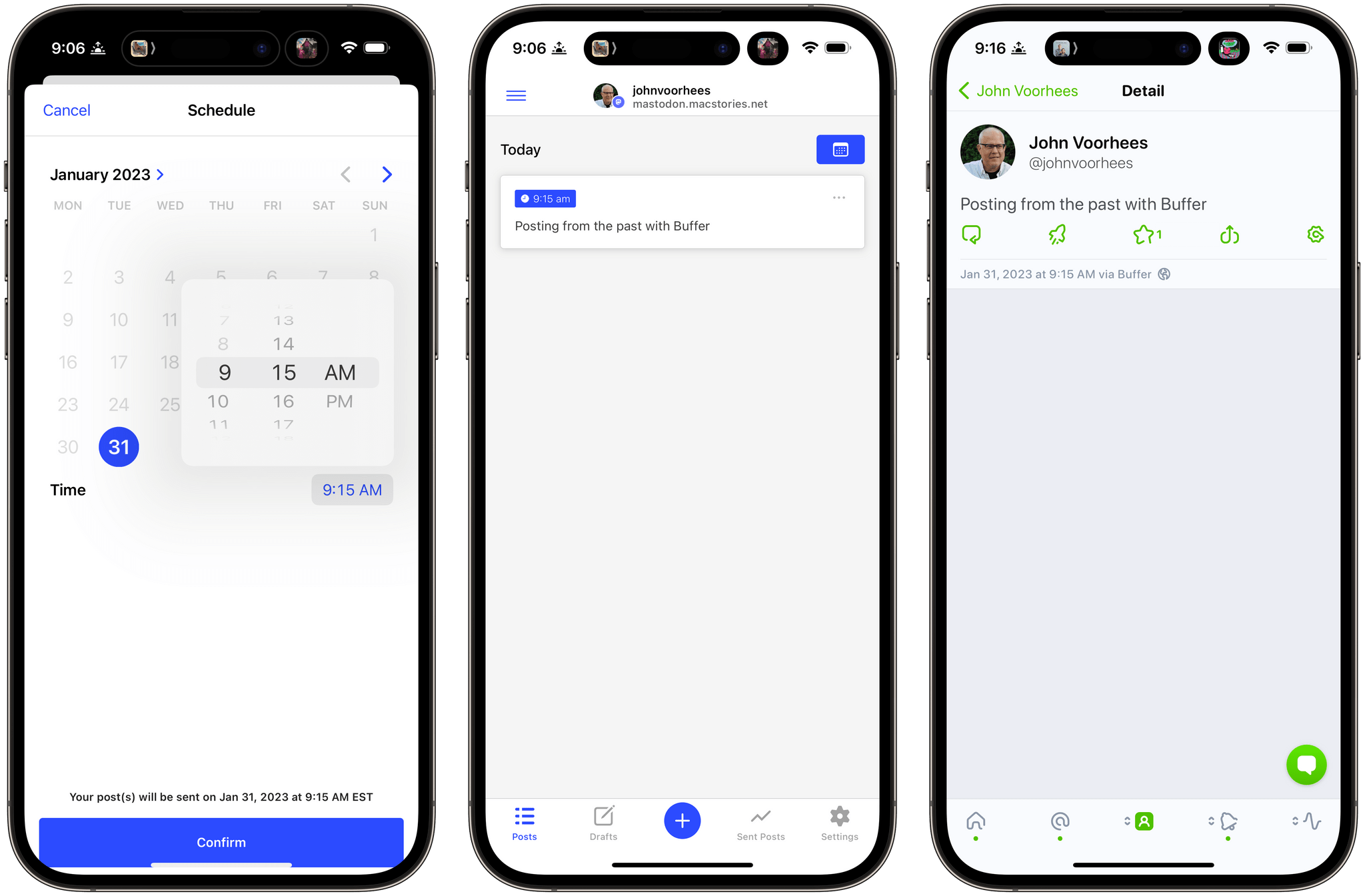
That’s why I’m glad to see Buffer has added Mastodon support to its web and iOS apps today. I’ve been testing Buffer’s beta for the past day, and the best part of the update is that there’s not much to say about it because it’s so easy to use. If you’ve used Buffer before, the process is similar to any other scheduled post you’d create: draft the post, add any media and hashtags you want, and then schedule it. If you want, you can also use Buffer to cross-post to other services.

Scheduling a Mastodon post with Buffer.

Scheduling a Mastodon post with Buffer.

Managing posts for multiple accounts has always been the sort of thing that can disrupt my other work. It’s too easy for me to get distracted and wind up browsing my timeline after I post something from one of our company accounts. With Buffer’s new Mastodon integration, I’m looking forward to creating those posts as part of our production workflow and avoiding getting sucked into my timeline when I have more pressing tasks.


FoodNoms 2 Refreshes Its Design and Adds Refinements to Nutrition Logging and Goal Tracking Throughout

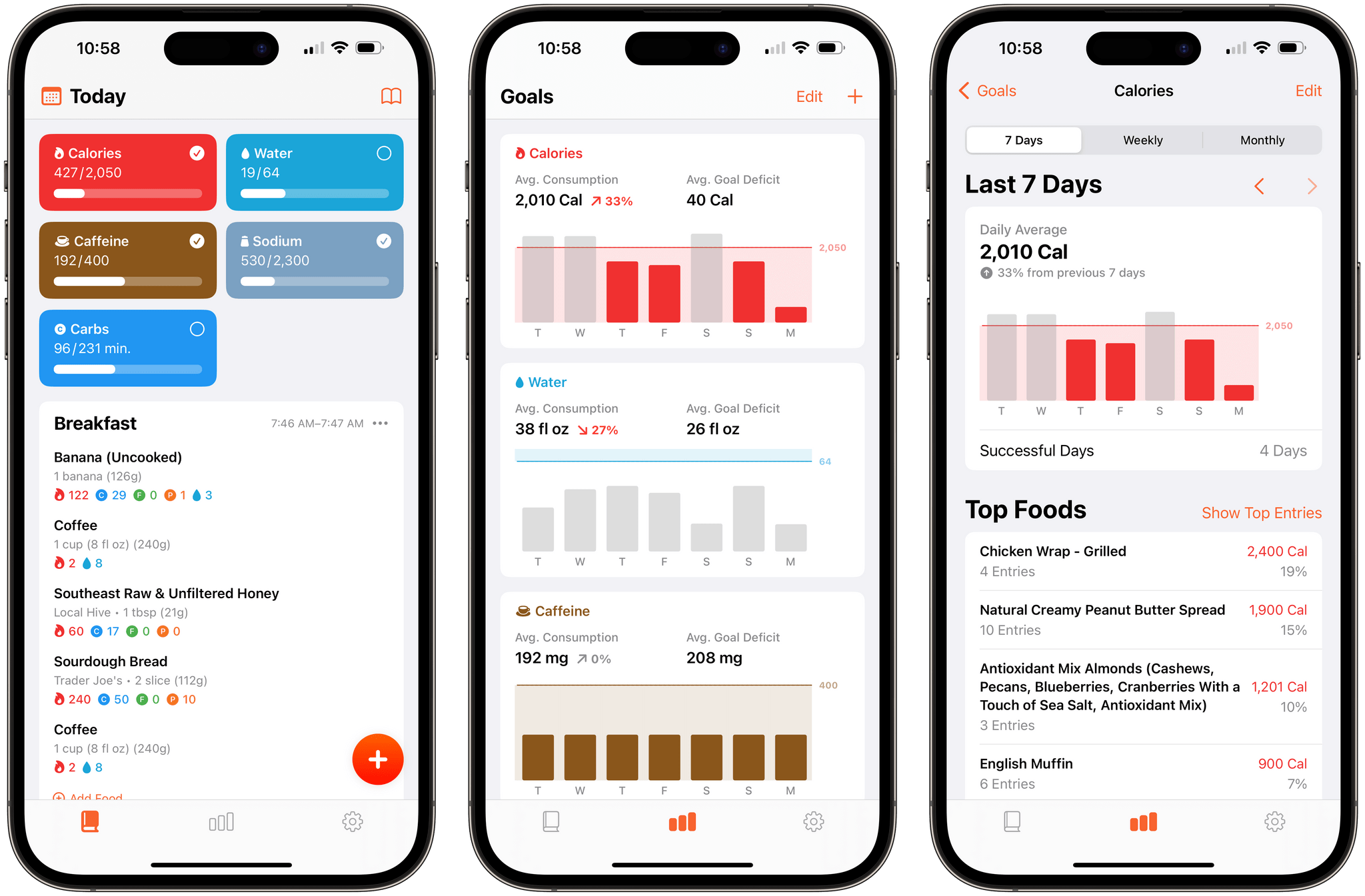
It’s been over two years since FoodNoms, the nutrition tracking app for the iPhone, iPad, Mac, and Apple Watch by Ryan Ashcraft, debuted on the App Store, and I reviewed it. Over the past two years, the app has steadily improved, refining its database of foods, adding Home Screen widgets, and a lot more. With version 2 out today, FoodNoms has taken its biggest step forward since its launch with a long list of new features and a refreshed design.

At its core, FoodNoms lets you set goals, track what you eat, and monitor your progress toward your goals. There are a lot of apps that do something similar, but what sets FoodNoms apart is its design, ease of use, and emphasis on privacy.

Read more


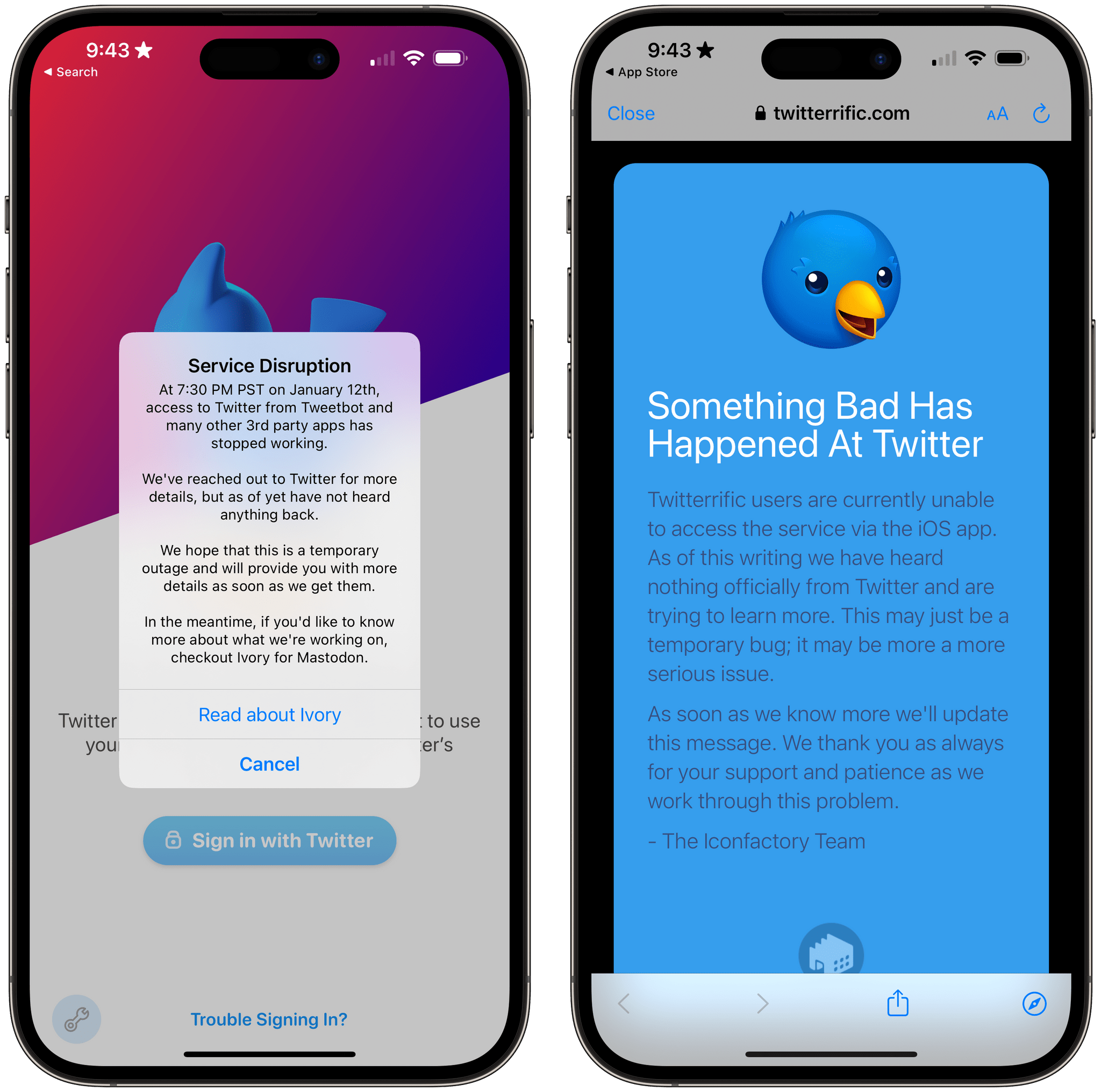
Twitter Intentionally Ends Third-Party App Developer Access to Its APIs

Late yesterday, The Information reported that it had seen internal Twitter Slack communications confirming that the company had intentionally cut off third-party Twitter app access to its APIs. The shut-down, which happened Thursday night US time, hasn’t affected all apps and services that use the API but instead appears targeted at the most popular third-party Twitter clients, including Tweetbot by Tapbots and Twitterrific by The Iconfactory. More than two days later, there’s still no official explanation from Twitter about why it chose to cut off access to its APIs with no warning whatsoever.

To say that Twitter’s actions are disgraceful is an understatement. Whether or not they comply with Twitter’s API terms of service, the lack of any advanced notice or explanation to developers is unprofessional and an unrecoverable breach of trust between it and its developers and users.

Twitter’s actions also show a total lack of respect for the role that third-party apps have played in the development and success of the service from its earliest days. Twitter was founded in 2006, but it wasn’t until the iPhone launched about a year later that it really took off, thanks to the developers who built the first mobile apps for the service.

Read more


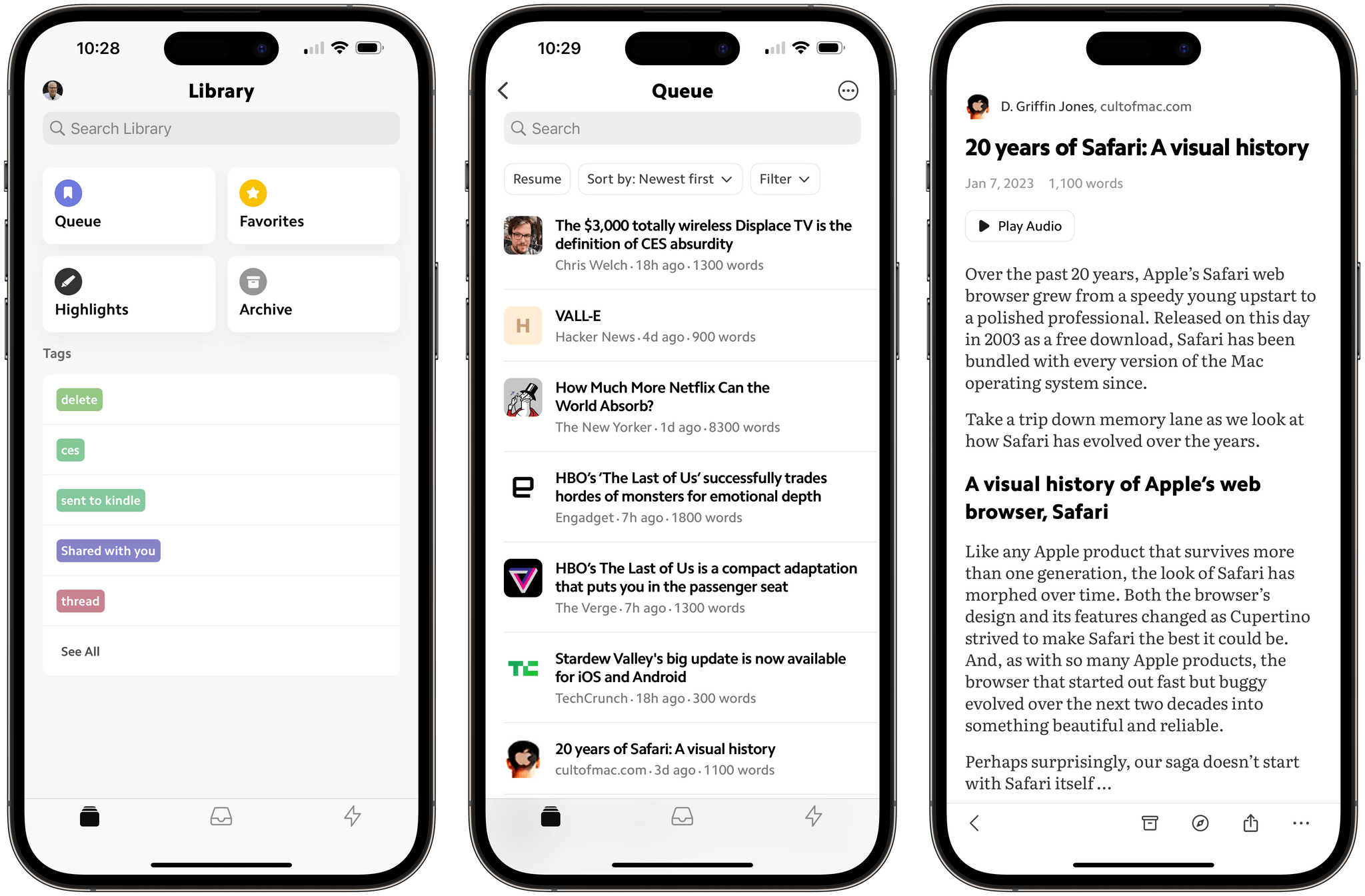
Matter: A Fresh Take on Read-Later Apps

Saving articles and links from the Internet for later isn’t new, but it’s something that has drawn renewed interest from developers over the past year or so, including the makers of Matter, who are reexamining the approaches of the past through a modern lens.

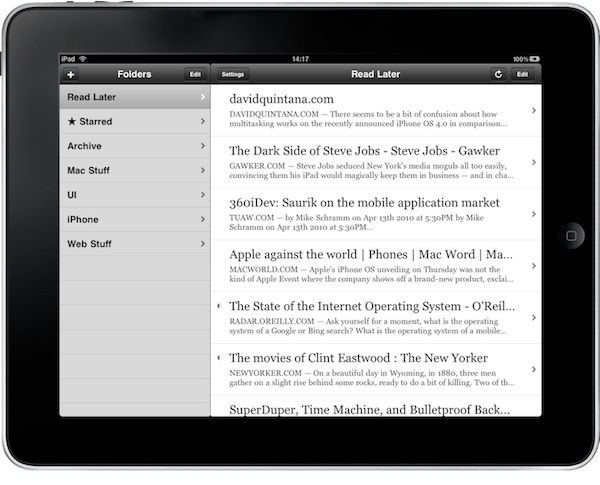
An early version of Instapaper on the iPad.

An early version of Instapaper on the iPad.

Apps like Instapaper and Read It Later, which became Pocket, pioneered saving web articles for later. The original iPhone ran on AT&T’s EDGE mobile network in the US and coverage was spotty. Read-later apps saved stripped-down versions of articles from the web that could be downloaded quickly and read offline when EDGE was unavailable. The need to save content offline because of slow and unreliable mobile networks is far less pressing today, but collecting links and time-shifting reading remains popular.

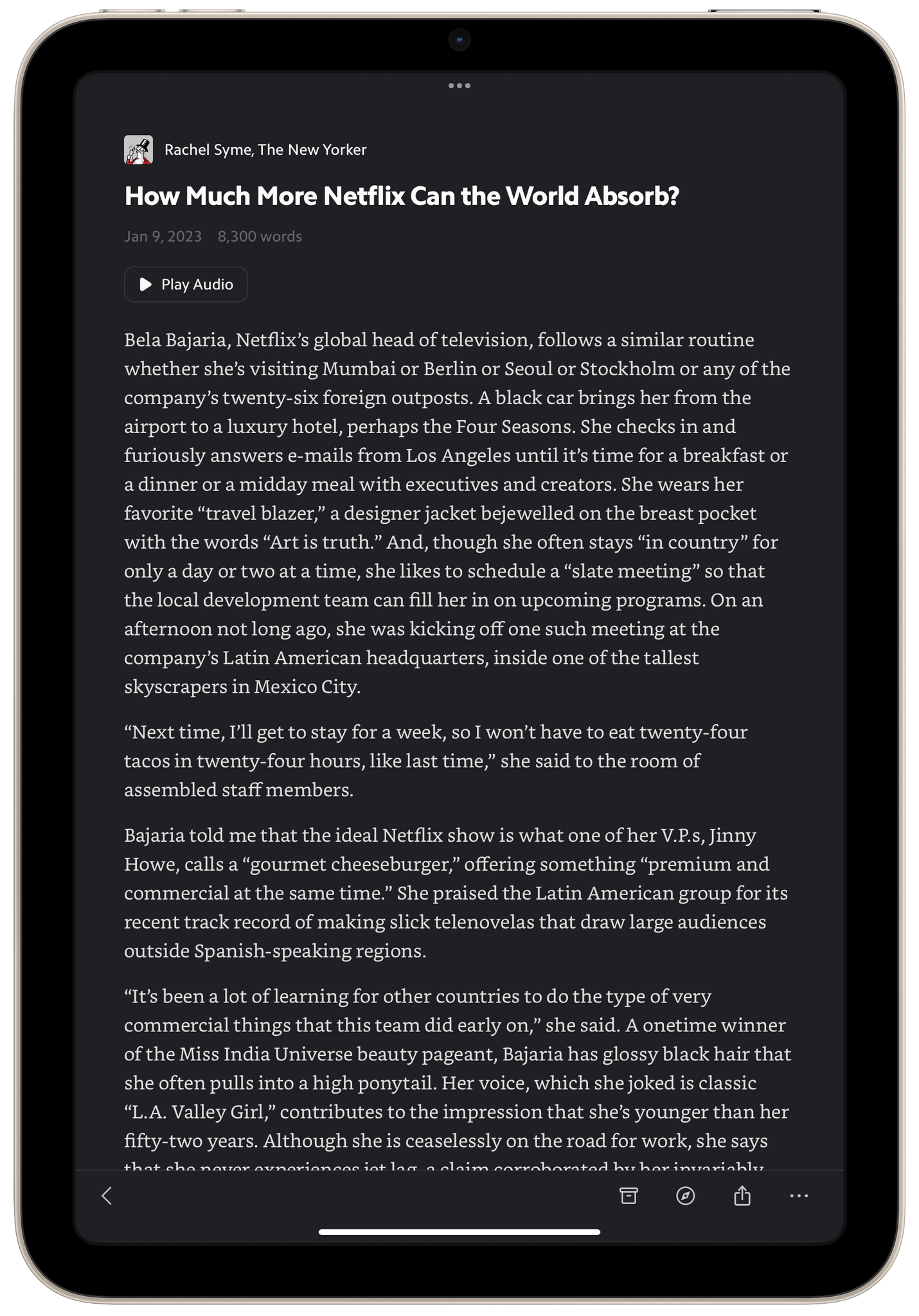
I do most of my Matter reading in the evening on my iPad mini using dark mode.

I do most of my Matter reading in the evening on my iPad mini using dark mode.

Today, classics like Instapaper and Pocket are joined by Matter, which I’m reviewing today, plus Readwise Reader, which is currently in public beta, and a long list of link organizer apps like GoodLinks, Anybox, and Cubox, all of which include their own reading modes and are the spiritual successors to web services like Delicious and Pinboard. The result is that users have more choices than ever. That’s fantastic because, as I’ve learned from MacStories readers, no two people take the same approach to what they save and how they read and process it.

Read more


MacStories Selects 2022: Recognizing the Best Apps of the Year

Introduction

John: It’s time for the MacStories Selects awards, our annual celebration of the apps we love and the people who make them. Every year since 2018, we’ve paused at the end of a busy year to reflect on the hundreds of apps we’ve tried and recognize the best.

It’s been another big year for apps, driven by the ingenuity and creativity of the developers who make them combined with new technologies introduced by Apple. Note-taking apps were big again, and just as we get ready to put 2022 in the rear-view mirror, the read-later app space has begun heating up like it’s 2010 all over again.

Last year, we kicked off the MacStories Selects Awards with a new Lifetime Achievement Award, which we gave to PCalc by James Thomson whose app will celebrate its 30th anniversary in a couple of days. This year, we’ve got another app that has stood the test of time and had an outsized impact on the world of apps, which you can read about in a special story written by our Alex Guyot, whose history with the winning app makes him the perfect choice to present the award.

It’s also time to pause and honor the best apps of the year in the following seven categories:

  • Best New App
  • Best App Update
  • Best New Feature
  • Best Watch App
  • Best Mac App
  • Best Design
  • App of the Year

which were picked by the MacStories team, plus the winner of the Readers’ Choice Award, which was picked by Club MacStories members, for a total of nine awards, plus six runners-up, all of which are covered below.

We also recorded a special episode of AppStories covering all the winners and runners-up. It’s a terrific way to learn more about this year’s apps and includes an interview with our Lifetime Achievement Award winner.

You can listen to the episode below.

AppStories+ Deeper into the world of apps
0:00
01:06:13

AppStories+ Deeper into the world of apps

So, without further ado, it’s my pleasure to introduce the 2022 MacStories Selects Awards to the MacStories community.

Read more