

I remember when our 2 kids were infants, we monitored them with audio-only monitors, and that wasn’t too long ago. I remember seeing some units that let you install a video monitor but they seemed very expensive at the time. Now Y-Cam has released the WiFi Baby 3G, a Wi-Fi enabled baby monitor that displays HD quality video and audio for daytime and even uses night-vision technology for night-time monitoring.
Posts tagged with "iOS"
Turn Your iDevice into a Monitor with WiFi Baby

MacStories Weekly Game: Battleships
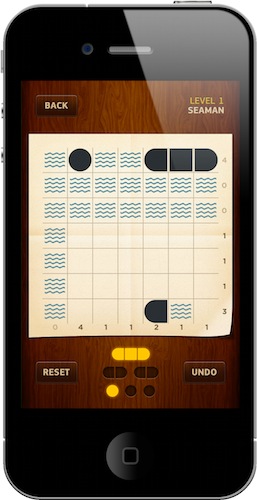
To make up for last week’s lack of a featured Weekly Game, we’re going to cover two different iOS games this week. The first one is Battleships, an intriguing (and pretty challenging) puzzle game for the iPhone developed by Rits Plasman and designed by pixel rockstar Marcelo Marfil. Read more
Steve Jobs is a Ninja!
UPDATE: Ninja Steve was approved and is live in the App Store for $.99 -> LINK
The gameplay is very simple, Ninja Steve is all about fast reflexes and accuracy. The ‘Smartbots’ fly around until they get close enough to zap you. Touch an enemy to fire a shuriken. After a while you will build up a RDF, which is like an electromagnetic shock, shake your iDevice to activate it. There are three different stages and four different ‘Smartbots’. There are 15 main levels, plus 2 extra levels.
It’s a really simple game with a few Apple-like references but it gets a little stale and repetitive after a while but for $.99, Apple fanboys can kick ‘Smartbot’ ass ninja-style!
Remember when Steve Jobs couldn’t take his ninja stars aboard his private plane back in September? Maybe he should have used a smoke bomb to get them aboard.
Anyway, Woltz Media is developing an iOS game called Ninja Steve. It’s about a CEO named ‘Steve’ (no official affiliation with Jobs or Apple) that is also a trained ninja assassin.

Official Google Books iOS App Goes Live
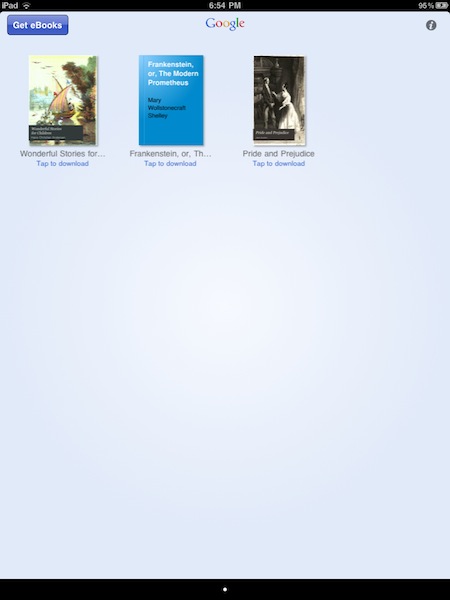
Google launched its official eBook store earlier today, and promised an official iOS app for iPhone and iPad would follow in a few hours. The app is now available for free in iTunes here.
Google Books allows you to check on Google’s 2 million book catalogue and download ebooks to read them on your iPhone and iPad. The app comes with the same page turning animations of Apple’s iBooks, but the overall interface is quite different and similar to Google’s standard color schemes. Google Books features an offline reading mode to read books when you don’t have an active internet connection (useful on WiFi iPads when on the go), possibility to search within a book and adjust a font’s size, a night reading mode.
Surprisingly enough, the app doesn’t seem to support landscape mode on the iPad. I found the scrubber at the bottom to be particularly useful to jump between chapters of a book. Last, the app lets you download 3 books for free: “Pride and Prejudice”, “Frankeinstein, or, The Modern Prometeus” and “Wonderful Stories for Children”.
Check out the full changelog and more screenshots below.
This 5-Row iOS Keyboard Makes My Typing Faster | Cydia Store
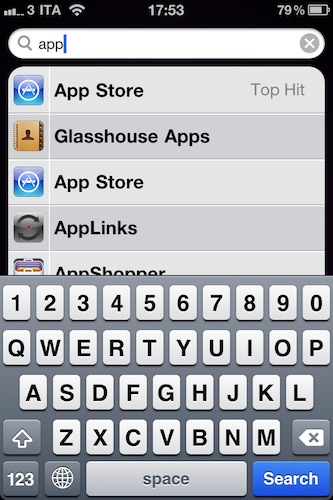
5-Row Keyboard iOS 4 is a $0.99 tweak available in the Cydia Store which, you guessed it, adds a fifth row to the standard iOS keyboard. Most specifically, it adds a numeric row so that you won’t have to constantly change the keyboard layout when having to type numbers. That happens every day to me, especially when typing password, and it’s incredibly annoying.
This hack makes the keyboard bigger, but I haven’t really noticed any difference. Actually, my mobile typing has improved as I can get sentences and passwords done faster. To configure the tweak, install it from Cydia and activate it as a theme in Winterboard. Then open your keyboard settings in General -> Keyboard, select your default keyboard and apply the new 5-Row layout.
Useful.
I Just Met The Real AirPlay
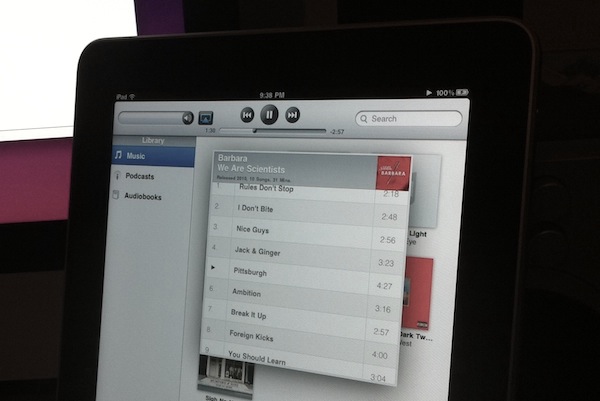
Until today, I never really experienced a real-life AirPlay situation. Sure, I configured a couple of devices to work with it, I even hacked my iPhone and iPad to become AirPlay speakers and played around with some tweaks from Cydia, but all this was mainly done in order to guarantee coverage for MacStories. A few minutes ago I finally met the real AirPlay. It wasn’t planned. It just sort of happened, and it was great. Read more
Infinifolders Updated, Now Supports iOS 4.2.1 On iPad | Cydia Store
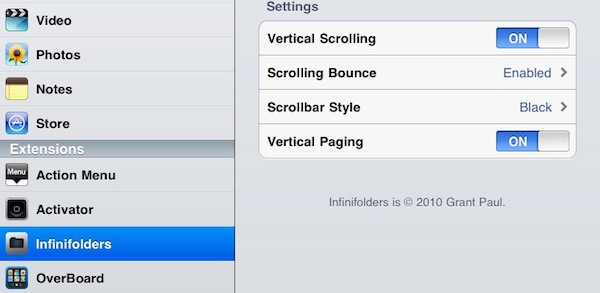
Infinifolders by chpwn is one of our favorite Cydia tweaks here at MacStories: not only it allows you to put as many apps as you wish inside iOS folders (current limitation is 12 on the iPhone, 20 on the iPad), it also lets you customize the way folders become “scrollable” and activate a neat vertical paging functionality.
The latest update, version 1.3.3-1, adds full iOS 4.2.1 support for the iPad, which can now enjoy the power of unlimited folders as well. I’ve been testing the update on my jailbroken iPad and it works perfectly.
If you’re considering a jailbreak for your iPad running iOS 4.2 but looking “limited” in certain features, Infinifolders is one of those tweaks that leverage the real potentialities of the Cydia community. Recommended.
Camera Connection Kit on iOS 4.2 No Longer Powers Some USB Devices - Bug or Feature?

When Apple unveiled the iPad, they also announced they would release a dongle called Camera Connection Kit to allow users to connect digital cameras and SD cards to their iPads. When the Camera Connection Kit became available, users found out that it was possible to plug a series of USB devices, keyboards (even Apple’s ones) and microphones in the iPad. The device running the old iOS 3.2 recognized the peripherals just fine.
As reported by Mark Gurman at 9to5mac last night, though, it seems like there is a bug on the recently released iOS 4.2 that prevents devices requiring more than 20mA of power to be connected to the iPad:
The essence of the issue with the connection kit and iOS 4.2 is that connected devices that require power of more than 20mA will no longer work. That means that many USB keyboards (Apple’s included) will no longer work with the iPad, as well as USB flash drives. When the user connects a device that is not self-powered and requires more than 20mA of power from the iPad they get the following alert: “The connected USB device requires too much power.
Microsoft’s Silverlight To Gain iOS Support in 2011

At the Silverlight Firestarter event two days ago, Microsoft announced a new version of its cross-platform runtime and development platform, Silverlight. The new version, dubbed Silverlight 5, will see a first public beta release in the second quarter of 2011, with a final release to follow before the end of next year.
Silverlight 5 will focus on better, more interactive media experiences for Microsoft’s suite of business application; Redmond’s giant wants to offer a technology that will help developers create great user experiences. While we don’t know about developers’ support for the platform, it’s interesting that the new version of Silverlight will introduce support iOS devices. At the event in Redmond, Microsoft demoed the new Silverlight on an iPad, and confirmed that during 2011 they’ll roll out support for iOS and Windows Phone 7.
Good luck with the HTML5 and Flash competition, Microsoft.