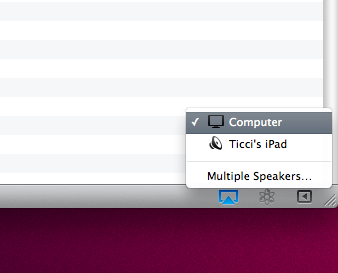
One of the biggest limitations of the current version of AirPlay shipping with iOS 4.2.1 (well, video streaming to Apple TV aside) is the fact that you can’t use an iOS device as an AirPlay speaker. In fact, a speaker can be an Apple TV, an audio system connected to an AirPort Express station or an AirPlay-enabled audio system. But, you can’t send audio from an iOS device to another iOS device or from iTunes on your Mac/PC to an iPhone/iPad.
Imagine the possibilities of iOS devices as AirPlay speakers: you’re in the car, iPhone is connected to your car’s audio setup, a friend’s in the backseat playing with his iPad. He wants to send some music from his iPad library to the iPhone, he fires up the iPod app on his tablet and instantly streams music to the car’s audio system thanks to the iPhone acting as a speaker. Or, your Mac’s in your bedroom and you want to play some tunes on your iPad. If only the iPad was an AirPlay speaker, you wouldn’t have to sync music (and thus eat space) on it.
With the following tutorial (files courtesy of TouchBite) you’ll be able to turn any iOS device running iOS 4.1 and above into an AirPlay speaker. Read more