This Week's Sponsor:

Turbulence Forecast

Know before you go. Get detailed turbulence forecasts for your exact route, now available 5 days in advance.


Posts tagged with "iOS"

Notes on Mercury Weather’s New Radar Maps Feature

Since covering Mercury Weather 2.0 and its launch on the Vision Pro here on MacStories, I’ve been keeping up with the weather app on Club MacStories. It’s one of my favorite Mac menu bar apps, it has held a spot on my default Apple Watch face since its launch, and last fall, it added severe weather notifications.

I love the app’s design and focus as much today as I did when I wrote about its debut in 2023. Today, though, Mercury Weather is a more well-rounded app than ever before. Through regular updates, the app has filled in a lot of the holes in its feature set that may have turned off some users two years ago.

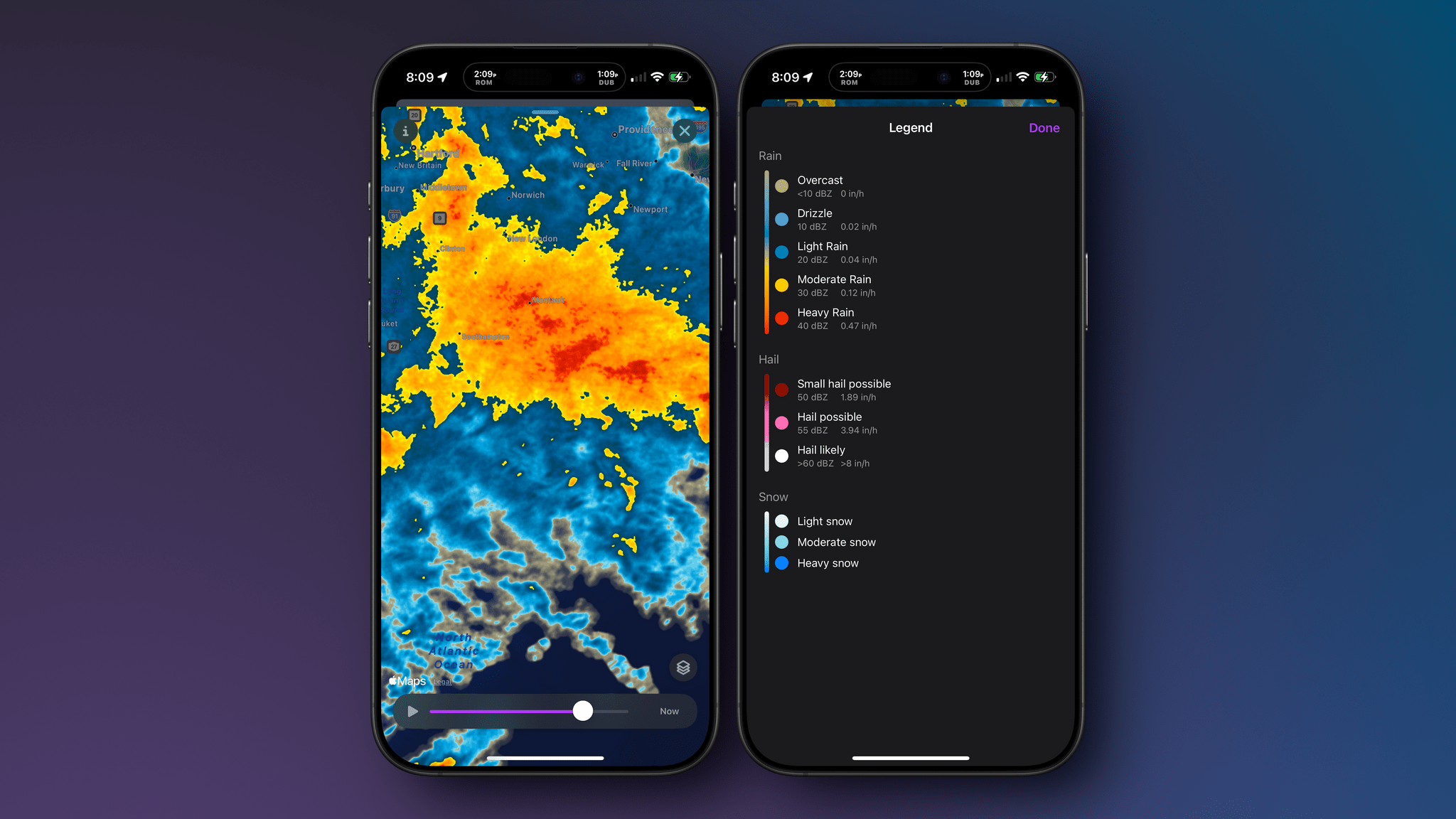
Today, Mercury Weather adds weather radar maps, which was one of the features I missed most from other weather apps, along with the severe weather notifications that were added late last year. It’s a welcome addition that means the next time a storm is bearing down on my neighborhood, I won’t have to switch to a different app to see what’s coming my way.

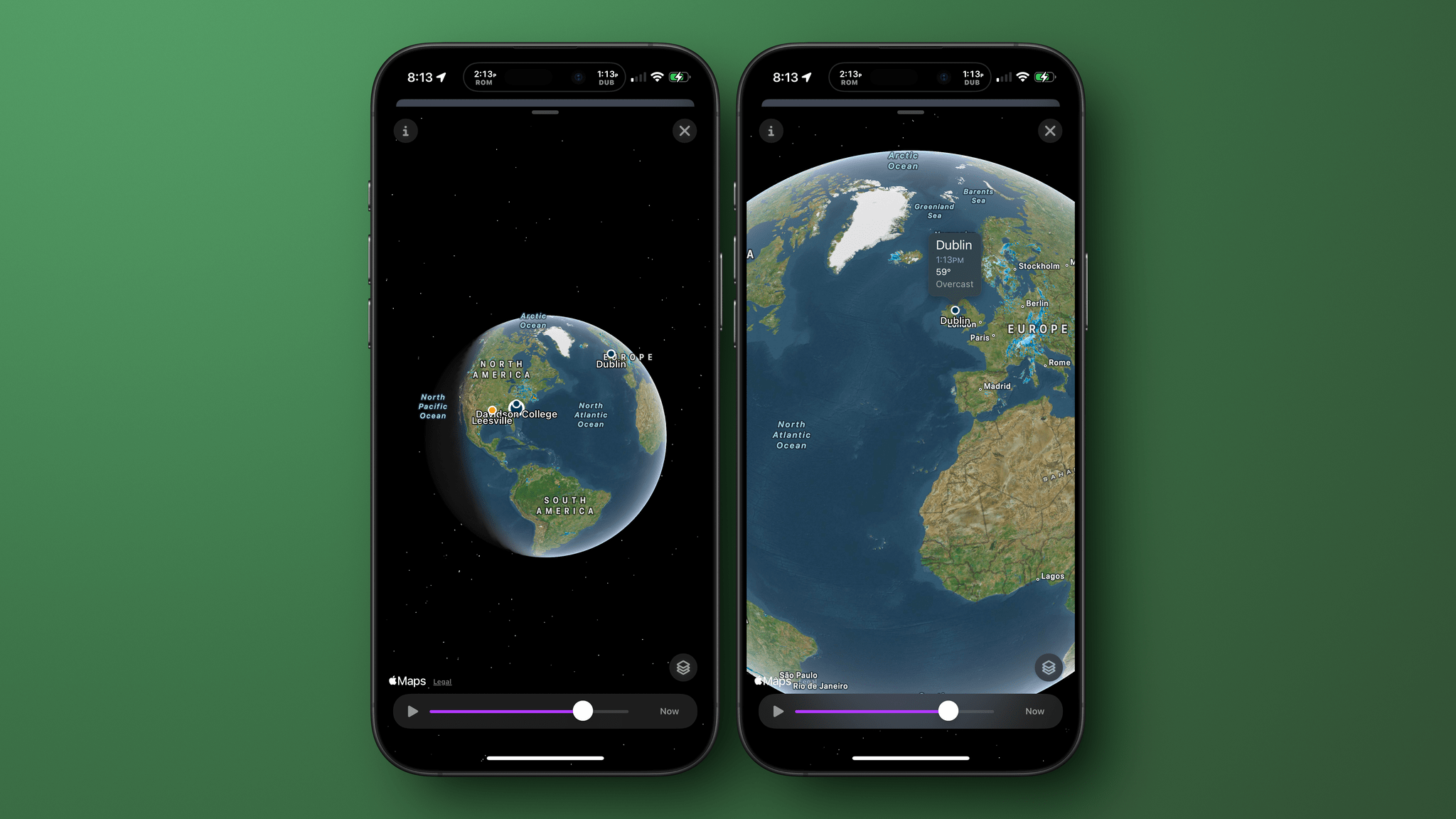
Zooming out to navigate the globe.

Zooming out to navigate the globe.

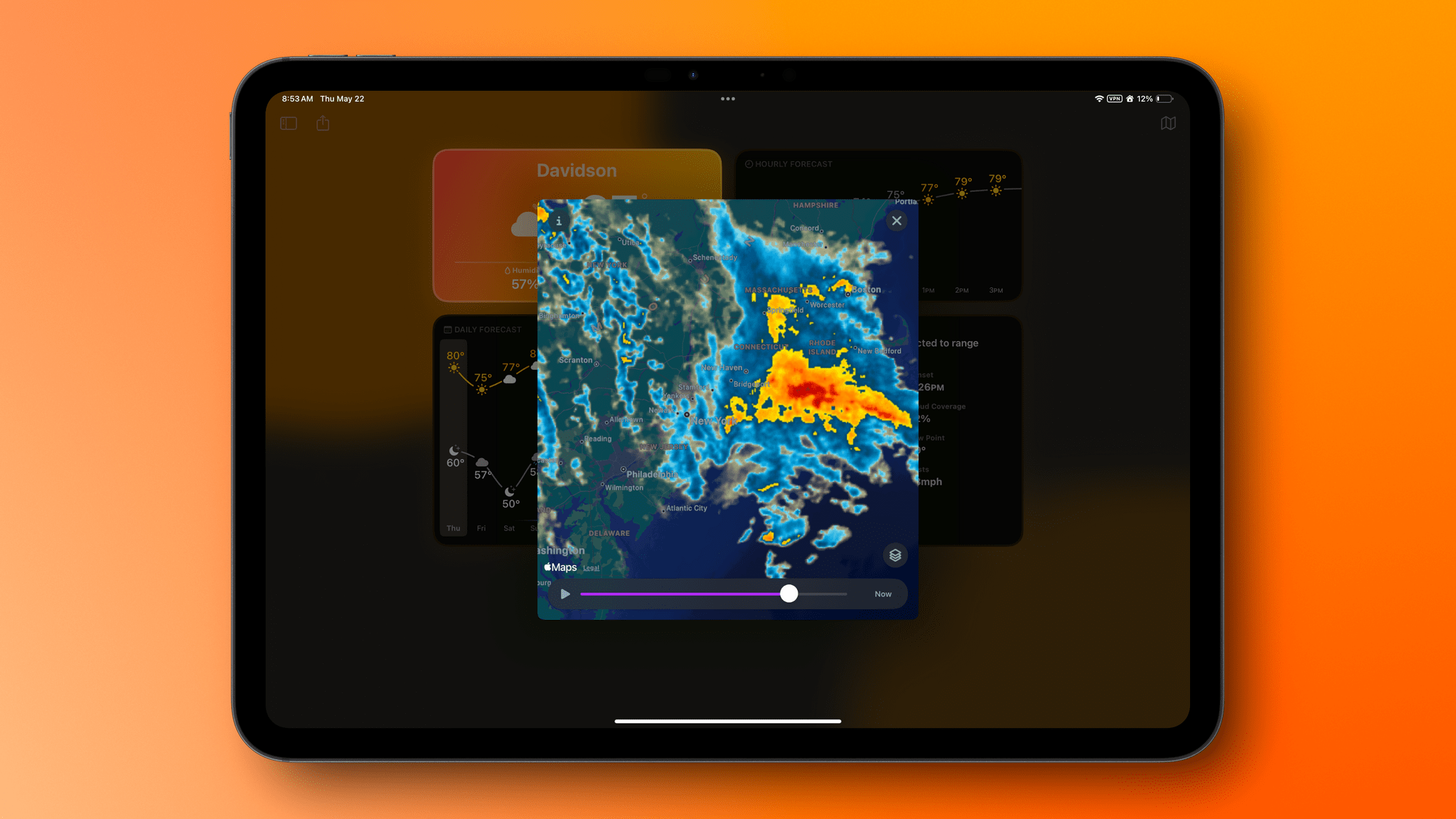
Radar maps are available on the iPhone, iPad, and Mac versions of Mercury Weather; they offer a couple of different map styles and a legend that explains what each color on the map means. If you zoom out, you can get a global view of Earth with your favorite locations noted on the map. Tap one, and you’ll get the current conditions for that spot. Mercury Weather already had an extensive set of widgets for the iPhone, iPad, and Mac, but this update adds small, medium, and large widgets for the radar map, too.

A Mercury Weather radar map on the Mac.

A Mercury Weather radar map on the Mac.

With a long list of updates since launch, Mercury Weather is worth another look if you passed on it before because it was missing features you wanted. The app is available on the App Store as a free download. Certain features require a subscription or lifetime purchase via an in-app purchase.


After Years in the Lab, CarPlay Ultra Emerges

Image: Apple.

Image: Apple.

Almost three years ago, Apple offered a sneak peek at an elaborate new version of CarPlay that spread beyond the rectangle of most car infotainment systems to occupy the instrument cluster space in front of front seat passengers. As I said at the time:

It will be interesting to see how widespread the adoption of the features Apple demoed will be. The company listed 14 automakers like Land Rover, Mercedes, Porsche, Nissan, Volvo, Honda, and Ford that they are working with, but it remains to be seen which models will adopt the new CarPlay and how quickly.

Originally set to launch in 2024, Apple announced today that what is now called CarPlay Ultra is available for new Aston Martin orders in the U.S. and Canada and soon as a software update to Aston Martins with the carmaker’s “next-generation infotainment system.” Apple says Aston Martin support in other countries will follow over the next 12 months.

Image: Apple.

Image: Apple.

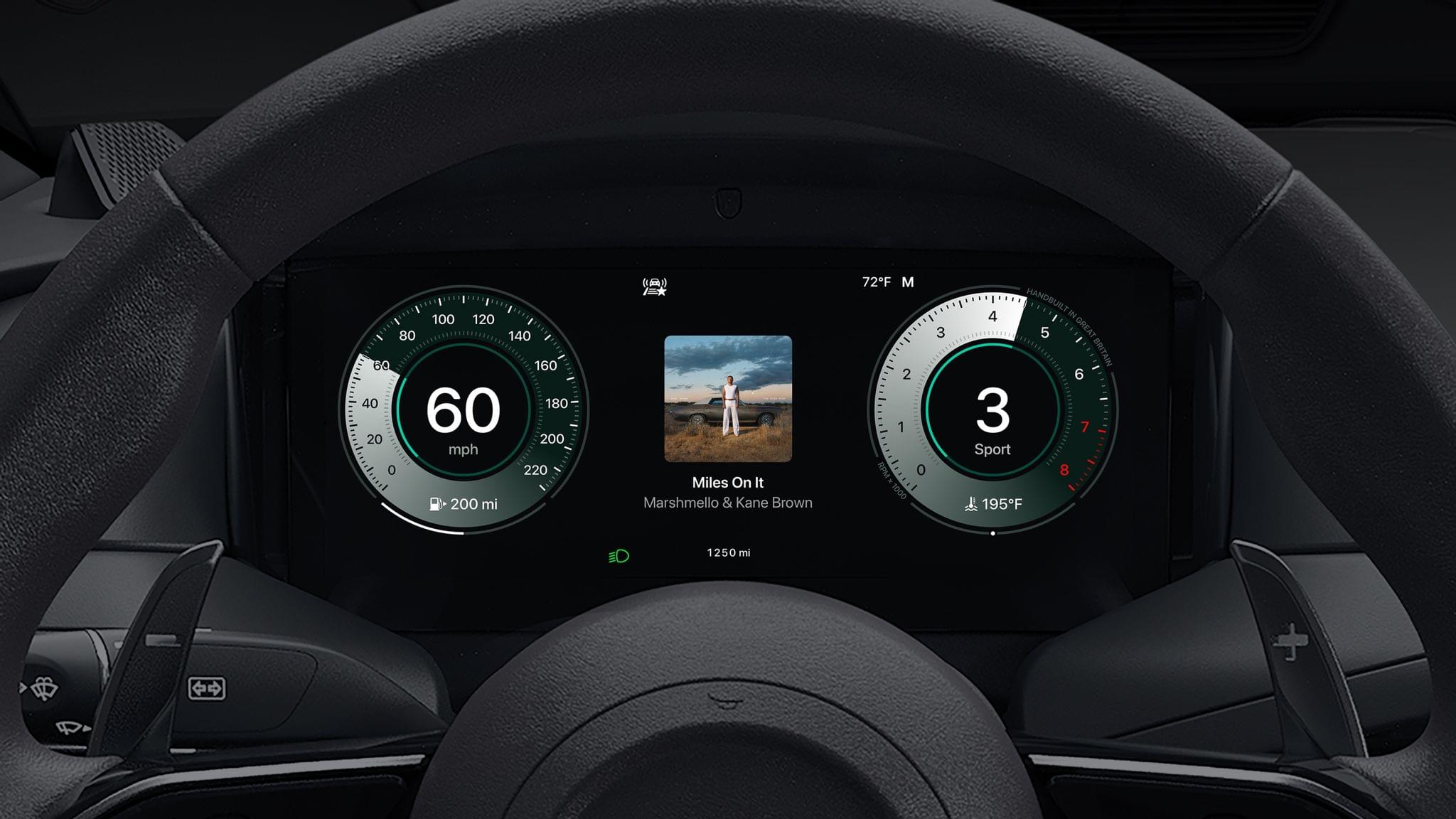
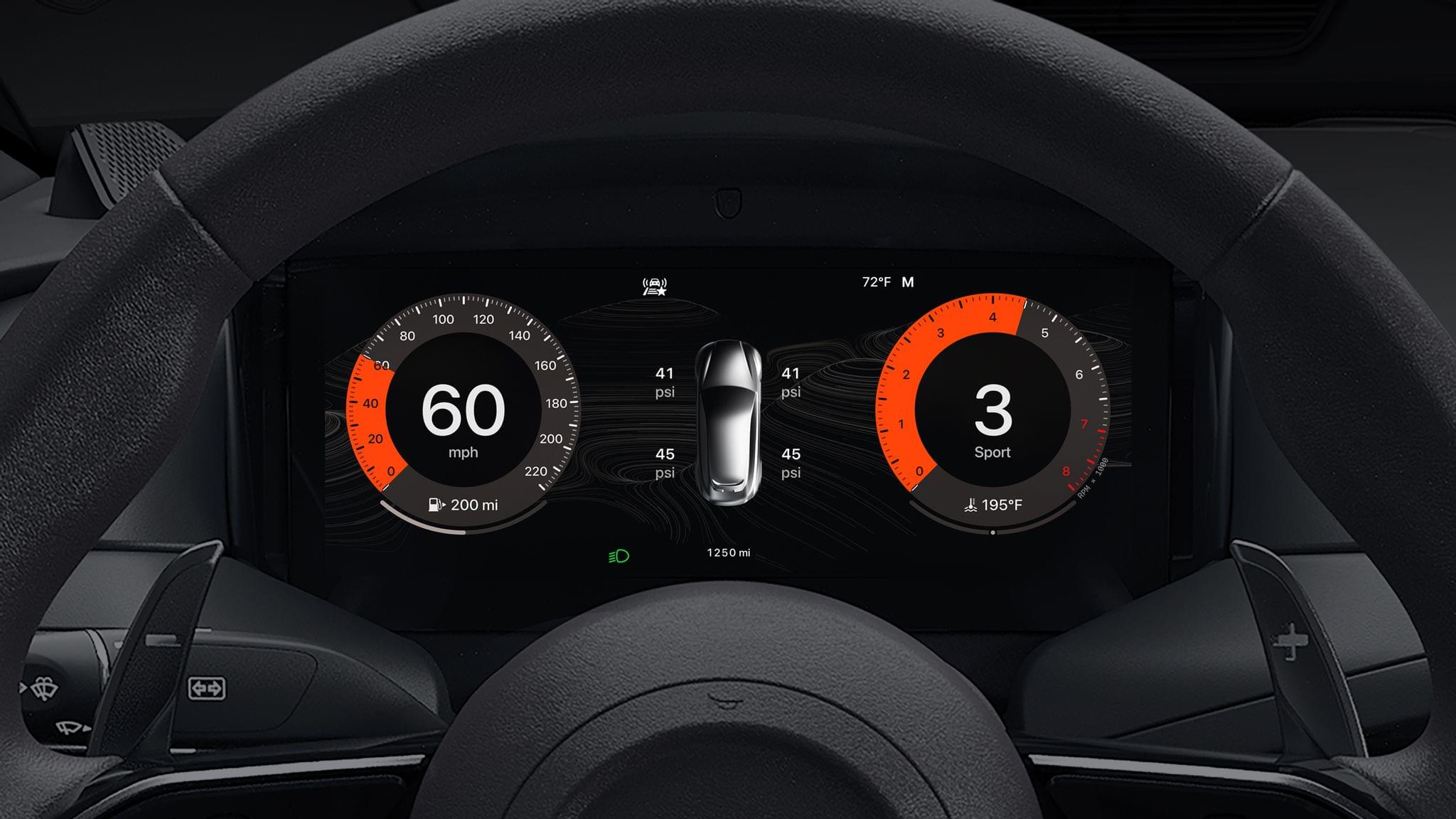
The difference between standard CarPlay and the Ultra flavor is that the new version takes over a driver’s entire dashboard and extends beyond traditional CarPlay features to vehicle-specific data and controls. As Apple describes it:

CarPlay Ultra provides content for all the driver’s screens, including the instrument cluster, with dynamic and beautiful options for the speedometer, tachometer, fuel gauge, temperature gauge, and more, bringing a consistent look and feel to the entire driving experience. Drivers can choose to show information from their iPhone, like maps and media, along with information that comes from the car, such as advanced driver assistance systems and tire pressure, right in the instrument cluster.

Drivers can also use onscreen controls, physical buttons, or Siri to manage both standard vehicle functions like the car’s radio and climate, as well as advanced, vehicle-specific features and controls like audio system configurations or performance settings, right from CarPlay, giving them a more fluid and seamless experience. CarPlay Ultra also introduces widgets powered by iPhone that perfectly fit the car’s screen or gauge cluster to provide information at a glance.

Although CarPlay Ultra looks great, one car maker is a far cry from the 14 automakers listed on a slide at WWDC in 2022. That’s not surprising given pushback from automakers like GM, which announced in 2023 that it was ending CarPlay and Android Auto support for its EVs, and resistance from the likes of Tesla and Rivian to add CarPlay in the first place. However, Apple clearly oversold what would become CarPlay Ultra in 2022 in a way that in hindsight now feels a lot like Apple Intelligence’s enhanced Siri demo at last summer’s WWDC.

Still, I’m glad to see CarPlay Ultra emerge from the labs, even if it’s in a car that few people can afford. Auto tech inevitably trickles down to ordinary cars, and I’m sure CarPlay Ultra will, too, although I expect it will be quite a while until then.


Developers and Platforms React as App Store Rules Change in the U.S.

On Wednesday evening, Judge Yvonne Gonzalez Rodgers held Apple in contempt, ordering, among other things, that it immediately drop the 27% fee it was charging developers who linked users to the web for purchases. As the judge put it:

This is an injunction, not a negotiation. There are no do-overs once a party willfully disregards a court order. Time is of the essence. The Court will not tolerate further delays.

(Contempt Order at pg. 3).

As Chance Miller reported at 9to5Mac, those changes are already reflected in Apple’s App Review Guidelines. In an email sent to anyone with a developer account, Apple explained:

The App Review Guidelines have been updated for compliance with a United States court decision regarding buttons, external links, and other calls to action in apps. These changes affect apps distributed on the United States storefront of the App Store, and are as follows:

  • 3.1.1: Apps on the United States storefront are not prohibited from including buttons, external links, or other calls to action when allowing users to browse NFT collections owned by others.
  • 3.1.1(a): On the United States storefront, there is no prohibition on an app including buttons, external links, or other calls to action, and no entitlement is required to do so.
  • 3.1.3: The prohibition on encouraging users to use a purchasing method other than in-app purchase does not apply on the United States storefront.
  • 3.1.3(a): The External Link Account entitlement is not required for apps on the United States storefront to include buttons, external links, or other calls to action.

(Source: Apple email to developers on May 1, 2025).

Notably, the changes affect only the U.S. App Store, further fragmenting App Store rules along geopolitical boundaries which began with regulations in China, South Korea, Japan, the Netherlands, and the EU.

Probably the best evidence that Apple’s former rules were restraining competition is the flurry of additional news since Judge Gonzalez Rodgers’ ruling:

  • As I predicted in my story, Patreon has said it will submit an update to its app to allow creators to accept payments outside its iOS app, something that was possible until last summer when Patreon was forced to retrofit its app to account for Apple’s In-App Purchases and payments through its website in what was an inelegant solution that forced creators to either charge more on iOS or absorb Apple’s fees on what are often small monthly payments to begin with.
  • Spotify posted on its blog that it has already submitted an update to its app that will let users see how much a Spotify subscription costs from inside the app and link out to Spotify’s website to upgrade or change their subscription plans.
  • Payment processor Stripe whipped up documentation guiding developers through the process of setting up subscription and digital goods sales outside their apps.
  • Beginning in June, the Epic Games Store will handle payment processing for developers at no cost up to the developers’ first $1 million of revenue. After $1 million of revenue the split will be the existing 88% to developers and 12% to Epic Games. In June, Epic Games will also offer developers the ability to set up their own webshops for ‘out-of-app purchases.’ The webshops will be available to iOS developers in the U.S. and EU and users making purchases in them will get 5% back in Epic Rewards for their purchases. Epic Games has not said how much it will charge developers who set up a webshop.

These moves by big players aren’t surprising, and I’m sure we’ll see more companies explore ways to take advantage of Wednesday’s ruling. Over time, though, the more interesting consequence of Wednesday’s ruling will be whether and how it changes the business models of indie developers and other small businesses that offer apps.


Sundar Pichai Testifies That He Hopes Gemini Will Be Integrated into iPhones This Fall

Ever since Apple announced its deal to integrate ChatGPT into Siri, there have been hints that the company wanted to make deals with other AI providers, too. Alphabet CEO Sundar Pichai has added fuel to the rumors with testimony given today in the remedy phase of the search antitrust case brought against it by the U.S. Department of Justice.

In response to questions by a DOJ prosecutor, Pichai testified that he hoped Google Gemini would be added to iPhones this year. According to a Bloomberg story co-authored by Mark Gurman, Davey Alba, and Leah Nylen:

Pichai said he held a series of conversations with Apple Chief Executive Officer Tim Cook across 2024 and he hopes to have a deal done by the middle of this year.

This news isn’t surprising, but it is welcome. Despite Google’s early stumbles with Bard, its successor, Gemini, has improved by leaps and bounds in recent months and has the advantage of being integrated with many of Google’s other products that have a huge user base. What will be interesting to see is whether Gemini is integrated as an alternative fallback for Siri requests or whether Apple and Google ink a broader deal that integrates Gemini into other aspects of iOS.

Permalink

What Siri Isn’t: Perplexity’s Voice Assistant and the Potential of LLMs Integrated with iOS

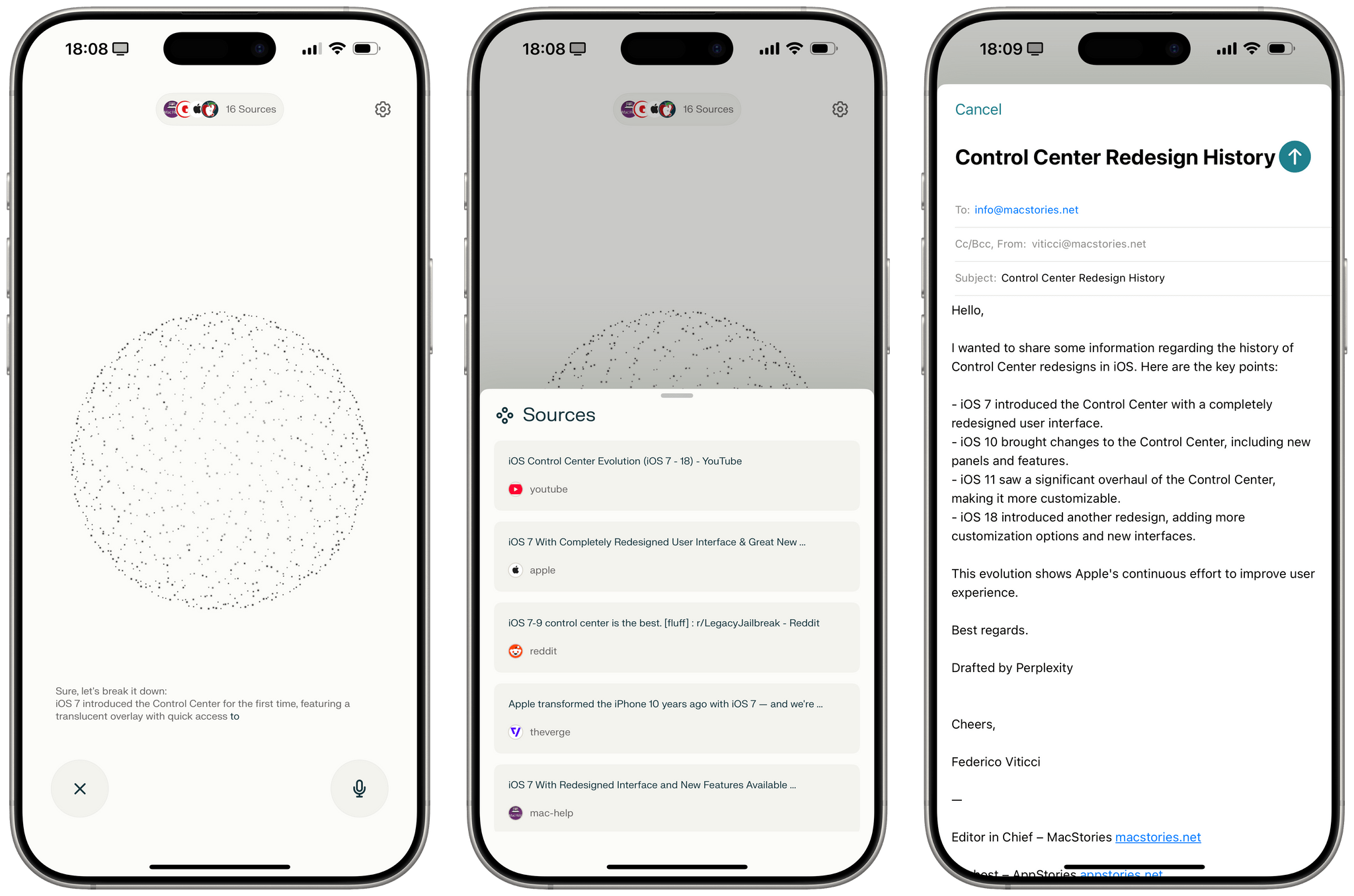
Perplexity's voice assistant for iOS.

Perplexity’s voice assistant for iOS.

You’ve probably heard that Perplexity – a company whose web scraping tactics I generally despise, and the only AI bot we still block at MacStories – has rolled out an iOS version of their voice assistant that integrates with several native features of the operating system. Here’s their promo video in case you missed it:

This is a very clever idea: while other major LLMs’ voice modes are limited to having a conversation with the chatbot (with the kind of quality and conversation flow that, frankly, annihilates Siri), Perplexity put a different spin on it: they used native Apple APIs and frameworks to make conversations more actionable (some may even say “agentic”) and integrated with the Apple apps you use every day. I’ve seen a lot of people calling Perplexity’s voice assistant “what Siri should be” or arguing that Apple should consider Perplexity as an acquisition target because of this, and I thought I’d share some additional comments and notes after having played with their voice mode for a while.

Read more


Contabulation

Rumors have been flying for a while about a planned redesign for iOS 19. One of the rumors is that iOS tab bars will support search bars, which led Ben McCarthy, the developer of Obscura, to write a terrific breakdown of how tab bars should be used:

If search is the primary form of navigation, as in Safari, Maps, or Callsheet, it should be at the bottom. If a search bar is just used for filtering content already on screen, then it can make more sense to leave it at the top, as scrolling is probably the more natural way to find what you’re looking for (the Settings app is a good example of this). So I’m delighted at the rumours that iOS 19’s Tab Bars can adapt into Search Bars when needed. I think it’ll be [a] big improvement and allow for more flexible navigation patterns with less code.

But Ben didn’t just provide pointers on how tab bars should be used. They also explained that tab bars:

  • should support actions and context menus,
  • accommodate more than five tabs,
  • and allow for user-generated tabs, something that is common on macOS.

It’s a great post, well worth studying as we wait to see whether and how far Apple will go in modifying the tab bar. As Ben notes, the tab bar has been around since the beginning of the iPhone, has changed very little, and is due for a redesign. I agree.

Permalink

Terminology 5: Rebuilt and Better than Ever

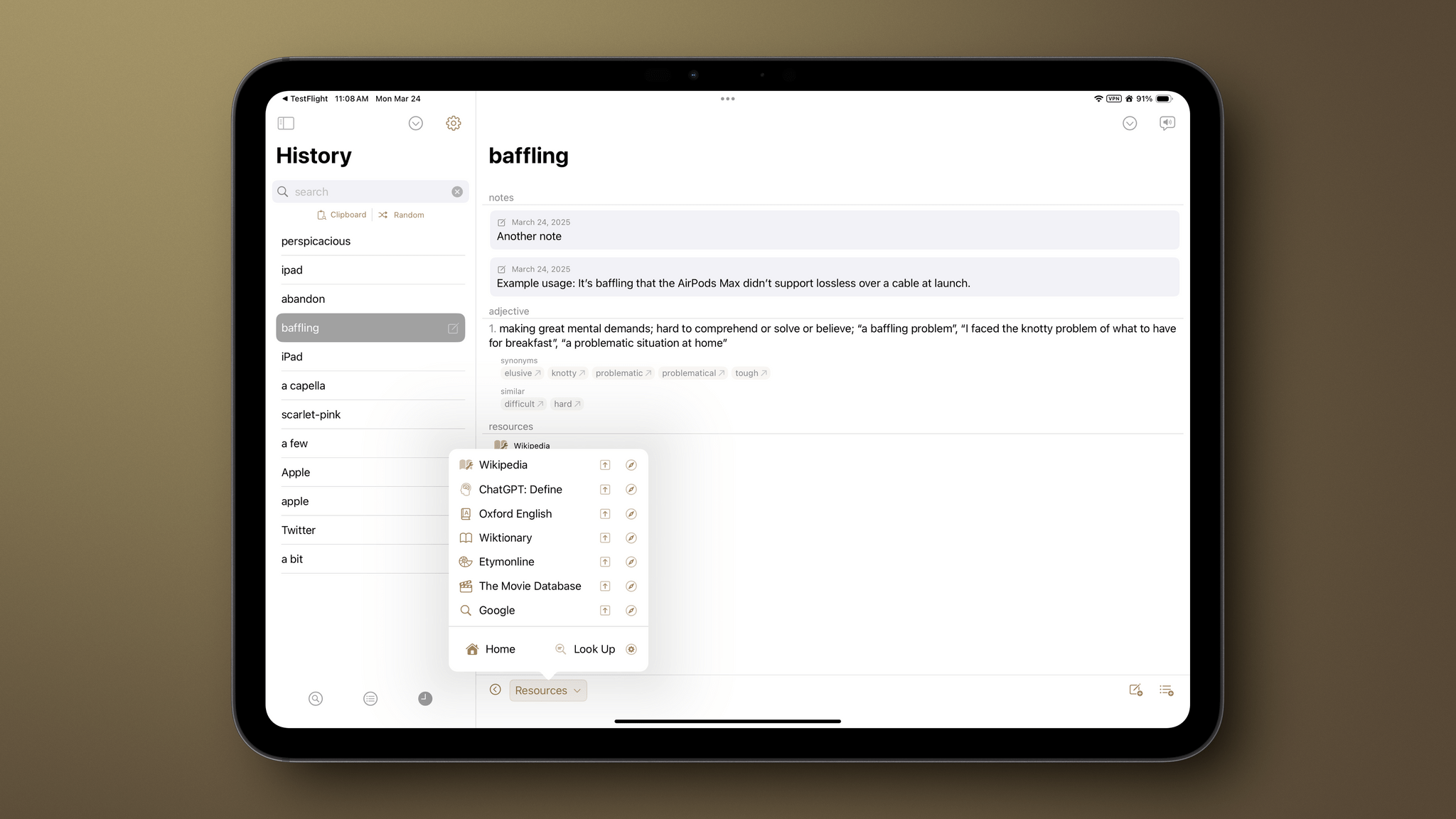
It’s been quite a while since I did a full review of Agile Tortoise’s Terminology, an extensible dictionary and reference tool for the iPhone and iPad. It’s hard to believe the app has been around for 15 years now, but with today’s release of version 5.0, Greg Pierce has introduced a thoroughly modern ground-up rewrite of the app that is richer and more extensible than ever, making it one of my favorite research tools.

Let’s take a look at what’s new.

Read more


Hands-On with Multiple Pinned Item Lists in Callsheet

It’s been over a year and a half since the debut of Callsheet, the app from Casey Liss for looking up information about films and TV shows, and the app has grown a lot in that time. From new app icon variations to more fine-grained spoiler settings to actors’ heights and ages, Callsheet has gained many new capabilities. My favorite addition thus far is the indicator for mid- and post-credit scenes in movies.

The app’s latest update expands greatly upon a feature that’s been present since the beginning: pinned items. Users can now create multiple separate lists of pinned items and organize them to their hearts’ content. As someone who watches quite a bit of TV and covers it regularly, I could certainly benefit from this feature, so I decided to give it a try.

Read more